1
Technical Support
Appendix I
I-1
Technical Support
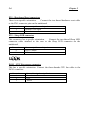
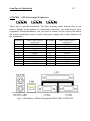
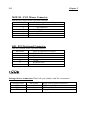
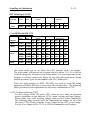
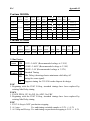
L When you have a problem during operation...
In order to help our technical support personnel to quickly find out what is the
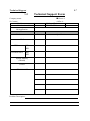
problem of your mainboard and to give you the answers you need, before filling
in the technical support form, eliminate any peripheral that is not related to the
problem, and indicate on the form the key peripherals. Fax this form to your
dealer or to the company where you bought the hardware in order to benefit
from our technical support. (You can refer to the examples given below.)
2
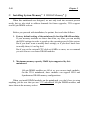
Example 1: With a system including: mainboard (with CPU, DRAM, COAST...)
HDD, CD-ROM, FDD, VGA CARD, MPEG CARD, SCSI CARD,
SOUND CARD..., after the system is assembled, if you cannot boot
up, check the key components of the system using the procedure
described below.
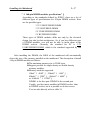
First remove all interface cards except the VGA card and try to
reboot.
F If you still cannot boot up:
Try installing another brand/model VGA card and see if the
system will start. If it still does not start, note the VGA card
model, mainboard model, Bios identification number, CPU on
the technical support form (refer to main instructions), and
describe the problem in the problem description space provided.
F If you can boot up:
Insert back the interface cards you have removed one by one and
try to start the system each time you insert a card, until the
system does not start anymore. Keep the VGA card and the
interface card that causes the problem inserted on the mainboard,
remove any other card or peripheral, and start again. If you still
cannot start, note down the information related to both cards in
the Add On Card space provided, and don’t forget to indicate
the mainboard model, version, BIOS identification number, CPU
(refer to main instructions), and give a description of the
problem.