1
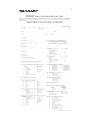
Useful adjustment settings
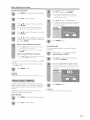
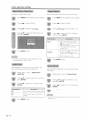
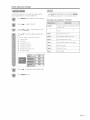
Input the sarne 4-di~Jit nurnber on the
"Roconfirrr( screen as in step 5 to confirm,
J\llows you to use ;:'1 ~:~ecret nurnber to protect certa.in
snttinqs frorn being accidentally cllan~JecL
IMPORTANT:
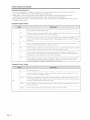
Three conditions rnust be rnet to enable t!'le V -(~hlp (see
pages 38 to 43):
(I) Sf3cn:~t ~~o, is rE?rJ1sterecL
Press RETURN to start. connqurinq the
sett!ngs. (Sc~e pf:1ges 4'1 and <.r3 for
details.)
\j"Cf'lip ~~8ttinqs have been (nada.
V-C~(Jip
(,~) :;Stcttus'J!S sot to "(Jr'(,
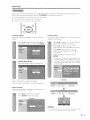
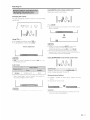
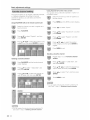
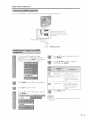
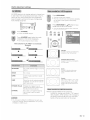
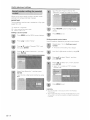
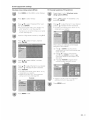
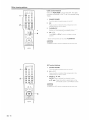
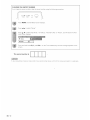
Setting a secret number
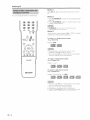
Prc~ss
MENU to exit
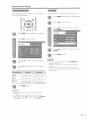
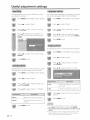
Press MENU and thE;; r\1E~JU screen displays.
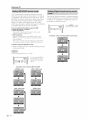
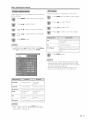
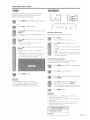
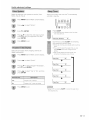
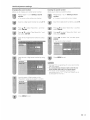
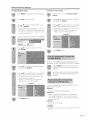
Setting parental control status
Used to enablE-; ()~' disablt.:; the pai'E;nta! control function.
Press .. /~ to select "Setup".
Repeat steps
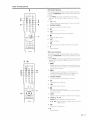
Press All' to select ':Parental
then press ENTER,
(~TRL:<:
Press A/ V to select "Secret No,
press ENTER,
and
·1
to 3 in
Sett~ng
a secret
number.
• 1lj() seCTeL nurnbor sottnQ rnenu displays.
j' j
afl(j then
Input the 4-digit secret nurnber by usinO 0-9.
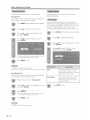
Press ,A/V t.o select ('Status": anll t.hen
press ENTER.
Press ~/~ to select ('()n" or "C)ff': ane! then
press ENTER.
• S~31ect "On'; to endb~e ancl "CYf" to c!jSable
Parental CTHL.
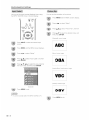
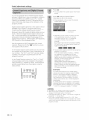
Select (,~~e\lv Secret No,": and t.herl press
ENTER,
Input tho nevv 4-digit secret number by using
0-9~
Press MENU to exit.
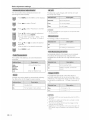
• You can 81<1p step 1 and 2 above vvhjle in the Parenta~
CTT1L SCr8(YI.
• Tfi8 "V,·Crlip {DT\) (Jnly( vvH~ only i)e selectable V'Jf"1(~n a nevv
rating SYStS1Tl carl be dov\/fl loaded via
in Uie U,S.
- 38