1
Table of Contents
Table of Contents
CHAPTER 1 – INTRODUCTION AND PRODUCT DESCRIPTION ......................................................................... 5
9BMultiModem MTCBA-H-EN2 (HSDPA) .........................................................................................................................................5
MultiModem MTCBA-G2-EN2 ......................................................................................................................................................5
MultiModem MTCBA-E1-EN2 (EDGE) ........................................................................................................................................5
MultiModem MTCBA-C1-EN2 CDMA 1xRTT ...............................................................................................................................6
Safety Warnings ...........................................................................................................................................................................6
Ethernet Ports Caution .................................................................................................................................................................6
12BHandling Precautions....................................................................................................................................................................6
Vehicle Safety ...............................................................................................................................................................................6
14BInternal Lithium Battery .................................................................................................................................................................6
Front Panel ...................................................................................................................................................................................7
Package Contents ........................................................................................................................................................................7
Specification .................................................................................................................................................................................8
Power ...........................................................................................................................................................................................9
RF Specifications ..........................................................................................................................................................................9
RS232 9-Pin Functions of the Female End Connector .................................................................................................................9
1BCHAPTER 2 – ACTIVATION AND INSTALLATION .............................................................................................. 10
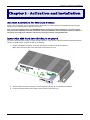
Account Activation for Wireless Devices.....................................................................................................................................10
Insert the SIM Card into Holder, If required ................................................................................................................................10
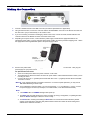
2BMaking the Connection ...............................................................................................................................................................11
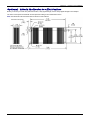
23BOptional – Attach the Router to a Flat Surface ...........................................................................................................................12
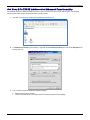
24BSet Your PC’s TCP/IP Address for Ethernet Functionality ..........................................................................................................13
25BAT Command for Verifying Signal Strength ................................................................................................................................15
AT Command for Checking Network Registration and Roaming Status .....................................................................................15
Exiting Modem Mode ..................................................................................................................................................................15
27BConfigure the Ethernet Interface Using the Web Management Software ...................................................................................16
28BShutdown Caution ......................................................................................................................................................................18
2BCHAPTER 3 – USING THE WEB MANAGEMENT SOFTWARE .......................................................................... 19
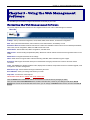
29BNavigating the Web Management Software ...............................................................................................................................19
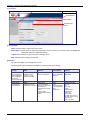
Web Management Software Screens .........................................................................................................................................21
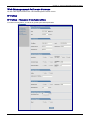
IP Setup ......................................................................................................................................................................................21
PPP ............................................................................................................................................................................................27
3BNetworks & Services...................................................................................................................................................................33
GRE Tunnels ..............................................................................................................................................................................39
DHCP Server ..............................................................................................................................................................................41
IPSec ..........................................................................................................................................................................................43
47BAdd IKE Connection ........................................................................................................................................................44
48B71Add Manual Connection ..................................................................................................................................................46
49B72Add Manual Connection ..................................................................................................................................................46
37B8Serial-Port ...................................................................................................................................................................................48
38BSerial-Port > Serial Port Settings ................................................................................................................................................48
39BTools ...........................................................................................................................................................................................51
51BTools > Save Configuration .............................................................................................................................................52
40BStatistics & Logs .........................................................................................................................................................................53
52B80Statistics & Logs > System Information ...........................................................................................................................53
53B81Statistics & Logs > Ethernet ............................................................................................................................................54
54B82Statistics & Logs > PPP ..................................................................................................................................................55
5B83Statistics & Logs > PPP Trace ........................................................................................................................................56
57B86Statistics & Logs > Modem Information ...........................................................................................................................57
58B7Statistics & Logs > Service Status...................................................................................................................................57
59B8Statistics & Logs > TCP/UDP Client Live Log .................................................................................................................57
60B89Statistics & Logs > TCP/UDP Server Live Log ................................................................................................................57
61B90Statistics & Logs > IPSec Live Log..................................................................................................................................58
62B91Statistics & Logs > IPSec Log Traces .............................................................................................................................58
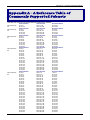
3BAPPENDIX A – A REFERENCE TABLE OF COMMONLY SUPPORTED SUBNETS.......................................... 59
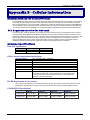
4BAPPENDIX B - ......................................................................................................................................................... 61
CELLULAR INFORMATION ................................................................................................................................... 61
Antenna System for Cellular Devices .........................................................................................................................................61
FCC Requirements for the Antenna............................................................................................................................................61
Antenna Specifications ...............................................................................................................................................................61
CDMA RF Specifications .................................................................................................................................................61
Multi-Tech Systems, Inc. MultiModem rCell User Guide
3