1
Headset Operation
Your v 2651 cordless telephone is equipped with a 2.5mm Headset Jack for use
with an optional accessory Headset for hands-free operation. If you choose to
use the Headset option, you must obtain an optional accessory Headset, which
is compatible with the v 2651.
To purchase a Headset, call VTech Customer Service at 1-800-595-9511, and
in Canada at 1-800-267-7377.
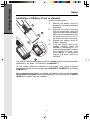
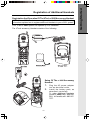
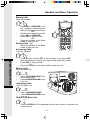
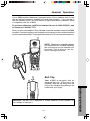
Once you have a compatible 2.5mm Headset, locate the Headset Jack on the v 2651
Handset. Connect the plug on the Headset cord to the jack on the cordless Handset
(under a small rubber flap). The plug should fit securely. Do not force the connection.
NOTE: Whenever a compatible Handset
is connected to the cordless Handset,
the microphone on the Handset will
be muted. This is done to limit the
effect of background noise.
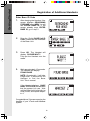
Your v 2651 is equipped with an
attached belt clip. At the top of the
Handset, slide the clip away from the
body of the Handset by pushing in the
indent with your finger.
CAUTION: The Belt Clip is designed to remain attached to the Handset. Do
not attempt to remove it.
29
AdditionalInformation
Belt Clip