1
24
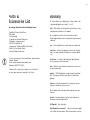
AcomData is not responsible for any damage to, or loss of, any
programs, data, or other information stored on any media or any
part of any Product serviced hereunder. Be sure to remove all
features, parts, options, alterations, and attachments not under
warranty prior to returning the Product to AcomData. AcomData
is not liable for any loss or damage to these items.
This limited warranty does not cover: (1) any consumables (such
as batteries) supplied with this product; cosmetic damages; damage or loss to any software programs, data or removable storage
media; or damage due to the Product such as but not limited to
excessive heat or humidity, or modifications of this Product; (2)
improper installation, operation, testing or maintenance of this
Product; (3) power failure or connection to improper voltage supply; or; (4) attempted repair by any party other than AcomData.
This Warranty does not apply when the malfunction results from
the use of this Product in conjunction with accessories, products
or ancillary or peripheral equipment, or where it is determined by
AcomData that there is no fault with this Product itself.
This Limited Warranty is invalid if the factory applied serial number has been altered or removed from the Product.
Repair or replacement as provided under this warranty is the
exclusive remedy of the consumer. AcomData shall not be liable
for any incidental or consequential damages for breach of any
express or implied warranty, breach of contract, negligence,
strict liability or any other legal theory related to this product.
Such damage include, but are not limited to, loss of profits, loss
of data, loss of use of the product or any associated equipment,
down time and purchaser’s time. Except to the extend prohibited
by applicable law, any implied warranty of merchantability or fitness for a particular purpose on this product is limited in duration
of this warranty.
Some states do not allow the exclusion or limitation of incidental
or consequential damages, or allow limitations on how long on
implied warranty lasts, so the above limitation or exclusions may
not apply to you. This warranty gives you specific rights; you may
have other rights which vary from state to state.
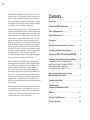
Contents
Introduction ............................................................ 2
FireWire and USB 2.0 Compared.............................. 3
Parts & Accessories List ......................................... 4
System Requirements ............................................. 5
Precautions ............................................................ 6
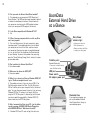
AcomData External Hard Drive at a Glance ................ 7
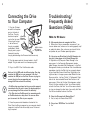
Connecting the Drive to Your Computer ..................... 8
Installing the USB 2.0 CD (Windows 98SE/ME) ........ 9
Formatting Your AcomData External Hard Drive .......
Formatting the Drive in Windows 98/ME .................
Formatting the Drive in Windows 2000/XP ...............
Formatting the Drive in Mac OS 9 ..........................
Formatting the Drive in Mac OS 10 .........................
10
11
12
12
13
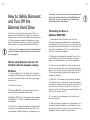
How to safely dismount and turn off your
AcomData External Hard Drive ............................... 14
Performing Basic Tasks ......................................... 16
Troubleshooting /
Frequently Asked Questions (FAQ) ........................ 17
Glossary ............................................................... 21
One Year Limited Warranty .................................. 23
Contact Information .............................................. 25