1
Troubleshooting
!
WARNING
To avoid risk of electrical shock, personal injury or death; disconnect power before servicing, unless
testing requires power.
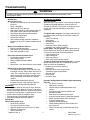
Will Not Shut Off
• Check Membrane Pad.
• Check Electronic Control Board.
• Short in sensor circuit.
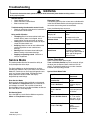
Diagnostic Tests
The following table lists the various tests available while
in the Service Mode. Before advancing to the next test,
the current test running must be terminated.
Troubleshooting the electronic control circuit:
• Check for miswiring of the electrical connector at
the electronic control board.
Press the following keys to access:
Key Press
Special Test/Function
Display list of diagnostic
Wrinkle Prevent
codes.
Displays “d”
Noisy and/Or Vibration
• Thumping Check for loose tumbler baffle, rear
tumbler roller(s) worn or misaligned, out-ofround tumbler or high weld seam on tumbler.
• Ticking Check for loose wire harness or object
caught in blower wheel area.
• Scraping Check for front or rear bulkhead felt
seal out of position or worn tumbler front
bearings.
• Roaring Check for blower wheel rubbing on
blower housing or bad motor bearings.
• Popping or squealing sound. Check for a
sticky or frayed belt.
Temperature Key
Display software revision
number
Start or pause cycle running
but remain in diagnostic
mode. Display the number of
cycles ago the diagnostic
code occurred.
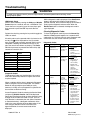
System Check Mode
While in Service Mode, pressing the
Time and Wrinkle Prevent keys for 3 seconds, will put
the dryer into the System Check mode and "in" will
display. The following table lists the various functions
based on the keys being pressed.
This mode provides Service Personnel the ability to
verify the operation of the dryer.
The Service Mode can be implemented at any time,
including the middle of a dry cycle. While in the Service
Mode, the Technician can start special diagnostic tests
such as a System Check Mode, LED Switch/Check,
Display Software version number and display
diagnostic/help code listings.
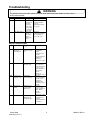
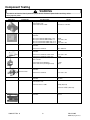
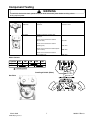
System Check Mode Table
Key Pressed:
Start/Pause rotary
selector dial
Rotate the Cycle Selector
Knob to Delicates
Enter Service Mode:
Dryer must be on before Service Mode can be entered.
Press Chime and Temperature Keys for 3 seconds, or
until 3 beeps are heard. The machine will now be in
Service Mode. Upon entry into Service Mode, the Sensor
Bar Touch Data is to be displayed.
Rotate the Cycle Selector
Knob to Sensor
Dry
Exit Service Mode
Press the OFF key to exit Service Mode or repeat the
Chime and Temperature sequence.
March 2005
To sequence thru the
diagnostic and help codes.
Start/Pause
Service Mode
©2005 Maytag Services
Then rotate the Cycle
Selector Knob
3
Function
Performed
Cycles the motor
on/off.
LED’s and 7
segment display
flash.
View current
cycle temperature
in Celsius.
Rotate the Cycle Selector
Knob to Wrinkle Control
Segment display
is “1” for sensor
bar short, “0” for
sensor bar open
Rotate the Cycle Selector
Knob to Time Dry
View current
cycle
temperature in
Fahrenheit.
16026117 Rev. 0