1
Using the Internet
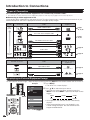
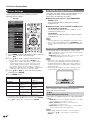
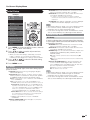
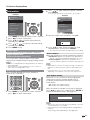
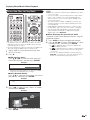
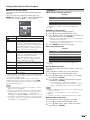
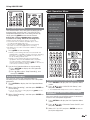
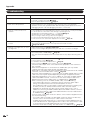
Using the Toolbar
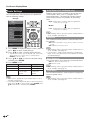
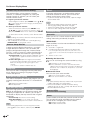
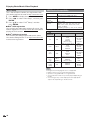
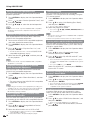
Using Tabs
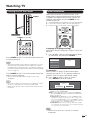
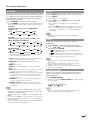
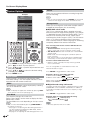
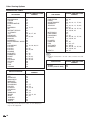
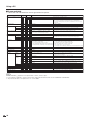
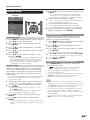
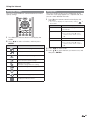
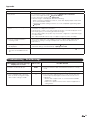
You can use the toolbar to control the browser and to
specify settings.
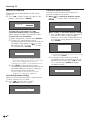
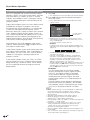
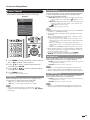
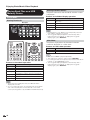
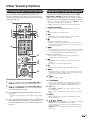
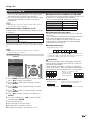
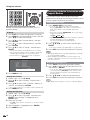
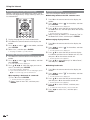
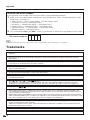
You can use tabs to view up to 3 web pages at the
same time. Each page appears in a separate tab, and
you can switch between the tabs.
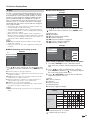
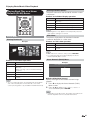
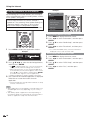
1 Press B on the remote control unit to display the
Tab menu.
• You can also display the Tab menu by clicking “
the toolbar.
Selected item
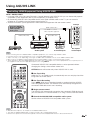
1 Press D on the remote control unit to display the
toolbar.
2 Press c/d to select a function, and then press
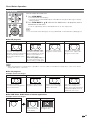
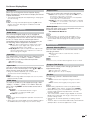
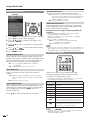
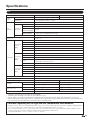
Displays the web page in the
selected tab.
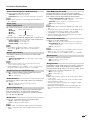
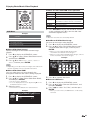
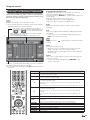
Close This Tab
Closes the selected tab.
• You can also press C on the
remote control unit to close a
tab.
Close Other Tabs
Closes the other (unselected) tabs.
Create New Tab
Creates a new tab.
• You can also press A on the
remote control unit to create a
tab.
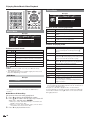
Description
Displays the linked page in a new tab.
Displays the Tab menu.
Description
Select This
ENTER.
Selected item
” in
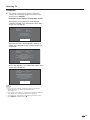
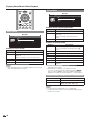
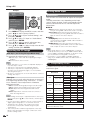
2 Press c/d to select a tab.
3 Press a/b to select the item you want to use, and
then press ENTER.
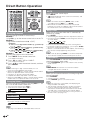
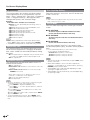
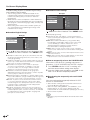
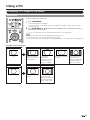
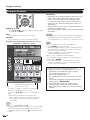
Returns to the previous page.
Goes back to the original page when you
have viewed the previous page.
Refreshes the page.
Interrupts a page while it is loading.
Displays the original home page.
Select this to open a bookmark.
Adds the current page to your bookmarks.
Displays the Browser menu.
65