1
all.book
Page 67
Thursday, September 5, 2002
10:10 AM
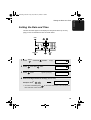
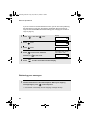
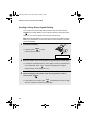
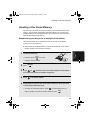
Sending a Fax by Automatic Dialling
4
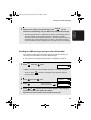
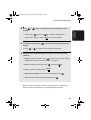
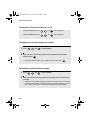
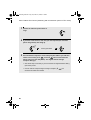
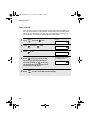
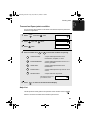
Press START/SPEICHER .
5
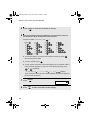
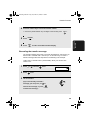
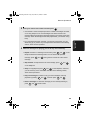
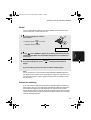
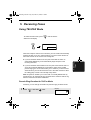
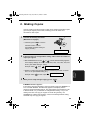
Enter a name by pressing number keys for each letter as shown in the
chart below. Up to 15 characters can be entered. (If you do not wish to
enter a name, go directly to Step 6.)
7
G=
N=
A=
H=
O=
V=
B=
I =
P=
W=
C=
J=
Q=
X=
D=
K=
R=
Y=
E=
L=
S=
Z=
M=
T=
SPACE =
F=
U=
4. Sending
Faxes
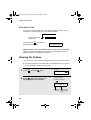
Example: SHARP = 7777 44 2 777
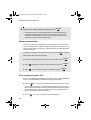
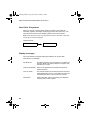
♦ To enter two letters in succession that require the same key, press
after entering the first letter.
♦ To clear a mistake, press
.
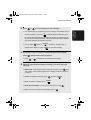
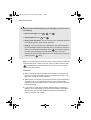
♦ To enter a lower case letter, continue pressing the key for the letter until the
lower case letter appears. To enter one of the following symbols, press
or
repeatedly:
./!"#$%& ( )
+,-:;<=>?@[
] ^_`{|}
ÄÖÜäöü
Display:
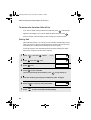
6
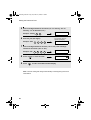
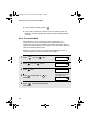
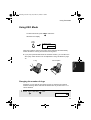
Press START/SPEICHER
7
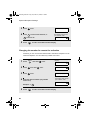
Return to Step 2 to store another number, or press STOP to return to
the date and time display.
<NEW NUMBER>
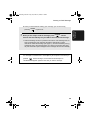
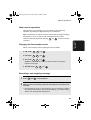
Note: The fax machine uses a lithium battery to keep automatic dialling numbers
and other programmed information in memory when the power is turned off.
Battery power is consumed primarily when the power is off. With the power kept
continuously off, the life of the battery is about 5 years. If the battery dies, have
your dealer or retailer replace it. Do not try to replace it yourself.
67