1
4-26
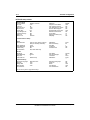
Basic system procedures
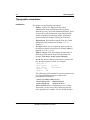
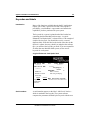
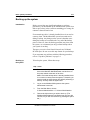
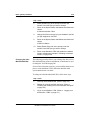
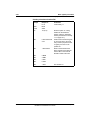
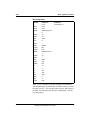
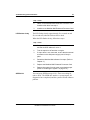
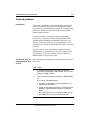
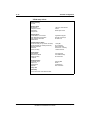
Changing the default Meridian Mail DNs
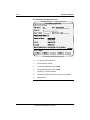
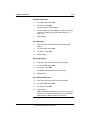
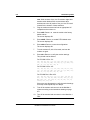
Creating a new Voice Messaging DN
Prompt
Response
Comments
>
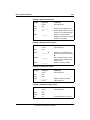
LD 23
Load Overlay 23.
REQ
NEW
TYPE
ACD
CUST
________
MWC
YES
IMS
YES
Enter the customer number.
CMS
YES
IMA
YES
IVMS
YES
VSID
9
Enter the number of the Meridian
Mail Enhanced Card Option
ESDI link.
MAXP
12
Enter the maximum number of
Meridian Mail ports on the
system.
ALOG
YES
NCFW
0
Enter the attendant DN (as
defined using Overlay 15).
ACDN
________
Enter the new service DN.
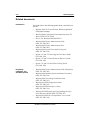
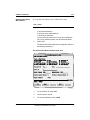
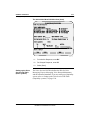
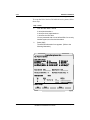
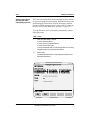
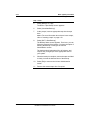
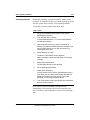
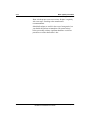
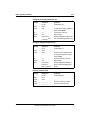
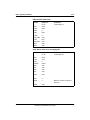
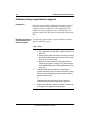
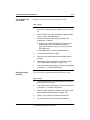
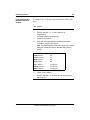
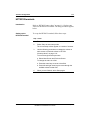
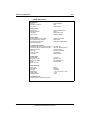
Changing a hardware location
Standard 2.0
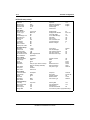
Prompt
Response
Comment
>
LD 11
Load Overlay 11.
REQ
CHG
TYPE
2008
TN
cu
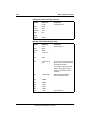
Enter the Option 11 routing
address for the hardware
location. (Refer to “Hardware
location parameters for Overlay
11” on page 10-7.)
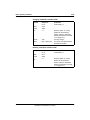
KEY
0 ACD xxxx zzz
yyyy
xxxx is the new Voice Messaging
DN, zzz is the CLID entry
number (required in R22 or
higher) and yyyy is the position
ID for the hardware location.
Meridian Mail Mini and Enhanced Card Option
Installation and Maintenance Guide
May 2000