1
Software installation
3-15
Setting up the system
Setting up the Voice
Menu Service
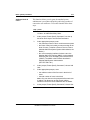
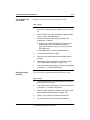
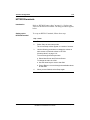
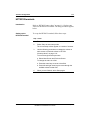
To set up the Voice Menu service, follow these steps.
Step Action
1
From the Main Menu, choose
3 Voice Administration→
3 Voice Services Administration→
7 Voice Menu Definitions
You are presented with a list of voice menu definitions.
On a newly installed system, this list should be blank.
2
Select Add.
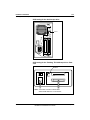
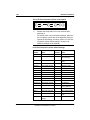
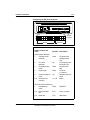
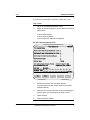
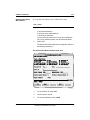
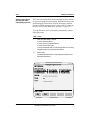
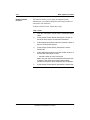
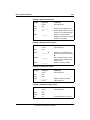
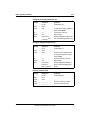
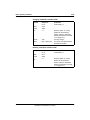
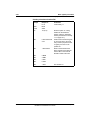
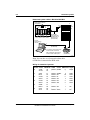
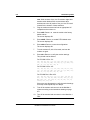
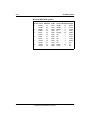
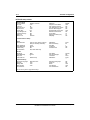
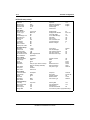
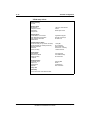
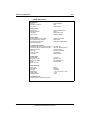
The Add a Voice Menu Definition form appears. (Refer to
the following illustration.)
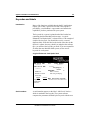
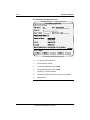
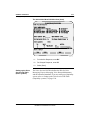
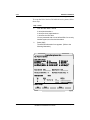
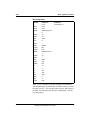
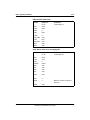
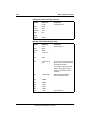
The Add a Voice Menu Definition form (one)
VS Config/Menu Applications Admin
Add a Voice Menu Definition
Choice of Menu Actions:
AS Announcement Service
DS Disconnect
RP Repeat Menu Choices
TD Time-of-Day Control
CL
EM
MM
MS
Call
Express Messaging
Return to Main Menu
Voice Menu Service
Voice Menu ID:
100_____
Revert DN:
0_____________________________
RV
PP
TS
VM
Call Revert DN
Play Prompt
Thru-Dial Service
Voice Messaging
Title: _____________________________
Access Password: 12345___________
Update Password: 12345___________
Greeting Recorded (Voice): No
Menu Choices Recorded (Voice): No
Silent Disconnect:
No Yes
MORE BELOW
Select a softkey >
Save
Cancel
Voice
CARD-056
Standard 2.0
3
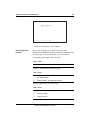
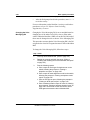
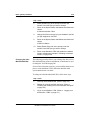
For Voice Menu ID, enter 100.
4
For Revert DN, enter 0.
5
For Access Password, enter 12345.
Meridian Mail Mini and Enhanced Card Option
Installation and Maintenance Guide
May 2000