1
Advanced CD playback (continued)
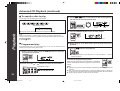
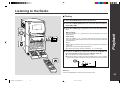
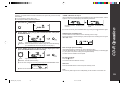
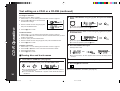
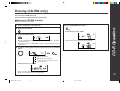
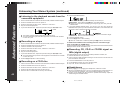
■ Repeat or Random play
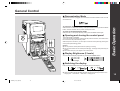
Press the PLAY MODE button repeatedly to select the playback
mode.
Repeat playback mode
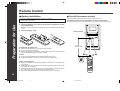
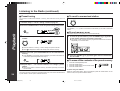
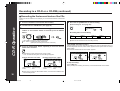
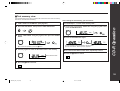
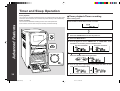
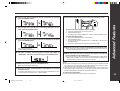
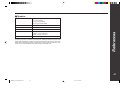
Each time the TIME button on the remote control is pressed during playback
or in the pause mode, the display will change.
Random playback mode
The elapsed playing time for the
current track will be displayed.
Normal playback mode
2
Press the 06 or one of the DISC 1 - DISC 6 buttons to start playback.
The remaining playing time for the
current track will be displayed.
or
● If playback is started by pressing the 06 button, repeat or random play will
be performed on all discs.
The total remaining playing time
for the disc will be displayed.
Playback
1
■ Switching the time display
● If playback is started by pressing one of the DISC 1 - DISC 6 buttons, repeat
or random play will be performed on that disc.
To repeat a programmed sequence:
Perform steps 1 - 6 in the “Programmed play” section and then select the repeat playback.
Notes:
● During random play, the total remaining playing time will not be displayed.
● Depending on the CD, the playing time display may not match the total playing time
which is indicated on the CD jacket, as the time between tracks is not included.
Notes:
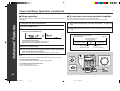
● After using repeat or random play, be sure to press the ■ button.
Otherwise, the disc(s) will play continuously.
● In random play, the CD player will select and play tracks automatically.
(You cannot select the order of the tracks.)
To cancel repeat or random play:
Press the PLAY MODE button repeatedly to select the normal play mode.
21
*RW5000_P18_24(Playback)
21
00.7.13, 3:14 PM