1
SMARTNET / SmartZone / P25 Trunked Features
6.10
Failsoft Operation
If a failure occurs in the SMARTNET/SmartZone or P25 Trunked system so that system
traffic cannot be centrally managed, the system directs the radio to automatically enter the
failsoft mode. When in this mode, “FAILSOFT” is displayed. A failsoft tone may also be
heard, depending on how the repeater is programmed.
When in the failsoft mode, operation is in the conventional mode on the preprogrammed
failsoft channel (a different failsoft channel can be programmed on each talkgroup). If a
transmission is attempted before a failsoft channel is located, a continuous tones sounds
until the PTT switch is released. When the radio system returns to normal operation, this is
automatically detected and normal operation resumes.
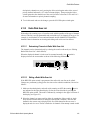
6.10.1
Programmable Failsoft Connect Tone
On a SMARTNET or SmartZone trunking system(s), a different radio failsoft connect tone
can be programmed. This allows the radio to emit a distinct and different tone for failsoft
than tones used during other operating modes.
The failsoft connect tone setting will normally be selected to “Default.” This means that
the connect tone used during failsoft will be the connect tone setting the system sends over
the air, or the programmed connect tone if no over the air value is received. If it is known
what the connect tone will be during failsoft operation, this can be programmed. If a value
other than “Default” is programmed, the radio will always use this connect tone setting
during failsoft operation.
6.11
SMARTNET / SmartZone / P25 Trunked Scanning Features
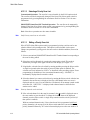
Scanning on a SMARTNET/Smartzone or P25 Trunked system is called Priority Monitor
Scan. The following are unique features of this type of scanning. For general scanning
information applicable to all operating modes, refer to Sections 4.12 and 4.13.
• Scanning is turned ON and OFF by the Scan option switch (or selecting the menu
parameter). Talkgroups (channels) can be programmed so that scanning automatically
starts whenever the talkgroup is selected (Autoscan).
• When responding to calls in the scan mode, the programming of the Talkback Scan
parameter determines if a response always occurs on the talkgroup of the call (Active
Group) or the Selected Group if they are different. Transmissions at other times always
occur on the selected talkgroup.
6-16
ES Series Mobile Radio Operating Manual