1
iii
TABLE OF CONTENTS
Preface
i
Chapter 1
1
Introducing the Motherboard
1
Introduction.................................................................................................1
Feature..........................................................................................................2
Motherboard Components........................................................................4
Chapter 2
7
Installing the Motherboard
7
Safety Precautions......................................................................................7
Choosing a Computer Case.......................................................................7
Installing the Motherboard in a Case......................................................7
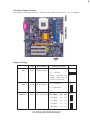
Checking Jumper Settings.........................................................................8
Setting Jumpers..............................................................................8
Checking Jumper Settings..............................................................9
Jumper Settings..............................................................................9
Connecting Case Components...............................................................10
Front Panel Header......................................................................11
Installing Hardware...................................................................................12
Installing the Processor...............................................................12
Installing Memory Modules.........................................................14
Installing a Hard Disk Drive/CD-ROM/SATA Hard Drive........15
Installing a Floppy Diskette Drive...............................................17
Installing Add-on Cards..............................................................18
Connecting Optional Devices......................................................19
Connecting I/O Devices..........................................................................22
Chapter 3
23
Using BIOS
23
About the Setup Utility............................................................................23
The Standard Configuration........................................................23
Entering the Setup Utility..............................................................23
Updating the BIOS.......................................................................25
Using BIOS................................................................................................25
Standard CMOS Features...........................................................26
Advanced BIOS Features.............................................................28
Advanced Chipset Features.........................................................30