1
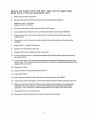
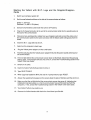
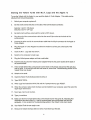
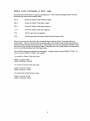
Adjusting Valiant Turtle Turns in Terrapin Logo
The Logo procedures that make the Valiant tum are programmed at a pre-set calibration. However,
because each Valiant has its own individual personality, a turn command, such as TRT 90, may turn
the Valiant slightly more or slightly less than 90 degrees. If your turtle makes inaccurate turns in
Terrapin Logo, you can change the turning calibrations by following the instructions below.
1.
Start with a fresh Logo by either typing GOODBYE or by restarting the system.
2.
Type READ "MVAL and press the Return key.
3.
Type EDIT RESET and Return.
4.
Change the variables CALlBTURNR and CALlBTURNL to something other than their default
values of 570. Make the values larger to move the Valiant farther; make the values smaller to
move the Valiant less.
5.
Define the new RESET procedure with Ctrl C.
6.
Type RESET and Return to install the new values of CALlBTURNR and CALlBTURNL.
7.
Test your new values on the Valiant.
8.
Make adjustments to the values until you are satisfied. Remember to execute the RESET
procedure each time you change the values.
9.
Save the new file on your Valiant Turtle Control Software disk by typing SAVE "NEWMVAL.
1 O. Next, type DOS [UNLOCK MVAL.LOGOj and press Return.
11 . Type DOS [RENAME NEWM VAL. L OGO,MVAL. LOGOj and press Return.
12. Type DOS [LOCK MVAL.LOGOj and press Return.
13. The new calibrations are now permanent and will take effect each time you load the new MVAL
file.
6