1
Winmate M700D Tablet PC
User Guide
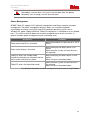
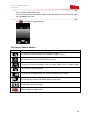
Immediately save the data, if user fail to save the data when the battery
completely runs of charge, user will lose their data
Power Management
M700D Tablet PC supports ACPI (Advance configuration and Power Interface) for power
management. The power management features allows user to reduce the power
consumption for energy saving. With and ACPI-compliant operating system such as
Windows XP, power supply to different Tablet PC components is controlled on an as-needed
basis. This allows maximum power conservation and performance at the same time. In
general, windows power management works in following state:
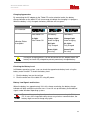
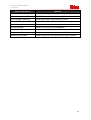
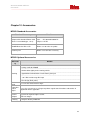
Occurrence
Condition
Power to the Hard Disk is turned off
When the hard disk has been idle for a set of
period
Power to the display is turned off
When the display has been idle for a set
period.
When the entire system has been idle for a
set of period.
Tablet PC enters the standby mode.
Hard disk and display are turned off and the
entire system consume less power
When the display has been idle for a set of
period.
When user press the power button
Tablet PC enters the hibernation mode
When the entire system has been idle for a
set of period.
When user press the power button.
For detailed information on power management, please refer to Help Windows
22