1
Restoring the Original Configuration
You can restore the system to the original configuration.
To restore the configuration:
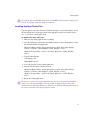
1. Run the Install3GB.exe as described in “Using Install3GB.exe to Extend Your Usable
Address Space” on page 67.
2. Type 0 (zero) for the memory setting.
This removes the “userva” setting in the boot configuration.
3. Reboot the system.
Documentation Changes
The following change has occurred since the print documentation was completed.
You will not receive Keycap labels with the current shipping Avid editor product kits. The
Keycap labels have been removed from the product kits due to branding changes. We
apologize for any inconvenience.
Ancillary Data Note
The following note was inadvertently left our of the Help topic “Preserving HD Closed
Captioning and Ancillary Data”:
The following requirement is necesssary when preserving ancillary data: Ancillary data can
only be preserved when it resides on the V1 video track.
16 Tracks of Audio in the Audio Mixer Tool
Previously, you were limited to 8 tracks of audio in the Audio Mixer tool. You can now have
16 tracks of audio in the Audio Mixer tool.
Controlling Character Mapping for Title Text
Recent versions of Avid editing applications use different default character mappings from
older versions. Some text objects might not display correctly when you open or edit them in
the current version of your application. In particular:
68
•
Greek text objects created in older versions do not display correctly in recent versions
•
Certain characters, such as superscripts or other characters you enter using Alt key
sequences, might not display correctly