1
User’s Guide
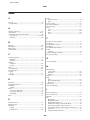
Index
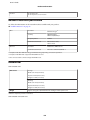
temporarily printing with black ink.........................................94
Ink cartridges
part numbers.............................................................................146
replacing when expended..........................................................98
Interface cables..............................................................................155
ISDN.................................................................................................67
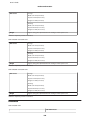
aligning.......................................................................................106
checking.....................................................................................103
cleaning......................................................................................105
Print quality
improving..................................................................................128
Print speed
increasing..........................................................................132, 136
Printable area specifications........................................................148
Printing
2-sided..........................................................................................36
canceling......................................................................................34
fit to page.....................................................................................38
multiple pages per sheet.............................................................39
preset............................................................................................36
shortcut........................................................................................36
text................................................................................................31
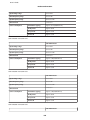
Problems
banding......................................................................................129
blank pages................................................................................132
blurry prints..............................................................................130
contacting Epson......................................................................157
diagnosing..................................................................................120
fax................................................................................................144
incorrect characters..................................................................131
incorrect colors.........................................................................129
margins......................................................................................131
mirror image.............................................................................132
paper feeding.............................................................................133
paper jams..................................................................................123
print............................................................................................120
print speed.................................................................................132
product does not print.............................................................134
scan.............................................................................................138
smeared prints..................................................................130, 132
solving........................................................................................157
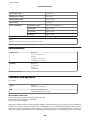
Product
checking status..........................................................................121
cleaning......................................................................................110
parts..............................................................................................14
transporting...............................................................................111
Product settings
accessing for Mac OS X..............................................................30
accessing for Windows..............................................................29
Power Off Timer.......................................................................109
Sleep Timer................................................................................109
Professional Mode..........................................................................52
L
Lights
flashing.......................................................................................135
status lights................................................................................138
Loading
paper.......................................................................................19, 22
M
Mac OS X
accessing printer settings...........................................................30
checking product status...........................................................122
Managing print jobs
Windows....................................................................................121
Margins
problems....................................................................................131
Marquee...........................................................................................55
Mirror image.................................................................................132
Misalignment................................................................................129
Multiple pages per sheet................................................................39
N
Nozzle check..................................................................................103
control panel.............................................................................104
Mac OS X...................................................................................103
Windows....................................................................................103
O
Office Mode.....................................................................................50
P
Pages per sheet printing.................................................................39
Paper
Epson special paper....................................................................19
feeding problems......................................................................133
jams.............................................................................................123
loading..........................................................................................22
loading capacity..........................................................................19
printable area.............................................................................148
specifications.............................................................................147
wrinkling....................................................................................134
Paper jam...............................................................................123, 140
PDF...................................................................................................57
Photo
software........................................................................................35
Polling...............................................................................................76
Previewing.......................................................................................54
Print head
R
Redial................................................................................................71
Reducing page size..........................................................................38
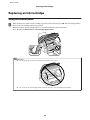
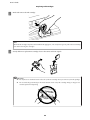
Replacing ink cartridges.................................................................98
Resizing pages..................................................................................38
Restrictions on copying..................................................................13
Rings to Answer..............................................................................75
S
Safety information..........................................................................10
Saving energy.................................................................................109
Scan quality problems..................................................................141
167