1
Canon
iR2000/iR1600
Reference Guide
About the Manuals for the Machine
The manuals for this machine are divided as follows. Please read them to suit your needs.
For Basic Use......................................................
Troubleshooting .................................................
Reference Guide
For Basic Copying..............................................
For Convenient Copying....................................
Copying Guide
For Remote UI Use .............................................
Remote UI Guide
For Setting Up the Network Connection ..........
Setup Guide
For Printer Use....................................................
PS/PCL Printer Guide
For Installing Printer Driver ...............................
PS Driver Guide
PCL Driver Guide
For Connecting and Setting the Network.........
Network Guide
(This Document)
How This Manual Is Organized
Chapter 1 Before You Start Using This Machine
1
Chapter 2 Checking Job
2
Chapter 3 Selecting and Storing Settings to Suit your Needs
3
Chapter 4 System Management Settings
4
Chapter 5 Routine Maintenance
5
Chapter 6 Troubleshooting
6
Chapter 7 Handling Options
7
Chapter 8 Appendix
8
Includes a Report Sample, and Orientation of an Original and the Output.
• Some of the data contained herein may not exactly reflect the current model of the particular product with which this manual has been included. If you have
a need for an exact specification, please contact Canon for the current specification.
• No part of this document may be photocopied, reproduced, or translated into another language without prior written consent of Canon Inc.
Table of Contents
How to Use This Manual . . . . . . . . . . . . . . . . . . . . . . . . . . . . . . . . . . . . . . . . . . . . . . . . . . . . . . . vi
Symbols Used in This Manual. . . . . . . . . . . . . . . . . . . . . . . . . . . . . . . . . . . . . . . . . . . . . . vi
Buttons Used in This Manual . . . . . . . . . . . . . . . . . . . . . . . . . . . . . . . . . . . . . . . . . . . . . . vi
Illustrations Used in This Manual . . . . . . . . . . . . . . . . . . . . . . . . . . . . . . . . . . . . . . . . . . . vi
Laser Safety . . . . . . . . . . . . . . . . . . . . . . . . . . . . . . . . . . . . . . . . . . . . . . . . . . . . . . . . . . . . . . . . . vii
Additional Information . . . . . . . . . . . . . . . . . . . . . . . . . . . . . . . . . . . . . . . . . . . . . . . . . . . . . . . . vii
International Energy Star-Program . . . . . . . . . . . . . . . . . . . . . . . . . . . . . . . . . . . . . . . . . . . . . . viii
About Trademarks . . . . . . . . . . . . . . . . . . . . . . . . . . . . . . . . . . . . . . . . . . . . . . . . . . . . . . . . . . . viii
Important Safety Instructions . . . . . . . . . . . . . . . . . . . . . . . . . . . . . . . . . . . . . . . . . . . . . . . . . . . ix
Installation . . . . . . . . . . . . . . . . . . . . . . . . . . . . . . . . . . . . . . . . . . . . . . . . . . . . . . . . . . . . . ix
Power Supply . . . . . . . . . . . . . . . . . . . . . . . . . . . . . . . . . . . . . . . . . . . . . . . . . . . . . . . . . . .x
Handling . . . . . . . . . . . . . . . . . . . . . . . . . . . . . . . . . . . . . . . . . . . . . . . . . . . . . . . . . . . . . . .x
Maintenance and Inspections . . . . . . . . . . . . . . . . . . . . . . . . . . . . . . . . . . . . . . . . . . . . . . xii
Consumables . . . . . . . . . . . . . . . . . . . . . . . . . . . . . . . . . . . . . . . . . . . . . . . . . . . . . . . . . xiii
Others . . . . . . . . . . . . . . . . . . . . . . . . . . . . . . . . . . . . . . . . . . . . . . . . . . . . . . . . . . . . . . . xiii
Legal Limitation on Usage of Your Product and the Use of Images . . . . . . . . . . . . . . . . . . . xiv
Operation of the Machine and Terms Used in This Manual . . . . . . . . . . . . . . . . . . . . . . . . . . xv
Chapter 1
Before You Start Using This Machine
About the Installation Location and Handling . . . . . . . . . . . . . . . . . . . . . . . . . . . . . . . . . . . . . 1-2
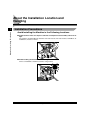
Installation Precautions . . . . . . . . . . . . . . . . . . . . . . . . . . . . . . . . . . . . . . . . . . . . . . . . . . 1-2
Avoid Installing the Machine in the Following Locations. . . . . . . . . . . . . . . . . . . . . . 1-2
Select a Safe Power Supply . . . . . . . . . . . . . . . . . . . . . . . . . . . . . . . . . . . . . . . . . . . 1-5
Provide Adequate Installation Space . . . . . . . . . . . . . . . . . . . . . . . . . . . . . . . . . . . . 1-5
Moving the Machine . . . . . . . . . . . . . . . . . . . . . . . . . . . . . . . . . . . . . . . . . . . . . . . . . 1-6
Handling Precautions . . . . . . . . . . . . . . . . . . . . . . . . . . . . . . . . . . . . . . . . . . . . . . . . . . . 1-7
What the iR2000/1600 Series Machine Can Do . . . . . . . . . . . . . . . . . . . . . . . . . . . . . . . . . . . . . 1-9
Reserving Next Job While Current Job is in Operation . . . . . . . . . . . . . . . . . . . . . . . . . . 1-9
Setting Specifications to Suit Your Needs. . . . . . . . . . . . . . . . . . . . . . . . . . . . . . . . . . . . 1-9
Functions That Conserve Power Consumption. . . . . . . . . . . . . . . . . . . . . . . . . . . . . . . 1-10
Department ID Management . . . . . . . . . . . . . . . . . . . . . . . . . . . . . . . . . . . . . . . . . . . . . 1-10
Checking the Job Status . . . . . . . . . . . . . . . . . . . . . . . . . . . . . . . . . . . . . . . . . . . . . . . . 1-10
Parts and Their Functions . . . . . . . . . . . . . . . . . . . . . . . . . . . . . . . . . . . . . . . . . . . . . . . . . . . . 1-11
External View . . . . . . . . . . . . . . . . . . . . . . . . . . . . . . . . . . . . . . . . . . . . . . . . . . . . . . . . 1-11
Internal View . . . . . . . . . . . . . . . . . . . . . . . . . . . . . . . . . . . . . . . . . . . . . . . . . . . . . . . . . 1-13
Control Panel Parts and Functions . . . . . . . . . . . . . . . . . . . . . . . . . . . . . . . . . . . . . . . . 1-14
ii
Main Power and Control Panel Power. . . . . . . . . . . . . . . . . . . . . . . . . . . . . . . . . . . . . . . . . . . 1-16
How to Turn On the Main Power . . . . . . . . . . . . . . . . . . . . . . . . . . . . . . . . . . . . . . . . . . 1-16
Energy Saver Button (
) . . . . . . . . . . . . . . . . . . . . . . . . . . . . . . . . . . . . . . . . . . . . . . 1-19
Turning Off the Main Power When Optional Hard Disk is Attached . . . . . . . . . . . . . . . 1-19
The System Settings of This Machine. . . . . . . . . . . . . . . . . . . . . . . . . . . . . . . . . . . . . . . . . . . 1-20
Entering the Department ID and Password . . . . . . . . . . . . . . . . . . . . . . . . . . . . . . . . . . . . . . 1-21
After Turning the Power On. . . . . . . . . . . . . . . . . . . . . . . . . . . . . . . . . . . . . . . . . . . . . . 1-21
After Finishing Operations of the Machine . . . . . . . . . . . . . . . . . . . . . . . . . . . . . . . . . . 1-22
Placing Originals . . . . . . . . . . . . . . . . . . . . . . . . . . . . . . . . . . . . . . . . . . . . . . . . . . . . . . . . . . . . 1-23
Orientation of Originals . . . . . . . . . . . . . . . . . . . . . . . . . . . . . . . . . . . . . . . . . . . . . . . . . 1-24
Placing an Original on the Platen Glass . . . . . . . . . . . . . . . . . . . . . . . . . . . . . . . . . . . . 1-25
Placing Originals in the Optional Feeder (ADF-J1) . . . . . . . . . . . . . . . . . . . . . . . . . . . . 1-28
Making Prints Using the Stack Bypass . . . . . . . . . . . . . . . . . . . . . . . . . . . . . . . . . . . . . . . . . . 1-30
Multi-function Operation. . . . . . . . . . . . . . . . . . . . . . . . . . . . . . . . . . . . . . . . . . . . . . . . . . . . . . 1-35
Available Paper Stock. . . . . . . . . . . . . . . . . . . . . . . . . . . . . . . . . . . . . . . . . . . . . . . . . . . . . . . . 1-36
Chapter 2
Checking Job
Flow of Checking/Canceling Operations . . . . . . . . . . . . . . . . . . . . . . . . . . . . . . . . . . . . . . . . . 2-2
Canceling a Job. . . . . . . . . . . . . . . . . . . . . . . . . . . . . . . . . . . . . . . . . . . . . . . . . . . . . . . . . . . . . . 2-3
Canceling with
(Stop). . . . . . . . . . . . . . . . . . . . . . . . . . . . . . . . . . . . . . . . . . . . . . . . . 2-3
Canceling from the Monitor Screen. . . . . . . . . . . . . . . . . . . . . . . . . . . . . . . . . . . . . . . . . 2-4
Chapter 3
Selecting and Storing Settings to Suit your Needs
Additional Functions Settings Table . . . . . . . . . . . . . . . . . . . . . . . . . . . . . . . . . . . . . . . . . . . . . 3-2
Setting Specifications That Are Common to Each Function (Common Settings) . . . . . . . . 3-5
Setting Keypad Volume, Alarm Volume, Printing End Tone, and Scanning End Tone. . 3-5
Setting the Power Consumption in Energy Saver Mode . . . . . . . . . . . . . . . . . . . . . . . . . 3-7
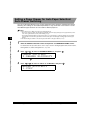
Setting a Paper Drawer for Auto Paper Selection/Auto Drawer Switching . . . . . . . . . . . 3-8
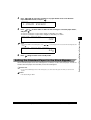
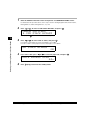
Setting the Standard Paper for the Stack Bypass . . . . . . . . . . . . . . . . . . . . . . . . . . . . . . 3-9
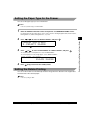
Setting the Paper Type for the Drawer . . . . . . . . . . . . . . . . . . . . . . . . . . . . . . . . . . . . . 3-11
Setting the Rotate Printing . . . . . . . . . . . . . . . . . . . . . . . . . . . . . . . . . . . . . . . . . . . . . . 3-11
Setting a Dedicated Tray for Each Function . . . . . . . . . . . . . . . . . . . . . . . . . . . . . . . . . 3-12
Selecting the Display Language . . . . . . . . . . . . . . . . . . . . . . . . . . . . . . . . . . . . . . . . . . 3-14
Setting the Timer (Timer Settings). . . . . . . . . . . . . . . . . . . . . . . . . . . . . . . . . . . . . . . . . . . . . . 3-15
Setting the Current Date and Time . . . . . . . . . . . . . . . . . . . . . . . . . . . . . . . . . . . . . . . . 3-15
Setting the Auto Clear . . . . . . . . . . . . . . . . . . . . . . . . . . . . . . . . . . . . . . . . . . . . . . . . . . 3-16
Setting the Energy Saver Mode . . . . . . . . . . . . . . . . . . . . . . . . . . . . . . . . . . . . . . . . . . 3-18
Setting the Daily Timer . . . . . . . . . . . . . . . . . . . . . . . . . . . . . . . . . . . . . . . . . . . . . . . . . 3-19
Setting the Date Format . . . . . . . . . . . . . . . . . . . . . . . . . . . . . . . . . . . . . . . . . . . . . . . . 3-20
iii
Printing Reports (Print Lists) . . . . . . . . . . . . . . . . . . . . . . . . . . . . . . . . . . . . . . . . . . . . . . . . . . 3-22
Printing the User’s Data List . . . . . . . . . . . . . . . . . . . . . . . . . . . . . . . . . . . . . . . . . . . . . 3-22
Printing the Department ID Management List . . . . . . . . . . . . . . . . . . . . . . . . . . . . . . . . 3-23
Canceling Printing of Reports . . . . . . . . . . . . . . . . . . . . . . . . . . . . . . . . . . . . . . . . . . . . 3-23
Chapter 4
System Management Settings
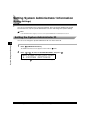
Setting System Administrator Information (System Settings) . . . . . . . . . . . . . . . . . . . . . . . . 4-2
Setting the System Administrator ID . . . . . . . . . . . . . . . . . . . . . . . . . . . . . . . . . . . . . . . . 4-2
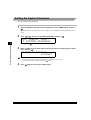
Setting the System Password . . . . . . . . . . . . . . . . . . . . . . . . . . . . . . . . . . . . . . . . . . . . . 4-4
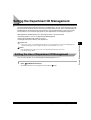
Setting the Department ID Management . . . . . . . . . . . . . . . . . . . . . . . . . . . . . . . . . . . . . . . . . . 4-5
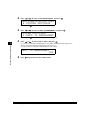
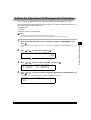
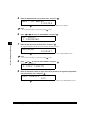
Setting the Use of Department ID Management . . . . . . . . . . . . . . . . . . . . . . . . . . . . . . . 4-5
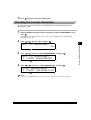
Setting the Department ID Management Information . . . . . . . . . . . . . . . . . . . . . . . . . . . 4-7
Checking the Counter Information. . . . . . . . . . . . . . . . . . . . . . . . . . . . . . . . . . . . . . . . . . 4-9
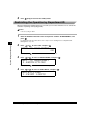
Restricting the Operation by Department ID . . . . . . . . . . . . . . . . . . . . . . . . . . . . . . . . . 4-10
Specifying Whether or Not to Accept Print Jobs of Unknown ID. . . . . . . . . . . . . . . . . . 4-11
Chapter 5
Routine Maintenance
Loading Paper . . . . . . . . . . . . . . . . . . . . . . . . . . . . . . . . . . . . . . . . . . . . . . . . . . . . . . . . . . . . . . . 5-2
Loading Paper in the Paper Drawers . . . . . . . . . . . . . . . . . . . . . . . . . . . . . . . . . . . . . . . 5-2
Adjusting a Paper Drawer to Hold a Different Paper Size. . . . . . . . . . . . . . . . . . . . . . . . 5-5
Replacing the Toner Cartridge. . . . . . . . . . . . . . . . . . . . . . . . . . . . . . . . . . . . . . . . . . . . . . . . . 5-10
Replacing the Drum Cartridge . . . . . . . . . . . . . . . . . . . . . . . . . . . . . . . . . . . . . . . . . . . . . . . . . 5-16
Routine Cleaning. . . . . . . . . . . . . . . . . . . . . . . . . . . . . . . . . . . . . . . . . . . . . . . . . . . . . . . . . . . . 5-22
Cleaning the Platen Glass/Rear Side of Platen Glass Cover . . . . . . . . . . . . . . . . . . . . 5-22
Cleaning the Feeder . . . . . . . . . . . . . . . . . . . . . . . . . . . . . . . . . . . . . . . . . . . . . . . . . . . 5-23
Cleaning the Roller . . . . . . . . . . . . . . . . . . . . . . . . . . . . . . . . . . . . . . . . . . . . . . . . . . . . 5-26
Consumables. . . . . . . . . . . . . . . . . . . . . . . . . . . . . . . . . . . . . . . . . . . . . . . . . . . . . . . . . . . . . . . 5-29
Chapter 6
Troubleshooting
Clearing Paper Jams. . . . . . . . . . . . . . . . . . . . . . . . . . . . . . . . . . . . . . . . . . . . . . . . . . . . . . . . . . 6-2
Display Shown When There Is a Paper Jam. . . . . . . . . . . . . . . . . . . . . . . . . . . . . . . . . . 6-2
Clearing Paper Jams in the Left Cover and the Fixing Unit . . . . . . . . . . . . . . . . . . . . . . 6-4
Clearing Paper Jams in the Lower Left Side Cover . . . . . . . . . . . . . . . . . . . . . . . . . . . . 6-8
Clearing Paper Jams in the Stack Bypass . . . . . . . . . . . . . . . . . . . . . . . . . . . . . . . . . . 6-11
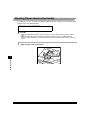
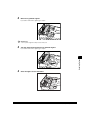
When the Copied Output Using the Feeder Becomes Dirty . . . . . . . . . . . . . . . . . . . . . . . . . 6-12
When a Error Code Between E500 and E585 Is Displayed . . . . . . . . . . . . . . . . . . . . . . . . . . 6-14
List of Error Messages . . . . . . . . . . . . . . . . . . . . . . . . . . . . . . . . . . . . . . . . . . . . . . . . . . . . . . . 6-16
Self-diagnostic Display . . . . . . . . . . . . . . . . . . . . . . . . . . . . . . . . . . . . . . . . . . . . . . . . . 6-16
iv
Service Call Message . . . . . . . . . . . . . . . . . . . . . . . . . . . . . . . . . . . . . . . . . . . . . . . . . . . . . . . . 6-20
Calling Your Local Authorized Canon Dealer . . . . . . . . . . . . . . . . . . . . . . . . . . . . . . . . 6-20
Chapter 7
Handling Options
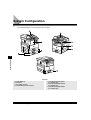
System Configuration . . . . . . . . . . . . . . . . . . . . . . . . . . . . . . . . . . . . . . . . . . . . . . . . . . . . . . . . . 7-2
Feeder (ADF-J1). . . . . . . . . . . . . . . . . . . . . . . . . . . . . . . . . . . . . . . . . . . . . . . . . . . . . . . . . . . . . . 7-3
Parts and Their Functions . . . . . . . . . . . . . . . . . . . . . . . . . . . . . . . . . . . . . . . . . . . . . . . . 7-3
Clearing Paper Jams in the Feeder. . . . . . . . . . . . . . . . . . . . . . . . . . . . . . . . . . . . . . . . . 7-4
Finisher-L1 . . . . . . . . . . . . . . . . . . . . . . . . . . . . . . . . . . . . . . . . . . . . . . . . . . . . . . . . . . . . . . . . . . 7-7
Parts and Their Functions . . . . . . . . . . . . . . . . . . . . . . . . . . . . . . . . . . . . . . . . . . . . . . . . 7-7
Finishing Functions . . . . . . . . . . . . . . . . . . . . . . . . . . . . . . . . . . . . . . . . . . . . . . . . . . . . . 7-8
Clearing Paper Jams in the Finisher-L1 . . . . . . . . . . . . . . . . . . . . . . . . . . . . . . . . . . . . 7-10
Replacing the Staple Cartridge in the Stapler Unit-K1 . . . . . . . . . . . . . . . . . . . . . . . . . 7-16
Removing Jammed Staples from the Stapler Unit-K1. . . . . . . . . . . . . . . . . . . . . . . . . . 7-18
Inner 2-Way Tray-B1 . . . . . . . . . . . . . . . . . . . . . . . . . . . . . . . . . . . . . . . . . . . . . . . . . . . . . . . . . 7-21
Parts and Their Functions . . . . . . . . . . . . . . . . . . . . . . . . . . . . . . . . . . . . . . . . . . . . . . . 7-21
Tray Functions. . . . . . . . . . . . . . . . . . . . . . . . . . . . . . . . . . . . . . . . . . . . . . . . . . . . . . . . 7-22
Clearing Paper Jams in the Inner 2-Way Tray-B1. . . . . . . . . . . . . . . . . . . . . . . . . . . . . 7-22
Card Reader . . . . . . . . . . . . . . . . . . . . . . . . . . . . . . . . . . . . . . . . . . . . . . . . . . . . . . . . . . . . . . . . 7-27
Operations Before Using Copy . . . . . . . . . . . . . . . . . . . . . . . . . . . . . . . . . . . . . . . . . . . 7-27
Operations After Using Copy. . . . . . . . . . . . . . . . . . . . . . . . . . . . . . . . . . . . . . . . . . . . . 7-28
Cassette Feeding Module . . . . . . . . . . . . . . . . . . . . . . . . . . . . . . . . . . . . . . . . . . . . . . . . . . . . . 7-29
Cassette Feeding Module-F1 . . . . . . . . . . . . . . . . . . . . . . . . . . . . . . . . . . . . . . . . . . . . 7-29
Cassette Feeding Module-G1 . . . . . . . . . . . . . . . . . . . . . . . . . . . . . . . . . . . . . . . . . . . . 7-29
Cassette Feeding Module-H1 . . . . . . . . . . . . . . . . . . . . . . . . . . . . . . . . . . . . . . . . . . . . 7-30
Chapter 8
Appendix
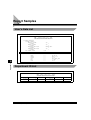
Report Samples . . . . . . . . . . . . . . . . . . . . . . . . . . . . . . . . . . . . . . . . . . . . . . . . . . . . . . . . . . . . . . 8-2
User’s Data List . . . . . . . . . . . . . . . . . . . . . . . . . . . . . . . . . . . . . . . . . . . . . . . . . . . . . . . . 8-2
Department ID List . . . . . . . . . . . . . . . . . . . . . . . . . . . . . . . . . . . . . . . . . . . . . . . . . . . . . 8-2
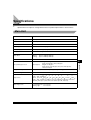
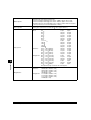
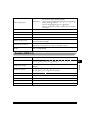
Specifications . . . . . . . . . . . . . . . . . . . . . . . . . . . . . . . . . . . . . . . . . . . . . . . . . . . . . . . . . . . . . . . 8-3
Main Unit . . . . . . . . . . . . . . . . . . . . . . . . . . . . . . . . . . . . . . . . . . . . . . . . . . . . . . . . . . . . . 8-3
Feeder (ADF-J1) . . . . . . . . . . . . . . . . . . . . . . . . . . . . . . . . . . . . . . . . . . . . . . . . . . . . . . . 8-5
Finisher-L1 . . . . . . . . . . . . . . . . . . . . . . . . . . . . . . . . . . . . . . . . . . . . . . . . . . . . . . . . . . . 8-6
Inner 2-way Tray-B1 . . . . . . . . . . . . . . . . . . . . . . . . . . . . . . . . . . . . . . . . . . . . . . . . . . . . 8-6
Card Reader . . . . . . . . . . . . . . . . . . . . . . . . . . . . . . . . . . . . . . . . . . . . . . . . . . . . . . . . . . 8-7
Index . . . . . . . . . . . . . . . . . . . . . . . . . . . . . . . . . . . . . . . . . . . . . . . . . . . . . . . . . . . . . . . . . . . . . . . 8-8
v
Preface
Thank you for purchasing the Canon iR2000/1600 Series. Please read this manual thoroughly before
operating the iR2000/1600 Series in order to familiarize yourself with its capabilities, and to make the most
of its many functions. After reading this manual, store it in a safe place for future reference.
How to Use This Manual
Symbols Used in This Manual
Symbols are used in this manual for explanations of Restrictions and Cautions upon handling and
instructions to be observed for safety.
WARNING
Indicates a warning concerning operations that may lead to death or injury to
persons if not performed correctly. In order to use the machine safely, always pay
attention to these warnings.
CAUTION
Indicates a caution concerning operations that may lead to injury to persons or
damage to property if not performed correctly. In order to use the machine safely,
always pay attention to these cautions.
IMPORTANT
Indicates operational warnings and restrictions. Be certain to read these items to
operate the machine correctly, and to avoid damage to the machine.
NOTE
Indicates notes for operation or additional explanations. Reading these is
recommended.
Buttons Used in This Manual
The control panel keys are indicated with illustration and their names in parenthesis in this manual.
e.g.
(Start)
Illustrations Used in This Manual
Unless otherwise mentioned, illustrations used in this manual are those taken when the Feeder
(ADF-J1), Finisher-L1, and the Cassette Feeding Module-F1 are attached to the iR1600.
vi
Laser Safety
This Product is certificated as a Class 1 laser product under EN60825-1:1994. This means that the
Product does not produce hazardous laser radiation.
Since radiation emitted inside the Product is completely confined within protective housings and
external covers, the laser beam cannot escape from the machine during any phase of user
operation.
Additional Information
When servicing or adjusting the optical system of the printer, be careful not to place screwdrivers or
other shiny objects in the path of the laser beam. Also, accessories such as watches and rings
should be removed before working on the printer. The reflected beam, though invisible, can
permanently damage your eyes.
Since the beam is invisible, the following labels are attached to the inside of covers where there is
danger of exposure to laser radiation:
DANGER-
Invisible laser radiation when open.
AVOID DIRECT EXPOSURE TO BEAM.
CAUTION- INVISIBLE LASER RADIATION WHEN OPEN.
AVOID EXPOSURE TO BEAM.
ATTENTION - RAYONNEMENT LASER INVISIBLE EN CAS D’OUVERTURE. EXPOSITION
DANGEREUSE AU FAISCEAU.
VORSICHT
- UNSICHTBARE LASERSTRAHLUNG, WENN ABDECKUNG GEÖFFNET. NICHT
DEM STRAHL AUSSETZEN.
ATTENZIONE - RADIAZIONE LASER INVISIBLE IN CASO DI APERTURA. EVITARE
L’ESPOSIZIONE AL FASCIO.
PRECAUCION - RADIACION LASER INVISIBLE CUANDO SE ABRE. EVITAR EXPONERSE AL
RAYO.
VARO!
- AVATTAESSA OLET ALTTIINA NÄKYMÄTTÖMÄLLE LASERSÄTEILYLLE.
VARNING!
- OSYNLIG LASERSTRÄLNING NAR DENNA DELÄR ÖPPNAD.
ÄLÄ KATSO SÄTEESEEN.
BETRAKTA EJ STRÄLEN.
ADVARSEL! - USYNLIG LASER STRÅLING, NÅR DENNE ER ÅBEN.
UNDGÅ BESTRÅLING.
ADVARSEL - USYNLIG LASERSTRÅLING NÅR DEKSEL ÅPNES.
UNNGÅ EKSPONERING FOR STRÅLEN.
This Copier has been classified under EN60825-1:1994 and conforms to the following classes;
CLASS 1 LASER PRODUCT
LASER KLASSE 1
APPAREIL A RAYONNEMENT LASER DE CLASSE 1
APPARECCHIO LASER DI CLASSE 1
PRODUCTO LASER DE CLASE 1
APARELHO A LASER DE CLASSE 1
CAUTION
• Use of controls, adjustments or performance of procedures other than those specified in the manual may
result in hazardous radiation exposure.
vii
International Energy Star-Program
This product meets the ENERGY STAR® Program for energy efficiency.
The International ENERGY STAR® Office Equipment Program is an
international program that promotes energy saving through the use of
computers and other office equipment. The program backs the development
and dissemination of products with functions that effectively reduce energy
consumption. It is an open system in which business proprietors can
participate voluntarily. The targeted products are office equipment such as
computers, displays, printers, facsimiles, and copiers. Their standards and
logos are uniform among participating nations.
About Trademarks
Canon and the Canon logo are trademarks of Canon Inc.
Copyright 2001 by Canon, Inc. All rights reserved.
No part of this publication may be reproduced or transmitted in any form or by any means,
electronic or mechanical, including photocopying and recording, or by any information storage or
retrieval system without the prior written permission of Canon, Inc.
viii
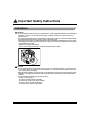
Important Safety Instructions
Installation
WARNING
• Do not install the machine near alcohol, paint thinner or other inflammable substances. If inflammable
substances come into contact with electrical parts inside the machine, this may result in a fire or
electrical shock.
• Do not place the following items on the machine. If these items come into contact with a high-voltage
area inside the machine, this may result in a fire or electrical shock.
If these items are dropped or spilled inside the machine, immediately turn OFF the main power switch,
and unplug the power plug from the outlet. Then, contact your service representative or the shop that
you purchased this product.
- Necklaces and other metal objects.
- Cups, vases, flowerpots and other containers filled with water or liquids.
OFF
CAUTION
• Do not install the machine in unstable locations, such as on unsteady platforms or on inclined floors,
or in locations which are subject to excessive vibrations, as this may cause the machine to fall or tip
over, resulting in personal injury.
• Never block the ventilation slots and louvers on the machine. These openings are provided for proper
ventilation of working parts inside the machine. Blocking these openings can cause the machine to
overheat.
• Do not install the machine in the following locations.
- A damp or dusty location
- A location near water faucets and water
- A location that is exposed to direct sunlight
- A location subject to high temperatures
- A location that is subject to open flames
ix
Power Supply
WARNING
• Do not damage or modify the power cord. Also, do not place heavy objects on the power cord, or pull
on or excessively bend it, as this could cause electrical damage and result in a fire or electrical shock.
• Keep the power cord away from a heat source; failure to do this causes the cord coating to melt and
results in fire or electrical shock.
• Do not insert or unplug the power plug with wet hands, as this may result in electrical shock.
• Do not plug the machine into a multi-plug power strip, as this may cause a fire or electrical shock.
• Do not bundle up or tie the power cord in a knot, as this may result in a fire or electrical shock.
• Insert the power cord completely into the outlet, as failure to do so may result in a fire or electrical
shock.
• Do not use power cords other than the provided power cord, as this may result in a fire or electrical
shock.
• As a general rule, do not use extension cords. Using an extension cord may result in a fire or
electrical shock. If an extension cord must be used, however, use the type rated for voltages of AC
220-240 V and over and untie the cord binding and insert the power plug completely into the extension
cord outlet to ensure a firm connection between the power and extension cords.
CAUTION
• Do not use power supplies with voltages other than those specified, as this may result in a fire or
electrical shock.
• Always grasp the plug portion when unplugging the power plug. Pulling on the power cord may
expose or snap the core wire, or otherwise damage the power cord. If the cord is damaged, this could
cause an electricity leak and result in a fire or electrical shock.
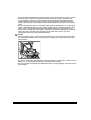
• Leave sufficient space around the power plug so that it can be unplugged easily. If objects are placed
around the power plug, you will be unable to unplug it in an emergency.
Handling
WARNING
• Do not attempt to disassemble or modify the machine. There are high-temperature and high-voltage
components inside the machine which may result in a fire or electrical shock.
• If the machine makes strange noises, or emits smoke, heat or unusual smells, immediately turn OFF
the main power switch, and unplug the power plug from the outlet. Then, contact your service
representative or the shop that you purchased this product. Continued use of the machine in this
condition may result in a fire or electrical shock.
x
• Do not use highly flammable sprays near the machine. If gas from these sprays comes into contact
with the electrical components inside the machine, this may result in a fire or electrical shock.
• To avoid damage to the power cord and creating a fire hazard, always turn OFF the main power
switch, unplug the power plug from the outlet, and unplug the interface cable when moving the
machine. Or else, power cord and interface cable may be damaged and will lead to fire or electrical
shock.
• Do not drop paper clips, staples or other metal objects inside the machine. Also, do not spill water,
liquids or flammable substances (alcohol, benzene, paint thinner, etc.) inside the machine. If these
items come into contact with a high-voltage area inside the machine, this may result in a fire or
electrical shock. If these items are dropped or spilled inside the machine, immediately turn OFF the
main power switch, and unplug the power plug from the outlet. Then contact your service
representative or the shop you purchased the machine.
CAUTION
• Do not place heavy objects on the machine, as they may tip over or fall resulting in personal injury.
• Close the Feeder and platen glass cover gently to avoid catching your hand, as this may result in
personal injury.
• Do not press down hard on the feeder when using the platen glass to make copies of thick books, etc.
Failure to do so may damage the platen glass and result in personal injury.
• Do not touch the moving Finisher trays while the machine is copying or printing, as this may result in
personal injury.
xi
• Turn OFF the main power switch for safety when the machine will not be used for a long period of time
such as overnight. Also, turn OFF the main power switch, and unplug the power plug for safety when
the machine will not be used for an extended period of time such as during consecutive holidays.
• Do not place your hand in the part of the tray where stapling is performed while a Finisher is attached,
as this may result in personal injury.
• Laser beam may be harmful to human bodies. Since radiation emitted inside the product is completely
confined within protective housings and external covers, the laser beam cannot escape from the
machine during any phase of user operation. Read the following remarks and following instructions
for safety.
- Never open covers other than those instructed in this manual.
- Do not remove the caution label attached to the cover of the laser scanner unit.
- If the laser light escapes form the machine, exposure may cause serious damage to your eyes.
Maintenance and Inspections
WARNING
• When cleaning the machine, first turn OFF the main power switch, then unplug the power plug. Failure
to observe these steps may result in a fire or electrical shock.
• Clean the machine using a firmly wrung cloth dampened with a mild cleansing detergent mixed with
water. Do not use alcohol, benzene, paint thinner or other flammable substances. If flammable
substances come into contact with a high-voltage area inside the machine, this may result in a fire or
electrical shock.
• There are some areas inside the machine which are subject to high voltages. When removing jammed
paper or when inspecting the inside of the machine, do not allow necklaces, bracelets or other metal
objects to touch the inside of the machine, as this may result in burns or electrical shock.
• Do not throw used toner cartridges into open fires. The toner will catch on fire and may cause burns
or fire.
CAUTION
• Unplug the power plug from the outlet at least once a year, and clean the area around the base of the
plug’s metal pins to ensure all dust is removed. If dust accumulates in this area, it may result in a fire.
xii
• The fixing unit and its surroundings inside the machine may become hot during use. When removing
jammed paper or when inspecting the inside of the machine, do not touch the fixing unit and its
surroundings, as this may result in burns.
• When removing jammed paper or replacing the toner cartridge, take care not to allow the toner to
come into contact with your hands or clothing, as this will dirty your hands or clothing. If they become
dirty, wash them immediately with cold water. Washing with warm water will set the toner and make it
impossible to remove the toner stains.
• When removing paper which has become jammed inside the machine, remove the jammed paper
gently to prevent the toner on the paper from scattering and entering your eyes or mouth. If toner
enters your eyes or mouth, wash immediately with cold water and consult a physician.
• When loading paper or removing jammed originals or paper, take care not to cut your hands on the
edges of the original or paper.
Consumables
WARNING
• Do not throw used toner cartridges into open flames, as this may cause toner remaining inside the
cartridges to ignite and result in burns or a fire.
• Do not store toner cartridges or copy paper in places exposed to open flames, as this may cause the
toner, or paper to ignite and result in burns or a fire.
CAUTION
• Keep toner cartridges and other consumables out of the reach of small children. If these items are
ingested, consult a physician immediately.
Others
WARNING
• For cardiac pacemaker users:
This product emits low level magnetic flux. If you use a cardiac pacemaker and feel abnormalities,
please move away from this product and consult your doctor.
xiii
Legal Limitation on Usage of Your Product
and the Use of Images
Using your product to scan, print or otherwise reproduce certain documents, and the use of such
images as scanned, printed or otherwise reproduced by your product, may be prohibited by law
and may result in criminal and/or civil liability. A non-exhaustive list of these documents is set forth
below. This list is intended to be a guide only. If you are uncertain about the legality of using your
product to scan, print or otherwise reproduce any particular document, and/or of the use of the
images scanned, printed or otherwise reproduced, you should consult in advance with your legal
advisor for guidance.
• Paper Money
• Traveler’s Checks
• Money Orders
• Food Stamps
• Certificates of Deposit
• Passports
• Postage Stamps (canceled or uncanceled)
• Immigration Papers
• Identifying Badges or Insignias
• Internal Revenue Stamps (canceled or
• Selective Service or Draft Papers
• Bonds or Other Certificates of Indebtedness
• Checks or Drafts Issued by Governmental
• Stock Certificates
Agencies
• Motor Vehicle Licenses and Certificates of
Title
• Copyrighted Works/Works of Art without
uncanceled)
xiv
Permission of Copyright Owner
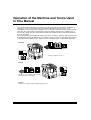
Operation of the Machine and Terms Used
in This Manual
This machine makes effective use of memory in order to perform print operations efficiently. For
example, as soon as the machine has scanned the original that you want to copy, it can
immediately scan the next person’s original. You can also print from this machine, using a function
other than the Copy function. In this machine, these operations take place in a complex way, so
that not only copies, but also various kinds of prints may sometimes have to wait their turn before
they can be output.
To avoid confusion when reading this manual, the terms “scanning,” “printing,” and “copying” used
throughout this manual are defined as set out below. There are some cases in which the scanning
of an original when making a copy, and the process of making a print, are described separately.
Scanning
Scanning an original to be copied.
Printing
Outputting a copy or outputting data sent from a
personal computer to the machine.
Copying
Scanning of an original, printing through finishing (stapling, etc.).
xv
xvi
Before You Start Using This
Machine
1
CHAPTER
This chapter describes what you should know before using this machine, such as main features,
parts and their functions, how to turn on the main power, and so on.
About the Installation Location and Handling . . . . . . . . . . . . . . . . . . . . . . . . . . . . . . . . . . . . . . . . . . . . 1-2
Installation Precautions . . . . . . . . . . . . . . . . . . . . . . . . . . . . . . . . . . . . . . . . . . . . . . . . . . . . . . . . . . . . . 1-2
Handling Precautions. . . . . . . . . . . . . . . . . . . . . . . . . . . . . . . . . . . . . . . . . . . . . . . . . . . . . . . . . . . . . . . 1-7
What the iR2000/1600 Series Machine Can Do. . . . . . . . . . . . . . . . . . . . . . . . . . . . . . . . . . . . . . . . . . . . 1-9
Reserving Next Job While Current Job is in Operation . . . . . . . . . . . . . . . . . . . . . . . . . . . . . . . . . . . . . 1-9
Setting Specifications to Suit Your Needs . . . . . . . . . . . . . . . . . . . . . . . . . . . . . . . . . . . . . . . . . . . . . . . 1-9
Functions That Conserve Power Consumption . . . . . . . . . . . . . . . . . . . . . . . . . . . . . . . . . . . . . . . . . . 1-10
Department ID Management . . . . . . . . . . . . . . . . . . . . . . . . . . . . . . . . . . . . . . . . . . . . . . . . . . . . . . . . 1-10
Checking the Job Status . . . . . . . . . . . . . . . . . . . . . . . . . . . . . . . . . . . . . . . . . . . . . . . . . . . . . . . . . . . 1-10
Parts and Their Functions . . . . . . . . . . . . . . . . . . . . . . . . . . . . . . . . . . . . . . . . . . . . . . . . . . . . . . . . . . .
External View . . . . . . . . . . . . . . . . . . . . . . . . . . . . . . . . . . . . . . . . . . . . . . . . . . . . . . . . . . . . . . . . . . . .
Internal View . . . . . . . . . . . . . . . . . . . . . . . . . . . . . . . . . . . . . . . . . . . . . . . . . . . . . . . . . . . . . . . . . . . .
Control Panel Parts and Functions . . . . . . . . . . . . . . . . . . . . . . . . . . . . . . . . . . . . . . . . . . . . . . . . . . .
Main Power and Control Panel Power. . . . . . . . . . . . . . . . . . . . . . . . . . . . . . . . . . . . . . . . . . . . . . . . . .
How to Turn On the Main Power . . . . . . . . . . . . . . . . . . . . . . . . . . . . . . . . . . . . . . . . . . . . . . . . . . . . .
Energy Saver Button (
). . . . . . . . . . . . . . . . . . . . . . . . . . . . . . . . . . . . . . . . . . . . . . . . . . . . . . . . . .
Turning Off the Main Power When Optional Hard Disk is Attached. . . . . . . . . . . . . . . . . . . . . . . . . . .
1-11
1-11
1-13
1-14
1-16
1-16
1-19
1-19
The System Settings of This Machine. . . . . . . . . . . . . . . . . . . . . . . . . . . . . . . . . . . . . . . . . . . . . . . . . .
Entering the Department ID and Password . . . . . . . . . . . . . . . . . . . . . . . . . . . . . . . . . . . . . . . . . . . . .
After Turning the Power On . . . . . . . . . . . . . . . . . . . . . . . . . . . . . . . . . . . . . . . . . . . . . . . . . . . . . . . . .
After Finishing Operations of the Machine. . . . . . . . . . . . . . . . . . . . . . . . . . . . . . . . . . . . . . . . . . . . . .
1-20
1-21
1-21
1-22
Placing Originals. . . . . . . . . . . . . . . . . . . . . . . . . . . . . . . . . . . . . . . . . . . . . . . . . . . . . . . . . . . . . . . . . . .
Orientation of Originals . . . . . . . . . . . . . . . . . . . . . . . . . . . . . . . . . . . . . . . . . . . . . . . . . . . . . . . . . . . .
Placing an Original on the Platen Glass . . . . . . . . . . . . . . . . . . . . . . . . . . . . . . . . . . . . . . . . . . . . . . .
Placing Originals in the Optional Feeder (ADF-J1) . . . . . . . . . . . . . . . . . . . . . . . . . . . . . . . . . . . . . . .
Making Prints Using the Stack Bypass. . . . . . . . . . . . . . . . . . . . . . . . . . . . . . . . . . . . . . . . . . . . . . . . .
1-23
1-24
1-25
1-28
1-30
Multi-function Operation . . . . . . . . . . . . . . . . . . . . . . . . . . . . . . . . . . . . . . . . . . . . . . . . . . . . . . . . . . . . 1-35
Available Paper Stock. . . . . . . . . . . . . . . . . . . . . . . . . . . . . . . . . . . . . . . . . . . . . . . . . . . . . . . . . . . . . . . 1-36
1-1
About the Installation Location and
Handling
Installation Precautions
Before You Start Using This Machine
1
Avoid Installing the Machine in the Following Locations
■ Avoid locations which are subject to extremes of temperature and humidity: either low or
high.
For example, avoid installing the machine near water faucets, hot water heaters, humidifiers, air
conditioners, heaters or stoves.
■ Avoid installing the machine in direct sunlight.
If this is unavoidable, shade the machine, using curtains.
1-2
About the Installation Location and Handling
■ Avoid poorly ventilated locations.
During use, the machine generates ozone. However, the amount of ozone generated is not
enough to affect the human body. Nevertheless, if the machine is used for a prolonged period of
time in a poorly ventilated room, or when making a large quantity of prints, be sure to ventilate
the room to make the working environment as comfortable as possible.
Before You Start Using This Machine
1
■ Avoid locations where a considerable amount of dust accumulates.
■ Avoid locations where ammonia gas is emitted.
■ Avoid locations near volatile, flammable materials, such as alcohol or paint thinner.
■ Avoid locations which are subject to vibration.
For example, avoid installing the machine on unstable floors or stands.
About the Installation Location and Handling
1-3
■ Avoid exposing the machine to rapid changes in temperature.
If the room in which the machine is installed is rapidly heated from a low temperature,
condensation may form inside the machine. This can adversely affect print quality or result in an
inability to obtain print images.
Before You Start Using This Machine
1
■ Avoid installing the machine near computers or other precision electronic equipment.
Electrical interference and vibrations generated by the machine during printing can adversely
affect the operation of such equipment.
■ Avoid installing the machine near televisions, radios, or similar electronic equipment.
The machine might interfere with sound and picture signal reception, etc. Plug the machine into
a dedicated power outlet and maintain as much space as possible between the machine and
other electronic equipment.
1-4
About the Installation Location and Handling
Select a Safe Power Supply
■ Plug the machine into a 220~240 V AC outlet.
■ Do not plug other electrical equipment into the outlet in which the machine is connected.
■ Do not plug the machine into a multi-plug power strip. Doing so might cause a fire.
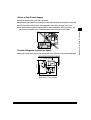
Provide Adequate Installation Space
■ Provide enough space at each side and the top of the machine for unrestricted operation.
more than 100 mm
1010 mm
more than 100 mm
947 mm
(When Finisher - L1 is attached)
About the Installation Location and Handling
1-5
1
Before You Start Using This Machine
■ The power cable may become damaged if it is often stepped on or if heavy objects are
placed on it. Continued use of a damaged power cable can lead to an accident.
NOTE
• Be sure to provide enough space also at the top of the machine in order to open the feeder or platen glass cover.
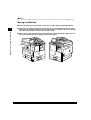
Moving the Machine
■ If you intend to move the machine, contact your service representative beforehand.
■ When you are moving the machine by yourself, be sure to unplug the power cord and
disconnect all the other connection cables before moving. Failure to do so may damage
the power cord and may result in fire or electric shock.
Before You Start Using This Machine
1
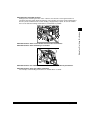
■ When carrying the machine, be sure to hold the parts indicated below. Failure to do so
may cause the machine to be dropped and result in injury.
1-6
About the Installation Location and Handling
Handling Precautions
■ Do not attempt to disassemble or modify the machine.
■ Some parts inside the machine are subject to high voltages and temperatures. Take
adequate precaution when inspecting the inside of the machine. Do not carry out any
inspections not described in this manual.
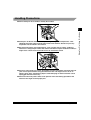
■ Be careful not to drop any foreign objects, such as paper clips or staples, inside the
machine. If a foreign object comes into contact with electrical parts inside the machine, it
might cause a short circuit and result in a fire or an electrical shock.
■ If there is unusual noise or smoke, immediately turn the main power switch off, then call
your service representative. Using the machine in this state might cause a fire or an
electric shock. Also, avoid placing objects around the plug so that the machine can be
unplugged whenever necessary.
■ Do not turn the main power switch off or open the front cover during operation of the
machine. This might result in paper jams.
About the Installation Location and Handling
1-7
Before You Start Using This Machine
1
■ Do not use highly flammable sprays, such as spray glue, as it may catch fire.
Before You Start Using This Machine
1
1-8
About the Installation Location and Handling
What the iR2000/1600 Series Machine Can
Do
Reserving Next Job While Current Job is in
Operation
You can perform several jobs without waiting for the current job to be finished. For example, you
can reserve a print job while the machine is printing a job scanned into the memory.
Setting Specifications to Suit Your Needs
The Additional Functions menu appears when you press
(Additional Functions). The Additional
Functions menu enables you to make common settings related to many functions of the machine,
as well as to make settings for specific functions to suit your needs.
REGISTRATION/SETTING
1.COMMON SETTINGS
The Additional Functions menu
NOTE
• Settings made in the Additional Functions menu are not changed even when you press
(Reset).
• For details of how to make custom settings, see “Selecting and Storing Settings to Suit your Needs,” on p. 3-1.
• For details of the System Settings, see “System Management Settings,” on p. 4-1.
What the iR2000/1600 Series Machine Can Do
1-9
Before You Start Using This Machine
1
Functions That Conserve Power Consumption
You can conserve power consumption efficiently using the following functions when the machine is
not in operation.
NOTE
• The display turns off when the machine enters one of these functions.
• You can print data sent from a computer even when the machine enters one of these functions.
Before You Start Using This Machine
1
■ Energy Saver Mode
When the machine remains idle for a specified period of time, it enters the energy saver mode.
Compared with turning off the power, you can reactivate the machine from the energy saver
mode quickly.
NOTE
• The Auto Sleep Time can be set from 3 to 30 minutes. The default setting is “15 minutes.”
• For details about the Energy Saver function, see “Setting the Energy Saver Mode,” on p. 3-18.
■ Daily Timer
You can set the time to enter the energy saver mode automatically for each day of the week.
NOTE
• For details about the Daily Timer, see “Setting the Daily Timer,” on p. 3-19.
Department ID Management
By storing a Department ID and Password for each department, you can restrict the use of the
machine to whom the ID number and the password is provided.
Checking the Job Status
Pressing Monitor allows you to monitor the status of the copy jobs currently being processed and to
check and cancel them.
1-10
What the iR2000/1600 Series Machine Can Do
Parts and Their Functions
External View
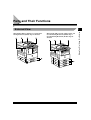
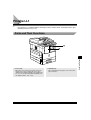
When Feeder (ADF-J1), Inner 2-Way Tray-B1, and
Cassette Feeding Module-G1 (iR2000 only) or
Cassette Feeding Module-H1 (iR1600 only) are
attached
Parts and Their Functions
1-11
Before You Start Using This Machine
When Feeder (ADF-J1), Finisher-L1, and Cassette
Feeding Module-F1 (iR1600 only) are attached
1
When the platen glass cover and Cassette Feeding
Module-F1 (iR1600 only) are attached
Before You Start Using This Machine
1
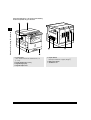
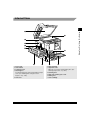
1 Control panel
(See “Control Panel Parts and Functions,” on
p. 1-14.)
2 Feeder (platen glass cover)
3 Original Supply tray
4 Original Output area
1-12
Parts and Their Functions
5 Paper drawers
Hold up to 250 sheets of paper (80 g/m2).
6 Main power switch
7 Ventilation slot
Internal View
Before You Start Using This Machine
1
1
2
3
4
Front cover
Unlock lever
Lower left cover
Stack bypass
Feeds transparencies and non-standard size paper
stock. (See “Making Prints Using the Stack
Bypass,” on p. 1-30.)
5 Left cover
6 Drum cartridge
7 Upper left cover
Open this cover when clearing paper jams. (See
“Clearing Paper Jams,” on p. 6-2.)
8
9
Q
W
Scanning area
Rear side of platen glass cover
Platen glass
Toner cartridge
Parts and Their Functions
1-13
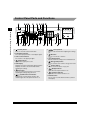
Control Panel Parts and Functions
123
1
OnLine
Job
HDD
Alarm
Menu
Item
Value
Enter/Cancel
Before You Start Using This Machine
Monitor Special Features
OK
1
2
3
4
5
6
7
8
9
ID
0
C
GO
A
1:1
1
–
+
8
(Cursor) button
Press to select an item when adjusting the settings,
etc.
9
OK button
Press to set a mode or function.
The location of the paper jam lights.
Q
(Jam) indicator
Lights when a paper jam occurs.
(Reset) button
Press to return the settings to the Standard mode.
W
(Energy Saver) button
Press to enter/recover from the energy saver mode.
123
(Counter) button
Press to check the counter information.
2 Paper Select indicator
The selected paper drawer or stack bypass lights.
3 Jam Location indicator
4
5 LCD Display
Displays messages and prompts during operation.
Displays selections, text, and numbers when
adjusting the settings.
6
7
Shift
Back button
Press to go back to the previous screen when
adjusting the settings using the menu.
System button and indicator
Press to turn on/off the printer function. The
indicator lights when the printer function is on.
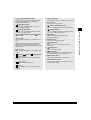
1-14
Parts and Their Functions
E
Monitor
Monitor button
Press to check the status of copy jobs.
R
(Staple) indicator
Lights when the stapler function is on.
T
(Collation) indicator
Lights when the collation function is on.
Y Finisher button
Press to turn on/off the finisher function (collation
and stapler).
Special Features
(Special Features) button
Press to set the special copy features such as
Two-page separation, 2 on 1 combination,
Margin, and Frame erase.
I
(Paper Select) button
Press to select the paper stack in the stack
bypass and paper drawers.
O
(Image quality) button
Press to select the Image quality from the text,
text/photo, and photo mode.
P
(Light)/
button
(Automatic Exposure)/
(Dark)
(Light) button
Press to adjust the lightness of documents you
copy.
(Automatic Exposure) button and indicator
Press to turn on/off the Automatic Exposure
function. The indicator lights when the Automatic
Exposure is on.
(Dark) button
Press to adjust the darkness of documents you
copy.
A
(Reduce)/
1:1
(Direct)/
(Enlarge) button
(Reduce) button
Press to reduce the size of a document when
copying.
1:1
(Direct) button
Press to return to the direct copy.
S Exposure indicator
The indicator shows the current exposure setting.
D Zoom button
Press to set the zoom mode.
F
(Additional Functions) button
Press to set additional functions using the menu.
G
(Interrupt) button
Press to interrupt a continuous copying job when
you need to make priority copies.
H
ID ID button
Press when setting the Department ID
Management function.
1
Before You Start Using This Machine
U
J Numeric button
Press to enter numerical values.
K
C (Clear) button
Press to clear incorrectly entered values or
characters.
L
(Start) button
Press to start an operation.
Z
(Stop) button
Press to temporarily stop a scanning operation or
an output operation of the copy function.
X Main Power indicator
Lights when the main power is turned on.
C Printer Operation Panel
Used for printer function. For details, refer to the
PS/PCL Printer Guide.
(Enlarge)
Press to enlarge the size of a document when
copying.
Parts and Their Functions
1-15
Main Power and Control Panel Power
The machine is provided with two power buttons, a main power button and a Energy Saver button
( ).
Before You Start Using This Machine
1
How to Turn On the Main Power
This section explains about how to turn on the main power.
1
Make sure that the power plug is firmly inserted into the power outlet.
WARNING
• Never remove or insert the power plug with wet hands. This can cause an electrical shock.
2
Press the power switch to ON (“ I ” side). The main power switch is located on the right
side of the machine.
When turning off the main power, press the main power switch to the “O” side.
The main power indicator on the control panel lights.
If the main power indicator does not light, check if the power plug is firmly inserted into the power outlet.
1-16
Main Power and Control Panel Power
The below is displayed until the machine gets ready to scan.
PLEASE WAIT
The screen below is displayed when the machine is ready to scan.
01
1
Before You Start Using This Machine
100% AUTO PAPER
TEXT
It takes about 30 seconds (at a room temperature of 20°C) for the machine to warm up.
IMPORTANT
• If you turn off the main power, wait for at least three seconds before turning the main power back on.
NOTE
• The standard settings are selected at power on.
• The standard copy settings are as follows:
- Copy ratio: Direct (100%)
- Paper selection: Auto Paper Selection
- Copy exposure: 5
- Copy quantity: 1
• You can change the standard copy settings. (See the Copying Guide.)
• You can reserve a job when the display above appears. (See the Copying Guide.)
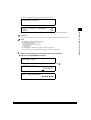
3
When a message appears on the display, follow the instructions.
● If the message <ENTER DAC> appears:
ENTER DAC
_
▼ Enter the Department ID using the numeric keys, and press
ENTER DAC
.
1234567
▼ Enter the Password.
DAC PASSWORD
✱✱✱✱✱✱✱
Main Power and Control Panel Power
1-17
NOTE
•
•
•
•
”DAC” stands for “Department Access Code.”
See “After Turning the Power On,” on p. 1-21., for details about entering the department ID and Password.
<DAC PASSWORD> is displayed only when the Password is set.
For details about the Department ID Management, see “Setting the Department ID Management,” on p. 4-5.
● If the message <INSERT CONTROL CARD> appears:
INSERT CONTROL CARD
Before You Start Using This Machine
1
▼ Insert a control card.
NOTE
• For details about the control card, see “Card Reader,” on p. 7-27.
1-18
Main Power and Control Panel Power
Energy Saver Button ( )
If the machine remains idle for a specified length of time, or
machine enters the energy saver mode.
(Energy Saver) is pressed, the
Press
(Energy Saver) to cancel the energy saver mode and resume normal machine
operations.
NOTE
• The power consumption at energy saver mode can be set in the Additional Functions menu. (See “Setting the Power
Consumption in Energy Saver Mode,” on p. 3-7.)
• The length of time taken by the machine to enter the energy saver mode can be set in Additional Functions menu. (See
“Setting the Power Consumption in Energy Saver Mode,” on p. 3-7.)
(Energy Saver), if the machine is scanning or
printing, or any original is set in the Feeder. (See “Setting the Energy Saver Mode,” on p. 3-18.)
• The machine can receive and print documents from a personal computer even when it is in the low energy mode.
• The machine does not enter the sleep mode even if you press
Turning Off the Main Power When Optional Hard
Disk is Attached
When the optional Hard Disk is attached, be sure to shut down the Hard Disk before turning off the
main power of the machine. Failure to do so may cause malfunction of the Hard Disk.
NOTE
• For details about how to shut down the Hard Disk, see the PS/PCL Printer Guide.
• When entering the energy saver mode, you do not need to shut down the Hard Disk.
Main Power and Control Panel Power
1-19
Before You Start Using This Machine
1
The System Settings of This Machine
It is necessary to set up the machine before using it on a network or with the printer.
1
Refer to the following instructions:
Before You Start Using This Machine
■ Setting up and Connecting to the Network
See the Network Guide.
■ Installing the Printer Driver
See the PS/PCL Driver Guide.
■ Date and Time Settings
See “Setting the Current Date and Time,” on p. 3-15.
■ System Management Settings
See “System Management Settings,” on p. 4-1.
1-20
The System Settings of This Machine
Entering the Department ID and Password
When Department ID Management has been set, the Department ID and Password must be
entered before operating this machine.
IMPORTANT
• When the optional Card Reader is attached,
ID does not function. Also, the operation described in “After Turning the
Power On” below is not necessary.
NOTE
• When you are using the control card, the message <INSERT CONTROL CARD> appears on the display. Insert the
control card into the card slot. (See “Card Reader,” on p. 7-27.)
After Turning the Power On
After turning the power on and the machine becomes ready to scan, the display for entering the
Department ID and Password appears.
NOTE
• For details of how to turn the power on, see “Main Power and Control Panel Power,” on p. 1-16.
1
Enter the department ID up to seven digits, using the numeric buttons, and press
ENTER DAC
When you press
.
1234567
, <DAC PASSWORD> will appear on the display.
If the Password is not set, proceed to step 3.
NOTE
• If you made a mistake when entering the Department ID, press
C
(Clear), and enter the correct value.
Entering the Department ID and Password
1-21
Before You Start Using This Machine
1
2
Enter the Password, and press
.
DAC PASSWORD
✱✱✱✱✱✱✱
When you press
100% AUTO PAPER
TEXT
1
Before You Start Using This Machine
, the standby display appears.
01
NOTE
• If the Department ID and/or Password that you entered are wrong, the beep sounds. Repeat the procedure from step
1.
• If you made a mistake when entering the Password, press C (Clear), and enter the correct value.
• For details about the Department ID Management, see “Setting the Department ID Management,” on p. 4-5.
After Finishing Operations of the Machine
1
When your operations are completed, press
ID
.
The display for entering the Department ID and Password appears.
ENTER DAC
_
NOTE
• To perform operations again, enter the Department ID and Password.
• If you do not press ID after finishing your operations, any subsequent copies will be totaled under the Department ID
which you previously entered.
• The display for entering the Department ID and Password automatically appears after the specified time has elapsed,
even if you forget to press
1-22
ID
after finishing your operation. (See “Setting the Auto Clear,” on p. 3-16.)
Entering the Department ID and Password
Placing Originals
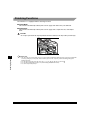
■ Platen glass
Place the originals on the platen glass when scanning bound originals, originals on heavy or
lightweight paper, and transparencies.
■ Feeder (when attached)
Place a stack of originals in the optional feeder, and press
scans them into memory.
(Start). The machine automatically
Placing Originals
1-23
1
Before You Start Using This Machine
Set the originals on the platen glass or in the feeder, depending on the size and type of paper that
you want to print and the settings that you have programmed.
Orientation of Originals
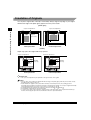
You can place original either vertically or horizontally. Always align the top edge of your original
with the back edge of the platen glass (upper left corner) or the feeder.
[Platen glass]
Copies are stapled here.
Before You Start Using This Machine
1
Copies are stapled here.
Original
(face down)
Original (face down)
Vertical placement
Horizontal placement
[Feeder]
Staple copy: place the original with its top upward
Copies are stapled here.
ABC
Copies are stapled here.
Original
(face up)
Vertical placement
ABC
Original
(face up)
Horizontal placement
IMPORTANT
• The copies are stapled at the part equivalent to the upper left side of the original.
NOTE
• If the top edge of the original is not aligned with the back edge of the platen glass, prints may not be made correctly,
depending on the mode you have set.
• A4, B5 and A5-size originals can be placed either vertically or horizontally. However, the scanning speed for
horizontally placed originals is somewhat slower than for vertically placed originals. You can place originals horizontally
when printing with Preset Zoom mode, such as when processing A4
→ A3 .
• Horizontally placed A4, B5 and A5-size originals are referred to as A4 , B5
and A5 .
• A3 and B4-size originals must be placed horizontally.
• To get the same output result as when the original is placed on the platen glass, place it upside-down and face up.
However, when using the stapler function, the Finisher rotates the output automatically.
1-24
Placing Originals
Placing an Original on the Platen Glass
You should use the platen glass when scanning books and other bound originals, heavy or
lightweight paper originals, transparencies, etc., into memory.
IMPORTANT
• When the optional feeder is attached, the original-size-detection function of the platen glass does not work.
Before You Start Using This Machine
1
1
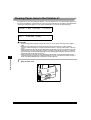
Lift up the feeder/platen glass cover.
Open/Close sensor
IMPORTANT
• The iR2000 is equipped with an open/close sensor of the platen glass cover. When placing originals on the platen
glass, lift the platen glass cover about 30 cm. If the sensor does not detach from the platen glass cover, the size of
originals may not be detected correctly.
Placing Originals
1-25
2
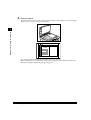
Place your original.
The surface that you want to scan into memory must be placed face down. Align the corner of the original
with the top left corner (the arrow) of the platen glass.
Before You Start Using This Machine
1
Place books and other bound originals on the platen glass in the same way.
When enlarging A4, B5 or A5-size originals to A3 or B4-size paper, place the original horizontally on the
platen glass, and align it with the A4 , B5 or A5 marks.
1-26
Placing Originals
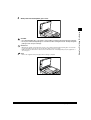
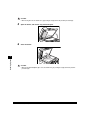
Gently lower the feeder/platen glass cover.
1
CAUTION
• Close the feeder/platen glass cover gently, to avoid catching your hand, as this may result in personal injury.
• Do not press down the feeder/platen glass cover with force when scanning thick books. This may damage the
platen glass and cause personal injury.
IMPORTANT
• When placing originals on the platen glass, the size of the original is detected after the platen glass cover has been
lowered. (For iR2000 only.) Be sure to lower the platen glass cover before copying.
• STMT size and postcards cannot be detected. Follow the instructions on the display and specify the original size or
select the paper.
NOTE
• Remove the original from the platen glass when scanning is completed.
Placing Originals
1-27
Before You Start Using This Machine
3
Placing Originals in the Optional Feeder (ADF-J1)
If the machine is equipped with the optional feeder, place a stack of originals, and press
The machine automatically scans them into memory.
(Start).
You can place the following originals in the original supply tray:
• Weight: 38 to 128 g/m2 (set the originals one-by-one when they are very thin
(38 to 52 g/m2) or very thick (105 to 128 g/m2))
• Size: A3 , B4 , A4 , A4 , B5 , B5 , A5 , A5 , B6 , 11'' ✕ 17''
LTR , LTR , and STMT .
• Tray capacity: 50 sheets (A4 or smaller)
25 sheets (B4 or larger)
Before You Start Using This Machine
1
, LGL
,
IMPORTANT
• Do not place the following types of originals in the feeder:
- Originals with tears or large binding holes
- Severely curled originals or originals with sharp folds
- Clipped or stapled originals
- Carbon-backed paper or other originals which might not feed smoothly
- Transparencies and other highly transparent originals
• Avoid scanning the same original using the feeder more than approximately 30 times. From being scanned repeatedly,
the original gets folded or torn, which may cause a paper jam.
• If the feeder rollers are soiled from scanning an original written with pencil, perform the Feeder Cleaning procedure.
(See “Cleaning the Feeder,” on p. 5-23.)
1
Neatly place your originals face up in the original supply tray.
When enlarging A4, B5 or A5-size originals to A3 or B4-size paper, place your originals horizontally.
Place the original as far as it will go, until the original set indicator is lit.
A beep sounds when the original is set correctly.
1-28
Placing Originals
Adjust the slide guides to fit the size of the originals.
1
Before You Start Using This Machine
2
IMPORTANT
• Do not add or remove originals while they are being scanned.
• When scanning is completed, remove the originals from the original output tray to avoid paper jams.
Original output tray
NOTE
• The scanned originals are output face down to the original output tray.
Placing Originals
1-29
Making Prints Using the Stack Bypass
When making prints on transparencies, or non-standard size paper stock, load the paper stock in
the stack bypass.
1
Before You Start Using This Machine
IMPORTANT
• Note the following points when using the stack bypass:
Copy quantity: 1 to about 100 sheets (80 g/m2)
Paper size: 100 mm x 148 mm to 297 mm x 432 mm
Paper weight: 60 g/m2 to 128 g/m2
Curl down paper before use. (Curl amount: less than 10 mm for normal paper; less than 5 mm for heavy paper.)
There are some types of paper stock which may meet the above specifications but cannot be fed in the stack bypass.
Do not load different size/type paper at the same time.
It is recommended not to use the paper with anything printed on the back.
When using the label sheets load them one by one on the stack bypass.
When printing on envelopes, empty the output tray when at most 10 printed envelopes accumulate in the tray.
For details about paper sizes when using the stack bypass, see “Setting the Standard Paper for the Stack Bypass,” on
p. 3-9.
-
•
•
•
•
•
■ Standard Size
You can select standard A or B series paper, or inch-size paper.
■ Free Size
You can place non-standard size paper (100 mm x 148 mm to 297 mm x 432 mm).
■ Envelope
The following envelopes can be loaded on the stack bypass: US Commercial 10, Monarch and
European DL.
1-30
Making Prints Using the Stack Bypass
1
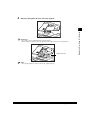
Open the stack bypass.
● If the specified paper has already been loaded in the stack bypass:
▼ Press
(Paper Select) repeatedly until the indicator for the stack bypass lights.
● If paper different from that specified is loaded in the stack bypass:
▼ Check to see if any job is reserved. (See “Flow of Checking/Canceling Operations,” on
p. 2-2.)
▼ When there is no reserved job, continue the procedure from step 2.
2
Adjust the slide guides to the size of the paper.
Slide guides
Making Prints Using the Stack Bypass
1-31
Before You Start Using This Machine
1
When feeding large-size paper, pull out the auxiliary tray.
Before You Start Using This Machine
1
Auxiliary tray
3
4
Press
(Paper Select) repeatedly until the indicator for the stack bypass lights up on
the control panel.
Load the paper in the stack bypass with the side to be printed on facing down.
Make sure that the height of the paper stack does not exceed the limit mark.
Align the required number of sheets of paper with the slide guides. Insert the paper into the machine until
it stops.
STACK BYPASS SIZE
1-32
Making Prints Using the Stack Bypass
A3
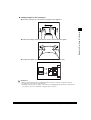
● Loading envelopes in the stack bypass
▼ Place the envelopes on a level surface and press their edges flat.
Before You Start Using This Machine
1
▼ Take the envelopes and loosen them as shown, then stack them together.
▼ Load the envelopes as shown below (when printing on the upper side).
IMPORTANT
• Make sure that the envelopes are not inflated with air. Press the stack of envelopes to empty the envelopes.
• You cannot print on the back side of the envelopes.
• Depending on the paper type or condition of the envelopes, the printing quality may deteriorate or paper jam may
occur. In such a case, it is recommended to change the type of envelopes.
Making Prints Using the Stack Bypass
1-33
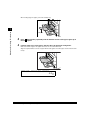
5
Press
or
to select the paper size, and press
.
STACK BYPASS SIZE
STMT
IMPORTANT
• Set the paper size to the same size as the paper loaded in the stack bypass.
• Specify which envelope type you want to set. If the envelope type is not set correctly, a paper jam will occur.
1
Before You Start Using This Machine
NOTE
• The above display appears unless the paper size is set in the <USE STACK BYPASS> menu.
6
Press
or
to select the paper type, and press
SELECT PAPER
PLAIN PAPER
IMPORTANT
• Select the correct paper type to avoid paper jam.
NOTE
• For details about paper types, see “Available Paper Stock,” on p. 1-36.
7
Place your originals, and set the copy mode.
100%
TEXT
8
Press
STMT
(Start).
Copying starts.
1-34
Making Prints Using the Stack Bypass
01
.
Multi-function Operation
Copy
Previous job
Next job
Scanning data
Printing
Scanning data
–
O
Printing
O
–
Receiving data
O
O
Printing
O
–
Copy
Printer
Printer
Previous job
Next job
Receiving data
Printing
Scanning data
O
O
Printing
O
–
Receiving data
–
O
Printing
O
–
Copy
Printer
–: Unavailable due to the duplicate devices
O: Available
Multi-function Operation
1
Before You Start Using This Machine
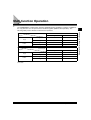
The iR2000/1600 is a multi-function machine equipped with the capability as a printer, in addition to
the copy function. You can operate these functions together (Multi-function Operation). The
following table presents details of multi-function operations.
1-35
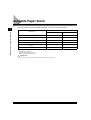
Available Paper Stock
Paper types which can be used with this machine are shown in the following table.
1
Available Loading Place (Paper Set Place)
Before You Start Using This Machine
Paper Type
Paper drawer
Stack bypass
O
O
Heavy *2
O
O
Recycled *1
O
O
Transparency
✕
O
Labels *3
✕
O
Envelope
✕
O
Plain
*1
*2
*3
*1
From 60 g/m2 to 90 g/m2.
From 90 g/m2 to 128 g/m2.
Only one sheet at the same time.
(O:Can be used ✕:Cannot be used)
IMPORTANT
• Do not use the rear side of the printed paper. It may cause a paper jam.
1-36
Available Paper Stock
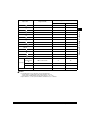
Length ✕ Width
Available Loading Place (Paper Set Place)
Paper Drawer 1 to 4
Stack Bypass
A3
297 ✕ 420 mm
O
O
A4
297 ✕ 210 mm
O
O
A4
210 ✕ 297 mm
O
O
A5
210 ✕ 148 mm
O
O
A5
148 ✕ 210 mm
✕
O
B4
257 ✕ 364 mm
O
O
B5
257 ✕ 182 mm
O
O
B5
182 ✕ 257 mm
O
O
11” ✕ 17”
279 ✕ 432 mm
O
O
LGL
216 ✕ 356 mm
O
O
LTR
279 ✕ 216 mm
O
O
LTR
216 ✕ 279 mm
O
O
STMT
216 ✕ 140 mm
O
O
STMT
140 ✕ 216 mm
✕
O
US
Commercial
10
104.7 ✕ 241.3 mm
✕
O
European DL
110 ✕ 220 mm
✕
O
Monarch
98.4 ✕ 190.5 mm
✕
O
100 ✕ 148 mm to 297 ✕ 432 mm
–
O
Envelope
Free Size
1
Before You Start Using This Machine
Paper Size
NOTE
• For details about how to load paper, see the following pages:
- Paper drawer: “Loading Paper in the Paper Drawers,” on p. 5-2.
- Stack bypass: “Making Prints Using the Stack Bypass,” on p. 1-30.
• Paper drawers 2, 3, 4 are optional for iR1600, and drawers 3, 4, for iR2000.
Available Paper Stock
1-37
Before You Start Using This Machine
1
1-38
Available Paper Stock
Checking Job
2
CHAPTER
Various methods of confirming and canceling print jobs and additional, related functions are
explained in this chapter.
Flow of Checking/Canceling Operations . . . . . . . . . . . . . . . . . . . . . . . . . . . . . . . . . . . . . . . . . . . . . . . . 2-2
Canceling a Job. . . . . . . . . . . . . . . . . . . . . . . . . . . . . . . . . . . . . . . . . . . . . . . . . . . . . . . . . . . . . . . . . . . . . 2-3
Canceling with
(Stop) . . . . . . . . . . . . . . . . . . . . . . . . . . . . . . . . . . . . . . . . . . . . . . . . . . . . . . . . . . . . 2-3
Canceling from the Monitor Screen . . . . . . . . . . . . . . . . . . . . . . . . . . . . . . . . . . . . . . . . . . . . . . . . . . . . 2-4
2-1
Flow of Checking/Canceling Operations
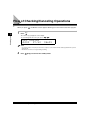
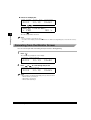
When you press
1
2
Press
Monitor
Monitor
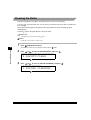
, the Monitor screen appears allowing you to check and cancel the copy jobs.
.
Checking Job
The current copy job appears on the display.
To scroll through the list of the jobs, press
COPY STATUS
✱ 0002
07:52
or
.
06✕01
NOTE
• To check the status of the print jobs sent from a computer, see the PS/PCL Printer Guide supplied with the optional
Printer Board.
• The Monitor screen does not appear during scanning.
2
2-2
Press
(Stop) to return to the standby mode.
Flow of Checking/Canceling Operations
Canceling a Job
You can cancel a job in several ways.
Canceling with
(Stop)
2
Press
(Stop).
● If you press
Checking Job
1
(Stop) during scanning
STOP KEY PRESSED
PRESS OK KEY
▼ Press
.
The scanning stops and the job will be canceled.
NOTE
• If you press
(Stop) during scanning when copying from the optional Feeder, the original may stop inside the
Feeder. In such a case, remove the original from inside the Feeder following the procedure described in “Clearing
Paper Jams in the Feeder,” on p. 7-4.
● If there is only one job which is being printed
CANCEL COPYING?
< YES
NO >
▼ Press
to select <YES>.
If you do not want to cancel the job, press
.
Canceling a Job
2-3
● If there are multiple jobs
SELECT JOB TO CANCEL
-0001 10:19 01✕50
▼ Press
or
to select the job to be canceled.
CANCEL COPYING?
< YES
NO >
▼ Press
Checking Job
2
to select <YES>.
The selected job will be canceled.
NOTE
• If you do not want to cancel the job, press
.
• You cannot select multiple jobs and cancel them all at once. When canceling multiple jobs, select and cancel one by
one.
Canceling from the Monitor Screen
You can cancel a job while it is waiting to be processed, or during printing.
1
Press
Monitor
.
The current copy job appears on the display.
COPY STATUS
✱ 0001
10:19
2
Press
or
01✕50
to scroll through the job list.
COPY STATUS
0002 10:19
01✕55
NOTE
• The job numbers are displayed depending on the job status as follows:
- With an asterisk (∗): Current job
- With a dash (-): Stopped job
- With no mark: Reserved job
2-4
Canceling a Job
3
Press
C
(Clear).
CANCEL COPYING?
< YES
NO >
Press
to select <YES>.
2
The selected job will be canceled.
NOTE
• If you want to cancel another job, repeat steps 3 to 5.
• You cannot select multiple jobs and cancel them all at once. When canceling multiple jobs, select and cancel one by
one.
• If you do not want to cancel the job, press
5
Press
to select <NO>.
to return to the standby mode.
Canceling a Job
2-5
Checking Job
4
Checking Job
2
2-6
Canceling a Job
Selecting and Storing Settings
to Suit your Needs
3
CHAPTER
This chapter describes the initial settings and procedures to change them according to your needs.
Additional Functions Settings Table. . . . . . . . . . . . . . . . . . . . . . . . . . . . . . . . . . . . . . . . . . . . . . . . . . . . 3-2
Setting Specifications That Are Common to Each Function (Common Settings) . . . . . . . . . . . . . . . 3-5
Setting Keypad Volume, Alarm Volume, Printing End Tone, and Scanning End Tone . . . . . . . . . . . . . 3-5
Setting the Power Consumption in Energy Saver Mode . . . . . . . . . . . . . . . . . . . . . . . . . . . . . . . . . . . . 3-7
Setting a Paper Drawer for Auto Paper Selection/Auto Drawer Switching . . . . . . . . . . . . . . . . . . . . . . 3-8
Setting the Standard Paper for the Stack Bypass . . . . . . . . . . . . . . . . . . . . . . . . . . . . . . . . . . . . . . . . . 3-9
Setting the Paper Type for the Drawer . . . . . . . . . . . . . . . . . . . . . . . . . . . . . . . . . . . . . . . . . . . . . . . . 3-11
Setting the Rotate Printing . . . . . . . . . . . . . . . . . . . . . . . . . . . . . . . . . . . . . . . . . . . . . . . . . . . . . . . . . . 3-11
Setting a Dedicated Tray for Each Function . . . . . . . . . . . . . . . . . . . . . . . . . . . . . . . . . . . . . . . . . . . . 3-12
Selecting the Display Language . . . . . . . . . . . . . . . . . . . . . . . . . . . . . . . . . . . . . . . . . . . . . . . . . . . . . 3-14
Setting the Timer (Timer Settings) . . . . . . . . . . . . . . . . . . . . . . . . . . . . . . . . . . . . . . . . . . . . . . . . . . . .
Setting the Current Date and Time . . . . . . . . . . . . . . . . . . . . . . . . . . . . . . . . . . . . . . . . . . . . . . . . . . .
Setting the Auto Clear . . . . . . . . . . . . . . . . . . . . . . . . . . . . . . . . . . . . . . . . . . . . . . . . . . . . . . . . . . . . .
Setting the Energy Saver Mode . . . . . . . . . . . . . . . . . . . . . . . . . . . . . . . . . . . . . . . . . . . . . . . . . . . . . .
Setting the Daily Timer. . . . . . . . . . . . . . . . . . . . . . . . . . . . . . . . . . . . . . . . . . . . . . . . . . . . . . . . . . . . .
Setting the Date Format. . . . . . . . . . . . . . . . . . . . . . . . . . . . . . . . . . . . . . . . . . . . . . . . . . . . . . . . . . . .
3-15
3-15
3-16
3-18
3-19
3-20
Printing Reports (Print Lists) . . . . . . . . . . . . . . . . . . . . . . . . . . . . . . . . . . . . . . . . . . . . . . . . . . . . . . . . .
Printing the User’s Data List . . . . . . . . . . . . . . . . . . . . . . . . . . . . . . . . . . . . . . . . . . . . . . . . . . . . . . . .
Printing the Department ID Management List . . . . . . . . . . . . . . . . . . . . . . . . . . . . . . . . . . . . . . . . . . .
Canceling Printing of Reports . . . . . . . . . . . . . . . . . . . . . . . . . . . . . . . . . . . . . . . . . . . . . . . . . . . . . . .
3-22
3-22
3-23
3-23
3-1
Additional Functions Settings Table
The following settings can be selected or stored from the Additional Functions menu. (* Indicates
the factory default setting.) Some functions cannot be used when the optional equipment is
attached. For more information, consult the following guides:
Copy Settings .......................................................................... The Copying Guide
Network Settings in System Settings ...................................... The Network Guide
■ COMMON SETTINGS
3
Selecting and Storing Settings to Suit your Needs
Additional Function
3-2
Applicable
page
Available settings
1.VOLUME CONTROL
KEYPAD VOLUME/ALARM VOLUME (ON*/OFF,
volume 1* - 3)/PRINTING END TONE/SCANNING END
TONE (ERROR ONLY*/ON/OFF, Volume 1*-3)
3-5
2.ESS POWER LEVEL
LOW*/HIGH
3-7
3.DRAWER ELIGIBLTY
COPY/REPORT (STACK BYPASS: ON/OFF*,
DRAWER 1/2/3/4: ON*/OFF, STACK BYPASS SIZE: A3
/A4 /B4 /B5 /A4 /A5 /B5 /A5 /11 ✕ 17 /
LTR /LTR /LGL /STMT /STMT )/OFF
3-8
4.USE STACK BYPASS
ON (STACK BYPASS SIZE: A3 /A4 /B4 /B5 /
A4 /A5 /B5 /A5 /11 ✕ 17 /LTR /LTR /LGL
STMT /STMT )/OFF*
5.SELECT PAPER
PLAIN PAPER*/HEAVY PAPER
3-11
6.ROTATE PRINT
ON*/OFF
3-11
7.TRAY SETTINGS
TRAY A/TRAY B (COPY/PRINTER, USE/DO NOT USE) 3-12
8.DISPLAY LANGUAGE
ENGLISH/FRENCH/SPANISH/GERMAN/ITALIAN/
DUTCH/FINNISH/PORTUGUESE/NORWEGIAN/
SWEDISH/DANISH/SLOVENE/CZECH/HUNGARIAN/
RUSSIAN
Additional Functions Settings Table
/ 3-9
3-14
■ COPY SETTINGS
Available settings
Applicable
page
1.STANDARD EXPOSURE
MANUAL* (-LT – DK+: 9 steps, 5*)/AUTO
The Copying
Guide
2.STD ZOOM RATIO
50 – 200% (100%*)
The Copying
Guide
3.STANDARD COPY QTY
01* – 99
The Copying
Guide
4.FRAME ERASE WIDTH
01 – 20 mm (02mm*)
The Copying
Guide
5.AUTO SORT
ON*/OFF
The Copying
Guide
3
6.SORT ROTATE
ON*/OFF
The Copying
Guide
7.SHARPNESS
1 – 9 (5*)
The Copying
Guide
8.PRESCAN
ON*/OFF
The Copying
Guide
Selecting and Storing Settings to Suit your Needs
Additional Function
■ TIMER SETTINGS
Additional Function
Available settings
Applicable
page
1.DATE/TIME SETTING
Default setting
3-15
2.AUTO CLEAR
ON (1 to 9 min. in one-minute increments, 2 MIN.*)/OFF
3-16
3.ENERGY SAVER
ON (3 to 30 min. in one-minute increments, 15 MIN.*)/
OFF
3-18
4.DAILY TIMER SET
Sunday to Saturday, 00:00 to 23:59 in one-minute
increments
3-19
5.DATE SETUP
YYYY MM/DD, MM/DD/YYYY, DD/MM YYYY*
3-20
■ SYSTEM SETTINGS
Additional Function
Available settings
Applicable
page
1.SYS. ADMIN. INFO
System administrator ID/Password
4-2
2.DEPT.ID MANAGEMNT
ON (DEPT. ID ENTRY/COUNT MANAGEMENT/
RESTRICTIONS/PRINT WITH NO ID)/OFF*
4-5
3.NETWORK SETTINGS
IP ADDRESS AUTO./IP ADDRESS/SUBNET MASK/
DEFAULT GATEWAY/DNS SERVER ADD/DNS
DYNAMIC SET/VIEW IP ADDRESS
The Network
Guide
Additional Functions Settings Table
3-3
■ ADJUST/CLEAN
Additional Function
Available settings
Applicable
page
1.ROLLER CLEANING
START CLEANING/CLEAN PAPER PRT
5-25
2.USE STAPLE/SHIFT
ON*/OFF
6-11
■ PRINT LISTS
Additional Function
3-4
Applicable
page
1.USER DATA
3-22
2.DEPT. INFO LIST
3-23
3.CANCEL REPORT
3-23
Selecting and Storing Settings to Suit your Needs
3
Available settings
Additional Functions Settings Table
Setting Specifications That Are Common to
Each Function (Common Settings)
This section describes how to specify the settings that are common to the Copy and Printer
functions.
NOTE
or
to scroll through the items you want to set.
Setting Keypad Volume, Alarm Volume, Printing
End Tone, and Scanning End Tone
3
You can select whether or not to sound audible tones and their volume. Each tone sounds on the
following occasion:
• Keypad Volume: When pressing keys on the control panel
• Alarm Volume: When a malfunction occurs (e.g., paper jam or operational error)
• Printing End Tone: When the printing has finished
• Scanning End Tone: When the scanning has finished
NOTE
• The default setting is <ON> and the volume is <1> for Keypad Volume and Alarm Volume, and <ERRORS ONLY> for
Printing End Tone and Scanning End Tone.
• The maximum volume is <3>.
1
Press
(Additional Functions).
The Additional Functions menu appears and the indicator
2
Press
or
blinks.
to select <1.COMMON SETTINGS>, and press
.
REGISTRATION/SETTING
1.COMMON SETTINGS
When you press
, the <COMMON SETTINGS> menu appears.
Setting Specifications That Are Common to Each Function (Common Settings)
3-5
Selecting and Storing Settings to Suit your Needs
• The Common Settings menu is made up of several items. Use
3
Press
or
to select <1.VOLUME CONTROL>, and press
.
COMMON SETTINGS
1.VOLUME CONTROL
When you press
4
, the <VOLUME CONTROL> menu appears.
Press
or
to select <1.KEYPAD VOLUME>, <2.ALARM VOLUME>, <3.PRINTING
END TONE> or <4.SCANNING END TONE> and press
.
VOLUME CONTROL
1.KEYPAD VOLUME
3
Selecting and Storing Settings to Suit your Needs
5
Press
or
to select <ON>, <ERROR ONLY> or <OFF> for the tone you are
setting, and press
.
If you selected <ON> or <ERROR ONLY>, go on to step 6.
If you selected <OFF>, skip the next step and go on to step 7.
KEYPAD VOLUME
6
Press
or
ON
to select the volume for each tone, and press
You can select from 1 to 3.
VOLUME
1
NOTE
• To set the volume for other tones, repeat steps 4 to 6.
7
3-6
Press
(Stop) to return to the standby mode.
Setting Specifications That Are Common to Each Function (Common Settings)
.
Setting the Power Consumption in Energy Saver
Mode
You can select the power consumption when the machine is in the Energy Saver Mode between
the two levels: <HIGH> and <LOW>.
NOTE
• If you set the power consumption to <LOW>, the machine consumes less energy during energy saver mode than
when you set it to <HIGH>. However, it takes more time for the machine to resume normal operation.
• The factory setting is <LOW>.
Enter the Additional Functions menu and open the <1.COMMON SETTINGS> menu.
3
For details about the procedure above, refer to steps 1 and 2 in “Setting Keypad Volume, Alarm Volume,
Printing End Tone, and Scanning End Tone,” on p. 3-5.
2
Press
or
to select <2.ESS POWER LEVEL>, and press
.
COMMON SETTINGS
2.ESS POWER LEVEL
When you press
3
Press
or
, the <ESS POWER LEVEL> menu appears.
to select <HIGH> or <LOW>, and press
ESS POWER LEVEL
4
Press
.
LOW
to return to the standby mode.
Setting Specifications That Are Common to Each Function (Common Settings)
3-7
Selecting and Storing Settings to Suit your Needs
1
Setting a Paper Drawer for Auto Paper Selection/
Auto Drawer Switching
You can set the paper drawers to be used for Automatic Paper Selection and Automatic Drawer
Switching. This setting can be made independently for Copy and Printer. This function is useful
when different paper drawers are to be used for different purposes.
NOTE
• Paper drawers set to <ON> are used for the following functions:
- Auto Paper Selection (APS): The machine automatically selects the appropriate paper size (paper drawer) for the
size of the original and the set ratio (when making a copy).
- Auto Drawer Switching (ADS): If a paper drawer runs out of paper during a continuous printing job, the machine
automatically selects another paper drawer with the same paper size and begins feeding paper from that paper
drawer.
• The default settings is <OFF> for the stack bypass and <ON> for the paper drawers (1 to 4).
Selecting and Storing Settings to Suit your Needs
3
1
Enter the Additional Functions menu and open the <1.COMMON SETTINGS> menu.
For details about the procedure above, refer to steps 1 and 2 in “Setting Keypad Volume, Alarm Volume,
Printing End Tone, and Scanning End Tone,” on p. 3-5.
2
Press
or
to select <3.DRAWER ELIGIBLTY>, and press
.
COMMON SETTINGS
3.DRAWER ELIGIBLTY
When you press
3
Press
or
, the <DRAWER ELIGIBLTY> menu appears.
to select <1.COPY> or <2.REPORT>, and press
DRAWER ELIGIBLTY
1.COPY
3-8
Setting Specifications That Are Common to Each Function (Common Settings)
.
4
Press
or
to select the stack bypass or paper drawer to be set for the Auto
Paper Selection function, and press
.
COPY
1.STACK BYPASS
5
Press
or
and press
.
to select <ON> or <OFF> for the stack bypass and each paper drawer,
To make the stack bypass or paper drawer eligible for APS/ADS, press <ON>.
To make the stack bypass or paper drawer ineligible for APS/ADS, press <OFF>.
3
OFF
NOTE
• If you select <ON> for the stack bypass, press
press
or
to select the paper size to be used on the stack bypass, and
.
STACK BYPASS SIZE
6
Press
A3
(Stop) to return to the standby mode.
Setting the Standard Paper for the Stack Bypass
Set the standard paper size for the stack bypass if you always use the same size paper. You do not
need to select the paper size each time you use the stack bypass.
IMPORTANT
• If you set the standard paper size for the stack bypass, you cannot select the paper size when you use the stack
bypass.
NOTE
• The default setting is <OFF>.
Setting Specifications That Are Common to Each Function (Common Settings)
3-9
Selecting and Storing Settings to Suit your Needs
STACK BYPASS
1
Enter the Additional Functions menu and open the <1.COMMON SETTINGS> menu.
For details about the procedure above, refer to steps 1 and 2 in “Setting Keypad Volume, Alarm Volume,
Printing End Tone, and Scanning End Tone,” on p. 3-5.
2
Press
or
to select <4.USE STACK BYPASS>, and press
.
COMMON SETTINGS
4.USE STACK BYPASS
When you press
3
Selecting and Storing Settings to Suit your Needs
3
Press
or
, <USE STACK BYPASS> menu appears.
to select <ON> or <OFF>, and press
.
If you want to set the paper size for the stack bypass, select <ON>.
If you do not want to set the paper size for the stack bypass, select <OFF>.
USE STACK BYPASS
4
If you select <ON>, press
or
to select the paper size, and press
STACK BYPASS SIZE
5
3-10
Press
ON
A3
(Stop) to return to the standby mode.
Setting Specifications That Are Common to Each Function (Common Settings)
.
Setting the Paper Type for the Drawer
You can set the paper type you use on the drawer.
NOTE
• The factory default setting is <PLAIN PAPER>.
1
Enter the Additional Functions menu and open the <1.COMMON SETTINGS> menu.
For details about the procedure above, refer to steps 1 and 2 in “Setting Keypad Volume, Alarm Volume,
Printing End Tone, and Scanning End Tone,” on p. 3-5.
Press
or
to select <5.SELECT PAPER>, and press
3
.
COMMON SETTINGS
5.SELECT PAPER
When you press
3
Press
or
, the <SELECT PAPER> menu appears.
to select <PLAIN PAPER> or <HEAVY PAPER>, and press
.
To use plain paper, or transparencies, select <PLAIN PAPER>.
To use bond paper or heavy weight paper, select <HEAVY PAPER>.
SELECT PAPER
PLAIN PAPER
4
Press
(Stop) to return to the standby mode.
Setting the Rotate Printing
You can set the machine to automatically rotate the image when the direction of the original does
not match that of the selected paper.
NOTE
• The factory setting is <ON>.
Setting Specifications That Are Common to Each Function (Common Settings)
3-11
Selecting and Storing Settings to Suit your Needs
2
1
Enter the Additional Functions menu and open the <1.COMMON SETTINGS> menu.
For details about the procedure above, refer to steps 1 and 2 in “Setting Keypad Volume, Alarm Volume,
Printing End Tone, and Scanning End Tone,” on p. 3-5.
2
Press
or
to select <6.ROTATE PRINT>, and press
.
COMMON SETTINGS
6.ROTATE PRINT
When you press
Selecting and Storing Settings to Suit your Needs
3
3
Press
or
, the <ROTATE PRINT> menu appears.
to select <ON> or <OFF>, and press
.
If you want to print without rotation, select <OFF>.
If you want to print the original rotated 90°, select <ON>.
ROTATE PRINT
4
Press
ON
(Stop) to return to the standby mode.
Setting a Dedicated Tray for Each Function
You can select the function for two output trays (Tray A and Tray B) if the optional Inner 2-way
Tray-B1 is to be used.
IMPORTANT
• This function can be set only when the Inner 2-way Tray-B1 is attached.
NOTE
• When loaded from the stack bypass, the bond paper and transparencies are output only to Tray B. The plain paper can
be output to either Tray A or B.
• The factory setting is as follows:
- Tray A: <COPY> is <DO NOT USE>, <PRINTER> is <USE>
- Tray B: <COPY> is <USE>, <PRINTER> is <DO NOT USE>
• If you set both trays to <USE> for a single function, Tray B will have the priority.
3-12
Setting Specifications That Are Common to Each Function (Common Settings)
1
Enter the Additional Functions menu and open the <1.COMMON SETTINGS> menu.
For details about the procedure above, refer to steps 1 and 2 in “Setting Keypad Volume, Alarm Volume,
Printing End Tone, and Scanning End Tone,” on p. 3-5.
2
Press
or
to select <7.TRAY SETTINGS> and press
.
COMMON SETTINGS
7.TRAY SETTINGS
When you press
3
Press
or
to select <TRAY A> or <TRAY B>, and press
.
TRAY SETTINGS
1.TRAY A
IMPORTANT
• When the paper reaches the stacking limit of the tray while Trays A and B are set as the designated tray for a certain
function, the machine automatically changes the output tray to another available tray.
4
Press
.
or
to select the function to be set (<COPY> or <PRINTER>), and press
TRAY A
1.COPY
5
Press
or
COPY
6
Press
to select <USE> or <DO NOT USE>, and press
.
USE
(Stop) to return to the standby mode.
Setting Specifications That Are Common to Each Function (Common Settings)
3-13
Selecting and Storing Settings to Suit your Needs
3
, <TRAY SETTINGS> menu appears on the display.
Selecting the Display Language
You can select the display language.
1
Enter the Additional Functions menu and open the <1.COMMON SETTINGS> menu.
For details about the procedure above, refer to steps 1 and 2 in “Setting Keypad Volume, Alarm Volume,
Printing End Tone, and Scanning End Tone,” on p. 3-5.
2
Press
or
to select <8.DISPLAY LANGUAGE>, and press
COMMON SETTINGS
8.DISPLAY LANGUAGE
Selecting and Storing Settings to Suit your Needs
3
When you press
3
Press
or
, the <DISPLAY LANGUAGE> menu appears.
to select the desired language, and press
.
DISPLAY LANGUAGE
ENGLISH
4
3-14
Press
(Stop) to return to the standby mode.
Setting Specifications That Are Common to Each Function (Common Settings)
.
Setting the Timer (Timer Settings)
You can set the current date and time, and specify the time taken for the machine to enter the
energy saver mode.
NOTE
or
to scroll through the items you want to set.
Setting the Current Date and Time
3
You can set the current date and time. The date and time set here is also used as the time setting
when required for functions.
1
Press
(Additional Functions).
The Additional Functions menu appears and the indicator
2
Press
or
blinks.
to select <3.TIMER SETTINGS>, and press
.
REGISTRATION/SETTING
3.TIMER SETTINGS
When you press
3
Press
or
, the <TIMER SETTINGS> menu appears.
to select <1.DATE/TIME SETTING>, and press
.
TIMER SETTINGS
1.DATE/TIME SETTING
When you press
, the <DATE/TIME SETTING> menu appears.
Setting the Timer (Timer Settings)
3-15
Selecting and Storing Settings to Suit your Needs
• The Timer Settings menu is made up of several items. Use
4
Enter the current date (month, day, year) and time using the numeric keys.
Enter the date, and the time in 24-hour clock as four digits without a space.
Examples: MAY 6
7:05 a.m.
→ 0506
→ 0705
11:18 p.m. → 2318
DATE/TIME SETTING
31/12 ’01 11:30
NOTE
• If you make a mistake when entering values, press
Selecting and Storing Settings to Suit your Needs
3
5
Press
C
(Clear) and enter the values again.
.
The time is set and the display returns to the <TIMER SETTINGS> menu.
TIMER SETTINGS
2.AUTO CLEAR
6
Press
(Stop) to return to the standby mode.
Setting the Auto Clear
If the machine remains idle for a certain period of time, the display returns to the standby mode
(Auto Clear Function). Auto Clear Time can be set from 1 to 9 minutes in one-minute increments,
and can also be set to <OFF>.
NOTE
• The default setting is Auto Clear <ON> and Auto Clear Time <2 MIN.>.
3-16
Setting the Timer (Timer Settings)
1
Enter the “Additional Functions” menu and open the <3.TIMER SETTINGS> menu.
For details about the procedure above, refer to steps 1 and 2 in “Setting the Current Date and Time,” on
p. 3-15.
2
Press
or
to select <2.AUTO CLEAR>, and press
.
TIMER SETTINGS
2.AUTO CLEAR
the <AUTO CLEAR> menu appears.
Press
to select <ON> or <OFF>, and press
3
or
.
Selecting and Storing Settings to Suit your Needs
3
When you press
If you want to use the Auto Clear function, select <ON>, and go on to step 4.
If you do not want to use the Auto Clear function, select <OFF>, and go on to step 5.
AUTO CLEAR
4
Press
or
ON
to select the desired time period, and press
.
The Auto Clear Time settings are from 0 to 9 minutes (in one-minute increments).
You can also enter values using numeric keys.
AUTO CLEAR TIME
2MIN.
When you press
5
Press
, the display returns to the <TIMER SETTINGS> menu.
(Stop) to return to the standby mode.
Setting the Timer (Timer Settings)
3-17
Setting the Energy Saver Mode
When the machine remains idle for a certain period of time, it enters the Low Energy mode (Energy
Saver function). You can specify the amount of time that must be taken before entering the Energy
Saver Mode from 3 to 30 minutes. You can also set the Energy Saver to <OFF>.
NOTE
• The default setting is <ON> and <15MIN.>.
• To resume the normal mode from the energy saver mode, press
(Energy Saver).
• To enter the energy saver mode manually, press
(Energy Saver) for more than 2 seconds.
1
3
Enter the “Additional Functions” menu and open the <3.TIMER SETTINGS> menu.
Selecting and Storing Settings to Suit your Needs
For details about the procedure above, refer to steps 1 and 2 in “Setting the Current Date and Time,” on
p. 3-15.
2
Press
or
to select <3.ENERGY SAVER>, and press
TIMER SETTINGS
3.ENERGY SAVER
When you press
3
Press
or
, the <ENERGY SAVER> menu appears.
to select <ON> or <OFF>, and press
.
If you want to use Energy Saver, select <ON> and go on to step 4.
If you do not want to use Energy Saver, select <OFF> and go on to step 5.
ENERGY SAVER
3-18
Setting the Timer (Timer Settings)
OFF
.
4
Press
or
to select the desired time period, and press
.
The Time Until Unit Quiets Down settings are from 3 to 30 minutes (in one-minute increments).
You can also enter values using numeric keys.
ENERGY SVR TIME
15MIN.
When you press
Press
(Stop) to return to the standby mode.
Setting the Daily Timer
3
You can set the time that the machine automatically enters the Energy saver mode for each day of
the week.
NOTE
• Setting range: Daily from Sunday to Saturday, 00:00 to 23:59 in one-minute increments
• When Auto Clear Time and Daily Timer are both set, Auto Clear Time has priority.
• When the current date and time are not set correctly, neither the Daily Timer functions correctly.
1
Enter the “Additional Functions” menu and open the <3.TIMER SETTINGS> menu.
For details about the procedure above, refer to steps 1 and 2 in “Setting the Current Date and Time,” on
p. 3-15.
2
Press
or
to select <4.DAILY TIMER SET>, and press
.
TIMER SETTINGS
4.DAILY TIMER SET
When you press
, the <DAILY TIMER SET> menu appears.
Setting the Timer (Timer Settings)
3-19
Selecting and Storing Settings to Suit your Needs
5
, the display returns to the <TIMER SETTINGS> menu.
3
Press
or
to select the day of the week, and press
.
DAILY TIMER SET
1.SUN
4
Enter the time with the numeric keys, and press
.
Enter the time in 24-hour clock as four digits without a space.
Examples: 7:05 a.m.
→ 0705
11:18 p.m. → 2318
If you make a mistake when entering the time, press
If you do not want to specify the time, press
Selecting and Storing Settings to Suit your Needs
3
SUN
Press
C
(Clear) and enter the four-digit number again.
(Clear).
07:05
When you press
5
C
, the display returns to the <TIMER SETTINGS> menu.
(Stop) to return to the standby mode.
Setting the Date Format
You can set the date format to be used on the display.
NOTE
• The default setting is <DD/MM YYYY> (day/month year).
1
Enter the “Additional Functions” menu and open the <3.TIMER SETTINGS> menu.
For details about the procedure above, refer to steps 1 and 2 in “Setting the Current Date and Time,” on
p. 3-15.
3-20
Setting the Timer (Timer Settings)
2
Press
or
to select <5.DATE SET UP>, and press
.
TIMER SETTINGS
5.DATE SETUP
When you press
3
Press
or
, the <DATE SET UP> menu appears.
to select the desired date format, and press
.
Examples of the date format:
DD/MM YYYY → 30/04 2002
MM/DD/YYYY → 04/30/2002
YYYY/MM/DD → 2002/04/30
4
Press
Selecting and Storing Settings to Suit your Needs
DATE SETUP
3
DD/MM YYYY
(Stop) to return to the standby mode.
Setting the Timer (Timer Settings)
3-21
Printing Reports (Print Lists)
You can print the contents of the network settings. These reports are useful when you want to
check the current settings.
Printing the User’s Data List
You can print the user’s data list.
3
Selecting and Storing Settings to Suit your Needs
1
Press
(Additional Functions).
The Additional Functions menu appears and the indicator
2
Press
or
blinks.
to select <6.PRINT LISTS>, and press
.
REGISTRATION/SETTING
6.PRINT LISTS
When you press
3
Press
or
, the <PRINT LISTS> menu appears.
to select <1.USER DATA>, and press
.
PRINT LISTS
1.USER DATA
When you press
3-22
, the User Data List is printed and the display returns to the standby mode.
Printing Reports (Print Lists)
Printing the Department ID Management List
1
Open the Additional Functions menu and enter the <6.PRINT LISTS> menu.
For details about the procedure above, refer to steps 1 and 2 of “Printing the User’s Data List,” on p. 3-22.
2
Press
or
to select <2.DEPT. INFO LIST>, and press
.
PRINT LISTS
2.DEPT. INFO LIST
, the department information list is printed and the display returns to the standby
Canceling Printing of Reports
1
Open the Additional Functions menu and enter the <6.PRINT LISTS> menu.
For details about the procedure above, refer to steps 1 and 2 of “Printing the User’s Data List,” on p. 3-22.
2
Press
or
to select <3.CANCEL REPORT>, and press
.
PRINT LISTS
3.CANCEL REPORT
When you press
mode.
, the printing of the report will be canceled and the display returns to the standby
Printing Reports (Print Lists)
3-23
3
Selecting and Storing Settings to Suit your Needs
When you press
mode.
Selecting and Storing Settings to Suit your Needs
3
3-24
Printing Reports (Print Lists)
System Management Settings
4
CHAPTER
This chapter describes settings that can be made by the person in charge of the machine’s
operation, such as the system management.
Setting System Administrator Information (System Settings) . . . . . . . . . . . . . . . . . . . . . . . . . . . . . . . 4-2
Setting the System Administrator ID . . . . . . . . . . . . . . . . . . . . . . . . . . . . . . . . . . . . . . . . . . . . . . . . . . . 4-2
Setting the System Password . . . . . . . . . . . . . . . . . . . . . . . . . . . . . . . . . . . . . . . . . . . . . . . . . . . . . . . . 4-4
Setting the Department ID Management . . . . . . . . . . . . . . . . . . . . . . . . . . . . . . . . . . . . . . . . . . . . . . . . . 4-5
Setting the Use of Department ID Management . . . . . . . . . . . . . . . . . . . . . . . . . . . . . . . . . . . . . . . . . . 4-5
Setting the Department ID Management Information . . . . . . . . . . . . . . . . . . . . . . . . . . . . . . . . . . . . . . 4-7
Checking the Counter Information . . . . . . . . . . . . . . . . . . . . . . . . . . . . . . . . . . . . . . . . . . . . . . . . . . . . . 4-9
Restricting the Operation by Department ID . . . . . . . . . . . . . . . . . . . . . . . . . . . . . . . . . . . . . . . . . . . . 4-10
Specifying Whether or Not to Accept Print Jobs of Unknown ID . . . . . . . . . . . . . . . . . . . . . . . . . . . . . 4-11
4-1
Setting System Administrator Information
(System Settings)
You can set a password for the system management. Once the System Administrator ID and
Password are set, only the system administrator can store and change the System Settings.
NOTE
• The maximum number of digits you can store for the System Administrator ID and Password is seven.
Setting the System Administrator ID
You can set or change the System Administrator ID. You must set the ID.
4
System Management Settings
1
Press
(Additional Functions).
The Additional Functions menu appears and the indicator
2
Press
or
blinks.
to select <4.SYSTEM SETTINGS>, and press
REGISTRATION/SETTING
4.SYSTEM SETTINGS
When you press
4-2
, the <SYSTEM SETTINGS> menu appears.
Setting System Administrator Information (System Settings)
.
3
Press
or
to select <1.SYS. ADMIN. INFO>, and press
.
SYSTEM SETTINGS
1.SYS. ADMIN. INFO
When you press
4
Press
or
, the <SYS. ADMIN. INFO> menu appears.
to select <1.SYS. ADMIN. ID>, and press
.
SYS. ADMIN. INFO
1.SYS. ADMIN. ID
Enter a number of up to seven digits with numeric keys for the new System
Administrator ID, and press
.
4
SYS. ADMIN. ID
1231234
When you press
INFO> menu.
, the System Administrator ID is stored and the display returns to the <SYS. ADMIN.
NOTE
• You cannot store a System Administrator ID with only the number <0>, such as <00>.
• You can delete the number you entered by pressing C (Clear).
6
Press
(Stop) to return to the standby mode.
Setting System Administrator Information (System Settings)
4-3
System Management Settings
5
Setting the System Password
You can set the system password.
1
Enter the Additional Functions menu and open the <1.SYS. ADMIN. INFO>, and press
.
For details about the procedure above, refer to steps 1 to 3 in “Setting the System Administrator ID,” on
p. 4-2.
2
Press
or
to select <2.SYSTEM PASSWORD>, and press
.
SYS. ADMIN. INFO
2.SYSTEM PASSWORD
4
System Management Settings
When you press
3
, the <SYSTEM PASSWORD> menu appears.
Enter a number of up to seven digits for the new System Password using the numeric
keys, and press
.
SYSTEM PASSWORD
1234567
NOTE
• You cannot store a System Settings Password with only the number <0>, such as <00>.
• You can delete the number you entered by pressing C (Clear).
4
4-4
Press
(Stop) to return to the standby mode.
Setting System Administrator Information (System Settings)
Setting the Department ID Management
By storing a Department ID and Password for each department, you can set the machine so that its
functions can be used only after the correct password has been entered. This is called “Department
ID Management.” Department IDs and Passwords for up to 99 departments can be stored. This
function allows you to check the print totals for each department, for management purposes.
With Department ID Management, the following operations can be performed:
• Specifying whether or not to use Department ID Management
• Storing the Department ID and the Password
• Setting the Impression Limit for each department
IMPORTANT
4
• This function switches to Card ID Management when the optional Card Reader is attached. Card ID Management
System Management Settings
automatically manages the ID according to department. (See “Card Reader,” on p. 7-27.)
NOTE
• The maximum number of digits you can store for the Department ID and Password is seven.
• The default setting is <OFF>.
Setting the Use of Department ID Management
You can select whether to use the Department ID Management or not.
1
Press
(Additional Functions).
The Additional Functions menu appears and the indicator
blinks.
Setting the Department ID Management
4-5
2
Press
or
to select <4.SYSTEM SETTINGS>, and press
.
REGISTRATION/SETTING
4.SYSTEM SETTINGS
When you press
3
Press
or
, the <SYSTEM SETTINGS> menu appears.
to select <2.DEPT. ID MANAGEMNT>, and press
.
SYSTEM SETTINGS
2.DEPT.ID MANAGEMNT
When you press
4
4
Press
or
, the <DEPT. ID MANAGEMNT> menu appears.
to select <ON> or <OFF>, and press
.
System Management Settings
If you want to use Department ID Management, select <ON>. The Department ID Settings menu
appears. (Entering the Department ID and Password: page 1-21)
If you do not want to use Department ID Management, select <OFF>.
DEPT.ID MANAGEMNT
5
4-6
Press
OFF
(Stop) to return to the standby mode.
Setting the Department ID Management
Setting the Department ID Management Information
You can register the Department ID after setting the Department ID Management to <ON>.
Setting the Department ID Management to ON enables you to register the following information for
each of the Department IDs from 01 to 99.
- Department ID
- Password
- Maximum number of copies allowed
NOTE
• No Department ID Management Information is registered at the factory.
• When using the control card, it is necessary to register the Department ID into the card to be used.
Enter the Additional Functions menu and open the <2.DEPT. ID MANAGEMNT>, and
press
.
For details about the procedure above, refer to steps 1 to 3 in “Setting the System Administrator ID,” on
p. 4-2.
2
Press
or
to select <ON>, and press
.
DEPT.ID MANAGEMNT
When you press
3
Press
or
ON
, the <DEPT. ID MANAGEMNT> menu appears.
to select <1.DEPT. ID ENTRY>, and press
.
DEPT.ID MANAGEMNT
1.DEPT. ID ENTRY
4
Press
press
or
to select the number to which the department will be designated, and
.
You can also use the numeric buttons to designate the Department number.
DEPT. ID ENTRY
22:
Setting the Department ID Management
4-7
4
System Management Settings
1
5
Enter the Department ID using numeric keys, and press
.
DEPT. ID ENTRY
1122334
When you press
, the Department ID is stored and the <DAC SETUP> menu appears.
NOTE
• You can delete the number you entered by pressing
6
Press
or
C
(Clear).
to select <1.PASSWORD>, and press
.
DAC SETUP
1.PASSWORD
4
System Management Settings
7
Enter the password using numeric keys, and press
.
The registered department will operate the machine with this password.
PASSWORD
When you press
1234567
, the password is stored and the display returns to the <DAC SETUP> menu.
NOTE
• You can delete the number you entered by pressing
8
Press
or
C
(Clear).
to select <2.COPY LIMITS>, and press
.
DAC SETUP
2.COPY LIMITS
9
Enter the maximum number of pages that can be printed by the registered department
using the numeric keys, and press
.
COPY LIMITS
When you press
4-8
100
, the impression limit is stored and the display returns to the <DAC SETUP> menu.
Setting the Department ID Management
10
Press
(Stop) to return to the standby mode.
Checking the Counter Information
You can check the amount of outputs for each department after setting the Department ID
Management to <ON>.
1
Enter the Additional Functions menu and open the <2.DEPT. ID MANAGEMNT>, and
press
.
For details about the procedure above, refer to steps 1 to 3 in “Setting the Use of Department ID
Management,” on p. 4-5.
Press
or
to select <ON>, and press
.
DEPT.ID MANAGEMNT
When you press
3
Press
or
4
ON
System Management Settings
2
, the <DEPT. ID MANAGEMNT> menu appears.
to select <2.COUNT MANAGEMENT>, and press
.
DEPT.ID MANAGEMNT
2.COUNT MANAGEMENT
When you press
4
Press
or
, the <COUNT MANAGEMENT> menu appears.
to select <1.COUNT INFORMATION>, and press
.
COUNT MANAGEMENT
1.COUNT INFORMATION
When you press
, the counter information is displayed.
NOTE
• If you select <2.COUNT RESET> on step 4, and then select <1.ON>, the counter information is deleted.
Setting the Department ID Management
4-9
5
Press
(Stop) to return to the standby mode.
Restricting the Operation by Department ID
When the Department ID Management is set to ON, you can select whether or not to activate the
restriction on printing and copying quantity.
NOTE
• The factory setting is <OFF>.
1
Enter the Additional Functions menu and open the <2.DEPT. ID MANAGEMNT>, and
press
.
For details about the procedure above, refer to steps 1 to 3 in “Setting the Use of Department ID
Management,” on p. 4-5.
4
System Management Settings
2
Press
or
to select <ON>, and press
DEPT.ID MANAGEMNT
When you press
3
Press
or
.
ON
, the <DEPT. ID MANAGEMNT> menu appears.
to select <3.RESTRICTIONS>, and press
.
DEPT.ID MANAGEMNT
3.RESTRICTIONS
When you press
4
Press
or
, the <RESTRICTIONS> menu appears.
to select <1.PRINT LIMITS>, and press
RESTRICTIONS
1.PRINT LIMITS
4-10
Setting the Department ID Management
.
5
Press
or
to select <ON> or <OFF>, and press
.
If you want to activate the print limit, select <ON>.
If you do not want to activate the print limit, select <OFF>.
PRINT LIMITS
6
Press
ON
(Stop) to return to the standby mode.
Specifying Whether or Not to Accept Print Jobs of
Unknown ID
NOTE
• The default setting is <ON>.
1
Enter the Additional Functions menu and open the <2.DEPT. ID MANAGEMNT>, and
press
.
For details about the procedure above, refer to steps 1 to 3 in “Setting the Use of Department ID
Management,” on p. 4-5.
2
Press
or
to select <ON>, and press
.
DEPT.ID MANAGEMNT
When you press
3
Press
or
ON
, the <DEPT. ID MANAGEMNT> menu appears.
to select <4.PRINT WITH NO ID>, and press
.
DEPT.ID MANAGEMNT
4.PRINT WITH NO ID
When you press
, the <PRINT WITH NO ID> menu appears.
Setting the Department ID Management
4-11
4
System Management Settings
You can specify whether or not to allow printing documents from a printer driver not correspondent
with a stored Department ID.
4
Press
or
to select <ON> or <OFF>, and press
.
If you want to allow printing jobs without department ID, select <ON>.
If you do not want to allow printing jobs without department ID, select <OFF>.
PRINT WITH NO ID
5
Press
(Stop) to return to the standby mode.
System Management Settings
4
4-12
ON
Setting the Department ID Management
Routine Maintenance
5
CHAPTER
This chapter describes how to load paper, replace toner cartridge and drum cartridge, and perform
routine cleaning.
Loading Paper . . . . . . . . . . . . . . . . . . . . . . . . . . . . . . . . . . . . . . . . . . . . . . . . . . . . . . . . . . . . . . . . . . . . . . 5-2
Loading Paper in the Paper Drawers. . . . . . . . . . . . . . . . . . . . . . . . . . . . . . . . . . . . . . . . . . . . . . . . . . . 5-2
Adjusting a Paper Drawer to Hold a Different Paper Size . . . . . . . . . . . . . . . . . . . . . . . . . . . . . . . . . . . 5-5
Replacing the Toner Cartridge. . . . . . . . . . . . . . . . . . . . . . . . . . . . . . . . . . . . . . . . . . . . . . . . . . . . . . . . 5-10
Replacing the Drum Cartridge . . . . . . . . . . . . . . . . . . . . . . . . . . . . . . . . . . . . . . . . . . . . . . . . . . . . . . . . 5-16
Routine Cleaning. . . . . . . . . . . . . . . . . . . . . . . . . . . . . . . . . . . . . . . . . . . . . . . . . . . . . . . . . . . . . . . . . . .
Cleaning the Platen Glass/Rear Side of Platen Glass Cover . . . . . . . . . . . . . . . . . . . . . . . . . . . . . . .
Cleaning the Feeder . . . . . . . . . . . . . . . . . . . . . . . . . . . . . . . . . . . . . . . . . . . . . . . . . . . . . . . . . . . . . .
Cleaning the Roller . . . . . . . . . . . . . . . . . . . . . . . . . . . . . . . . . . . . . . . . . . . . . . . . . . . . . . . . . . . . . . .
5-22
5-22
5-23
5-26
Consumables. . . . . . . . . . . . . . . . . . . . . . . . . . . . . . . . . . . . . . . . . . . . . . . . . . . . . . . . . . . . . . . . . . . . . . 5-29
5-1
Loading Paper
This section describes how to load paper in the paper drawers.
NOTE
• The following paper sizes can be loaded in the paper drawers: A3
, B4 , A4 , A4 , B5 , B5 , A5 ,
LGL , LTR , LTR , 11'' x 17'' , STMT
• For details of available paper stock which can be loaded in the paper drawers, see “Available Paper Stock,” on p. 1-36.
Loading Paper in the Paper Drawers
When the selected paper has run out, or the selected paper drawer runs out of paper during
printing, a screen prompting you to load paper appears on the display, and the alarm indicator
blinks in red.
SUPPLY REC. PAPER
Routine Maintenance
5
CAUTION
• When loading paper, take care not to cut your hands on the edges of the paper.
IMPORTANT
• The message also appears if the selected paper drawer is not fully inserted into the machine. Once you properly insert
the paper drawer, the message will disappear.
NOTE
• If the above message appears during printing, the remaining prints are automatically made after you load the correct
paper.
• To cancel printing, press
5-2
Loading Paper
(Stop). (See “Canceling a Job,” on p. 2-3.)
1
Grip the handle of the paper drawer and pull out the paper drawer until it stops.
2
Open a package of paper, and remove the paper stack.
Routine Maintenance
5
IMPORTANT
• Rewrap any remaining paper in its original package, and store it in a dry place, away from direct sunlight.
• Do not load the following types of paper in the paper drawer. Doing so may cause a paper jam.
-
Severely curled or wrinkled paper
Heavyweight paper
Transparencies
Paper on which color images have been copied (do not copy on the reverse side either)
Paper which has been printed on using a thermal transfer printer (do not copy on the reverse side either)
Rear side of the printed paper
NOTE
• For high-quality print output, use paper recommended by Canon.
Loading Paper
5-3
3
Push down the metal plate to lock.
4
Turn the opened surface of the paper stack over, and place it in the paper drawer.
Even out the edges of the paper stack. Load the paper stack against the right wall of the paper drawer.
When loading paper in the paper drawer for the first time, set the size plate for the paper being loaded.
When loading paper in the paper drawer, make sure that the paper size setting of the paper drawer
matches the size of paper.
Routine Maintenance
5
5-4
Loading Paper
IMPORTANT
• If the paper is curled, curl it down before placing it in the paper drawer.
• Make sure that the height of the paper stack does not exceed the limit mark
.
NOTE
• Each paper drawer holds about 250 sheets of paper (80 g/m2).
• For details of the print direction of paper already printed with logos or patterns, see “Orientation of Originals,” on
p. 1-24.
5
Gently push the paper drawer back into the machine until it clicks.
CAUTION
• When returning the paper drawer to its original position, be careful not to get your fingers caught, as this may
result in personal injury.
IMPORTANT
• Never place paper or any other items in the open part of the paper drawer next to the paper stack. Doing so may
cause paper jams.
Adjusting a Paper Drawer to Hold a Different Paper
Size
If you want to load a new paper size in a paper drawer, follow the procedure described below to
adjust the paper drawer guides.
NOTE
• The following paper sizes can be loaded in the paper drawers: A3
, B4 , A4 , A4 , B5
LGL , LTR , LTR , 11'' x 17'' , STMT .
• Please consult your Canon service representative about the settings for U1, U2 and U3 paper.
, B5
, A5
Loading Paper
,
5-5
Routine Maintenance
5
1
Pull out the paper drawer, and remove all the loaded paper.
2
Push down the metal plate to lock.
Routine Maintenance
5
3
Detach the end guide by pulling it down forward, and attach it again aligning it with the
mark for the desired paper size.
NOTE
• Attach the end guide while pressing down the point indicated with “A.”
5-6
Loading Paper
5
Stand the lock lever vertically and slide the side guide to align it with the mark for the
size of the paper you are loading.
Set the lock lever to the left or right to lock the side guide.
When loading papers of A3, B4, A4, B5 or A5-size, set the lock lever to the right.
When loading papers of LTR, LGL, 11'' x 17'' or STMT-size, set the lock lever to the left.
5
Routine Maintenance
4
IMPORTANT
• Be sure to set the lock lever correctly. If the lock lever is set to the wrong position, paper jams or dirty prints may occur,
or the inside of the machine may get dirty.
Loading Paper
5-7
6
Set the paper size detecting lever, located on the left side of the paper drawer, to match
the size of the paper being loaded.
R 4
A5 A
MT A5
ST
R RR
LT LT
L
B4 LG
R 5
B5 B
R U3
LD
2
U1 U
A3
IMPORTANT
• Be sure to set the paper size detecting lever correctly. If the lever is set to the wrong position, paper jams or dirty prints
may occur, or the inside of the machine may get dirty.
5
Routine Maintenance
7
Stick the appropriate paper size label on the paper size plate.
Remove the protecting plastic sheet and stick the label of the paper size you are loading.
A4
5-8
Loading Paper
Change the paper size plate, so that it matches the new paper size being loaded.
5
Routine Maintenance
8
Loading Paper
5-9
Replacing the Toner Cartridge
When the machine runs out of toner, the message <REPLACE TONER> appears on the display. If
you print approximately another 100 pages after this message is displayed, messages <REPLACE
TONER> and <TONER EMPTY> are displayed and you cannot print until you replace the toner
cartridge.
REPLACE TONER
WARNING
• Do not throw used toner cartridges into open flames, as they may ignite the toner remaining inside the
cartridge, and result in burns or a fire.
IMPORTANT
5
Routine Maintenance
• Use only the toner cartridge recommended for use on this machine.
NOTE
• After the message <REPLACE TONER> appears, approximately 100 prints can still be made. However, since this
number may vary depending upon the original, it is recommended to replace the toner cartridge soon after the
<REPLACE TONER> message appears.
• If the toner runs out during a print job, the machine will start printing the remaining pages automatically after you
replace the toner cartridge.
1
5-10
Open the front cover.
Replacing the Toner Cartridge
2
Open the stack bypass.
3
Pull out the left cover.
CAUTION
• Grasp the handle and pull out the left cover horizontally to the left. (Be careful not to pull it upward as it may
easily come off.)
4
While pushing down the release tab, turn the toner cartridge to the direction of the
arrow in the illustration below.
Release tab
Replacing the Toner Cartridge
5-11
Routine Maintenance
5
5
6
While gripping the handle of the toner cartridge, pull it out toward the direction of the
arrow in the illustration below.
Rock a new toner cartridge five or six times to distribute the toner evenly inside the
cartridge.
Routine Maintenance
5
WARNING
• Do not throw used toner cartridges into open flames, as they may ignite the toner remaining inside the
cartridge, and result in burns or a fire.
IMPORTANT
• If the toner is not distributed evenly inside the cartridge, the printing quality deteriorates.
5-12
Replacing the Toner Cartridge
8
With the side with the label facing up, insert the new toner cartridge toward the
direction of the arrow while grasping its handle.
Hold the toner cartridge with one hand, and remove the seal by pulling it out with the
other hand.
5
Routine Maintenance
7
IMPORTANT
• Pull out the seal slowly, otherwise the scattered toner may soil your clothes, etc.
• Pull out the seal completely, otherwise the print error may occur.
• Pulling the seal upwards or downwards may break the seal. If the seal could break inside the toner cartridge and
cannot be removed completely, the toner cartridge may not be used.
• Do not stop pulling the seal until it is removed completely from the toner cartridge because the toner may scatter and
printing quality may deteriorate.
• Throw away the seal after removing it from the toner cartridge.
Replacing the Toner Cartridge
5-13
9
Turn the toner cartridge to the direction of the arrow.
IMPORTANT
• Turn the toner cartridge fully until it locks into place.
10
Close the left cover.
Routine Maintenance
5
CAUTION
• When closing the left cover, be careful not to get your fingers caught, as this may result in personal injury.
5-14
Replacing the Toner Cartridge
11
Close the stack bypass.
CAUTION
• When closing the stack bypass be careful not to get your fingers caught, as this may result in personal injury.
Close the front cover.
5
Routine Maintenance
12
CAUTION
• When closing the front cover, be careful not to get your fingers caught, as this may result in personal injury.
IMPORTANT
• Be sure to clean the roller every time you replace the toner cartridge. See “Cleaning the Roller,” on p. 5-26.
Replacing the Toner Cartridge
5-15
Replacing the Drum Cartridge
When the drum cartridge is full of waste toner, messages <WASTE TONER FULL> and
<PREPARE A NEW DRUM> appear on the display. If you print another 200 pages after these
messages are displayed, messages <WASTE TONER FULL> and <REPLACE THE DRUM> are
displayed and you cannot print until you replace the drum cartridge.
REPLACE THE DRUM
WARNING
• Do not throw used drum cartridges into open flames, as they may ignite the toner remaining inside the
cartridge, and result in burns or a fire.
CAUTION
5
Routine Maintenance
• If you use the machine without inserting the drum cartridge, <SYSTEM ERROR E100> appears on the display.
In this case, install the drum cartridge in the machine, turn off the main power, wait for at least 10 seconds, and
turn it on again.
1
5-16
Open the front cover.
Replacing the Drum Cartridge
2
Open the stack bypass.
3
Pull out the left cover.
CAUTION
• Grasp the handle and pull out the left cover horizontally to the left. (Be careful not to pull it upward as it may
easily come off.)
4
Release the blue unlock lever to its horizontal position.
Replacing the Drum Cartridge
5-17
Routine Maintenance
5
5
6
While gripping the blue handles of the drum cartridge, pull it out horizontally.
Cut the silver protective bag of a new drum cartridge with scissors and remove it from
the bag.
Routine Maintenance
5
7
Place the drum cartridge on a flat surface, and remove the bubble wrap from the drum
cartridge.
CAUTION
• Do not touch the black seal yet in this step.
5-18
Replacing the Drum Cartridge
8
9
Place the bubble wrap on the stack bypass to protect the drum cartridge when you
insert it.
While holding the handles of the drum cartridge, insert it aligning the blue label
attached to the left handle of the drum cartridge with the blue tab attached to the left
side of the machine.
Routine Maintenance
5
10
While holding the handle of the drum cartridge with one hand, pull out the label with
the other hand to remove the black drum protective seal (seen in a bending posture).
Replacing the Drum Cartridge
5-19
11
Insert the drum cartridge as far as it will go. Remove the bubble wrap.
CAUTION
• Be careful not to touch the blue-green drum.
12
Lock the blue unlock lever to its vertical position.
13
Close the left cover.
Routine Maintenance
5
5-20
Replacing the Drum Cartridge
CAUTION
• Close the left cover until it latches.
• When closing the cover, be careful not to get your fingers caught and cause personal injury.
Close the stack bypass.
15
Close the front cover.
5
Routine Maintenance
14
Replacing the Drum Cartridge
5-21
Routine Cleaning
If the original is not copied clearly, clean the following parts of the machine. For high-quality output,
we recommend cleaning these parts once a month.
• Platen glass
• Rear side of the platen glass cover
• Feeder scanning area
• White plate, roller
WARNING
• When cleaning the machine, first turn off the main power switch and unplug the power plug. Failure to do so
may result in a fire or electrical shock.
• Do not use alcohol, benzene, paint thinner, or other solvents for cleaning. Doing so might result in plastic
parts becoming deformed.
Routine Maintenance
5
CAUTION
• Unplug the power plug from the outlet at least once a year, and clean the plug’s metal pins and the area
surrounding them to ensure all dust is removed. If dust accumulates in this area, it may result in a fire.
• Do not dampen the cloth too much, as this may damage the original or break the machine.
Cleaning the Platen Glass/Rear Side of Platen Glass
Cover
Clean the platen glass and the rear side of platen glass cover following the procedure below.
IMPORTANT
• If the platen glass or the rear side of the platen glass cover is dirty, the original may not be scanned clearly, or the size
of the original may be detected incorrectly.
5-22
Routine Cleaning
1
Clean the platen glass and the rear side of platen glass cover with a cloth dampened
with water, and wipe them with a soft and dry cloth.
Cleaning the Feeder
IMPORTANT
• If the feeder scanning area is dirty, it may result in a paper jam or blemished print output.
• Clean the roller while spinning it with your hand.
1
Open the feeder cover.
Routine Cleaning
5-23
5
Routine Maintenance
If your originals have black streaks or appear dirty after copying them using the feeder, this may be
caused by pencil writing rubbing off the originals and onto the roller. Perform this feeder cleaning
procedure to clean the feeder scanning area, film, and roller.
2
Clean the rollers (total of 2 places), separator and transparent plastic plate inside the
feeder cover, with a cloth slightly dampened with water.
Rollers
Transparent plastic
plate
3
Separator
Close the feeder cover.
Routine Maintenance
5
CAUTION
• When closing the feeder cover, be careful not to get your fingers caught, as this may result in personal injury.
5-24
Routine Cleaning
4
5
Open the feeder.
Clean the feeder scanning area (platen glass) and the document feeding roller, with a
cloth dampened with water.
Document feeding roller
6
Routine Maintenance
5
Scanning area
Close the feeder.
CAUTION
• When closing the feeder/platen glass cover, be careful not to get your fingers caught, as this may result in
personal injury.
Routine Cleaning
5-25
Cleaning the Roller
If black streak appears on outputs, the fixing roller in the main unit may be dirty.
In such a case, clean the roller. Also, it is necessary to clean the roller every time you replace the
toner cartridge.
First, print the cleaning paper using the machine, then perform the roller cleaning using the
cleaning paper.
Load A4
paper in the paper drawer to clean the roller.
IMPORTANT
• Cleaning paper can be printed only a A4
paper.
NOTE
• It takes about 150 seconds to clean the roller.
1
5
Press
(Additional Functions).
Routine Maintenance
The Additional Functions menu appears and the indicator
2
Press
or
blinks.
to select <5.ADJUST/CLEAN>, and press
.
REGISTRATION/SETTING
5.ADJUST/CLEAN
When you press
3
Press
or
, <ADJUST/CLEAN> menu appears.
to select <1.ROLLER CLEANING>, and press
ADJUST/CLEAN
1.ROLLER CLEANING
When you press
5-26
Routine Cleaning
, the <ROLLER CLEANING> menu appears.
.
4
Press
or
to select <2.CLEAN PAPER PRT>, and press
.
ROLLER CLEANING
2.CLEAN PAPER PRT
When you press
5
, the cleaning paper is printed.
Open the stack bypass.
6
Routine Maintenance
5
Load the cleaning paper with the side on which the letter “V” is printed facing up.
Routine Cleaning
5-27
7
Repeat the steps 1 to 3, press
.
or
to select <1.START CLEANING>, and press
ROLLER CLEANING
1.START CLEANING
When you press
, the machine starts cleaning the roller.
NOTE
• Use standard copy paper as the cleaning paper.
• If a cleaning paper jam occurs, the alarm indicator blinks in red. Press
paper.
• Throw away the cleaning paper after use.
Routine Maintenance
5
5-28
Routine Cleaning
(Stop) and remove the jammed cleaning
Consumables
The following consumables and accessories are available from Canon. For details, consult your
service representative.
We recommend that you order paper stock and toner from your service representative before you
run out of them.
■ Paper Stock
In addition to plain paper (A3, B4, A4, B5, A5, 11" x 17", LGL, LTR, and STMT), transparencies
(dedicated to this machine), labels and other types of paper stock are available. For details,
consult your service representative.
CAUTION
• Do not store paper in places exposed to open flames, as this may cause the paper to ignite and result in burns
or a fire.
IMPORTANT
• For high-quality print output, use paper recommended by Canon.
• To prevent moisture build-up, store any remaining paper tightly wrapped in its original package.
Consumables
5-29
Routine Maintenance
5
■ Toner Cartridge
When the <TONER EMPTY> message appears on the display, replace the toner cartridge with
a new one.
WARNING
• Do not throw used toner cartridges into open flames, as they may ignite the toner remaining inside the
cartridge, and result in burns or a fire.
CAUTION
5
Routine Maintenance
• Do not store toner cartridges in places exposed to open flames, as this may cause the toner to ignite and
result in burns or a fire.
IMPORTANT
• Store toner cartridges in a cool location, away from direct sunlight.
- The recommended storage conditions are: temperature below 30°C, and humidity below 80%.
• Never store the cartridges in a vertical position.
■ Drum Cartridge
When the <WASTE TONER FULL> and <REPLACE THE DRUM> messages appear on the
display, or when the output quality deteriorates, replace the drum cartridge with a new one.
5-30
Consumables
WARNING
• Do not throw used drum cartridges into open flames, as they may ignite the toner remaining inside the
cartridge, and result in burns or a fire.
CAUTION
• Do not store drum cartridges in places exposed to open flames, as this may cause the toner to ignite and
result in burns or a fire.
IMPORTANT
• Store drum cartridges in a cool location, away from direct sunlight.
- The recommended storage conditions are: temperature below 30°C, and humidity below 80%.
■ Paper Cassette-W1
You can adjust this cassette to suit the paper size you want to load. (See ‘Adjusting a Paper
Drawer to Hold a Different Paper Size,’ on p. 5-3)
- Available paper sizes: A3 , B4 , A4 , A4 , B5 , B5 , A5 , 11'' ✕ 17'' , LGL
LTR , LTR , and STMT
,
Routine Maintenance
5
Consumables
5-31
■ Staple Cartridge
Use only the staple cartridges recommended for use in this machine.
NOTE
• We recommend that you order staple cartridges from your service representative before the machine runs out of them.
Routine Maintenance
5
5-32
Consumables
Troubleshooting
6
CHAPTER
This chapter describes what to do in response to a paper jam in the main unit or an error message
display.
Clearing Paper Jams. . . . . . . . . . . . . . . . . . . . . . . . . . . . . . . . . . . . . . . . . . . . . . . . . . . . . . . . . . . . . . . . . 6-2
Display Shown When There Is a Paper Jam . . . . . . . . . . . . . . . . . . . . . . . . . . . . . . . . . . . . . . . . . . . . . 6-2
Clearing Paper Jams in the Left Cover and the Fixing Unit . . . . . . . . . . . . . . . . . . . . . . . . . . . . . . . . . . 6-4
Clearing Paper Jams in the Lower Left Side Cover . . . . . . . . . . . . . . . . . . . . . . . . . . . . . . . . . . . . . . . . 6-8
Clearing Paper Jams in the Stack Bypass. . . . . . . . . . . . . . . . . . . . . . . . . . . . . . . . . . . . . . . . . . . . . . 6-11
When the Copied Output Using the Feeder Becomes Dirty . . . . . . . . . . . . . . . . . . . . . . . . . . . . . . . . 6-12
When a Error Code Between E500 and E585 Is Displayed . . . . . . . . . . . . . . . . . . . . . . . . . . . . . . . . . 6-14
List of Error Messages . . . . . . . . . . . . . . . . . . . . . . . . . . . . . . . . . . . . . . . . . . . . . . . . . . . . . . . . . . . . . . 6-16
Self-diagnostic Display. . . . . . . . . . . . . . . . . . . . . . . . . . . . . . . . . . . . . . . . . . . . . . . . . . . . . . . . . . . . . 6-16
Service Call Message . . . . . . . . . . . . . . . . . . . . . . . . . . . . . . . . . . . . . . . . . . . . . . . . . . . . . . . . . . . . . . . 6-20
Calling Your Local Authorized Canon Dealer . . . . . . . . . . . . . . . . . . . . . . . . . . . . . . . . . . . . . . . . . . . 6-20
6-1
Clearing Paper Jams
Display Shown When There Is a Paper Jam
If a paper jam occurs, the following displays appear alternately and the paper jam indicator (
lights on the control panel.
)
REC. PAPER JAM
OPEN THE FRONT COVER
IMPORTANT
6
• When a paper jam occurs in the feeder, you cannot continue operating the machine. Follow the directions to remove
Troubleshooting
the jammed paper. (See “Clearing Paper Jams in the Feeder,” on p. 7-4.)
CAUTION
• When removing jammed originals or paper, take care not to cut your hands on the edges of the original or
paper.
• When removing jammed paper or when inspecting the inside of the machine, do not allow necklaces,
bracelets, or other metal objects to touch the inside of the machine, as this may result in burns or electrical
shock.
• When removing paper which has become jammed inside the machine, take care not to allow the toner on the
jammed paper to come into contact with your hands or clothing, as this will dirty your hands or clothing. If
they become dirty, wash them immediately with cold water. Washing with warm water will set the toner and
make it impossible to remove the toner stains.
• When removing paper which has become jammed inside the machine, remove the jammed paper gently to
prevent the toner on the paper from scattering and entering your eyes or mouth. If toner enters your eyes or
mouth, wash them immediately with cold water and consult a physician.
6-2
Clearing Paper Jams
1
Check the error lamp and see the appropriate pages for instructions on how to find and
remove jammed paper.
If jammed paper tears while being removed, be sure to remove any remaining pieces from inside the
machine.
2
Finisher-L1
(See “Clearing Paper Jams in the Finisher-L1,”
on p. 7-10.)
Left cover and fixing unit
(See “Clearing Paper Jams in the Left Cover
and the Fixing Unit,” on p. 6-4.)
Inner 2-way tray
(See “Clearing Paper Jams in the Inner 2-Way
Tray-B1,” on p. 7-22.)
Inside the main unit
(See “Clearing Paper Jams in the Lower Left
Side Cover,” on p. 6-8.)
Stack bypass
(See “Clearing Paper Jams in the Stack
Bypass,” on p. 6-11.)
After you have cleared all paper jams at the locations indicated on the control panel,
restore all levers and covers to their original positions.
Clearing Paper Jams
6-3
Troubleshooting
6
Clearing Paper Jams in the Left Cover and the
Fixing Unit
If a paper jam occurs in the left cover and the fixing unit, the following display appears. Follow the
procedure described below to remove the jammed paper.
REC. PAPER JAM
1
Open the front cover of the main unit.
2
Open the stack bypass.
Troubleshooting
6
6-4
Clearing Paper Jams
3
Pull out the left cover.
CAUTION
• Grasp the handle and pull out the left cover horizontally to the left. (Be careful not to pull it upward as it may
easily come off.)
4
Turn the green dial in the direction of the arrow.
Troubleshooting
6
5
Push down the green fixing lever over the toner cartridge.
Clearing Paper Jams
6-5
CAUTION
• The parts located around the green lever of the exit slot guide are subject to high temperatures. When
removing jammed paper, take care not to touch anything in this area except the lever.
6
Remove any jammed paper.
12
7
Push up the green fixing lever over the toner cartridge.
6
Troubleshooting
12
8
6-6
3
Close the left cover.
Clearing Paper Jams
3
CAUTION
• Close the left cover until it latches.
• When closing the left cover, be careful not to get your fingers caught, as this may result in personal injury.
9
Close the stack bypass.
CAUTION
• When closing the stack bypass, be careful not to get your fingers caught, as this may result in personal
injury.
6
Close the front cover.
Troubleshooting
10
CAUTION
• When closing the front cover, be careful not to get your fingers caught, as this may result in personal injury.
Clearing Paper Jams
6-7
Clearing Paper Jams in the Lower Left Side Cover
If a paper jam occurs inside the main unit, the following display appears. Check where the jam
occurred, and follow the procedure described below to remove the jammed paper.
REC. PAPER JAM
1
Open the front cover of the main unit.
2
Open the lower left side cover of the main unit.
Troubleshooting
6
6-8
Clearing Paper Jams
3
Remove any paper remaining in the fixing unit.
4
Close the lower left door of the main unit.
Troubleshooting
6
CAUTION
• When closing the lower left door, be careful not to get your fingers caught.
5
Close the front cover.
CAUTION
• When closing the front cover, be careful not to get your fingers caught, as this may result in personal injury.
Clearing Paper Jams
6-9
6
Pull out the paper drawer and push the corners of the stack down under the tabs.
7
Gently push the paper drawer back into the machine until it clicks.
Troubleshooting
6
CAUTION
• When returning the paper drawer to its original position, be careful not to get your fingers caught, as this may
result in personal injury.
6-10
Clearing Paper Jams
Clearing Paper Jams in the Stack Bypass
If a paper jam occurs in the stack bypass, the following display appears. Follow the procedure
below to remove the jammed paper.
REC. PAPER JAM
1
Remove all paper from the stack bypass.
2
Remove any jammed paper.
If you cannot remove the jammed paper, follow the procedure described in “Clearing Paper Jams in the
Left Cover and the Fixing Unit,” on p. 6-4.
Troubleshooting
6
Clearing Paper Jams
6-11
When the Copied Output Using the Feeder
Becomes Dirty
When scanning the original using the feeder, some streaked lines which do not exist on the original
may appear on the output.
If such lines appear, the original scanning area of the feeder may be dirty.
6
RESORT PLAN
RESORT PLAN
The world’s coral reefs, where
brilliantly colored fish and a
myriad of other tropical creatures
come together. Aptly nicknamed
“Tropical Forests under the sea”,
these spots of breathtaking
beauty serve as home to
countless varieties of life, and to
us of the land, this alluring,
dream-like world forms a tropical
paradise filled with romance.
The world’s coral reefs, where
brilliantly colored fish and a
myriad of other tropical creatures
come together. Aptly nicknamed
“Tropical Forests under the sea”,
these spots of breathtaking
beauty serve as home to
countless varieties of life, and to
us of the land, this alluring,
dream-like world forms a tropical
paradise filled with romance.
Troubleshooting
Follow the procedure described below to clean the original scanning area of the feeder.
IMPORTANT
• If the feeder scanning area is dirty, it may result in blemished print output.
1
6-12
Open the feeder.
When the Copied Output Using the Feeder Becomes Dirty
2
Clean the feeder scanning area with a cloth dampened with water.
Scanning area
Close the feeder.
6
Troubleshooting
3
When the Copied Output Using the Feeder Becomes Dirty
6-13
When a Error Code Between E500 and E585
Is Displayed
When the following error codes are displayed, be sure to turn the main power off and turn it on
again. If the same error code is displayed after performing the operation described above, consult
your Canon service representative. If the service personnel instructs you to set the Staple Shift on/
off, follow the procedure below to perform the setting.
• E500
• E514
• E530
• E531
• E537
• E551
• E577
• E580
• E585
NOTE
6
Troubleshooting
• This setting is available only when the Finisher-L1 is attached.
• The default setting is <ON>.
1
Press
(Additional Functions).
The Additional Functions menu appears and the indicator
2
Press
or
blinks.
to select <5.ADJUST/CLEAN>, and press
REGISTRATION/SETTING
5.ADJUST/CLEAN
When you press
6-14
, the <ADJUST/CLEAN> menu appears.
When a Error Code Between E500 and E585 Is Displayed
.
3
Press
or
to select <2.USE STAPLE/SHIFT>, and press
.
ADJUST/CLEAN
2.USE STAPLE/SHIFT
When you press
4
Press
or
, the <USE STAPLE/SHIFT> menu appears.
to select <1.ON> or <2.OFF>, and press
USE STAPLE/SHIFT
Press
ON
(Stop) to return to the standby mode.
6
Troubleshooting
5
.
When a Error Code Between E500 and E585 Is Displayed
6-15
List of Error Messages
Self-diagnostic Display
The machine is equipped with the self-diagnostic function.
Self-diagnostic (error) messages appear on the display when:
• printing cannot be performed because of an operational error.
• you need to make a judgement or take some action during scanning or printing.
CHECK DOCUMENT
Cause
A paper jam may have occurred in the feeder.
Remedy
Remove the jammed document.
CHECK PRINTER
Troubleshooting
6
Cause
The machine is detecting an error in the printer area.
Remedy
Please contact your local authorized Canon dealer.
CHECK STAPLER
Cause
A paper jam may have occurred in the Finisher-L1.
Remedy
Check if a paper jam has occurred.
CHECK PRINTER COVER
Cause
One or more covers are open.
Remedy
Close all the covers.
DOCUMENT TOO LONG
6-16
Cause
You have tried to copy an original that is too long using the feeder.
Remedy
Scan it on the platen glass.
List of Error Messages
INCORRECT PAPER SIZE
Cause
It is possible that the paper size detected automatically by the paper drawer does not
match the actual paper size. Another possibility is that the paper size selected for the
stack bypass in the <NAME STACK SIZE> menu does not match the paper size
actually set on the stack bypass.
Remedy
Make sure the actual paper size matches the selected paper size. Set the correct
paper size and open the front cover, then close it.
LOAD STAPLES
Cause
There are few staples remaining in the staple cartridge.
Remedy
Replace the staple cartridge.
MEMORY FULL
Cause
The machine's memory is full of scanned documents.
Remedy
Divide the original into some stacks and scan them one by one.
NO APPROPRIATE SIZE
Although <AUTO PAPER> is selected when copying, appropriate-sized paper is not
set in the paper drawer nor on the stack bypass.
Remedy
Select the paper size, or set the copy ratio.
If you press
(Start) while this message is displayed, the paper with the least margin
is selected automatically and printing starts.
OPEN THE FRONT COVER
Cause
A paper jam has occurred.
Remedy
Open the front cover, and follow the procedure described on the label inside the cover
to remove the jammed paper.
OUTPUT TRAY FULL
Cause
Prints from the previous job remain in the output tray.
Remedy
Remove the prints from the output trays.
List of Error Messages
6-17
Troubleshooting
6
Cause
PLEASE WAIT
Cause
This message is displayed when the main power is turned on. Also, when the machine
is not ready to print, this display appears.
Remedy
Wait until the message disappears.
PRINT LIMIT REACHED
Cause
The machine is set to restrict the printing.
Remedy
Enter the Department ID Management menu in the System Settings menu, open the
<COPY LIMITS> menu and change the maximum number of pages that can be
printed.
REC. PAPER JAM
Cause
An original jam or paper jam has occurred, preventing you from making prints.
Remedy
Remove paper from the machine following the guidance. If you open a cover during
printing, this message also appears. In such a case, open the cover again and check
if there is any jammed paper. If you find any, remove it, and close the cover. Then the
message disappears.
6
Troubleshooting
REMOVE DOC. ON GLASS
Cause
The original remains on the platen glass.
Remedy
Remove the original from the platen glass, and operate the machine again.
STOP KEY PRESSED/PRESS OK KEY
Cause
Remedy
(Stop) has been pressed while scanning the original using the feeder.
Press
, and set the original again.
SYSTEM ERROR/E100
Cause 1
Drum cartridge has not been installed.
Remedy 1 Install the drum cartridge in the machine. Then turn off the main power, wait for more
than 10 seconds, and turn it on again.
Cause 2
A malfunction has occurred in the machine.
Remedy 2 Please contact your local authorized Canon dealer.
6-18
List of Error Messages
SUPPLY REC. PAPER
Cause
The paper drawer is out of paper, or not inserted correctly.
Remedy
Insert the paper drawer as far as it will go or load paper.
TONER EMPTY
Cause
The toner cartridge has run out of toner.
Remedy
Replace the toner cartridge.
WASTE TONER FULL/REPLACE THE DRUM
The drum cartridge is filled with waste toner.
Remedy
Replace the drum cartridge.
6
Troubleshooting
Cause
List of Error Messages
6-19
Service Call Message
If a malfunction occurs to the machine, service call messages appear on the display.
WARNING
• Do not insert or unplug the power plug with wet hands, as this may result in electrical shock.
CAUTION
• Always grasp the plug portion when unplugging the power plug. Pulling on the power cord may expose or
snap the core wire, or otherwise damage the power cord. If the cord is damaged, this could cause an electricity
leak and result in a fire or electrical shock.
IMPORTANT
• If you turn off the main power when there is any stored job, its data will be deleted.
• If <SYSTEM ERROR/E100> appears on the display, refer to the list of error messages on p. 6-18.
6
If a malfunction occurs to the machine, service call messages appear on the display. Follow the
procedure described below to solve the problem.
Troubleshooting
Calling Your Local Authorized Canon Dealer
EXXX
1
Turn off the main power, wait for more than 10 seconds, then turn it on again.
ON
OFF
6-20
Service Call Message
If the problem persists, do the following and contact your local authorized Canon
dealer.
Turn off the main power.
Unplug the power cord from the wall outlet.
NOTE
• When consulting your local authorized Canon dealer, check the following:
- Model name
- Problem and status of the machine
- Error code on the display
6
Troubleshooting
2
Service Call Message
6-21
Troubleshooting
6
6-22
Service Call Message
Handling Options
7
CHAPTER
This chapter describes the use of options and what to do if a paper jam occurs in an optional unit.
System Configuration. . . . . . . . . . . . . . . . . . . . . . . . . . . . . . . . . . . . . . . . . . . . . . . . . . . . . . . . . . . . . . . . 7-2
Feeder (ADF-J1) . . . . . . . . . . . . . . . . . . . . . . . . . . . . . . . . . . . . . . . . . . . . . . . . . . . . . . . . . . . . . . . . . . . . 7-3
Parts and Their Functions . . . . . . . . . . . . . . . . . . . . . . . . . . . . . . . . . . . . . . . . . . . . . . . . . . . . . . . . . . . 7-3
Clearing Paper Jams in the Feeder . . . . . . . . . . . . . . . . . . . . . . . . . . . . . . . . . . . . . . . . . . . . . . . . . . . . 7-4
Finisher-L1. . . . . . . . . . . . . . . . . . . . . . . . . . . . . . . . . . . . . . . . . . . . . . . . . . . . . . . . . . . . . . . . . . . . . . . . . 7-7
Parts and Their Functions . . . . . . . . . . . . . . . . . . . . . . . . . . . . . . . . . . . . . . . . . . . . . . . . . . . . . . . . . . . 7-7
Finishing Functions . . . . . . . . . . . . . . . . . . . . . . . . . . . . . . . . . . . . . . . . . . . . . . . . . . . . . . . . . . . . . . . . 7-8
Clearing Paper Jams in the Finisher-L1. . . . . . . . . . . . . . . . . . . . . . . . . . . . . . . . . . . . . . . . . . . . . . . . 7-10
Replacing the Staple Cartridge in the Stapler Unit-K1. . . . . . . . . . . . . . . . . . . . . . . . . . . . . . . . . . . . . 7-16
Removing Jammed Staples from the Stapler Unit-K1 . . . . . . . . . . . . . . . . . . . . . . . . . . . . . . . . . . . . . 7-18
Inner 2-Way Tray-B1 . . . . . . . . . . . . . . . . . . . . . . . . . . . . . . . . . . . . . . . . . . . . . . . . . . . . . . . . . . . . . . . .
Parts and Their Functions . . . . . . . . . . . . . . . . . . . . . . . . . . . . . . . . . . . . . . . . . . . . . . . . . . . . . . . . . .
Tray Functions . . . . . . . . . . . . . . . . . . . . . . . . . . . . . . . . . . . . . . . . . . . . . . . . . . . . . . . . . . . . . . . . . . .
Clearing Paper Jams in the Inner 2-Way Tray-B1 . . . . . . . . . . . . . . . . . . . . . . . . . . . . . . . . . . . . . . . .
7-21
7-21
7-22
7-22
Card Reader. . . . . . . . . . . . . . . . . . . . . . . . . . . . . . . . . . . . . . . . . . . . . . . . . . . . . . . . . . . . . . . . . . . . . . . 7-27
Operations Before Using Copy . . . . . . . . . . . . . . . . . . . . . . . . . . . . . . . . . . . . . . . . . . . . . . . . . . . . . . 7-27
Operations After Using Copy . . . . . . . . . . . . . . . . . . . . . . . . . . . . . . . . . . . . . . . . . . . . . . . . . . . . . . . . 7-28
Cassette Feeding Module. . . . . . . . . . . . . . . . . . . . . . . . . . . . . . . . . . . . . . . . . . . . . . . . . . . . . . . . . . . .
Cassette Feeding Module-F1. . . . . . . . . . . . . . . . . . . . . . . . . . . . . . . . . . . . . . . . . . . . . . . . . . . . . . . .
Cassette Feeding Module-G1 . . . . . . . . . . . . . . . . . . . . . . . . . . . . . . . . . . . . . . . . . . . . . . . . . . . . . . .
Cassette Feeding Module-H1 . . . . . . . . . . . . . . . . . . . . . . . . . . . . . . . . . . . . . . . . . . . . . . . . . . . . . . .
7-29
7-29
7-29
7-30
7-1
System Configuration
The following options can be attached to the machine.
Handling Options
7
Main unit
1
2
3
4
7-2
Feeder (ADF-J1)
Finisher-L1
Inner 2-Way Tray-B1
Card Reader-C1 (Control Card)
System Configuration
5 Cassette Feeding Module-F1
(For iR1600 only)
6 Cassette Feeding Module-G1
(For iR2000 only)
7 Cassette Feeding Module-H1
(For iR1600 only)
Feeder (ADF-J1)
With the optional feeder attached, you can place a stack of originals in the original supply tray, and
they are automatically fed to the platen glass for copying.
IMPORTANT
• Blocking the paper delivery slot may damage the originals. Do not place objects in the original output area.
Parts and Their Functions
Handling Options
7
1 Feeder cover
2 Slide guide
3 Original supply tray
4 Original output area
Feeder (ADF-J1)
7-3
Clearing Paper Jams in the Feeder
If a paper jam occurs in the feeder, the following display appears. Follow the procedure described
below to remove the jammed paper.
CHECK DOCUMENT
CAUTION
• When removing jammed originals or paper, take care not to cut your hands on the edges of the original or
paper.
• When removing jammed paper or when inspecting the inside of the machine, do not allow necklaces,
bracelets, or other metal objects to touch the inside of the machine, as this may result in burns or electrical
shock.
1
Open the upper cover of the feeder.
Handling Options
7
7-4
Feeder (ADF-J1)
2
Remove any jammed original.
If you cannot remove the original, go to step 3.
IMPORTANT
• Do not pull the original forcefully, because it may tear.
3
Turn the green knob and remove any jammed original.
If you cannot remove the original, go to step 4.
4
Handling Options
7
Close the upper cover of the feeder.
Feeder (ADF-J1)
7-5
CAUTION
• When closing the cover, be careful not to get your fingers caught, as this may result in personal injury.
5
Open the feeder, and remove any jammed original.
6
Close the feeder.
Handling Options
7
CAUTION
• When closing the feeder/platen glass cover, be careful not to get your fingers caught, as this may result in
personal injury.
7-6
Feeder (ADF-J1)
Finisher-L1
The Finisher-L1 is equipped with the following functions: Collate, Offset, and Staple modes. (See
“Finishing Functions,” on p. 7-8.)
Parts and Their Functions
1 Front cover
Open this cover to replace the staple case in the
stapler unit, or when a staple jam occurs. (See
“Replacing the Staple Cartridge in the Stapler UnitK1,” on p. 7-16. “Removing Jammed Staples from
the Stapler Unit-K1,” on p. 7-18.)
2 Auxiliary tray
When feeding large-size paper, such as A3 or B4,
pull out this tray.
Finisher-L1
7-7
Handling Options
7
Finishing Functions
The Finisher-L1 is equipped with the following functions:
■ Collate Mode
This function automatically collates print sets into page order before they are delivered.
■ Staple Mode
This function automatically collates print sets into page order, staples the sets, and outputs
them.
CAUTION
• Do not place your hand in the output tray while the finisher is attached, as this may result in personal injury.
IMPORTANT
7
• The output tray moves down when each set of paper is delivered. When the delivered paper reaches the stacking limit
Handling Options
of the tray, printing stops temporarily. Remove all the paper from the output tray, and the remaining printing and
stapling will restart.
• You can staple A3 , B4 , A4 , A4 , B5 , 11" x 17" , LGL , LTR , and LTR .
• You can staple A3
and B4
paper only after installing the additional memory.
• You cannot staple transparency.
7-8
Finisher-L1
NOTE
• Copies are stapled in the following places:
- When an original is placed on the platen glass:
Copies are stapled here.
Copies are stapled here.
V
V
CBA
- When originals are placed in the feeder:
Copies are stapled here.
Copies are stapled here.
ABC
ABC
• If the number of sheets in one set exceeds 15 stapling will not be performed. Only collating will be performed.
• If the machine stops during stapling and <LOAD STAPLES> is displayed, it means that almost all of the staples have
been used up and the staple case must be replaced. To proceed, replace the staple case. (See “Replacing the Staple
Cartridge in the Stapler Unit-K1,” on p. 7-16.)
■ Offset Mode
This function outputs paper shifted to the front.
IMPORTANT
• You can offset A3
, B4
, A4
, A4
, B5
, A5
, 11" x 17"
, LGL
, LTR
, LTR
, and STMT
Finisher-L1
.
7-9
Handling Options
7
Clearing Paper Jams in the Finisher-L1
If a paper jam occurs when using the finisher, a screen similar to the one shown below appears on
the touch panel display. Check where the jam occurred, and follow the procedure described below
and the procedure that appears on the touch panel display, to remove the jammed paper.
OPEN THE FRONT COVER
REC. PAPER JAM
CAUTION
• When removing jammed originals or paper, take care not to cut your hands on the edges of the original or
paper.
• When removing jammed paper or when inspecting the inside of the machine, do not allow necklaces,
bracelets, or other metal objects to touch the inside of the machine, as this may result in burns or electrical
shock.
• When removing paper which has become jammed inside the machine, take care not to allow the toner on the
jammed paper to come into contact with your hands or clothing, as this will dirty your hands or clothing. If
they become dirty, wash them immediately with cold water. Washing with warm water will set the toner and
make it impossible to remove the toner stains.
• When removing paper which has become jammed inside the machine, remove the jammed paper gently to
prevent the toner on the paper from scattering and entering your eyes or mouth. If toner enters your eyes or
mouth, wash them immediately with cold water and consult a physician.
Handling Options
7
1
7-10
Open the front cover.
Finisher-L1
2
If you see the jammed paper, remove it.
If you cannot remove it, go to step 3.
3
Open the stack bypass.
4
Handling Options
7
Pull out the left cover.
CAUTION
• Grasp the handle and pull out the left cover horizontally to the left. (Be careful not to pull it upward as it may
easily come off.)
Finisher-L1
7-11
5
Open the upper left cover.
6
If you see any jammed paper, remove it.
If you cannot remove it, go to step 7.
Handling Options
7
CAUTION
• Be careful not to touch inside the machine because some parts get very hot.
7
7-12
Holding the green knob, lift the inner guide.
Finisher-L1
8
Remove any jammed paper under the inner guide.
CAUTION
• Be careful not to touch inside the machine because some parts get very hot.
Close the upper left cover.
7
Handling Options
9
CAUTION
• When closing the cover, be careful not to get your fingers caught, as this may result in personal injury.
Finisher-L1
7-13
10
Close the left cover.
CAUTION
• Close the left cover until it latches.
• When closing the cover, be careful not to get your fingers caught, as this may result in personal injury.
11
Close the stack bypass.
Handling Options
7
CAUTION
• When closing the stack bypass, be careful not to get your fingers caught, as this may result in personal
injury.
7-14
Finisher-L1
Close the front cover.
CAUTION
• When closing the cover, be careful not to get your fingers caught, as this may result in personal injury.
7
Handling Options
12
Finisher-L1
7-15
Replacing the Staple Cartridge in the Stapler
Unit-K1
When the finisher is almost out of staples and the staple cartridge must be replaced, the following
display appears. Follow the procedure described below to replace the staple cartridge.
LOAD STAPLES
1
Open the front cover of the finisher.
2
Pull out the staple cartridge, holding the tab as illustrated below.
Handling Options
7
Hold here to pull out
the cartridge.
7-16
Finisher-L1
3
Insert the new staple cartridge.
IMPORTANT
• Use only the special staple cartridge intended for use with this machine.
NOTE
• Only one staple cartridge can be inserted at a time.
Close the front cover of the finisher.
7
Handling Options
4
CAUTION
• When closing the cover, be careful not to get your fingers caught, as this may result in personal injury.
Finisher-L1
7-17
Removing Jammed Staples from the Stapler Unit-K1
If the machine does not staple even though you have set the staple mode, a staple jam may have
occurred in the Stapler Unit-K1. Check the staple cartridge and remove jammed staples if
necessary.
1
Open the front cover of the finisher.
2
Pull out the staple cartridge, holding the tab as illustrated below.
Handling Options
7
Hold here to pull out
the cartridge.
7-18
Finisher-L1
3
Open the staple cartridge cover.
4
Remove all of the staples that slide from the staple case.
5
Handling Options
7
Return the staple cartridge cover to its original position.
Finisher-L1
7-19
6
Push the staple cartridge back firmly into the finisher.
7
Close the front cover of the finisher.
Handling Options
7
CAUTION
• When closing the cover, be careful not to get your fingers caught, as this may result in personal injury.
7-20
Finisher-L1
Inner 2-Way Tray-B1
If you attach the Inner 2-Way Tray-B1 to the machine, prints can be delivered to both the Main Tray
and the Inner tray.
IMPORTANT
• The Inner Tray is necessary when attaching the Inner 2-Way Tray-B1.
• When the Finisher-L1 is attached, the Inner 2-Way Tray-B1 cannot be attached.
Parts and Their Functions
q
w
Handling Options
7
1 Inner tray (Tray A)
This is the additional tray of the Inner 2-way Tray.
2 Tray of the main unit (Tray B)
Inner 2-Way Tray-B1
7-21
Tray Functions
■ Collate Function
This function automatically collates paper into sets arranged in page order, and outputs them.
NOTE
• When the delivered paper reaches the stacking limit of the tray, printing stops temporarily. After you remove the
delivered paper from the tray, the remaining printing restarts.
Clearing Paper Jams in the Inner 2-Way Tray-B1
If a paper jam occurs in the Inner 2-Way Tray-B1, the following display appears. Check where the
jam occurred, and follow the procedure described below to remove the jammed paper.
REC. PAPER JAM
OPEN THE FRONT COVER
CAUTION
• When removing jammed originals or paper, take care not to cut your hands on the edges of the original or
paper.
• When removing jammed paper or when inspecting the inside of the machine, do not allow necklaces,
bracelets, or other metal objects to touch the inside of the machine, as this may result in burns or electrical
shock.
• When removing paper which has become jammed inside the machine, take care not to allow the toner on the
jammed paper to come into contact with your hands or clothing, as this will dirty your hands or clothing. If
they become dirty, wash them immediately with cold water. Washing with warm water will set the toner and
make it impossible to remove the toner stains.
• When removing paper which has become jammed inside the machine, remove the jammed paper gently to
prevent the toner on the paper from scattering and entering your eyes or mouth. If toner enters your eyes or
mouth, wash them immediately with cold water and consult a physician.
Handling Options
7
7-22
Inner 2-Way Tray-B1
1
Open the front cover.
2
Open the stack bypass.
3
Handling Options
7
Pull out the left cover.
CAUTION
• Grasp the handle and pull out the left cover horizontally to the left. (Be careful not to pull it upward as it may
easily come off.)
Inner 2-Way Tray-B1
7-23
4
Open the upper left cover.
5
Remove any jammed paper.
6
Close the upper left cover.
Handling Options
7
CAUTION
• When closing the cover, be careful not to get your fingers caught, as this may result in personal injury.
7-24
Inner 2-Way Tray-B1
7
Close the left cover.
CAUTION
• Close the left cover until it latches.
• When closing the cover, be careful not to get your fingers caught, as this may result in personal injury.
Close the stack bypass.
7
Handling Options
8
CAUTION
• When closing the stack bypass, be careful not to get your fingers caught, as this may result in personal
injury.
Inner 2-Way Tray-B1
7-25
9
Close the front cover.
CAUTION
• When closing the cover, be careful not to get your fingers caught, as this may result in personal injury.
Handling Options
7
7-26
Inner 2-Way Tray-B1
Card Reader
When the Card Reader is attached, insert a control card before operating the machine.
NOTE
• If the standby display does not appear even when the control card is inserted, make sure that:
- The control card is inserted in the correct direction.
- The control card is inserted as far as it can go.
- An unusable control card is not inserted. (For example, cards which are damaged, already used to the set limit, or not
allowable.)
• Insert a usable control card correctly.
• For details of how to turn the power on, see ‘Main Power and Control Panel Power,’ on p. 1-23.
Operations Before Using Copy
Insert the control card into the card slot, making sure it is facing in the correct
direction.
7
Handling Options
1
The standby display appears.
100% AUTO PAPER
TEXT
01
Card Reader
7-27
Operations After Using Copy
1
After you finish using the machine, remove the control card.
The display returns to the screen for inserting the control card.
INSERT CONTROL CARD
Handling Options
7
7-28
Card Reader
Cassette Feeding Module
Cassette Feeding Module-F1
You can adjust the drawers of this module to suit the paper size you want to load. (See “Adjusting a
Paper Drawer to Hold a Different Paper Size,” on p. 5-5.)
−Available for iR1600 only
−Available paper sizes: A3, B4, A4, B5, A5, 11" x 17", LGL, LTR, and STMT
Cassette Feeding Module-G1
You can adjust the drawers of this module to suit the paper size you want to load. (See “Adjusting a
Paper Drawer to Hold a Different Paper Size,” on p. 5-5.)
−Available for iR2000 only
−Available paper sizes: A3, B4, A4, B5, A5, 11" x 17", LGL, LTR, and STMT
Cassette Feeding Module
7-29
Handling Options
7
Cassette Feeding Module-H1
You can adjust the drawers of this module to suit the paper size you want to load. (See “Adjusting a
Paper Drawer to Hold a Different Paper Size,” on p. 5-5.)
−Available for iR1600 only
−Available paper sizes: A3, B4, A4, B5, A5, 11" x 17", LGL, LTR, and STMT
Handling Options
7
7-30
Cassette Feeding Module
Appendix
8
CHAPTER
Report Samples. . . . . . . . . . . . . . . . . . . . . . . . . . . . . . . . . . . . . . . . . . . . . . . . . . . . . . . . . . . . . . . . . . . . . 8-2
User’s Data List . . . . . . . . . . . . . . . . . . . . . . . . . . . . . . . . . . . . . . . . . . . . . . . . . . . . . . . . . . . . . . . . . . . 8-2
Department ID List . . . . . . . . . . . . . . . . . . . . . . . . . . . . . . . . . . . . . . . . . . . . . . . . . . . . . . . . . . . . . . . . . 8-2
Specifications . . . . . . . . . . . . . . . . . . . . . . . . . . . . . . . . . . . . . . . . . . . . . . . . . . . . . . . . . . . . . . . . . . . . . . 8-3
Main Unit . . . . . . . . . . . . . . . . . . . . . . . . . . . . . . . . . . . . . . . . . . . . . . . . . . . . . . . . . . . . . . . . . . . . . . . . 8-3
Feeder (ADF-J1) . . . . . . . . . . . . . . . . . . . . . . . . . . . . . . . . . . . . . . . . . . . . . . . . . . . . . . . . . . . . . . . . . . 8-5
Finisher-L1 . . . . . . . . . . . . . . . . . . . . . . . . . . . . . . . . . . . . . . . . . . . . . . . . . . . . . . . . . . . . . . . . . . . . . . . 8-6
Inner 2-way Tray-B1 . . . . . . . . . . . . . . . . . . . . . . . . . . . . . . . . . . . . . . . . . . . . . . . . . . . . . . . . . . . . . . . 8-6
Card Reader . . . . . . . . . . . . . . . . . . . . . . . . . . . . . . . . . . . . . . . . . . . . . . . . . . . . . . . . . . . . . . . . . . . . . 8-7
Index. . . . . . . . . . . . . . . . . . . . . . . . . . . . . . . . . . . . . . . . . . . . . . . . . . . . . . . . . . . . . . . . . . . . . . . . . . . . . . 8-8
8-1
Report Samples
User’s Data List
a 001
31/12 2001 10:34
✱✱✱✱✱✱✱✱✱✱✱✱✱✱✱✱✱✱✱✱✱✱✱✱✱✱✱✱
USER’S DATA LIST
✱✱✱
✱✱✱
✱✱✱✱✱✱✱✱✱✱✱✱✱✱✱✱✱✱✱✱✱✱✱✱✱✱✱✱
1.COMMON SETTINGS
VOLUME CONTROL
KEYPAD VOLUME
VOLUME
ALARM VOLUME
VOLUME
PRINTING END TONE
VOLUME
SCANNING END TONE
VOLUME
ESS POWER LEVEL
MAIN
MAIN2
ECONT
PDL
NIC
FIN
Appendix
8
ON
1
ON
1
ERROR ONLY
1
ON
1
LOW
-------------------
EC-14-04
WLD-01-01
0008
PDL_TEMP_VER
1.00A1
0102
Department ID List
a 001
31/12 2001 10:37
✱✱✱✱✱✱✱✱✱✱✱✱✱✱✱✱✱✱✱✱✱✱✱✱✱✱✱✱
DEPT. INFO LIST
✱✱✱
✱✱✱
✱✱✱✱✱✱✱✱✱✱✱✱✱✱✱✱✱✱✱✱✱✱✱✱✱✱✱✱
DEPT. ID
1234567
1231231
8-2
Report Samples
PRINT COUNT
2
0
COPY LIMITS
DEPT. ID
1212121
PRINT COUNT
0
0
COPY LIMITS
Specifications
Specifications are subject to change without notice for product improvement or future release.
Main Unit
Name
Canon iR2000/1600
Type
Desktop
Platen
Stationary
Photoconductive material
OPC
Copying system
Indirect electrostatic copying
Developing system
One component dry jumping exposure
Fixing system
Heat Roller Fusing
Resolution
Reading
Writing
Printing
Number of tones
256
600 dpi x 600 dpi
approx. 1200 dpi x 600 dpi
approx. 2400 dpi x 600 dpi
8
60 g/m2 to 90 g/m2
Plain, Colored paper, Recycled paper
60 g/m2 to 128 g/m2
Plain, Heavy, Colored paper, Recycled, Transparency,
Labels, Envelopes
Appendix
Paper drawer
Acceptable paper stock
Stack bypass
Acceptable originals
Sheet, Books, 3-dimensional objects (Up to approx. 2 kg)
Maximum original size
297 x 432 mm
Paper sizes
Paper drawer: A3 /B4 /A4 /A4 /B5 /B5 /A5 , 11"x17" , LGL ,
LTR , LTR , STMT
Stack bypass: A3 /B4 /A4 /A4 /B5 /B5 /A5 /A5 , 11"x17" , LGL ,
LTR , LTR , STMT , STMT , Free-size (100 mm x 148 mm to 297 mm x
432 mm), Envelopes (US Commercial 10, European DL, Monarch)
Non-image areas
Leading edge:
2.5 ± 2.0 mm
Left and right side: 2.5 ± 2.0 mm
Trailing edge:
2.5 ± 2.0 mm
Specifications
8-3
Warm-up time
When main power is turned on: approx. 30 seconds
Activation time from Energy Saver mode:
Power Consumption at Energy Saver mode: <LOW>: approx. 30 seconds
Power Consumption at Energy Saver mode: <HIGH>: approx. 10 seconds
*Activation time may vary depending on the conditions under which the machine
is used. (In all cases, at a room temperature of 20°C.)
First copy time
Platen glass selected: 8.2 seconds (A4
Direct
Copy speed
Reduction
Enlargement
Appendix
8
Direct
Reduction
Magnification
Enlargement
8-4
Specifications
, direct, paper drawer 1)
iR2000
iR1600
A3
9 cpm
9 cpm
B4
10 cpm
10 cpm
A4
20 cpm
16 cpm
A4
15 cpm
12 cpm
B5
20 cpm
16 cpm
B5
16 cpm
13 cpm
A5
20 cpm
16 cpm
11" x 17"
9 cpm
9 cpm
LGL
10 cpm
10 cpm
LTR
20 cpm
16 cpm
LTR
15 cpm
12 cpm
STMT
20 cpm
16 cpm
A3 → B4 (86.5%)
10 cpm
10 cpm
A4 → B5 (86.5%)
16 cpm
13 cpm
B4 → A4 (81.6%)
15 cpm
12 cpm
A3 → A4 (70.7%)
15 cpm
12 cpm
B4 → B5 (70.7%)
16 cpm
13 cpm
B4 → A3 (115.4%)
9 cpm
9 cpm
B5 → A4 (115.4%)
15 cpm
12 cpm
A4 → B4 (122.4%)
10 cpm
10 cpm
A5 → B5 (122.4%)
16 cpm
13 cpm
A4 → A3 (141.4%)
9 cpm
9 cpm
B5 → B4 (141.4%)
10 cpm
10 cpm
A5 → A3 (200%)
9 cpm
9 cpm
Except when paper is fed from the stack bypass.
1:1 (±0.5%)
1:0.865 (A3 → B4/A4 → B5)
1:0.816 (B4 → A4/B5 → A5)
1:0.707 (A3 → A4/B4 → B5)
1:0.500 (A3 → A5)
1:1.154 (B4 → A3/B5 → A4)
1:1.224 (A4 → B4/A5 → B5)
1:1.414 (A4 → A3/B5 → B4)
1:2.000 (A5 → A3)
Paper drawer:
Stack bypass:
Paper feeding system
250 sheets x 2 drawers (80 g/m2) (iR2000)
250 sheets x 1 drawer (80 g/m2) (iR1600)
100 sheets (A4 /A4 /B5 /B5 /A5 /A5 /LTR /LTR /
STMT /STMT , 80 g/m2)
50 sheets (A3 /B4 /LGL /11"x17" , 80 g/m2)
50 sheets (Transparencies/Heavy weight paper, 90~128 g/m2)
10 envelopes
Exposure control
Automatic or manual exposure control
Multiple copies
99 sheets max.
Power source
220 – 240 V AC ± 10% (50/60 Hz)
Max power consumption
940W max.
Dimensions (W x D x H)
615 x 631 x 645 mm (iR2000)
615 x 631 x 560 mm (iR1600)
Installation space (W x D)
852 x 631 mm
(Dimensions of stack bypass tray is given for extended condition.)
Weight
Approx. 43.4 kg (iR2000)
Approx. 38.0 kg (iR1600)
Feeder (ADF-J1)
Type
Automatic Document Feeder
Originals
Original supply tray: A3 /B4 /A4 /A4 /B5
11" x 17" / LGL / LTR / LTR / STMT
Original paper weights
38 g/m2 to 128 g/m2 (One-page scanning for 38 g/m2 to 52 g/m2 and 105 g/m2 to
128 g/m2)
Original tray capacity
A4
A3
Original replacement speed
20 sheets/minute (A4
Power source
From main unit
Power consumption
Maximum 30W
Dimensions (W x D x H)
592 x 484 x 122 mm
Weight
Approx. 7.1 kg
/A5
/A5
/B6
/
8
/B5 /B5 /A5 /A5 /B6 : 50 sheets (80 g/m2)
/LGL /11"x 17" : 25 sheets (80 g/m2)
)
Specifications
8-5
Appendix
/A4
/B4
/B5
Finisher-L1
Appendix
8
Paper
64 g/m2 to 128 g/m2
Capacity per tray
Non-collate mode/Collate mode
A4 /A4 /B5 /B5 /A5 /A5 /LTR /LTR /STMT /STMT :
300 sheets (80 g/m2) or 47 mm
B4 /LGL : 200 sheets (80 g/m2) or 47 mm
A3 /11" x 17" : 100 sheets (80 g/m2) or 47 mm
Staple mode
A3 /B4 /A4 /A4 /B5 /LTR /LTR /LGL /11" x 17" : 30 sets
(80 g/m2) or 47 mm
Max. stapling capacity
15 sheets
Available staple size
A3
/B4
/A4
/A4
/B5
/LTR
Available offset size
A3
/B4
/A4
/A4
/B5
/A5
Power source
From main unit
Power consumption
Max 22W
Dimensions (W x D x H)
491 x 491 x 245 mm
Installation space (W x D)
947 x 631 mm
(With the stack bypass opened and the output tray of the finisher extended)
Weight
Approx. 9 kg
/LTR
/LTR
Inner 2-way Tray-B1
Capacity (Tray A only)
A4 /B5 /LTR : 100 sheets (80 g/m2)
Other sizes : 50 sheets (80 g/m2)
Power source
From main unit
Dimensions (W x D x H)
149 x 420 x 254 mm
Installation space (W x D)
Incorporated in the main unit
Weight
Approx. 3.5 kg
8-6
Specifications
/LGL /11" x 17"
/LTR
/LGL
/11" x 17"
/STMT
Card Reader
Card to be used
Magnetic type card, Optical type card
Card readout method
Magnetic/Optical readout
Magnetic card reading direction
Inserting Direction
Store/replay
Replay
Power source
From main unit
Dimensions (W x D x H)
88 mm x 100 mm x 32 mm
Weight
Approx. 295 g
Specifications are subject to be changed without notice.
Appendix
8
Specifications
8-7
A
Index
A
Additional Functions button .............................................................................................. 1-8, 1-14
Additional Functions menu ................................................................................................. 1-8, 3-2
Adjust/Clean Settings .................................................................................................................3-4
Auto Clear Function .................................................................................................................3-16
Auto Clear Setting ....................................................................................................................3-16
Auto Drawer Switching (ADS) ....................................................................................................3-8
Auto Paper Selection (APS) .......................................................................................................3-8
Automatic Exposure button ......................................................................................................1-14
B
Back button ..............................................................................................................................1-13
C
Canceling a Job .........................................................................................................................2-3
Card Reader (Control Card) ............................................................................................. 7-2, 7-26
Cassette Feeding Module-F1 ........................................................................................... 7-2, 7-28
Cassette Feeding Module-G1 .......................................................................................... 7-2, 7-28
Cassette Feeding Module-H1 .......................................................................................... 7-2, 7-29
Cleaning ...................................................................................................................................5-22
Clear button ..............................................................................................................................1-14
Collation indicator .....................................................................................................................1-13
Common Settings ............................................................................................................... 3-2, 3-5
Control Panel ...........................................................................................................................1-13
Control panel ............................................................................................................................1-11
Copy Settings .............................................................................................................................3-3
Counter button .........................................................................................................................1-13
Counter Information ...................................................................................................................4-9
Cursor button ...........................................................................................................................1-13
Appendix
8
8-8
Index
D
Daily Timer .................................................................................................................................1-9
Daily Timer Setting ...................................................................................................................3-19
Dark button ...............................................................................................................................1-14
Date and Time Setting .............................................................................................................3-15
Date Format .............................................................................................................................3-20
Department ID .................................................................................................................. 1-20, 4-7
Department ID List .....................................................................................................................8-2
Department ID Management .............................................................................................. 1-9, 4-5
Department ID Management List .............................................................................................3-23
Direct button .............................................................................................................................1-14
Display Language ....................................................................................................................3-14
Drum Cartridge ............................................................................................................... 5-16, 5-30
Drum cartridge .........................................................................................................................1-12
E
Energy Saver ............................................................................................................1-9, 3-7, 3-18
Energy Saver Button ................................................................................................................1-18
Energy Saver button ................................................................................................................1-13
Enlarge button ..........................................................................................................................1-14
Envelope ..................................................................................................................................1-29
Error Messages ........................................................................................................................6-15
Exposure indicator ...................................................................................................................1-14
External View ...........................................................................................................................1-10
8
Appendix
F
Feeder ............................................................................................................. 1-11, 1-22, 7-2, 7-3
Feeder cover ..............................................................................................................................7-3
Finisher button .........................................................................................................................1-13
Finisher-L1 ..................................................................................................................6-3, 7-2, 7-7
Free Size ..................................................................................................................................1-29
Front cover ...............................................................................................................................1-12
Front Cover (Finisher) ................................................................................................................7-7
Index
8-9
I
ID button ...................................................................................................................................1-14
Image Quality button ................................................................................................................1-14
Inner 2-way Tray ......................................................................................................................3-12
Inner 2-way tray .........................................................................................................................6-3
Inner 2-Way Tray-B1 ........................................................................................................ 7-2, 7-21
Inner tray (Tray A) ....................................................................................................................7-21
Inside the main unit ....................................................................................................................6-3
Internal View ............................................................................................................................1-12
Interrupt button .........................................................................................................................1-14
J
Jam indicator ............................................................................................................................1-13
Jam Location indicator .............................................................................................................1-13
Job Status ..................................................................................................................................1-9
L
LCD Display .............................................................................................................................1-13
Left cover .................................................................................................................................1-12
Left cover and fixing unit ............................................................................................................6-3
Light button ..............................................................................................................................1-14
Loading Paper ............................................................................................................................5-2
Lower left cover ........................................................................................................................1-12
Appendix
8
M
Main Power ..............................................................................................................................1-15
Main Power indicator ................................................................................................................1-14
Main power switch ....................................................................................................................1-11
Main unit .....................................................................................................................................7-2
Monitor button ..........................................................................................................................1-13
Monitor Screen ................................................................................................................... 2-2, 2-4
Multi-function ............................................................................................................................1-34
8-10
Index
N
Network ....................................................................................................................................1-19
Numeric button .........................................................................................................................1-14
O
OK button .................................................................................................................................1-13
Orientation of Originals ............................................................................................................1-23
Original output area ....................................................................................................................7-3
Original supply tray ....................................................................................................................7-3
Output area ..............................................................................................................................1-11
P
R
Rear side of platen cover .........................................................................................................1-12
Reduce button ..........................................................................................................................1-14
Reset button .............................................................................................................................1-13
Restricting the Operation .........................................................................................................4-10
Rotate Printing .........................................................................................................................3-11
Index
8-11
8
Appendix
Paper .............................................................................................................................. 1-35, 5-29
Paper Cassette-W1 ..................................................................................................................5-31
Paper drawers ..........................................................................................................................1-11
Paper Jam indicator ...................................................................................................................6-2
Paper Jams ................................................................................................................................6-2
Paper Select button ..................................................................................................................1-14
Paper Select indicator ..............................................................................................................1-13
Password ......................................................................................................................... 1-20, 4-7
Platen cover .............................................................................................................................1-11
Platen glass .................................................................................................................... 1-12, 1-22
Print Lists menu ............................................................................................................... 3-4, 3-22
Printer Operation Panel ............................................................................................................1-14
S
Scanning area ..........................................................................................................................1-12
Slide guide .................................................................................................................................7-3
Slide guides (Feeder) ...............................................................................................................1-28
Slide guides (Stack bypass) .....................................................................................................1-30
special Features button ............................................................................................................1-14
Stack bypass ...........................................................................................................1-12, 1-29, 6-3
Standard Size ...........................................................................................................................1-29
Staple Cartridge .......................................................................................................................7-16
Staple indicator ........................................................................................................................1-13
Staple Shift ...............................................................................................................................6-13
Stapler Unit-K1 .........................................................................................................................7-16
Start button ...............................................................................................................................1-14
Stop button ...............................................................................................................................1-14
Supply tray ...............................................................................................................................1-11
System Administrator ID ............................................................................................................4-2
System button and indicator .....................................................................................................1-13
System Password ......................................................................................................................4-4
System Settings ................................................................................................................. 3-3, 4-2
T
Timer Settings .................................................................................................................. 3-3, 3-15
Toner Cartridge .............................................................................................................. 5-10, 5-30
Toner cartridge .........................................................................................................................1-12
Tray of the main unit (Tray B) ..................................................................................................7-21
Appendix
8
U
Unlock lever .............................................................................................................................1-12
Upper left cover ........................................................................................................................1-12
User’s Data List ................................................................................................................ 3-22, 8-2
V
Ventilation slot ..........................................................................................................................1-11
Z
Zoom button .............................................................................................................................1-14
8-12
Index