1
INT1100 Manual-5.0.qxd
1/29/04
12:09 AM
Page 21 Bob's Garage: New Backup: Clients:CoastlineCreative:Clients:Int
Tone Dialing Switch-over
Some telephone companies use equipment that requires pulse dialing (sometimes referred to
as rotary dialing). If you need to enter tone dialing digits, you can switch-over to tone
dialing during the call. For example, entering your bank account number after you have
called your bank.
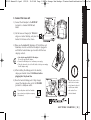
Initially make your call with the pulse dialing mode. Once your call
connects, press /tone. Enter the desired number. These digits will be
sent as tone dialing. Once the call ends, the tone mode is canceled and
pulse dialing mode resumes.
• The tone feature only
applies when the dial
mode is set to pulse.
• This special number can
be stored in a memory
location. This is referred
to as Chain Dialing. (See
page 31.)
BASICS
Traveling Out-of-Range
During a call, as you begin to move your handset too far from your base unit, noise
increases. If you pass the range limits of the base unit, your call will terminate within 30
seconds. To avoid your call being terminated, quickly move your handset back in range.
Selecting a Different Channel
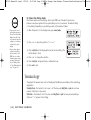
If you encounter interference while using your phone, you can manually change the phone’s
channel for clear operation. This function works only when the phone is in use.
Press select/ch. “Scanning” appears on the display, indicating the phone is changing to
another channel. For more information on interference, refer to “Radio Interference” on
page 44.
B A S I C S [ 21 ]