1
FLASH Upgrade
B.3.2
Installing the FLASH Module
CAUTION: Observe all antistatic precautions when handling sensitive electronic
equipment.
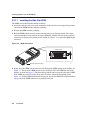
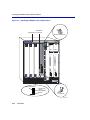
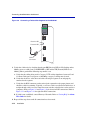
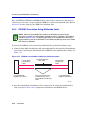
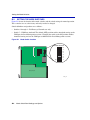
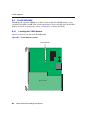
To install a FLASH module, refer to Figure B-3 and proceed as follows:
1. With the FLASH module oriented as shown in Figure B-3, insert the FLASH module down
between the connector.
2. Pivot the FLASH module downward so the connector clips align with the two side notches of
the FLASH module and the connector clips lock the FLASH module into place.
Figure B-3
Installing the FLASH
2
FLASH
Connector
Clip
1
Clip
2504_91
Mode Switch Bank Settings and Options
B-5