1
Telephone operation
Base settings
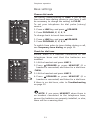
Choose dial mode
The factory default setting is TONE. If you do not
have touch tone dialing service in your area, it will
be necessary to change the setting to PULSE.
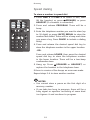
To set your telephone for dial pulse (rotary)
service:
GHI
PQRS
ABC
DEF
JKL
MNO
TUV
WXYZ
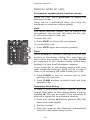
1. Press a LINE key and press SPEAKER.
2. Press PROGRAM, #, #, #, 3.
To change back to touch tone service:
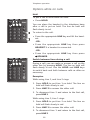
1. Press a LINE key and press SPEAKER.
2. Press PROGRAM, #, #, #, 8.
OPER
MIC
To switch from pulse to tone dialing during a call,
see Temporary tone dialing on page 15.
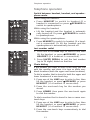
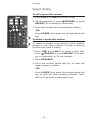
Check for dial tone
Ensure there is a handset connected to the
telephone base and that the batteries are
installed.
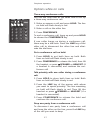
1.Lift the handset and press LINE 1.
ABC
DEF
GHI
JKL
MNO
PQRS
TUV
WXYZ
OPER
MIC
2.Press
SPEAKER or press HEADSET (if a
headset is connected) and listen for a dial tone.
-THEN3.Lift the handset and press LINE 2.
4.Press
SPEAKER or press HEADSET (if a
headset is connected) and listen for a dial tone.
If there is no dial tone, refer to Troubleshooting
on page 22.
NOTE: If you press HEADSET when there is
no headset connected to the telephone base,
ensure the batteries are properly installed, or else,
there will be a warning tone.
11