1
WLAN Module
Description
Spare part number
WLAN module (802.11a/b/g/n)
634906-001
WLAN cable and antenna
646806-001
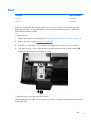
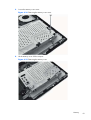
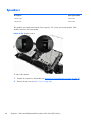
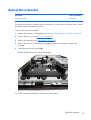
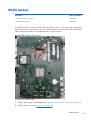
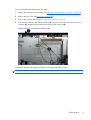
The WLAN module is located on the left side of the system board. You must remove the system board
shield to gain access to the module. One screw and one antenna connect to the module. The antenna
cable routes from the module to the antenna at the top of the computer.
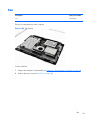
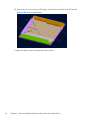
Figure 6-50 WLAN module location
To remove the WLAN module:
1.
Prepare the computer for disassembly (see Preparing to Disassemble the Computer on page 29).
2.
Remove the rear cover (see Rear Cover on page 30).
WLAN Module
69