1
Installation
Installation Instructions continued
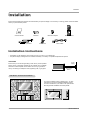
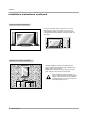
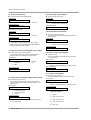
Desktop Pedestal Installation
For proper ventilation, allow a clearance of 4” on each
side and the top, 2.36” on the bottom, and 2” from the
wall. Detailed installation instructions are included in the
optional Desktop Stand Installation and Setup Guide, see
your dealer.
2 inches
4 inches
4 inches
4 inches
2.36 inches
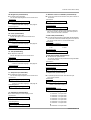
Wall Mount: Vertical
Vertical installation
Detailed installation instructions are included in the
optional Vertical Wall Mounting Bracket Installation and
Setup Guide, see your dealer.
NOTE: When installing the monitor vertically, the front
panel controls must be in the left side position.
When installing the monitor vertically, you
have to change the OSD (On Screen Display)
display mode so that the menus will appear
correctly and also to protect the monitor from
overheating (Refer to P. 20).
10 Plasma Display