1
EC9000i Series Scanner User Guide
Contents
Contents
Compliance statements................................................................................................................................. 3
FCC Compliance Statement ..................................................................................................................... 3
Contents ........................................................................................................................................................ 4
Introduction ................................................................................................................................................... 6
About this guide ........................................................................................................................................ 6
Requirements ............................................................................................................................................ 6
Recommendations .................................................................................................................................... 6
RDM EC9000i models and features ............................................................................................................. 7
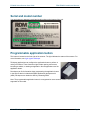
Serial and model number .......................................................................................................................... 8
Programmable application button ............................................................................................................. 8
Setting up your scanner ................................................................................................................................ 9
Choose a location ..................................................................................................................................... 9
Unpack the shipping box ........................................................................................................................... 9
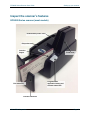
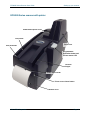
Inspect the scanner’s features ................................................................................................................ 10
EC9000i Series scanner (most models) ............................................................................................. 10
EC9000i Series scanner with printer ................................................................................................... 11
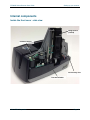
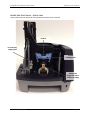
Internal components................................................................................................................................ 12
Inside the front cover - side view ........................................................................................................ 12
Inside the front cover - back view ....................................................................................................... 13
Inside the front cover and endorsement printer cover - top view ........................................................ 14
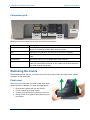
Connection ports ................................................................................................................................. 15
Removing the covers .............................................................................................................................. 15
Front cover .......................................................................................................................................... 15
Endorsement printer cover .................................................................................................................. 16
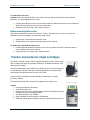
Franker and endorser inkjet cartridges .................................................................................................. 16
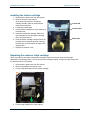
Installing the franker cartridge ............................................................................................................. 17
Replacing the endorser inkjet cartridge .............................................................................................. 17
Replacing the paper roll for the printer.................................................................................................... 18
Connecting the power cord ..................................................................................................................... 19
Disconnecting the power cord ............................................................................................................. 19
©2014 RDM Corporation
Page 4