1
D
I
Daisy chain, 2-8, 2-10, 2-11, 2-13
Default SCSI ID, 2-9
Destination, 4-12
Document
Source, 4-10
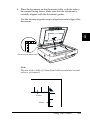
Document, placing, 4-2
Document cover
close, 4-4
open, 2-6, 4-2
reattach, 4-6
remove, 4-5, 6-3
Document guide strip, 1-4, 1-5, 4-3, 6-3
Document Source setting, 6-9
Document specifications (Automatic
Document Feeder), 6-16
Document table, 4-2, 4-3
IEEE 1394 interface board, 1-9
Image
database, 6-2
saving, 4-14
scanning, 4-9
Type, 4-10
Important Safety Instructions, 1
Initialization, 2-6
Installation
Automatic Document Feeder, 6-3
IEEE 1394 interface board, 6-18
scanner software, 3-3
SCSI driver, 2-7
Installation software, 3-3
before, 3-2
Instructions
safety, 1
Interface, 3-2
board, IEEE 1394, 6-17
board, SCSI, 1-4, 2-7, 2-11
E
Edge guides (Automatic Document
Feeder), 6-7
Ejected paper support, 6-2
EPSON
Network Image Express, 1-9
PageManager, 3-14, 3-18
Scanner Monitor, 4-14
Stylus Printer, 4-12
TWAIN Pro, 1-2, 3-3, 4-7, 6-9, 6-10
Error light, 1-6, 1-7
F
Fax, 4-12
Flashing
fluorescent lamp, 2-6
Flatbed, 4-10
Fluorescent lamp, 2-6
IN-2
J
Jammed paper, 6-14
L
Lamp, fluorescent, 2-6
Laser Printer, 4-12
Left, 6-14
Light
error, 1-6, 1-7
operate, 1-6, 1-7
ready, 1-6, 1-7, 2-6
Line Art, 4-11
LineWork, 4-12
Loading
document (Automatic Document
Feeder), 6-7, 6-8
Lock, transportation, 2-4