1
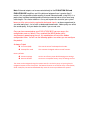
Note: Balanced outputs can be connected directly to the EVOLUTION 50A and
EVOLUTION 50P amplifiers and if the distance between them is greater than 5
metres, this may provide a better quality of sound. Balanced audio, using XLRs is a
professional standard and designed to eliminate unwanted noise or hum over long
cable lengths. For shorter cable runs it may not improve the sound of your system
because of the extra circuitry required for balanced signals, so please experiment to
see what works best. Just as with un-balanced interconnects, cable quality can affect
the sound quality. Ask your dealer for advice if you are not sure.
Once you have connected up your EVOLUTION 50CD you can access the
configuration menu as follows. Press and hold the MENU button whilst
simultaneously powering up the unit, this combination will reveal the hidden
configuration menu. You will see the following options tree where you can configure
the product:
Analogue Output
Line Level (0dB)
Preamplifier mode
This sets the unit to fixed output level mode.
This activates the digital volume control function.
Factory defaults
Preserve settings
Reset to defaults
Carries out a factory reset whilst keeping user settings.
Carries out a complete factory reset, all settings are lost.
The menu can be navigated using the remote control’s circular key array or by using the CD
navigation buttons on the front panel. The buttons function are as follows: Play = Enter/Select,
STOP = Back/Exit, Forward and Backward skip move the cursor up and down the options.