1
Chapter 3
Connecting the Router
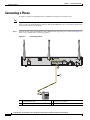
Connecting an FXS Line
Step 3
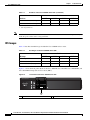
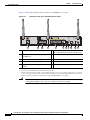
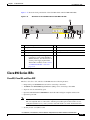
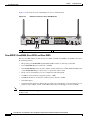
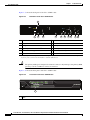
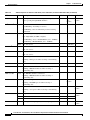
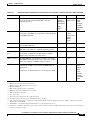
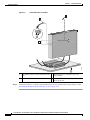
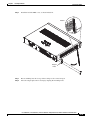
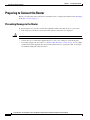
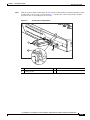
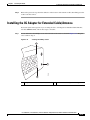
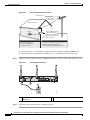
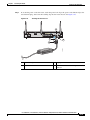
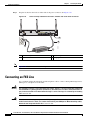
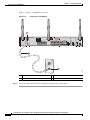
Snap the latches into the holes on either side of the power connector. See Figure 3-29.
Figure 3-29
Power Lock Clip Latched Into the Holes on Either Side of the Power Connector
1
4
3
Note
270800
2
1
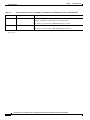
Power lock clip
3
Power adapter
2
Power cord
4
AC plug
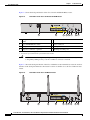
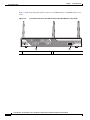
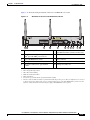
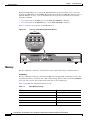
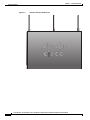
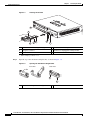
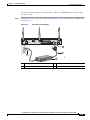
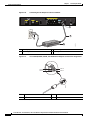
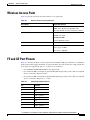
Figure 3-26 shows how to connect the AC power outlet for the Cisco 892FSP.
Connecting an FXS Line
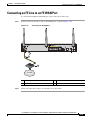
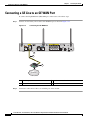
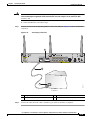
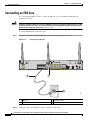
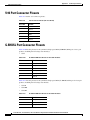
Use a standard straight-through RJ-11 modular telephone cable to connect a Foreign Exchange Service
(FXS) port to a telephone or fax machine.
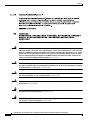
Warning
This equipment contains a ring signal generator (ringer), which is a source of hazardous voltage. Do
not touch the RJ-11 (phone) port wires (conductors), the conductors of a cable connected to the RJ-11
port, or the associated circuit-board when the ringer is active. The ringer is activated by an incoming
call. Statement 1042
Warning
Hazardous network voltages are present in WAN ports regardless of whether power to the unit is OFF
or ON. To avoid electric shock, use caution when working near WAN ports. When detaching cables,
detach the end away from the unit first. Statement 1026
Cisco 860 Series, Cisco 880 Series, and Cisco 890 Series Integrated Services Routers Hardware Installation Guide
3-32
OL-16215-10