1
Contents
USB Port 1-37
Fan 1-37
Power Supply 1-38
Power over Ethernet Module 1-38
3G Cellular Data WAN Connectivity 1-38
Wireless LAN Connectivity 1-39
Supported Cisco Radio Antennas 1-40
Small Form-Factor Pluggable Port 1-40
Feature Summary 1-41
CHAPTER
2
Installing the Router
2-1
Equipment, Tools, and Connections 2-2
Items Shipped with your Router 2-2
Additional Items 2-2
Connections 2-3
Ethernet Devices 2-3
Installing the Router 2-3
Warnings 2-4
Installing Antennas 2-4
Installing on a Table 2-7
Mounting on a Wall 2-8
Installing in a Rack 2-11
Installing the Router Ground Connection
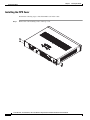
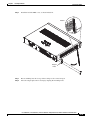
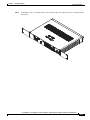
Installing the FIPS Cover 2-14
CHAPTER
3
Connecting the Router
Safety Warnings
3-1
3-2
Preparing to Connect the Router 3-4
Preventing Damage to the Router
3-4
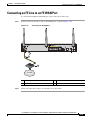
Connecting a PC, Server, or Workstation
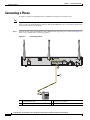
Connecting a Phone
2-13
3-5
3-6
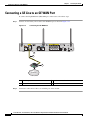
Connecting an External Ethernet Switch
Connecting the V.92 modem Port
3-7
3-8
Connecting a Terminal or PC to the Console Port
Terminal Emulator Settings 3-10
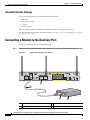
Connecting a Modem to the Auxiliary Port
Connecting the 3G Card
3-9
3-10
3-11
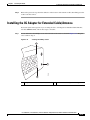
Installing the 3G Adapter for Extended Cable/Antenna
3-17
Cisco 860 Series, Cisco 880 Series, and Cisco 890 Series Integrated Services Routers Hardware Installation Guide
iv
OL-16215-10