1
Chapter 3: Standard Installation
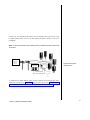
This chapter provides step-by-step instructions for the standard CLASSIC MAIL
system installation. If you are installing a CLASSIC MAIL system with a Merlin 1030/
3070 Control Unit, skip the instructions that immediately follow. Instead, follow the
instructions in the "CLASSIC MAIL System Control Unit Upgrade Kit Installation Guide."
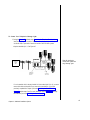
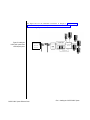
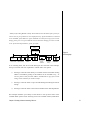
The standard installation is referred to as an interposed configuration, because the
CLASSIC MAIL system is interposed between your incoming telephone lines and the
telephone line jacks on your Merlin Control Unit. The two-port version of the
CLASSIC MAIL system is interposed between two incoming lines and the Control
Unit; the four-port version is interposed between four lines and the Control Unit.
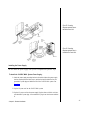
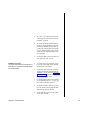
To complete a standard installation:
●
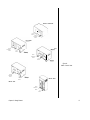
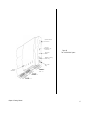
Mount the CLASSIC MAIL system to a wall.
●
Interpose the CLASSIC MAIL system between your Merlin Control Unit
and two (or four) incoming telephone lines.
●
Connect the CLASSIC MAIL system to two (or four) vacant voice
terminal jacks on the Merlin Control Unit.
●
Install the CLASSIC MAIL system power supply.
Chapter 3: Standard Installation
19