1
Contents
Introduction
1
Features .....................................................................
Options .....................................................................
Finding Your Way Around ............................................
Warnings, Cautions, and Notes.. ....................................
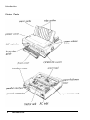
Printer Parts ...............................................................
1
2
3
3
4
Chapter 1 Setting Up the Printer
1-1
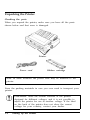
Unpacking the Printer ................................................
Choosing a Place for the Printer ..................................
Assembling the Printer.. .............................................
Testing the Printer ....................................................
Connecting the Printer to Your Computer .....................
Configuring Your Software for the Printer.. ...................
1-2
1-3
1-5
1-10
1-13
1-14
Chapter 2 Paper Handling
2-1
Selecting a Paper Feeding Method . . . . . . . . . . . . . . . . . . . . . . . . . . . . . . . . 2-2
Using Single Sheets . . . . . . . . . . . . . . . . . . . . . . . . . . . . . . . . . . . . . . . . . . . . . . . . . . . 2-4
Using Continuous Paper . . . . . . . . . . . . . . . . . . . . . . . . . . . . . . . . . . . . . . . . . . . . . 2-9
Switching Between Continuous Paper and Single Sheets . . . 2-21
Printing on Special Paper . . . . . . . . . . . . . . . . . . . . . . . . . . . . . . . . . . . . . . . . . . . 2-23
3-1
Chapter 3 Using the Printer
Control Panel ........................................................... 3-2
DIP Switches ........................................................... 3-6
Micro Feed .............................................................. 3-13
Tear Off ................................................................. 3-16
Typestyles ............................................................... 3-19
Data Dump Mode ..................................................... 3-24
Contents
vii