1
REV.-A
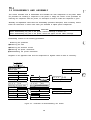
1.5 DIP SWITCHES AND JUMPERS
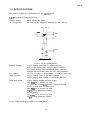
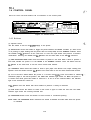
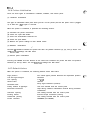
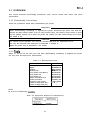
This section describes the DIP switches and jumpers of the LQ-870/l 170.
1.5.1 DIP Switches
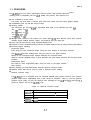
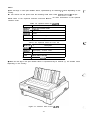
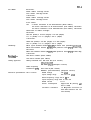
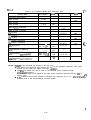
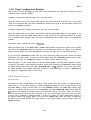
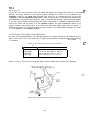
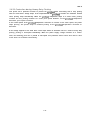
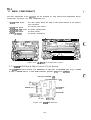
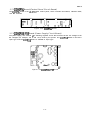
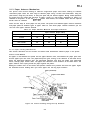
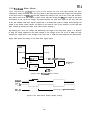
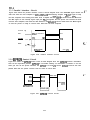
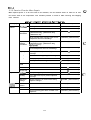
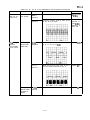
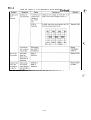
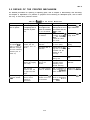
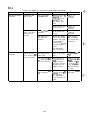
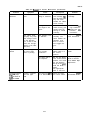
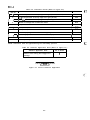
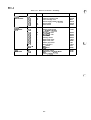
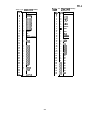
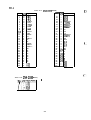
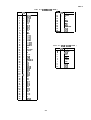
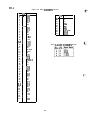
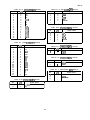
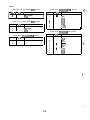
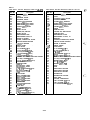
The printer has two banks of DIP switches located on the control panel. Tables 1-12 through 1-15
describe the functions of the DIP switches. The status of the DIP switches is read only at power-on or
upon receipt of the /l NIT signal.
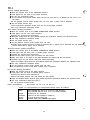
Table 1-12. DIP Switch Set 1 (SW1)
No.
Factory
Setting
OFF
ON
Description
ON
ON
ON
1
2
3
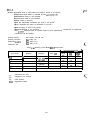
International and PC character set selection
See Table 1-14.
I
4 I Character table selection
Graphic
I
Italic
I
OFF
5
Graphics direction”
Unidir.
Bidir.
OFF
6
High-speed draft mode
Invalid
Valid
OFF
7
Input buffer
Invalid
Valid
OFF
OFF
Factory
Setting
.“
t
8 I One-inch SkiI) continuous DaDer
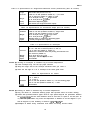
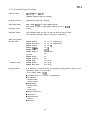
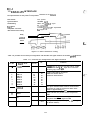
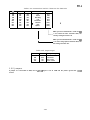
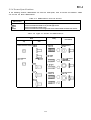
Table 1-13. DIP Switch Set 2 (SW2)
No.
1
2
3
ON
Description
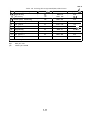
Page length of continuous paper
See Table 1-15.
Auto tear-off
ON
OFF
OFF
OFF
OFF
~-. .,
4 I Auto line feed
1-18