1
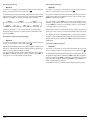
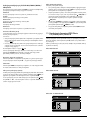
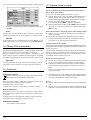
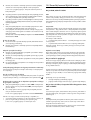
CV_KH6521_22_33138_39_GbSi
21.07.2009
13:30 Uhr
Seite 1
4C
DVD PLAYER
KH 6521
KH 6522
DVD Player
Operating instructions
DVD predvajalnik
Navodila za uporabo
KOMPERNASS GMBH · BURGSTRASSE 21 · D-44867 BOCHUM
www.kompernass.com
ID-Nr.: KH6521/22 - 07/09-V4
CV_KH6521_22_33138_39_GbSi
21.07.2009
13:30 Uhr
Seite 4
KH 6521 / 6522
A
q
w
e r t
y
o
i
B
a
s
d
2#
f
2@
2!
2)
;
C
q
3$
w
3#
e
3@
3!
3)
2(
r
t
y
u
i
o
a
2*
2&
2^
s
d
f
2%
g
h
2$
2@
2!
2#
g
j
k
l
;
2)
h
j
k
l
u
INDEX
PAGE
1. Technical Data
2. Intended use
3. Package contents
4. Operating components
5. Setting up of the DVD player
6. Safety instructions
7. Remote control
2
2
2
2
3
3
4
7.1 Inserting the batteries . . . . . . . . . . . . . . . . . . . . . . . . . . . . . . . . . . . . . . . . . . . . . . . . . . . . . . . . . . . . . . . . . . . . . . . . . . . . . . . . . . . . . . . . . .4
7.2 Using the remote control . . . . . . . . . . . . . . . . . . . . . . . . . . . . . . . . . . . . . . . . . . . . . . . . . . . . . . . . . . . . . . . . . . . . . . . . . . . . . . . . . . . . . . .4
7.3 Replacing the batteries . . . . . . . . . . . . . . . . . . . . . . . . . . . . . . . . . . . . . . . . . . . . . . . . . . . . . . . . . . . . . . . . . . . . . . . . . . . . . . . . . . . . . . . . .4
8. Connecting the DVD player to a television
4
8.1 Connecting to a television via ScartCable/RGB . . . . . . . . . . . . . . . . . . . . . . . . . . . . . . . . . . . . . . . . . . . . . . . . . . . . . . . . . . . . . . . . . . . . .5
8.2 Connecting to a television via S-Video . . . . . . . . . . . . . . . . . . . . . . . . . . . . . . . . . . . . . . . . . . . . . . . . . . . . . . . . . . . . . . . . . . . . . . . . . . . .5
8.3 Connection to a television via video input (Composite Video) . . . . . . . . . . . . . . . . . . . . . . . . . . . . . . . . . . . . . . . . . . . . . . . . . . . . . . . . . .5
8.4 Connecting via component signal (YPbPr/YUV) . . . . . . . . . . . . . . . . . . . . . . . . . . . . . . . . . . . . . . . . . . . . . . . . . . . . . . . . . . . . . . . . . . . . .5
8.5 Connecting to a television via HDMI . . . . . . . . . . . . . . . . . . . . . . . . . . . . . . . . . . . . . . . . . . . . . . . . . . . . . . . . . . . . . . . . . . . . . . . . . . . . .6
9. Connecting audio components to the DVD player
6
9.1 Requirements for the connection of a HiFi system . . . . . . . . . . . . . . . . . . . . . . . . . . . . . . . . . . . . . . . . . . . . . . . . . . . . . . . . . . . . . . . . . . . .6
9.2 Connecting digital audio components via digital cables . . . . . . . . . . . . . . . . . . . . . . . . . . . . . . . . . . . . . . . . . . . . . . . . . . . . . . . . . . . . . .6
9.3 Connecting audio components via an analogue cable . . . . . . . . . . . . . . . . . . . . . . . . . . . . . . . . . . . . . . . . . . . . . . . . . . . . . . . . . . . . . . .7
9.4 Connecting the headphones . . . . . . . . . . . . . . . . . . . . . . . . . . . . . . . . . . . . . . . . . . . . . . . . . . . . . . . . . . . . . . . . . . . . . . . . . . . . . . . . . . . .7
10. OSD menu settings
8
10.1 Using the OSD Menu . . . . . . . . . . . . . . . . . . . . . . . . . . . . . . . . . . . . . . . . . . . . . . . . . . . . . . . . . . . . . . . . . . . . . . . . . . . . . . . . . . . . . . . .8
10.2 Setup menu GENERAL . . . . . . . . . . . . . . . . . . . . . . . . . . . . . . . . . . . . . . . . . . . . . . . . . . . . . . . . . . . . . . . . . . . . . . . . . . . . . . . . . . . . . . . .8
10.3 Setup menu AUDIO . . . . . . . . . . . . . . . . . . . . . . . . . . . . . . . . . . . . . . . . . . . . . . . . . . . . . . . . . . . . . . . . . . . . . . . . . . . . . . . . . . . . . . . . . .9
10.4 Setup menu DOLBY . . . . . . . . . . . . . . . . . . . . . . . . . . . . . . . . . . . . . . . . . . . . . . . . . . . . . . . . . . . . . . . . . . . . . . . . . . . . . . . . . . . . . . . . .10
10.5 Setup menu VIDEO . . . . . . . . . . . . . . . . . . . . . . . . . . . . . . . . . . . . . . . . . . . . . . . . . . . . . . . . . . . . . . . . . . . . . . . . . . . . . . . . . . . . . . . . .10
10.6 Setup menu PREFERENCE . . . . . . . . . . . . . . . . . . . . . . . . . . . . . . . . . . . . . . . . . . . . . . . . . . . . . . . . . . . . . . . . . . . . . . . . . . . . . . . . . . . .11
11. Initial operation of the DVD player
12
11.1 Inserting the DVD . . . . . . . . . . . . . . . . . . . . . . . . . . . . . . . . . . . . . . . . . . . . . . . . . . . . . . . . . . . . . . . . . . . . . . . . . . . . . . . . . . . . . . . . . . .12
11.2 Inserting memory cards/USB memory sticks with MP3/WMA/ MPEG4/JPEG data. . . . . . . . . . . . . . . . . . . . . . . . . . . . . . . . . . . . . .12
11.3 Removing memory cards/USB memory sticks . . . . . . . . . . . . . . . . . . . . . . . . . . . . . . . . . . . . . . . . . . . . . . . . . . . . . . . . . . . . . . . . . . . .13
12. Playing back DVDs, VCDs or S-VCDs
13
12.1 Features during playback of a DVD, VCD or S-VCD . . . . . . . . . . . . . . . . . . . . . . . . . . . . . . . . . . . . . . . . . . . . . . . . . . . . . . . . . . . . . . .14
13. Playback of JPEG-Photo CD/WMA/MP3/MPEG4
14. CD Ripping function
15. Cleaning of the DVD player
16. Disposal
17. Troubleshooting
18. Glossary / Key Word Index
19. Warranty and Service
20. Importer
Read these operating instructions carefully before using the device for the first time and preserve this manual for later reference.
Pass this manual on to whoever might acquire the device at a future date.
-1-
18
19
20
20
20
21
23
23
IB_KH6521_22_33138_39_LB4C.qxd
23.07.2009
15:14 Uhr
Seite 2
DVD-PLAYER KH6521/22
2. Intended use
The SilverCrest KH 6521/22 DVD player is intended exclusively for stationary
use in enclosed spaces. The device is intended exclusively for private,
non-commercial use.
The device is intended for use as a home entertainment device.
No liability/guarantee will be assumed for damage that results from use other
than that for which the device was intended!
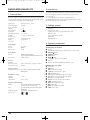
1. Technical Data
This device complies in regards to conformance with the basic requirements
and other relevent regulations of the EMV directive 2004/108/EC, as well
as the directive for low voltage devices 2006/95/EC.
Power supply:
Power consumption:
Power consumption:
Standby:
Protection class:
TV standard:
Operating temperature:
Humidity:
Measurements
(L x W x H):
Weight :
Laser class:
AC 220 V - 240 V ~ 50 Hz
20 Watt
3. Package contents
<1W
II /
PAL/NTSC
+5 ~ +40°C
5 ~ 90% (no condensation)
-
220 x 430 x 44 mm
1,6 kg approx.
1
DVD-Player
Infrared remote control
2 Batteries for remote control, type AAA/ (Micro cells)
RGB Scart cable
Audio/Video RCA Cinch cable
HDMI cable
Operating manual
4. Operating components
Video Output
Format:
Decoder:
D/A converter:
4:3 / 16:9
MPEG 2
12 Bit
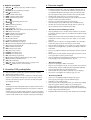
A. DVD player front panel
q Disc tray
w Display (with standby LED (green) and IR sensor for remote control)
e OPEN/CLOSE button
r PLAY/PAUSE button
t STOP button
y STANDBY button
u Headphones output for 3,5 mm jackplug
i USB port
o Memory card slot for SD/MMC/MS and MSPro cards
Audio Output
Decoder:
D/A converter:
MPEG Dolby Digital (AC-3)
DTS only possible with additional external decoder
24 Bit / 96 kHz
USB port
Readable
USB memory sticks:
Max. current output:
USB1.1 and 2.0 up to a capacity of 4 GB
100 mA
B. DVD player rear panel
a Power cable
s POWER switch
d VIDEO: Composite video output
f Y, U/Pb, V/Pr: Component video outputs
g SCART: Scart/RGB output
h FL/FR: Output for front, left and right audio channels
j SL/SR: Output for rear, left and right audio channels
k SW: Output for bass audio channel
l CEN: Output for front and centre audio channels
; COAXIAL: Coaxial audio output
2) MIX L/R: Left and right audio outputs
2! HDMI: HDMI output
2@ OPTICAL: optical digital audio output
2# S-VIDEO: S-Video output
Memory card slot
Readable memory cards: SD (2 GB no SDHC), MS/MSPro (4 GB),
MMC (4 GB)
Headphones output
Jackplug:
Maximum
output voltage:
3,5 mm
approx. 25 mV
Playable mediums/formats
VIDEO:
Audio:
Additional formats:
Regional code:
DVD, DVD+R, DVD+RW, DVD-R, DVD-RW,
DVD-R DL, DVD+R DL, VCD, S-VCD
CD, CD-R, CD-RW, Audio-DVD, MP3, WMA,
OGG Vorbis
AVI, MPEG 4, Xvid, JPEG (Foto-CD)
or
-2-
6. Safety instructions
C. Remote control
q OPEN/CLOSE : Open/Close the disc tray
w Number buttons
e PLAY/PAUSE!": Start/Suspend playback
r MUTE : Switch the sound on/off
t V-MODE: Set the video output
y DIMMER: Adjust the display brightness
u DISPLAY: Superimpose disc information
i SKIP FWD
o VOL +/- : Raise/lower the sound level
a SKIP BWD
s SUBTITLE: Set the subtitle
d ENTER: Confirm input
f Control buttons $!%&
g MENU/RIPPING: Access disc menu/ripping function
h SLOW: Slow motion function
j RETURN: Set the playback mode
k ZOOM: Set the image enlargement
l STOP#: Stop playback
; A-B: Repeat sequence
2) Battery compartment (on the rear panel)
2! REPEAT: Set the repeat function
2@ USB: Change between disc playback and USB/card playback
2# STEP: Individual frame playback
2$ L/R/ST: Set the audio channel
2% AUDIO: Set the audio language
2^ TITLE: Access the title menu
2& FAST RWD': Fast search backwards
2* FAST FWD(: Fast search forward
2( PROG: Access the programme function
3) PBC: PBC function activate/deactivate (VCD, SVCD only)
3! ANGLE: Change the camera perspective
3@ SETUP: Access the OSD menu
3# GOTO:Access titles, chapters and time direct select menus
3$ STANDBY : Switch the device to standby mode
•
•
•
•
•
This device is not intended for use by individuals (including children)
with restricted physical, physiological or intellectual abilities or deficiences
in experience and/or knowledge unless they are supervised by a person
responsible for their safety or receive from this person instruction in how
the device is to be used.
Children should be supervised to ensure that they do not play with the
device.
To avoid unintentionally switching on the device pull the power cord
from the mains supply after use and before cleaning.
Check the device and all parts for visible damages. The safety concept
can work only if the device is in a faultless condition.
The power plug must always be easily accessible, so that the device can
be quickly disconnected from the mains in the event of an emergency.
Risk of electrical shocks!
•
•
•
•
•
•
•
•
Connect the device only to correctly installed and earthed mains sockets.
Ensure that the rating of the local power supply tallies completely with
the details given on the rating plate of the device.
Arrange for defective power plugs and/or cables to be replaced at
once by qualified technicians or our Customer Service Department.
Arrange for customer service to repair or replace connecting cables
and/or devices that are not functioning properly or have been damaged.
Never immerse the device in water. Wipe it only with a slightly damp
cloth.
Do not expose the device to rain and never use it in a humid or wet
environment.
Ensure that the power cable never becomes wet during operation.
You must not open the housing or repair the device yourself.
Should you do so, device safety can no longer be assured and the
warranty will become void.
Protect the device against drip and spray water. Do not place any
water-filled vessels (e.g. flower vases) on the device.
Risk of fire!
•
•
5. Setting up of the DVD player
1. Carefully remove the DVD player and the supplied accessories from
•
•
•
the packing.
2. Remove the protective foil from the display.
3. Place the DVD player on a flat, even and firm base. Do not subject the
device to any external heat or moisture source. Make sure that the device
has sufficient ventilation on all sides. Do not place any television directly
on top of the DVD player.
Do not use the device in the vicinity of hot surfaces.
Do not locate the device in places exposed to direct sunlight.
If you do, it may overheat and become irreparably damaged.
Do not leave the device unattended when in use.
Never cover the ventilation slots of the device while it is being used.
Do not place any open sources of fire, like candles, on the device.
Injury hazard!
•
•
•
Attention!
Do not plug the DVD player into an electrical outlet at this time.
Wait until you have connected the DVD player to a television set.
•
In the event that you wish to change the type of video or audio connection
you must first pull the power plug from the power socket! Otherwise the
DVD player and possibly equipment connected to it could become
irreparably damaged through voltage peak strikes!
•
-3-
Keep children away from the connecting cable and the device.
Children frequently underestimate the dangers of electrical equipment.
Ensure that the device stands with a safe and secure positioning.
Do not operate the device if it has sustained a fall or is damaged.
Arrange for the device to be checked and/or repaired by qualified
technicians.
Batteries/ battery cells are potentially fatal if swallowed. Store batteries
out of the reach of children. If a battery is swallowed medical assistance
must be sought immediately.
Also, store the packaging foils well away from children. There is a risk
of suffocation.
Danger! Laser radiation!
7. Remote control
This device is fitted with a „Class 1 Laser“.
• Never open the device.
• Never attempt to repair the device.
• There is invisible laser radiation inside the device.
Do not expose yourself to the laser beam.
7.1 Inserting the batteries
Note:
compartment. Make sure that the batteries are inserted in accordance
with the correct polarity.
3. Replace the battery compartment cover.
1. Open the battery compartment on the rear of the remote control.
2. Place the two supplied batteries type AAA (micro cells) into the battery
Some aggressive furniture finishes can have a destructive influence on the
device's rubber feet. If necessary, place the device on a nonslip pad.
7.2 Using the remote control
Thunderstorms!
In order to guarantee faultless operation when using the remote control…
• Always point the remote control, during use, directely at the DVD player
• Make sure that there are no obstructions between the remote control
and the DVD player that will hinder reception.
• When using the remote control place yourself not more than 5 metres
from the DVD player
otherwise interferences can occur during operation of the DVD player functions
with the remote control.
Equipment connected to a power supply can be damaged during a
thunderstorm. You should therefore always pull the power plug from the
power socket when there is a storm.
Notice regarding electrical power surges
(EFT / electrical fast transient) and electrostatic discharges:
In the case of malfunction due to an electrical fast transient (power surge)
and/or electrostatic discharge, the device must be returned to default
settings in order to re-establish normal operation. The power supply may
have to be disconnected and then reconnected. The batteries (if present)
must be removed and then reinserted.
7.3 Replacing the batteries
If the operation of the DVD player via the remote control does not function
properly or does not function at all the batteries must be replaced
• Always renew all batteries in order to return the remote control to its full
performance ability.
Notice regarding disconnection from mains-power
The POWER switch does not completely disconnect the device from
the power network. Additionally, the device consumes power when in
standby-mode. To completely disconnect the device from mains-power,
the power plug MUST be removed from the wall socket.
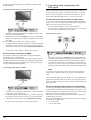
8. Connecting the DVD player to a television
After setting up the DVD player, you can now connect it to a television.
The DVD player can be connected to televisions which operate with the PAL
and NTSC standards.
If you want to use the DVD player on a television with the NTSC standard
you must change the video setting in the DVD players "OSD menu". There
PAL is set as the television standard at the factory. Depending on the televisions
equipment there are different methods of connecting the DVD player to it,
these are explained as follows.
Information regarding the handling of batteries
The remote control is operated by batteries.
For the safe handling of batteries please observe the following safety
information:
Danger exists from uses other than those intended!
•
•
•
•
•
•
•
•
Do not throw the batteries into a fire.
Do not short circuit the batteries.
Do not attempt to recharge the batteries.
Regularly check the condition of the battery. Leaking battery acid can
cause permanent damage to the device. When handling a damaged or
leaking battery special care should be taken. Danger from acid burns!
Wear protective gloves.
Clean the battery compartment and the battery contacts with a dry cloth.
Store batteries out of reach of children. When swallowed seek immediate
medical attention.
Remove the batteries from the device if you do not intend to use the device
for an extended period of time.
Never open batteries, never solder or weld batteries.
The risk of explosions and injuries exists!
Attention!
No liability/warranty will be considered for damage to the DVD player
caused by the effects of moisture, water penetration or overheating!
-4-
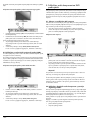
8.1 Connecting to a television via ScartCable/RGB
•
Note:
•
Connecting the DVD player to a television with a Scart cable via the RGB input
offers a high quality connection. Select this connection variation in the case of
televisions equipped with an RGB input. If you are not sure if the television is
equipped with an RGB input then you can check this by consulting the television's
instruction manual.
For playback select the matching channel on your television Check with
the television's instruction manual on how you can set the AV channel.
In the OSD menu select the menu option VIDEO/VIDEO OUTPUT/OFF .
On this subject see also chapter 10 "Settings in the OSD menu".
8.3 Connection to a television via video input
(Composite Video)
For this connection variant the television must be equipped with Audio/Video
cinch sockets (Composite Video).
In order to connect the DVD player to a television via Composite Video you
will need
• an audio/video RCA cinch cable (supplied)
•
•
•
Connect the jack inscribed with SCART to a television Scart socket by
using the supplied Scart cable.
For playback select the matching channel on your television Check with
the television's instruction manual on how you can set the AV channel.
In the OSD menu select under the VIDEO/VIDEO OUTPUT/RGB or
OFF menus.
•
The menu option VIDEO OUTPUT is only selectable when the HDMI output
is deactivated. On this subject see also chapter 10 "Settings in the OSD
menu".
•
•
8.2 Connecting to a television via S-Video
•
Note:
Connect the yellow marked video socket with the yellow VIDEO socket on
the television.
Connect the audio output sockets MIX L/R on the rear panel of the DVD
player to the corresponding audio inputs on the television. Make sure
that the colour markings yellow, red and white correspond.
For playback select the matching channel on your television Check with
the television's instruction manual on how you can set the AV channel.
In the OSD menu select the menu option VIDEO/VIDEO OUTPUT/OFF.
On this subject see also chapter 10 "Settings in the OSD menu".
For this type of connection the television must have available an S-VIdeo input
and two audio "IN" cinch sockets. If you are not sure if the television is equipped
with S-Video and/or cinch sockets you can check this by consulting the television's
instruction manual.
8.4 Connecting via component signal (YPbPr/YUV)
This connection variant is only possible with very high grade televisions,
LCD/Plasma screens or Video projectors.
Check with the instruction manual of the corresponding playback device to
see if this connections variant is available. It is possible that additional playback
device settings may have to be implemented.
The so called "Component signal" is put out via the YPbPr socket of the DVD
player. Component signals are available in the form of the so called "YUV"
signal (Half image) as well as in the form of the so called "YPbPr" signal
(Full image/Progressive scan).
For this connection variant you will need:
• an audio cinch cable (not supplied)
• an S-video cable (not supplied) These can be obtained from your dealer.
To connect the DVD player to a television via S-video:
On this topic, please refer to Section 18. "Glossary / KeyWord Index".
•
•
The cable connections are the same in both cases; YPbPr-signal for Progressive
Scan however can only be used if the television (or Video projector), to which
you want to connect the DVD player, is capable of Progressive Scan. If you
are not sure whether the television (or Video projector), to which you want to
connect the DVD player is capable of Progressive Scan and has cinch sockets
available then you can check this by consulting the television's (or Video
projectors's) instruction manual.
For both variations – "YPbPr" and "YUV"– you will need
• an audio cinch cable (not supplied)
• an YUV cable (not supplied) These can be obtained from your dealer.
Connect the jack inscribed with S-VIDEO to a television S-Video socket
using an S-Video cable.
Connect the audio output sockets MIX L/R on the rear panel of the DVD
player via an audio cinch cable to the corresponding audio inputs on
the television. Make sure that the red and white colour markings
correspond.
-5-
On the rear panel of the DVD player you will find the connection sockets
Y, U/Pb and V/Pr.
9. Connecting audio components to the
DVD player
Connecting the DVD player via component signal:
Besides sound playback of DVDs, VCDs/S-VCDs and audio and MP3-CDs
via the speaker of the television, to which the DVD player is connected,
sound can also be played back via external audio components such as
a HiFi system, Dolby digital/DTS receiver or a surround sound system.
9.1 Requirements for the connection of a HiFi system
In order to enjoy a full sound experience when playing DVDs with the DVD
player you can connect a HiFi system to the player. Before connecting check
with the HiFi system's instruction manual to verify...
• if the HiFi system is suitable for connection to a DVD player.
• if the HiFi system is equipped with cinch sockets; if yes, you can connect
the HiFi system to the DVD player via cinch cables.
Connecting a HiFi system:
Connect the sockets Y (green), U/Pb (blue) and V/Pr (red) with the corresponding sockets on the television.
• Connect the audio output sockets MIX L/R on the rear panel of the DVD
player to the corresponding audio inputs on the television with an audio
cinch cable.
Make sure that the red and white colour markings correspond.
• For playback select the matching channel on your television Check with
the television's instruction manual on how you can set the AV channel.
• In the OSD menu select the menu option VIDEO/VIDEO OUTPUT/YUV.
•
On this subject see also chapter 10 "Settings in the OSD menu".
8.5 Connecting to a television via HDMI
This connection variant is only possible with very high grade televisions,
LCD/Plasma screens or Video projectors
Check with the instruction manual of the corresponding playback device to
see if this connections variant is available. It is possible that additional playback device settings may have to be implemented. For this type of connection
you will need the HDMI cable (supplied);
•
•
Connecting the DVD player via HDMI:
Connect the audio output sockets MIX L/R on the rear panel of the DVD
player to the corresponding audio inputs on the HiFi system with an audio
cinch cable. Make sure that the red and white colour markings correspond.
Check with the instruction manual which settings on the HiFi system may
be necessary in order to reproduce sound via the HiFi system during the
playback of a DVD, VCD/S-VCD, audio or MP3-CD from the DVD player.
Note:
For an optimal sound experience place your HiFi system's loud speakers to
the left and to the right of the television, on which you connected the DVD
player.
If you connected the DVD player to the television via a Scart cable the audio
signal will be transmitted via the cinch cable to your HiFi system as well as
via the Scart cable to the television. In this case, set the volume of the television
to the lowest value.
9.2 Connecting digital audio components via digital cables
•
•
•
In order to enjoy sound playback throughout the room from correspondingly
equipped DVDs (recognizable by the Dolby Digital or DTS logos), you can
connect the DVD player to a digital audio component, for example, a Dolby
Digital or DTS receiver or a suitable surround sound system.
The cables necessary for the following described connection variations can
be obtained from your dealer.
Firstly check with the digital component’s instruction manual to see if it allows
for connection to the DVD player...
• via a coaxial cable
• or via an optical cable.
Connect the jack inscribed with "HDMI" using a HDMI cable to the
corresponding socket on the television.
For playback select the matching channel on your television Check with
the television's instruction manual on how you can set the AV channel.
In the OSD menu select the menu option VIDEO/HDMI Setup/ON.
On this subject see also chapter 10 "Settings in the OSD menu".
-6-
Connection via coaxial cable
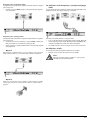
To connect the DVD player to a digital audio component with a digital coaxial
cable:
• Connect the "COAXIAL" inscribed plug to the corresponding socket on
the digital audio component.
9.3 Connecting audio components via an analogue cable
Connecting via optical cable
To connect the DVD player with analogue cables:
• Plug a cinch cable into each of the sockets FL (front left channel),
FR (front right channel), SL (rear left channel), SR (rear right channel),
CEN (front centre channel) and SW (Bass) on the rear panel of the DVD player.
• Insert the cinch cables into the corresponding analogue inputs of the
audio component.
If a digital input is not available on the audio component you can connect
the DVD player to it via conventional analogue cinch cables.
To connect the DVD player to a digital audio component with an optical cable:
• Remove the protective plug from the "OPTICAL" inscribed socket on the
rear panel of the DVD player and insert the optical cable plug.
• Insert the plug at the other end of the optical cable in the corresponding
socket of the digital audio component.
Note:
9.4 Connecting the headphones
The headphones output is located on the front panel of the DVD player.
• Plug the 3.5 mm headphones jackplug into the headphones output.
The optical cable is a glass fibre cable and must not be bent during installation.
Otherwise the glass fibre contained in the cable could break and the cable
would become unusable.
Attention!
Listening to music with headphones for long periods and at high
volume levels can lead to hearing damage!
Note:
Make sure that no dirt can enter into the optical cable socket. This could cause
signal interference. Always insert the protective plug into the socket if no optical
cable is connected.
-7-
10. OSD menu settings
10.1 Using the OSD Menu
•
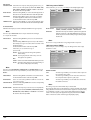
All of the DVD player's settings can be made with the remote control via
the so called "On Screen Display" menu ("OSD menu" for short). The OSD
Menu will be superimposed on the television screen.
To access the DVD players OSD menu press the SETUP button on the remote
control. The OSD Menu with its menu options will appear on the television
screen:
Note:
In these instructions the English OSD menu is described. At any time you can
set the menu to your country's language as described in "GENERAL > OSD
LANGUAGE".
The following menu options can be selected:
GENERAL, AUDIO, DOLBY, VIDEO and PREFERENCE.
• With the control buttons$!%& and the ENTER button you can carry
out all the settings in the menu.
• With the control buttons $! you can select a menu by moving the yellow
marking onto the corresponding menu symbol.
• With the control buttons %& you select an input in a menu by moving
the green bar over an input.
• With the control button! you change an input in the sub menu and with
the control button $ you move back to the previous menu level.
• To confirm a selection press the ENTER button.
All navigation possibilities in a current menu are displayed at the lower
edge of the menu.
• To exit the OSD menu press the SETUP button again.
Before you use the DVD player for the first time for playback of DVDs,
VCDs/S-VCDs or audio/MP3-CDs you must implement a few settings via the
OSD Menu. These settings are dependent amongst others on...
• the language, in which you want the OSD menu to be displayed
• which TV standard corresponds to the television, to which you want to
connect the DVD player
• Which image format your television can display
Administering settings via the OSD menu
10.2 Setup menu GENERAL
•
First insert the connector plug of the DVD player's power cord into
a power socket.
• To switch the DVD player on activate the POWER switch on the rear panel
of the DVD player. If the DVD player is already switched on but is in
standby mode, press the button STANDBY on the remote control to
switch the DVD player on. Standby mode is identified by the green LED
in the display on the front panel of the device.
The device will check to see if a disc is inserted. The SilverCrest logo appears
on the television screen:
In this menu you can, for example, set the image presentation or the language
of the OSD menu.
TV DISPLAY
Note:
The menu option TV DISPLAY is only selectable when the HDMI output
is deactivated.
-4:3/PANSCAN Select this setting to display broadcasts in the usual 4:3
format on a 4:3 television set. Broadcasts in the 16:9 format
will be displayed in full screen without the distracting bars
although the side edges of the image will be trimmed.
-4:3/LETTERBOX Display of a film in 16:9 format on a traditional 4:3 format
television. The image is displayed with black bars on the
lower and upper edges of the screen.
-16:9
This setting is recommended when using a wide screen
television in 16:9 format. An image in 4:3 format will be
adapted horizontally to the image width.
-Wide Squeeze An image in 4:3 format will be presented with black bars
on the right and left edges.
If no disc is inserted the notification NO DISC appears on the television
screen and in the display.
• Firstly please familiarize yourself with the OSD Menu's operation by
means of the following brief introduction.
-8-
ANGLE MARK
-ON
-OFF
-3D SURROUND Select this setting to produce a virtual surround effect from
a stereo or multi channel sound.
-5.1 CH
Select this setting to activate the analogue 5.1 outputs.
If scenes are recorded on a DVD in different perspectives
this will automatically be signified by a camera symbol
displayed on the television screen. Press the ANGLE button
on the remote control to display the various perspectives.
Deactivate function. No symbol appears on the television
screen.
FRONT SPEAKER, CENTER SPEAKER, REAR SPEAKER and SUBWOOFER
In these menu inputs you can activate/deactivate the individual speaker types
and set the size.
-Large
Select this setting if the diameter of the speaker membrane
is greater than 12 cm.
-Small
Select this setting for smaller speakers.
-OFF
Deactivate sound output for these types of speakers
OSD LANGUAGE
Here you set the language, in which the OSD Menu will be shown on the
display.
Note:
CLOSED CAPTIONS
-ON
-OFF
Select this setting if by every playback of a DVD the subtitle
(if present) is to be automatically displayed on the television
screen.
Select this setting to manually activate the subtitle.
The subtitles can also be set, during playback, with the
SUBTITLE button.
The menu input FRONT SPEAKER can not be deactivated since the sound
output for the front speakers always remains switched on.
DIALOG
D.R.C. (Dynamic Range Control)
-ON
Function activated
-OFF
Function deactivated.
-AUTO
Function (if available) is automatically activated
SCREEN SAVER
-ON
-OFF
Screen saver activated. The screen saver will now switch
on when the playback is stopped and no activity takes
place for several minutes.
Deactivate function.
DIGITAL AUDIO
DIGITAL OUTPUT
In this menu input you can set the SPDIF output signal.
-SPDIF / OFF
No digital audio signal is being put out at the sockets
COAXIAL or OPTICAL.
-SPDIF / RAW
The crude data of the Dolby Digital sound is put out.
-SPDIF /PCM
Select the setting PCM (Pulse Code Modulation) when there
is a connection to a digital amplifier/receiver. Your DVD
player transmits, through the PCM signal, the same audio
formats that are rendered on the disc. In addition an audio
signal will be put out via the sockets FL and FR.
LPCM OUTPUT Select this input to set the sampling frequency for the
processing of the crude data.
-48K:
Default setting.
-96K:
Only for DVDs with the corresponding sampling frequency.
LAST MEMORY
-ON
-OFF
In this menu input you can set the dialogue volume (0-20).
Select this setting to playback a disc from the previously
halted position after removal and re-insertion.
Deactivate function. The disc playback starts back at the
begining after removing and then reinserting.
Note:
If the DVD player is turned off with the POWER switch the saved position will not
be preserved.
10.3 Setup menu AUDIO
In this OSD menu you can, for example, carry out settings for the analogue
as well as the digital audio outputs.
Note:
The LPCM OUTPUT function is only available if you have set the SPDIF audio
output signal to PCM.
CHANNEL DELAY
Select this menu input to set the channel delay of the individual speakers.
With optimal settings the sound reaches your ears simultaneously from all
directions.
With the control button ! go to the graphics field beside the input.
With the control buttons % or & select the speaker.
With the control buttons !$ you increase/decrease the value in increments
of 10 cm. The maximum setable deviation for the CENTER speaker is 170 cm.
The maximum setable deviation for the SUBWOOFER and the rear speakers
is 510 cm.
Confirm your entry by pressing the ENTER button.
ANALOG AUDIO
DOWNMIX
If you use the analogue 5.1 output in this menu you can carry out the
appropriate settings.
-LT/RT
Only the left and right channels at the sockets FL and FR
will put out signals.
-STEREO
A stereo sound will be put out. Select this setting if you are
not using the analogue 5.1 outputs. The menu options
CENTER SPEAKER and REAR SPEAKER are then not required and therefore inactive.
Note:
The channel delay is determined by the front speakers therefore these are not
selectable.
-9-
EQUALIZER
-SOUND MODE Select this menu input if, when playing back sound, you
want to use one of the preset equalizer levels ROCK, POP,
LIVE, DANCE, TECHNO, CLASSIC or SOFT. To deactivate
this function select the input OFF.
-BASS BOOST
Select the setting ON if you want to boost the playback of
the base tone. To deactivate this function select the input OFF.
-SUPER BASS
Select the setting ON to use the super base sound effect.
In addition playback of the base tone will be boosted.
To deactivate this function select the input OFF.
-TREBLE BOOST Select the setting ON if you want to boost playback of the
treble sounds. To deactivate this function select the input OFF.
3D PROCESSING
Select this menu input if you want to activate/deactivate the Pro Logic II process.
10.4 Setup menu DOLBY
In this OSD menu you can carry out settings for the Dolby-Digital output.
DUAL MONO
Note:
DYNAMIC
The menu option PRO LOGIC II can only be selected if the analogue
5.1 outputs are activated.
-PRO LOGIC II
-MODE
Select the setting ON if the process is to be activated all
the time.
Select the setting AUTO if the process is only to be activated
when Dolby Pro Logic II encoded content is located on the
playback medium.
To deactivate this function select the input OFF.
In this menu you can set the Pro Logic II
process mode.
MUSIC: Sound is played back through the speakers
without delay.
MOVIE: Sound is played back with a delay of 10 ms
through the rear speakers.
PRO
LOGIC: Earlier version of the DOLBY PRO LOGIC processes.
AUTO: Automatic setting of the processes (depending on
the contents of the playback medium).
Select this menu input to set the Dolby-Digital output to either
STEREO, L-MONO, R-MONO or MIX-MONO.
Select this menu input to enable an optimal sound playback
with reduced volume. In the setting FULL the louder passages
will be surpressed and the softer passages will be played
back louder.
Note:
This function is only possible when using a digital audio component.
10.5 Setup menu VIDEO
In this menu you can, for example, carry out settings for the video output,
resolution or colour.
Note:
The menu inputs PANORAMA, DIMENSION and CENTER WIDTH serve to
fine tune the sound and are only available if you have set the process mode
MUSIC.
VIDEO OUTPUT
-PANORAMA
-YUV
-OFF
Select the setting ON to activate this sound enhancement.
To deactivate this function select the input OFF.
-DIMENSION
Select one of the settings SIZE -3 to SIZE 3 to activate this
sound enhancement.
-CENTER WIDTH Select one of the settings LEVEL 0-7 to receive a corresponding
sound enhancement.
REVERB MODE
Select this menu input if you want to use, for sound playback,
one of the preset reverbs CONCERT, LIVING ROOM, HALL,
BATHROOM, CAVE, ARENA, or CHURCH. To deactivate
this function select the input OFF.
-RGB
The video signal will be put out via the S-video output and
the composite video output.
The video signal will be put out in YUV colour format via
the component video outputs Y, U/Pb, V/Pr.
The video signal will be put out in RGB colour format via
the SCART connection.
Note:
This setting is only active if the HDMI setup is deactivated.
The composite video output on the DVD player is always activated. If the selected
setting deviates from the actual connection variation (apart from composite video)
it is possible that no image or a poor image will be displayed on the television
screen. In this event press, when playback is stopped, several times the V-MODE
button on the remote control until the image is displayed properly.
- 10 -
RESOLUTION
In this menu input you can set the different resolutions
(480i/576i/720p/1080i/1080p) for the HDMI
output/component video output.
DISC MENU
PARENTAL
Note:
Note:
Be aware that for the TV standard PAL a setting with 50 Hz and for the TV
standard NTSC a setting with 60 Hz must be selected.
COLOR SETTING
In this menu input you can implement the settings, for example, for the brightness,
contrast or hue.
-SHARPNESS
Select this menu input to set one of the predefined sharpness
values (HIGH, MEDIUM or LOW).
-BRIGHTNESS
With the help of the control buttons$!set the brightness
from -20 to +20. Subsequently press the ENTER button to
continue.
-CONTRAST
With the help of the control buttons$!set the contrast
from -16 to +16. Subsequently press the ENTER button to
continue.
-GAMMA
Select this menu to set one of the predefined gamma values
(HIGH, MEDIUM, LOW or NONE).
-HUE
With the help of the control buttons$!set the hue from 9 to +9. Subsequently press the ENTER button to continue.
-SATURATION With the help of the control buttons$!set the saturation
level from -9 to +9. Subsequently press the ENTER button to
continue.
-LUMA DELAY
Select this menu input to set one of the predefined gamma
values (0 T or 1 T).
HDMI Setup
-ON
Select this menu input to activate the HDMI output.
-OFF
Select this menu input to deactivate the HDMI output.
Xvid SUBTITLE
In this menu input you can set the Xvid subtitle language
that is to be the standard used when playing back films.
Only a few DVDs have a technical age restriction available. If there is no technical
age restriction on the DVD your DVD players child lock feature can not
be activated. The child lock can only function if it is activated on the DVD player
and a corresponding code is available on the inserted DVD.
If you insert a DVD which, according to the child lock, may not be played back
a window appears on the screen, in which you must enter your password and
confirm with ENTER. Some DVDs and CDs are encoded with encryption signals.
In this way DVDs can be divided into eight different approval classes.
Select one of the following approval classes to protect the playback of
this media class with a password request:
1 KID SAFE:
2 G:
3 PG:
4 PG 13:
5 PGR:
6 R:
7 NC 17:
8 ADULT:
In this menu you can, for example, carry out the settings for the video output,
activate/deactivate the child lock or change the password.
If a DVD was encoded with, for example, approval class 7 or 8 and you have
an approval class setting between 1 and 6 then a message follows and the
password must be entered. Also only parts of the DVD, that is to say certain
film scenes, may be encoded with an approval class or various approval classes.
•
To activate the approval class you must select, in the PARENTAL menu,
the desired approval class and enter the password (136900).
Confirm your entry by pressing the ENTER button.
PASSWORD
Note:
The menu option PREFERENCE is only selectable when playback is
completely finished.
SUBTITLE
In this menu input you can change the factory default
password (136900) and assign your own password.
Only the numbers 0-9 can be used.
Note:
In the event that you forget your new password you can use the factory preset
password (136900).
DEFAULT
AUDIO
also suitable for young children
for all age groups
adult supervision recommended;
adult supervision strongly recommended; some scenes are
not suitable for children under 12
for children under 16; adult supervision recommended
for children under 16; adult supervision strongly recommended
not for teenagers under 18 years of age
for adults only
Example
10.6 Setup menu PREFERENCE
TV TYPE
-PAL
-NTSC
In this menu input you can set the disc menu language that
is to be the standard used when playing back films.
In this menu input you can determine the age restrictions.
PAL television standard
NTSC television standard.
In this menu input you can set the language that is to be
the standard used when playing back films.
In this menu input you can set the subtitle language that is
to be the standard used when playing back films.
- 11 -
In this menu input you can restore the DVD players factory
defaults.
11. Initial operation of the DVD player
Warning!
Always make sure that you insert memory cards into the memory card slot as
described hereafter! Under no circumstances bend or buckle the memory
card when inserting into the memory card slot! Slide the memory card up to
the stop in the memory card slot, with a light pressure.
After you have …
• placed the DVD player in a suitable location
• connected the DVD player to a television by one of the designated
connection options
• connected the DVD player, if desired, to a HiFi or Surround system
(analogue/digital) for example a Dolby Digital or DTS receiver
• made the remote control ready for operation by inserting the batteries
• and know how to activate and operate the OSD menu with the remote
control
… the DVD player is ready for operation.
11.1 Inserting the DVD
To play a disc with the DVD player:
• Switch on your television.
• Make sure that the DVD player is ready for operation.
If the television, the DVD player and possibly other connected devices (i.e. an
audio component) are ready for operation and are switched on and the DVD
player is connected correctly to the television you will now see the Silvercrest
logo on the TV screen
If no disc is inserted into the DVD player's disc tray:
The message NO DISC is displayed on the television screen.
• Open the disc tray by pressing the button
OPEN/CLOSE on the remote control or on the front panel of the DVD player. OPEN is displayed on the
television screen.
• Insert the disc in the disc tray with the inscribed/labled side up.
For two-sided discs: The side you would like to play must face down.
• After you have inserted the disc press the button
OPEN/CLOSE on the remote control or on the front panel of the DVD player again to close the
disc tray.
• The contents of the disc will now be loaded; this may take a few seconds.
In the meantime LOADING is displayed on the television screen.
Allow the memory card to slide in without force:
• Check to make sure that the memory card is one that the DVD player is
capable of reading.
Do not attempt to insert memory cards of another type in the memory
card slot!
• Make sure that you have inserted the memory card into the memory
card slot in the correct manner.
• Under no circumstances attempt to force the memory card into the memory
card slot!
Otherwise the DVD player, memory card and the data on the memory card
could be damaged!
Supported memory card types and capacities
Memory cards of the types SD (2 GB not SDHC), MS/MSPro (4 GB), MMC
(4 GB) can be played back.
Note:
Your DVD player can only read storage mediums with several data formats if
each folder contains only one data format.
MultiMediaCard- /SecureDigital memory cards (MMC/SD)
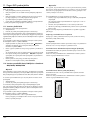
Insert the MMC/SD memory cards with the contacts forward and slide them
straight into the memory card slot.
With this the side of the memory card, on which the contacts are located
must face downwards with the chamfered corner facing to the right.
11.2 Inserting memory cards/USB memory sticks with
MP3/WMA/ MPEG4/JPEG data.
Note:
The DVD-Player always starts in DVD mode. To read memory cards/USB memory
sticks press the USB button on the remote control. The DVD player recognizes
the data formats JPEG, MP3, WMA and MPEG4.
MemoryStick/memory cards (MS/MSPro)
In order to insert memory cards of the types SD, MS/MSPro and MMC into
the DVD player:
• Switch on your television.
• Make sure that the DVD player is ready for operation.
If the television, the DVD player and possibly other connected devices (i.e. an
audio component) are ready for operation and are switched on and the DVD
player is connected correctly to the television you will now see the Silvercrest
logo on the TV screen
If no disc is inserted into the DVD player's disc tray: The message NO DISC is
displayed on the television screen.
• Slide the memory card into the memory card slot.
Then proceed with the following steps depending on the type of memory
card that you want the device to read.
Slide the MS memory card into the memory card slot, level and with the
contacts facing forward.
With this the side of the memory card, on which the contacts are located
must face downwards with the chamfered corner facing to the left.
- 12 -
USB memory sticks (USB)
The DVD player supports USB memory sticks 1.1 and 2.0 up to a capacity
of 4GB.
USB memory sticks must be inserted into the USB port.
•
12. Playing back DVDs, VCDs or S-VCDs
To play back a DVD/VCD/S-VCD with the DVD player...
• Switch on your television.
• Make sure that the DVD player is ready for operation.
If the television, the DVD player and possibly other connected devices (i.e. an
audio component) are ready for operation and are switched on and the DVD
player is connected correctly to the television you will now see the "Silvercrest"
logo on the TV screen
Press the USB button on the remote control. If several memory mediums
(USB and memory card) are inserted press, repeatedly, the USB button
until the contents of the USB memory stick is displayed. This procedure
also applies to particular memory cards.
11.3 Removing memory cards/USB memory sticks
Memory cards/USB Memory sticks should only be removed after the memory
card slot is deactivated. Thus avoiding the possibility of damage or data loss.
• Press the USB button on the remote control to return to the DVD mode.
For this a disc must be inserted into the DVD player.
• You can now remove the memory card/USB memory stick from the memory
card slot/USB port.
• Open the disc tray on the front panel of the DVD player by pressing the
OPEN/CLOSE button.
OPEN now appears in the display on the front panel of the DVD player and
on the television screen.
• Insert a DVD/VCD/S-VCD disc in the disc tray with the inscribed/labled
side up.
• Press the OPEN/CLOSE button again to close the disc tray.
CLOSE will appear in the display on the front panel of the DVD player and
on the television screen while the disc tray is closing.
• The contents of the inserted DVD/VCD/S-VCD will now be loaded; this
may take a few seconds. In the meantime LOADING blinks in the display
on the front panel of the DVD player and on the television screen.
• Playback of the inserted DVD/VCD/S-VCD starts automatically.
Note:
DVDs, VCDs and S-VCDs that you want to playback with the DVD player
may possibly have a country code which is printed on the DVD's jacket.
The DVD player can only playback DVDs/VCDs/S-VCDs with the country code
If no country code is printed on the cover of a DVD/VCD/S-VCD...
• but instead the symbol
, then the DVD/VCD/S-VCD can be
played back with the DVD player
• then the DVD/VCD/S-VCD can possibly not be played back with the
DVD player. You can check this by attempting to play back the DVD.
Depending on the inserted DVD/VCD/S-VCD it is possible that the contents
of the DVD/VCD/S-VCD will not playback immediately, rather first a selection
menu appears on the television screen.
In this event select the menu option, which will start the playback of the film,
with the control buttons $!%&on the remote control.
• To start playback of the film press the ENTER button on the remote control
or press the PLAY/PAUSE!" button.
- 13 -
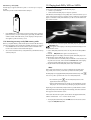
.
In the display on the front panel of the DVD player, the following notices
appear:
With DVDs:
• "DVD"
• the number of the currently playing chapter
• the played back so far time of the currently playing DVD in minutes and
seconds
With VCDs/S-VCDs:
• "VCD" or "S-VCD"
• the number of the currently playing title
• the played back so far time of the currently playing VCD/S-VCD in
minutes and seconds
12.1Features during playback of a DVD, VCD or S-VCD
During the playback of a DVD/VCD/S-VCD you can use the following DVD
player features...
Pause playback
To pause the playback of the inserted DVD/VCD/S-VCD...
• During playback press the PLAY/PAUSE!" button
" will now appear in the display on the front panel of the DVD player and
on the television screen.
On the television screen you will see a freeze frame of the scene that has just
been halted.
• To contnue playback of the film press the PLAY/PAUSE!" button.
Access the DVD menu (MENU)
Note:
This function may not be available on all DVDs! If you attempt to execute
a function that is not available, the symbol
is displayed on the television
screen.
With many films on DVDs there is a main menu on the disc which, apart from
the option of playing back the main film, allows you to select from the following
contents:
• the subtitle and film dialogue languages
• direct chapter selection
• to playback the films bonus material (Background information,
"Making of" etc.)
If such a menu is present on the DVD inserted in the DVD player you can access
it during playback by pressing the MENU button on the remote control.
You can select particular menu options by pressing the control buttons
$!%&on the remote control.
To confirm the selected menu option press the PLAY/PAUSE!"button or the
ENTER button on the remote control.
To return to playback press the MENU button on the remote control again.
Note:
If you cancel playback by pressing the STOP# button twice (Playback stop without
resume function) access to the disc's main menu is no longer possible.
Playback Control (PBC) with VCDs/S-VCDs
Stop playback (STOP#)
To stop playback of the film on the inserted DVD/VCD/S-VCD press the
STOP# button.
With resume function
If you have cancelled playback of the inserted DVD/VCD/S-VCD by pressing
the STOP# button once the DVD player automatically saves the position
where playback was interrupted. This function is called the "resume function".
PRESS PLAY KEY TO CONTINUE appears on the television screen. As
soon as you press the PLAY/PAUSE!"button again playback will continue
from the saved position.
Without resume function
If you have cancelled playback of the inserted DVD/VCD/S-VCD by pressing
the STOP# button once and you press the STOP# button a second time the
saved position, at which you interrupted the playback, will be cleared.
When you press the PLAY/PAUSE!" button again playback of the inserted
DVD/VCD/S-VCD starts from the beginning.
Many VCDs/S-VCDs have Playback Control (in short "PBC"). Playback Control
indicates a main menu that allows operation of several functions of the
VCD/S-VCD.
If PCB is available on a VCD/S-VCD inserted in the DVD player you must first
activate it in order to be able to superimpose the menu.
• During playback or when playback is stopped press the MENU button.
The message PBC: OFF appears in the display.
• Press the MENU button again. The message PBC: ON appears in the display.
PBC is now switched on the discs main menu can be accessed with the
MENU or TITLE buttons.
Note:
If you switch on PBC during playback then it is possible that playback will
stop and start again from the beginning and/or with the main menu.
Skip to start of chapter (Skip)
Note:
This function may not be available on all DVDs! If you attempt to execute
a function that is not available, the symbol
is displayed on the television
screen.
With the buttons SKIP FWD
and SKIP BWD
you can, during playback,
within the film on the inserted DVD/VCD/S-VCD …
• skip forward to the beginning of the next chapter or
• skip backward to the preceeding chapter
The respectively selected chapter will playback immediately without having
to press the PLAY/PAUSE!" button. The number of the respectively selected
chapter will be displayed on the front panel of the DVD player to the left of
the played back so far time.
- 14 -
Title number input via the number buttons
Note:
This function may not be available on all DVDs! If you attempt to execute
a function that is not available, the symbol
is displayed on the television
screen.
Instead of using the Skip function you can also enter the title from within the
film on the inserted DVD/VCD/S-VCD direct by entering the title number via
the number buttons on the remote control.
• For this, during playback or when playback is stopped, press the number
buttons on the remote control corresponding to the title number, for
example, the 3 button for the third title.
• Playback of the entered title number will now start automatically.
Audio CD
• During playback press repeatedly the GOTO button on the remote control.
The following notices appear, one after the other, in which you can enter
a time position with the number buttons:
DISC GOTO:
Enter here a time position on the disc from where playback
should start.
TRACK GOTO: Enter here a time position for the currently playing back
title from where playback should start.
GOTO TRACK: Enter here a title number from where playback should start.
MPEG CD
SELECT:
GOTO:
Enter here a title number on the disc from where playback
should start.
Enter here a time position for the currently playing back
title from where playback should start.
Direct chapter or time selection via the Search function (GOTO)
Note:
This function may not be available on all DVDs/VCDs/S-VCDs! If you attempt
to carry out functions that are not available the symbol
will be displayed
on the television screen.
Fast scan forward/backward
With fast scan you can select designated passages from the inserted
DVD/VCD/S-VCD during playback.
• For fast scan forwards/backwards press the ( FAST FWD and/or ' FAST RWD
button repeatedly to set the following fast scan speeds:
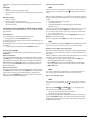
Entry of the time position via search function DVD, VCD and SVCD:
• During playback press the GOTO button on the remote control. The time
menu is superimposed on the television screen:
Note:
During fast scan no sound will be played back.
• To continue playback of the film at the selected place in normal
speed press, during fast scan the PLAY/PAUSE!" button.
• The entry field TITLE is automatically selected first. Press the ENTER button
and enter, with the number buttons, the desired title. On DVDs title 01 is
most often the main film.
• Press the navigation button & to select the entry field CHAPTER. Press the
ENTER button and enter, with the number buttons, the desired chapter.
• Press the navigation button & to select the entry field AUDIO. Press the
ENTER button and select, with the navigation buttons %&, an audio language.
• Press the navigation button & to select the entry field SUBTITLE. Press the
ENTER button and select, with the navigation buttons %&, a subtitle language.
• Press the navigation button & to select the entry field ANGLE. Press the
ENTER button and select, with the navigation buttons %&, another camera
perspective (if available).
• Press the navigation button & to select the entry field TT TIME. Press the
ENTER button and enter, with the number buttons, the desired title time.
• Press the navigation button & to select the entry field CH TIME. Press the
ENTER button and enter, with the number buttons, the desired chapter time.
• Press the navigation button & to select the entry field REPEAT. Press the
ENTER button and select, with the navigation buttons %&, a repeat function
(see also repeat functions).
• Press the navigation button & to select the entry field TIME DISP. Press
the ENTER button and select, with the navigation buttons %&, a time
presentation (see also superimpose disc information).
• To fade the menu out press the GOTO button again.
Slow playback forward (Slow motion)
To playback the contents of the inserted DVD/VCD/S-VCD in slow motion …
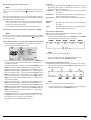
• For slow playback forwards press the SLOW button repeatedly to set the
following playback speeds:
Note:
During slow motion playback no sound will be played.
•
- 15 -
To continue playback from a selected position in normal speed, during
slow motion playback press the PLAY/PAUSE!" button.
Image enlargement (Zoom)
Superimpose/fade out subtitles
Note:
Note:
This function may not be available on all DVDs! If you attempt to execute
a function that is not available, the symbol
is displayed on the television
screen.
This function may not be available on all DVDs! If you attempt to execute
a function that is not available, the symbol
is displayed on the television
screen.
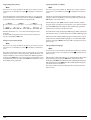
During the playback of an inserted DVD/VCD/S-VCD you can enlarge the
image on the television screen in three levels. For this press the ZOOM button
on the remote control to set the following enlargement levels:
If the film on the inserted DVD/VCD/S-VCD has subtitles available you can
superimpose these on the television screen during playback by pressing the
SUBTITLE button on the remote control.
With the first press of the SUBTITLE button the subtitle of the first available
language will be superimposed on the television screen. With each further
press of the SUBTITLE button the subtitles of other available languages will be
superimposed successively on the television screen.
With the control buttons $!%§ions of the enlargement can be
suspended.
To switch off the enlargement function and return to the normal image
size press repeatedly the ZOOM button.
Change camera aspect (Angle)
Note:
This function may not be available on all DVDs! If you attempt to execute
a function that is not available, the symbol
is displayed on the television
screen.
Many films on DVD/VCD/S-VCD contain chapters which were recorded
simultaneously from various camera perspectives. With films that have such
chapters available you can view the same chapter from different perspectives.
For this press the ANGLE button on the remote control during playback of an inserted DVD/VCD/S-VCD. Each press of the ANGLE button will switch to one of
the available camera perspectives.
The number of the currently superimposed subtitle language will be superimposed
on the television screen ( i.e. 1/10 for the first of ten available subtitle languages).
When the last of the available subtitle languages is superimposed (i.e. 10/10
for the tenth of ten available subtitle languages) you can switch off the subtitle
function by pressing the SUBTITLE button again. OFF is superimposed on the television screen.
Change playback language
Note:
This function may not be available on all DVDs/VCDs/S-VCDs! If you attempt
to execute a function that is not available, the symbol
is displayed on the
television screen.
With many films on DVD/VCD/S-VCD you can, during playback, select another
playback language by pressing the AUDIO button on the remote control.
The first press of the AUDIO button switches to the first available playback language.
With each further press of the AUDIO button other available playback languages,
one after the other, are switched on.
The currently switched on playback language will be superimposed on the
television screen.
- 16 -
Programmed playback (PROG)
Superimpose disc information
Note:
Note:
This function may not be available on all DVDs/VCDs/S-VCDs! If you attempt
to execute a function that is not available, the symbol
is displayed on the
television screen.
This function may not be available on all DVDs/VCDs/S-VCDs! If you attempt
to execute a function that is not available, the symbol
is displayed on the
television screen.
With the "Programme" function you can put together your own film programme
in so far as you can select only certain chapters of an inserted DVD/VCD/S-VCD
for playback. In this way you can determine for yourself the sequence, in which
the chapters are played back. You can compile a maximum of 20 chapters
of a film for programmed play.
• Press the PROG button on the remote control during playback or when
playback is stopped.
The Programme menu will be displayed on the television screen.
With this function you can superimpose all the available information from
a DVD/VCD/S-VCD inserted into the DVD player onto the television screen
during playback.
• For this, during playback, press the DISPLAY button on the remote control.
On the television screen will be superimposed:
With DVDs:
•
•
•
•
•
the current title number/the total number of titles
the current chapter number/the total number of chapters
the played back so far time in hours, minutes and seconds (TITLE ELAPSED)
the time to the end of the film in hours, seconds and minutes (TITLE REMAIN)
the played back so far time of the chapter in hours, minutes and seconds
(CHAPTER ELAPSED)
• the time to the end of the chapter in hours, seconds and minutes
(CHAPTER REMAIN)
Programme window
With VCDs/S-VCDs:
First are listed the programme positions 1-10, programme position 1 is
highlighted.
1. With the number buttons enter the number of the title that is to be played
back first. The highlight changes to chapter entry (CH:).
2. With the number buttons enter the number of the chapter that is to be
played back. The highlighting moves to the programme position 2.
3. Select, with the navigation buttons $!%&, further programme positions
and enter title and chapter numbers for the programme positions.
• To display the next 10 programme positions select, with the navigation
buttons $!%&, the field ) and press the ENTER button.
You can allocate up to 20 programme positions.
• To delete entries in a programme position select the programme position
and press the ENTER button.
• To stop the programme function select the field EXIT and press the ENTER
button. All allocated programme positions are deleted.
4. You start playback of the programme positions by selecting the field
START and press the ENTER button.
During the programmed playback the notice PROGRAM appears in the display.
To delete the programmed playback press twice, during playback, the STOP#
button on the front panel of the DVD player or on the remote control.
Note:
If you are not sure what number a title and/or chapter to be programmed has
then select the corresponding chapter, during playback of the film, with the
buttons SKIP FWD
and SKIP BWD
and susequently press the DISPLAY button
on the remote control to superimpose all information from the inserted DVD/VCD/
S-VCD onto the television screen. Here you will find, amongst others, the current
title and chapter numbers.
On this topic see also the section "Superimpose disc information".
• the current title number/the total number of titles
• the played so far time of the current playback title on the VCD/SVCD in
hours, minutes and seconds (SINGLE ELAPSED)
• the time to the end of the current playback title in hours, seconds and minutes
(SINGLE REMAIN)
To stop display of the disc information press repeatedly the DISPLAY button
until the notice DISPLAY OFF appears on the television screen.
Repeat function for DVDs, VCDs, S-VCDs and audio CDs
With the repeat function you can…
... in the case of DVDs, selectively repeat title, chapter or the entire DVD.
... in the case of VCDs/S-VCDs individual titles and/or the entire VCD/S-VCD
repeatedly playback.
... in the case of audio CDs, playback repeatedly a particular track and/or
the entire CD.
To switch on repeat playback...
• Press the REPEAT button several times during playback.
The repeat symbol
appears in the display with one of the following
notifications:
CHAPTER
Select CHAPTER to continuously repeat the currently playing
back chapter until repeat playback is switched off or playback is cancelled by pressing the STOP # button twice.
TITLE
Select TITLE to continuously repeat the currently playing
back title until repeat playback is switched off or playback
is cancelled by pressing the STOP # button twice.
ALL
Select ALL to continuously repeat all available titles on the
disc, thus the entire disc, until playback repeat is switched
off or playback is cancelled by pressing the STOP# button
twice.
To switch off repeat playback press the REPEAT button repeatedly, during playback, until no more notifications appear on the television screen.
- 17 -
Switching off the DVD player
Repeat function with MP3/WMA/MPEG/ JPEG/Xvid discs
To switch off the DVD player:
• In the event that a disc inserted into the DVD player is playing back, first
cancel playback by pressing the STOP# button on the front panel of the
DVD player or on the remote control twice.
• Open the disc tray to remove a currently inserted disc from the DVD
player by pressing the OPEN/CLOSE button on the front panel of the
DVD player or on the remote control. Subsequently close the disc tray
by pressing the OPEN/CLOSE button again.
• Press the STANDBY button on the remote control. The DVD player now
switches to the STANDBY mode. To switch the DVD player back on press
the STANDBY button again.
• To switch the DVD player off completely activate the POWER switch on
the rear panel of the DVD player.
During playback press the REPEAT button several times to apply the following
repeat functions (the set function appears in the display):
RANDOM
Random playback of the titles on the disc and/or the data carrier.
SINGLE
One time playback of the current title/image.
REPEAT ONE
Endless repeat of the current title/image.
REPEAT FOLDER
Repeat the current folder.
REPEAT ALL
Repeat all titles on the disc and/or data carrier.
Repeat sequence (A–B)
With this function you can repeat playback of a favourite sequence within
a chapter of the current playback disc.
To do this …
• During playback press the A – B button on the remote control as soon as the
desired sequence starts to playback.
A appears on the television screen.
• Press the A – B button again as soon as the end of the desired sequence is
played back. Pay careful attention to the fact that the start and finish of
the sequence must be located within a chapter.
AB appears on the television screen.
Repeat playback of the selected sequence begins immediately without you
having to press the PLAY/PAUSE!" button. The sequence will continuously repeat until you press the A – B button again in order to switch off the function.
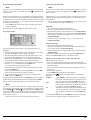
13. Playback of JPEG-Photo
CD/WMA/MP3/MPEG4
Insert a storage medium into the DVD player. If you use a memory card or
USB stick press repeatedly the USB button until the desired playback source
is depicted.
The contents of the data carrier (CD, DVD, USB memory stick or memory card)
will be displayed on the television:
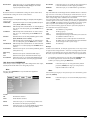
Display of MP3 data
Setting playback volume
Press the VOL + button on the remote control during playback to increase playback volume or the VOL – button to reduce playback volume.
Dimmer
Press the DIMMER button on the remote control to change the DVD player's
display brightness in three levels.
To switch playback sound to mute (MUTE)
To switch the playback sound to mute press the (MUTE) button on the remote
control during playback of DVDs, VCDs/S-VCDs, audio CDs and CD-Rs/CD-RWs
with MP3 or WMA data. MUTE is displayed on the television screen.
When you want to switch the playback sound back on press the (MUTE) button
again or the VOL + and VOL – buttons. MUTE OFF or the corresponding volume
level is displayed on the television screen.
Display of JPEG data
Display of AVI and MPEG data
• The data is listed on the left (Data window). Folders will be depicted with
the symbol
.
- 18 -
• To superimpose the folders available on the disc press the PROG button
repeatedly until the notice FOLDER appears at the bottom of the display.
• Press the PROG button again repeatedly until the notice FILELIST appears at
the bottom of the display. Folders will now be faded out and all data on
the disc is represented in a list.
• The area on the right is intended for the previewing of JPEG images.
A preview appears as soon as you highlight a JPEG file in the file window.
• At the bottom is located the information bar, in which is displayed the image
size (JPEG Image) as well as the medium (DISC, USB or CARD), on which
the files are located.
• Select a file with the aid of the navigation buttons %&. You confirm the
selection by pressing the ENTER button. The file will be played back and/
or the JPEG Photo displayed.
• During the slide show press the PROG button until the name of the desired
transition appears in the upper left corner of the television screen.
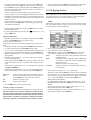
14. CD Ripping function
With the DVD player you can transfer music and speech files in the format
.cda (CD Audio) or from a disc onto a USB memory stick. Thereby files in
the MP3 format will be saved onto the USB memory stick.
Note:
When transfering audio files to a data carrier be aware of the existing copyright
laws and regulations! Make sure that you are producing copies for private
use only and do not violate applicable laws!
1. To open a folder select the folder and press the ENTER button. The contents
of the folder will be listed.
2. To reach a higher folder level select the symbol
with the entry ".." and
press the ENTER button.
Playback of JPEG discs
• With the navigation buttons %& highlight an image and press the ENTER
button or the PLAY/PAUSE!" button to open the image.
The image is shown on the display
Subsequently change the view to the next available image on the disc/in the
folder.
• To display the currently shown image press the PLAY/PAUSE!" button longer.
• To continue the playback press the PLAY/PAUSE!" button again.
• You can access an image directly by entering the image's file number with
the number buttons and subsequently confirm the entry with the ENTER button.
• With the navigation buttons $! you can rotate the image in 90° increments
during playback.
• With the navigation buttons &% you can mirror the image horizontally
or vertically during playback.
• During playback press the STOP# button to display a miniature view of all
images in the folder/on the disc. 12 miniatures will be displayed on each
page.
• Select with the navigation buttons $!%& an image and start playback
with ENTER or PLAY/PAUSE!" .
• Select with the navigation buttons $!%& one of the following entries
from the bottom display lines and confirm the entry with the ENTER button.
Slide Show
Menu
Prev
Next
Starts a slide show of the images in the folder/on the disc
Shows the available button functions for JPEG playback.
Press the ENTER button until this menu has faded out.
switches to the previous page
switches to the next page
• Press the MENU button to switch to the file list again
Selection of slide show transitions:
You can select different transitions for changing from one image to the next.
WIPE TOP, WIPE BOTTOM, WIPE LEFT, WIPE RIGHT, DIAGONAL WIPE
LEFT TOP, DIAGONAL WIPE RIGHT TOP, DIAGONAL WIPE LEFT BOTTOM,
DIAGONAL WIPE RIGHT BOTTOM, EXTEND FROM CENTER H, EXTEND
FROM CENTER V, COMPRESS TO CENTER H, COMPRESS TO CENTER V,
WINDOW H, WINDOW V, WIPE FROM EDGE TO CENTER and NONE.
• Place an audio CD into the disc tray.
• Insert a USB memory stick into the USB port.
• Whilst playback is stopped press the RIPPING MENU button on the remote
control. The menu depicted above appears on the television screen.
Speed
Select this menu input to set the speed of the transfer either
to Normal or Fast.
Bitrate
Select this menu input to set the MP3 quality. Possible bitrates
are 96 kbps, 112 kbps and 128 kbps. A higher bitrate
will result in a larger
MP3 file on the data carrier after copying.
Create ID3
Select this menu input to automatically create an ID3 tag
for the MP3 files.
• Select, with the control buttons $!%&, a title from the
Title list and confirm with the ENTER button. The title will be marked with
a tick. In the same way you select further titles for copying in MP3 format.
• To mark all titles for copying in MP3 format select, with the control buttons
$!%& the input Select all and confirm with the ENTER button.
All titles will be marked with ticks.
• To cancel the marking of all titles select, with the control buttons $!%&, the
input Select none and confirm with the ENTER button. The markings will be
deleted.
• To start the copying process select, with the control buttons $!%&,
the input Start and confirm with the ENTER button.
• To exit the CD-Ripping function select, with the control buttons $!%&,
the input EXIT and confirm with the ENTER button.
- 19 -
A window appears, in which is displayed the copying process with a progress
bar.
Disposal of packaging
Dispose of the packaging materials in an environmentally responsible
manner.
17. Troubleshooting
Display is blank/DVD player shows no functions even though it is
switched on
A Check to see that the power cable is inserted properly into the power
•
To prematurely abort the copying process select the input CANCEL and
confirm with the ENTER button.
Attention!
Never remove the USB memory stick from the USB port during copying!
Otherwise it could lead to data loss on the storage medium.
Note
On the memory medium the index RIP001 will be applied for the MP3 files.
For each further copy process another index RIP002, RIP003 etc. will be
applied.
15. Cleaning of the DVD player
Clean the housing of the DVD player with a slightly damp cloth and a mild
cleanser only. When cleaning, make sure that no moisture gets into the DVD
player!
Clean the inside of the disc tray, if necessary, exclusively with a clean dry
brush (i.e. a lens brush obtainable from a photographic dealer).
Never clean the inside of the disc tray with anything moist!
B
C
D
socket.
Check to ensure that the power socket in which you have plugged the
power cable of the DVD player is live by connecting another device to
it. If necessary plug the DVD players power cord into another power
socket.
Check to see that the display dimmer function is switched off.
To do this press the DIMMER button on the remote control.
Switch off the DVD player by activating the POWER switch and then wait
ten seconds. Then switch the DVD player back on by activating the POWER
switch again.
The display shows "No Disc" even though there is a disc inserted
A The disc is dirty, scratched or damaged. Clean the disc or insert another
B
disc.
The Country/Region code on the inserted DVD/VCD/S-VCD does not
correspond to the Country/Region code of the DVD player. In this case
the DVD/VCD/S-VCD cannot be played with the DVD player.
Inserted disc will not playback
Moisture penetrating into the DVD player creates the risk of an electric shock!
The DVD player may also be irreparably damaged!
It is possible that a layer of condensation has built up on the DVD players laser
scan lens. This can be the case especially if the DVD player has been subjected
to strong temperature fluctuations.
If this is the case place the DVD player in a dry environment at normal room
temperature. First remove the currently inserted disc from the disc tray.
Then leave the DVD player switched off for at least one hour without using
until the condensation film has evaporated.
16. Disposal
No image or Black/White image only
A Check to make sure that all connection cables between the DVD player
Warning!
Disposing of the device
B
Do not, under any circumstances, discard the device in the household
refuse. This product is subject to the European directive 2002/96/EC.
Dispose of the device through an approved disposal centre or at your community
waste facility.
Observe the currently applicable regulations. In case of doubt, please contact
your waste disposal centre.
Disposing of batteries!
Do not dispose of the batteries with household waste. Every consumer is legally
obliged to dispose of batteries at a collection site in his community/city district or
at a retail store.
This obligation is intended to ensure that batteries are disposed of in an
environmentally friendly manner.
Only dispose of batteries when they are fully discharged.
and the television (or Video projector) are firmly inserted into the
corresponding sockets
Check to make sure that the settings in the OSD menu match the connections
variant, with which you have connected the DVD player to the television
(or Video projector).
For this see chapter 8. "Connecting the DVD player to a television".
C
Check by means of the televisions (or Video projectors) operating
instructions to see if settings to the television (or Video projector) may
be necessary in order to use the DVD player with the television.
No sound
A Check to see if the television and/or DVD player have possibly been
B
- 20 -
switched to mute.
Check to see if all connection cables between the DVD player and potentially
connected audio components are plugged firmly into the corresponding
sockets.
C
18. Glossary / Key Word Index
Check whether the settings in the OSD menu match the connection option
you have used to connect the audio components to the DVD player.
For this see chapter 9. "Connecting an audio component to the
DVD player".
What are DVDs, VCDs and S-VCDs?
D Using the television's instruction manual check to see if current settings to
E
F
•
•
DVDs
the television are necessary in order to use the DVD player with the television.
Check by means of the operating instructions for a potential connected
audio component if settings to it are necessary in order to use it with the
DVD player.
If you …
have connected the DVD player to a stereo television and have not
connected an audio component to the DVD player or
have connected a Dolby Prologic compatible audio component via the
analogue stereo outlet (via cinch cables to the cinch sockets L and R)
of the DVD player:
Check to see that you have selected in the OSD menu AUDIO with the
menu input FRONT SPEAKER the setting LARGE.
DVD is the short form for "Digital Versatile Disc". DVDs are a storage medium
for audio and video data; they are available in 8 cm and 12 cm (Diameter)
formats. Because of the much higher storage capacity as compared to CD-Rs/
CD-RWs DVDs can provide a playback duration of up to eight hours for the
audio and video data stored on them.
VCDs/S-VCDs
"Video CD" (VCD) and "Super Video CD" (S-VCD) are designations for two
processes of compressed storage, thus space saving, of films on CDs. VCDs
and S-VCDs are available in 8 cm and 12 cm (Diameter) formats. Their storage
capacity is a great deal lower than that of DVDs. For this reason they only
offer a playback duration, for the saved audio and video data on them, of
20 minutes (8 cm format) and/or 74 minutes (12 cm format).
VCDs are available in two versions:
• Only audio and video data can be played back on version 1.1
VCDs/S-VCDs.
• PBC (Playback control) functions are available on version 2.0 VCDs/
S-VCDs. In addition still images can be played back in a higher resolution.
No 4:3 or 16:9 image
A Check by means of the televisions operating instructions, which image
B
formats the television has at its disposal.
Check to see if the settings in the OSD menu match the available image
format of the television.
Playback Control (PBC)
Remote control not functioning
A Check to make sure that the remote control batteries have been inserted
B
C
D
into the battery compartment with the correct polarity.
Check to see if the remote control batteries are exhausted and, if necessary,
change both batteries.
Make sure that there are no obstacles located between the remote control
and the DVD player.
Remain within five meters of the DVD player when using the remote control.
Playback language/ Subtitle language do not correspond to the
settings in the OSD menu
The playback language/Subtitle language setting in the OSD menu is not
available on the inserted disc.
One or several functions can not be switched on
The selected functions may not be available on all DVDs/VCDs/S-VCDs!
If you attempt to execute a function that is not available, the symbol
is
displayed on the television screen.
None of the buttons on the device or on the remote control are
functioning/other malfunctions
A Switch off the DVD player by pressing the POWER switch. Wait ten seconds
and then activate the POWER switch again to switch the DVD player on
B
once more.
In the event that the malfunction is still present: Reset the DVD player to
its default settings.
For this see chapter 10.6 "Setup menu PREFERENCE".
Contact one of our service partners in your area if …
• the stated function defect can not be resolved as described or
• other functional defects arise.
For this see chapter 19 "Warranty and service".
Version 2.0 VCDs/S-VCDs have Playback Control (in short "PBC") at their disposal.
Then on the VCD/S-VCD a main menu is available, by which various functions of
the VCD/S-VCD are allowed to be operated.
What are Title and Chapter?
Title is the name given to the largest units of image and sound units on DVDs;
on many DVDs the (Main) film has the title number 01. For bonus material
(i.e. Film trailer, background information etc.), that is available on many DVDs,
other possible title numbers can be used.
Chapter is the name given to the next smaller image and sound units beneath
title. If the DVD/VCD/S-VCD or its title is divided into chapters, numbers are
assigned to you, through the input of which the chapter can be selected direct.
Bear in mind that not on all DVDs …
• are the DVD or the title divided into (numbered) chapters
• Chapters are also designated as "Scenes" (i.e. in the main menu of
DVDs)
What are Scart, S-Video, Composite-Video Progressive
Scan, YUV and HDMI?
Scart
Scart denotes a 21 pole standardized plug connection, via which the RGB
signal, video signal and S-Video signal as well as a number of control and
auxiliary signals are transmitted.
S-video
When the DVD player is connected to a television via S-Video the brightness
and colour signals are transmitted seperately; in this way a greater image
sharpness and a reduced so called "Colour noise" is achieved.
Colour noise refers to the overlaying of the colours, mostly heavily saturated
parts of a video image, through an irregular, restive breakdown structure.
- 21 -
Composite video
Dolby Prologic
Video signal or FBAS signal; thereby it involves an image signal, in which
colour and brightness information are included at the same time.
In comparison to Dolby Surround sound format, with Dolby Prologic an additional
channel in the stereo signal is used; this is the so called "Centre" channel. The
corresponding centre loudspeaker is to be situated in the middle between the
stereo loudspeakers. The deepest sounds are fed to a bass loudspeaker, the
so called "Subwoofer". The subwoofer can be placed in any desired location
in the room; the logic for this is that the bass sounds that the subwoofer puts
out can scarcely be localized exactely by the human ear
Progressive scan
In the normal way TV devices and Video projectors are controlled with so
called "Half images". Thereby clearly visible line structures develop. Contrary
to this, Progressive Scan denotes the output of full images (with this DVD player,
at the output YPbPr) Progressive Scan signals can only be processed by playback devices equipped for this purpose (in particular large screen televisions
and projectors). The image quality as opposed to traditional image signals is
considerably higher.
Dolby Digital (5.1)
YUV (component video out)
YUV indicates the component signal, which with this device is available at the
output YPbPr in the form of so called "Half images"; as a rule this is the best
signal for the control of large screen televisions and projectors, which can not
process Progressive Scan signals. As with the RGB image transmission, YUV is
comprised of three separated image signals:
• the brightness signal "Y" and
• the two colour diferential signals "U/Pb" and "V/Pr"
Half images (Interlace)/Full images (Progressive Scan)
A standard television image is comprised of 576 visible lines; at first all odd
and then all even image lines are displayed alternatively, thus each displays
a half image. Thereby only 25 full images (50 Half images) can be displayed
per second. This technique is designated as "Interlace" format.
Contrary to this with the so called progressive or "Progressive Scan" format
all image lines are displayed every time, that is to say 60 full images per
second are displayed. Thereby increasing the total quality of the images, still
images and text for example appear sharper.
HDMI
HDMI is short for "High Definition Multimedia Interface" and refers to a 19
contact interface for complete digital transmission of audio and video data.
With its high bandwidth HDMI handles all known today home electronics
digital video and audio formats. HDMI transmits audio data up to frequencys
of 192 kHz with text widths of up to 24 Bit on up to 8 channels. Thus not
only all of today's image and sound formats introduced into home electronics
including HDTV (up to the highest present resolution of 1080i) are transmitted
without loss of quality but also future formats with yet higher resolutions.
Decoder
The sound on DVDs with home theatre sound is saved on the DVD in encrypted
(encoded) form. Different encryption formats exist for several purposes, for
example AC-3 for the playback of Dolby Digital Surround Sound.
In order to playback encrypted sound, the playback device (i.e. the DVD
player) and/or the audio component connected to it (for example Surround
system) must be equipped with a so called decoder, which converts the
encrypted signal back into music and/or sound.
The Silvercrest KH 6521/KH 6522 DVD player is equipped with an AC-3
Decoder (for Dolby Digital 5.1 Surround Sound signals).
Dolby Surround
Dolby Digital, also designated as AC3, is a digital sound format, by which up
to six seperate audio channels can be transported. With most of the current
DVDs, the sound is stored in the so called "Dolby Digital 5.1" format; the "5"
in the name "5.1" stands for the three front and two rear surround sound
channels, the "1" stands for the subwoofer channel.
DTS
DTS is the abbreviation for "Digital Theatre System" and denotes one of the
most common surround sound formats for DVDs. As with Dolby Digital 5.1,
DTS uses three front and two rear surround sound channels as well as a bass
sound channel.
What are PAL and NTSC?
PAL
PAL is the abbreviation for "Phase Alternation Line". PAL is the mid and west
Europe (Exception: France) customary and widest distributed colour television
standard.
NTSC
NTSC is the abbreviation for "National Television System Committee". NTSC
is a colour television standard that is primarily used in the USA and Japan.
Audio CDs
Audio CDs contain exclusively audio data; they are also available in 8 cm
and 12 cm (Diameter) formats. The playback duration for the audio data stored
on them amounts to 20 minutes (8 cm format) and/or 74 minutes (12 cm format).
Audio data is stored on audio CDs in CDA format.
MP3
MP3 denotes a process and/or format developed by the Fraunhofer Institute
for the compression of audio data. In the MP3 format compressed music pieces
are only a fraction of their original size, which, for example, on CD-Rs/CD-RWs
allows for storage of a considerably greater volume of music than on commercially available audio CDs, on which audio data is stored in the CDA format.
WMA
WMA ("Windows® Media Audio") is a data format developed by Microsoft®
for audio data.
JPEG
JPEG ("Joint Photographics Expert Group") denotes a wide spread graphic
format, developed by the organization with the same name, with which
image data of the colour and grey scales are compressed.
Dolby Surround is an analogue sound format, by which the two channels of
a stereo sound signal are used in order to accommodate room sound information
for further channels. Dolby Surround decoders convert the signals back into
sound or music and send the audio to two additional speakers that are situated
behind the listener.
- 22 -
IB_KH6521_22_33138_39_LB4C.qxd
23.07.2009
15:14 Uhr
Seite 23
19. Warranty and Service
MPEG
MPEG ("Moving Picture Experts Group") refers to a video compression format.
USB memory sticks
The term USB memory stick refers to a plugable USB device, which is approximately
the size of a cigarette lighter. The expression is only colloquial and not a designation
for a type of product. For the most part with this expression is meant a USB
device that serves as an interchangeable storage media.
What are folders?
As opposed to audio CDs the title on a CD-R/CD-RW with MP3, WMA or
JPEG files can be stored in folders, for example, in order to file titles from
different genres.
The structure of an MP3-CD can, for example, appear as follows, if the MP3
files are stored in folders:
MP3-CD
FOLDER
ORDNER
The warranty for this device is for 3 years from the date of purchase. Should
you have grounds for complaint, despite our high quality standards, please
contact our Service Hotline.
In the event that your complaint cannot be resolved over the telephone, you
will receive from them
• a processing number (RMA number) as well as
• an address, to which you can send your product for warranty processing.
Please include a copy of your purchase receipt with all postal submissions.
The device must be securely packed and the RMA number clearly visible.
Shipments without an RMA number can not be processed.
Note:
The warranty provisions cover only material or factory defects.
The warranty provisions do not cover
MP3
• worn out parts
• damage to breakable parts like switches or rechargeable batteries.
This product is for private use only and is not intended for commercial use.
The warranty is void in the case of abusive and improper handling, use of force
and internal tampering not carried out by our authorized service branch.
Your statutory warranty claims are not restricted by this warranty.
20. Importer
KOMPERNASS GMBH
BURGSTRASSE 21
D-44867 BOCHUM
www.kompernass.com
- 23 -
Completely fill out this section and enclose with the device!
Warranty
DVD-Player KH6521/22
In order to guarantee a cost free repair procedure please
get in touch with the service hotline. Make sure you have
your sales slip handy.
Sender, please write clearly:
Kompernass Service Ireland
Tel: 1850 930 412 (0,082 EUR/Min.)
Standard call rates apply. Mobile operators may vary.
e-mail: [email protected]
Last name
www.mysilvercrest.de
First name
Street
City/Town
Country
Telephone
Date/Signature
Description of the defect:
!
DES Ltd
Tel.: 0870/787-6177
Fax: 0870/787-6168
e-mail: [email protected]
KAZALO VSEBINE
STRAN
1. Tehnični podatki
2. Predvidena uporaba
3. Obseg dobave
4. Upravljalni elementi
5. Postavitev DVD predvajalnika
6. Varnostni napotki
7. Daljinski upravljalnik
28
28
28
28
29
29
30
7.1 Vstavitev baterij . . . . . . . . . . . . . . . . . . . . . . . . . . . . . . . . . . . . . . . . . . . . . . . . . . . . . . . . . . . . . . . . . . . . . . . . . . . . . . . . . . . . . . . . . . . . .30
7.2 Uporaba daljinskega upravljalnika . . . . . . . . . . . . . . . . . . . . . . . . . . . . . . . . . . . . . . . . . . . . . . . . . . . . . . . . . . . . . . . . . . . . . . . . . . . . . .30
7.3 Zamenjava baterij . . . . . . . . . . . . . . . . . . . . . . . . . . . . . . . . . . . . . . . . . . . . . . . . . . . . . . . . . . . . . . . . . . . . . . . . . . . . . . . . . . . . . . . . . . .30
8. Priključitev DVD predvajalnika na televizijski sprejemnik
30
8.1 Priključitev na televizijski sprejemnik s pomočjo Scart kabla/RGB-vhoda . . . . . . . . . . . . . . . . . . . . . . . . . . . . . . . . . . . . . . . . . . . . . . . .31
8.2 Priključitev na televizijski sprejemnik preko S-Video vhoda . . . . . . . . . . . . . . . . . . . . . . . . . . . . . . . . . . . . . . . . . . . . . . . . . . . . . . . . . . .31
8.3 Priključitev na televizijski sprejemnik preko video vhoda (Composite Video) . . . . . . . . . . . . . . . . . . . . . . . . . . . . . . . . . . . . . . . . . . . . .31
8.4 Priključitev preko komponentnega signala (YPbPr/YUV) . . . . . . . . . . . . . . . . . . . . . . . . . . . . . . . . . . . . . . . . . . . . . . . . . . . . . . . . . . . . .31
8.5 Priključitev na televizijski sprejemnik preko HDMI . . . . . . . . . . . . . . . . . . . . . . . . . . . . . . . . . . . . . . . . . . . . . . . . . . . . . . . . . . . . . . . . . .32
9. Priključitev avdio komponent na DVD predvajalnik
32
9.1 Zahteve za priključitev HiFi naprave . . . . . . . . . . . . . . . . . . . . . . . . . . . . . . . . . . . . . . . . . . . . . . . . . . . . . . . . . . . . . . . . . . . . . . . . . . . . .32
9.2 Priključitev digitalnih avdio komponent s pomočjo digitalnega kabla . . . . . . . . . . . . . . . . . . . . . . . . . . . . . . . . . . . . . . . . . . . . . . . . . . .32
9.3 Priključitev avdio komponent s pomočjo analognega kabla . . . . . . . . . . . . . . . . . . . . . . . . . . . . . . . . . . . . . . . . . . . . . . . . . . . . . . . . . .33
9.4 Priključitev slušalk . . . . . . . . . . . . . . . . . . . . . . . . . . . . . . . . . . . . . . . . . . . . . . . . . . . . . . . . . . . . . . . . . . . . . . . . . . . . . . . . . . . . . . . . . . . .33
10. Nastavitve v OSD-meniju
34
10.1 Upravljanje OSD-menija . . . . . . . . . . . . . . . . . . . . . . . . . . . . . . . . . . . . . . . . . . . . . . . . . . . . . . . . . . . . . . . . . . . . . . . . . . . . . . . . . . . . .34
10.2 Meni za nastavitve GENERAL . . . . . . . . . . . . . . . . . . . . . . . . . . . . . . . . . . . . . . . . . . . . . . . . . . . . . . . . . . . . . . . . . . . . . . . . . . . . . . . .34
10.3 Meni za nastavitve AUDIO . . . . . . . . . . . . . . . . . . . . . . . . . . . . . . . . . . . . . . . . . . . . . . . . . . . . . . . . . . . . . . . . . . . . . . . . . . . . . . . . . . .35
10.4 Meni za nastavitve DOLBY . . . . . . . . . . . . . . . . . . . . . . . . . . . . . . . . . . . . . . . . . . . . . . . . . . . . . . . . . . . . . . . . . . . . . . . . . . . . . . . . . . .36
10.5 Meni za nastavitve VIDEO . . . . . . . . . . . . . . . . . . . . . . . . . . . . . . . . . . . . . . . . . . . . . . . . . . . . . . . . . . . . . . . . . . . . . . . . . . . . . . . . . . .36
10.6 Meni za nastavitve PREFERENCE . . . . . . . . . . . . . . . . . . . . . . . . . . . . . . . . . . . . . . . . . . . . . . . . . . . . . . . . . . . . . . . . . . . . . . . . . . . . . .37
11. Zagon DVD predvajalnika
38
11.1 Vstavitev plošče DVD . . . . . . . . . . . . . . . . . . . . . . . . . . . . . . . . . . . . . . . . . . . . . . . . . . . . . . . . . . . . . . . . . . . . . . . . . . . . . . . . . . . . . . . .38
11.2 Vstavitev pomnilniških kartic/USB-ključev z datotekami MP3/WMA/ MPEG4/JPEG . . . . . . . . . . . . . . . . . . . . . . . . . . . . . . . . . . . . .38
11.3 Odstranitev pomnilniških kartic/USB-ključev . . . . . . . . . . . . . . . . . . . . . . . . . . . . . . . . . . . . . . . . . . . . . . . . . . . . . . . . . . . . . . . . . . . . .39
12. Predvajanje medijev DVD, VCD ali S-VCD
39
12.1 Funkcije pri predvajanju medijev DVD, VCD ali S-VCD . . . . . . . . . . . . . . . . . . . . . . . . . . . . . . . . . . . . . . . . . . . . . . . . . . . . . . . . . . . . .40
13. Predvajanje formatov JPEG-Photo CD/WMA/MP3/MPEG4
14. Funkcija kopiranja CD-Ripping
15. Čiščenje DVD predvajalnika
16. Odstranitev
17. Odprava motenj in napak
18. Slovarček/seznam ključnih izrazov
19. Garancija in servis
20. Proizvajalec
Pred prvo uporabo ta navodila skrbno preberite in jih shranite za poznejšo uporabo.
Ob predaji naprave tretji osebi zraven priložite tudi navodila za uporabo.
- 27 -
44
45
46
46
46
47
49
49
IB_KH6521_22_33138_39_LB4C.qxd
23.07.2009
15:14 Uhr
Seite 28
DVD PREDVAJALNIK KH6521/22
1. Tehnični podatki
Ta naprava je skladna z osnovnimi zahtevami in drugimi relevantnimi predpisi
Direktive o elektromagn. združljivosti 2004/108/EC ter Direktive 2006/95/EC
o nizkonapetostnih napravah.
Omrežni priključek:
Moč:
Moč v načinu
Standby:
Razred zaščite:
Televizijski standard:
Obratovalna temperatura:
Vlaga:
Mere
(D x Š x V):
Teža:
Laser razreda:
AC 220 V - 240 V ~ 50 Hz
20 W
<1W
II /
PAL/NTSC
+5 ~ +40°C
5 ~ 90 % (brez kondenzacije)
220 x 430 x 44 mm
pribl. 1,6 kg
1
2. Predvidena uporaba
DVD predvajalnik Silvercrest KH 6521/22 je namenjen izključno za stacionarno
uporabo v zaprtih prostorih. Naprava je namenjena izključno za privatno in
ne za obrtno uporabo.
Predvajalnik je namenjen za uporabo kot naprava zabavne elektronike.
Za škodo, ki nastane zaradi nepredvidene uporabe naprave, ne prevzamemo
nobene odgovornosti/jamstva!
3. Obseg dobave
-
DVD predvajalnik
Infrardeči daljinski upravljalnik
2 bateriji za daljinski upravljalnik, tip AAA/ (mikrocelice)
RGB-Scart kabel
Avdio/video RCA cinch kabel
HDMI-kabel
Navodila za uporabo
4. Upravljalni elementi
Video izhod
Formati:
Dekoder:
D/A-pretvornik:
4:3 / 16:9
MPEG 2
12 bit
A. Prednja stran DVD predvajalnika
q predalček za plošče
w zaslon (z LED-lučko za standby (zelena) in IR-senzorjem za daljinski
Avdio izhod
Dekoder
D/A-pretvornik:
MPEG Dolby Digital (AC-3)
DTS je možen le z dodatnim eksternim
dekoderjem
24 bit / 96 kHz
Vtično mesto za USB
Bralni
USB-ključi:
Maks. izhodni tok:
USB 1.1 in 2.0 do kapacitete 4 GB
100 mA
Reža za pomnilniško kartico
Bralne pomnilniške kartice:
SD (2 GB brez SDHC), MS/MSPro (4 GB),
MMC (4 GB)
Izhod za slušalke
Zaskočni vtič:
Maksimalna
izhodna napetost:
3,5 mm
pribl. 25 mV
Predvajajo se lahko mediji/formati
Video:
Avdio:
Drugi formati:
Regionalna koda:
DVD, DVD+R, DVD+RW, DVD-R, DVD-RW,
DVD-R DL, DVD+R DL, VCD, S-VCD
CD, CD-R, CD-RW, avdio DVD, MP3, WMA,
OGG Vorbis
AVI, MPEG 4, Xvid, JPEG (foto CD)
ali
e
r
t
y
u
i
o
upravljalnik)
tipka OPEN/CLOSE
tipka PLAY/PAUSE tipka STOP tipka STANDBY
izhod za slušalke za 3,5 mm zaskočni vtič
vtično mesto za USB
reža za pomnilniške kartice SD/MMC/MS in MSPro
B. Hrbtna stran DVD predvajalnika
a omrežni kabel
s stikalo POWER
d VIDEO: video izhod Composite
f Y, U/Pb, V/Pr: video izhodi komponent
g SCART: Scart/RGB-izhod
h FL/FR: izhod za sprednji, levi in desni avdio kanal
j SL/SR: izhod za zadnji, levi in desni avdio kanal
k SW: izhod za bas avdio kanal
l CEN: izhod za prednji, srednji avdio kanal
; COAXIAL: koaksialni avdio izhod
2) MIX L/R: levi in desni avdio izhod
2! HDMI: HDMI-izhod
2@ OPTICAL: optični digitalni avdio izhod
2# S-VIDEO: izhod S-Video
- 28 -
6. Varnostni napotki
C. Daljinski upravljalnik
q OPEN/CLOSE : odpiranje/zapiranje predalčka za plošče
w številske tipke
e PLAY/PAUSE!": zagon/prekinitev predvajanja
r MUTE : izklop/vklop tona
t V-MODE: nastavitev video izhoda
y DIMMER: nastavitev svetlosti zaslona
u DISPLAY: prikaz informacij o plošči
i SKIP FWD
o VOL +/-: zvišanje/znižanje glasnosti zvoka
a SKIP BWD
s SUBTITLE: nastavitev podnapisov
d ENTER: potrditev vnosa
f tipke za krmiljenje $!%&
g MENU/RIPPING: priklic menija plošče/funkcije kopiranja plošče
h SLOW: funkcija časovne lupe
j RETURN: nastavitev načina predvajanja
k ZOOM: nastavitev povečanja slike
l STOP#: konec predvajanja
; A-B: ponovitev odlomka
2) predalček za baterije (na hrbtni strani)
2! REPEAT: nastavitev funkcije ponavljanja
2@ USB: prehod med predvajanjem plošče in USB-ključa/kartice
2# STEP: predvajanje posameznih slik
2$ L/R/ST: nastavitev avdio kanala
2% AUDIO: nastavitev avdio jezika
2^ TITLE: priklic menija z naslovi
2& FAST RWD': hitro iskanje nazaj
2* FAST FWD(: hitro iskanje naprej
2( PROG: priklic funkcije programiranja
3) PBC: aktiviranje/deaktiviranje PBC-funkcije (le VCD, SVCD)
3! ANGLE: sprememba perspektive kamere
3@ SETUP: priklic OSD-menija
3# GOTO: priklic menija za direktno izbiro naslova, poglavja in časa
3$ STANDBY : preklop naprave v način mirovanja
•
•
•
•
•
Ta izdelek ni namenjen temu, da bi ga uporabljale osebe (tudi otroci ne)
z omejenimi fizičnimi, zaznavnimi ali duševnimi sposobnostmi ali
s pomanjkljivimi izkušnjami in/ali znanjem, razen pod nadzorom osebe,
ki je zanje odgovorna ali jim je dala navodila v zvezi z uporabo izdelka.
Otroke je treba nadzorovati, da se z napravo ne bi igrali.
Za preprečevanje nehotenega vklopa po vsaki uporabi in pred vsakim
čiščenjem omrežni vtič potegnite iz vtičnice.
Napravo in vse njene dele preverite glede vidne škode.
Varnostni koncept naprave lahko deluje samo v brezhibnem stanju.
Omrežni vtič mora biti zmeraj lahko dosegljiv, tako da v primeru sile
napravo lahko hitro ločite od električnega omrežja.
Nevarnost zaradi električnega udara!
•
•
•
•
•
•
•
•
Napravo priključite samo na omrežno vtičnico instalirano in ozemljeno
po predpisih. Omrežna napetost se mora skladati z navedbami na tipski
tablici naprave.
Poškodovane omrežne vtiče ali omrežne kable naj vam takoj zamenja
pooblaščeno strokovno osebje ali servisna služba, da se izognete
nevarnosti.
Priključne vode oz. naprave, ki ne delujejo brezhibno ali so bili poškodovani, takoj dajte v popravilo ali zamenjavo servisni službi.
Naprave nikoli ne potapljajte v vodo. Obrišite ju le z rahlo vlažno krpo.
Naprave ne izpostavljajte dežju in je nikoli ne uporabljajte v vlažni ali
mokri okolici.
Pazite, da se priključna napeljava med delovanjem nikoli ne navlaži ali
namoči.
Ohišja naprave ne smete odpirati ali popravljati. V tem primeru varnost
ni več zagotovljena in jamstvo preneha veljati.
Napravo zaščitite pred vodnimi kapljicami ali brizgi. Na napravo torej
ne postavljajte posod, napolnjenih s tekočino, npr. vaz.
Nevarnost požara!
•
•
5. Postavitev DVD predvajalnika
•
•
•
1. DVD predvajalnik in priloženi pribor previdno vzemite iz embalaže.
2. Zaščitno folijo odstranite z zaslona
3. DVD predvajalnik postavite na ravni, enakomerni in nedrseči podlagi.
Naprave ne uporabljajte v bližini vročih površin.
Naprave ne postavljajte na krajih, ki so izpostavljeni neposrednemu
sončnemu sevanju. Drugače se lahko pregreje ter nepopravljivo poškoduje.
Naprave med delovanjem ne pustite nenadzorovane.
Prezračevalnih rež naprave nikoli ne prekrivajte, če je ta vklopljena.
Na napravo ne postavljajte virov odprtega ognja, npr. sveč.
Nevarnost poškodb
Naprave ne izpostavljajte zunanjim virom vročine ali vlage. Pazite na
zadostno prezračevanje naprave z vseh strani. Na DVD predvajalnik
ne postavljajte televizorja.
•
•
•
Pozor!
Omrežnega vtiča DVD predvajalnika sedaj še ne vtikajte v omrežno vtičnico.
Počakajte s tem, dokler DVD predvajalnika niste priključili na televizijski
sprejemnik.
Če želite spremeniti vrsto video ali avdio povezave, prej nujno vtič potegnite
iz vtičnice! Drugače se lahko DVD predvajalnik in morebitne nanj priključene
naprave zaradi nastalih vrhuncev napetosti nepopravljivo poškodujejo!
•
•
- 29 -
Otroci naj se ne približujejo priključni napeljavi ali napravi.
Otroci pogosto podcenjujejo nevarnost električnih naprav.
Poskrbite za varen položaj naprave.
Če bi naprava padla dol ali je poškodovana, je ne smete več uporabljati.
Napravo naj preveri strokovno osebje in jo po potrebi popravi.
Baterije/akumulatorji so lahko v primeru zaužitja življenjsko nevarni.
Baterije hranite izven dosega majhnih otrok. Če pride do zaužitja baterije,
je treba takoj poiskati zdravniško pomoč.
Embalažno folijo hranite izven dosega otrok. Obstaja nevarnost zadušitve.
Nevarnost! Lasersko sevanje!
7. Daljinski upravljalnik
Naprava obsega "laser 1. razreda".
• Naprave nikoli ne odpirajte.
• Naprave ne poskušajte popravljati.
• V notranjosti naprave se nahaja nevidno lasersko sevanje.
Ne izpostavljajte se laserskemu žarku
7.1 Vstavitev baterij
Napotek:
ki sta del obsega dobave. Pri tem pazite, da bateriji vložite v skladu
z njuno polarnostjo.
3. Pokrov predalčka za baterije ponovno zaprite.
1. Odprite predalček za baterije na hrbtni strani daljinskega upravljalnika.
2. V predalček za baterije sedaj vstavite bateriji tipa AAA (mikro bateriji),
Bolj agresivni laki na pohištvu lahko nagrizejo gumijaste podstavke naprave.
Napravo po potrebi postavite na nedrsečo podlago.
7.2 Uporaba daljinskega upravljalnika
Nevihta!
Da pri uporabi daljinskega upravljalnika zagotovite njegovo brezhibno
delovanje …
• Daljinski upravljalnik pri uporabi zmeraj usmerite naravnost na DVD
predvajalnik.
• Zagotovite, da se med daljinskim upravljalnikom in DVD predvajalnikom
ne nahajajo nobene ovire, ki bi ovirale sprejem.
• Pri uporabi daljinskega upravljalnika se od DVD predvajalnika ne odmaknite
več kot 5 metrov.
Drugače lahko pride do motenj pri upravljanju funkcij DVD predvajalnika
z daljinskim upravljalnikom.
V primeru nevihte se lahko naprave, priključene na električno omrežje,
poškodujejo. V primeru nevihte zato zmeraj potegnite omrežni vtič iz
vtičnice.
Napotek o udarni napetosti (EFT/električni hitri prehod)
in elektrostatični razelektritvi:
V primeru napačnega delovanja zaradi električnih hitrih prehodov
(udarna napetost) oz. elektrostatične razelektritve je treba napravo
ponastaviti, da vzpostavite normalno obratovanje. Morebiti je treba
oskrbo s tokom prekiniti in jo ponovno vzpostaviti. Baterije (če obstajajo)
je treba odstraniti in jih ponovno vstaviti.
7.3 Zamenjava baterij
Napotek o ločitvi od omrežja
Stikalo POWER na tej napravi te od električnega omrežja ne loči popolnoma.
Razen tega se naprava v stanju pripravljenosti (standby) napaja s tokom.
Za popolno ločitev naprave od omrežja je omrežni vtič treba potegniti iz
omrežne vtičnice.
Napotki za rokovanje z baterijami
Daljinski upravljalnik obratuje na baterije.
V zvezi z varnim rokovanjem z baterijami upoštevajte naslednje varnostne
napotke:
Nevarnost zaradi nepravilne uporabe!
•
•
•
•
•
•
•
•
Baterije ne vrzite v ogenj.
Baterije ne zvežite na kratko.
Baterije ne poskusite ponovno napolniti.
Baterijo redno preverjajte. Iztekla baterijska kislina lahko povzroči trajno
škodo na napravi. Pri rokovanju s poškodovano ali izteklo baterijo bodite
posebej previdni. Nevarnost razjed! Nosite zaščitne rokavice.
Predalček za baterije in kontakte baterij čistite s suho krpo.
Baterijo hranite izven dosega otrok. Pri zaužitju takoj pojdite k zdravniku.
Če naprave dlje časa ne uporabljate, baterijo vzemite iz daljinskega
upravljalnika.
Baterij nikoli ne smete odpirati, spajkati ali variti.
Obstaja nevarnost eksplozije in poškodb!
Če upravljanje DVD predvajalnika s pomočjo daljinskega upravljalnika ne
deluje pravilno ali sploh ne deluje več, je treba zamenjati baterije.
• Baterije zmeraj zamenjajte vse naenkrat, da daljinski upravljalnik lahko
uporabljate z njegovo polno zmogljivostjo.
8. Priključitev DVD predvajalnika na televizijski
sprejemnik
Ko ste DVD predvajalnik namestili, ga lahko priključite na televizijski sprejemnik.
DVD predvajalnik lahko priključite na televizijski sprejemnik s televizijskim
standardom PAL ali NTSC.
Če DVD predvajalnik želite uporabljati s televizorjem s standardom NTSC,
morate spremeniti video nastavitve v tako imenovanem "OSD-meniju" DVD
predvajalnika. Tam je tovarniško nastavljen PAL kot televizijski standard.
Odvisno od opremitve televizorja obstajajo različne možnosti priključitve
DVD predvajalnika nanj, ki so razložene v nadaljevanju.
Pozor!
Za poškodbe DVD predvajalnika, nastale zaradi vpliva vlage, vode,
ki bi vdrla v napravo, ali zaradi pregretja naprave ne prevzemamo
odgovornosti/jamstva!
- 30 -
•
8.1 Priključitev na televizijski sprejemnik s pomočjo Scart
kabla/RGB-vhoda
•
Napotek:
V zvezi s to temo si poglejte tudi poglavje 10 „Nastavitve v OSD-meniju“.
Kvalitativno visoko povezavo predstavlja priključitev DVD predvajalnika na
televizor s pomočjo Scart kabla preko RGB-vhoda. Izberite to vrsto priključka,
če ima televizijski sprejemnik RGB-vhod. Če niste prepričani, ali ima vaš televizijski
sprejemnik RGB-vhod, to preverite v navodilih za uporabo televizijskega
sprejemnika.
•
•
•
8.3 Priključitev na televizijski sprejemnik preko video
vhoda (Composite Video)
Za to različico priključka mora televizor imeti avdio/video cinch konektorje
(Composite Video).
Za priključitev DVD predvajalnika na televizor s pomočjo Composite Video
potrebujete
• avdio/video RCA cinch kabel (del obsega dobave)
Konektor označen s SCART s pomočjo priloženega Scart kabla povežite
s Scart konektorjem televizorja.
Za predvajanje izberite primerni AV-kanal na vašem televizorju.
Na podlagi navodil za uporabo televizorja preverite, kako se nastavi
AV-kanal.
V OSD-meniju izbirajte v meniju VIDEO/VIDEO OUTPUT/RGB ali OFF .
•
Točko menija VIDEO OUTPUT lahko izberete le pri deaktiviranem
HDMI-izhodu. V zvezi s tem poglavjem si poglejte tudi poglavje 10
„Nastavitve v OSD-meniju“.
•
8.2 Priključitev na televizijski sprejemnik preko S-Video
vhoda
Napotek:
Za to različico priključka mora televizor imeti S-Video vhod in dva nezasedena
avdio cinch IN-konektorja. Če niste prepričani, ali ima vaš televizijski sprejemnik
funkcijo S-Video oz. cinch konektorje, to preverite v navodilih za uporabo
televizijskega sprejemnika.
Za to različico priključka potrebujete
• avdio cinch kabel (ni v obsegu dobave)
• S-Video kabel (ni v obsegu dobave); dobite ju v specializirani trgovini.
Tako DVD predvajalnik preko S-Video vhoda priključite na televizor:
Za predvajanje izberite primerni AV-kanal na vašem televizorju.
Na podlagi navodil za uporabo televizorja preverite, kako se nastavi
AV-kanal.
V OSD-meniju izbirajte v meniju VIDEO/VIDEO OUTPUT/OFF .
•
•
Povežite rumeno označen video konektor z rumenim VIDEO konektorjem
televizorja.
Povežite izhodne avdio konektorje MIX L/R na hrbtni strani DVD predvajalnika z ustreznimi avdio vhodi televizorja. Pri tem upoštevajte rumene,
rdeče in bele barvne oznake.
Za predvajanje izberite primerni AV-kanal na vašem televizorju.
Na podlagi navodil za uporabo televizorja preverite, kako se nastavi
AV-kanal.
V OSD-meniju izbirajte v meniju VIDEO/VIDEO OUTPUT/OFF .
V zvezi s to temo si poglejte tudi poglavje 10 „Nastavitve v OSD-meniju“.
8.4 Priključitev preko komponentnega signala (YPbPr/YUV)
Ta različica priključka je možna samo z zelo kakovostnimi televizijskimi aparati,
LCD/plazma zasloni ali video projektorji.
Na podlagi navodil za uporabo ustrezne naprave za predvajanje preverite,
ali je ta različica priključka na razpolago. Morebiti bo treba izvesti še dodatne
nastavitve na napravi za predvajanje.
Preko YPbPr-vtičnic DVD predvajalnika se posredujejo tako imenovani
„komponentni signali“. Komponentni signali so na razpolago tako v obliki
tako imenovanih "YUV" signalov (polslik) kot tudi v obliki tako imenovanih
"YPbPr" signalov (polne slike/Progressive Scan).
V zvezi s to temo si poglejte tudi poglavje 18 "Slovarček/seznam ključnih
izrazov".
•
•
Konektor označen z S-VIDEO preko S-Video kabla povežite z S-Video
konektorjem televizorja.
Povežite izhodne avdio konektorje MIX L/R na hrbtni strani DVD predvajalnika preko avdio cinch kabla z ustreznimi avdio vhodi televizorja.
Pri tem upoštevajte rdeče in bele barvne oznake.
Kabelska povezava je za obe različici enaka; YPbPr-signali za Progressive
Scan pa se lahko uporabljajo samo, če je televizor (ali video projektor), na
katerega želite DVD predvajalnik priključiti, primeren za Progressive Scan.
Če niste prepričani, ali je televizor (ali video projektor), na katerega želite
DVD predvajalnik priključiti, primeren za Progressive Scan in ima cinch vtičnice,
to lahko preverite na podlagi navodil za uporabo televizorja (ali video
projektorja).
Za obe različici – "YPbPr" in "YUV" – potrebujete
• avdio cinch kabel (ni v obsegu dobave)
• YUV-kabel (ni v obsegu dobave); dobite ju v specializirani trgovini.
- 31 -
Na hrbtni strani DVD predvajalnika najdete priključne konektorje Y, U/Pb in
V/Pr.
Priključitev DVD predvajalnika preko komponentnega signala:
9. Priključitev avdio komponent na DVD
predvajalnik
Poleg predvajanja zvoka s plošč DVD, VCD/S-VCD in avdio CD-jev ter CD-jev
z MP3-formatom preko zvočnikov televizorja, na katerega je priključen DVD
predvajalnik, se predvajanje zvoka lahko izvaja tudi preko eksternih avdio
komponent kot to HiFi naprave, Dolby Digital/DTS sprejemniki ali surround
naprave.
9.1 Zahteve za priključitev HiFi naprave
Za kakovostne zvočne učinke pri predvajanju DVD-jev z DVD predvajalnikom
lahko na DVD predvajalnik priključite HiFi napravo. Pred priključitvijo na podlagi navodil za uporabo HiFi naprave preverite.…
• ali je HiFi naprava primerna za priključitev na DVD predvajalnik;
• ali ima HiFi naprava cinch konektorje; če jih ima, HiFi napravo lahko
preko cinch kabla priključite na DVD predvajalnik.
Povežite konektorje Y (zelen), U/Pb (moder) in V/Pr (rdeč) z enakoimenskimi
konektorji televizorja.
• Povežite izhodne avdio konektorje MIX L/R na hrbtni strani DVD predvajalnika preko avdio cinch kabla z ustreznimi avdio vhodi televizorja.
Pri tem upoštevajte rdeče in bele barvne oznake.
• Za predvajanje izberite primerni AV-kanal na vašem televizorju.
Na podlagi navodil za uporabo televizorja preverite, kako se nastavi
AV-kanal.
• V OSD-meniju izbirajte v meniju VIDEO/VIDEO OUTPUT/YUV .
•
Priključitev HiFi naprave:
V zvezi s to temo si poglejte tudi poglavje 10 „Nastavitve v OSD-meniju“.
8.5 Priključitev na televizijski sprejemnik preko HDMI
Ta različica priključka je možna samo z zelo kakovostnimi televizijskimi aparati,
LCD/plazma zasloni ali beamerji.
Na podlagi navodil za uporabo ustrezne naprave za predvajanje preverite,
ali je ta različica priključka na razpolago. Morebiti bo treba izvesti še dodatne
nastavitve na napravi za predvajanje. Za to različico priključka potrebujete
HDMI-kabel (v obsegu dobave).
•
•
Priključitev DVD predvajalnika preko HDMI-vmesnika:
Povežite izhodne avdio konektorje MIX L/R na hrbtni strani DVD predvajalnika preko avdio cinch kabla z ustreznimi avdio vhodi HiFi naprave.
Pri tem upoštevajte rdeče in bele barvne oznake.
Na podlagi navodil za uporabo preverite morebitne nastavitve na HiFi
napravi, potrebne za predvajanje tona na plošči DVD, VCD/S-VCD,
avdio ali MP3 CD, ki se nahaja v DVD predvajalniku.
Napotek:
Za optimalen zvok zvočnike svoje HiFi naprave postavite levo in desno od
televizorja, na katerega ste priključili DVD predvajalnik.
Če ste DVD predvajalnik na televizor priključili s pomočjo Scart kabla, se
avdio signali do HiFi naprave prenašajo preko cinch kabla ter hkrati do
televizorja preko Scart kabla. V tem primeru glasnost televizorja nastavite
na minimalno vrednost.
9.2 Priključitev digitalnih avdio komponent s pomočjo
digitalnega kabla
•
•
•
Konektor označen s HDMI preko HDMI-kabla povežite z ustreznim
konektorjem televizorja.
Za predvajanje izberite primerni AV-kanal na vašem televizorju.
Na podlagi navodil za uporabo televizorja preverite, kako se nastavi
AV-kanal.
V OSD-meniju izbirajte v meniju VIDEO/HDMI Setup/ON.
V zvezi s to temo si poglejte tudi poglavje 10 „Nastavitve v OSD-meniju“.
Da bi pri ustrezno opremljenih medijih DVD (prepoznavno po logu Dolby Digital
ali DTS) pri predvajanju zvoka lahko uživali v prostorskem zvoku, lahko DVD
predvajalnik priključite na digitalne avdio komponente – npr. na Dolby Digital
ali DTS sprejemnik ali na primerno surround napravo.
Kable, potrebne za spodaj opisane vrste priključka, dobite v specializiranih
trgovinah.
Najprej v navodilih za uporabo digitalne avdio komponente preverite,
ali ta omogoča priključitev DVD predvajalnika …
• preko koaksialnega kabla
• ali preko optičnega kabla.
- 32 -
Priključitev preko koaksialnega kabla
Za priključitev DVD predvajalnika z digitalnim koaksialnim kablom na digitalno
avdio komponento:
• Konektor z napisom COAXIAL povežite z ustreznim konektorjem digitalne
avdio komponente.
9.3 Priključitev avdio komponent s pomočjo analognega
kabla
Če avdio komponenta nima digitalnega vhoda, DVD predvajalnik lahko nanjo
priključite tudi preko običajnega analognega cinch kabla.
Priključitev preko optičnega kabla
Za priključitev DVD predvajalnika z digitalnim optičnim kablom na digitalno
avdio komponento:
• Odstranite varnostni vtič iz konektorja z napisom OPTICAL na hrbtni strani
DVD predvajalnika in vanj vtaknite vtič optičnega kabla.
• Vtič na drugem koncu optičnega kabla vtaknite v ustrezen konektor digitalne
avdio komponente.
Napotek:
Optični kabel je iz steklenih vlaken in se ga pri polaganju ne sme prepogniti.
Steklena vlakna v kablu bi se sicer lahko zlomila in postala neuporabna.
Tako DVD predvajalnik priključite z analognimi kabli:
• Po en cinch kabel vtaknite v konektorje FL (prednji levi kanal), FR (prednji
desni kanal), SL (zadnji levi kanal), SR (zadnji desni kanal), CEN (prednji
srednji kanal) in SW (bas) na hrbtni strani DVD predvajalnika.
• Cinch kable vtaknite v ustrezne analogne vhode na avdio komponenti.
9.4 Priključitev slušalk
Na sprednji strani DVD predvajalnika najdete izhod za slušalke.
• Priklopite 3,5 mm zaskočni vtič slušalk v izhod za slušalke.
Pozor!
Dolgotrajno poslušanje glasbe s slušalkami in s polno jakostjo
zvoka lahko privede do poškodb sluha!
Napotek:
Pazite na to, da v konektor za optični kabel ne zaide umazanija. To bi lahko
zmotilo signal. Varnostni vtič zmeraj vtaknite v konektor, če optični kabel ni
priključen.
- 33 -
10. Nastavitve v OSD-meniju
10.1 Upravljanje OSD-menija
•
Vse nastavitve na DVD predvajalniku lahko izvajate z daljinskim upravljalnikom
preko tako imenovanega "OnScreen Display" menija (zaslonski prikaz; na
kratko "OSD-meni"). OSD-meni se prikaže na televizijskem zaslonu.
Za priklic OSD-menija DVD predvajalnika pritisnite tipko SETUP na daljinskem
upravljalniku. Na televizijskem zaslonu se prikaže OSD-meni s svojimi
točkami menija:
Opomba:
V teh navodilih je opisan angleški OSD-meni. Jezik tega menija lahko kadar
koli prestavite na svoj jezik, tako kot je opisano pod "GENERAL > OSD
LANGUAGE".
Preden DVD predvajalnik prvič uporabljate za predvajanje plošč DVD, VCD/
S-VCD ali avdio/MP3-CD, morate v OSD-meniju izvesti nekaj nastavitev.
Te nastavitve so odvisne tudi od tega…
• v katerem jeziku želite prikaz OSD-menija
• kateremu televizijskemu standardu ustreza televizor, na katerega želite
priključiti DVD predvajalnik
• kateri slikovni format vaš televizor lahko prikazuje
Izvajanje nastavitev v OSD-meniju
•
Najprej vtič naprave na omrežnem kablu DVD predvajalnika vtaknite
v omrežno vtičnico.
• Za vklop DVD predvajalnika pritisnite stikalo POWER na hrbtni strani DVD
predvajalnika. Če je DVD predvajalnik že vklopljen, pa se nahaja v stanju
pripravljenosti (standby), pritisnite tipko STANDBY na daljinskem upravljalniku, da DVD predvajalnik vklopite. Stanje pripravljenosti se prikaže
kot zelena LED lučka na zaslonu na sprednji strani naprave.
Naprava preverja, ali je vstavljena plošča. Na televizijskem zaslonu se
prikaže logo SilverCrest:
Izbirate lahko med sledečimi točkami menija:
GENERAL, AUDIO, DOLBY, VIDEO in PREFERENCE.
• S tipkami za krmiljenje$!%& in tipko ENTER lahko izvedete vse nastavitve
v menijih.
• S tipkama za krmiljenje $! izberite meni, tako da rumeno oznako
pomaknete na ustrezni simbol menija.
• S tipkama za krmiljenje%& izberite vnos v meniju, tako da zeleno vrstico
premikate nad vnosi.
• S tipko za krmiljenje! preidite v podmeni vnosa in s tipko za krmiljenje $
za en nivo menija nazaj.
• Za potrditev izbire pritisnite tipko ENTER.
Vse možnosti navigacije v aktualnem meniju so prikazane na spodnjem
robu menija.
• Za zapustitev OSD-menija ponovno pritisnite tipko SETUP.
10.2 Meni za nastavitve GENERAL
V tem meniju lahko npr. nastavite prikaz slike ali pa jezik OSD-menija.
TV ZASLON
Napotek:
Točko menija TV DISPLAY lahko izberete le pri deaktiviranem HDMI-izhodu.
Če v predvajalniku ni vstavljene plošče, se na televizijskem zaslonu in na zaslonu
predvajalnika pojavi prikaz NO DISC.
• Na osnovi spodnjega kratkega navodila se najprej seznanite z uporabo
svojega OSD-menija.
-4:3/PANSCAN Izberite to nastavitev za prikaz oddaj v običajnem formatu
4:3 na 4:3 televizorju. Oddaje v formatu 16:9 se bodo
predvajale brez motečih črt v polnem slikovnem prikazu,
vendar pa bodo stranski robovi slike odrezani.
-4:3/LETTERBOX Prikaz filma v formatu 16:9 na običajnem televizorju
s formatom 4:3. Slika se pojavi s črnimi robovi na spodnjem
in zgornjem robu.
-16:9
Ta nastavitev je priporočljiva pri uporabi širokozaslonskega
televizorja v formatu 16:9. Slika v formatu 4:3 se vodoravno
prilagodi tej širini slike.
-Wide Squeeze Slika formata 4:3 se pojavi s črno črto na levem in desnem
robu slike.
- 34 -
ANGLE MARK
-3D SURROUND Izberite to nastavitev, da iz stereo zvoka ali večkanalnega
zvoka ustvarite virtualen surround učinek zvoka.
-5.1 CH
Izberite to nastavitev, da aktivirate analogne izhode 5.1.
Če so bile scene na plošči DVD posnete pod različnimi
zornimi koti, se prisotnost te funkcije avtomatsko naznani
s simbolom kamere na zaslonu. Pritisnite tipko ANGLE na
daljinskem upravljalniku za prikaz različnih zornih kotov.
Funkcija deaktivirana. Na zaslonu se ne pojavi noben
simbol.
-ON
-OFF
FRONT SPEAKER, CENTER SPEAKER, REAR SPEAKER in SUBWOOFER
Pri teh menijskih vnosih lahko aktivirate/deaktivirate posamezne tipe zvočnikov
in nastavite velikost.
-LARGE
Izberite to nastavitev, če je premer membrane zvočnika
večji od 12 cm.
-SMALL
Izberite to nastavitev za manjše zvočnike.
-OFF
Tonski izhod za ta tip zvočnika je deaktiviran
OSD LANGUAGE
Tukaj nastavite jezik, v katerem se OSD-meni prikaže na zaslonu.
CLOSED CAPTIONS
Napotek:
Izberite to nastavitev, če naj se ob vsakem predvajanju
DVD-ja samodejno na televizijskem zaslonu prikažejo
podnapisi (če obstajajo).
Izberite to nastavitev, da podnapise aktivirate ročno.
Podnapise med predvajanjem lahko tudi nastavite s tipko
SUBTITLE.
-ON
-OFF
Menijskega vnosa FRONT SPEAKER se ne da deaktivirati, ker tonski izhod
za prednje zvočnike ostane zmeraj vklopljen.
DIALOG
SCREEN SAVER
D.R.C. (Dynamic Range Control)
-ON
Funkcija aktivirana
-OFF
Funkcija deaktivirana
-AUTO
Funkcija se (če obstaja) aktivira samodejno
Aktiviran je ohranjevalec zaslona. Ohranjevalnik zaslona
se vklopi le, če pri zaustavljenem predvajanju nekaj minut
ni bilo izvedenega nobenega vnosa.
Funkcija deaktivirana.
-ON
-OFF
LAST MEMORY
DIGITAL AUDIO
Izberite to nastavitev, da se bo plošča po odvzemu in ponovni
vstavitvi predvajala na nazadnje predvajanem mestu.
Funkcija deaktivirana. Po odvzemu in ponovni vstavitvi
plošče se bo ta ponovno predvajala od začetka.
-ON
-OFF
V tem menijskem vnosu lahko nastavite glasnost zvoka
(0-20) za dialoge.
DIGITAL OUTPUT
V tem menijskem vnosu lahko nastavite izhodni signal SPDIF.
-SPDIF / OFF
Na konektorjih COAXIAL ali OPTICAL ni digitalnega
avdio signala.
-SPDIF / RAW
Izdajajo se surovi podatki tona Dolby Digital.
-SPDIF / PCM
Izberite nastavitev PCM (Pulse Code Modulation), če obstaja
povezava z digitalnim ojačevalnikom/sprejemnikom. Vaš
DVD predvajalnik s pomočjo PCM-signala prenaša iste
avdio formate, ki se nahajajo na plošči. Dodatno se preko
konektorjev FL in FR izda avdio signal.
LPCM OUTPUT Izberite ta vnos za nastavitev frekvence vzorčenja za
obdelavo neobdelanih podatkov.
-48K:
standardna nastavitev.
-96K:
le za DVD-je z ustrezno frekvenco vzorčenja.
Napotek:
Če DVD predvajalnik izklopite s stikalom POWER, se shranjeni položaj ne ohrani.
10.3 Meni za nastavitve AUDIO
V tem OSD-meniju lahko npr. izvedete nastavitve za analogne ter digitalne
avdio izhode.
Napotek:
Funkcija LPCM OUTPUT je na razpolago le, če ste avdio izhodni signal
SPDIF nastavili na PCM.
ANALOG AUDIO
DOWNMIX
Če uporabljate analogni izhod 5.1, lahko v tem meniju izvedete nastavitve zanj.
-LT/RT
Uporabljata se le levi in desni kanal na konektorjih FL in FR.
-STEREO
Predvaja se stereo zvok. Izberite to nastavitev, če ne
uporabljate analognih izhodov 5.1. Točki menija CENTER
SPEAKER in REAR SPEAKER potem nista potrebni in sta
zato neaktivni.
CHANNEL DELAY
Izberite ta menijski vnos za nastavitev zakasnitve kanalov posameznih zvočnikov.
Pri optimalni nastavitvi zvok na mesto poslušanja istočasno dospe iz vseh
smeri.
S tipko za krmiljenje ! pojdite v grafično polje poleg vnosa. S tipkami za
krmiljenje % ali & izberite zvočnik.
S tipkama za krmiljenje !$ vrednost povečate/pomanjšate v korakih po
10 cm. Največje nastavljivo odstopanje za zvočnik CENTER znaša 170 cm.
Največje nastavljivo odstopanje za SUBWOOFER in zadnje zvočnike znaša
510 cm.
Svoj vnos potrdite s pritiskom na tipko ENTER.
Napotek:
Zakasnitev kanalov definirajo sprednji zvočniki, zato se je ne da izbirati.
- 35 -
EQUALIZER
-SOUND MODE Izberite ta menijski vnos, če pri predvajanju zvoka želite
izbrati eno od vnaprej nastavljenih stopenj izenačevalnika
ROCK, POP, LIVE, DANCE, TECHNO, CLASSIC ali SOFT.
Za deaktiviranje te funkcije izberite vnos OFF.
-BASS BOOST
Izberite nastavitev ON, če želite ojačati predvajanje basovskih
tonov. Za deaktiviranje te funkcije izberite vnos OFF.
-SUPER BASS
Izberite nastavitev ON za uporabo zvočnega učinka super
bas. Predvajanje basovskih tonov se dodatno ojača.
Za deaktiviranje te funkcije izberite vnos OFF.
-TREBLE BOOST Izberite nastavitev ON, če želite ojačati predvajanje visokih
tonov. Za deaktiviranje te funkcije izberite vnos OFF.
3D PROCESSING
Izberite ta menijski vnos, če želite aktivirati/deaktivirati postopek Pro Logic II.
Napotek:
10.4 Meni za nastavitve DOLBY
V tem OSD-meniju lahko izvedete nastavitve za digitalni Dolby izhod.
DUAL MONO
DYNAMIC
Točko menija PRO LOGIC II lahko izberete le, če so aktivirani analogni
izhodi 5.1.
-PRO LOGIC II
-MODE
Izberite nastavitev ON, če naj bo postopek zmeraj aktiviran.
Izberite nastavitev AUTO, če naj se postopek aktivira le,
ko se na mediju za predvajanje nahaja kodirana vsebina
po Dolby Pro Logic II.
Za deaktiviranje te funkcije izberite vnos OFF.
V tem meniju lahko nastavite način postopka Pro Logic II.
MUSIC: Ton se predvaja brez zakasnitve v zvočnikih.
MOVIE: Ton se predvaja z zakasnitvijo 10 ms v zadnjih
zvočnikih.
PRO
LOGIC: Prejšnja različica postopka DOLBY PRO LOGIC.
AUTO: Avtomatska nastavitev postopka (odvisna od
vsebine predvajanega medija).
Izberite ta menijski vnos, da digitalni Dolby izhod nastavite
na STEREO, L-MONO, R-MONO ali MIX-MONO.
Izberite ta menijski vnos, da omogočite optimalno predvajanje
zvoka ob nizki glasnosti. V nastavitvi FULL se glasni deli
utišajo in tišji deli se predvajajo glasneje.
Napotek:
Ta funkcija je možna samo ob uporabi digitalne avdio komponente.
10.5 Meni za nastavitve VIDEO
V tem meniju lahko nastavite npr. video izhod, ločljivost ali barvne nastavitve.
Napotek:
Menijski vnosi PANORAMA, DIMENSION in CENTER WIDTH služijo finim
nastavitvam zvoka in so na razpolago le, če ste nastavili način postopka
MUSIC.
VIDEO OUTPUT
Izberite nastavitev ON za aktiviranje te izboljšave zvena.
Za deaktiviranje te funkcije izberite vnos OFF.
-DIMENSION
Izberite eno od nastavitev SIZE -3 do SIZE 3 za aktiviranje
te izboljšave zvena.
-CENTER WIDTH Izberite eno od nastavitev LEVEL 0-7, da dosežete ustrezno
izboljšanje zvena.
-PANORAMA
REVERB MODE
Izberite ta menijski vnos, če pri predvajanju zvoka želite
uporabiti enega od prednastavljenih učinkov odmevanja
CONCERT, LIVING ROOM, HALL, BATHROOM, CAVE,
ARENA, ali CHURCH. Za deaktiviranje te funkcije izberite
vnos OFF.
-OFF
-YUV
-RGB
Video signal se posreduje preko izhoda S-Video in izhoda
Composite Video.
Video signal se posreduje v barvnem formatu YUV preko
komponentnih video izhodov Y, U/Pb, V/Pr.
Video signal se posreduje v barvnem formatu RGB preko
priključka SCART.
Napotek:
Ta nastavitev je aktivna le, če je deaktiviran HDMI Setup.
Izhod Composite Video na DVD predvajalniku je zmeraj aktiviran. Če izbrana
nastavitev odstopa od dejanske izvedbe priključka (razen pri Composite Video),
se lahko zgodi, da se na televizijskem zaslonu ne pojavi nobena ali zelo slaba
slika. V tem primeru ob zaustavitvi predvajanja večkrat pritisnite tipko V-MODE
na daljinskem upravljalniku, dokler se slika ne prikaže pravilno.
- 36 -
RESOLUTION
V tem menijskem vnosu lahko nastavite različne ločljivosti
(480i/576i/720p/1080i/1080p) za izhod HDMI/
komponentni video izhod.
Napotek:
AUDIO
SUBTITLE
DISC MENU
Upoštevajte, da je treba za televizijski standard PAL izbrati nastavitev s 50 Hz,
za televizijski standard NTSC pa nastavitev s 60 Hz.
COLOR SETTING
V tem menijskem vnosu lahko izvedete nastavitve za npr. svetlost, kontrast ali
barvni odtenek.
-SHARPNESS
Izberite ta menijski vnos za nastavitev ene od vnaprej
definiranih vrednosti za ostrino (HIGH, MEDIUM ali LOW).
-BRIGHTNESS
Nastavite s pomočjo tipk za krmiljenje$! svetlost od
-20 do +20. Potem pritisnite tipko ENTER za nadaljevanje.
-CONTRAST
Nastavite s pomočjo tipk za krmiljenje$! kontrast od
-16 do +16. Potem pritisnite tipko ENTER za nadaljevanje.
-GAMMA
Izberite ta menijski vnos za nastavitev ene od vnaprej
definiranih vrednosti gama (HIGH, MEDIUM, LOW ali NONE).
-HUE
Nastavite s pomočjo tipk za krmiljenje$! barvni ton
od -9 do +9. Potem pritisnite tipko ENTER za nadaljevanje.
-SATURATION Nastavite s pomočjo tipk za krmiljenje$!nasičenost barv
od -9 do +9. Potem pritisnite tipko ENTER za nadaljevanje.
-LUMA DELAY
Izberite ta menijski vnos za nastavitev ene od vnaprej
definiranih vrednosti gama (0 T ali 1 T).
Nastavitev HDMI
-ON
Izberite ta menijski vnos za aktiviranje HDMI izhoda.
-OFF
Izberite ta menijski vnos za deaktiviranje HDMI izhoda.
Xvid SUBTITLE
V tem menijskem vnosu lahko nastavite jezik podnapisov,
ki naj se standardno uporablja pri predvajanju filma
formata Xvid.
10.6 Meni za nastavitve PREFERENCE
V tem meniju lahko spremenite npr. nastavitve video izhoda, aktivirate/
deaktivirate varnostno zaščito za otroke ali spremenite geslo.
PARENTAL
Napotek:
Le redke plošče DVD imajo tehnično omejitev starosti gledalcev. Če DVD nima
tehnične omejitve starosti, zaščite otrok na vašem DVD predvajalniku ni moč
aktivirati. Zaščita otrok deluje le, če je bila aktivirana na DVD predvajalniku
in na vstavljenem DVD-ju obstaja ustrezna koda.
Če v napravo vstavite DVD, ki ga po varnostni zaščiti za otroke ne bi smeli
predvajati, se na zaslonu pojavi okno, v katerem lahko vnesete svoje geslo in
ga morate potrditi z ENTER. Nekatere plošče DVD in CD so kodirane s šifriranimi
signali. Tako se DVD-plošče lahko razdelijo v osem različnih razredov dovoljenja
za predvajanje. Izberite enega od spodnjih razredov dovoljenja za predvajanje,
da predvajanje medijev tega razreda zaščitite s poizvedbo o geslu:
1 KID SAFE:
2 G:
3 PG:
4 PG 13:
5 PGR:
6 R:
7 NC 17:
8 ADULT:
primerno tudi za majhne otroke
za vse starostne skupine
nadzor staršev priporočljiv
nadzor staršev strogo priporočljiv; nekateri prizori niso
primerni za mladostnike pod 12 leti
za mladostnike do 16 let; nadzor staršev priporočljiv
za mladostnike do 16 let; nadzor staršev strogo priporočljiv
ni za mladostnike pod 18 leti
le za odrasle
Primer
Če je nek DVD npr. kodiran z razredom dovoljenja za predvajanje 7 ali 8 in
ste nastavili enega od razredov dovoljenj med 1 in 6, se pojavi sporočilo in
morate vnesti geslo. Z razredom ali z različnimi razredi dovoljenja za predvajanje
so lahko kodirani tudi le deli DVD-ja, se pravi, določeni prizori.
•
Napotek:
V tem menijskem vnosu lahko nastavite jezik, ki naj se
standardno uporablja pri predvajanju filma.
V tem menijskem vnosu lahko nastavite jezik podnapisov,
ki naj se standardno uporablja pri predvajanju filma.
V tem menijskem vnosu lahko nastavite jezik menija plošče,
ki naj se standardno uporablja pri predvajanju filma.
V tem menijskem vnosu lahko določite starostno omejitev.
Točko menija PREFERENCE lahko izberete le, če je predvajanje dokončno
ustavljeno.
Za aktiviranje stopnje dovoljenja morate v meniju PARENTAL izbrati želeni
razred dovoljenja in vnesti geslo (136900). Svoj vnos potrdite s pritiskom
na tipko ENTER.
PASSWORD
V tem menijskem vnosu lahko spremenite tovarniško
nastavljeno geslo (136900) in ustvarite ter vnesete svoje
lastno geslo. Uporabljate lahko samo številke od 0 do 9.
Napotek:
Če bi svoje novo geslo pozabili, lahko uporabite tovarniško nastavljeno geslo
(136900).
DEFAULT
TV TYPE
-PAL
-NTSC
televizijski standard PAL
televizijski standard NTSC.
- 37 -
V tem menijskem vnosu lahko ponovno vzpostavite stanje
DVD predvajalnika, kot je bilo ob dobavi.
11. Zagon DVD predvajalnika
Opozorilo!
Zmeraj pazite, da pomnilniške kartice v režo za pomnilniške kartice potisnete,
kot je opisano spodaj! Pomnilniških kartic pri potiskanju v režo za pomnilniške
kartice nikoli ne prepogibajte! Pomnilniške kartice zmeraj potiskajte v režo
z rahlim pritiskanjem in do konca.
Potem, ko ste sedaj…
• DVD predvajalnik postavili na primernem kraju
• DVD predvajalnik z eno od naštetih možnosti priključitve priključili na
televizor
• DVD predvajalnik, če to želite, priključili na HiFi ali surround napravo
(analogno/digitalno) oz. na Dolby Digital ali DTS-sprejemnik
• usposobili daljinski upravljalnik z vstavitvijo baterij
• in veste, kako se z daljinskim upravljalnikom prikliče in upravlja OSD-meni
… je DVD predvajalnik sedaj pripravljen na obratovanje.
Če pomnilniških kartic ne morete vstaviti brez uporabe sile:
• Preverite, ali gre za pomnilniško kartico, ki se jo z vašim DVD predvajalnikom
da predvajati.
Ne poskušajte potiskati pomnilniških kartic drugih tipov v režo za
pomnilniške kartice!
• Preverite, ali ste pomnilniško kartico v režo vstavili v pravilni smeri.
• Nikakor ne poskušajte pomnilniških kartic potisniti v režo za pomnilniške
kartice na silo!
Drugače se DVD predvajalnik, pomnilniška kartica in podatki na njej lahko
poškodujejo!
11.1 Vstavitev plošče DVD
Za predvajanje plošče z DVD predvajalnikom:
• Vklopite televizor.
• Preverite, ali je DVD predvajalnik pripravljen za obratovanje.
Če so televizor, DVD predvajalnik in drugi morebiti priklopljeni aparati (npr.
avdio komponenta) pripravljeni za obratovanje in vklopljeni in je DVD predvajalnik korektno priključen na televizor, boste na televizijskem zaslonu zagledali
logo Silvercrest.
Če v predalček za plošče DVD predvajalnika ni vstavljena nobena plošča:
Na televizijskem zaslonu se prikaže NO DISC.
• Odprite predalček za plošče, tako da pritisnete tipko OPEN/CLOSE na
daljinskem upravljalniku ali na prednji strani DVD predvajalnika.
Na zaslonu se prikaže OPEN.
• Ploščo s popisano/etiketirano stranjo navzgor položite v predalček za
plošče.
Za dvostranske CD-je: stran, ki jo želite predvajati, mora kazati navzdol.
• Ko ste ploščo vstavili, ponovno pritisnite tipko OPEN/CLOSE na daljinskem
upravljalniku ali na prednji strani DVD predvajalnika, da predalček za
plošče zaprete.
• Vsebina plošče se sedaj nalaga; to lahko traja nekaj sekund.
Medtem se na televizijskem zaslonu prikaže LOADING.
Podprti tipi pomnilniških kartic in kapacitete
Predvajajo se lahko pomnilniške kartice tipov SD (2 GB brez SDHC),
MS/MSPro (4 GB), MMC (4 GB).
Napotek:
Vaš DVD predvajalnik lahko odčitava pomnilniške medije z več podatkovnimi
formati le, če se v eni mapi nahaja le en podatkovni format.
Pomnilniške kartice MultiMediaCard/SecureDigital (MMC/SD)
Pomnilniške kartice MMC/SD potisnite s kontakti naprej in naravnost v režo
za pomnilniške kartice.
Pri tem mora stran pomnilniške kartice s kontakti kazati navzdol in poševno
odrezan vogal pomnilniške kartice na desno.
11.2 Vstavitev pomnilniških kartic/USB-ključev z datotekami
MP3/WMA/ MPEG4/JPEG
Napotek:
DVD predvajalnik se zmeraj zažene v DVD načinu. Za odčitavanje pomnilniških
kartic/pomnilniških USB-ključev pritisnite tipko USB na daljinskem upravljalniku.
DVD predvajalnik prepozna podatkovne formate JPEG, MP3, WMA in MPEG4.
Za vstavitev pomnilniških kartic tipov SD, MS/MSPro in MMC v DVD
predvajalnik:
• Vklopite televizor.
• Preverite, ali je DVD predvajalnik pripravljen za obratovanje.
Če so televizor, DVD predvajalnik in drugi morebiti priklopljeni aparati
(npr. avdio komponenta) pripravljeni za obratovanje in vklopljeni in je DVD
predvajalnik korektno priključen na televizor, boste na televizijskem zaslonu
zagledali logo Silvercrest.
Če v predalček za plošče DVD predvajalnika ni vstavljena nobena plošča:
Na televizijskem zaslonu se prikaže NO DISC.
• Potisnite pomnilniško kartico v režo za pomnilniške kartice.
Pri tem postopajte po naslednjih korakih - odvisno od tipa pomnilniške
kartice, ki jo želite predvajati.
Pomnilniške kartice MermoryStick (MS/MSPro)
Pomnilniške kartice MS v režo za pomnilniške kartice potisnite s kontakti
naprej in naravnost.
Pri tem mora stran pomnilniške kartice s kontakti kazati navzdol in poševno
odrezan vogal pomnilniške kartice na levo.
- 38 -
USB-ključ (USB)
DVD predvajalnik podpira USB-ključe 1.1 in 2.0 do kapacitete 4 GB.
USB-ključe morate potisniti v vtično mesto za USB.
•
12. Predvajanje medijev DVD, VCD ali S-VCD
Za predvajanje medijev DVD, VCD ali S-VCD z DVD predvajalnikom…
• vklopite televizor.
• preverite, ali je DVD predvajalnik pripravljen za obratovanje.
Če so televizor, DVD predvajalnik in drugi morebiti priklopljeni aparati (npr.
avdio komponenta) pripravljeni za obratovanje in vklopljeni in je DVD predvajalnik korektno priključen na televizor, boste na televizijskem zaslonu zagledali
logo "SilverCrest".
Pritisnite tipko USB na daljinskem upravljalniku. Če ste v napravo vtaknili
več pomnilniških medijev (USB in pomnilniško kartico), večkrat pritisnite
tipko USB, dokler se ne prikaže vsebina USB-pomnilniškega ključa.
Ta postopek velja tudi pri posameznih pomnilniških karticah.
11.3 Odstranitev pomnilniških kartic/USB-ključev
Pomnilniške kartice/USB ključi se lahko odstranjujejo le, če je reža za pomnilniške
kartice deaktivirana. Tako se preprečijo morebitne poškodbe ali izguba podatkov.
• Pritisnite tipko USB na daljinskem upravljalniku za povratek v DVD-način.
V ta namen mora biti v DVD predvajalniku vstavljena plošča.
• Sedaj odstranite pomnilniško kartico/USB-ključ iz reže za pomnilniške
kartice/vtičnega mesta za USB.
• Odprite predalček za plošče na sprednji strani DVD predvajalnika, tako
da pritisnete tipko OPEN/CLOSE.
Na zaslonu na sprednji strani DVD predvajalnika in na televizijskem zaslonu
se prikaže OPEN.
• Ploščo DVD/VCD/S-VCD s popisano/etiketirano stranjo navzgor položite
v predalček za plošče.
• Ponovno pritisnite tipko OPEN/CLOSE, da zaprete predalček za plošče.
Na zaslonu na sprednji strani DVD predvajalnika in na televizijskem zaslonu
se prikaže CLOSE, medtem ko se predalček za plošče zapira.
• Vsebina vstavljene plošče DVD/VCD/S-VCD se sedaj nalaga; to lahko
traja nekaj sekund. Medtem na zaslonu na sprednji strani DVD predvajalnika
in na televizijskem zaslonu utripa LOADING.
• Predvajanje vstavljene plošče DVD/VCD/S-VCD se zažene avtomatsko.
Napotek:
Plošče DVD, VCD in S-VCDs, ki jih želite predvajati z DVD predvajalnikom,
lahko razpolagajo z regionalno kodo, ki je natisnjena na ovitku DVD-ja.
DVD predvajalnik lahko predvaja samo plošče DVD/VCD/S-VCD z regionalno
kodo
.
Če na ovoju plošče DVD/VCD/S-VCD ni vtisnjena nobena regionalna koda …
• temveč simbol
, ploščo DVD/VCD/S-VCD lahko predvajate s tem
DVD predvajalnikom.
• se plošče DVD/VCD/S-VCD mogoče ne bo dalo predvajati s tem DVD
predvajalnikom. To lahko preverite tako, da DVD poskusite predvajati.
Odvisno od vstavljene plošče DVD/VCD/S-VCD je možno, da se vsebine plošče
DVD/VCD/S-VCD ne da predvajati takoj, ker se najprej na televizijskem zaslonu
pojavi izbirni meni.
V tem primeru s tipkami za krmiljenje %&$! na daljinskem upravljalniku
izberite točko, s katero se zažene predvajanje filma.
• Za zagon predvajanja filma pritisnite tipko ENTER na daljinskem upravljalniku
ali pritisnite tipko PLAY/PAUSE!".
- 39 -
Na zaslonu na sprednji strani DVD predvajalnika se prikažejo:
Pri DVD-jih:
• "DVD"
• številka trenutno predvajanega poglavja
• do sedaj pretekli čas trenutno predvajanega DVD-ja v minutah in sekundah
Priklic DVD-menija (MENU)
Pri ploščah VCD/S-VCD:
• "VCD" ali "S-VCD"
• številka trenutno predvajanega naslova
• do sedaj pretekli čas trenutno predvajanega VCD/S-VCD v minutah in
sekundah
Pri mnogih filmih na DVD plošči obstaja glavni meni, ki vam – poleg opcije
predvajanja glavnega filma – omogoča naslednjo izbiro:
• jezik podnapisov in filmskega tona
• direktno izbiro poglavij
• predvajanje bonus materiala k filmu (dodatne informacije, "Making of" itd.)
Če na DVD-ju vstavljenem v DVD predvajalnik takšen meni obstaja, ga lahko
prikličete med predvajanjem, tako da pritisnete tipko MENU na daljinskem
upravljalniku.
Posamezne točke menija izberete s pritiskom na tipke za krmiljenje %&$!
na daljinskem upravljalniku.
Za potrditev izbrane točke menija pritisnite tipko PLAY/PAUSE!" ali tipko ENTER na
daljinskem upravljalniku.
Za povratek k predvajanju ponovno pritisnite tipko MENU na daljinskem
upravljalniku.
12.1 Funkcije pri predvajanju medijev DVD, VCD ali
S-VCD
Med predvajanjem plošče DVD/VCD/S-VCD lahko uporabljate naslednje
funkcije DVD predvajalnika:
Zaustavitev predvajanja s PAUSE
Za zaustavitev predvajanja vstavljene plošče DVD/VCD/S-VCD …
• Med predvajanjem pritisnite tipko PLAY/PAUSE!".
Na zaslonu na sprednji strani DVD predvajalnika in na televizijskem zaslonu
se pojavi ".
Na televizijskem zaslonu vidite mirujočo sliko ravnokar zaustavljene scene.
• Za nadaljevanje predvajanja filma pritisnite tipko PLAY/PAUSE!".
Napotek:
Ta funkcija ni na razpolago pri vseh DVD-jih!! Če poskusite izvajati neobstoječo
funkcijo, se na televizijskem zaslonu prikaže simbol
.
Napotek:
Če ste predvajanje prekinili z dvakratnim pritiskom na tipko STOP# (zaustavitev
predvajanja brez funkcije ponavljanja), priklic glavnega menija na plošči ni
možen.
Prekinitev predvajanja (STOP#)
Za prekinitev predvajanja filma na vstavljeni plošči DVD/VCD/S-VCD pritisnite
tipko STOP#.
S funkcijo nadaljevanja Resume
Ko ste predvajanje vstavljene plošče DVD/VCD/S-VCD prekinili z enkratnim
pritiskom na tipko STOP#, DVD predvajalnik samodejno shrani mesto, na katerem
ste predvajanje prekinili. Ta funkcija se imenuje "funkcija nadaljevanja Resume".
Na televizijskem zaslonu se prikaže PRESS PLAY KEY TO CONTINUE.
Kakor hitro ponovno pritisnete tipko PLAY/PAUSE!", se nadaljuje predvajanje
shranjenega mesta.
Brez funkcije nadaljevanja Resume
Ko ste predvajanje vstavljene plošče DVD/VCD/S-VCD prekinili z enkratnim
pritiskom na tipko STOP# in tipko STOP# pritisnete še drugič, se shranjeno
mesto, kjer ste predvajanje prekinili, izbriše. Kakor hitro ponovno pritisnete
tipko PLAY/PAUSE!", se začne predvajanje vstavljene plošče DVD/VCD/
S-VCD na začetku.
Playback Control (PBC) pri ploščah VCD/S-VCD
Nekatere plošče VCD/S-VCD imajo funkcijo Playback Control (na kratko "PBC").
Playback Control označuje glavni meni, s pomočjo katerega se lahko upravljajo
različne funkcije VCD/S-VCD.
Če ima plošča VCD/S-VCD v DVD predvajalniku funkcijo PBC, to morate
najprej aktivirati, da lahko prikažete meni.
• Med predvajanjem ali ob prekinitvi predvajanja pritisnite tipko MENU.
Na zaslonu se prikaže PBC: OFF.
• Pritisnite tipko MENU še enkrat. Na zaslonu se prikaže PBC: ON. PBC je sedaj
vklopljen in glavni meni plošče lahko prikličete s tipkami MENU ali TITLE.
Napotek:
Če PBC vklopite med tekočim predvajanjem, je možno, da se predvajanje
prekine in ponovno začne na začetku oz. z glavnim menijem.
Preskok na začetek poglavja (SKIP)
Napotek:
Ta funkcija ni na razpolago pri vseh DVD-jih!! Če poskusite izvajati neobstoječo
funkcijo, se na televizijskem zaslonu prikaže simbol
.
S tipkami SKIP FWD
in SKIP BWD
lahko med filmom na vstavljeni plošči
DVD/VCD/S-VCD med predvajanjem …
• preskočite naprej do začetka naslednjega poglavja ali
• nazaj do prejšnjega poglavja
Vaše izbrano poglavje se takoj predvaja, ne da bi morali pritisniti tipko
PLAY/PAUSE!". Številka vsakokrat izbranega poglavja se prikaže na zaslonu na
sprednji strani DVD predvajalnika levo od časa predvajanja.
- 40 -
Vnos številke naslova s pomočjo številčnih tipk
Avdio CD
Napotek:
Ta funkcija ni na razpolago pri vseh DVD-jih!! Če poskusite izvajati neobstoječo
funkcijo, se na televizijskem zaslonu prikaže simbol
.
Namesto s funkcijo Skip lahko naslove znotraj filma na vstavljeni plošči DVD/
VCD/S-VCD vnašate tudi direktno preko vnosa številke naslova s pomočjo
številčnih tipk na daljinskem upravljalniku.
• V ta namen med predvajanjem ali med ustavljenim predvajanjem na
daljinskem upravljalniku pritisnite številske tipke, ki ustrezajo številki
naslova – npr. tipko 3 za tretji naslov.
• Predvajanje naslova z vneseno številko se sedaj zažene samodejno.
Direktna izbira poglavij ali časa s pomočjo iskalne funkcije (GOTO)
Napotek:
Te funkcije niso na razpolago pri vseh ploščah DVD/VCD/S-VCD! Če poskusite
izvajati neobstoječe funkcije, se na televizijskem zaslonu prikaže simbol
.
Vnos časovne pozicije s funkcijo iskanja DVD, VCD in SVCD:
• Med predvajanjem pritisnite tipko GOTO na daljinskem upravljalniku.
• Med predvajanjem večkrat pritisnite tipko GOTO na daljinskem upravljalniku.
Ena za drugo se pojavijo naslednji prikazi, pri katerih s številskimi tipkami
lahko vnesete časovno pozicijo:
DISC GOTO:
Tukaj vnesite časovno pozicijo na plošči, od katere naj se
predvajanje začne.
TRACK GOTO: Tukaj vnesite časovno pozicijo pri trenutno predvajanem
naslovu, od katere naj se predvajanje začne.
GOTO TRACK: Tukaj vnesite številko naslova, od katere naj se predvajanje
začne.
MPEG-CD
SELECT:
GOTO:
Tukaj vnesite številko naslova na plošči, od katere naj se
predvajanje začne.
Tukaj vnesite časovno pozicijo pri trenutno predvajanem
naslovu, od katere naj se predvajanje začne.
Hitro iskanje naprej/nazaj
S postopkom hitrega iskanja lahko med predvajanjem vstavljene plošče
DVD/VCD/S-VCD izberete določene odlomke.
• Za hitro iskanje naprej/nazaj večkrat pritisnite tipko ( FAST FWD oz.
' FAST RWD za nastavitev naslednjih hitrosti iskanja:
Meni za čas se prikaže na televizijskem zaslonu:
Napotek:
• Polje vnosa TITLE se samodejno izbere kot prvo. Pritisnite tipko ENTER in
s številskimi tipkami vnesite želeni naslov. Naslov 01 je pri DVD-jih po
navadi glavni film.
• Pritisnite tipko za krmiljenje & za izbiro polja vnosa CHAPTER. Pritisnite tipko ENTER in s številskimi tipkami vnesite želeno poglavje.
• Pritisnite tipko za krmiljenje & za izbiro polja vnosa AUDIO.
Pritisnite tipko ENTER in s tipkama za krmiljenje %& izberite avdio jezik.
• Pritisnite tipko za krmiljenje & za izbiro polja vnosa SUBTITLE.
Pritisnite tipko ENTER in s tipkama za krmiljenje %& izberite jezik podnapisov.
• Pritisnite tipko za krmiljenje & za izbiro polja vnosa ANGLE. Pritisnite tipko
ENTER in s tipkama za krmiljenje %& izberite drugo perspektivo kamere
(če obstaja).
• Pritisnite tipko za krmiljenje & za izbiro polja vnosa TT TIME.
Pritisnite tipko ENTER in s številskimi tipkami vnesite želeni čas naslova.
• Pritisnite tipko za krmiljenje & za izbiro polja vnosa CH TIME.
Pritisnite tipko ENTER in s številskimi tipkami vnesite želeni čas poglavja.
• Pritisnite tipko za krmiljenje & za izbiro polja vnosa REPEAT. Pritisnite tipko
ENTER in s tipkama za krmiljenje %& izberite funkcijo ponavljanja (glejte
tudi pod "Funkcija ponavljanja").
• Pritisnite tipko za krmiljenje & za izbiro polja vnosa TIME DISP. Pritisnite
tipko ENTER in s tipkama za krmiljenje %& izberite predstavitev časa (glejte
tudi pod "Prikaz informacij o plošči").
• Za izklop prikaza menija ponovno pritisnite tipko GOTO.
Med hitrim iskanjem se ton ne predvaja.
• Za nadaljnje predvajanje filma na izbranem mestu z normalno hitrostjo
pritisnite med iskanjem tipko PLAY/PAUSE!".
Počasno predvajanje naprej (časovna lupa)
Za upočasnjeno predvajanje vsebine vstavljenega medija DVD/VCD/S-VCD …
• Za počasno predvajanje naprej/nazaj večkrat pritisnite tipko SLOW za
nastavitev naslednjih hitrosti iskanja:
Napotek:
Med počasnim predvajanjem se ton ne predvaja.
•
- 41 -
Za nadaljnje predvajanje filma na izbranem mestu z normalno hitrostjo
pritisnite med počasnim predvajanjem tipko PLAY/PAUSE!".
Povečanje slike (Zoom)
Prikaz/izklop podnapisov
Napotek:
Napotek:
Ta funkcija ni na razpolago pri vseh DVD-jih! Če poskusite izvajati neobstoječo
funkcijo, se na televizijskem zaslonu prikaže simbol
.
Ta funkcija ni na razpolago pri vseh DVD-jih! Če poskusite izvajati neobstoječo
funkcijo, se na televizijskem zaslonu prikaže simbol
.
Med predvajanjem vstavljene plošče DVD/VCD/S-VCD lahko sliko na televizijskem zaslonu povečate v treh stopnjah. V ta namen pritisnite tipko ZOOM na
daljinskem upravljalniku za nastavitev naslednjih stopenj povečave:
Če ima film na vstavljeni plošči DVD/VCD/S-VCD podnapise, jih lahko med
predvajanjem prikažete na televizijskem zaslonu, tako da pritisnete tipko
SUBTITLE na daljinskem upravljalniku.
Ob prvem pritisku na tipko SUBTITLE se podnapisi na televizijskem zaslonu
prikažejo v prvem jeziku, ki je na razpolago. Ob vsakem nadaljnjem pritisku
na tipko SUBTITLE se podnapisi na televizijskem zaslonu po vrsti prikažejo
v nadaljnjih jezikih, ki so na razpolago.
S tipkami za krmiljenje %&$! se lahko povečana površina premika.
Za izklop funkcije povečanja in za vrnitev k normalni velikosti slike večkrat
pritisnite tipko ZOOM.
Sprememba perspektive kamere (ANGLE)
Napotek:
Ta funkcija ni na razpolago pri vseh DVD-jih! Če poskusite izvajati neobstoječo
funkcijo, se na televizijskem zaslonu prikaže simbol
.
Nekateri filmi na plošči DVD/VCD/S-VCD vsebujejo poglavja, ki so bila posneta
istočasno iz različnih perspektiv kamere. Pri filmih, ki takšna poglavja imajo,
lahko isto poglavje gledate iz različnih perspektiv.
V ta namen med predvajanjem vstavljene plošče DVD/VCD/S-VCD pritisnite
tipko ANGLE na daljinskem upravljalniku. Z vsakim pritiskom na tipko ANGLE se
ta preklopi na eno od razpoložljivih perspektiv kamere.
Na televizijskem zaslonu se prikaže številka trenutno prikazanega jezika podnapisov (npr. 1/10 za prvega od desetih razpoložljivih jezikov podnapisov).
Ko je bil prikazan zadnji od razpoložljivih jezikov podnapisov (npr. 10/10 za
desetega od deset razpoložljivih jezikov podnapisov), lahko funkcijo podnapisov
izklopite, tako da ponovno pritisnete tipko SUBTITLE. Na televizijskem zaslonu se
prikaže OFF.
Sprememba jezika predvajanja
Napotek:
Ta funkcija ni na razpolago pri vseh ploščah DVD/VCD/S-VCD! Če poskusite
izvajati neobstoječo funkcijo, se na televizijskem zaslonu prikaže simbol
.
Pri nekaterih filmih na plošči DVD/VCD/S-VCD lahko med predvajanjem izberete
drugi jezik predvajanja, tako da pritisnete tipko AUDIO na daljinskem upravljalniku.
Ob prvem pritisku na tipko AUDIO se priklopi prvi razpoložljivi jezik za predvajanje. Ob vsakem nadaljnjem pritisku na tipko AUDIO se po vrsti prikažejo nadaljnji razpoložljivi jeziki predvajanja.
Na televizijskem zaslonu se prikaže vsakokrat vklopljeni jezik predvajanja.
- 42 -
Programirano predvajanje (PROG)
Prikaz informacij o plošči
Napotek:
Napotek:
Ta funkcija ni na razpolago pri vseh ploščah DVD/VCD/S-VCD! Če poskusite
izvajati neobstoječo funkcijo, se na televizijskem zaslonu prikaže simbol
.
Ta funkcija ni na razpolago pri vseh ploščah DVD/VCD/S-VCD! Če poskusite
izvajati neobstoječo funkcijo, se na televizijskem zaslonu prikaže simbol
.
S funkcijo programiranja lahko sestavite svoj lasten filmski program, tako da
na vstavljeni plošči DVD/VCD/S-VCD za predvajanje izberete samo določena
poglavja. Zaporedje, v katerem naj se poglavja predvajajo, lahko določite
sami. Za programirano predvajanje lahko izberete maksimalno 20 poglavij
nekega filma.
• Med predvajanjem ali ob prekinjenem predvajanju pritisnite tipko PROG
na daljinskem upravljalniku.
Na televizijskem zaslonu se prikaže meni za programiranje:
S to funkcijo lahko med predvajanjem na televizijskem zaslonu prikažete vse
razpoložljive informacije v zvezi s ploščo DVD/VCD/S-VCD v DVD predvajalniku.
• Med predvajanjem v ta namen pritisnite tipko DISPLAY na daljinskem
upravljalniku. Na zaslonu se prikaže:
Programsko okno
Pri DVD-jih:
•
•
•
•
•
•
številka trenutnega naslova/celotno število naslovov
številka trenutnega poglavja/celotno število poglavij
že predvajan čas v urah, minutah in sekundah (TITLE ELAPSED)
čas do konca filma v urah, sekundah in minutah (TITLE REMAIN)
že predvajan čas poglavja v urah, minutah in sekundah (CHAPTER ELAPSED)
čas do konca poglavja v urah, sekundah in minutah (CHAPTER REMAIN)
Pri ploščah VCD/S-VCD:
Najprej so našteta programska mesta 1-10, programsko mesto 1 je označeno.
1. S številčnimi tipkami vnesite številko naslova, ki naj se predvaja kot prvi.
Na oznaki se spremeni vneseno poglavje. (CH:)
2. S številčnimi tipkami vnesite številko poglavja, ki naj se predvaja kot prvo.
Oznaka preide na programsko mesto 2.
3. S tipkami za krmiljenje $!%& izberite nadaljnja programska mesta in
vnesite številke naslovov in poglavij za programska mesta.
• Za prikaz naslednjih 10 programskih mest s tipkami za krmiljenje
$!%& izberite polje ) in pritisnite tipko ENTER. Zasedete lahko do
20 programskih mest.
• Za izbris vnosov v programskem mestu izberite želeno programsko mesto
in pritisnite tipko ENTER.
• Za prekinitev funkcije programiranja izberite polje EXIT in pritisnite tipko
ENTER. Vsa zasedena programska mesta se izbrišejo.
4. Zaženite predvajanje programskih mest tako, da izberete polje START in
pritisnete tipko ENTER.
Med programiranim predvajanjem se na zaslonu pojavi prikaz PROGRAM.
Za izbris programiranega predvajanja med predvajanjem dvakrat pritisnite
tipko STOP# na sprednji strani DVD predvajalnika ali na daljinskem upravljalniku.
N apotek:
Če niste prepričani, katero številko ima naslov oz. poglavje, ki ga želite
programirati, izberite ustrezno poglavje med predvajanjem filma s tipko
SKIP FWD
in SKIP BWD in potem dvakrat pritisnite tipko Display na daljinskem upravljalniku, da se na televizijskem zaslonu prikažejo vse informacije o
vstavljenem mediju DVD/VCD/S-VCD. Tukaj najdete med drugim tudi številko
aktualnega naslova ter poglavja.
• številka trenutnega naslova/celotno število naslovov
• že predvajan čas trenutno predvajanega naslova na plošči VCD/SVCD
v urah, minutah in sekundah (SINGLE ELAPSED)
• čas do konca trenutno predvajanega naslova v urah, sekundah in minutah
(SINGLE REMAIN)
Da odstranite prikazovanje informacij o plošči, tipko DISPLAY pritisnite tako pogosto, dokler se na televizijskem zaslonu ne pojavi napis DISPLAY OFF.
Funkcija ponavljanja za plošče DVD, VCD, SVCD in avdio CD
S funkcijo ponavljanja lahko …
... pri DVD-jih po izbiri ponavljate naslove ali poglavja na celotni plošči DVD.
... pri ploščah VCD/S-VCD ponovno predvajate posamezne naslove oz. celotne
plošče VCD/S-VCD.
... pri avdio CD-jih večkrat predvajate posamezne naslove oz. celotno
CD-ploščo.
Za vključitev ponovnega predvajanja …
• Med predvajanjem večkrat pritisnite tipko REPEAT.
Na zaslonu se pojavi simbol za ponavljanje (Repeat)
z enim od naslednjih
prikazov:
CHAPTER
Izberite CHAPTER, da trenutno predvajano poglavje ponovite
tolikokrat, dokler ponavljanja ne izklopite ali predvajanje
prekinete z dvakratnim pritiskom na tipko #STOP.
TITLE
Izberite TITLE, da trenutno predvajan naslov ponovite
tolikokrat, dokler ponavljanja ne izklopite ali predvajanje
prekinete z dvakratnim pritiskom na tipko #STOP.
ALL
Izberite ALL, da vse naslove na plošči - torej celotno ploščo
- ponovite tolikokrat, dokler ponavljanje predvajanja ni
izklopljeno ali se predvajanje z dvakratnim pritiskom na
tipko #STOP prekine.
Za izklop ponavljanja predvajanja med predvajanjem večkrat pritisnite tipko
REPEAT, dokler na televizijskem zaslonu ni več nobenega prikaza.
V zvezi s to temo si poglejte tudi poglavje "Prikaz informacij o plošči".
- 43 -
Izklop DVD predvajalnika
Funkcija ponavljanja pri ploščah MP3/WMA-/MPEG-/
JPEG/Xvid
Tako DVD predvajalnik izklopite:
• Če se predvaja plošča, vstavljena v DVD predvajalnik, najprej predvajanje
prekinite, tako da dvakrat pritisnete tipko STOP# na sprednji strani DVD
predvajalnika ali na daljinskem upravljalniku.
• Odprite predalček za plošče, da iz DVD predvajalnika vzamete ploščo,
če se katera nahaja v njem, tako da pritisnete tipko OPEN/CLOSE na
sprednji strani DVD predvajalnika ali na daljinskem upravljalniku.
Potem predalček za plošče ponovno zaprite s pritiskom na tipko
OPEN/CLOSE.
• Pritisnite tipko STANDBY na daljinskem upravljalniku. DVD predvajalnik
se sedaj preklopi v način pripravljenosti STANDBY. Za ponovni vklop DVD
predvajalnika pritisnite tipko STANDBY še enkrat.
• Za popoln izklop DVD predvajalnika pritisnite stikalo POWER na hrbtni
strani DVD predvajalnika.
Med predvajanjem večkrat pritisnite tipko REPEAT za uporabo naslednjih funkcij
ponavljanja (nastavljena funkcija se pojavi na zaslonu):
RANDOM
Slučajno predvajanje naslovov na plošči oz. podatkovnem nosilcu.
SINGLE
Enkratno predvajanje trenutnega naslova/slike.
REPEAT ONE
Neskončno ponavljanje trenutnega naslova/slike.
REPEAT FOLDER
Ponavljanje aktualnega imenika.
REPEAT ALL
Ponavljanje vseh naslovov na plošči oz. podatkovnem nosilcu.
Ponovitev odlomkov (A–B)
13. Predvajanje formatov JPEG-Photo
CD/WMA/MP3/MPEG4
S to funkcijo lahko ponovno predvajate poljuben odlomek znotraj poglavja
trenutno predvajane plošče.
V ta namen …
• Med predvajanjem pritisnite tipko A – B na daljinskem upravljalniku, kakor
hitro se želeni začetek odlomka začne predvajati. Na televizijskem zaslonu
se pojavi
A.
• Ponovno pritisnite tipko A – B, kakor hitro je bil predvajan konec želenega
odlomka. Pri tem upoštevajte, da se morata začetek in konec odlomka
nahajati znotraj poglavja.
Na televizijskem zaslonu se pojavi
AB.
Ponovno predvajanje izbranega odlomka se začne takoj, ne da bi morali
pritisniti tipko PLAY/PAUSE !". Odlomek se ponavlja tako dolgo, dokler
tipke A–B ne pritisnete ponovno, da funkcijo izklopite.
V DVD predvajalnik vstavite pomnilniški medij. Če uporabljate pomnilniško
kartico ali USB-ključ, večkrat pritisnite tipko USB, dokler se ne prikaže želeni
vir predvajanja.
Vsebina podatkovnega nosilca (CD, DVD, USB-ključ ali pomnilniška kartica)
se prikaže na televiziji:
Prikaz MP3-datotek
Nastavitev glasnosti predvajanja
Pritisnite tipko VOL + na daljinskem upravljalniku, da glasnost predvajanja
med predvajanjem zvišate ali tipko VOL –, da glasnost predvajanja znižate.
Zatemnitev
Pritisnite tipko DIMMER na daljinskem upravljalniku, da v treh stopnjah znižate
ali zvišate svetlost zaslona na DVD predvajalniku.
Izklop tona predvajanja (MUTE)
Prikaz JPEG-datotek
Za izklop tona predvajanja pritisnite med predvajanjem plošče DVD, VCD/S-VCD,
avdio CD ali CD-R/CD-RW z MP3 ali WMA datotekami tipko (MUTE) na
daljinskem upravljalniku. Na televizijskem zaslonu se prikaže MUTE.
Če ton predvajanja ponovno želite vklopiti, ponovno pritisnite tipko (MUTE)
ali tipki VOL + in VOL –. Na televizijskem zaslonu se prikaže MUTE OFF ali
ustrezna stopnja glasnosti zvoka.
Prikaz AVI- in MPEG-datotek
- 44 -
• Med predstavitvijo slik pritiskajte tipko PROG tako dolgo, dokler se v zgornjem levem kotu televizijskega zaslona ne pojavi ime želenega prehoda.
• Na levi strani je seznam datotek (datotečno okno). Imeniki se predstavijo
s simbolom
.
• Za prikaz imenikov na plošči večkrat pritisnite tipko PROG, dokler se ne pojavi
prikaz FOLDER spodaj na zaslonu.
• Pritisnite tipko PROG ponovno večkrat, dokler se spodaj na zaslonu ne prikaže
FILELIST. Prikaz imenikov se sedaj izklopi in vsi podatki na plošči se predstavijo na seznamu.
• Desno področje je namenjeno predogledu slik formata JPEG. Predogled
se pojavi, kakor hitro v datotečnem oknu označite JPEG-datoteko.
• Spodaj se nahaja informacijska vrstica, kjer sta prikazana velikost slike
(formata JPEG) ter medij (DISC, USB ali CARD), na katerem se datoteke
nahajajo.
• Izberite eno od datotek s pomočjo tipk za krmiljenje %&. S pritiskom na
tipko ENTER izbiro potrdite. Datoteka se predvaja oz. JPEG-fotografija se
prikaže.
14. Funkcija kopiranja CD-Ripping
Z DVD predvajalnikom lahko prenašate glasbene in jezikovne datoteke
formata .cda (CD Audio) ali iz plošče na USB-ključ ali pomnilniško kartico.
Pri tem se datoteke v formatu MP3 shranijo na USB-ključ.
Opomba:
Pri prenosu avdio datotek na podatkovni nosilec upoštevajte veljavne avtorske
pravice in določila! Pazite na to, da kopije izdelate le za osebne namene in
ne kršite veljavne zakonodaje!
1. Za odpiranje imenika izberite ustreznega in pritisnite tipko ENTER.
Vsebina imenika se pojavi kot seznam.
2. Za prehod na višji nivo imenika izberite simbol
z vnosom ".."
in pritisnite tipko ENTER.
Predvajanje plošč JPEG
• S tipkama za krmiljenje%& označite sliko in pritisnite tipko ENTER ali
PLAY/PAUSE !"za odpiranje slike.
Slika se prikaže na zaslonu.
Potem prikaz preide na naslednjo ploščo/sliko v imeniku.
• Za daljši prikaz trenutne slike pritisnite tipko PLAY/PAUSE !".
• Za nadaljevanje predvajanja filma še enkrat pritisnite tipko PLAY/PAUSE !".
• Sliko lahko direktno prikličete, tako da vnesete številko datoteke slike
s številskimi tipkami in jo potem potrdite s tipko ENTER.
• S tipkama za krmiljenje $! lahko sliko med predvajanjem vrtite v korakih
po 90°.
• S tipkama za krmiljenje &% lahko sliko med predvajanjem vodoravno
ali navpično zrcalite.
• Med predvajanjem pritisnite tipko STOP#, da vse slike v imeniku/na plošči
prikažete v miniaturni podobi. Na vsaki strani se prikaže po 12 miniaturic.
• S tipkami za krmiljenje $!%& izberite sliko in zaženite predvajanje
z ENTER ali PLAY/PAUSE !".
• S tipkami za krmiljenje $!%& izberite enega od naslednjih vnosov iz
spodnje vrstice zaslona in potrdite z ENTER.
Slide Show
Menu
Prev
Next
Zažene dia predstavitev slik v imeniku/na plošči
Prikaže razpoložljive funkcije tipk za predvajanje formata
JPEG. Pritiskajte tipko ENTER, dokler ta pregled ne izgine.
Preide na prejšnjo stran
Preide na naslednjo stran
• Pritisnite tipko MENU za vrnitev na seznam datotek.
Izbira prehodov slik pri predstavitvi:
Za prehod iz ene slike na drugo lahko izberete različne vrste prehodov.
WIPE TOP, WIPE BOTTOM, WIPE LEFT, WIPE RIGHT, DIAGONAL WIPE
LEFT TOP, DIAGONAL WIPE RIGHT TOP, DIAGONAL WIPE LEFT BOTTOM,
DIAGONAL WIPE RIGHT BOTTOM, EXTEND FROM CENTER H, EXTEND
FROM CENTER V, COMPRESS TO CENTER H, COMPRESS TO CENTER V,
WINDOW H, WINDOW V, WIPE FROM EDGE TO CENTER in NONE.
• V predalček za plošče vstavite avdio CD.
• USB-ključ vtaknite v vtično mesto za USB-format.
• Med predvajanjem ali ob prekinitvi predvajanja pritisnite tipko RIPPING MENU
na daljinskem upravljalniku. Na televizijskem zaslonu se pojavi
zgoraj predstavljeni meni.
Speed
Izberite ta menijski vnos, da hitrost prenosa nastavite na
Normal ali Fast.
Bitrate
Izberite ta menijski vnos za nastavitev kakovosti MP3-datoteke.
Možne so bitne hitrosti 96 kbps, 112 kbps in 128 kbps.
Višja bitna hitrost pomeni večjo MP3-datoteko na podatkovnem nosilcu po kopiranju.
Create ID3
Izberite ta menijski vnos za samodejno izdelavo ID3-značke
za MP3-datoteke.
• S tipkami za krmiljenje %&$! izberite naslov iz seznama naslovov in
izbiro potrdite s tipko ENTER. Naslov se označi s kljukico.
Na ta način izberite nadaljnje naslove za kopiranje formata MP3.
• Za označitev vseh naslovov za kopiranje v formatu MP3 s tipkami za
krmiljenje %&$! izberite vnos Select all in izbiro potrdite s pritiskom
na tipko ENTER. Vsi naslovi se označijo s kljukico.
• Za odpravo označitve vseh naslovov s tipkami za krmiljenje %&$!
izberite vnos Select none in izbiro potrdite s pritiskom na tipko ENTER.
Označitev se izbriše.
• Za zagon postopka kopiranja s tipkami za krmiljenje $!%& izberite
vnos Start in izbiro potrdite s tipko ENTER.
• Za zapustitev funkcije za kopiranje CD Ripping izberite s tipkami za
krmiljenje $!%& vnos Exit in izbiro potrdite s tipko ENTER.
- 45 -
Pojavi se okno, v katerem se postopek kopiranja prikaže z napredujočo črto.
17. Odprava motenj in napak
Zaslon predvajalnika ne prikazuje ničesar/DVD predvajalnik ne
deluje, čeprav je bil vklopljen
A Preverite, ali je omrežni kabel pravilno vtaknjen v vtičnico.
B Preverite, ali ima vtičnica, v katero ste vtaknili omrežni kabel DVD predC
D
•
Za predčasno zaključitev kopiranja izberite vnos CANCEL in izbiro potrdite
s tipko ENTER.
Pozor!
Zaslon pokaže "No Disc" (Ni plošče), čeprav je bila vstavljena plošča
A Plošča je umazana, spraskana ali poškodovana. Ploščo očistite ali pa
Med postopkom kopiranja USB-ključa nikoli ne odstranite iz vtičnega mesta
za USB! Drugače lahko pride do izgube podatkov na pomnilniškem mediju.
B
Opomba
Na pomnilniški mediju se za MP3-datoteke ustvari seznam RIP001. Za vsak
nadaljnji postopek kopiranja se ustvari dodaten seznam RIP002, RIP003 itd.
Ohišje DVD predvajalnika čistite izključno z rahlo vlažno krpo in blagim čistilom.
Pazite na to, da pri čiščenju v DVD predvajalnik ne zaide vlaga!
Notranjost predalčka za plošče – če je to potrebno – čistite izključno s čistim,
suhim čopičem (npr. čopičem za objektiv iz specializirane trgovine s fotografskim
materialom). Notranjost predalčka za plošče nikoli ne čistite z vlažnimi sredstvi!
Če v DVD predvajalnik vdre vlaga, obstaja nevarnost električnega udara!
Razen tega se DVD predvajalnik pri tem lahko nepopravljivo poškoduje!
Mogoče pa je na čitalni laserski leči DVD predvajalnika nastal film iz kondenzata.
Do tega lahko pride še posebej, če je bil DVD predvajalnik izpostavljen močnim
nihanjem temperature.
V tem primeru DVD predvajalnik postavite v suhi okolici z normalno prostorsko
temperaturo. Najprej iz predalčka za plošče vzemite ploščo, če je kakšna
notri. Potem DVD predvajalnik najmanj eno uro pustite vklopljen, ne da bi
ga uporabljali, dokler se kondenzat ni posušil.
Ni slike ali samo črno-bela slika
A Preverite, ali so vsi povezovalni kabli med DVD predvajalnikom in televiB
16. Odstranitev
Odstranitev naprave
zorjem (ali video projektorjem) trdno vtaknjeni v ustreznih vtičnicah.
Preverite, ali so nastavitve v OSD-meniju primerne za različico priključka,
s katerim ste DVD predvajalnik priključili na televizor (ali na video projektor).
V zvezi s tem si poglejte poglavje 8 "Priključitev DVD predvajalnika na
televizijski sprejemnik".
C
Naprave v nobenem primeru ne odvrzite med običajne hišne odpadke.
Za ta izdelek velja evropska direktiva 2002/96/EC.
Napravo oddajte pri podjetju, registriranem za predelavo odpadkov, ali pri
svojem komunalnem podjetju za predelavo odpadkov.
Upoštevajte trenutno veljavne predpise.
V primeru dvoma se obrnite na svoje podjetje za predelavo odpadkov.
vstavite drugo ploščo.
Regionalna koda vstavljene plošče DVD/VCD/S-VCD se ne sklada
z regionalno kodo DVD predvajalnika. Plošče DVD/VCD/S-VCD se
v tem primeru ne da predvajati z DVD predvajalnikom.
Vstavljena plošča se ne predvaja
15. Čiščenje DVD predvajalnika
Opozorilo!
vajalnika, elektriko, tako da nanjo priključite kakšno drugo napravo.
Omrežni vtič DVD predvajalnika poskusno vtaknite v kakšno drugo vtičnico.
Preverite, ali je zaslon izklopljen s funkcijo zatemnitve.
V ta namen pritisnite tipko DIMMER na daljinskem upravljalniku.
DVD predvajalnik izklopite s pritiskom na stikalo POWER in potem počakajte še
deset sekund. Za ponovni vklop DVD predvajalnika pritisnite stikalo
POWER še enkrat.
Na podlagi navodil za uporabo televizorja (ali video projektorja) preverite,
ali so na televizorju (ali na video projektorju) morebiti potrebne nastavitve,
da se DVD predvajalnik lahko uporablja s televizorjem.
Ni tona
A Preverite, ali televizor in/ali DVD predvajalnik mogoče nima izklopljenega
B
Baterije odstranite!
Baterij ne smete odvreči v hišne smeti. Vsak potrošnik je po zakonu dolžan,
baterije/akumulatorje oddajati na ustreznem zbirališču v svoji občini/četrti
ali v trgovini.
Ta obveza služi temu, da se baterije lahko odstranijo na okolju prijazen način.
Baterije/akumulatorje oddajajte le v izpraznjenem stanju.
Odstranitev embalaže
Vso embalažo oddajte v reciklažo.
- 46 -
tona.
Preverite, ali so vsi povezovalni kabli med DVD predvajalnikom in morebiti
priključenimi avdio komponentami trdno vtaknjeni v ustrezne konektorje.
C
18. Slovarček/seznam ključnih izrazov
Preverite, ali so nastavitve v OSD-meniju primerne za različico priključka,
s katerim ste avdio komponente priključili na DVD predvajalnik.
V zvezi s tem si poglejte poglavje 9. "Priključitev avdio komponent na
DVD predvajalnik".
Kaj so DVD, VCD ali S-VCD?
D Na podlagi navodil za uporabo televizorja (ali video projektorja) preverite,
E
F
•
•
DVD
ali so na televizorju (ali na video projektorju) morebiti potrebne nastavitve,
da se DVD predvajalnik lahko uporablja s televizorjem.
Na podlagi navodil za uporabo morebiti priklopljene avdio komponente
preverite, ali so na njej morebiti potrebne nastavitve, da jo lahko uporabljate
z DVD predvajalnikom.
Če ste …
DVD predvajalnik priključili na stereo televizijski sprejemnik in na DVD
predvajalnik niste priključili nobenih avdio komponent ali
če ste priključili avdio komponento skladno z Dolby Prologic preko
analognega stereo izhoda (preko cinch kabla na cinch vtičnicah L in R)
DVD predvajalnika:
Preverite, ali ste v OSD-meniju AUDIO pri menijskem vnosu FRONT SPEAKER
izbrali nastavitev LARGE.
Ni 4:3 ali 16:9 slike
A Na osnovi navodil za uporabo televizorja preverite, kateri slikovni formati
B
so na razpolago pri televizorju.
Preverite, ali so nastavitve v OSD-meniju primerne za razpoložljivi slikovni
format televizorja.
Daljinski upravljalnik ne deluje
A Preverite, ali so baterije daljinskega upravljalnika v predalček za baterije
B
C
D
DVD je kratica za angl. izraz. "Digital Versatile Disc". DVD služi shranjevanju
avdio in video podatkov; obstaja pa v formatu 8 cm in 12 cm (premera).
DVD nudi na osnovi svoje visoke pomnilniške kapacitete v primerjavi s ploščami
CD-R/CD-RW trajanje predvajanja shranjenih avdio in video podatkov v dolžini
do osem ur.
VCD/S-VCD
Kot "Video-CD" (VCD) in "Super Video-CD" (S-VCD) označujemo dva postopka
za komprimirano – torej prostorsko varčno – shranjevanje filmov na CD plošče.
VCD in S-VCD obstajata v formatu 8 cm in 12 cm (premer). Njihova pomnilniška kapaciteta je nekajkrat nižja kot pri DVD-jih. Zato nudijo samo predvajanje shranjenih avdio in video podatkov s trajanjem 20 minut (8 cm format)
oz. 74 minut (12 cm format).
VCD obstaja v dveh različicah:
• Pri ploščah VCD/S-VCD različice 1.1 se lahko predvajajo samo avdio
in video podatki.
• Pri ploščah VCD/S-VCD različice 2.0 so na razpolago funkcije PBC
(Playback Control). Razen tega se lahko predvajajo tudi mirujoče slike
z visoko ločljivostjo.
Playback Control (PBC)
Plošče VCD/S-VCD verzije 2.0 imajo funkcijo Playback Control (na kratko
"PBC"). V tem primeru je na plošči VCD/S-VCD na razpolago glavni meni,
s pomočjo katerega se lahko upravljajo različne funkcije plošče VCD/S-VCD.
vstavljene s pravilno polarnostjo.
Preverite, ali so baterije daljinskega upravljalnika prazne in jih po potrebi
zamenjajte.
Zagotovite, da se med daljinskim upravljalnikom in DVD predvajalnikom
ne nahajajo ovire.
Pri uporabi daljinskega upravljalnika se ne oddaljujte več kot pet metrov
od DVD predvajalnika.
Kaj so naslovi in poglavja?
Naslov se imenujejo največje slikovne in tonske enote na DVD-jih; pri veliko
DVD-jih ima (glavni) film številko naslova 01. Za bonus material (npr. trailer,
informacije o ozadju itd.), ki je na razpolago na veliko DVD-jih, lahko obstajajo
še druge številke naslovov.
Jezik predvajanja/podnapisov ne odgovarja nastavitvam v OSD-meniju
Poglavja se imenujejo naslednje manjše slikovne in tonske enote pod nivojem
naslovov. Če je eden ali več naslovov na plošči DVD/VCD/S-VCD razdeljen
na poglavja, imajo ta številke, z vnosom katerih se poglavja lahko izbirajo
direktno.
Jezik predvajanja/podnapisov nastavljen v OSD-meniju na vstavljeni plošči
ni na razpolago.
Ena ali več funkcij se ne da vklopiti
Ta funkcija ni na razpolago pri vseh ploščah DVD/VCD/S-VCD. Če poskusite
izvajati neobstoječo funkcijo, se na televizijskem zaslonu prikaže simbol
.
Nobena tipka na napravi ali na daljinskem upravljalniku ne deluje/
druge napake v delovanju
A DVD predvajalnik izklopite s pritiskom na stikalo POWER. Počakajte deset
sekund in potem ponovno pritisnite stikalo POWER, da DVD predvajalnik
B
ponovno vklopite.
Če se motnja potem še zmeraj pojavlja: DVD predvajalnik prestavite
nazaj na standardne nastavitve.
V zvezi s tem si poglejte poglavje 10.6 "Meni za nastavitve PREFERENCE".
Obrnite se na enega od naših servisnih partnerjev v svoji bližini, če …
• se navedene motnje pri delovanju ne dajo odpraviti, kot je opisano, ali
• pride do drugih motenj pri delovanju, kot so opisane zgoraj
V zvezi s tem si poglejte poglavje 19 "Garancija & servis".
Upoštevajte, da niso pri vseh DVD-jih …
• naslov(i) razdeljen(i) v (oštevilčena) poglavja
• poglavja se lahko imenujejo tudi "scene" (npr. v glavnem meniju DVD-jev)
Kaj so Scart, S-Video, Composite-Video Progressive Scan,
YUV in HDMI?
Scart
Scart označuje 21-polno, standardizirano vtično povezavo, preko katere se
prenašajo RGB-signali, videosignali in S-Video signali ter mnogi krmilni in
dodatni signali.
S-Video
Ob priključitvi DVD predvajalnika na televizor preko S-Videa se barvni in
svetlobni signali prenašajo ločeno; tako se doseže višja ostrina slike in
manjši tako imenovani "barvni šum".
Barvni šum imenujemo prekritje barvnih, večinoma močno nasičenih delov
video slike z neenakomerno, nemirno strukturo motenj.
- 47 -
Composite-Video
Dolby Prologic
Video signal ali FBAS-signal; pri tem gre za slikovni signal, ki istočasno obsega
informacije o barvi in svetlosti.
V primerjavi s tonskim formatom Dolby Surround se pri Dolby Prologic uporablja
dodatni kanal v stereo signalu; to je tako imenovani "Center" kanal. Ustrezni
center zvočnik se postavi na sredini med stereo zvočniki. Najgloblji toni se
usmerijo na zvočnik za globoke tone, tako imenovani "subwoofer". Subwoofer
se lahko postavi na poljubnem mestu v prostoru; razlog za to je, da globoke
tone, ki jih subwoofer izdaja, človeško uho komaj lahko natančno lokalizira.
Progressive Scan
Po navadi se TV naprave in video projektorji krmilijo s tako imenovanimi
"polslikami". Pri tem nastanejo vidne vrstične strukture. Progressive Scan označuje
nasprotje od tega, namreč polne slike (pri tem DVD predvajalniku na izhodu
YPbPr), Progressive Scan signale lahko uporabljajo samo zato primerne
naprave za predvajanje (predvsem televizorji z veliko površino ter projektorji).
Kakovost slike je nasproti običajnim slikovnim signalom bistveno povečana.
Dolby Digital (5.1)
YUV (Component Video Out)
YUV označuje komponentni signal, ki je pri tej napravi na razpolago na izhodu
YPbPr v obliki tako imenovanih "polslik"; praviloma je to najboljši signal
za krmiljenje televizorjev z veliko površino ter projektorjev, ki niso primerni za
Progressive Scan signale. Tako kot RGB-prenos slik je tudi YUV sestavljen iz
treh ločenih slikovnih signalov:
• signala za svetlost "Y" in
• obeh signalov za barvno diferenco "U/Pb" in "V/Pr"
Polslike (Interlace)/polne slike (Progressive Scan)
DTS
DTS je kratica za angl. "Digital Theatre System" in označuje enega najbolj
običajnih formatov surround zvoka za DVD-je. Ravno tako kot pri Dolby Digital
5.1 se pri DTS uporabljajo trije sprednji in dva zadnja kanala za surround
zvok ter kanal za globoke tone.
Kaj sta PAL in NTSC?
Standardna televizijska slika sestoji iz 576 vidnih vrstic; izmenično se najprej
predstavijo vse lihe in potem vse sode vrstice slike, torej vsakokrat polslika.
Tako se lahko na sekundo prikaže samo 25 polnih slik (50 polslik).
To tehniko označujemo kot "Interlace" format.
PAL
Tako imenovani progresiven format, oz. angl. "Progressive Scan", je nasprotje
od tega in pomeni predstavitev vseh vrstic slike naenkrat, to pomeni, da se na
sekundo prikaže 60 celotnih slik. S tem se poveča skupna kakovost slike, mirujoče
slike in besedilo so na primer ostrejši.
HDMI
PAL je kratica za angl. "Phase Alternation Line". PAL je običajen in najbolj
razširjen standard barvnih televizorjev v Srednji in Zahodni Evropi (izjema:
Francija).
NTSC
NTSC je kratica za angl. "National Television System Committee". NTSC je
standard za barvne televizorje, ki se uporablja predvsem v ZDA in na Japonskem.
Avdio CD
HDMI je kratica za angl. "High Definition Multimedia Interface" in označuje
19-polni vmesnik za popolnoma digitalen prenos avdio in video podatkov.
S svojo visoko pasovno širino HDMI lahko obdeluje vse danes znane digitalne
video in avdio formate zabavne elektronike. HDMI prenaša avdio datoteke do
frekvenc 192 kHz z velikostjo besed do 24 bitov na do 8 kanalih. Tako se
lahko brez izgube kakovosti predvajajo vsi trenutno v zabavni elektroniki
obstajajoči slikovni in tonski formati vključno s HDTV (do trenutno najvišje
ločljivosti 1080i), isto velja tudi za prihodnje formate s še višjo ločljivostjo slik.
Avdio CD vsebuje izključno avdio podatke; tudi ta plošča obstaja v formatu
8 cm in 12 cm (premera). Nudi predvajanje shranjenih avdio podatkov s trajanjem 20 minut (8 cm format) oz. 74 minut (12 cm format). Na avdio CD-jih
se hranijo avdio podatki v formatu CDA.
MP3
Dekoder
Ton na DVD-jih s surround zvokom za domači kino je na DVD-ju shranjen
v šifrirani (kodirani) obliki. Obstajajo različni šifrirni formati za različne namene,
npr. AC-3 za predvajanje Dolby Digital Surround tona.
Za predvajanje kodiranega tona morajo predvajalne naprave (npr. DVD
predvajalnik) oz. nanje priključene avdio komponente (npr. surround naprave)
imeti tako imenovani dekoder, ki kodirane signale ponovno pretvori v glasbo
oz. ton.
DVD predvajalnik Silvercrest KH 6521/KH 6522 ima AC-3 dekoder (za zvočne
signale Dolby Digital 5.1 Surround).
Dolby Surround
Dolby Digital, imenujemo ga tudi AC3, je digitalni tonski format, pri katerem
se lahko transportira do šest ločenih avdio kanalov. Pri večini aktualnih DVDjev je ton shranjen v tako imenovanem "Dolby Digital 5.1" formatu; "5" v oznaki "5.1" pomeni tri sprednje in dva zadnja kanala za surround zvok, "1"
označuje en kanal za globoke tone.
MP3 označuje postopek oz. format, ki ga je razvil nem. Frauenhofer Institut
za stiskanje avdio podatkov. V MP3-formatu komprimirani glasbeni izdelki
imajo samo še del svoje začetne velikosti, zaradi česar se npr. na ploščah
CD-R/CD-RW da shraniti bistveno več glasbe, kot na običajnih avdio CD-jih,
na katerih so avdio podatki shranjeni v formatu CDA.
WMA
WMA (angl. "Windows® Media Audio") je podatkovni format za avdio
podatke podjetja Microsoft®.
JPEG
JPEG (angl. "Joint Photographics Expert Group") označuje zelo razširjen
grafični format istoimenskega podjetja, pri katerem se stisnejo (komprimirajo)
slikovni podatki barvnih in sivih lestvic.
Dolby Surround je analogen tonski format, pri katerem se uporabljata dva kanala
enega stereo tonskega signala, da se lahko vključijo tudi informacije o prostorskem zvoku za nadaljnje kanale. Z Dolby Surround dekoderjem se signali
ponovno pretvorijo v ton oz. glasbo in se usmerijo na dva dodatna zvočnika,
ki se postavita za mestom poslušanja.
- 48 -
IB_KH6521_22_33138_39_LB4C.qxd
23.07.2009
15:14 Uhr
Seite 49
19. Garancija in servis
MPEG
MPEG ("Moving Picture Experts Group") pomeni format za kompresijo video
podatkov.
USB-ključ
USB-ključ imenujemo vtične USB-naprave, ki so približno velikosti vžigalnika.
Izraz je pogovoren in ni oznaka za konkretno kategorijo izdelkov. Večinoma
pod tem izrazom razumemo USB-napravo, ki služi kot zamenljiv pomnilniški
medij.
Kaj so imeniki?
Za to napravo prejmete 3 leta garancije od datuma nakupa. Če imate kljub
našim visokim standardom kakovosti razlog za reklamiranje tega izdelka,
pokličite na našo servisno telefonsko linijo.
Če reklamacije ne bo mogoče rešiti po telefonu, boste tam prejeli
• referenčno številko (številko obdelave RMA) za vaš primer ter
• naslov, kamor lahko svoj proizvod pošljete za namen uveljavljanja garancije.
V primeru pošiljanja prosimo priložite kopijo potrdila o nakupu (blagajniški
izpisek). Naprava mora biti za transport varno zapakirana, RMA-številka pa
mora biti vidna na prvi pogled. Pošiljk brez številke RMA ne moremo obdelati.
V nasprotju z avdio CD-ji se naslovi na plošči CD-R/CD-RW z MP3-, WMAali JPEG datotekami lahko shranijo v imenikih, na primer zato, da se naslovi
lahko urejajo po različnih žanrih.
Struktura MP3-CD-ja lahko na primer zgleda takole, če so MP3-datoteke
shranjene v imenikih:
MP3-CD
IMENIKI
ORDNER
MP3
Napotek:
Garancija velja samo za napake pri materialu in izdelavi.
Garancija ne velja
• za obrabne dele,
• za poškodbe lomljivih delov, kot so stikala ali akumulatorji.
Proizvod je namenjen izključno za privatno in ne za obrtno uporabo.
V primeru zlorabe ali nepravilne uporabe, uporabe sile in pri posegih, ki jih
ni izvedel pooblaščeni servis, garancija preneha veljati.
Vaših zakonsko določenih jamstvenih pravic ta garancija ne omejuje.
20. Proizvajalec
KOMPERNASS GMBH
BURGSTRASSE 21
44867 BOCHUM, GERMANY
www.kompernass.com
- 49 -
Garancija
Ta del v celoti izpolnite in ga priložite napravi!
DVD predvajalnik KH6521/22
Za zagotovitev brezplačnega poteka popravil, prosimo
pokličite telefonsko številko za tehnično pomoč.
Pri tem imejte pripravljen svoj blagajniški račun.
www.mysilvercrest.de
Pošiljatelj, čitljivo vnesite:
Priimek
Ime
Ulica
Poštna št./kraj
Država
Telefon
Datum/podpis
Opis napake:
!
Birotehnika
Phone: +386 (0) 2 522 16 66
Fax: +386 (0) 2 531 17 40
e-mail: [email protected]