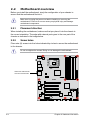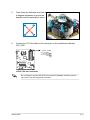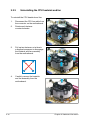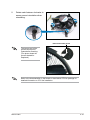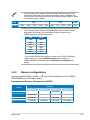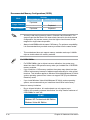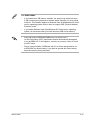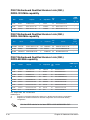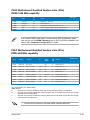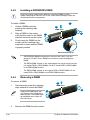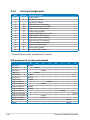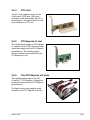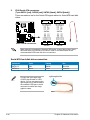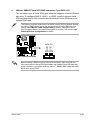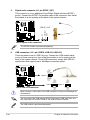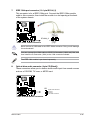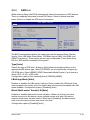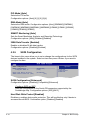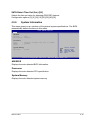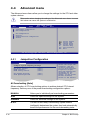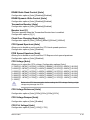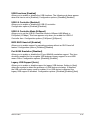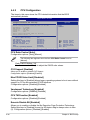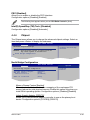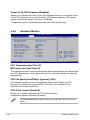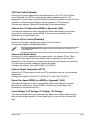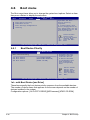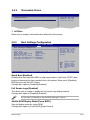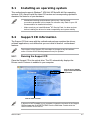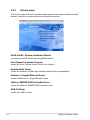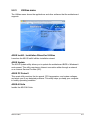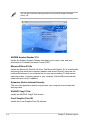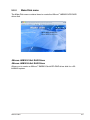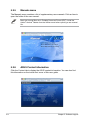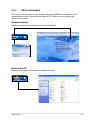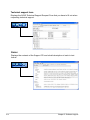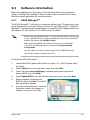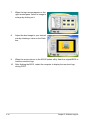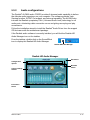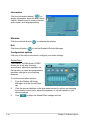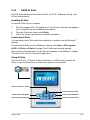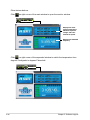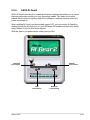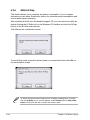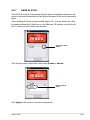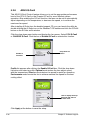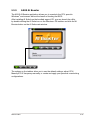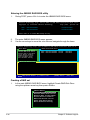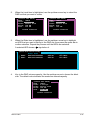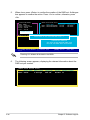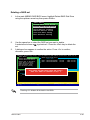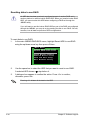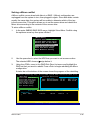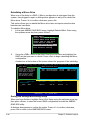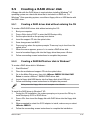
1
Motherboard P5KC E3155 First Edition V1 May 2007 Copyright © 2007 ASUSTeK COMPUTER INC. All Rights Reserved. No part of this manual, including the products and software described in it, may be reproduced, transmitted, transcribed, stored in a retrieval system, or translated into any language in any form or by any means, except documentation kept by the purchaser for backup purposes, without the express written permission of ASUSTeK COMPUTER INC. (“ASUS”). Product warranty or service will not be extended if: (1) the product is repaired, modified or altered, unless such repair, modification of alteration is authorized in writing by ASUS; or (2) the serial number of the product is defaced or missing. ASUS PROVIDES THIS MANUAL “AS IS” WITHOUT WARRANTY OF ANY KIND, EITHER EXPRESS OR IMPLIED, INCLUDING BUT NOT LIMITED TO THE IMPLIED WARRANTIES OR CONDITIONS OF MERCHANTABILITY OR FITNESS FOR A PARTICULAR PURPOSE. IN NO EVENT SHALL ASUS, ITS DIRECTORS, OFFICERS, EMPLOYEES OR AGENTS BE LIABLE FOR ANY INDIRECT, SPECIAL, INCIDENTAL, OR CONSEQUENTIAL DAMAGES (INCLUDING DAMAGES FOR LOSS OF PROFITS, LOSS OF BUSINESS, LOSS OF USE OR DATA, INTERRUPTION OF BUSINESS AND THE LIKE), EVEN IF ASUS HAS BEEN ADVISED OF THE POSSIBILITY OF SUCH DAMAGES ARISING FROM ANY DEFECT OR ERROR IN THIS MANUAL OR PRODUCT. SPECIFICATIONS AND INFORMATION CONTAINED IN THIS MANUAL ARE FURNISHED FOR INFORMATIONAL USE ONLY, AND ARE SUBJECT TO CHANGE AT ANY TIME WITHOUT NOTICE, AND SHOULD NOT BE CONSTRUED AS A COMMITMENT BY ASUS. ASUS ASSUMES NO RESPONSIBILITY OR LIABILITY FOR ANY ERRORS OR INACCURACIES THAT MAY APPEAR IN THIS MANUAL, INCLUDING THE PRODUCTS AND SOFTWARE DESCRIBED IN IT. Products and corporate names appearing in this manual may or may not be registered trademarks or copyrights of their respective companies, and are used only for identification or explanation and to the owners’ benefit, without intent to infringe. ii Contents Notices......................................................................................................... vii Safety information..................................................................................... viii About this guide.......................................................................................... ix P5KC specifications summary................................................................... xi Chapter 1: Product introduction 1.1 Welcome!....................................................................................... 1-1 1.3 Special features............................................................................. 1-2 1.2 Package contents.......................................................................... 1-1 1.3.1 Product highlights............................................................ 1-2 1.3.3 ASUS Special features.................................................... 1-5 1.3.2 ASUS AI Lifestyle features . ............................................ 1-3 Chapter 2: Hardware information 2.1 2.2 Before you proceed...................................................................... 2-1 Motherboard overview.................................................................. 2-2 2.2.1 Placement direction......................................................... 2-2 2.2.3 ASUS Stack Cool 2.......................................................... 2-3 2.2.2 2.2.4 2.3 2.2.5 Layout contents................................................................ 2-5 2.3.1 Installing the CPU............................................................ 2-8 2.3.3 Uninstalling the CPU heatsink and fan.......................... 2-12 Installing the CPU heatsink and fan............................... 2-10 System memory.......................................................................... 2-14 2.4.1 Overview........................................................................ 2-14 2.4.3 Installing a DDR2/DDR3 DIMM...................................... 2-20 2.4.2 2.5 Motherboard layout.......................................................... 2-4 Central Processing Unit (CPU).................................................... 2-7 2.3.2 2.4 Screw holes..................................................................... 2-2 2.4.4 Memory configurations................................................... 2-15 Removing a DIMM......................................................... 2-20 Expansion slots........................................................................... 2-21 2.5.1 Installing an expansion card.......................................... 2-21 2.5.3 Interrupt assignments.................................................... 2-22 2.5.2 2.5.4 2.5.5 2.5.6 2.5.7 Configuring an expansion card...................................... 2-21 PCI slots......................................................................... 2-23 PCI Express x1 slot........................................................ 2-23 Two PCI Express x16 slots............................................ 2-23 AI Slot Detector.............................................................. 2-25 iii Contents 2.6 2.7 Jumper......................................................................................... 2-26 Connectors.................................................................................. 2-27 2.7.1 2.7.2 Rear panel connectors................................................... 2-27 Internal connectors........................................................ 2-30 Chapter 3: Powering up 3.1 3.2 Starting up for the first time......................................................... 3-1 Powering off the computer........................................................... 3-2 3.2.1 3.2.2 Using the OS shut down function..................................... 3-2 Using the dual function power switch............................... 3-2 Chapter 4: BIOS setup 4.1 Managing and updating your BIOS............................................... -1 4.1.1 ASUS Update utility......................................................... 4-1 4.1.3 ASUS EZ Flash 2 utility.................................................... 4-5 4.1.2 4.1.4 4.2 4.1.5 ASUS CrashFree BIOS 3 utility....................................... 4-8 4.2.1 BIOS menu screen......................................................... 4-10 4.2.3 Navigation keys.............................................................. 4-10 4.2.4 4.2.5 4.2.6 4.2.7 4.2.8 4.2.9 Menu bar........................................................................ 4-10 Menu items.....................................................................4-11 Sub-menu items..............................................................4-11 Configuration fields.........................................................4-11 Pop-up window...............................................................4-11 Scroll bar.........................................................................4-11 General help...................................................................4-11 Main menu................................................................................... 4-12 4.3.1 4.3.2 4.3.3 System Time.................................................................. 4-12 System Date.................................................................. 4-12 Legacy Diskette A.......................................................... 4-12 4.3.4 SATA 1~4..........................................................................................4-13 4.3.6 System Information........................................................ 4-15 4.3.5 iv AFUDOS utility................................................................. 4-6 BIOS setup program..................................................................... 4-9 4.2.2 4.3 Creating a bootable floppy disk........................................ 4-4 SATA Configuration........................................................ 4-14 Contents 4.4 Advanced menu.......................................................................... 4-16 4.4.1 Jumperfree Configuration.............................................. 4-16 4.4.3 CPU Configuration......................................................... 4-22 4.4.2 4.4.4 4.4.5 4.5 4.4.6 PCI PnP......................................................................... 4-25 Suspend Mode............................................................... 4-26 4.5.3 ACPI Version.................................................................. 4-26 4.5.5 4.5.6 Repost Video on S3 Resume......................................... 4-26 ACPI APIC Support........................................................ 4-26 APM Configuration......................................................... 4-27 Hardware Monitor.......................................................... 4-28 Boot menu................................................................................... 4-30 4.6.1 Boot Device Priority....................................................... 4-30 4.6.3 Boot Settings Configuration........................................... 4-31 4.6.2 4.8 OnBoard Devices Configuration.................................... 4-24 4.5.1 4.5.4 4.7 Chipset........................................................................... 4-23 Power menu................................................................................. 4-26 4.5.2 4.6 USB Configuration......................................................... 4-20 4.6.4 Removable Drives.......................................................... 4-31 Security.......................................................................... 4-33 Tools menu.................................................................................. 4-35 4.7.1 4.7.2 ASUS EZ Flash 2........................................................... 4-35 ASUS O.C. Profile.......................................................... 4-36 Exit menu..................................................................................... 4-37 Chapter 5: Software support 5.1 5.2 Installing an operating system.................................................... 5-1 Support CD information............................................................... 5-1 5.2.1 Running the Support CD.................................................. 5-1 5.2.3 Utilities menu................................................................... 5-3 5.2.2 5.2.4 5.2.5 5.2.6 5.2.7 Drivers menu.................................................................... 5-2 Make Disk menu.............................................................. 5-5 Manuals menu................................................................. 5-6 ASUS Contact information............................................... 5-6 Other information............................................................. 5-7 Contents 5.3 Software information.................................................................... 5-9 5.3.1 ASUS MyLogo2™............................................................ 5-9 5.3.3 ASUS PC Probe II.......................................................... 5-15 5.3.2 5.3.4 5.3.5 5.3.6 5.3.7 5.3.8 5.4 5.3.9 ASUS AI Suite................................................................ 5-21 ASUS AI Gear2.............................................................. 5-23 ASUS AI Nap................................................................. 5-24 ASUS AI N.O.S.............................................................. 5-25 ASUS Q-Fan2................................................................ 5-26 ASUS AI Booster............................................................ 5-27 RAID configurations................................................................... 5-28 5.4.1 RAID definitions............................................................. 5-28 5.4.3 JMicron® RAID Configuration......................................... 5-29 5.4.2 5.5 Audio configurations.......................................................5-11 Installing Serial ATA hard disks...................................... 5-28 Creating a RAID driver disk........................................................ 5-37 5.5.1 5.5.2 Creating a RAID driver disk without entering the OS..... 5-37 Creating a RAID/SATA driver disk in Windows®. ........... 5-37 Appendix: CPU features A.1 A.2 A.3 vi Intel® EM64T...................................................................................A-1 Enhanced Intel SpeedStep® Technology (EIST).........................A-1 A.2.1 A.2.2 System requirements.......................................................A-1 Using the EIST.................................................................A-2 Intel Hyper-Threading Technology............................................A-3 ® Notices Federal Communications Commission Statement This device complies with Part 15 of the FCC Rules. Operation is subject to the following two conditions: • This device may not cause harmful interference, and • This device must accept any interference received including interference that may cause undesired operation. This equipment has been tested and found to comply with the limits for a Class B digital device, pursuant to Part 15 of the FCC Rules. These limits are designed to provide reasonable protection against harmful interference in a residential installation. This equipment generates, uses and can radiate radio frequency energy and, if not installed and used in accordance with manufacturer’s instructions, may cause harmful interference to radio communications. However, there is no guarantee that interference will not occur in a particular installation. If this equipment does cause harmful interference to radio or television reception, which can be determined by turning the equipment off and on, the user is encouraged to try to correct the interference by one or more of the following measures: • Reorient or relocate the receiving antenna. • Increase the separation between the equipment and receiver. • Connect the equipment to an outlet on a circuit different from that to which the receiver is connected. • Consult the dealer or an experienced radio/TV technician for help. The use of shielded cables for connection of the monitor to the graphics card is required to assure compliance with FCC regulations. Changes or modifications to this unit not expressly approved by the party responsible for compliance could void the user’s authority to operate this equipment. Canadian Department of Communications Statement This digital apparatus does not exceed the Class B limits for radio noise emissions from digital apparatus set out in the Radio Interference Regulations of the Canadian Department of Communications. This class B digital apparatus complies with Canadian ICES-003. vii Safety information Electrical safety • To prevent electrical shock hazard, disconnect the power cable from the electrical outlet before relocating the system. • When adding or removing devices to or from the system, ensure that the power cables for the devices are unplugged before the signal cables are connected. If possible, disconnect all power cables from the existing system before you add a device. • Before connecting or removing signal cables from the motherboard, ensure that all power cables are unplugged. • Seek professional assistance before using an adpater or extension cord. These devices could interrupt the grounding circuit. • Make sure that your power supply is set to the correct voltage in your area. If you are not sure about the voltage of the electrical outlet you are using, contact your local power company. • If the power supply is broken, do not try to fix it by yourself. Contact a qualified service technician or your retailer. Operation safety • Before installing the motherboard and adding devices on it, carefully read all the manuals that came with the package. • Before using the product, make sure all cables are correctly connected and the power cables are not damaged. If you detect any damage, contact your dealer immediately. • To avoid short circuits, keep paper clips, screws, and staples away from connectors, slots, sockets and circuitry. • Avoid dust, humidity, and temperature extremes. Do not place the product in any area where it may become wet. • Place the product on a stable surface. • If you encounter technical problems with the product, contact a qualified service technician or your retailer. This symbol of the crossed out wheeled bin indicates that the product (electrical and electronic equipment) should not be placed in municipal waste. Check local regulations for disposal of electronic products. viii About this guide This user guide contains the information you need when installing and configuring the motherboard. How this guide is organized This guide contains the following parts: • Chapter 1: Product introduction This chapter describes the features of the motherboard and the new technology it supports. • Chapter 2: Hardware information • Chapter 3: Powering up • Chapter 4: BIOS setup • Chapter 5: Software support • Appendix: CPU features This chapter lists the hardware setup procedures that you have to perform when installing system components. It includes description of the switches, jumpers, and connectors on the motherboard. This chapter describes the power up sequence and ways of shutting down the system. This chapter tells how to change system settings through the BIOS Setup menus. Detailed descriptions of the BIOS parameters are also provided. This chapter describes the contents of the support CD that comes with the motherboard package. The Appendix describes the CPU features and technologies that the motherboard supports. Where to find more information Refer to the following sources for additional information and for product and software updates. 1. 2. ASUS websites The ASUS website provides updated information on ASUS hardware and software products. Refer to the ASUS contact information. Optional documentation Your product package may include optional documentation, such as warranty flyers, that may have been added by your dealer. These documents are not part of the standard package. ix Conventions used in this guide To make sure that you perform certain tasks properly, take note of the following symbols used throughout this manual. DANGER/WARNING: Information to prevent injury to yourself when trying to complete a task. CAUTION: Information to prevent damage to the components when trying to complete a task. IMPORTANT: Instructions that you MUST follow to complete a task. NOTE: Tips and additional information to help you complete a task. Typography Bold text Indicates a menu or an item to select. Italics Used to emphasize a word or a phrase. <Key> Keys enclosed in the less-than and greater-than sign means that you must press the enclosed key. Example: <Enter> means that you must press the Enter or Return key. <Key1>+<Key2>+<Key3> If you must press two or more keys simultaneously, the key names are connected with a plus sign (+). Example: <Ctrl>+<Alt>+<D> Command Means that you must type the command exactly as shown. Example: At the DOS prompt, type the command line: afudos /iP5KC.ROM P5KC specifications summary CPU LGA775 socket for Intel® Core™2 Quad / Core™2 Extreme / Core™2 Duo / Pentium® Extreme / Pentium® D / Pentium® 4 processors Compatible with Intel® 05A/05B/06 processors Supports Intel® next generation 45nm Multi-Core CPU * Refer to www.asus.com for Intel® CPU support list Chipset Intel® P35 / ICH9 with Intel® Fast Memory Access Technology System bus 1333/1066/800 MHz Memory Dual-channel memory architecture - 2 x 240-pin DIMM sockets support up to 4 GB system memory unbuffered / non-ECC DDR3 1333/1066/800 MHz memory modules - 4 x 240-pin DIMM sockets support up to 8 GB system memory unbuffered / non-ECC DDR2 1066 /800/667 MHz memory modules Expansion slots 2 x PCI Express™ x16 slots with CrossFire support (blue @ x16 mode, black @ x4 or x1 mode) 1 x PCI Express™ x1 slot 3 x PCI slots Storage Southbridge - 4 x Serial ATA 3.0 Gb/s ports JMicron® JMB363 PATA and SATA controller supports: - 1 x UltraDMA 133/100/66 for up to 2 PATA devices - 1 x Serial ATA 3.0 Gb/s port - 1 x External SATA 3.0 Gb/s port (SATA On-the-Go) - Supports SATA RAID 0, 1, and JBOD LAN PCIe Gigabit LAN controller High Definition audio Realtek® 8-channel High-Definition Audio CODEC - Supports Jack-Sensing, Enumeration, and Multi-Streaming Technology - Coaxial/Optical S/PDIF out ports at back I/O - ASUS Noise Filter IEEE 1394 VIA VT6308P controller supports 2 x IEEE 1394a ports (one at midboard; one at back panel) USB Supports up to 12 USB 2.0 ports (6 at mid-board, 6 at back panel) (continued on the next page) xi P5KC specifications summary AI Lifestyle Unique features ASUS Quiet Thermal Solution: - ASUS AI Gear2 - ASUS AI Nap - ASUS Fanless Design: Heat-pipe - ASUS Fanless Design: Stack Cool 2 - ASUS Q-Fan 2 ASUS Crystal Sound: - ASUS Noise Filter ASUS EZ DIY: - ASUS Q-Connector - ASUS O.C. Profile - ASUS CrashFree BIOS 3 - ASUS EZ Flash 2 - ASUS AI Slot Detector ASUS Stylish features ASUS MyLogo2 ASUS Exclusive Overclocking features Intelligent overclocking tools: - AI NOS™ - ASUS AI Booster utility Precision Tweaker: - vCore: Adjustable CPU voltage at 0.0125V increment - vDIMM: 8-step DRAM voltage control - vChipset: 4-step Chipset voltage control SFS (Stepless Frequency Selection): - FSB tuning from 200MHz to 800 MHz at 1MHz increment - Memory tuning from 667MHz to 1333MHz for DDR2 - Memory tuning from 800MHz to 1333MHz for DDR3 - PCI Express frequency tuning from 100MHz up to 150MHz at 1 MHz increment Overclocking protection: - ASUS C.P.R. (CPU Parameter Recall) Rear panel connectors 1 x PS/2 keyboard port 1 x External Serial ATA port 1 x S/PDIF Out (Coaxial + Optical) 1 x IEEE1394a 1 x LAN (RJ-45) port 6 x USB 2.0/1.1 ports 8-channel audio ports (continued on the next page) xii P5KC specifications summary Internal connectors 3 x USB connectors support six additional USB ports 1 x Floppy disk drive connector 1 x IDE connector 5 x Serial ATA connectors 1 x CPU / 2 x Chassis / 1 x Power fan connectors 1 x IEEE1394a connector 1 x COM connector 1 x S/PDIF Out header Chassis intrusion connector Front panel audio connector CD audio in connector 24-pin ATX power connector 4-pin ATX 12 V power connector System panel connector (Q-Connector) BIOS features 8 Mb Flash ROM, AMI BIOS, PnP, DMI 2.0, WfM2.0, SM BIOS 2.3, ACPI 2.0a, ASUS EZ Flash 2, ASUS CrashFree BIOS 3 Manageability WfM 2.0, DMI 2.0, WOL by PME, WOR by PME, PXE Accessories UltraDMA 133/100/66 cable FDD cable SATA cables SATA power cable I/O Shield User's manual 3 in 1 Q-connector Support CD contents Drivers ASUS PC Probe II ASUS Update ASUS AI Suite Anti-virus software (OEM version) Form factor ATX form factor: 12 in x 9.6 in (30.5 cm x 24.5 cm) *Specifications are subject to change without notice. xiii xiv This chapter describes the motherboard features and the new technologies it supports. 1 Product introduction 1 Chapter summary 1.1 Welcome!....................................................................................... 1-1 1.3 Special features............................................................................. 1-2 1.2 Package contents.......................................................................... 1-1 ASUS P5KC 1.1 Welcome! Thank you for buying an ASUS® P5KC motherboard! The motherboard delivers a host of new features and latest technologies, making it another standout in the long line of ASUS quality motherboards! Before you start installing the motherboard, and hardware devices on it, check the items in your package with the list below. 1.2 Package contents Check your motherboard package for the following items. Motherboard ASUS P5KC Cables Serial ATA power and signal cables for 4 devices 1 x Ultra DMA 133/100/66 cable 1 x Floppy disk drive cable Accessories I/O shield 1 x ASUS Q-Connector Kit (USB, 1394, system panel; Retail version only) Application CD ASUS motherboard support CD; ASUS Superb Software Library CD Documentation User guide If any of the above items is damaged or missing, contact your retailer. ASUS P5KC 1- 1.3 Special features 1.3.1 Product highlights Green ASUS This motherboard and its packaging comply with the European Union’s Restriction on the use of Hazardous Substances (RoHS). This is in line with the ASUS vision of creating environment-friendly and recyclable products/packaging to safeguard consumers’ health while minimizing the impact on the environment. Intel® Core™2 Duo/ Intel® Core™2 Extreme CPU support This motherboard supports the latest Intel® Core™2 processor in the LGA775 package. With the new Intel® Core™ microarchitecture technology and 1333/1066/800 MHz FSB, the Intel® Core™2 is one of the most powerful and energy efficient CPUs in the world. Supports Intel® Quad-core Processor Ready This motherboard supports the latest Intel® Quad-core processors in the LGA775 package and Intel®’s next-generation 45nm multi-core processors. It is excellent for multi-tasking, multi-media and enthusiastic gamers with 1333/1066/800 MHz FSB. Intel® Quad-core processor is one of the most powerful CPU in the world. See page 2‑7 for details. Intel P35 Chipset The Intel® P35 Express Chipset is the latest chipset designed to support the next generation 45nm CPU and dual-channel DDR2 800/677 MHz or DDR3 1066/800 MHz memory architecture. It also supports 1333/1066/800 FSB (Front Side Bus), PCI Express x16 graphics and multi-core CPUs. DDR2 memory support The motherboard supports DDR2 memory that features data transfer rates of 1066/800/667 MHz to meet the higher bandwidth requirements of the latest 3D graphics, multimedia, and Internet applications. The dual-channel DDR2 architecture doubles the bandwidth of your system memory to boost system performance, eliminating bottlenecks with peak bandwidths of up to 17.05 GB/s. Furthermore, this motherboard does not restrict the memory size across two channels. Users may install different memory size DIMMs into the two channels and enjoy dual-channel and single-channel functions at the same time. This new feature optimizes the use of available memory size. See page 2‑14 for details. 1- Chapter 1: Product Introduction DDR3 memory support The motherboard supports DDR3 memory that features data transfer rates of 1333/1066/800 MHz to meet the higher bandwidth requirements of the latest 3D graphics, multimedia, and Internet applications. The dual-channel DDR3 architecture doubles the bandwidth of your system memory to boost system performance. Furthermore, this motherboard does not restrict the memory size across two channels. Users may install different memory size DIMMs into the two channels and enjoy dual-channel and single-channel functions at the same time. This new feature optimizes the use of available memory size. See page 2‑14 for details. Serial ATA 3.0 Gb/s technology and SATA-On-The-Go This motherboard supports the next-generation hard drives based on the Serial ATA (SATA) 3Gb/s storage specification, delivering enhanced scalability and doubling the bus bandwidth for high-speed data retrieval and saves. The external SATA port located at the back I/O provides smart setup and hot-plug functions. Easily backup photos, videos and other entertainment contents to external devices. See page 2-28, 2-32, and 2-33 for details. IEEE 1394a support The IEEE 1394a interface provides high speed digital interface for audio/video appliances such as digital television, digital video camcorders, storage peripherals & other PC portable devices. See page 2-27 and 2-35 for details. S/PDIF digital sound ready This motherboard provides convenient connectivity to external home theater audio systems via coaxial and optical S/PDIF-out (SONY-PHILIPS Digital Interface) jacks.It allows to transfer digital audio without converting to analog format and keeps the best signal quality. See pages 2-27, 2-29, and 2-34 for details. High Definition Audio Enjoy high-end sound quality on your PC! The onboard 8-channel HD audio (High Definition Audio, previously codenamed Azalia) CODEC enables high-quality 192KHz/24-bit audio output, jack-sensing feature, retasking functions and multistreaming technology that simultaneously sends different audio streams to different destinations. You can now talk to your partners on the headphone while playing multi-channel network games. See page 2-27 and 2-28 for details. ASUS P5KC 1- 1.3.2 ASUS AI Lifestyle features ASUS Quiet Thermal Solution ASUS Quiet Thermal solution makes system more stable and enhances the overclocking capability. AI Gear2 AI Gear2 allows you to choose profiles to adjust the CPU frequency and Vcore voltage to minimize system noise and power consumption. You can change the mode in real-time in the operating system to max power saving mode and save up to 50% power when using word processing applications. See page 5-23 for details. AI Nap With AI Nap, the system can continue running at minimum power and noise when you are temporarily away. To wake the system and return to the OS environment, simply click the mouse or press a key. See page 5-24 for details. Fanless Design - Heat-pipe The Heat Pipe design effectively directs the heat generated by the chipsets to the heatsink near the back IO ports, where it can be carried away by existing airflow from CPU fan or bundled optional fan. The purpose of the innovative heat pipe design on this motherboard is that the groundbreaking fanless design does not have lifetime problems as a chipset fan does. The Heat Pipe design is the most reliable fanless thermal solution to date. Fanless Design - Stack Cool 2 ASUS Stack Cool 2 is a fan-less and zero-noise cooling solution that lowers the temperature of critical heat generating components. The motherboard uses a special design on the printed circuit board (PCB) to dissipate heat these critical components generate. Q-Fan 2 ASUS Q-Fan2 technology intelligently adjusts both CPU fan and chassis fan speeds according to system loading to ensure quiet, cool and efficient operation. See page 4-28 and 5-26 for details. 1- Chapter 1: Product Introduction ASUS Crystal Sound This feature can enhance speech-centric applications like Skype, online game, video conference and recording. Noise Filter This feature detects repetitive and stationary noises (non-voice signals) like computer fans, air conditioners, and other background noises then eliminates it in the incoming audio stream while recording. ASUS EZ DIY ASUS EZ DIY feature collection provides you easy ways to install computer components, update the BIOS or back up your favorite settings. ASUS Q-Connector ASUS Q-Connector allows you to easily connect or disconnect the chassis front panel cables to the motherboard. This unique module eliminates the trouble of connecting the system panel cables one at a time and avoiding wrong cable connections. See page 2-40 for details. ASUS O.C. Profile The motherboard features the ASUS O.C. Profile that allows users to conveniently store or load multiple BIOS settings. The BIOS settings can be stored in the CMOS or a separate file, giving users freedom to share and distribute their favorite settings. See page 4-36 for details. ASUS CrashFree BIOS 3 The ASUS CrashFree BIOS 3 allows users to restore corrupted BIOS data from a USB flash disk containing the BIOS file. See page 4-8 for details. ASUS EZ Flash 2 EZ Flash 2 is a user-friendly BIOS update utility. Simply press the predefined hotkey to launch the utility and update the BIOS without entering the OS. Update your BIOS easily without preparing a bootable diskette or using an OS-based flash utility. See page 4-5 and 4-35 for details. ASUS AI Slot Detector When PCIE/PCI devices are installed, you can find out if they are installed successfully via ASUS’s innovatively designed on-board LEDs when the power is on. This is an efficient way to identify the correct way to set up PCI(E) devices without entering the operating system. See page 2-25 for details. ASUS P5KC 1- 1.3.3 ASUS Stylish features ASUS MyLogo2™ This feature allows you to convert your favorite photo into a 256-color boot logo for a more colorful and vivid image on your screen. See page 4-31 for details. 1.3.4 ASUS Intelligent Overclocking features AI NOS™ (Non-Delay Overclocking System) The patented ASUS Non-delay Overclocking System™ (AI NOS™) technology auto‑detects the CPU loading and dynamically overclocks the CPU speed when needed. Unlike other dynamic overclocking techniques, AI NOS™ reacts much faster to satisfy your need for speed. See page 4-16 and 5-25 for details. AI Booster The ASUS AI Booster allows you to overclock the CPU speed in Windows environment without the hassle of booting the BIOS. See page 5-27 for details. Precision Tweaker This feature allows you to fine tune the CPU/memory voltage and gradually increase the memory Front Side Bus (FSB) and PCI Express frequency at 1MHz increment to achieve maximum system performance. See page 4-17 to 4-19 for details. C.P.R. (CPU Parameter Recall) The C.P.R. feature of the motherboard BIOS allows automatic re-setting to the BIOS default settings in case the system hangs due to overclocking. When the system hangs due to overclocking, C.P.R. eliminates the need to open the system chassis and clear the RTC data. Simply shut down and reboot the system, and the BIOS automatically restores the CPU default setting for each parameter. See page 2-26 for details. 1- Chapter 1: Product Introduction This chapter lists the hardware setup procedures that you have to perform when installing system components. It includes description of the jumpers and connectors on the motherboard. 2 Hardware information 2 Chapter summary 2.1 Before you proceed...................................................................... 2-1 2.3 Central Processing Unit (CPU).................................................... 2-7 2.2 2.4 2.5 2.6 2.7 Motherboard overview.................................................................. 2-2 System memory.......................................................................... 2-14 Expansion slots........................................................................... 2-25 Jumper......................................................................................... 2-30 Connectors.................................................................................. 2-31 ASUS P5KC 2.1 Before you proceed Take note of the following precautions before you install motherboard components or change any motherboard settings. • Unplug the power cord from the wall socket before touching any component. • Use a grounded wrist strap or touch a safely grounded object or a metal object, such as the power supply case, before handling components to avoid damaging them due to static electricity. • Hold components by the edges to avoid touching the ICs on them. • Whenever you uninstall any component, place it on a grounded antistatic pad or in the bag that came with the component. • Before you install or remove any component, ensure that the ATX power supply is switched off or the power cord is detached from the power supply. Failure to do so may cause severe damage to the motherboard, peripherals, and/or components. Onboard LED The motherboard comes with a standby power LED that lights up to indicate that the system is ON, in sleep mode, or in soft-off mode. This is a reminder that you should shut down the system and unplug the power cable before removing or plugging in any motherboard component. The illustration below shows the location of the onboard LED. ® P5KC SB_PWR P5KC Onboard LED ASUS P5KC ON Standby Power OFF Powered Off 2- 2.2 Motherboard overview Before you install the motherboard, study the configuration of your chassis to ensure that the motherboard fits into it. Make sure to unplug the power cord before installing or removing the motherboard. Failure to do so can cause you physical injury and damage motherboard components. 2.2.1 Placement direction When installing the motherboard, make sure that you place it into the chassis in the correct orientation. The edge with external ports goes to the rear part of the chassis as indicated in the image below. 2.2.2 Screw holes Place nine (9) screws into the holes indicated by circles to secure the motherboard to the chassis. Do not overtighten the screws! Doing so can damage the motherboard. Place this side towards the rear of the chassis ® P5KC 2- Chapter 2: Hardware information 2.2.3 ASUS Stack Cool 2 The motherboard comes with the ASUS Stack Cool 2 cooling solution that lowers the temperature of critical heat generating components. The motherboard uses a special design on the printed circuit board (PCB) to dissipate heat that critical components generate. ASUS P5KC 2- 2.2.4 Motherboard layout 24.5cm (9.6in) CPU_FAN KB_USB56 PWR_FAN ATX12V DET_PCI2 JMB363 DET_X16_2 CD DET_PCI3 ALC883 DET_X1_1 PCIEX1_1 SPDIF_OUT PRI_EIDE Intel® ICH9 PCI1 PCI2 PCIEX16_2 PCI3 SATA4 SATA1 SATA3 SATA 2 FLOPPY SATA_E2 PCIEX16_1 Super I/O DET_PCI1 P5KC VIA VT6308P LAN 30.5cm (12.0in) ® USB910 DET_X16_1 EATXPWR CHA_FAN2 DDR3 DIMM_B1 (64 bit,240-pin module) Intel® P35 AUDIO DDR2 DIMM_B1 (64 bit,240-pin module) LAN1_USB12 DDR2 DIMM_B2 (64 bit,240-pin module) F_ESATA DDR3 DIMM_A1 (64 bit,240-pin module) DDR2 DIMM_A1 (64 bit,240-pin module) USB34 DDR2 DIMM_A2 (64 bit,240-pin module) LGA775 SPDIF_O12 CLRTC CHASSIS SB_PWR CR2032 3V Lithium Cell CMOS Power CHA_FAN1 IE1394_2 COM1 USB78 USB1112 BIOS PANEL AAFP Refer to 2.7 Connectors for more information about rear panel connectors and internal connectors. 2- Chapter 2: Hardware information 2.2.5 Layout contents Slots 1. 2. 3. 4. DDR2 / DDR3 DIMM slots PCI slots PCI Express x1 slot PCI Express x16 slots Page 2-14 2-23 2-23 2-23 Jumper 1. Clear RTC RAM (3-pin CLRTC) Page 2-26 Rear panel connectors 1. PS/2 keyboard port (purple) 2. Coaxial S/PDIF Out port 3. IEEE 1394a port 4. LAN (RJ-45) port 5. Center/Subwoofer port (orange) 6. Rear Speaker Out port (black) 7. Line In port (light blue) 8. Line Out port (lime) Page 2-27 2-27 2-27 2-27 2-27 2-27 2-27 2-27 9. 10. 11. 12. 13. 14. 15. 2-27 2-27 2-28 2-28 2-28 2-28 2-28 ASUS P5KC Microphone port (pink) Side Speaker Out port (gray) USB 2.0 ports 1 and 2 External SATA port USB 2.0 ports 3 and 4 Optical S/PDIF Out port USB 2.0 ports 5 and 6 2- Internal connectors 1. Floppy disk drive connector (34-1 pin FLOPPY) 2. IDE connector (40-1 pin PRI_EIDE) 3. ICH9 Serial ATA connectors (7-pin SATA1 [red], SATA2 [red], SATA3 [black], SATA4 [black]) 4. JMicron JMB363® Serial ATA RAID connector (7-pin SATA_E2) 5. Digital audio connector (4-pin SPDIF_OUT) 6. USB connectors (10-1 pin USB78, USB910, USB1112) 7. IEEE 1394a port connector (10-1 pin IE1394_2) 8. Optical drive audio connector (4-pin CD) 9. CPU, chassis, and power fan connectors (4-pin CPU_FAN, 3-pin CHA_FAN1, 3-pin CHA_FAN2, 3-pin PWR_FAN) 10. Serial port connector (10-1 pin COM1) 11. Chassis intrusion connector (4-1 pin CHASSIS) 12. Front panel audio connector (10-1 pin AAFP) Page 2-30 2-31 2-32 13. ATX power connectors (24-pin EATXPWR, 4-pin EATX12V) 2-38 14. System panel connector (20-8-pin PANEL) 2-39 2- • • • • • 2-33 2-34 2-34 2-35 2-35 2-36 2-36 2-37 2-37 System power LED (2-pin PLED) Hard disk drive activity LED (2-pin IDE_LED) System warning speaker (4-pin SPEAKER) ATX power button/soft-off button (2-pin PWR) Reset button (2-pin RESET) ASUS Q-connector (system panel) 2-40 Chapter 2: Hardware information 2.3 Central Processing Unit (CPU) The motherboard comes with a surface mount LGA775 socket designed for the Intel® Core™2 Quad / Core™2 Extreme / Core™2 Duo / Pentium® Extreme / Pentium® D/ Pentium® 4 processors. • Make sure that all power cables are unplugged before installing the CPU. • Connect the chassis fan cable to the CHA_FAN1 connector to ensure system stability. • Upon purchase of the motherboard, make sure that the PnP cap is on the socket and the socket contacts are not bent. Contact your retailer immediately if the PnP cap is missing, or if you see any damage to the PnP cap/socket contacts/motherboard components. ASUS will shoulder the cost of repair only if the damage is shipment/transit-related. • • ASUS P5KC Keep the cap after installing the motherboard. ASUS will process Return Merchandise Authorization (RMA) requests only if the motherboard comes with the cap on the LGA775 socket. The product warranty does not cover damage to the socket contacts resulting from incorrect CPU installation/removal, or misplacement/loss/ incorrect removal of the PnP cap. 2- 2.3.1 Installing the CPU To install a CPU: 1. Locate the CPU socket on the motherboard. ® P5KC P5KC CPU Socket 775 Before installing the CPU, make sure that the socket box is facing towards you and the load lever is on your left. 2. Press the load lever with your thumb (A), then move it to the left (B) until it is released from the retention tab. Retention tab Load lever A PnP cap B This side of the socket box should face you. To prevent damage to the socket pins, do not remove the PnP cap unless you are installing a CPU. 3. 2- Lift the load lever in the direction of the arrow to a 135º angle. Chapter 2: Hardware information 4. Lift the load plate with your thumb and forefinger to a 100º angle (A), then push the PnP cap from the load plate window to remove (B). B A Load plate Alignment key 5. Position the CPU over the socket, making sure that the gold triangle is on the bottom‑left corner of the socket then fit the socket alignment key into the CPU notch. CPU notch Gold triangle mark The CPU fits in only one correct orientation. DO NOT force the CPU into the socket to prevent bending the connectors on the socket and damaging the CPU! 6. 7. A Close the load plate (A), then push the load lever (B) until it snaps into the retention tab. If installing a dual-core CPU, connect the chassis fan cable to the CHA_FAN2 connector to ensure system stability. B The motherboard supports Intel® LGA775 processors with the Intel® Enhanced Memory 64 Technology (EM64T), Enhanced Intel SpeedStep® Technology (EIST), and Hyper-Threading Technology. Refer to the Appendix for more information on these CPU features. ASUS P5KC 2- 2.3.2 Installing the CPU heatsink and fan The Intel LGA775 processor requires a specially designed heatsink and fan assembly to ensure optimum thermal condition and performance. ® • When you buy a boxed Intel® processor, the package includes the CPU fan and heatsink assembly. If you buy a CPU separately, make sure that you use only Intel®‑certified multi‑directional heatsink and fan. • Your Intel® LGA775 heatsink and fan assembly comes in a push-pin design and requires no tool to install. • If you purchased a separate CPU heatsink and fan assembly, make sure that you have properly applied Thermal Interface Material to the CPU heatsink or CPU before you install the heatsink and fan assembly. Make sure that you have installed the motherboard to the chassis before you install the CPU fan and heatsink assembly. To install the CPU heatsink and fan: 1. Place the heatsink on top of the installed CPU, making sure that the four fasteners match the holes on the motherboard. Orient the heatsink and fan assembly such that the CPU fan cable is closest to the CPU fan connector. Motherboard hole Narrow end of the groove Fastener Make sure to orient each fastener with the narrow end of the groove pointing outward. (The photo shows the groove shaded for emphasis.) 2-10 Chapter 2: Hardware information 2. Push down two fasteners at a time in a diagonal sequence to secure the heatsink and fan assembly in place. B A A 3. A B B A B Connect the CPU fan cable to the connector on the motherboard labeled CPU_FAN. CPU_FAN CPU FAN PWM CPU FAN IN CPU FAN PWR GND ® P5KC P5KC CPU fan connector Do not forget to connect the CPU fan connector! Hardware monitoring errors can occur if you fail to plug this connector. ASUS P5KC 2-11 2.3.3 Uninstalling the CPU heatsink and fan To uninstall the CPU heatsink and fan: 1. Disconnect the CPU fan cable from the connector on the motherboard. 2. Rotate each fastener counterclockwise. 3. Pull up two fasteners at a time in a diagonal sequence to disengage the heatsink and fan assembly from the motherboard. 4. 2-12 A B B A B A A B Carefully remove the heatsink and fan assembly from the motherboard. Chapter 2: Hardware information 5. Rotate each fastener clockwise to ensure correct orientation when reinstalling. Narrow end of the groove The narrow end of the groove should point outward after resetting. (The photo shows the groove shaded for emphasis.) Refer to the documentation in the boxed or stand-alone CPU fan package for detailed information on CPU fan installation. ASUS P5KC 2-13 2.4 System memory 2.4.1 Overview The motherboard comes with two Double Data Rate 3 (DDR3) and four Double Data Rate 2 (DDR2) Dual Inline Memory Modules (DIMM) sockets. DDR2_B1 DDR2_B2 DDR3_B1 DDR2_A1 DDR2_A2 DDR3_A1 A DDR3 module has the same physical dimensions as a DDR2/DDR DIMM but is notched differently to prevent installation on a DDR2/DDR DIMM socket, while a DDR3/DDR2 module has a 240-pin footprint compared to the 184-pin DDR DIMM. DDR3 modules are developed for better performance with less power consumption. The figure illustrates the location of the DDR3/DDR2 DIMM sockets: ® P5KC P5KC 240-pin DDR3/DDR2 DIMM sockets DDR3 module installation Channel Channel A Channel B Sockets DDR3_DIMM_A1 DDR3_DIMM_B1 DDR2 module installation Channel Channel A Channel B Sockets DIMM_A1 and DIMM_A2 DIMM_B1 and DIMM_B2 You can only install either DDR2 module(s) or DDR3 module(s) on the motherboard; otherwise, the system will not boot up. 2-14 Chapter 2: Hardware information • This chipset officially supports DDR3 1066/800. With the ASUS Super Memspeed Technology, the motherboard supports up to 1333MHz and provides more ratio setting items than the chipset officially supports. Refer to the table below for details. FSB 1600 DDR3 1600 • 1333 1200 2.4.2 1000 800 1333 1111 1066 1000 833 889 This chipset officially supports DDR2-800 MHz. With the ASUS Super Memspeed Technology, this motherboard natively supports up to DDR2-1066 MHz. See the table below. FSB 1333 1333 1333 1066 1066 1066 • 1333 DDR2 1066* 800 667 1066* 800 667 *If you install a DDR2-1066 memory module whose SPD is DDR2-800, make sure that you set the DRAM Frequency item in BIOS to [DDR2-1066MHz]. See section 4.4.1 Jumperfree Configuration for details. Memory configurations You may install 256 MB, 512 MB, 1 GB, and 2 GB unbuffered non‑ECC DDR2 / DDR3 DIMMs into the DIMM sockets. Recommended Memory Configurations (DDR2) Mode Single-Channel Sockets DIMM_A1 DIMM_A2 DIMM_B1 DIMM_B2 - - Populated - Populated - - - Dual-channel (1) Populated - Populated - Dual-channel (2) Populated Populated Populated Populated ASUS P5KC 2-15 Recommended Memory Configurations (DDR3) Sockets Mode Single-Channel Dual-channel DDR3_DIMM_A1 DDR3_DIMM_B1 Populated - - Populated Populated Populated • You may install varying memory sizes in Channel A and Channel B. The system maps the total size of the lower-sized channel for the dual-channel configuration. Any excess memory from the higher-sized channel is then mapped for single-channel operation. • Always install DIMMs with the same CAS latency. For optimum compatibility, it is recommended that you obtain memory modules from the same vendor. • This motherboard does not support memory modules made up of 128 Mb chips or double sided x16 memory modules. For DDR2 DIMMs: • • • For DDR2 DIMMs, due to chipset resource allocation, the system may detect less than 8 GB system memory when you installed four 2 GB DDR2 memory modules. If you install four 1 GB memory modules, the system may detect less than 3 GB of total memory because of address space allocation for other critical functions. This limitation applies to Windows Vista 32-bit/Windows XP 32-bit version operating system since it does not support PAE (Physical Address Extention) mode. If you install Windows Vista 32-bit/Windows XP 32-bit version operating system, we recommend that you install less than 3GB of total memory. Notes on memory limitations • Due to chipset limitation, this motherboard can only support up to 8 GB on the operating systems listed below. You may install a maximum of 2 GB DIMMs on each slot. 64-bit Windows XP Professional x64 Edition Windows Vista x64 Edition 2-16 Chapter 2: Hardware information For DDR3 DIMMs: ASUS P5KC • If you install two 2 GB memory modules, the system may detect less than 3 GB of total memory because of address space allocation for other critical functions. This limitation applies to Windows Vista 32-bit/Windows XP 32-bit version operating system since it does not support PAE (Physical Address Extention) mode. • If you install Windows Vista 32-bit/Windows XP 32-bit version operating system, we recommend that you install less than 3GB of total memory. • Some old-version DDR2-800 DIMMs may not match Intel®’s On‑Die‑Termination (ODT) requirement and will automatically downgrade to run at DDR2-667. If this happens, contact your memory vendor to check the ODT value. • Due to chipset limitation, DDR2-800 with CL=4 will be downgraded to run at DDR2-667 by default setting. If you want to operate with lower latency, adjust the memory timing manually. 2-17 P5KC Motherboard Qualified Vendors Lists (QVL) DDR3-1333 MHz capability Size Vendor Chip No. CL Chip Brand SS/ DS DIMM support Part No. A* B* 512MB ELPIDA J5308BASE-DG-E 8 ELPIDA SS EBJ51UD8BAFA-DG-E • • 512MB Qimonda IDSH51-03A1F1C-13H 9 QIMONDA SS IMSH51U03A1F1C-13H • • 1024MB Qimonda IDSH51-03A1F1C-13H 9 QIMONDA DS IMSH1GU13A1F1C-13H • • P5KC Motherboard Qualified Vendors Lists (QVL) DDR3-1066 MHz capability Size Vendor Chip No. CL Chip Brand SS/ DS DIMM support Part No. A* 1024MB Qimonda IDSH51-03A1F1C-10F N/A QIMONDA DS IMSH1GU13A1F1C-10F • 512MB NANYA NT5CB64M8AN-BE N/A NANYA SS NT512C64B88A0NY-BF • 512MB SAMSUNG K4B510846E-ZCG8 8 SAMSUNG SS M378B6573EZ0-CG8 • B* P5KC Motherboard Qualified Vendors Lists (QVL) DDR3-800 MHz capability Chip No. CL Chip Brand SS/ DS Part No. DIMM support Size Vendor 512MB SAMSUNG K4B510846E-ZCE7 N/A SAMSUNG SS M378B6573EZ0-CE7 • 512MB ELPIDA J5308BASE-AC-E 6 ELPIDA SS EBJ51UD8BAFA-8C-E • 1024MB ELPIDA J5308BASE-AC-E 6 ELPIDA DS EBJ11UD8BAFA-8C-E • 512MB NANYA NT5CB64M8AN-25D N/A NANYA SS NT512C64B88A0NY-25D • 1024MB NANYA NT5CB64M8AN-25D N/A NANYA DS NT1GC64B8HA0NY-25D • 1024MB Qimonda IDSH51-03A1F1C-08E N/A QIMONDA DS IMSH1GU13A1F1C-08E • 512MB Qimonda IDSH51-03A1F1C-08D N/A Qimonda SS IMSH51U03A1F1C-08D • 512MB Qimonda IDSH51-03A1F1C-08E N/A Qimonda SS IMSH51U03A1F1C-08E • 2048MB Hynix HY5TQ1G831ZNF-S5 N/A Hynix DS HYMT125U64ZNF8-S5 • A* B* SS - Single-sided DS - Double-sided DIMM support: A - Supports one module inserted into either slot, in Single-channel memory configuration. B - Supports two modules inserted into both the orange slots as Dual-channel memory configuration. Visit the ASUS website for the latest DDR3-1333/1066/800 MHz QVL. 2-18 Chapter 2: Hardware information P5KC Motherboard Qualified Vendors Lists (QVL) DDR2-1066 MHz capability SS/ DIMM support Size Vendor Part No. A* B* C* 1024MB CORSAIR DS XMS8505v1.1 / 0616126-12 • • • 1024MB CORSAIR DS CM2X1024-8500 • • • 1024MB Kingston SS KHX9600D2 / 1G 9905316-069.A00LF / 2.3-2.35v • • • 1024MB OCZ DS OCZ2P10002GK/PC2 8000 /1G EL Dual CH/PlatinumXTC • • • 1024MB OCZ DS OCZ2P10002GK/PC2 8000 /1G EL Dual CH/Gold XTC • • • DS If you install a DDR2-1066 memory module whose SPD is DDR2-800, make sure that you set the DRAM Frequency item in BIOS to [DDR2-1066MHz]. See section 4.4.1 Jumperfree Configuration for details. P5KC Motherboard Qualified Vendors Lists (QVL) DDR2-800 MHz capability CL Chip Brand SS/ DS Size Vendor Chip No. Part No. 512MB KINGSTON K4T51083QC 5 SEC SS KVR800D2N5/512 1024MB KINGSTON Heat-Sink Package 4-4-4-12 N/A DS KHX6400D2LL/1G 1024MB KINGSTON Heat-Sink Package 4-4-4-12 N/A SS KHX6400D2LLK2/1GN 1024MB KINGSTON V59C1512804QBF25 N/A N/A DS KVR800D2N5/1G 256MB Qimonda HYB18T512160BF-25F 5-5-5 INFINEON SS HYS64T32000HU-25F-B 512MB Qimonda HYB18T512800BF25F 5-5-5 N/A SS HYS64T64000HU-25F-B 1024MB Qimonda HYB18T512800BF25F 5-5-5 N/A DS HYS64T128020HU-25F-B 512MB SAMSUNG ZCE7K4T51083QC 5-5-5 SEC SS M378T6553CZ3-CE7 DIMM support A* B* C* • • • • • • • • • • SS - Single-sided DS - Double-sided DIMM support: A - Supports one module inserted into either slot, in Single-channel memory configuration. B - Supports two modules inserted into either the yellow slots or the black slots as one pair of Dualchannel memory configuration. C - Supports four modules inserted into both the yellow slots and the black slots as two pairs of Dualchannel memory configuration. • ASUS P5KC Visit the ASUS website for the latest DDR2-1066/800 MHz QVL. 2-19 2.4.3 Installing a DDR2/DDR3 DIMM Unplug the power supply before adding or removing DIMMs or other system components. Failure to do so can cause severe damage to both the motherboard and the components. 2 To install a DIMM: 1. 2. 3. Unlock a DIMM socket by pressing the retaining clips outward. Align a DIMM on the socket such that the notch on the DIMM matches the break on the socket. 3 DIMM notch 1 1 Firmly insert the DIMM into the socket until the retaining clips snap back in place and the DIMM is properly seated. Unlocked retaining clip 2.4.4 • A DDR2/DDR3 DIMM is keyed with a notch so that it fits in only one direction. DO NOT force a DIMM into a socket to avoid damaging the DIMM. • The DDR3 DIMM sockets on this motherboard are orange-colored and do not support DDR or DDR2 DIMMs. DO NOT install DDR or DDR2 DIMMs to the DDR3 DIMM sockets. • The DDR2 DIMM sockets do not support DDR or DDR3 DIMMs. Do not install DDR or DDR3 DIMMs to the DDR2 DIMM sockets. Removing a DIMM To remove a DIMM: 1. Support the DIMM lightly with your fingers when pressing the retaining clips. The DIMM might get damaged when it flips out with extra force. 2. 2-20 2 Simultaneously press the retaining clips outward to unlock the DIMM. DIMM notch 1 1 Remove the DIMM from the socket. Chapter 2: Hardware information 2.5 Expansion slots In the future, you may need to install expansion cards. The following sub‑sections describe the slots and the expansion cards that they support. Make sure to unplug the power cord before adding or removing expansion cards. Failure to do so may cause you physical injury and damage motherboard components. 2.5.1 Installing an expansion card To install an expansion card: 1. 2. 3. 4. 5. 6. Before installing the expansion card, read the documentation that came with it and make the necessary hardware settings for the card. Remove the system unit cover (if your motherboard is already installed in a chassis). Remove the bracket opposite the slot that you intend to use. Keep the screw for later use. Align the card connector with the slot and press firmly until the card is completely seated on the slot. Secure the card to the chassis with the screw you removed earlier. Replace the system cover. 2.5.2 Configuring an expansion card After installing the expansion card, configure it by adjusting the software settings. 1. 2. 3. Turn on the system and change the necessary BIOS settings, if any. See Chapter 4 for information on BIOS setup. Assign an IRQ to the card. Refer to the tables on the next page. Install the software drivers for the expansion card. When using PCI cards on shared slots, ensure that the drivers support “Share IRQ” or that the cards do not need IRQ assignments. Otherwise, conflicts will arise between the two PCI groups, making the system unstable and the card inoperable. Refer to the table on the next page for details. ASUS P5KC 2-21 2.5.3 IRQ 0 1 2 3 4 5 6 7 8 9 10 11 12 13 14 Interrupt assignments Priority 1 2 – 11 12 13 14 3 4 5 6 7 8 9 10 Standard function System timer Keyboard controller Re-direct to IRQ#9 IRQ holder for PCI steering* Communications port (COM1)* IRQ holder for PCI steering* Floppy disk controller System CMOS/Real Time Clock IRQ holder for PCI steering* IRQ holder for PCI steering* IRQ holder for PCI steering* PS/2 compatible mouse port* Numeric data processor Primary IDE channel Secondary IDE channel * These IRQs are usually available for PCI devices. IRQ assignments for this motherboard PCI slot 1 PCI slot 2 PCI slot 3 LAN (L1) SATA (363) PCIE x16_1 PCIE x16_2 USB controller 1 USB controller 2 USB controller 3 USB controller 4 USB controller 5 USB 2.0 controller 1 USB 2.0 controller 2 SATA controller 1 SATA controller 2 Azalia 2-22 A B C D shared – – – – shared – – – – shared – – shared – – shared – – – shared – – – shared – – – – – – shared – – shared – shared – – – shared – – – – – – – – – – – – – shared – – – shared – – – – – – – – – E – – – – – – – – – – – – – – – – – F G H – – – – – – – – – – – – – – – – – – – – – – – – – – – – – – – – – shared – – – – shared – – – – – – – shared – – shared – Chapter 2: Hardware information 2.5.4 PCI slots The PCI slots support cards such as a LAN card, SCSI card, USB card, and other cards that comply with PCI specifications. The figure shows a LAN card installed on a PCI slot. 2.5.5 PCI Express x1 slot This motherboard supports PCI Express x1 network cards, SCSI cards and other cards that comply with the PCI Express specifications. The following figure shows a network card installed on the PCI Express x1 slot. 2.5.6 Two PCI Express x16 slots This motherboard supports two ATI CrossFire™ PCI Express x16 graphics cards that comply with the PCI Express specifications. The figure shows two graphics cards installed on the PCI Express x16 slots. ASUS P5KC 2-23 We recommend that you install a VGA card on the primary (blue) PCI Express slot, and install any other PCI Express device on the Universal PCI-E slot (black). Primary PCI Express x16 slot The primary PCI Express x16 slot supports PCI Express x16 graphics cards that comply with the PCI Express specifications. Universal PCI-E slot (max. x4 mode) This motherboard also supports a Universal PCI-E slot with a maximum speed of 2 GB/s. The operating frequency of this slot changes, depending on the type of PCI Express card you install. Refer to the table below for details. If you install two VGA cards, we recommend that you plug the rear chassis fan cable to the motherboard connector labeled CHA_FAN1 for better thermal environment. See page 2-36 for the connector location. 2-24 Options for Universal PCI Express slot PCI Express operating speed Auto Automatically optimizes performance and functionality according to devices installed. x4 mode [fast] User gets the best performance but this mode disables the PCI Express x1 slot. x1 mode [compatible] Always runs at PCI Express x1 speed. • Some PCI Express graphics cards cannot operate on x4/x1 mode. We suggest that you install these cards on the primary PCI Express slot (blue) to increase system stability. • Some PCI Express devices cannot operate on x4/x1 mode. Chapter 2: Hardware information 2.5.7 AI Slot Detector This motherboard comes with onboard LEDs that light up when the PCIE/PCI devices are not correctly installed. This is a reminder that you should reinstall these devices. Refer to the figure below for the location of the LEDs. ® P5KC DET_X16_1 DET_PCI1 DET_PCI2 DET_X16_2 DET_PCI3 DET_X1_1 P5KC Slot Detector When the LEDs light up, turn off the power before reinstalling the devices. The PCIEX16_1 slot (blue) is for a PCIE x16 card. The DET_X16_1 LED lights up despite correct installation when you install a x1, x4, or x8 card to this slot. ASUS P5KC 2-25 2.6 1. Jumper Clear RTC RAM (CLRTC) This jumper allows you to clear the Real Time Clock (RTC) RAM in CMOS. You can clear the CMOS memory of date, time, and system setup parameters by erasing the CMOS RTC RAM data. The onboard button cell battery powers the RAM data in CMOS, which include system setup information such as system passwords. To erase the RTC RAM: 1. Turn OFF the computer and unplug the power cord. 2. Remove the onboard battery. 3. Move the jumper cap from pins 1-2 (default) to pins 2-3. Keep the cap on pins 2-3 for about 5~10 seconds, then move the cap back to pins 1-2. 4. Reinstall the battery. 5. Plug the power cord and turn ON the computer. 6. Hold down the <Del> key during the boot process and enter BIOS setup to re-enter data. Except when clearing the RTC RAM, never remove the cap on CLRTC jumper default position. Removing the cap will cause system boot failure! ® P5KC CLRTC 1 2 P5KC Clear RTC RAM 2-26 Normal (Default) 2 3 Clear RTC • You do not need to clear the RTC when the system hangs due to overclocking. For system failure due to overclocking, use the C.P.R. (CPU Parameter Recall) feature. Shut down and reboot the system so the BIOS can automatically reset parameter settings to default values. • Due to the chipset limitation, AC power off is required prior using C.P.R. function. You must turn off and on the power supply or unplug and plug the power cord before reboot the system. Chapter 2: Hardware information 2.7 Connectors 2.7.1 Rear panel connectors 1 15 1. 2. 3. 4. 3 2 14 13 12 4 11 5 6 7 10 9 8 PS/2 keyboard port (purple). This port is for a PS/2 keyboard. Coaxial S/PDIF Out port. This port connects an external audio output device via a coaxial S/PDIF cable. IEEE1394a port. This 6-pin IEEE 1394a port provides high-speed connectivity for audio/video devices, storage peripherals, PCs, or portable devices. LAN (RJ-45) port. This port allows Gigabit connection to a Local Area Network (LAN) through a network hub. Refer to the table below for the LAN port LED indications. LAN port LED indications Activity/Link Speed LED Status Description OFF No link ORANGE Linked BLINKING Data activity 5. Status OFF ORANGE GREEN Description 10 Mbps connection 100 Mbps connection 1 Gbps connection ACT/LINK LED SPEED LED LAN port Center/Subwoofer port (orange). This port connects the center/subwoofer speakers. 6. Rear Speaker Out port (black). This port connects the rear speakers in a 4-channel, 6-channel, or 8-channel audio configuration. 7. Line In port (light blue). This port connects the tape, CD, DVD player, or other audio sources. 8. Line Out port (lime). This port connects a headphone or a speaker. In 4-channel, 6-channel, and 8-channel configuration, the function of this port becomes Front Speaker Out. 9. Microphone port (pink). This port connects a microphone. 10. Side Speaker Out port (gray). This port connects the side speakers in an 8-channel audio configuration. ASUS P5KC 2-27 Refer to the audio configuration table below for the function of the audio ports in 2, 4, 6, or 8-channel configuration. Audio 2, 4, 6, or 8-channel configuration Port Light Blue Lime Pink Orange Black Gray Headset 2-channel Line In Line Out Mic In – – – 4-channel 6-channel 8-channel Line In Front Speaker Out Mic In – Rear Speaker Out – Line In Front Speaker Out Mic In Center/Subwoofer Rear Speaker Ou – Line In Front Speaker Out Mic In Center/Subwoofer Rear Speaker Out Side Speaker Out 11. USB 2.0 ports 1 and 2. These two 4-pin Universal Serial Bus (USB) ports are available for connecting USB 2.0 devices. 12. External SATA port. This port connects an external Serial ATA hard disk drive. To configure a RAID 0, RAID 1, or JBOD set, install an external Serial ATA hard disk drive and an internal Serial ATA hard disk drive connected to the onboard Serial ATA connector labeled SATA_E2. The external SATA port supports external Serial ATA 3.0 Gb/s devices. Longer cables support higher power requirements to deliver signal up to two meters away, and enables improved hotswap function. 2-28 • Before creating a RAID set using Serial ATA hard disks, make sure that you have connected the Serial ATA signal cable and installed Serial ATA hard disk drives; otherwise, you cannot enter the JMicron RAID utility and SATA BIOS setup during POST. • If you intend to create a RAID configuration using this connector, set the J-Micron eSATA/PATA Controller Mode item in the BIOS to [RAID]. Setting this item to [AHCI] supports Native Command Queuing (NCQ) function. See section 4.4.5 Onboard Devices Configuration for details. • Refer to section 5.4 RAID configurations for details about configuring a RAID 0, RAID 1, or JBOD. • DO NOT insert a different connector to this port. • DO NOT unplug the external Serial ATA box when a RAID 0 or JBOD is configured. Chapter 2: Hardware information 13. USB 2.0 ports 3 and 4. These two 4-pin Universal Serial Bus (USB) ports are available for connecting USB 2.0 devices. 14. Optical S/PDIF Out port. This port connects an external audio output device via an optical S/PDIF cable. 15. USB 2.0 ports 5 and 6. These two 4-pin Universal Serial Bus (USB) ports are available for connecting USB 2.0 devices. ASUS P5KC 2-29 2.7.2 1. Internal connectors Floppy disk drive connector (34-1 pin FLOPPY) This connector is for the provided floppy disk drive (FDD) signal cable. Insert one end of the cable to this connector, then connect the other end to the signal connector at the back of the floppy disk drive. Pin 5 on the connector is removed to prevent incorrect cable connection when using a FDD cable with a covered Pin 5. PIN 1 ® FLOPPY NOTE: Orient the red markings on the floppy ribbon cable to PIN 1. P5KC P5KC Floppy disk drive connector 2-30 Chapter 2: Hardware information 2. IDE connector (40-1 pin PRI_EIDE) The onboard IDE connector is for the Ultra DMA 133/100/66 signal cable. There are three connectors on each Ultra DMA 133/100/66 signal cable: blue, black, and gray. Connect the blue connector to the motherboard’s IDE connector, then select one of the following modes to configure your device. Drive jumper setting Single device Two devices Cable-Select or Master Cable-Select Master Slave Mode of device(s) Master Slave Master Slave Cable connector Black Black Gray Black or gray • Pin 20 on the IDE connector is removed to match the covered hole on the Ultra DMA cable connector. This prevents incorrect insertion when you connect the IDE cable. • Use the 80-conductor IDE cable for Ultra DMA 133/100/66 IDE devices. If any device jumper is set as “Cable-Select,” make sure all other device jumpers have the same setting. ® P5KC PRI_EIDE PIN 1 P5KC EIDE connector ASUS P5KC NOTE: Orient the red markings (usually zigzag) on the IDE ribbon cable to PIN 1. 2-31 3. ICH9 Serial ATA connectors (7-pin SATA1 [red], SATA2 [red], SATA3 [black], SATA4 [black]) GND RSATA_TXP1 RSATA_TXN1 GND RSATA_RXP1 GND RSATA_RXN2 RSATA_RXN1 RSATA_RXP2 GND GND RSATA_TXN2 RSATA_TXP2 GND GND RSATA_RXN1 RSATA_RXP1 GND RSATA_TXN1 RSATA_TXP1 GND SATA1 SATA3 SATA4 RSATA_TXP4 GND GND RSATA_RXN3 RSATA_RXP3 GND RSATA_TXN3 RSATA_TXP3 GND SATA2 GND RSATA_RXN3 RSATA_RXP3 GND SATA4 ® P5KC SATA1 RSATA_TXN3 GND RSATA_TXP3 GND RSATA_RXN2 RSATA_RXP2 GND RSATA_TXN2 GND RSATA_RXN4 RSATA_TXP2 RSATA_RXP4 GND GND RSATA_TXN4 GND RSATA_TXP4 RSATA_TXN4 GND RSATA_RXP4 RSATA_RXN4 GND R P5B These connectors are for the Serial ATA signal cables for Serial ATA hard disk drives. P5B SATA Connectors P5KC SATA connectors SATA3 SATA2 When using the connectors in Standard IDE mode, connect the primary (boot) hard disk drive to the SATA1/2 connector. Refer to the table below for the recommended SATA hard disk drive connections. Serial ATA hard disk drive connection Connector Color Setting Use SATA 1/2 Red Master Boot disk SATA 3/4 Black Slave Data disk Connect the right-angle side of SATA signal cable to SATA device. Or you may connect the right-angle side of SATA cable to the onboard SATA port to avoid mechanical conflict with huge graphics cards. 2-32 right angle side Chapter 2: Hardware information 4. JMicron JMB363® Serial ATA RAID connector (7-pin SATA_E2) This connector is for a Serial ATA signal cable that supports a Serial ATA hard disk drive. To configure RAID 0, RAID 1, or JBOD, install an internal Serial ATA hard disk drive to this connector and an external Serial ATA drive to the external SATA port. The JMicron controller mode item in the BIOS is set to [IDE] by default. Setting this item to [RAID] allows you to use the connectors to build a RAID set. See section 5.4.3 JMicron® RAID Configuration for details. Setting this item to [AHCI] supports Native Command Queuing (NCQ) function. See section 4.4.5 Onboard Devices Configuration for details. ® SATA_E2 GND RSATA_RXN2 RSATA_RXP2 GND RSATA_TXN2 RSATA_TXP2 GND P5KC P5KC SATA connector Before creating a RAID set using Serial ATA hard disks, make sure that you have connected the Serial ATA signal cables and installed Serial ATA hard disk drives; otherwise, you cannot enter the JMicron® JMB363 RAID utility and SATA BIOS setup during POST. ASUS P5KC 2-33 5. Digital audio connector (4-1 pin SPDIF_OUT) This connector is for an additional Sony/Philips Digital Interface (S/PDIF) port(s). Connect the S/PDIF Out module cable to this connector, then install the module to a slot opening at the back of the system chassis. +5V P5KC SPDIFOUT GND SPDIF_OUT ® P5KC Digital audio connector The S/PDIF module is purchased separately. 6. USB connectors (10-1 pin USB78, USB 910, USB1112) These connectors are for USB 2.0 ports. Connect the USB module cable to any of these connectors, then install the module to a slot opening at the back of the system chassis. These USB connectors comply with USB 2.0 specification that supports up to 480 Mbps connection speed. NC GND USB_P10+ USB_P10USB+5V ® P5KC USB910 USB1112 USB+5V USB_P6USB_P6+ GND NC USB+5V USB_P8USB_P8+ GND NC P5KC USB 2.0 connectors USB+5V USB_P5USB_P5+ GND USB+5V USB_P7USB_P7+ GND GND USB_P9+ USB_P9USB+5V USB78 Never connect a 1394 cable to the USB connectors. Doing so will damage the motherboard! You can connect the USB cable to ASUS Q-Connector (USB, blue) first, and then install the Q-Connector (USB) to the USB connector onboard. The USB module is purchased separately. 2-34 Chapter 2: Hardware information 7. IEEE 1394a port connector (10-1 pin IE1394_2) This connector is for a IEEE 1394a port. Connect the IEEE 1394a module cable to this connector, then install the module to a slot opening at the back of the system chassis. ® P5KC GND +12V TPB1GND TPA1- IE1394_2 PIN 1 +12V TPB1+ GND TPA1+ P5KC IEEE 1394a connector Never connect a USB cable to the IEEE 1394a connector. Doing so will damage the motherboard! You can connect the 1394 cable to ASUS Q-Connector (1394, red) first, and then install the Q-Connector (1394) to the 1394 connector onboard. The IEEE 1394 module is purchased separately. 8. Optical drive audio connector (4-pin CD [Black]) These connectors allow you to receive stereo audio input from sound sources such as a CD-ROM, TV tuner, or MPEG card. ® P5KC CD Right Audio Channel Ground Ground Left Audio Channel P5KC Internal audio connector ASUS P5KC 2-35 9. CPU, chassis, and power fan connectors (4-pin CPU_FAN, 3-pin CHA_FAN1, 3-pin CHA_FAN2, 3-pin PWR_FAN) The fan connectors support cooling fans of 350 mA~2000 mA (24 W max.) or a total of 1 A~7 A (84 W max.) at +12V. Connect the fan cables to the fan connectors on the motherboard, making sure that the black wire of each cable matches the ground pin of the connector. Do not forget to connect the fan cables to the fan connectors. Insufficient air flow inside the system may damage the motherboard components. These are not jumpers! Do not place jumper caps on the fan connectors! PWR_FAN CHA_FAN2 CPU_FAN PWR_FAN Rotation +12V GND CPU_FAN CPU FAN PWM CPU FAN IN CPU FAN PWR GND ® P5KC CHA_FAN1 CHA_FAN1 CHA_FAN2 GND +12V Rotation GND +12V Rotation P5KC Fan connectors Only the CPU-FAN and CHA-FAN 1-2 connectors support the ASUS Q-FAN 2 feature. 10. Serial port connector (10-1 pin COM1) This connector is for a serial (COM) port. Connect the serial port module cable to this connector, then install the module to a slot opening at the back of the system chassis. ® COM1 P5KC PIN 1 P5KC COM port connector The serial port module is purchased separately. 2-36 Chapter 2: Hardware information 11. Chassis intrusion connector (4-1 pin CHASSIS) This connector is for a chassis-mounted intrusion detection sensor or switch. Connect one end of the chassis intrusion sensor or switch cable to this connector. The chassis intrusion sensor or switch sends a high-level signal to this connector when a chassis component is removed or replaced. The signal is then generated as a chassis intrusion event. By default, the pin labeled “Chassis Signal” and “Ground” are shorted with a jumper cap. Remove the jumper caps only when you intend to use the chassis intrusion detection feature. CHASSIS GND Chassis Signal +5VSB_MB ® P5KC (Default) P5KC Chassis intrusion connector 12. Front panel audio connector (10-1 pin AAFP) This connector is for a chassis-mounted front panel audio I/O module that supports either HD Audio or legacy AC`97 audio standard. Connect one end of the front panel audio I/O module cable to this connector. AAFP HD Audio-compliant pin definition NC NC NC AGND SENSE2_RETUR SENSE1_RETUR PRESENCE# GND ® P5KC Legacy AC ‘97 audio pin definition Line out_L NC Line out_R MICPWR MIC2 PORT2 L SENSE_SEND PORT2 R PORT1 R PORT1 L P5KC Analog front panel connector • • ASUS P5KC We recommend that you connect a high-definition front panel audio module to this connector to avail of the motherboard’s high-definition audio capability. If you want to connect a high-definition front panel audio module to this connector, set the Front Panel Type item in the BIOS setup to [HD Audio]; if you want to connect an AC'97 front panel audio module to this connector, set the item to [AC'97]. By default, this connector is set to [HD Audio]. See section 4.4.5 Onboard Devices Configuration for details. 2-37 13. ATX power connectors (24-pin EATXPWR, 4-pin ATX12V) These connectors are for ATX power supply plugs. The power supply plugs are designed to fit these connectors in only one orientation. Find the proper orientation and push down firmly until the connectors completely fit. ATX12V +12V DC GND ® P5KC P5KC ATX power connectors • • • EATXPWR +12V DC GND +3 Volts +12 Volts +12 Volts +5V Standby Power OK Ground +5 Volts Ground +5 Volts Ground +3 Volts +3 Volts Ground +5 Volts +5 Volts +5 Volts -5 Volts Ground Ground Ground PSON# Ground -12 Volts +3 Volts For a fully configured system, we recommend that you use a power supply unit (PSU) that complies with ATX 12 V Specification 2.0 (or later version) and provides a minimum power of 400 W. Do not forget to connect the 4-pin ATX12V power plug; otherwise, the system will not boot. Use of a PSU with a higher power output is recommended when configuring a system with more power-consuming devices. The system may become unstable or may not boot up if the power is inadequate. • The ATX 12 V Specification 2.0-compliant (400W) PSU has been tested to support the motherboard power requirements with the following configuration: CPU: Intel® Pentium® Extreme 3.73GHz Memory: 512 MB DDR2 (x4) Graphics card: ASUS EAX1900XT Parallel ATA device: IDE hard disk drive Serial ATA device: SATA hard disk drive (x2) Optical drive: DVD-RW • 2-38 If you want to use two high-end PCI Express x16 cards, use a PSU with 500W to 600W power or above to ensure the system stability. Chapter 2: Hardware information 14. System panel connector (20-8 pin PANEL) This connector supports several chassis-mounted functions. P5KC +5V Ground Ground Speaker PWR Ground PANEL IDE_LED+ IDE_LED- ® SPEAKER PLED- PLED+ PLED Reset Ground RESET IDE_LED PWRSW P5KC System panel connector * Requires an ATX power supply. • System power LED (2-pin PLED) • Hard disk drive activity LED (2-pin IDE_LED) • System warning speaker (4-pin SPEAKER) • ATX power button/soft-off button (2-pin PWRSW) • Reset button (2-pin RESET) This 2-pin connector is for the system power LED. Connect the chassis power LED cable to this connector. The system power LED lights up when you turn on the system power, and blinks when the system is in sleep mode. This 2-pin connector is for the HDD Activity LED. Connect the HDD Activity LED cable to this connector. The IDE LED lights up or flashes when data is read from or written to the HDD. This 4-pin connector is for the chassis-mounted system warning speaker. The speaker allows you to hear system beeps and warnings. This connector is for the system power button. Pressing the power button turns the system on or puts the system in sleep or soft-off mode depending on the BIOS settings. Pressing the power switch for more than four seconds while the system is ON turns the system OFF. This 2-pin connector is for the chassis-mounted reset button for system reboot without turning off the system power. ASUS P5KC 2-39 Q-Connector (system panel) You can use ASUS Q-Connector to connect / disconnect chassis front panel cables by only a few steps. Directions below shows how to install ASUS Q-Connector. Step1. Connect correct front panel to ASUS Q-Connector first. You can refer to the marking on Q-Connector itself to know the detail pin definition. Step2. Properly install the ASUS Q-Connector to the System panel connctor. Step3. 2-40 Front panel functions are enabled. Chapter 2: Hardware information This chapter describes the power up sequence, the vocal POST messages, and ways of shutting down the system. 3 Powering up 3 Chapter summary 3.1 3.2 Starting up for the first time......................................................... 3-1 Turning off the computer.............................................................. 3-2 ASUS P5KC 3.1 Starting up for the first time 1. After making all the connections, replace the system case cover. 3. Connect the power cord to the power connector at the back of the system chassis. 2. 4. 5. 6. Be sure that all switches are off. Connect the power cord to a power outlet that is equipped with a surge protector. Turn on the devices in the following order: a. Monitor b. External SCSI devices (starting with the last device on the chain) c. System power After applying power, the system power LED on the system front panel case lights up. For systems with ATX power supplies, the system LED lights up when you press the ATX power button. If your monitor complies with “green” standards or if it has a “power standby” feature, the monitor LED may light up or switch between orange and green after the system LED turns on. The system then runs the power-on self tests or POST. While the tests are running, the BIOS beeps (see BIOS beep codes table below) or additional messages appear on the screen. If you do not see anything within 30 seconds from the time you turned on the power, the system may have failed a power-on test. Check the jumper settings and connections or call your retailer for assistance. AMI BIOS beep codes BIOS Beep One short beep One continuous beep followed by two short beeps then a pause (repeated) One continuous beep followed by three short beeps One continuous beep followed by four short beeps 7. Description VGA detected Quick boot set to disabled No keyboard detected No memory detected No VGA detected Hardware component failure At power on, hold down the <Delete> key to enter the BIOS Setup. Follow the instructions in Chapter 4. ASUS P5KC 3- 3.2 Turning off the computer 3.2.1 Using the OS shut down function If you are using Windows® XP or later version: 1. Click the Start button then select Turn Off Computer. 2. Click the Turn Off button to shut down the computer. 3. The power supply should turn off after Windows® shuts down. If you are using Windows® Vista: 1. Click the Start button then select ShutDown. 2. The power supply should turn off after Windows® shuts down. 3.2.2 Using the dual function power switch While the system is ON, pressing the power switch for less than four seconds puts the system to sleep mode or to soft-off mode, depending on the BIOS setting. Pressing the power switch for more than four seconds lets the system enter the soft-off mode regardless of the BIOS setting. Refer to section “4.5 Power Menu” in Chapter 4 for details. 3- Chapter 3: Powering up This chapter tells how to change the system settings through the BIOS Setup menus. Detailed descriptions of the BIOS parameters are also provided. 4 BIOS setup 4 Chapter summary 4.1 Managing and updating your BIOS............................................. 4-1 4.3 Main menu................................................................................... 4-12 4.2 4.4 4.5 4.6 4.7 4.8 BIOS setup program..................................................................... 4-9 Advanced menu.......................................................................... 4-16 Power menu................................................................................. 4-26 Boot menu................................................................................... 4-30 Tools menu.................................................................................. 4-35 Exit menu..................................................................................... 4-37 ASUS P5KC 4.1 Managing and updating your BIOS The following utilities allow you to manage and update the motherboard Basic Input/Output System (BIOS) setup. 1. ASUS Update (Updates the BIOS in Windows® environment.) 3. ASUS AFUDOS (Updates the BIOS using a bootable floppy disk.) ASUS EZ Flash 2 (Updates the BIOS using a floppy disk or USB flash disk.) 2. ASUS CrashFree BIOS 3 (Updates the BIOS using a bootable floppy disk, USB flash disk or the motherboard support CD when the BIOS file fails or gets corrupted.) 4. Refer to the corresponding sections for details on these utilities. Save a copy of the original motherboard BIOS file to a bootable floppy disk or USB flash disk in case you need to restore the BIOS in the future. Copy the original motherboard BIOS using the ASUS Update or AFUDOS utilities. 4.1.1 ASUS Update utility The ASUS Update is a utility that allows you to manage, save, and update the motherboard BIOS in Windows® environment. The ASUS Update utility allows you to: • Save the current BIOS file • Update the BIOS from an updated BIOS file • • • Download the latest BIOS file from the Internet Update the BIOS directly from the Internet, and View the BIOS version information. This utility is available in the support CD that comes with the motherboard package. ASUS Update requires an Internet connection either through a network or an Internet Service Provider (ISP). Installing ASUS Update To install ASUS Update: 1. Place the support CD in the optical drive. The Drivers menu appears. 3. The ASUS Update utility is copied to your system. 2. Click the Utilities tab, then click Install ASUS Update VX.XX.XX. ASUS P5KC 4- Quit all Windows® applications before you update the BIOS using this utility. Updating the BIOS through the Internet To update the BIOS through the Internet: 4- 1. Launch the ASUS Update utility from the Windows® desktop by clicking Start > Programs > ASUS > ASUSUpdate > ASUSUpdate. The ASUS Update main window appears. 2. Select Update BIOS from the Internet option from the drop‑down menu, then click Next. 3. Select the ASUS FTP site nearest you to avoid network traffic, or click Auto Select. Click Next. Chapter 4: BIOS setup 4. 5. From the FTP site, select the BIOS version that you wish to download. Click Next. Follow the screen instructions to complete the update process. The ASUS Update utility is capable of updating itself through the Internet. Always update the utility to avail all its features. Updating the BIOS through a BIOS file To update the BIOS through a BIOS file: 1. 2. 3. 4. Launch the ASUS Update utility from the Windows® desktop by clicking Start > Programs > ASUS > ASUSUpdate > ASUSUpdate. The ASUS Update main window appears. Select Update BIOS from a file option from the drop‑down menu, then click Next. Locate the BIOS file from the Open window, then click Open. Follow the screen instructions to complete the update process. P5KC.rom P5KC ASUS P5KC 4- 4.1.2 1. Creating a bootable floppy disk Do either one of the following to create a bootable floppy disk. DOS environment a. Insert a 1.44MB floppy disk into the drive. b. At the DOS prompt, type format A:/S then press <Enter>. Windows® XP environment a. Insert a 1.44 MB floppy disk to the floppy disk drive. b. Click Start from the Windows® desktop, then select My Computer. c. Select the 3 1/2 Floppy Drive icon. d. Click File from the menu, then select Format. A Format 3 1/2 Floppy Disk window appears. e. Select Create an MS-DOS startup disk from the format options field, then click Start. 2. 4- Copy the original or the latest motherboard BIOS file to the bootable floppy disk. Chapter 4: BIOS setup 4.1.3 ASUS EZ Flash 2 utility The ASUS EZ Flash 2 feature allows you to update the BIOS without having to go through the long process of booting from a floppy disk and using a DOS‑based utility. The EZ Flash 2 utility is built-in the BIOS chip so it is accessible by pressing <Alt> + <F2> during the Power-On Self Tests (POST). To update the BIOS using EZ Flash 2: 1. 2. 3. Visit the ASUS website (www.asus.com) to download the latest BIOS file for the motherboard. Save the BIOS file to a floppy disk or a USB flash disk, then restart the system. You can launch the EZ Flash 2 by two methods. (1) Insert the floppy disk / USB flash disk that contains the BIOS file to the floppy disk drive or the USB port. Press <Alt> + <F2> during POST to display the following. ASUSTek EZ Flash 2 BIOS ROM Utility V3.03 FLASH TYPE: SST 25LF080 Current ROM BOARD: P5KC VER: 0108 DATE: 03/06/07 Update ROM BOARD: Unknown VER: Unknown DATE: Unknown PATH: C:\ A: C: Note [Enter] Select or Load [B] Backup [Tab] Switch [Up/Down/Home/End] Move [ESC] Exit (2) Enter BIOS setup program. Go to the Tools menu to select EZ Flash2 and press <Enter> to enable it. You can switch between drives by pressing <Tab> before the correct file is found. Then press <Enter>. 4. When the correct BIOS file is found, EZ Flash 2 performs the BIOS update process and automatically reboots the system when done. • • ASUS P5KC This function can support devices such as USB flash disk, or floppy disk with FAT 32/16 format and single partition only. Do not shut down or reset the system while updating the BIOS to prevent system boot failure! 4- 4.1.4 AFUDOS utility The AFUDOS utility allows you to update the BIOS file in DOS environment using a bootable floppy disk with the updated BIOS file. This utility also allows you to copy the current BIOS file that you can use as backup when the BIOS fails or gets corrupted during the updating process. Copying the current BIOS To copy the current BIOS file using the AFUDOS utility: 1. 2. • Make sure that the floppy disk is not write-protected and has at least 1024KB free space to save the file. • The succeeding BIOS screens are for reference only. The actual BIOS screen displays may not be same as shown. Copy the AFUDOS utility (afudos.exe) from the motherboard support CD to the bootable floppy disk you created earlier. Boot the system in DOS mode, then at the prompt type: afudos /o[filename] where the [filename] is any user-assigned filename not more than eight alphanumeric characters for the main filename and three alphanumeric characters for the extension name. A:\>afudos /oOLDBIOS1.rom Main filename 3. Extension name Press <Enter>. The utility copies the current BIOS file to the floppy disk. A:\>afudos /oOLDBIOS1.rom AMI Firmware Update Utility - Version 1.19(ASUS V2.07(03.11.24BB)) Copyright (C) 2002 American Megatrends, Inc. All rights reserved. Reading flash ..... done Write to file...... ok A:\> The utility returns to the DOS prompt after copying the current BIOS file. Updating the BIOS file To update the BIOS file using the AFUDOS utility: 1. 4- Visit the ASUS website (www.asus.com) and download the latest BIOS file for the motherboard. Save the BIOS file to a bootable floppy disk. Chapter 4: BIOS setup Write the BIOS filename on a piece of paper. You need to type the exact BIOS filename at the DOS prompt. 2. 3. Copy the AFUDOS utility (afudos.exe) from the motherboard support CD to the bootable floppy disk you created earlier. Boot the system in DOS mode, then at the prompt type: afudos /i[filename] where [filename] is the latest or the original BIOS file on the bootable floppy disk. A:\>afudos /iP5KC.ROM 4. The utility verifies the file and starts updating the BIOS. A:\>afudos /iP5KC.ROM AMI Firmware Update Utility - Version 1.19(ASUS V2.07(03.11.24BB)) Copyright (C) 2002 American Megatrends, Inc. All rights reserved. WARNING!! Do not turn off power during flash BIOS Reading file ....... done Reading flash ...... done Advance Check ...... Erasing flash ...... done Writing flash ...... 0x0008CC00 (9%) Do not shut down or reset the system while updating the BIOS to prevent system boot failure! 5. The utility returns to the DOS prompt after the BIOS update process is completed. Reboot the system from the hard disk drive. A:\>afudos /iP5KC.ROM AMI Firmware Update Utility - Version 1.19(ASUS V2.07(03.11.24BB)) Copyright (C) 2002 American Megatrends, Inc. All rights reserved. WARNING!! Do not turn off power during flash BIOS Reading file ....... done Reading flash ...... done Advance Check ...... Erasing flash ...... done Writing flash ...... done Verifying flash .... done Please restart your computer A:\> ASUS P5KC 4- 4.1.5 ASUS CrashFree BIOS 3 utility The ASUS CrashFree BIOS 3 is an auto recovery tool that allows you to restore the BIOS file when it fails or gets corrupted during the updating process. You can update a corrupted BIOS file using the motherboard support CD, the floppy disk, or the USB flash disk that contains the updated BIOS file. • Prepare the motherboard support CD, the floppy disk or the USB flash disk containing the updated motherboard BIOS before using this utility. • If you use a SATA optical drive, always connect the SATA cable to the SATA1 / SATA 2 connector; otherwise, the utility will not function. Recovering the BIOS from the support CD To recover the BIOS from the support CD: 1. Turn on the system. 3. The utility displays the following message and automatically checks the CD for the BIOS file. 2. Insert the motherboard support CD to the optical drive. Bad BIOS checksum. Starting BIOS recovery... Checking for floppy... When found, the utility reads the BIOS file and starts flashing the corrupted BIOS file. Bad BIOS checksum. Starting BIOS recovery... Checking for floppy... Floppy found! Reading file “P5KC.ROM”. Completed. Start flashing... 4. Restart the system after the utility completes the updating process. Recovering the BIOS from the USB flash disk To recover the BIOS from the USB flash disk: 1. Insert the USB flash disk that contains BIOS file to the USB port. 3. The utility will automatically checks the devices for the BIOS file When found, the utility reads the BIOS file and starts flashing the corrupted BIOS file. 2. 4. 4- Turn on the system. Restart the system after the utility completes the updating process. • Only the USB flash disk with FAT 32/16 format and single partition can support ASUS CrashFree BIOS 3. The device size should be smaller than 8GB. • DO NOT shut down or reset the system while updating the BIOS! Doing so can cause system boot failure! Chapter 4: BIOS setup 4.2 BIOS setup program This motherboard supports a programmable Serial Peripheral Interface (SPI) chip that you can update using the provided utility described in section “4.1 Managing and updating your BIOS.” Use the BIOS Setup program when you are installing a motherboard, reconfiguring your system, or prompted to “Run Setup.” This section explains how to configure your system using this utility. Even if you are not prompted to use the Setup program, you can change the configuration of your computer in the future. For example, you can enable the security password feature or change the power management settings. This requires you to reconfigure your system using the BIOS Setup program so that the computer can recognize these changes and record them in the CMOS RAM of the SPI chip. The SPI chip on the motherboard stores the Setup utility. When you start up the computer, the system provides you with the opportunity to run this program. Press <Del> during the Power-On Self-Test (POST) to enter the Setup utility; otherwise, POST continues with its test routines. If you wish to enter Setup after POST, restart the system by pressing <Ctrl+Alt+Delete>, or by pressing the reset button on the system chassis. You can also restart by turning the system off and then back on. Do this last option only if the first two failed. The Setup program is designed to make it as easy to use as possible. Being a menu-driven program, it lets you scroll through the various sub-menus and make your selections from the available options using the navigation keys. ASUS P5KC • The default BIOS settings for this motherboard apply for most conditions to ensure optimum performance. If the system becomes unstable after changing any BIOS settings, load the default settings to ensure system compatibility and stability. Select the Load Default Settings item under the Exit Menu. See section 4.8 Exit Menu. • The BIOS setup screens shown in this section are for reference purposes only, and may not exactly match what you see on your screen. • Visit the ASUS website (www.asus.com) to download the latest BIOS file for this motherboard. 4- 4.2.1 BIOS menu screen Menu items Main Menu bar Advanced Power System Time System Date Legacy Diskette A SATA SATA SATA SATA 1 2 3 4 Configuration fields General help BIOS SETUP UTILITY Boot Tools Exit [10:55:25] [Fri 03/09/2007] [1.44M, 3.5 in] [WDC [Not [Not [Not SATA Coniguration System Information WD800JD-00LSA0] Detected] Detected] Detected] Use [ENTER], [TAB] or [SHIFT-TAB] to select a field. Use [+] or [-] to configure system Time. +- Tab F1 F10 ESC Select Screen Select Item Change Field Select Field General Help Save and Exit Exit v02.58 (C)Copyright 1985-2007, American Megatrends, Inc. Sub-menu items 4.2.2 Navigation keys Menu bar The menu bar on top of the screen has the following main items: Main For changing the basic system configuration Power For changing the advanced power management (APM) configuration Tools For Configuring options for special functions Advanced Boot Exit For changing the advanced system settings For changing the system boot configuration For selecting the exit options and loading default settings To select an item on the menu bar, press the right or left arrow key on the keyboard until the desired item is highlighted. 4.2.3 Navigation keys At the bottom right corner of a menu screen are the navigation keys for that particular menu. Use the navigation keys to select items in the menu and change the settings. Some of the navigation keys differ from one screen to another. 4-10 Chapter 4: BIOS setup 4.2.4 Menu items The highlighted item on the menu bar displays the specific items for that menu. For example, selecting Main shows the Main menu items. The other items (Advanced, Power, Boot, and Exit) on the menu bar have their respective menu items. 4.2.5 Sub-menu items System Time System Date Legacy Diskette A SATA SATA SATA SATA Use [ENTER], [TAB], or [SHIFT-TAB] to select a field. [06:22:54] [Fri 03/09/2007] [1.44M, 3.5 in] 1 2 3 4 [Not [Not [Not [Not Use [+] or [-] to configure system Time. Detected] Detected] Detected] Detected] IDE Configuration System Information Main menu items A solid triangle before each item on any menu screen means that the iteam has a sub-menu. To display the sub-menu, select the item and press <Enter>. 4.2.6 Configuration fields These fields show the values for the menu items. If an item is user- configurable, you can change the value of the field opposite the item. You cannot select an item that is not user-configurable. A configurable field is enclosed in brackets, and is highlighted when selected. To change the value of a field, select it then press <Enter> to display a list of options. Refer to “4.2.7 Pop-up window.” 4.2.7 Pop-up window Select a menu item then press <Enter> to display a pop-up window with the configuration options for that item. 4.2.8 Scroll bar A scroll bar appears on the right side of a menu screen when there are items that do not fit on the screen. Press the Up/Down arrow keys or <Page Up> /<Page Down> keys to display the other items on the screen. 4.2.9 General help At the top right corner of the menu screen is a brief description of the selected item. ASUS P5KC Pop-up window Scroll bar 4-11 4.3 Main menu When you enter the BIOS Setup program, the Main menu screen appears, giving you an overview of the basic system information. Refer to section 4.2.1 BIOS menu screen for information on the menu screen items and how to navigate through them. Main Advanced Power System Time System Date Legacy Diskette A SATA SATA SATA SATA 1 2 3 4 BIOS SETUP UTILITY Boot Tools Exit [10:55:25] [Fri 03/09/2007] [1.44M, 3.5 in] [WDC [Not [Not [Not WD800JD-00LSA0] Detected] Detected] Detected] SATA Coniguration System Information Use [ENTER], [TAB] or [SHIFT-TAB] to select a field. Use [+] or [-] to configure system Time. +- Tab F1 F10 ESC Select Screen Select Item Change Field Select Field General Help Save and Exit Exit v02.58 (C)Copyright 1985-2007, American Megatrends, Inc. 4.3.1 System Time [xx:xx:xx] Allows you to set the system time. 4.3.2 System Date [Day xx/xx/xxxx] Allows you to set the system date. 4.3.3 Legacy Diskette A [1.44M, 3.5 in.] Sets the type of floppy drive installed. Configuration options: [Disabled] [720K, 3.5 in.] [1.44M, 3.5 in.] 4-12 Chapter 4: BIOS setup 4.3.4 SATA 1~4 While entering Setup, the BIOS automatically detects the presence of IDE devices. There is a separate sub-menu for each IDE device. Select a device item then press <Enter> to display the IDE device information. BIOS SETUP UTILITY Main SATA 1 Device : Hard Disk Vendor : WDC WD800JD-00LSA0 Size : 80.0GB LBA Mode : Supported Block Mode : 16 Sectors PIO Mode : 4 Async DMA : MultiWord DMA-2 Ultra DMA : Ultra DMA-5 SMART Monitoring: Supported Type [Auto] LBA/Large Mode [Auto] Block(Multi-sector Transfer)M [Auto] PIO Mode [Auto] DMA Mode [Auto] SMART Monitoring [Auto] 32Bit Data Transfer [Enabled] Acoustics [Fast] Select the type of device connected to the system. +- F1 F10 ESC Select Screen Select Item Change Option General Help Save and Exit Exit v02.58 (C)Copyright 1985-2007, American Megatrends, Inc. The BIOS automatically detects the values opposite the dimmed items (Device, Vendor, Size, LBA Mode, Block Mode, PIO Mode, Async DMA, Ultra DMA, and SMART monitoring). These values are not user-configurable. These items show N/A if no IDE device is installed in the system. Type [Auto] Selects the type of IDE drive. Setting to [Auto] allows automatic selection of the appropriate IDE device type. Select [CDROM] if you are specifically configuring a CD-ROM drive. Select [ARMD] (ATAPI Removable Media Device) if your device is either a ZIP, LS-120, or MO drive. Configuration options: [Not Installed] [Auto] [CDROM] [ARMD] LBA/Large Mode [Auto] Enables or disables the LBA mode. Setting to [Auto] enables the LBA mode if the device supports this mode, and if the device was not previously formatted with LBA mode disabled. Configuration options: [Disabled] [Auto] Block (Multi-sector Transfer) M [Auto] Enables or disables data multi-sectors transfers. When set to [Auto], the data transfer from and to the device occurs multiple sectors at a time if the device supports multi-sector transfer feature. When set to [Disabled], the data transfer from and to the device occurs one sector at a time. Configuration options: [Disabled] [Auto] ASUS P5KC 4-13 PIO Mode [Auto] Selects the PIO mode. Configuration options: [Auto] [0] [1] [2] [3] [4] DMA Mode [Auto] Selects the DMA mode. Configuration options: [Auto] [SWDMA0] [SWDMA1] [SWDMA2] [MWDMA0] [MWDMA1] [MWDMA2] [UDMA0] [UDMA1] [UDMA2] [UDMA3] [UDMA4] [UDMA5] SMART Monitoring [Auto] Sets the Smart Monitoring, Analysis, and Reporting Technology. Configuration options: [Auto] [Disabled] [Enabled] 32Bit Data Transfer [Enabled] Enables or disables 32-bit data transfer. Configuration options: [Disabled] [Enabled] 4.3.5 SATA Configuration The items in this menu allow you to set or change the configurations for the SATA devices installed in the system. Select an item then press <Enter> if you want to configure the item. SATA Configuration SATA Configuraton Configure SATA as Options [Enhanced] [IDE] Hard Disk Write Protect [Disabled] SATA Detect Time Out (Sec) [35] Disabled Compatiable Enhanced SATA Configuration [Enhanced] Configuration options: [Disabled] [Compatible] [Enhanced] Configure SATA as [IDE] Sets the configuration for the Serial ATA connectors supported by the Southbridge chip. Configuration options: [IDE] [AHCI] Hard Disk Write Protect [Disabled] Disables or enables device write protection. This will be effective only if device is accessed throuh BIOS. Confiuration option: [Disabled] [Enabled] 4-14 Chapter 4: BIOS setup SATA Detect Time Out (Sec) [35] Selects the time out value for detecting ATA/ATAPI devices. Configuration options: [0] [5] [10] [15] [20] [25] [30] [35] 4.3.6 System Information This menu gives you an overview of the general system specifications. The BIOS automatically detects the items in this menu. BIOS SETUP UTILITY Main AMIBIOS Version : 0104 Build Date : 03/28/07 Processor Type Speed Count : Intel(R) Core(TM)2 CPU 6300 @ 1.86GHz : 1876MHz : 1 System Memory Available : 512 MB F1 F10 ESC Select Screen Select Item General Help Save and Exit Exit v02.58 (C)Copyright 1985-2007, American Megatrends, Inc. AMI BIOS Displays the auto-detected BIOS information. Processor Displays the auto-detected CPU specification. System Memory Displays the auto-detected system memory. ASUS P5KC 4-15 4.4 Advanced menu The Advanced menu items allow you to change the settings for the CPU and other system devices. Take caution when changing the settings of the Advanced menu items. Incorrect field values can cause the system to malfunction. Main Advanced Power BIOS SETUP UTILITY Boot Tools Exit JumperFree Configuration USB Configuration CPU Configuration Chipset Onboard Devices Configuration PCIPnP +- Tab F1 F10 ESC Select Screen Select Item Change Field Select Field General Help Save and Exit Exit v02.58 (C)Copyright 1985-2007, American Megatrends, Inc. 4.4.1 Jumperfree Configuration Advanced Configure System Frequency/Voltage AI Overclocking CPU Ratio Control DRAM Frequency DRAM Timing Control [Auto] [Auto] [Auto] [Auto] CPU Spread Spectrum PCIE Spread Spectrum [Auto] [Auto] Select the target CPU frequency, and the relevant parameters will be auto-adjusted. Frequencies higher than CPU manufacturer recomends are not guaranteed to be stable. If the system becomes unstable, return to the default. AI Overclocking [Auto] Allows selection of CPU overclocking options to achieve desired CPU internal frequency. Selct any one of the preset overclocking configuration options: 4-16 MANUAL Allows you to individually set overclocking parameters. Auto Loads the optimal settings for the system. Standard Loads the standard settings for the system. N.O.S. The ASUS Non-delay Overclocking System feature intelligently determines the system load and automatically boosts the performance for the most demanding tasks. Chapter 4: BIOS setup Some of the following items appear when you set AI Overclocking to [MANUAL] or [N.O.S.]. The items vary depending on which option you select. N.O.S. Mode [Auto] Allows you to set the Non-Delay Overclocking System mode. Configuration options: [Auto] [Standard] [Sensitve] [Heavy Load] Turbo N.O.S. [Overclock 5%] Allows you to set the maximum overclock percentage for the selected N.O.S. mode. Configuration options: [Overclock 3%] [Overclock 5%] [Overclock 10%] [Overclock 15%] [Overclock 20%] [Overclock 30%] CPU Ratio Control [Auto] Configuration options: [Auto] [Manual]. The following item appears when the CPU Ratio Control item is set to [Manual]. Ratio CMOS Setting [7] This item appears only when you set the CPU Ratio Control item to [Manual]. Allows you to set the ratio between CPU Core Clock and the FSB Frequency. Use the <+> and <-> keys to adjust the ratio between 6 and 7. If an invalid ratio is set in CMOS, then actual and setpoint values may differ. FSB Frequency [XXX] Displays the frequency sent by the clock generator to the system bus and PCI bus. Use the <+> and <-> keys to adjust the FSB frequency. You can also type the desired FSB frequency using the numeric keypad. The values range from 200 to 800. Refer to the table below for the correct Front Side Bus and CPU External Frequency settings. FSB/CPU External Frequency Synchronization Front Side Bus CPU External Frequency FSB 1333 333 MHz FSB 1066 266 MHz FSB 800 200 MHz PCIE Frequency [XXX] Allows you to set the PCI Express frequency. Use the <+> and <-> keys to adjust the PCIE frequency. You can also type the desired PCIE frequency using the numeric keypad. The values range from 100 to 150. ASUS P5KC 4-17 DRAM Frequency [Auto] Allows you to set the DDR2/DDR3 operating frequency. The configuration options vary depending on the DIMMs you install on the motherboard. (For DDR3 DIMMs) Configuration options: [Auto] [DDR3-800MHz] [DDR3-833MHz] [DDR3-1000MHz] [DDR3-1066MHz] [DDR3-1111MHz] [DDR3-1333MHz] (For DDR2 DIMMs) Configuration options: [Auto] [DDR2-667MHz] [DDR2-800MHz] [DDR2-889MHz] [DDR2-1066MHz] Selecting a very high DRAM frequency may cause the system to become unstable! If this happens, revert to the default setting. DRAM Timing Control [Auto] Configuration options: [Auto] [Manual] • The following sub-items apprear only when you set the DRAM Timing Control item to [Manual]. • The configuration options for some of the following items vary depending on the DIMMs you install on the motherboard. CAS# Latency [6] Configuration options: [3]~[6] RAS# to CAS# Delay [5 DRAM Clocks] Configuration options: [3 DRAM Clocks]~[10 DRAM Clocks] RAS# Precharge [5 DRAM Clocks] Configuration options: [3 DRAM Clocks]~[10 DRAM Clocks] RAS# Activate to Precharge [15 DRAM Clocks] Configuration options: [3 DRAM Clocks]~[34 DRAM Clocks] TWR [Auto] Configuration options: [Auto] [1 DRAM Clocks]~[15 DRAM Clocks] TRFC [Auto] Configuration options: [Auto] [20 DRAM Clocks] [25 DRAM Clocks] [30 DRAM Clocks] [35 DRAM Clocks] [42 DRAM Clocks] TWTR [Auto] Configuration options: [Auto] [1 DRAM Clocks]~[15 DRAM Clocks] TRRD [Auto] Configuration options: [Auto] [1 DRAM Clocks]~[15 DRAM Clocks] TRTP [Auto] Configuration options: [Auto] [1 DRAM Clocks]~[15 DRAM Clocks] 4-18 Chapter 4: BIOS setup DRAM Static Read Control [Auto] Configuration options: [Auto] [Disabled] [Enabled] DRAM Dynamic Write Control [Auto] Configuration options: [Auto] [Disabled] [Enabled] Transaction Booster [Auto] Configuration options: [Auto] [Disabled] [Enabled] Booster level [0] This item appears when the Transaction Booster item is enabled. Configuration options: [0] [1] Clock Over-Charging Mode [Auto] Configuration options: [Auto] [700mV] [800mV] [900mV] [1000mV] CPU Spread Spectrum [Auto] Allows you to disable or set to auto the CPU clock spread spectrum. Configuration options: [Auto] [Disabled] PCIE Spread Spectrum [Auto] Allows you to disable or set to auto the PCI Express clock spread spectrum. Configuration options: [Auto] [Disabled] CPU Voltage [Auto] Allows you to select the CPU voltage. Configuration options: [Auto] [1.7000V] [1.6875V] [1.6750V] [1.6625V] [1.6500V] [1.6375V] [1.6250V] [1.6125V] [1.6000V] [1.5875V] [1.5750V] [1.5625V] [1.5500V] [1.5375V] [1.5250V] [1.5125V] [1.5000V] [1.4875V] [1.4750V] [1.4625V] [1.4500V] [1.4375V] [1.4250V] [1.4125V] [1.4000V] [1.3875V] [1.3750V] [1.3625V] [1.3500V] [1.3375V] [1.3250V] [1.3125V] [1.3000V] [1.2875V] [1.2750V] [1.2625V] [1.2500V] [1.2375V] [1.2250V] [1.2125V] [1.2000V] [1.1875V] [1.1750V] [1.1625V] [1.1500V] [1.1375V] [1.1250V] [1.1125V] [1.1000V] Refer to the CPU documentation before setting the CPU voltage. Setting a high voltage may damage the CPU! CPU Voltage Reference [Auto] Configuration options: [Auto] [0.63x] [0.61x] [0.59x] [0.57x] CPU Voltage Damper [Auto] Configuration options: [Auto] [Enabled] CPU PLL Voltage [Auto] Configuration options: [Auto] [1.50V] [1.70V] ASUS P5KC 4-19 DRAM Voltage [Auto] Allows you to select the DDR2/DDR3 voltage. The configuration options vary depending on the DIMMs you install on the motherboard. (For DDR3 DIMMs) Configuration options: [Auto] [1.50V] [1.60V] [1.70V] [1.80V] [1.90V] [2.00V] [2.10V] [2.20V] (For DDR2 DIMMs) Configuration options: [Auto] [1.80V] [1.90V] [2.00V] [2.10V] [2.20V] [2.30V] [2.40V] [2.50V] Refer to the DDR2/DDR3 documentation before adjusting the memory voltage. Setting a very high memory voltage may damage the memory module(s)! FSB Termination Voltage [Auto] Allows you to select the front side bus termination voltage. Configuration options: [Auto] [1.20V] [1.30V] [1.40V] [1.50V] Setting a high FSB termination voltage may damage the chipset and CPU. North Bridge Voltage [Auto] Configuration options: [Auto] [1.25V] [1.40V] [1.55V] [1.70V] North Bridge Voltage Reference [Auto] Configuration options: [Auto] [0.67x] [0.61x] 4.4.2 USB Configuration The items in this menu allows you to change the USB-related features. Select an item then press <Enter> to display the configuration options. Advanced BIOS SETUP UTILITY USB Configuration Options USB Devices Enabled: None USB Functions USB 2.0 Controller USB 2.0 Controller Mode BIOS EHCI Hand-off Port 64/60 Emulation Legacy USB Support Disabled Enhanced [Enabled] [Enabled] [HiSpeed] [Enabled] [Disabled] [Auto] USB Mass Storage Device Configuration Select Screen Select Item Change Option F1 General Help F10 Save and Exit ESC Exit +- v02.58 (C)Copyright 1985-2007, American Megatrends, Inc. The USB Devices Enabled item shows auto-detected values. If no USB device is detected, the item shows None. 4-20 Chapter 4: BIOS setup USB Functions [Enabled] Allows you to enable or disable the USB functions. The following sub-items appear when this item is set to [Enabled]. Configuration options: [Disabled] [Enabled] USB 2.0 Controller [Enabled] Allows you to enable or disable the USB 2.0 controller. Configuration options: [Enabled] [Disabled] USB 2.0 Controller Mode [HiSpeed] Allows you to set the USB 2.0 controller mode to HiSpeed (480 Mbps) or FullSpeed (12 Mbps). This item appears only when you enable the USB 2.0 Controller item. Configuration options: [FullSpeed ] [HiSpeed ] BIOS EHCI Hand-off [Enabled] Allows you to enable support for operating systems without an EHCI hand‑off feature. Configuration options: [Disabled] [Enabled] Port 64/60 Emulation [Disabled] Allows you to enable or disable the I/O port 60h/64h emulation support. This item should be enabled for the complete USB keyboard legacy support for non-USB aware OSes. Configuration options: [Disabled] [Enabled] Legacy USB Support [Auto] Allows you to enable or disable support for legacy USB devices. Setting to [Auto] allows the system to detect the presence of USB devices at startup. If detected, the USB controller legacy mode is enabled. If no USB device is detected, the legacy USB support is disabled. Configuration options: [Disabled] [Enabled] [Auto] ASUS P5KC 4-21 4.4.3 CPU Configuration The items in this menu show the CPU-related information that the BIOS automatically detects. BIOS SETUP UTILITY Advanced Configure advanced CPU settings Manufacturer:Intel Brand String:Genuine Intel(R) CPU @ 2.40 GHz Frequency :1.20GHz FSB Speed :800 MHz Cache L1 :32 KB Cache L2 :512 KB CPUID :660 Ratio Status:Unlocked (Max:12, Min:06) Ratio Actual Value :6 CPU Ratio Control Ratio CMOS Setting C1E Support Max CPUID Value Limit: Vanderpool Technology CPU TM function: Execute Disable Bit PECI Intel(R) SpeedStep(TM)Tech. [Auto] [14] [Enabled] [Disabled] [Enabled] [Enabled] [Enabled] [Enabled] [Disabled] Options Auto MANUAL +- F1 F10 ESC Select Screen Select Item Change Option General Help Save and Exit Exit v02.58 (C)Copyright 1985-2007, American Megatrends, Inc. CPU Ratio Control [Auto] Configuration options: [Auto] [Manual] The following item appears when the item CPU Ratio Control is set to [Manual]. Ratio CMOS Setting: [14] Use the <+> and <-> keys to adjust the CMOS ratio values. C1E Support [Enabled] Allows you to enable or disable C1E Support. Configuration options: [Disabled] [Enabled] Max CPUID Value Limit [Disabled] Setting this item to [Enabled] allows legacy operating systems to boot even without support for CPUs with extended CPUID functions. Configuration options: [Disabled] [Enabled] Vanderpool Technology [Enabled] Configuration options: [Enabled] [Disabled] CPU TM Function [Enabled] Configuration options: [Disabled] [Enabled] Execute Disable Bit [Enabled] Allows you to enable or disable the No-Execution Page Protection Technology. Setting this item to [Disabled] forces the XD feature flag to always return to zero (0). Configuration options: [Disabled] [Enabled] 4-22 Chapter 4: BIOS setup PECI [Enabled] Allows you to enable or disable the PECI interface. Configuration options: [Disabled] [Enabled] The following item appears when you set CPU Ratio Control to [Auto] Intel(R) SpeedStep (TM) Tech. [Disabled] Configuration options: [Disabled] [Automatic] 4.4.4 Chipset The Chipset menu allows you to change the advanced chipset settings. Select an item then press <Enter> to display the sub-menu. BIOS SETUP UTILITY Advanced Advanced Chipset Settings Configure North Bridge features. WARMING: Setting wrong values in below sections may cause system to malfunction. North Bridge Configuration North Bridge Configuration Advanced BIOS SETUP UTILITY North Bridge Chipset Configuration Memory Remap Feature Initiate Graphic Adapter PEG Port Control PEG Port Force x1 [Enabled] [PEG/PCI] [Auto] [Disabled] ASUS C.G.I Function [Auto] Options Disabled Enabled Memory Remap Feature [Enabled] Allows you to enabled or disable the remapping of the overlapped PCI memory above the total physical memory. Enable this option only when you install 64-bit operating system. Configuration options: [Disabled] [Enabled] Initiate Graphic Adapter [PEG/PCI] Allows you to decide which graphics controller to use as the primary boot device. Configuration options: [PCI/PEG] [PEG/PCI] ASUS P5KC 4-23 PEG Port Control [Auto] Configuration options: [Auto] [Disabled] PEG Port Force x1 [Disabled] This item appears when the PEG Port Control item is set to [Auto]. Configuration options: [Enabled] [Disabled] ASUS C.G.I Function [Auto] Allows you to enable or disable the ASUS Cross Graphics Impeller function. Configuratiton options: [Auto] [Enabled] [Disabled] 4.4.5 OnBoard Devices Configuration Advanced BIOS SETUP UTILITY Onboard Device Configuraiton High Definition Audio Front Panel Type Onboard 1394 Controller Onboard PCIE GbE LAN LAN Option ROM J-Micron eSATA/PATA Controller Controller Mode [Enabled] [HD Audio] [Enabled] [Enabled] [Disabled] [Enabled] [IDE] Serial Port1 Address [3F8/IRQ4] Enable or Disable High Definition Audio Controller +- F1 F10 ESC Select Screen Select Item Change Option General Help Save and Exit Exit v02.58 (C)Copyright 1985-2007, American Megatrends, Inc. High Definition Audio [Enabled] Allows you to enable or disable the High Definition Audio. The following item appears only when you enable this item. Configuration options: [Enabled] [Disabled] Front Panel Support Type [HD Audio] Allows you to set the front panel audio connector (AAFP) mode to legacy AC’97 or high-definition audio depending on the audio standard that the front panel audio module supports. Configuration options: [AC97] [HD Audio] Onboard 1394 Controller [Enabled] Allows you to disable or enable the onboard 1394 device support. Configuration options: [Enabled] [Disabled] Onboard PCIE GbE LAN [Enabled] Configuration options: [Enabled] [Disabled] LAN Option ROM [Disabled] This item appears only when you enable the previous item. Configuration options: [Disabled] [Enabled] 4-24 Chapter 4: BIOS setup J-Micron eSATA/PATA Controller [Enabled] Configuration options: [Enabled] [Disabled] Controller Mode [IDE] This item appears only when you enable the previous item. Configuration options: [RAID] [IDE] [AHCI] Serial Port1 Address [3F8/IRQ4] Allows you to select the Serial Port1 base address. Configuration options: [Disabled] [3F8/IRQ4] [2F8/IRQ3] [3E8/IRQ4] [2E8/IRQ3] 4.4.6 PCI PnP The PCI PnP menu items allow you to change the advanced settings for PCI/PnP devices. Take caution when changing the settings of the PCI PnP menu items. Incorrect field values can cause the system to malfunction. Advanced BIOS SETUP UTILITY Advanced PCI/PnP Settings WARNING: Setting wrong values in below sections may cause system to malfunction. Plug And Play O/S [No] NO: lets the BIOS configure all the devices in the system. YES: lets the Select Screen operating system Select configure Plug Item and Play +- devices Change Option (PnP) not F1 General Helpif required for boot F10system Save and your has Exit a Plug ESC Exit and Play operating system. v02.58 (C)Copyright 1985-2007, American Megatrends, Inc. Plug And Play O/S [No] When set to [No], BIOS configures all the devices in the system. When set to [Yes] and if you install a Plug and Play operating system, the operating system configures the Plug and Play devices that are not required for boot. Configuration options: [No] [Yes] ASUS P5KC 4-25 4.5 Power menu The Power menu items allow you to change the settings for the Advanced Power Management (APM). Select an item then press <Enter> to display the configuration options. Main Advanced Power Suspend Mode Repost Video on S3 Resume ACPI Version ACPI APIC Support BIOS SETUP UTILITY Boot Tools Exit [Auto] [Disabled] [Disabled] [Enabled] Select the ACPI state used for System Suspend. APM Configuration Hardware Monitor +F1 F10 ESC Select Screen Select Item Change Option General Help Save and Exit Exit v02.58 (C)Copyright 1985-2007, American Megatrends, Inc. 4.5.1 Suspend Mode [Auto] Allows you to select the Advanced Configuration and Power Interface (ACPI) state to be used for system suspend. Configuration options: [S1 (POS) Only] [S3 Only] [Auto] 4.5.2 Repost Video on S3 Resume [Disabled] Determines whether to invoke VGA BIOS POST on S3/STR resume. Configuration options: [Disabled] [Enabled] 4.5.3 ACPI Version [Disabled] Allows you to select the Advanced Configuration and Power Interface (ACPI) version supported. Configuration options: [Disabled] [Enabled] 4.5.4 ACPI APIC Support [Enabled] Allows you to enable or disable the Advanced Configuration and Power Interface (ACPI) support in the Advanced Programmable Interrupt Controller (APIC). When set to Enabled, the ACPI APIC table pointer is included in the RSDT pointer list. Configuration options: [Disabled] [Enabled] 4-26 Chapter 4: BIOS setup 4.5.5 APM Configuration Power BIOS SETUP UTILITY APM Configuration Restore on AC Power Loss Power On By RTC Alarm Power On By External Modems Power On By PCI Devices Power On By PCIE Devices Power On By PS/2 Keyboard [Power Off] [Disabled] [Disabled] [Disabled] [Disabled] [Disabled] <Enter> to select whether or not to restart the system after AC power loss. +- F1 F10 ESC Select Screen Select Item Change Option General Help Save and Exit Exit v02.58 (C)Copyright 1985-2007, American Megatrends, Inc. Restore On AC Power Loss [Power Off] When set to Power Off, the system goes into off state after an AC power loss. When set to Power On, the system goes on after an AC power loss. When set to Last State, the system goes into either off or on state, whatever the system state was before the AC power loss. Configuration options: [Power Off] [Power On] [Last State] Power On By RTC Alarm [Disabled] Allows you to enable or disable RTC to generate a wake event. When this item is set to Enabled, the items RTC Alarm Date/ RTC Alarm Hour/ RTC Alarm Minute/ RTC Alarm Second will become user-configurable with set values. Configuration options: [Disabled] [Enabled] Power On By External Modems [Disabled] This allows either settings of [Enabled] or [Disabled] for powering up the computer when the external modem receives a call while the computer is in Soft-off mode. Configuration options: [Disabled] [Enabled] The computer cannot receive or transmit data until the computer and applications are fully running. Thus, connection cannot be made on the first try. Turning an external modem off and then back on while the computer is off causes an initialization string that turns the system power on. Power On By PCI Devices [Disabled] Allows you to enable or disable the PME to wake up from S5 by PCI devices. Configuration options: [Disabled] [Enabled] Power On By PCIE Devices [Disabled] Allows you to enable or disable the PCIE devices to generate a wake event. Configuration options: [Disabled] [Enabled] ASUS P5KC 4-27 Power On By PS/2 Keyboard [Disabled] Allows you to disable the Power On by PS/2 keyboard function or set specific keys on the PS/2 keyboard to turn on the system. This feature requires an ATX power supply that provides at least 1A on the +5VSB lead. Configuration options: [Disabled] [Space Bar] [Ctrl-Esc] [Power Key] 4.5.6 Hardware Monitor Power BIOS SETUP UTILITY Hardware Monitor CPU Temperature CPU Temperature MB Temperature [51ºC/122.5ºF] [32ºC/89.5ºF] CPU Fan Speed CPU Q-Fan Control Chassis Fan 1 Speed Chassis Fan 2 Speed Chassis Q-Fan Control Power Fan Speed [4166RPM] [Disabled] [N/A] [N/A] [Disabled] [N/A] VCORE Voltage 3.3V Voltage 5V Voltage 12V Voltage [ 1.280V] [ 3.104V] [ 4.848V] [11.480V] +- F1 F10 ESC Select Screen Select Item Change Field General Help Save and Exit Exit v02.58 (C)Copyright 1985-2006, 1985-2007, American Megatrends, Inc. CPU Temperature [xxxºC/xxxºF] MB Temperature [xxxºC/xxxºF] The onboard hardware monitor automatically detects and displays the motherboard and CPU temperatures. Select [Ignored] if you do not wish to display the detected temperatures. CPU Fan Speed [xxxxRPM] or [Ignored] / [N/A] The onboard hardware monitor automatically detects and displays the CPU fan speed in rotations per minute (RPM). If the fan is not connected to the motherboard, the field shows N/A. CPU Q-Fan Control [Disabled] Allows you to enable or disable the CPU Q-Fan controller. Configuration options: [Disabled] [Enabled] The CPU Fan Profile item appears when you enable the CPU Q-Fan Control feature. 4-28 Chapter 4: BIOS setup CPU Fan Profile [Optimal] Allows you to set the appropriate performance level of the CPU Q-Fan. When set to [Optimal], the CPU fan automatically adjusts depending on the CPU temperature. Set this item to [Silent Mode] to minimize fan speed for quiet CPU fan operation, or [Performance Mode] to achieve maximum CPU fan speed. Configuration options: [Optimal] [Silent Mode] [Performance Mode] Chassis Fan 1/2 Speed [xxxxRPM] or [Ignored] / [N/A] The onboard hardware monitor automatically detects and displays the chassis fan speed in rotations per minute (RPM). If the fan is not connected to the motherboard, the field shows N/A. Chassis Q-Fan Control [Disabled] Allows you to enable or disable the chassis Q-Fan controller. Configuration options: [Disabled] [Enabled] The Chassis Fan Ratio item appears when you enable the Chassis Q-Fan Control feature. Chassis Fan Ratio [Auto] Allows you to set the appropriate fan speed ratio for the chassis Q-Fan. When set to [Auto], the chassis fan automatically adjusts depending on the chassis temperature. Set a low ratio to minimize fan speed for quiet chassis fan operation, or a high ratio to achieve maximum chassis fan speed. Configuration options: [Auto] [90%] [80%] [70%] [60%] Chassis Target Temperature [37ºC] Adjusts the CPU fan speed to make the CPU temperature as low as the selected temperature. Configuration options: [28ºC] [31ºC] [34ºC] [37ºC] [40ºC] [43ºC] [46ºC] Power Fan Speed (RPM) [xxxxRPM] or [Ignored] / [N/A] The onboard hardware monitor automatically detects and displays the power fan speed in rotations per minute (RPM). If the fan is not connected to the motherboard, the field shows N/A. Vcore Voltage, 3.3V Voltage, 5V Voltage, 12V Voltage The onboard hardware monitor automatically detects the voltage output through the onboard voltage regulators. Select [Ignored] if you do not want to detect this item. ASUS P5KC 4-29 4.6 Boot menu The Boot menu items allow you to change the system boot options. Select an item then press <Enter> to display the sub-menu. Main Advanced Power BIOS SETUP UTILITY Boot Tools Exit Specifies the Boot Device Priority sequence. Boot Device Priority Removable Drives Boot Settings Configuration Security A virtual floppy disk drive (Floppy Drive B:) may appear when you set the CD-ROM drive as the first boot device. Enter F1 F10 ESC Select Screen Select Item Go to Sub Screen General Help Save and Exit Exit v02.58 (C)Copyright 1985-2007, American Megatrends, Inc. 4.6.1 Boot Device Priority BIOS SETUP UTILITY Boot Boot Device Priority 1st Boot Device 2nd Boot Device 3rd Boot Device [1st FLOPPY DRIVE] [HDD:PM-WDC WD800JD] [ATAPI CD-ROM] Specifies the boot sequence from the availabe devices. A device enclosed in parenthesis has been disabled in the corresponding menu. +- F1 F10 ESC Select Screen Select Item Change Option General Help Save and Exit Exit v02.58 (C)Copyright 1985-2007, American Megatrends, Inc. 1st ~ xxth Boot Device [xxx Drive] These items specify the boot device priority sequence from the available devices. The number of device items that appears on the screen depends on the number of devices installed in the system. Configuration options: [1st FLOPPY DRIVE] [HDD:xxxxxxx] [ATAPI CD-ROM] 4-30 Chapter 4: BIOS setup 4.6.2 Removable Drives Removable Drives 1st Drive [1st FLOPPY DRIVE] Specifies the boot sequence from the availabe devices. 1. 1st Drive Allows you to assign a removable drive attached to the system. 4.6.3 Boot Settings Configuration BIOS SETUP UTILITY Boot Boot Settings Configuration Quick Boot [Enabled] Full Screen Logo [Enabled] AddOn ROM Display Mode [Force BIOS] Bootup Num-Lock [On] Wait for ‘F1’ if Error [Enabled] Hit ‘DEL’ Message Display[Enabled] Interrupt 19 Capture [Disabled] Allows BIOS to skip certain tests while booting. This will decrease the time needed to boot the system. +- F1 F10 ESC Select Screen Select Item Change Option General Help Save and Exit Exit v02.58 (C)Copyright 1985-2007, American Megatrends, Inc. Quick Boot [Enabled] Enabling this item allows the BIOS to skip some power on self tests (POST) while booting to decrease the time needed to boot the system. When set to [Disabled], BIOS performs all the POST items. Configuration options: [Disabled] [Enabled] Full Screen Logo [Enabled] This allows you to enable or disable the full screen logo display feature. Configuration options: [Disabled] [Enabled] Set this item to [Enabled] to use the ASUS MyLogo2™ feature. AddOn ROM Display Mode [Force BIOS] Sets the display mode for option ROM. Configuration options: [Force BIOS] [Keep Current] ASUS P5KC 4-31 Bootup Num-Lock [On] Allows you to select the power-on state for the NumLock. Configuration options: [Off] [On] Wait for ‘F1’ If Error [Enabled] When set to Enabled, the system waits for the F1 key to be pressed when error occurs. Configuration options: [Disabled] [Enabled] Hit ‘DEL’ Message Display [Enabled] When set to Enabled, the system displays the message “Press DEL to run Setup” during POST. Configuration options: [Disabled] [Enabled] Interrupt 19 Capture [Disabled] When set to [Enabled], this function allows the option ROMs to trap Interrupt 19. Configuration options: [Disabled] [Enabled] 4-32 Chapter 4: BIOS setup 4.6.4 Security The Security menu items allow you to change the system security settings. Select an item then press <Enter> to display the configuration options. BIOS SETUP UTILITY Boot Security Settings Supervisor Password User Password :Not Installed :Not Installed <Enter> to change password. <Enter> again to disabled password. Change Supervisor Password Change User Password Enter F1 F10 ESC Select Screen Select Item Change General Help Save and Exit Exit v02.58 (C)Copyright 1985-2007, American Megatrends, Inc. Change Supervisor Password Select this item to set or change the supervisor password. The Supervisor Password item on top of the screen shows the default Not Installed. After you set a password, this item shows Installed. To set a Supervisor Password: 1. 2. Select the Change Supervisor Password item and press <Enter>. From the password box, type a password composed of at least six letters and/or numbers, then press <Enter>. 3. Confirm the password when prompted. The message “Password Installed” appears after you successfully set your password. To change the supervisor password, follow the same steps as in setting a user password. To clear the supervisor password, select the Change Supervisor Password then press <Enter>. The message “Password Uninstalled” appears. If you forget your BIOS password, you can clear it by erasing the CMOS Real Time Clock (RTC) RAM. See section 2.6 Jumper for information on how to erase the RTC RAM. After you have set a supervisor password, the other items appear to allow you to change other security settings. ASUS P5KC 4-33 BIOS SETUP UTILITY Boot Security Settings Supervisor Password User Password :Installed :Installed Change Supervisor Password User Access Level Change User Password Clear User Password Password Check <Enter> to change password. <Enter> again to disabled password. [Full Access] [Setup] Enter F1 F10 ESC Select Screen Select Item Change General Help Save and Exit Exit v02.58 (C)Copyright 1985-2007, American Megatrends, Inc. User Access Level [Full Access] This item allows you to select the access restriction to the Setup items. Configuration options: [No Access] [View Only] [Limited] [Full Access] No Access prevents user access to the Setup utility. View Only allows access but does not allow change to any field. Limited allows changes only to selected fields, such as Date and Time. Full Access allows viewing and changing all the fields in the Setup utility. Change User Password Select this item to set or change the user password. The User Password item on top of the screen shows the default Not Installed. After you set a password, this item shows Installed. To set a User Password: 1. 2. Select the Change User Password item and press <Enter>. On the password box that appears, type a password composed of at least six letters and/or numbers, then press <Enter>. 3. Confirm the password when prompted. The message “Password Installed” appears after you set your password successfully. To change the user password, follow the same steps as in setting a user password. Clear User Password Select this item to clear the user password. Password Check [Setup] When set to [Setup], BIOS checks for user password when accessing the Setup utility. When set to [Always], BIOS checks for user password both when accessing Setup and booting the system. Configuration options: [Setup] [Always] 4-34 Chapter 4: BIOS setup 4.7 Tools menu The Tools menu items allow you to configure options for special functions. Select an item then press <Enter> to display the sub-menu. Main Advanced Power BIOS SETUP UTILITY Boot Tools Exit Press ENTER to run the utility to select and update BIOS. This utility doesn't support : 1.NTFS format ASUS EZ Flash 2 ASUS O.C. Profile +Enter F1 F10 ESC Select Screen Select Item Change Field Go to Sub Screen General Help Save and Exit Exit v02.58 (C)Copyright 1985-2007, American Megatrends, Inc. 4.7.1 ASUS EZ Flash 2 Allows you to run ASUS EZ Flash 2. When you press <Enter>, a confirmation message appears. Use the left/right arrow key to select between [Yes] or [No], then press <Enter> to confirm your choice. Please see page 4-5, section 4.1.3 for details. ASUSTek EZ Flash 2 BIOS ROM Utility V3.05 FLASH TYPE: PMC 25LV080 Current ROM BOARD: P5KC VER: 0116 DATE: 04/27/07 Update ROM BOARD: Unknown VER: Unknown DATE: Unknown PATH: C:\ A: B: Note [Enter] Select or Load [Tab] Switch ASUS P5KC [B] Backup [ESC] Exit [Up/Down/Home/End] Move 4-35 4.7.2 ASUS O.C. Profile This item allows you to store or load multiple BIOS settings. BIOS SETUP UTILITY Tools O.C. PROFILE Configuration O.C. Profile 1 Status O.C. Profile 2 Status Save to Profile 1 :Not Installed :Not Installed Save to Profile 1 Load from Profile 1 Save to Profile 2 Load from Profile 2 Enter F1 F10 ESC Start O.C. Profile Select Screen Select Item Go to Sub Screen General Help Save and Exit Exit v02.58 (C)Copyright 1985-2007, American Megatrends, Inc. Save to Profle 1/2 Allows you to save the current BIOS file to the BIOS Flash. Press <Enter> to save the file. Load from Profile 1/2 Allows you to load the previous BIOS settings saved in the BIOS Flash. Press <Enter> to load the file. Start O.C. Profile Allows you to run the utility to save and load CMOS. Press <Enter> to run the utility. ASUSTek O.C. Profile Utility V1.05 Current CMOS BOARD: P5KC VER: 0116 DATE: 04/27/07 Restore CMOS BOARD: Unknown VER: Unknown DATE: Unknown PATH: C:\ A: B: Note [Enter] Select or Load [Tab] Switch • • 4-36 [B] Backup [ESC] Exit [Up/Down/Home/End] Move This function can support devices such as USB flash disk or floppy disk with FAT 32/16 format and single partition only. DO NOT shut down or reset the system while updating the BIOS to prevent the system boot failure! Chapter 4: BIOS setup 4.8 Exit menu The Exit menu items allow you to load the optimal or failsafe default values for the BIOS items, and save or discard your changes to the BIOS items. Main Advanced Power Exit & Save Changes Exit & Discard Changes Discard Changes Load Setup Defaults BIOS SETUP UTILITY Boot Tools Exit Exit system setup after saving the changes. F10 key can be used for this operation. Enter Tab F1 F10 ESC Select Screen Select Item Go to Sub Screen Select Field General Help Save and Exit Exit v02.58 (C)Copyright 1985-2007, American Megatrends, Inc. Pressing <Esc> does not immediately exit this menu. Select one of the options from this menu or <F10> from the legend bar to exit. Exit & Save Changes Once you are finished making your selections, choose this option from the Exit menu to ensure the values you selected are saved to the CMOS RAM. An onboard backup battery sustains the CMOS RAM so it stays on even when the PC is turned off. When you select this option, a confirmation window appears. Select [OK] to save changes and exit. If you attempt to exit the Setup program without saving your changes, the program prompts you with a message asking if you want to save your changes before exiting. Press <Enter> to save the changes while exiting. Exit & Discard Changes Select this option only if you do not want to save the changes that you made to the Setup program. If you made changes to fields other than System Date, System Time, and Password, the BIOS asks for a confirmation before exiting. Discard Changes This option allows you to discard the selections you made and restore the previously saved values. After selecting this option, a confirmation appears. Select [OK] to discard any changes and load the previously saved values. Load Setup Defaults This option allows you to load the default values for each of the parameters on the Setup menus. When you select this option or if you press <F5>, a confirmation window appears. Select [OK] to load default values. Select Exit & Save Changes or make other changes before saving the values to the non-volatile RAM. ASUS P5KC 4-37 4-38 Chapter 4: BIOS setup This chapter describes the contents of the support CD that comes with the motherboard package. 5 Software support 5 Chapter summary 5.1 Installing an operating system.................................................... 5-1 5.3 Software information.................................................................... 5-9 5.2 5.4 5.5 Support CD information............................................................... 5-1 RAID configurations................................................................... 5-28 Creating a RAID driver disk........................................................ 5-37 ASUS P5KC 5.1 Installing an operating system This motherboard supports Windows® XP/64-bit XP/Vista/64-bit Vista operating systems (OS). Always install the latest OS version and corresponding updates to maximize the features of your hardware. 5.2 • Motherboard settings and hardware options vary. Use the setup procedures presented in this chapter for reference only. Refer to your OS documentation for detailed information. • Make sure that you install Windows® XP Service Pack 2 or later versions before installing the drivers for better compatibility and system stability. Support CD information The Support CD that came with the motherboard package contains the drivers, software applications, and utilities that you can install to avail all motherboard features. The contents of the Support CD are subject to change at any time without notice. Visit the ASUS website(www.asus.com) for updates. 5.2.1 Running the Support CD Place the Support CD to the optical drive. The CD automatically displays the Drivers menu if Autorun is enabled in your computer. Click an icon to display support CD motherboard information Click an item to install If Autorun is NOT enabled in your computer, browse the contents of the Support DVD to locate the file ASSETUP.EXE from the BIN folder. Double-click the ASSETUP.EXE to run the CD. ASUS P5KC 5- 5.2.2 Drivers menu The drivers menu shows the available device drivers if the system detects installed devices. Install the necessary drivers to activate the devices. ASUS InstAll - Drivers Installation Wizard Launches the ASUS InstAll driver installation wizard. Intel Chipset Inf Update Program Installs the Intel® Chipset drivers for the Intel® chipset. Realtek Audio Driver Installs the Realtek® ALC883 high definition audio driver and application. Attansic L1 Gigabit Ethernet Driver Installs the Attansic L1 Gigabit Ethernet driver. JMicron JMB36X RAID Controller Driver Installs the JMicron® JMB36X RAID controller driver. USB 2.0 Driver Installs the USB 2.0 driver. 5- Chapter 5: Software support 5.2.3 Utilities menu The Utilities menu shows the applications and other software that the motherboard supports. ASUS InstAll - Installation Wizard for Utilities Launches the ASUS InstAll utilities installation wizard. ASUS Update The ASUS Update utility allows you to update the motherboard BIOS in Windows® environment. This utility requires an Internet connection either through a network or an Internet Service Provider (ISP). ASUS PC Probe II This smart utility monitors the fan speed, CPU temperature, and system voltages, and alerts you of any detected problems. This utility helps you keep your computer in healthy operating condition. ASUS AI Suite Installs the ASUS AI Suite. ASUS P5KC 5- You can also install the following utilities from the ASUS Superb Software Library CD. ADOBE Acrobat Reader V7.0 Installs the Adobe® Acrobat® Reader that allows you to open, view, and print documents in Portable Document Format (PDF). Microsoft DirectX 9.0c Installs the Microsoft® DirectX 9.0 driver. The Microsoft DirectX® 9.0 is a multimedia technology that enhances computer graphics and sound. DirectX® improves the multimedia features of you computer so you can enjoy watching TV and movies, capturing videos, or playing games in your computer. Visit the Microsoft website (www.microsoft.com) for updates. Symantec Norton Internet Security The anti-virus application detects and protects your computer from viruses that destroys data. WinDVD Copy5 Trial Installs the WinDVD Copy5 Trial version. Corel Snapfire Plus SE Installs the Corel Snapfire Plus SE software. 5- Chapter 5: Software support 5.2.4 Make Disk menu The Make Disk menu contains items to create the JMicron® JMB363 SATA RAID driver disk. JMicron JMB36X 32bit RAID Driver JMicron JMB36X 64bit RAID Driver Allows you to create an JMicron® JMB36X Serial ATA RAID driver disk for a 32bit/64‑bit system. ASUS P5KC 5- 5.2.5 Manuals menu The Manuals menu contains a list of supplementary user manuals. Click an item to open the folder of the user manual. Most user manual files are in Portable Document Format (PDF). Install the Adobe® Acrobat® Reader from the Utilities menu before opening a user manual file. 5.2.6 ASUS Contact information Click the Contact tab to display the ASUS contact information. You can also find this information on the inside front cover of this user guide. 5- Chapter 5: Software support 5.2.7 Other information The icons on the top right corner of the screen give additional information on the motherboard and the contents of the Support CD. Click an icon to display the specified information. Motherboard Info Displays the general specifications of the motherboard. Browse this CD Displays the Support CD contents in graphical format. ASUS P5KC 5- Technical support form Displays the ASUS Technical Support Request Form that you have to fill out when requesting technical support. Filelist Displays the contents of the Support CD and a brief description of each in text format. 5- Chapter 5: Software support 5.3 Software information Most of the applications in the Support CD have wizards that will conveniently guide you through the installation. View the online help or readme file that came with the software application for more information. 5.3.1 ASUS MyLogo2™ The ASUS MyLogo2™ utility lets you customize the boot logo. The boot logo is the image that appears on screen during the Power‑On Self-Tests (POST). The ASUS MyLogo2™ is automatically installed when you install the ASUS Update utility from the Support CD. See section “5.2.3 Utilities menu” for details. • Before using the ASUS MyLogo2™, use the AFUDOS utility to make a copy of your original BIOS file, or obtain the latest BIOS version from the ASUS website. See section 4.1.4 AFUDOS utility. • Make sure that the BIOS item Full Screen Logo is set to [Enabled] if you wish to use ASUS MyLogo2. See section 4.6.3 Boot Settings Configuration. • You can create your own boot logo image in GIF, or BMP file formats. • The file size should be smaller than 150 K. To launch the ASUS MyLogo2™: 1. 2. 3. 4. 5. 6. Launch the ASUS Update utility. Refer to section “4.1.1 ASUS Update utility” for details. Select Options from the drop down menu, then click Next. Check the option Launch MyLogo to replace system boot logo before flashing BIOS, then click Next. Select Update BIOS from a file from the drop down menu, then click Next. When prompted, locate the new BIOS file, then click Next. The ASUS MyLogo window appears. From the left window pane, select the folder that contains the image you intend to use as your boot logo. ASUS P5KC 5- 7. When the logo images appear on the right window pane, select an image to enlarge by clicking on it. 8. Adjust the boot image to your desired size by selecting a value on the Ratio box. 9. When the screen returns to the ASUS Update utility, flash the original BIOS to load the new boot logo. 10. After flashing the BIOS, restart the computer to display the new boot logo during POST. 5-10 Chapter 5: Software support 5.3.2 Audio configurations The Realtek® ALC883 audio CODEC provides 8-channel audio capability to deliver the ultimate audio experience on your computer. The software provides JackSensing function, S/PDIF Out support, and interrupt capability. The ALC883 also includes the Realtek® proprietary UAJ® (Universal Audio Jack) technology for all audio ports, eliminating cable connection errors and giving users plug and play convenience. Follow the installation wizard to install the Realtek® Audio Driver from the support CD that came with the motherboard package. If the Realtek audio software is correctly installed, you will find the Realtek HD Audio Manager icon on the taskbar. From the taskbar, double-click on the SoundEffect icon to display the Realtek HD Audio Manager. Realtek HD Audio Manager Realtek HD Audio Manager Configuration options Control settings window Exit button Minimize button Information button ASUS P5KC 5-11 Information Click the information button ( ) to display information about the audio driver version, DirectX version, audio controller, audio codec, and language setting. Minimize Click the minimize button ( Exit Click the exit button ( ) to minimize the window. ) to exit the Realtek HD Audio Manager. Configuration options Click any of the tabs in this area to configure your audio settings. Sound Effect The Realtek® ALC883 Audio CODEC allows you to set your listening environment, adjust the equalizer, set the karaoke, or select pre‑programmed equalizer settings for your listening pleasure. To set the sound effect options: 1. 2. 3. 5-12 From the Realtek HD Audio Manager, click the Sound Effect tab. Click the shortcut buttons or the drop-down menus for options on changing the acoustic environment, adjust the equalizer, or set the karaoke to your desired settings. Click to effect the Sound Effect settings and exit. Chapter 5: Software support Mixer The Mixer option allows you to configure audio output (playback) volume and audio input (record) volume. To set the mixer options: 1. 2. From the Realtek HD Audio Manager, click the Mixer tab. Turn the volume buttons to adjust the Playback and/or Record volume. The Mixer option activates voice input from all channels by default. Make sure to set all channels to mute ( ) if you do not want voice input. 3. 4. Make adjustments to Wave, SW Synth, Front, Rear, Subwoofer, CD volume, Mic volume, Line Volume, and Stereo mix by clicking the control tabs and dragging them up and down until you get the desired levels. Click to effect the Mixer settings and exit. Audio I/O The Audio I/O option allows you configure your input/output settings. To set the Audio I/O options: 1. 2. 3. 4. From the Realtek HD Audio Manager, click the Audio I/O tab. Click the drop-down menu to select the channel configuration. The control settings window displays the status of connected devices. Click for analog and digital options. Click <OK> to effect the Audio I/O settings and exit ASUS P5KC 5-13 Microphone The Microphone option allows you configure your input/output settings and to check if your audio devices are connected properly. To set the Microphone options: 1. 2. 3. 4. From the Realtek HD Audio Manager, click the Microphone tab. Click the Noise Suppression option button to reduce the static background noise when recording. Click the Acoustic Echo Cancellation option button to reduce the echo from the front speakers when recording. Click to effect the Microphone settings and exit. 3D Audio Demo The 3D Audio Demo option gives you a demonstration of the 3D audio feature. To start the 3D Audio Demo: 1. 2. 3. 4. 5-14 From the Realtek HD Audio Manager, click the 3D Audio Demo tab. Click the option buttons to change the sound, moving path, or environment settings. Click Click to test your settings. to effect the 3D Audio Demo settings and exit. Chapter 5: Software support 5.3.3 ASUS PC Probe II PC Probe II is a utility that monitors the computer’s vital components, and detects and alerts you of any problem with these components. PC Probe II senses fan rotations, CPU temperature, and system voltages, among others. Because PC Probe II is software-based, you can start monitoring your computer the moment you turn it on. With this utility, you are assured that your computer is always at a healthy operating condition. Installing PC Probe II To install PC Probe II on your computer: 1. Place the Support CD to the optical drive. The Drivers installation tab appears if your computer has an enabled Autorun feature. If Autorun is not enabled in your computer, browse the contents of the Support CD to locate the setup.exe file from the ASUS PC Probe II folder. Double-click the setup.exe file to start installation. 2. 3. Click the Utilities tab, then click ASUS PC Probe II. Follow the screen instructions to complete installation. Launching PC Probe II You can launch the PC Probe II right after installation or anytime from the Windows® desktop. To launch the PC Probe II from the Windows® desktop, click Start > All Programs > ASUS > PC Probe II > PC Probe II v1.xx.xx. The PC Probe II main window appears. After launching the application, the PC Probe II icon appears in the Windows® taskbar. Click this icon to close or restore the application. Using PC Probe II Main window The PC Probe II main window allows you to view the current status of your system and change the utility configuration. By default, the main window displays the Preference section. You can close or restore the Preference section by clicking on the triangle on the main window right handle. Click to close the Preference panel ASUS P5KC 5-15 Button Function Opens the Configuration window Opens the Report window Opens the Desktop Management Interface window Opens the Peripheral Component Interconnect window Opens the Windows Management Instrumentation window Opens the hard disk drive, memory, CPU usage window Shows/Hides the Preference section Minimizes the application Closes the application Sensor alert When a system sensor detects a problem, the main window right handle turns red, as the illustrations below show. When displayed, the monitor panel for that sensor also turns red. Refer to the Monitor panels section for details. Preferences You can customize the application using the Preference section in the main window. Click the box before each preference to activate or deactivate. 5-16 Chapter 5: Software support Hardware monitor panels The hardware monitor panels display the current value of a system sensor such as fan rotation, CPU temperature, and voltages. The hardware monitor panels come in two display modes: hexagonal (large) and rectangular (small). When you check the Enable Monitoring Panel option from the Preference section, the monitor panels appear on your computer’s desktop. Small display Large display Changing the monitor panels position To change the position of the monitor panels in the desktop, click the arrow down button of the Scheme options, then select another position from the list box. Click OK when finished. Moving the monitor panels All monitor panels move together using a magnetic effect. If you want to detach a monitor panel from the group, click the horseshoe magnet icon. You can now move or reposition the panel independently. Adjusting the sensor threshold value You can adjust the sensor threshold value in the monitor panel by clicking the or buttons. You can also adjust the threshold values using the Config window. You cannot adjust the sensor threshold values in a small monitoring panel. ASUS P5KC Click to increase value Click to decrease value 5-17 Monitoring sensor alert The monitor panel turns red when a component value exceeds or is lower than the threshold value. Refer to the illustrations below. Small display Large display WMI browser Click to display the WMI (Windows Management Instrumentation) browser. This browser displays various Windows® management information. Click an item from the left panel to display on the right panel. Click the plus sign (+) before WMI Information to display the available information. You can enlarge or reduce the browser size by dragging the bottom right corner of the browser. DMI browser Click to display the DMI (Desktop Management Interface) browser. This browser displays various desktop and system information. Click the plus sign (+) before DMI Information to display the available information. 5-18 Chapter 5: Software support PCI browser Click to display the PCI (Peripheral Component Interconnect) browser. This browser provides information on the PCI devices installed on your system. Click the plus sign (+) before the PCI Information item to display available information. Usage The Usage browser displays real-time information on the CPU, hard disk drive space, and memory usage. Click to display the Usage browser. CPU usage The CPU tab displays realtime CPU usage in line graph representation. If the CPU has an enabled Hyper‑Threading, two separate line graphs display the operation of the two logical processors. Hard disk drive space usage The Hard Disk tab displays the used and available hard disk drive space. The left panel of the tab lists all logical drives. Click a hard disk drive to display the information on the right panel. The pie chart at the bottom of the window represents the used (blue) and the available HDD space. ASUS P5KC 5-19 Memory usage The Memory tab shows both used and available physical memory. The pie chart at the bottom of the window represents the used (blue) and the available Configuring PC Probe II Click to view and adjust the sensor threshold values. The Config window has two tabs: Sensor/Threshold and Preference. The Sensor/ Threshold tab enables you to activate the sensors or to adjust the sensor threshold values. The Preference tab allows you to customize sensor alerts, or change the temperature scale. Loads the default threshold values for each sensor 5-20 Applies your changes Cancels or ignores your changes Loads your saved configuration Saves your configuration Chapter 5: Software support 5.3.4 ASUS AI Suite ASUS AI Suite allows you to launch AI Gear2, AI N.O.S., AI Booster, AI Nap, and Q-Fan2 utilities easily. Installing AI Suite To install AI Suite on your computer: 1. 2. 3. Place the support CD to the optical drive. The Drivers installation tab appears if your computer has an enabled Autorun feature. Click the Utilities tab, then click AI Suite. Follow the screen instructions to complete installation. Launching AI Suite You can launch the AI Suite right after installation or anytime from the Windows® desktop. To launch the AI Suite from the Windows® desktop, click Start > All Programs > ASUS > AI Suite > AI Suite v1.xx.xx. The AI Suite main window appears. After launching the application, the AI Suite icon appears in the Windows® taskbar. Click this icon to close or restore the application. Using AI Suite Click the AI N.O.S., AI Gear2, AI Nap, AI Booster, or Q-Fan2 icon to launch the utility, or click the Normal icon to restore the system to normal state. Press to restore to normal Press to launch AI Nap Press to launch AI Gear2 Press to launch AI N.O.S. Press to launch AI Booster Press to launch Q-Fan2 ASUS P5KC 5-21 Other feature buttons Click on right corner of the main window to open the monitor window. Displays the CPU/ system temperature, CPU/memory/PCIE voltage, and CPU/ chassis fan speed Displays the FSB/CPU frequency Click on right corner of the expanded window to switch the temperature from degrees Centigrade to degrees Fahrenheit. 5-22 Chapter 5: Software support 5.3.5 ASUS AI Gear2 ASUS AI Gear2 provides four system performance options that allows you to select the best performance setting for your computing needs. This easy-to-use utility adjusts the processor frequency and vCore voltage to minimize system noise and power consumption. After installing AI Suite from the bundled support CD, you can launch AI Gear2 by double-clicking the AI Suite icon on your Windows OS taskbar and then click the AI Gear2 button on the AI Suite main window. Shift the gear to the performance setting that you like. Maximum Performance Medium Performance High Performance ASUS P5KC Maximum Power Saving 5-23 5.3.6 ASUS AI Nap This feature allows you to minimize the power consumption of your computer whenever you are away. Enable this feature for minimum power consumption and a more quiet system operation. After installing AI Suite from the bundled support CD, you can launch the utility by double-clicking the AI Suite icon on the Windows OS taskbar and click the AI Nap button on the AI Suite main window. Click Yes on the confirmation screen. To exit AI Nap mode, press the system power or mouse button then click Yes on the confirmation screen. To switch the power button functions from AI Nap to shutting down, just right click the AI Suite icon on the OS taskbar, select AI Nap and click Use power button. Unclick the the item to switch the function back. 5-24 Chapter 5: Software support 5.3.7 ASUS AI N.O.S. This ASUS Non-delay Overclocking System feature intelligently determines the system load and automatically boosts the performance for the most demanding tasks. After installing AI Suite from the bundled support CD, you can launch the utility by double-clicking the AI Suite icon on the Windows OS taskbar and click the AI N.O.S. button on the AI Suite main window. drop-down menu button Click the drop-down menu button and select Disable or Manual. select an N.O.S. mode Click Apply at the bottom to save the configuration. ASUS P5KC 5-25 5.3.8 ASUS Q-Fan2 This ASUS Q-Fan2 Control feature allows you to set the appropriate performance level of the CPU Q-Fan2 or the Chassis Q-Fan2 for more efficient system operation. After enabling the Q-Fan2 function, the fans can be set to automatically adjust depending on the temperature, to decrease fan speed, or to achieve the maximum fan speed. After installing AI Suite from the bundled support CD, you can launch the utility by double-clicking the AI Suite icon on the Windows® OS taskbar and click the Q-Fan2 button on the AI Suite mAIn window. Click the drop-down menu button and display the fan names. Select CPU Q-Fan2 or CHASSIS Q-Fan2. Click the box of Enable Q-Fan2 to activate this function. Enable QFan2 box drop-down list button Profile list appears after clicking the Enable Q-Fan2 box. Click the drop-down list button and select a profile. Optimal mode makes the fans adjust speed with the temperature; Silent mode minimizes fan speed for quiet fan operation; Performance mode boosts the fan to achieve maximal fan speed for the best cooling effect. click to display the dropdown list and select a Q-Fan2 mode Click Apply at the bottom to save the setup. 5-26 Chapter 5: Software support 5.3.9 ASUS AI Booster The ASUS AI Booster application allows you to overclock the CPU speed in WIndows® environment without the hassle of booting the BIOS. After installing AI Suite from the bundled support CD, you can launch the utility by double-clicking the AI Suite icon on the Windows® OS taskbar and click the AI Booster button on the AI Suite main window. The options on the taskbar allow you to use the default settings, adjust CPU/ Memory/PCI-E frequency manually, or create and apply your personal overclocking configurations. ASUS P5KC 5-27 5.4 RAID configurations The motherboard comes with the JMicron® JMB363 RAID controller that allows you to configure Serial ATA hard disk drives as RAID sets. 5.4.1 RAID definitions RAID 0 (Data striping) optimizes two identical hard disk drives to read and write data in parallel, interleaved stacks. Two hard disks perform the same work as a single drive but at a sustained data transfer rate, double that of a single disk alone, thus improving data access and storage. Use of two new identical hard disk drives is required for this setup. RAID 1 (Data mirroring) copies and maintains an identical image of data from one drive to a second drive. If one drive fails, the disk array management software directs all applications to the surviving drive as it contains a complete copy of the data in the other drive. This RAID configuration provides data protection and increases fault tolerance to the entire system. Use two new drives or use an existing drive and a new drive for this setup. The new drive must be of the same size or larger than the existing drive. JBOD (Spanning) stands for Just a Bunch of Disks and refers to hard disk drives that are not yet configured as a RAID set. This configuration stores the same data redundantly on multiple disks that appear as a single disk on the operating system. Spanning does not deliver any advantage over using separate disks independently and does not provide fault tolerance or other RAID performance benefits. If you want to boot the system from a hard disk drive included in a created RAID set, copy first the RAID driver from the support CD to a floppy disk before you install an operating system to the selected hard disk drive. Refer to section “5.5 Creating a RAID driver disk” for details. 5.4.2 Installing Serial ATA hard disks The motherboard supports Serial ATA hard disk drives. For optimal performance, install identical drives of the same model and capacity when creating a disk array. To install the SATA hard disks for a RAID configuration: 1. Install the SATA hard disks into the drive bays. 3. Connect a SATA power cable to the power connector on each drive. 2. 5-28 Connect the SATA signal cables. Chapter 5: Software support 5.4.3 JMicron® RAID Configuration The JMicron® Serial ATA controller allows you to configure RAID 0, RAID 1 and JBOD sets on the external Serial ATA hard disk drives. Before creating a RAID set Prepare the following items: 1. Two SATA HDDs, preferably with the same model and capacity. 2. A write-enabled floppy disk for Windows® XP or a floppy disk/USB device for Windows® Vista. Microsoft® Windows® OS installation disk (Windows® XP/Vista) 3. 4. Motherboard support CD with JMB363 driver Complete the following steps before you create a RAID set: 1. Install an internal Serial ATA hard disk drive and an external Serial ATA hard disk drive on your system. Install the internal Serial ATA hard disk drive to the SATA connector labeled SATA_E2. Set the Controller Mode item in the BIOS to [RAID]. See section 4.4.5 Onboard Devices Configuration for details. 2. Advanced BIOS SETUP UTILITY Onboard Device Configuraiton High Definition Audio Front Panel Type Onboard 1394 Controller Onboard PCIE GbE LAN LAN Option ROM J-Micron eSATA/PATA Controller Controller Mode [Enabled] [HD Audio] [Enabled] [Enabled] [Disabled] [Enabled] [RAID] Serial Port1 Address [3F8/IRQ4] Enable or Disable High Definition Audio Controller +- F1 F10 ESC Select Screen Select Item Change Option General Help Save and Exit Exit v02.58 (C)Copyright 1985-2007, American Megatrends, Inc. 3. 4. 5. Enter the JMB363 RAID BIOS utility to set up your RAID configuration. Create a JMB363 RAID driver disk for Windows® OS installation. See section “5.5 Creating a RAID driver disk” for details. Install the JMB363 driver after the Windows® OS had been installed. Always install the JMB363 driver before creating RAID sets. ASUS P5KC 5-29 Entering the JMB363 RAID BIOS utility 1. During POST, press <Ctrl-J> to enter the JBM363 RAID BIOS menu. JMicron Technology Corp. PCI-to-SATA II/IDE RAID Controller BIOS v0.97 Copyright (C) 2004-2005 JMicron Technology http://www. jmicron.com HDD0 : HDS722516VLSA80 HDD1 : HDS722516DLA380 164 GB Non-RAID 164 GB Non-RAID Press <Ctrl-J> to enter RAID Setup Utility... 2. 3. The main JMB363 RAID BIOS menu appears. Use the arrow keys to move the color bar and navigate through the items. JMicron Technology Corp. PCI-to-SATA II/IDE RAID Controller BIOS v0.97 [Main Menu] Create RAID Disk Drive Delete RAID Disk Drive Revert HDD to Non-RAID Solve Mirror Conflict Rebuild Mirror Drive Save and Exit Setup Exit Without Saving [Hard Disk Drive List] Model Name Capacity Type/Status HDD0:HDS722516VLSA80 164 GB Non-RAID HDD1:HDS722516DLA380 164 GB Non-RAID [RAID Disk Drive List] [ TAB]-Switch Window [↑↓]-Select Item [ENTER]-Action [ESC]-Exit Creating a RAID set 1. In the main JMB363 RAID BIOS menu, highlight Create RAID Disk Drive using the up/down arrow key then press <Enter>. [Main Menu] Create RAID Disk Drive Delete RAID Disk Drive Revert HDD to Non-RAID Solve Mirror Conflict Rebuild Mirror Drive Save and Exit Setup Exit Without Saving 5-30 Chapter 5: Software support 2. When the Level item is highlighted, use the up/down arrow key to select the RAID set that you want to create. [Create New RAID] Name : JRAID Level: 0-Stripe Disks: Select Disk Block: 128 KB Size : 319 GB [Create New RAID] Name : JRAID Level: 1-Mirror Disks: Select Disk Block: N/A Size : 159 GB Confirm Creation Confirm Creation 3. When the Disks item is highlighted, use the up/down arrow key to highlight an HDD that you want to belong to the RAID set, then press the space bar to confirm selection. Repeat the process until the HDDs are selected. A selected HDD shows a sign before it. [Hard Disk Drive List] Model Name HDD0: HDS722516VLSA80 HDD1: HDS722516DLA380 Capacity XXX GB XXX GB Type/Status Non-RAID Non-RAID 4. Key in the RAID volume capacity. Use the up/down arrow to choose the block size. The default value indicates the maximum allowed capacity. [Create New RAID] Name : JRAID Level: 0-Stripe Disks: Select Disk Block: 128 KB Size : 319 GB Confirm Creation ASUS P5KC 5-31 5. When done, press <Enter> to confirm the creation of the RAID set. A dialogue box appears to confirm the action. Press <Y> to confirm; otherwise, press <N>. JMicron Technology Corp. PCI-to-SATA II/IDE RAID Controller BIOS v0.97 [Create New RAID] Name: JRAID Level: 0-Stripe Disks: Select Disk Block: 128 KB Size : 319 GB [Hard Disk Drive List] Model Name Available HDD0: HDS722516VLSA80 164 GB HDD1: HDS722516DLA380 164 GB Type/Status Non-RAID Non-RAID Confirm Creation [RAID Disk Drive List] Create RAID on the selected HDD (Y/N)? Y CONFIRM RAID CREATION ALL DATA ON THE SELECTED HARD DISK WILL BE LOST WHEN EXIT WITH SAVING [ TAB]-Switch Window [↑↓]-Select Item [ENTER]-Action [ESC]-Exit Pressing <Y> deletes all the data in the HDDs. 6. The following screen appears, displaying the relevant information about the RAID set you created. [RAID Disk Drive List] Model Name RAID Level Capacity Status Members(HDDx) RDD0:JRAID 0-Stripe XXX GB Normal 01 5-32 Chapter 5: Software support Deleting a RAID set 1. In the main JMB363 RAID BIOS menu, highlight Delete RAID Disk Drive using the up/down arrow key then press <Enter>. [Main Menu] Create RAID Disk Drive Delete RAID Disk Drive Revert HDD to Non-RAID Solve Mirror Conflict Rebuild Mirror Drive Save and Exit Setup Exit Without Saving 2. Use the space bar to select the RAID set you want to delete. 3. A selected set shows a set. sign before it. Press the <Del> key to delete the A dialogue box appears to confirm the action. Press <Y> to confirm; otherwise, press <N>. JMicron Technology Corp. PCI-to-SATA II/IDE RAID Controller [Main Menu] [Hard Disk Drive List] Create RAID Disk Drive Model Name Capacity Delete RAID Disk Drive HDD0: HDS722516VLSA80 164 GB Revert HDD to Non-RAID HDD1: HDS722516DLA380 164 GB Solve Mirror Conflict Rebuild Mirror Drive Save and Exit Setup Exit Without Saving [RAID Disk Drive ALLList] DATA ON THE RAID WILL BE LOST!! ModelARE NameYOU RAID Capacity Status SURELevel TO DELETE (Y/N)? Y Members(HDDx) RDD0: JRAID 0-Stripe XXX GB Normal [ TAB]-Switch Window [↑↓]-Select Item [ENTER]-Action BIOS v0.97 Type/Status RAID Inside RAID Inside 01 [ESC]-Exit Pressing <Y> deletes all the data in the HDDs. ASUS P5KC 5-33 Resetting disks to non-RAID An HDD that has been previously configured as part of another RAID set in another platform is called a broken RAID HDD. When you install a broken RAID HDD, you cannot select this HDD when configuring a RAID set through the JMB363 utility. If you still want to use this broken RAID HDD as part of the RAID set configured through the JMB363, you may do so by resetting the disk to non-RAID. You will, however, lose all data and previous RAID configurations. To reset disks to non-RAID: 1. In the main JMB363 RAID BIOS menu, highlight Revert HDD to non‑RAID using the up/down arrow key then press <Enter>. [Main Menu] Create RAID Disk Drive Delete RAID Disk Drive Revert HDD to Non-RAID Solve Mirror Conflict Rebuild Mirror Drive Save and Exit Setup Exit Without Saving 2. Use the space bar to select the HDD that you want to reset to non‑RAID. 3. A selected HDD shows a sign before it. A dialogue box appears to confirm the action. Press <Y> to confirm; otherwise, press <N>. Pressing <Y> deletes all the data in the HDD. 5-34 Chapter 5: Software support Solving a Mirror conflict A Mirror conflict occurs when both disks in a RAID 1 (Mirror) configuration are unplugged from the system in turn, then plugged in again. Since both disks contain exactly the same data, the system will be unable to determine which of the two is the source drive. This option allows you to set the source drive and rebuild the Mirror drive according to the contents of the source drive. To solve a Mirror conflict: 1. In the main JMB363 RAID BIOS menu, highlight Solve Mirror Conflict using the up/down arrow key then press <Enter>. [Main Menu] Create RAID Disk Drive Delete RAID Disk Drive Revert HDD to Non-RAID Solve Mirror Conflict Rebuild Mirror Drive Save and Exit Setup Exit Without Saving 2. Use the space bar to select the HDD that you want to set as source drive. sign before it. The selected HDD shows a A status bar at the bottom of the screen shows the progress of the rebuilding. 3. Using the <TAB>, move to the RAID Disk Drive List menu and highlight the RAID set that you want to rebuild. Press <Del> to begin rebuilding the Mirror configuration. JMicron Technology Corp. PCI-to-SATA II/IDE RAID Controller [Main Menu] [Hard Disk Drive List] Create RAID Disk Drive Model Name Capacity Delete RAID Disk Drive HDD0: HDS722516VLSA80 164 GB Revert HDD to Non-RAID HDD1: HDS722516DLA380 164 GB Solve Mirror Conflict Rebuild Mirror Drive Save and Exit Setup Exit Without Saving [RAID Disk Drive List] Model Name Members(HDDx) RDD0: JRAID RAID Level Capacity Status 1-Mirror XXX GB Rebuild BIOS v0.97 Type/Status RAID Inside RAID Inside 01 Rebuilding... 01%, please wait... ASUS P5KC 5-35 Rebuilding a Mirror Drive When one of the disks in a RAID 1 (Mirror) configuration is unplugged from the system, then plugged in again, a dialogue box appears to ask you to rebuild the Mirror drive. Press <Y> to confirm; otherwise, press <N>. This option allows you to rebuild the Mirror drive later and synchronize the data between two hard disks. To rebuild a Mirror drive: 1. In the main JMB363 RAID BIOS menu, highlight Rebuild Mirror Drive using the up/down arrow key then press <Enter>. [Main Menu] Create RAID Disk Drive Delete RAID Disk Drive Revert HDD to Non-RAID Solve Mirror Conflict Rebuild Mirror Drive Save and Exit Setup Exit Without Saving 2. Using the <TAB>, move to the RAID Disk Drive List menu and highlight the RAID set that you want to rebuild. Press <Del> to begin rebuilding the Mirror configuration. A status bar at the bottom of the screen shows the progress of the rebuilding. JMicron Technology Corp. PCI-to-SATA II/IDE RAID Controller [Main Menu] [Hard Disk Drive List] Create RAID Disk Drive Model Name Capacity Delete RAID Disk Drive HDD0: HDS722516VLSA80 164 GB Revert HDD to Non-RAID HDD1: HDS722516DLA380 164 GB Solve Mirror Conflict Rebuild Mirror Drive Save and Exit Setup Exit Without Saving [RAID Disk Drive List] Model Name Members(HDDx) RDD0: JRAID RAID Level Capacity Status 1-Mirror XXX GB Rebuild BIOS v0.97 Type/Status RAID Inside RAID Inside 01 Rebuilding... 01%, please wait... Saving the settings and exiting setup When you have finished, highlight Save & Exit Setup using the up/down arrow key then press <Enter> to save the current RAID configuration and exit the JMB363 RAID BOS utility. A dialogue box appears to confirm the action. Press <Y> to confirm; otherwise, press <N> to return to the JMB RAID BIOS menu. 5-36 Chapter 5: Software support 5.5 Creating a RAID driver disk A floppy disk with the RAID driver is required when installing Windows® XP operating system on a hard disk drive that is included in a RAID set. For Windows® Vista operating system, use either a floppy disk or a USB device with the RAID driver. 5.5.1 Creating a RAID driver disk without entering the OS To create a RAID/SATA driver disk without entering the OS: 1. 2. Boot your computer. Press <Del> during POST to enter the BIOS setup utility. 3. Set the optical drive as the primary boot device. 4. Insert the support CD into the optical drive. 5. Save changes and exit BIOS. 6. Press any key when the system prompts “Press any key to boot from the optical drive.” 7. When the menu appears, press <1> to create a RAID driver disk. 8. Insert a formatted floppy disk into the floppy drive then press <Enter>. 9. Follow succeeding screen instructions to complete the process. 5.5.2 Creating a RAID/SATA driver disk in Windows® To create a RAID driver disk in Windows®: 1. Start Windows®. 2. Place the motherboard support CD into the optical drive. 3. Go to the Make Disk menu, then click JMicron JMB36X 32/64bit RAID Driver to create a JMicron® JMB363 RAID driver disk. 4. Insert a floppy disk/USB device into the floppy disk drive/USB port. 5. Follow succeeding screen instructions to complete the process. Write-protect the floppy disk to avoid computer virus infection. To install the RAID driver in Windows® XP: 1. During the OS installation, the system prompts you to press the F6 key to install third-party SCSI or RAID driver. 2. Press <F6> then insert the floppy disk with RAID driver into the floppy disk drive. 3. When prompted to select the SCSI adapter to install, make sure you select JMicron JMB363. 4. Follow the succeeding screen instructions to complete the installation. ASUS P5KC 5-37 To install the RAID driver in Windows® Vista: 1. Insert the floppy disk/USB device with RAID driver into the floppy disk drive/USB port. 2. During the OS installation, select JMicron JMB363. 3. Follow the succeeding screen instructions to complete the installation. 5-38 Chapter 5: Software support The Appendix describes the CPU features and technologies that the motherboard supports. A CPU features A Chapter summary A.1 Intel EM64T...................................................................................A-1 A.3 Intel® Hyper-Threading Technology............................................A-3 A.2 ® Enhanced Intel SpeedStep® Technology (EIST).........................A-1 ASUS P5KC A.1 Intel® EM64T • The motherboard is fully compatible with Intel® LGA775 processors running on 32-bit operating systems. • The motherboard comes with a BIOS file that supports EM64T. You can download the latest BIOS file from the ASUS website (www.asus.com/ support/download/) if you need to update the BIOS file. See Chapter 4 for details. • Visit www.intel.com for more information on the EM64T feature. • Visit www.microsoft.com for more information on Windows® 64-bit OS. Using the Intel® EM64T feature To use the Intel® EM64T feature: 1. 2. 3. 4. Install an Intel® CPU that supports the Intel® EM64T. Install a 64-bit operating system (Windows® Vista 64-bit Edition, or Windows® XP Professional x64 Edition). Install the 64-bit drivers for the motherboard components and devices from the support CD. Install the 64-bit drivers for expansion cards or add-on devices, if any. Refer to the expansion card or add-on device(s) documentation, or visit the related website, to verify if the card/device supports a 64-bit system. A.2 A.2.1 Enhanced Intel SpeedStep® Technology (EIST) • The motherboard comes with a BIOS file that supports EIST. You can download the latest BIOS file from the ASUS website (www.asus.com/ support/download/) if you need to update the BIOS. See Chapter 4 for details. • Visit www.intel.com for more information on the EIST feature. System requirements Before using EIST, check your system if it meets the following requirements: • Intel® processor with EIST support • Operating system with EIST support (Windows® Vista, Windows® XP SP2/ Linux 2.6 kernel or later versions) • BIOS file with EIST support ASUS P5KC A- A.2.2 Using the EIST To use the EIST feature: 1. 2. 3. 4. 5. 6. 7. 8. 9. Turn on the computer, then enter the BIOS Setup. Go to the Advanced Menu, highlight CPU Configuration, then press <Enter>. Set the Intel(R) SpeedStep Technology item to [Automatic], then press <Enter>. See page 4-22 for details. Press <F10> to save your changes and exit the BIOS setup. After the computer restarts, right click on a blank space on the desktop, then select Properties from the pop-up menu. When the Display Properties window appears, click the Screen Saver tab. Click the Power button on the Monitor power section to open the Power Options Properties window. On the Power schemes section, click , then select any option except Home/Office Desktop or Always On. Click Apply, then click OK. 10. Close the Display Properties window. After you adjust the power scheme, the CPU internal frequency slightly decreases when the CPU loading is low. The screen displays and procedures may vary depending on the operating system. A- Appendix: CPU features A.3 Intel® Hyper-Threading Technology • The motherboard supports Intel® Pentium® 4 LGA775 processors with Hyper-Threading Technology. • Hyper-Threading Technology is supported under Windows® Vista/XP/Linux 2.4.x (kernel) and later versions only. Under Linux, use the Hyper-Threading compiler to compile the code. If you are using any other operating systems, disable the Hyper-Threading Technology item in the BIOS to ensure system stability and performance. • Installing Windows® XP Service Pack 1 or later version is recommended. • Make sure to enable the Hyper-Threading Technology item in BIOS before installing a supported operating system. • For more information on Hyper-Threading Technology, visit www.intel. com/info/hyperthreading. Using the Hyper-Threading Technology To use the Hyper-Threading Technology: 1. 2. 3. Install an Intel® Pentium® 4 CPU that supports Hyper-Threading Technology. Power up the system and enter the BIOS Setup. Under the Advanced Menu, make sure that the item Hyper‑Threading Technology is set to [Enabled]. The BIOS item appears only if you installed a CPU that supports Hyper‑Threading Technology. Restart the computer. ASUS P5KC A- A- Appendix: CPU features