1
Opening
CrownAdmin 3
Windows 95 and Windows NT
Double-click the CrownAdmin 3 icon in the CrownAdmin 3 group.
Solaris/SunOS, AIX, and HP-UX
1
Make sure the CrownAdmin 3 executable directory is in the
path, or change to the crnadm directory.
2
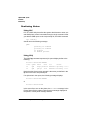
Type
./crnadm↵
»
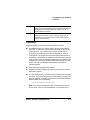
Note: For information on the UNIX Host Software, see chapter 6,
“UNIX Utilities.”
OS/2
Use one of the following procedures to open CrownAdmin 3 for OS/2:
n
Double-click on the CrownAdmin 3 icon.
or
n
Select the CrownAdmin 3 icon, and then from the File menu
choose Open.
Macintosh
Open CrownAdmin 3 for Macintosh OS as you would any Macintosh
application:
n
Double-click on the CrownNet icon, or
n
Select the CrownNet icon, and then from the File menu
choose Open.
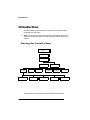
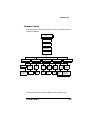
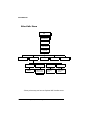
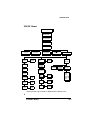
All of the utilities are located in CrownAdmin 3’s Network menu.
Setting the EtherTalk Zone
CrownNet supports the Phase 2 EtherTalk protocol, which allows multiple logical zones on a single network. Although each network device
may be assigned to only one of these zones, it can service different
4-4
QMS CrownNet System Administrator's Manual