1
DM 2610933927 11-05.qxd
4/12/06
4:20 PM
Page 3
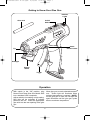
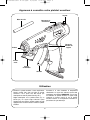
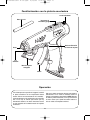
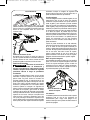
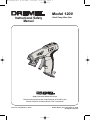
Getting to Know Your Glue Gun
Glue stick
Indicator
Lights
On/Off
Switch
Stand
release button
Tip
Headlight
Pop-Up
Stand
Trigger
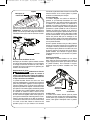
Operation
With switch in the “Off” position, plug
Dremel Dual Temp Glue Gun Model 1200
into a standard 120V receptacle.
Allow glue gun to reach selected temperature. Green light will illuminate when
selected temperature is reached. NOTE:
As the glue gun is used, the red light will
again illuminate until the glue gun cycles
back to maximum temperature.
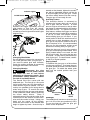
Adjust switch to low setting or high setting.
Red light will be activated to indicate
power to the unit. Insert the appropriate
glue stick into the rear opening of the glue
gun.
3