1
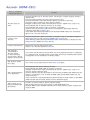
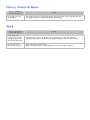
Schedule Recording / Timeshift
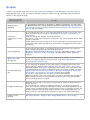
There is something
wrong with the TV.
Try this!
The TV cannot
recognise the USB
device or the Format
Device, Check
Device and Device
Performance Test
functions fail.
Refer to the USB device's manual and see if data can be stored on it.
Check if the USB device is in a locked state.
Check if the USB device was formatted when it was connected to a computer.
Formatting a USB device after connecting it to the TV may result in a formatting
failure. If Device Performance Test or Format Device has failed, there may be a
problem with the USB device or its specifications. Try using a different USB device.
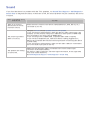
There is a message
saying I need to
format the USB
storage device.
Check if the USB device is in a locked state.
Use the USB recovery function to recover the USB device.
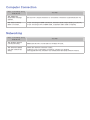
Schedule Recording
cannot be used.
Check if there is a USB device connected to the TV.
Check if the channel is a digital channel that can be recorded. Recording will
automatically stop if the signal becomes too weak. The Timeshift function will not
work if there isn't enough storage space on the USB device.
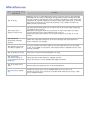
I get a performance
test failure message
and then Schedule
Recording and the
Timeshift operation
stops working.
This problem can occur when using a low-performance USB storage device that
does not support recording. A USB hard drive with a speed of 5,400rpm or above
is recommended. However, RAID-type USB hard drives are not supported.