1
Email
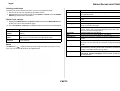
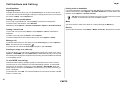
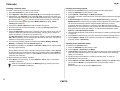
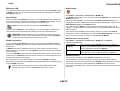
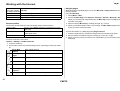
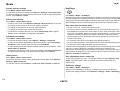
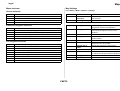
Generic Mailbox Settings
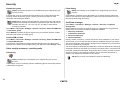
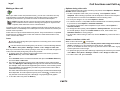
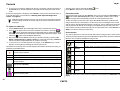
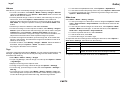
Highlight the relevant mailbox account, then select it with the Middle Select key. The
settings for that mailbox are displayed.
Displays details of the mailbox settings, including mailbox name, user name,
password, and domain.
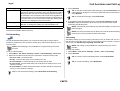
Port
APOP secure
login
NOTE: Note that the options available vary according to email provider.
Enter the number of the port to use for connecting to the
incoming email server. Options are Default Setting or User
Defined.
APOP is an extension to POP3 and uses secures
mechanisms to transfer user names and passwords during
the login transaction. Options are On or Off. This must be
supported by the email service provider.
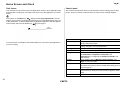
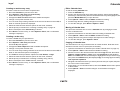
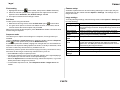
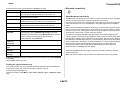
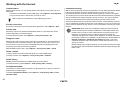
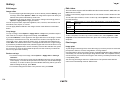
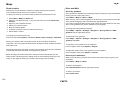
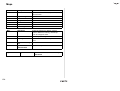
Outgoing email settings
Mailbox
My email address
Reply-to address
Mailbox name
Mailbox type
My name
User name
Password
Server name
Use signature
Signature line
Advanced mailb.
settings
Displays the full email address of the account.
Optional reply address.
Name of the email account, such as Hotmail or Google.
Options are POP3 or IMAP4.
Enter the name you want displayed when you send an email.
Account user name.
Account password.
Defined by the email provider.
Options are On or Off. Email Signature allows you to place a
line of text automatically at the end of every email, such as
your name.
Enter the line of text that you want to enter for your signature.
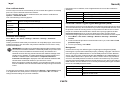
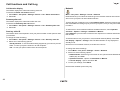
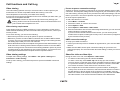
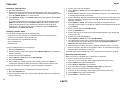
Options presented vary with the email provider. They can be
Port and Secure connection, or Incoming email settings and
Outgoing email settings, as displayed in the table below.
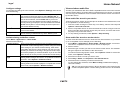
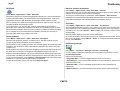
Incoming email settings
User name
Password
Incoming mail
server
Access point in
use
Security
Displays the full email address of the account.
Account password.
Select the type of server that hosts your email server. This can
be POP3 or IMAP4. Normally set automatically.
The access point can be defined if you are not using the
preferred access point. Options are Always Ask or User Defined.
Select the required type of security, if any. Options are On
(StartTLS), On (SSL/TLS), or Off.
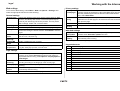
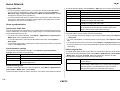
User
authentication
User name
Password
Outgoing mail
server
Access point in
use
Security
Port
Options are None, Same as for incoming or User
authentication.
The user name assigned to you by your email service
provider.
Enter and verify you login password.
Name of the outgoing SMTP email server.
Always ask or user defined
Options are On (SSL/TLS), On (StartTLS), or Off.
Default or user defined
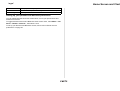
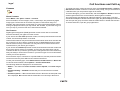
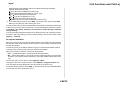
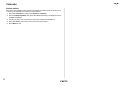
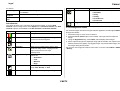
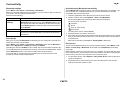
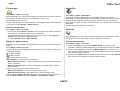
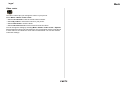
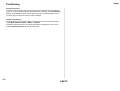
Generic mailbox: What to Sync
Options are Only headers, Less than (kb) (which you can
define), and Body text and attach.
Emails to retrieve Options are All or Number of emails (which you can define).
Retrieve
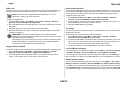
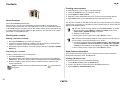
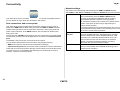
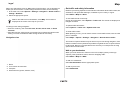
Generic mailbox: When to Sync
What to sync
When to sync
Options are Yes and No. Old emails can be removed after a
user-defined time limit using the Remove mail older than
command.
Set up the Connection days, Connection hours, Update
interval, and Retrieve when abroad. Select Only in home
network to avoid roaming charges.
69