1
Getting Started(continued)
1
Important:
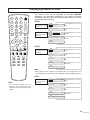
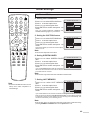
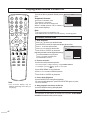
Your remote control has been preprogrammed. If your remote controller does not work
correctly, maybe the setting is wrong, please try the following steps.
1. Press and hold the “SET ” button, followed by the “DVD COMBO ” button at the same
time until the indicator lights up.
2. Press 1, 4, 7 buttons one by one. As a response, the indicator of the remote control
will twinkle twice, otherwise please repeat the above 2 steps.
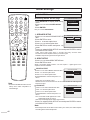
Installing batteries
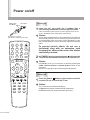
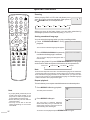
1 Slide the battery compartment cover in the direction of the arrow.
2 Install two "AAA" batteries matching the +/- polarities of the battery to the
+/- marks inside the battery compartment.
3 Replace the compartment cover.
Notes:
* Do not try to recharge batteries they are not rechargeable.
* Use only the size and type of batteries specified. Do not mix different
types of batteries together or old batteries with fresh ones.
* When the remote control will not be used for a long period of time or when
the batteries are worn out, remove the batteries.
* Do not throw the batteries into a fire. Do not drop, dampen or disassemble
the remote control. Dispose of used batteries in the specified manner.
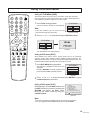
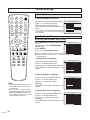
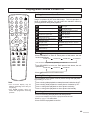
Effective range of the Remote
Notes:
5m
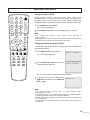
* Aim the remote control at the remote sensor and press control buttons to
operate.
o
* Operate the remote control within 30 angle on either side of the remote
sensor, up to a distance of approx. 5 meters or 16 feet.
* When there is an obstacle between the TV/DVD and the transmitter, the
transmitter may not operate.
* When direct sunlight, and incandescent lamp, fluorescent lamp or any
other strong light shines on the REMOTE SENSOR of the TV/DVD, the
operation of the remote may be unstable.
6