1
Samsung TwoStep™
( S C H - R 4 7 0
P O R T A B L E
M O B I L E
S e r i e s )
D U A L - B A N D
P H O N E
User Manual
Please read this manual before operating your
phone, and keep it for future reference.
Intellectual Property
All Intellectual Property, as defined below, owned by or which is otherwise the property of Samsung or its respective suppliers relating to
the SAMSUNG Phone, including but not limited to, accessories, parts, or software relating there to (the “Phone System”), is proprietary to
Samsung and protected under federal laws, state laws, and international treaty provisions. Intellectual Property includes, but is not limited
to, inventions (patentable or unpatentable), patents, trade secrets, copyrights, software, computer programs, and related documentation
and other works of authorship. You may not infringe or otherwise violate the rights secured by the Intellectual Property. Moreover, you
agree that you will not (and will not attempt to) modify, prepare derivative works of, reverse engineer, decompile, disassemble, or
otherwise attempt to create source code from the software. No title to or ownership in the Intellectual Property is transferred to you. All
applicable rights of the Intellectual Property shall remain with SAMSUNG and its suppliers.
Samsung Telecommunications America (STA), LLC
Headquarters:
1301 E. Lookout Drive
Richardson, TX 75082
Toll Free Tel:
Customer Care Center:
1000 Klein Rd.
Plano, TX 75074
1.888.987.HELP (4357)
Internet Address: http://www.samsungusa.com
©2008 Samsung Telecommunications America, LLC is a registered trademark of Samsung Electronics America, Inc. and its related
entities.
Do you have questions about your Samsung Mobile Phone?
For 24 hour information and assistance, we offer a new FAQ/ARS System (Automated Response System) at:
www.samsungtelecom.com/support
GH68-20969A
R470.03_BL05_CB_120808_F8
Printed in Korea.
Licensed by Qualcomm Incorporated under one or more of the following patents:
U.S. Patent No. 4, 901, 307; 5, 056, 109; 5, 099, 204; 5, 101, 501; 5, 103, 459; 5, 107, 225; 5, 109, 390.
T9 Text Input is licensed by Tegic Communications and is covered by U.S. Pat. 5,818,437; U.S. Pat. 5,953,541; U.S. Pat. 6,011,554 and
other patents pending.
Nuance®, VSuite™ and the Nuance logo are trademarks or registered trademarks of Nuance Communications, Inc. or its affiliates in the
United States and/or other countries.
Openwave® is a registered Trademark of Openwave, Inc.
The Bluetooth® word mark, figure mark (stylized “B Design”), and combination mark (Bluetooth word mark and “B Design”) are registered
trademarks and are wholly owned by the Bluetooth SIG.
microSD™ and the microSD logo are Trademarks of the SD Card Association.
Disclaimer of Warranties; Exclusion of Liability
EXCEPT AS SET FORTH IN THE EXPRESS WARRANTY CONTAINED ON THE WARRANTY PAGE ENCLOSED WITH THE PRODUCT, THE
PURCHASER TAKES THE PRODUCT "AS IS", AND SAMSUNG MAKES NO EXPRESS OR IMPLIED WARRANTY OF ANY KIND WHATSOEVER
WITH RESPECT TO THE PRODUCT, INCLUDING BUT NOT LIMITED TO THE MERCHANTABILITY OF THE PRODUCT OR ITS FITNESS FOR ANY
PARTICULAR PURPOSE OR USE; THE DESIGN, CONDITION OR QUALITY OF THE PRODUCT; THE PERFORMANCE OF THE PRODUCT; THE
WORKMANSHIP OF THE PRODUCT OR THE COMPONENTS CONTAINED THEREIN; OR COMPLIANCE OF THE PRODUCT WITH THE
REQUIREMENTS OF ANY LAW, RULE, SPECIFICATION OR CONTRACT PERTAINING THERETO. NOTHING CONTAINED IN THE INSTRUCTION
MANUAL SHALL BE CONSTRUED TO CREATE AN EXPRESS OR IMPLIED WARRANTY OF ANY KIND WHATSOEVER WITH RESPECT TO THE
PRODUCT. IN ADDITION, SAMSUNG SHALL NOT BE LIABLE FOR ANY DAMAGES OF ANY KIND RESULTING FROM THE PURCHASE OR USE OF
THE PRODUCT OR ARISING FROM THE BREACH OF THE EXPRESS WARRANTY, INCLUDING INCIDENTAL, SPECIAL OR CONSEQUENTIAL
DAMAGES, OR LOSS OF ANTICIPATED PROFITS OR BENEFITS.
Table of Contents
Section 1: Getting Started ..............................................4
Section 4: Menu Navigation ......................................... 33
Understanding this User Manual . . . . . . . . . . . . . . . . . . . . . . . . 4
Installing the Battery . . . . . . . . . . . . . . . . . . . . . . . . . . . . . . . . . 4
Removing the Battery . . . . . . . . . . . . . . . . . . . . . . . . . . . . . . . . 5
Charging the Battery . . . . . . . . . . . . . . . . . . . . . . . . . . . . . . . . . 6
Activating Your Phone . . . . . . . . . . . . . . . . . . . . . . . . . . . . . . . . 7
Memory Card (Optional) . . . . . . . . . . . . . . . . . . . . . . . . . . . . . . 8
Menu Navigation . . . . . . . . . . . . . . . . . . . . . . . . . . . . . . . . . . 33
Navigation Key Shortcuts . . . . . . . . . . . . . . . . . . . . . . . . . . . . 33
Navigate Using a Shortcut . . . . . . . . . . . . . . . . . . . . . . . . . . . 34
Navigate Using Quick Search . . . . . . . . . . . . . . . . . . . . . . . . . 34
Section 2: Understanding Your Phone .........................10
Features of Your Phone . . . . . . . . . . . . . . . . . . . . . . . . . . . . . . 10
Closed View of Your Phone . . . . . . . . . . . . . . . . . . . . . . . . . . . 10
Open View (Front) of Your Phone . . . . . . . . . . . . . . . . . . . . . . . 12
Command Keys . . . . . . . . . . . . . . . . . . . . . . . . . . . . . . . . . . . 13
Understanding the Display Screens . . . . . . . . . . . . . . . . . . . . . 15
Your Phone’s Modes . . . . . . . . . . . . . . . . . . . . . . . . . . . . . . . . 17
Section 3: Call Functions ............................................. 20
Making a Call — Number Entry Dialing . . . . . . . . . . . . . . . . . . 20
Making a Call — Contact Dialing . . . . . . . . . . . . . . . . . . . . . . 22
Making a Call — Speed Dialing . . . . . . . . . . . . . . . . . . . . . . . 22
Making a Call — Quick Search Dialing . . . . . . . . . . . . . . . . . . 23
Making a Call — Voice Dialing . . . . . . . . . . . . . . . . . . . . . . . . 24
Answering a Call . . . . . . . . . . . . . . . . . . . . . . . . . . . . . . . . . . . 26
Calls Log . . . . . . . . . . . . . . . . . . . . . . . . . . . . . . . . . . . . . . . . 27
Roaming . . . . . . . . . . . . . . . . . . . . . . . . . . . . . . . . . . . . . . . . . 32
Section 5: Entering Text ............................................... 35
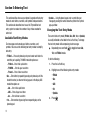
Available Text Entry Modes . . . . . . . . . . . . . . . . . . . . . . . . . . 35
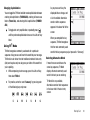
Changing the Text Entry Mode . . . . . . . . . . . . . . . . . . . . . . . . 35
Using T9® Mode . . . . . . . . . . . . . . . . . . . . . . . . . . . . . . . . . . 36
Using Abc Mode . . . . . . . . . . . . . . . . . . . . . . . . . . . . . . . . . . . 37
Entering Numbers . . . . . . . . . . . . . . . . . . . . . . . . . . . . . . . . . 37
Entering Symbols . . . . . . . . . . . . . . . . . . . . . . . . . . . . . . . . . . 38
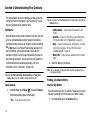
Section 6: Understanding Your Contacts .................... 39
Contacts . . . . . . . . . . . . . . . . . . . . . . . . . . . . . . . . . . . . . . . . 39
Finding a Contacts Entry . . . . . . . . . . . . . . . . . . . . . . . . . . . . 39
Adding a New Contacts Entry . . . . . . . . . . . . . . . . . . . . . . . . . 41
Editing a Contacts Entry . . . . . . . . . . . . . . . . . . . . . . . . . . . . . 43
Saving a Number After a Call . . . . . . . . . . . . . . . . . . . . . . . . . 45
Speed Dial . . . . . . . . . . . . . . . . . . . . . . . . . . . . . . . . . . . . . . . 46
Contacts Groups . . . . . . . . . . . . . . . . . . . . . . . . . . . . . . . . . . . 48
Deleting a Contacts Entry . . . . . . . . . . . . . . . . . . . . . . . . . . . . 51
Memory Info . . . . . . . . . . . . . . . . . . . . . . . . . . . . . . . . . . . . . . 51
Section 7: Messaging ................................................... 52
Types of Messages . . . . . . . . . . . . . . . . . . . . . . . . . . . . . . . . 52
1
Create and Send Text Messages . . . . . . . . . . . . . . . . . . . . . .
Receive Text Messages . . . . . . . . . . . . . . . . . . . . . . . . . . . . .
Send Picture Messages in Camera Mode . . . . . . . . . . . . . . . .
Send Picture Messages in Standby Mode . . . . . . . . . . . . . . . .
Receive Picture Messages . . . . . . . . . . . . . . . . . . . . . . . . . . .
Message Boxes . . . . . . . . . . . . . . . . . . . . . . . . . . . . . . . . . . .
Erase Messages . . . . . . . . . . . . . . . . . . . . . . . . . . . . . . . . . . .
Message Settings . . . . . . . . . . . . . . . . . . . . . . . . . . . . . . . . .
52
53
54
56
58
59
64
65
Section 8: Music Player ................................................ 67
Using Your Music Player . . . . . . . . . . . . . . . . . . . . . . . . . . . . .
Launching the Music Player . . . . . . . . . . . . . . . . . . . . . . . . . .
Using the Music Library . . . . . . . . . . . . . . . . . . . . . . . . . . . . .
Music Player Controls . . . . . . . . . . . . . . . . . . . . . . . . . . . . . .
Loading Music Files . . . . . . . . . . . . . . . . . . . . . . . . . . . . . . . .
Playlists . . . . . . . . . . . . . . . . . . . . . . . . . . . . . . . . . . . . . . . . .
67
67
68
69
70
71
Section 9: Camera ........................................................ 74
Taking Pictures . . . . . . . . . . . . . . . . . . . . . . . . . . . . . . . . . . .
Camera Screen Layout . . . . . . . . . . . . . . . . . . . . . . . . . . . . . .
Picture Options . . . . . . . . . . . . . . . . . . . . . . . . . . . . . . . . . . .
Camera Options . . . . . . . . . . . . . . . . . . . . . . . . . . . . . . . . . . .
Zoom . . . . . . . . . . . . . . . . . . . . . . . . . . . . . . . . . . . . . . . . . . .
Brightness . . . . . . . . . . . . . . . . . . . . . . . . . . . . . . . . . . . . . . .
My Images . . . . . . . . . . . . . . . . . . . . . . . . . . . . . . . . . . . . . . .
Point, Click, and Send Pictures . . . . . . . . . . . . . . . . . . . . . . . .
74
77
78
78
83
83
83
85
Section 10: easyedgeSM ................................................ 86
Accessing easyedgeSM . . . . . . . . . . . . . . . . . . . . . . . . . . . . . 86
Launching an Application . . . . . . . . . . . . . . . . . . . . . . . . . . . . 86
Finding and Downloading Applications . . . . . . . . . . . . . . . . . . 86
Section 11: Multimedia ................................................ 88
Accessing Multimedia . . . . . . . . . . . . . . . . . . . . . . . . . . . . . .
My Images . . . . . . . . . . . . . . . . . . . . . . . . . . . . . . . . . . . . . .
My Ringtones . . . . . . . . . . . . . . . . . . . . . . . . . . . . . . . . . . . .
My Sounds . . . . . . . . . . . . . . . . . . . . . . . . . . . . . . . . . . . . . .
88
88
89
90
Section 12: Bluetooth ................................................... 93
Turn Bluetooth On/Off . . . . . . . . . . . . . . . . . . . . . . . . . . . . . .
Accessing Bluetooth . . . . . . . . . . . . . . . . . . . . . . . . . . . . . . .
Add New Device . . . . . . . . . . . . . . . . . . . . . . . . . . . . . . . . . .
Registered List . . . . . . . . . . . . . . . . . . . . . . . . . . . . . . . . . . .
Bluetooth Settings . . . . . . . . . . . . . . . . . . . . . . . . . . . . . . . . .
93
93
93
94
94
Section 13: Calendar .................................................... 95
View an event . . . . . . . . . . . . . . . . . . . . . . . . . . . . . . . . . . . . 95
Add a New Event . . . . . . . . . . . . . . . . . . . . . . . . . . . . . . . . . . 95
Section 14: Tools .......................................................... 97
Tools Menu . . . . . . . . . . . . . . . . . . . . . . . . . . . . . . . . . . . . . . 97
Voice Service . . . . . . . . . . . . . . . . . . . . . . . . . . . . . . . . . . . . . 97
Memo Pad . . . . . . . . . . . . . . . . . . . . . . . . . . . . . . . . . . . . . . 102
Alarm Clock . . . . . . . . . . . . . . . . . . . . . . . . . . . . . . . . . . . . . 102
World Time . . . . . . . . . . . . . . . . . . . . . . . . . . . . . . . . . . . . . 104
Calculator . . . . . . . . . . . . . . . . . . . . . . . . . . . . . . . . . . . . . . 105
Stop Watch . . . . . . . . . . . . . . . . . . . . . . . . . . . . . . . . . . . . . 106
Converter . . . . . . . . . . . . . . . . . . . . . . . . . . . . . . . . . . . . . . 106
Tip Calculator . . . . . . . . . . . . . . . . . . . . . . . . . . . . . . . . . . . 109
2
Section 15: Changing Your Display Settings ............. 110
Accessing the Display Menu . . . . . . . . . . . . . . . . . . . . . . . . . 110
Menu Style . . . . . . . . . . . . . . . . . . . . . . . . . . . . . . . . . . . . . . 110
Wallpaper . . . . . . . . . . . . . . . . . . . . . . . . . . . . . . . . . . . . . . . 110
Clock Format . . . . . . . . . . . . . . . . . . . . . . . . . . . . . . . . . . . . 111
Theme . . . . . . . . . . . . . . . . . . . . . . . . . . . . . . . . . . . . . . . . . 112
Dialing Font Size . . . . . . . . . . . . . . . . . . . . . . . . . . . . . . . . . . 112
Banner . . . . . . . . . . . . . . . . . . . . . . . . . . . . . . . . . . . . . . . . . 112
Backlight . . . . . . . . . . . . . . . . . . . . . . . . . . . . . . . . . . . . . . . 112
Section 16: Changing Your Sound Settings ............... 114
Accessing the Sounds Menu . . . . . . . . . . . . . . . . . . . . . . . . . 114
Volume . . . . . . . . . . . . . . . . . . . . . . . . . . . . . . . . . . . . . . . . . 114
Ringer Type . . . . . . . . . . . . . . . . . . . . . . . . . . . . . . . . . . . . . 114
Alerts . . . . . . . . . . . . . . . . . . . . . . . . . . . . . . . . . . . . . . . . . . 115
Key Tone . . . . . . . . . . . . . . . . . . . . . . . . . . . . . . . . . . . . . . . 115
Section 17: Changing Your Call and Phone Settings 117
Accessing Your Call and Phone Settings . . . . . . . . . . . . . . . . 117
Location . . . . . . . . . . . . . . . . . . . . . . . . . . . . . . . . . . . . . . . . 117
Call Settings . . . . . . . . . . . . . . . . . . . . . . . . . . . . . . . . . . . . . 117
Phone Settings . . . . . . . . . . . . . . . . . . . . . . . . . . . . . . . . . . . 120
Memory Info . . . . . . . . . . . . . . . . . . . . . . . . . . . . . . . . . . . . . 126
Phone Info . . . . . . . . . . . . . . . . . . . . . . . . . . . . . . . . . . . . . . 129
Section 18: Health and Safety Information ............... 130
Health and Safety Information . . . . . . . . . . . . . . . . . . . . . . . . 130
Samsung Mobile Products and Recycling . . . . . . . . . . . . . . . 131
UL Certified Travel Adapter . . . . . . . . . . . . . . . . . . . . . . . . . . 131
3
Consumer Information on Wireless Phones . . . . . . . . . . . . . . 132
Road Safety . . . . . . . . . . . . . . . . . . . . . . . . . . . . . . . . . . . . . 137
Responsible Listening . . . . . . . . . . . . . . . . . . . . . . . . . . . . . 139
Operating Environment . . . . . . . . . . . . . . . . . . . . . . . . . . . . . 140
Using Your Phone Near Other Electronic Devices . . . . . . . . . 141
FCC Hearing-Aid Compatibility (HAC) Regulations for
Wireless Devices . . . . . . . . . . . . . . . . . . . . . . . . . . . . . . . 141
Potentially Explosive Environments . . . . . . . . . . . . . . . . . . . . 143
Emergency Calls . . . . . . . . . . . . . . . . . . . . . . . . . . . . . . . . . 143
FCC Notice and Cautions . . . . . . . . . . . . . . . . . . . . . . . . . . . 144
Other Important Safety Information . . . . . . . . . . . . . . . . . . . . 145
Product Performance . . . . . . . . . . . . . . . . . . . . . . . . . . . . . . 145
Availability of Various Features/Ring Tones . . . . . . . . . . . . . . 146
Battery Standby and Talk Time . . . . . . . . . . . . . . . . . . . . . . . 146
Battery Precautions . . . . . . . . . . . . . . . . . . . . . . . . . . . . . . . 146
Care and Maintenance . . . . . . . . . . . . . . . . . . . . . . . . . . . . . 148
Section 19: Warranty Information ............................. 149
Standard Limited Warranty . . . . . . . . . . . . . . . . . . . . . . . . . . 149
Index ............................................................................ 153
Section 1: Getting Started
This section explains how to start using your Samsung
TwoStep™ phone by activating your service and setting up your
Voicemail, and explains how this manual is put together.
Understanding this User Manual
The chapters of this manual generally follow the same order as
the menus and sub-menus in your phone. A robust index for
quick reference to most features begins on page 153.
Text Conventions
This manual provides condensed information about how to use
your phone. To make this possible, the following terms and icon
appear in place of repeatedly-used procedural steps:
highlight Use the Navigation key (
) to move a highlighting
effect onto a menu item or screen item of interest.
select
After “highlighting” a menu item or screen item,
press the MENU-OK key (
) to launch, access, or
save a highlighted menu item or screen field of
interest.
➔
Used in place of “select” in long “drill down”
procedure steps.
Also included is important safety information that you should
know before using your phone. Most of this information is near
the back of the guide, beginning on page 130.
Notes and Tips
Throughout this manual some text is set apart from the rest. In
this way, important information, quick methods for activating
features, to define terms, and more are emphasized. The
definitions for these methods are as follows:
• Notes — Explain alternative options within the current feature, menu,
or sub-menu.
• Tips — Provide quick or innovative methods for performing functions
related to the subject at hand.
• Important — Points out important information about the current
feature that could affect performance, or even damage your phone.
Example: “...Settings ➔ Call Settings ➔ Call Answer...”
Installing the Battery
Note: Your phone comes packaged with a partially charged rechargeable standard
Li-Ion battery and travel adapter.
Getting Started
4
Important!: You must fully charge the battery the first time you use your
phone, otherwise you could damage the battery.
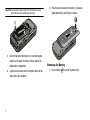
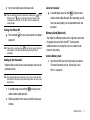
3.
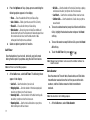
Place the battery cover over the battery (1) and press
lightly downward (2) until it clicks into place.
sa
su
m
ng
ob
m
.c
ile
om
1.
Insert the top end of the battery first, matching the gold
contacts on the top of the battery to those inside of the
phone battery compartment.
2.
Lightly press the bottom end of the battery down into the
phone until it slips into place.
5
Removing the Battery
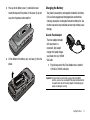
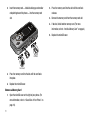
1.
Press and hold
to turn off the phone (if on).
2.
Press up on the battery cover (1) and slide the cover
toward the top end of the phone. Lift the cover (2) up and
away from the phone, bottom end first.
Charging the Battery
Your phone is powered by a rechargeable standard Li-Ion battery.
Only use Samsung-approved charging devices and batteries.
Samsung accessories are designed to maximize battery life. Use
of other accessories may invalidate your warranty and may cause
damage.
sa
Use the Travel Adapter
su
m
ng
ob
m
.c
ile
om
3.
Lift the bottom of the battery up (1) and away (2) from the
phone.
The travel adapter included
with your phone is a
convenient, light-weight
charger that rapidly charges
your phone from any 120/220
VAC outlet.
1.
Plug the large end of the Travel Adapter into a standard
120 VAC or 220 VAC wall outlet.
Important!: For connection to an electrical supply not located in North
America, you must use an adaptor of the proper configuration for
the power outlet. Use of the wrong adapter could damage your
phone and void your warranty.
Getting Started
6
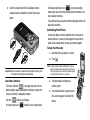
2.
Insert the smaller end of the Travel Adapter into the
charger/accessory connector on the left side of your
phone.
A blinking empty battery icon (
) and a tone sounding
indicate you have two to three minutes before the battery is too
low to operate the phone.
If you continue to use your phone without charging its battery, the
phone will shut down.
Activating Your Phone
Contact your Wireless Carrier and follow their instructions for
obtaining service, if necessary. We suggest that you read this
guide to fully understand the services your phone supports.
Turning Your Phone On
Correct
1.
Open the flip on your phone, as shown.
2.
Press
.
Incorrect
Important!: You must unplug the adapter before removing the battery from
the phone during charging to avoid damage.
Low Battery Indicator
3.
The battery indicator (
) in the upper-right corner of the
display indicates power level. Monitor the battery strength and
ensure your battery is adequately charged.
Five bars (
) indicate a full charge.
An empty battery icon (
7
Note: As with any other radio-transmitting device, do not
touch the antenna while using your phone as this can
affect call quality and can cause the phone to operate
at a higher power level than is necessary.
) indicates a near empty battery.
The phone begins searching for a
network signal.
4.
Once the phone finds a signal, the time,
date, and day appear at the top of the
display.
Press
5.
You’re now ready to place and receive calls.
Note: If you are outside of your carrier’s coverage or roaming area (
), the
No Service icon (
) appears at the top of the phone’s display. If you
cannot place or receive calls, try later when service is available, or at
another location.
Press and hold
䊳
In standby mode, press and hold
or dial your own
mobile number to dial Voicemail. After connecting, you will
hear your voice greeting. You are prompted to enter your
password.
Turning Your Phone Off
䊳
Listen to Voicemail
for two or more seconds. Your phone
powers off.
Note: If your phone is on and you press
for less than one second, the phone
will not power off. This prevents your phone from being turned off
accidentally.
Setting Up Your Voicemail
Memory Card (Optional)
Your phone has a Memory Card slot on its right side, across from
the keypad. You can install a microSD™ card to provide
additional memory for storing files (such as, sound files and
photos) in your phone.
Install a Memory Card
1.
Voicemail allows callers to leave voice messages, which can be
retrieved any time.
Open the microSD cover on the right side of your phone.
(For more information, refer to “Closed View of Your
Phone” on page 10.)
Note: Once your Voicemail account has been set up, you can use the Voicemail
folder (under the Message menu) to view details of voice messages in your
Voicemail box.
1.
In standby mode, press and hold
or dial your own
mobile number to dial Voicemail.
2.
Follow the prompts in the new user tutorial to setup your
mail box.
Getting Started
8
2.
Insert the memory card — label side facing up and smaller
2.
end pointing toward the phone — into the memory card
slot.
Press the memory card into the slot until the card lock
releases.
3.
Remove the memory card from the memory card slot.
4.
If desired, install another memory card. (For more
information, refer to “Install a Memory Card” on page 8.)
5.
Correct
Incorrect
3.
Press the memory card into the slot until the card locks
into place.
4.
Replace the microSD cover.
Remove a Memory Card
1.
Open the microSD cover on the right of your phone. (For
more information, refer to “Closed View of Your Phone” on
page 10.)
9
Replace the microSD cover.
Section 2: Understanding Your Phone
This section outlines some key features of your phone. It also
describes the screen format and the icons that will be displayed
when the phone is in use.
Features of Your Phone
• Domestic and international voice and text messaging service (available
Note: The TwoStep phone supports the wireless headset, hands-free, dial-up
networking, A2DP, Phonebook Access, serial port, file transfer profiles
for Bluetooth® wireless technology. The TwoStep does not support all
Bluetooth OBEX profiles.
Closed View of Your Phone
on participating networks).
• High speed data (CDMA 2000 1x Technology)
• Bluetooth® Wireless Technology (see Note)
• Global Positioning System (GPS) Technology
• Digital Assistant Tools
• Picture (MMS) Messaging
• Text (SMS) Messaging
• Email Messaging
• Built-in 1.3 Megapixel Digital Camera
• Voice Dial
• Music Player (MP3 — requires an optional Memory Card)
• Stereo Speakers and 3.5 mm Headset Jack
• Memory Card Slot (microSD™ — up to 8 Gb)
0
Features
1.
Volume Key — In standby mode, lets you adjust the
incoming call ringer volume. When receiving a call, lets
Understanding Your Phone
10
you temporarily mute the ringer. In Music Player mode, lets
7.
you browse available music selections or adjust music
playback volume.
2.
8.
Headset Connector — Used to connect an optional headset
Power / Accessory Connector — Used to connect charging
(for hands free operation and/or music playback) or an
accessories or optional accessory cables to your phone.
optional TTY device.
3.
Camera Lens — The lens of your built-in camera.
4.
Front Display — In standby mode, indicates the status of
backlight and launches the Camera feature of your phone.
your phone, including status icons, message indicators,
In Camera mode, takes pictures.
5.
Camera Key — In standby mode, lights the front display
10. microSD (Memory Card) Slot — Lets you install and remove
available music selections, indicates music playback
optional microSD Memory Card for add it on al image/
progress, shows music playback volume. In Camera mode,
photo storage and for music storage.
Music Player Volume / Jog Wheel — Music Player mode,
lets you browse available music selections, restart
playback or change to another selection, or lets you adjust
music playback volume.
6.
9.
signal strength, and so on. In Music Player mode, lists
shows camera viewfinder screen without icons.
Music Player Launch / Play / Pause Key — In standby mode,
launches your phone’s Music Player, provided you have
installed an optional microSD Memory Card. In Music
Player mode, lets you pause and resume music playback.
11
Stereo Speakers — In Music Player mode, plays music
selections.
Open View (Front) of Your Phone
Features
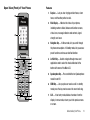
1.
Earpiece — Lets you hear ringing and alert tones, alarm
tones, and the other parties to calls.
2.
Main Display — Indicates the status of your phone,
including numbers dialed, feature and function screens,
status icons, message indicators and contents, signal
strength, and so on.
3.
Navigation Key — In Menu mode, lets you scroll through
the phone menu options. In Standby mode, lets you access
preset functions and one user-defined function.
4.
Left Soft Key — Used to navigate through menus and
applications and to select the choice indicated at the
bottom left corner of the Main LCD.
5.
Speakerphone Key — Press and hold to turn Speakerphone
mode On and Off.
6.
SEND Key — Lets you place or receive a call. In standby
mode, press the key once to access the recent calls log.
7.
0
CLR — In text entry mode, deletes characters from the
display. In menu mode, returns you to the previous menu
or screen.
Understanding Your Phone
12
8.
Voicemail Key — Lets you speed dial your Voicemail
account to review your voice messages.
9.
Voice Recognition Key — In standby mode, press and hold
to launch Voice Recognition.
10. Microphone — Lets the other caller hear you clearly when
you are speaking to them.
11. Special Function Keys — Enter special characters. Perform
various functions.
12. Alpha-numeric Keys — Use these keys to enter numbers,
letters, and symbols.
13. END Key — Ends a call. If you press and hold the END key,
the power goes On or Off. When you receive an incoming
call, press to send the call to voicemail.
14. Music Player Key — Launches your phone’s Music Player,
provided you have installed an optional microSD Memory
Card.
15. Right Soft Key — Used to navigate through menus and
applications and to select the choice indicated at the
bottom right corner of the Main Display.
13
16. MENU-OK Key — In standby mode, launches the Main
Menu. When navigating through a menu, accepts the
highlighted choice in a menu.
Command Keys
Functions for the soft keys are indicated by labels that appear in
the display above each soft key. There are two soft keys, Left
(
) and Right ( ).
Left Soft Key
Some functions of the Left soft key (
) are as follows:
• In standby mode, press the Msgs soft key (
) to open the
Messages menu.
• When the Left soft key function is Edit, press the Edit soft key (
edit a Contacts entry.
) to
Right Soft Key
Some functions of the Right soft key ( ) are as follows:
• In standby mode, press the Contacts soft key (
) to launch the
Contacts Find screen.
• When the Right soft key function is Options, press the Options soft key
( ) and a pop-up menu appears.
• When the Right soft key function is Back, press the Back soft key
( ) to back up one menu level.
OK Key
• In standby mode, press the OK key (
) to launch the Main Menu.
• In a menu, press
to accept the highlighted selection.
• In camera mode, press
to take a photo or to create a Picture
message.
• When the OK key function is Edit, press the Edit key (
) to edit a
Draft message.
Speakerphone Key
In standby mode or during a call, pressing and holding the
Speakerphone key (
) places your phone in speakerphone
mode, allowing you to use your phone hands-free and/or to
include other nearby persons in a call. (For more information,
refer to “Responsible Listening” on page 139.)
In speakerphone mode, pressing and holding the Speakerphone
key (
) disables speakerphone mode.
Send Key
The Send key ( ) is used to answer calls, dial calls, and to
recall the last number(s) dialed, received, or missed.
• Press
once to answer calls.
• Enter a number and briefly press
to make a call.
• Briefly press
in standby mode to display a list of recent calls to
and from your phone.
• Press
twice in standby mode to call the most recent number.
• Press
to pick up a waiting call. Press
the other call.
again to switch back to
Music Player Key
In standby mode, pressing the Music Player key (
) launches
the Music Player for your phone, provided you have installed an
optional microSD Memory Card. (For more information, refer to
“Using Your Music Player” on page 67.)
Clear Key
The CLR key (
) is used to erase or clear numbers, text, or
symbols from the display. You can also use the key to return to a
previous menu or to return to standby mode from any menu.
• If you enter an incorrect character, briefly press
to backspace
(and delete) the character.
• To erase the entire sentence, press and hold
.
• To back up one menu level, briefly press
.
End Key
• Press and hold the End key
to turn your phone on or off.
• Briefly press
once to disconnect a call.
• Press
to return to standby mode from any menu, or to cancel the
last input.
Understanding Your Phone
14
Understanding the Display Screens
Navigation Key
Use the directional keys on the Navigation key (
) to browse
menus, sub-menus, and lists. Each directional key also acts as a
shortcut to launch applications. (For more information, refer to
“Navigation Key Shortcuts” on page 33.)
Main Display
1.
1
phone’s display contains
icons that indicate
Camera Key
network status, battery
In standby mode, press and hold the Camera key (
)—
located on the right side of your phone — to activate the camera
built into your phone.
In camera mode, pressing the Camera key (
The top line of your
power, signal strength,
information, refer to
) takes a picture
With the phone closed, you can use the Camera feature by
pressing and holding the Camera key. Then press the Camera
key to take a picture.
2
and more. (For more
“Display Screen Icons”
3
on page 16.)
2.
The center portion of the display shows information such
as call progress information, messages, and photos.
3.
The bottom line of the display shows current soft key
functions. The sample screen shows that pressing the Left
(Msgs) soft key will display the Messages menu, pressing
MENU-OK key (
) will display the Main MENU, and
pressing the Right (Contacts) soft key will show the
Contacts Find screen.
15
Front Display
1.
Dialogue Boxes
The top line of the front display
1
contains icons that indicate
network status, battery power,
2
signal strength, and more. (For
more information, refer to “Display
Screen Icons” on page 16.)
2.
The center portion of the display shows the clock and
calendar and shows information about such occurrences
as incoming calls, new messages, and charging status.
Display Screen Icons
Your TwoStep phone can show you definitions of the icons that
appear on the top line of the displays.
To access the Icon Glossary:
䊳
In standby mode, press Menu (
), then select Settings ➔
Phone Info ➔ Icon Glossary. A list appears showing the
icons that can appear on the top line of the displays.
Dialogue boxes prompt for action, inform you of status, or warn
of situations such as low battery. Dialogue boxes and their
definitions are outlined below.
• Choice
– Example: “Save Message?”
• Reconfirm
– Example: “Erase All Messages?”
• Performing
– Example: “Sending...” “Connecting...”
• Completed
– Example: “Message Saved”
• Information
– Example: “New Message”
• Error
– Example: “System Error!”
• Warning
– Example: “Low Battery,” “Memory Full!”
Backlights
Backlights illuminate the display and the keypad. When you press
any key or open the phone, the backlights come on. They go off
when no keys are pressed within a period of time set in the
Backlight menu.
Understanding Your Phone
16
Note: During a phone call, the display backlight dims and turns off after 7
seconds to conserve battery power, regardless of the Backlight setting.
(For more information, refer to “Backlight” on page 112.)
Your Phone’s Modes
Standby Mode
Standby mode is the state of the phone once it has found service
and is idle. The phone goes into standby mode:
• After you power the phone on.
• When you press
after a call or from within a menu.
In standby mode, you will see the time, day, and date as well as
all phone status icons.
Place Calls in Standby Mode
1.
Press
.
Adjust the Ringer
In standby mode, press the Volume key (on the left side of the
phone) up or down.
1.
In standby mode, press the Volume key up or down to set
the call ringer volume as desired.
Options are:
•
•
•
•
Ringer Off
Vibrate
Low
Low/Medium
•
•
•
•
Medium
Medium/High
High
Vibrate/High
When you are satisfied with the setting, press SET. Your phone
returns to standby mode.
to return to standby mode.
Receive Messages in Standby Mode
You can receive messages in standby mode. An alert tone sounds
and a notification message appears in the display when a new
message arrives. The following call message options appear:
• View Now — This selection allows you to view the messages now.
17
later date.
Highlight the desired viewing option and then press
While in standby mode, enter a phone number, and press
to place a call.
2.
• View Later — This selection allows you to view the messages at a
Tip: You can also enter the Volume > Voice Calls sub-menu by pressing Menu
➔ Sounds ➔ Volume ➔ Voice Calls. Use the Volume key on the left side
of your phone to adjust the ringer volume setting.
Note: The Vibrate icon ( ) appears in the display when the phone is in
Vibrate mode. The Vibrate/Ring icon (
) appears in the display when
the phone is in Vibrate/High mode.
Call Answer Mode
Vibrate Mode
You can choose to answer a call by pressing any key except
or
, by pressing only
, or by opening the phone’s flip.
(For more information, refer to “Call Answer” on page 118..)
Talk Mode
Enter/Exit Silent Mode
Silences the tones your keypad makes when you press a key.
The Volume key is on the left side of phone.
In standby mode, press and hold
. “Entering Silent
Mode” briefly appears in the display and your phone
returns to standby mode.
To exit Silent Mode:
While in Silent mode and standby mode, press and hold
. “Exit Silent Mode” briefly appears in the display and
your phone returns to standby mode.
Speakerphone mode lets you use your phone hands-free and/or
share calls with others.
• Entering Speakerphone Mode — In standby mode, press and hold
the Speakerphone key (
).
• Exiting Speakerphone Mode — In Speakerphone mode, press and
hold the Speakerphone key (
).
Hands-free Mode
To enter Silent Mode:
䊳
) down
Speakerphone Mode
You can place and receive calls only when your phone is on.
While in a call, your phone is in talk mode. Press the Options soft
key to display a list of menu options. (For more information, refer
to “The In-Use Options Menu” on page 26.)
䊳
In standby mode, repeatedly press the Volume key (
until “Vibrate” appears in the display.
Hands-free mode lets you operate your phone remotely, without
touching it other than to turn it on or off.
To place your phone in Hands-free mode, do one of the following:
• Connect an optional wired headset.
– or –
• Pair and connect an optional Bluetooth technology headset or handsfree car kit. (For more information, refer to “Add New Device” on
page 93.)
Understanding Your Phone
18
Camera Mode
Lock Mode
Camera mode lets you take pictures with your phone’s camera.
In Camera mode, you can also adjust the resolution and
appearance of your pictures.
(For more information, refer to “Multimedia” on page 88..)
• Entering Camera Mode — In standby mode, press and hold the
Camera key (
) — on the right side of the phone.
.
• Exiting Camera Mode — Press
Note: You can also enter Camera mode by pressing Menu (
Multimedia ➔ Camera.
) and selecting
Input mode
Input mode determines how you enter text, numbers, and
symbols. While at any text entry screen, press the Left soft key,
then choose the input mode from the pop-up menu using the
Navigation key. Optional input modes are T9 Word, Abc, ABC, 123,
and Symbols. (For more information, refer to “Entering Text” on
page 35.)
Tip: You can cycle between T9 Word, Abc, and 123 by repeatedly pressing
and holding
until the input mode label changes.
19
When the phone is in Lock Mode, restrictions are placed on
phone use. You can receive calls and messages, but cannot place
outgoing calls (except for emergency numbers) until you unlock
the phone. Lock Mode also restricts access to menus and the
Volume key. Unlock your phone by entering the lock code when
prompted. (For more information, refer to “Change Lock” on
page 122.)
Section 3: Call Functions
This section explains how to make and answer calls. This section
also includes the features and functionality associated with
making or answering calls.
Making a Call — Number Entry Dialing
1.
With the phone on, enter the number you wish to call using
the keypad.
2.
Important!: Because of various transmission methods, network parameters,
and user settings necessary to complete a call from your
wireless phone, a connection cannot always be guaranteed.
Therefore, emergency calling may not be available on all
wireless networks at all times.
Press
Important!: DO NOT depend on this phone as a primary method of calling
911 or for any other essential or emergency communications.
to place the call.
Dialing Emergency Numbers
To place an emergency call:
1.
With the phone on, enter 911 using the keypad.
2.
Press
Dialing International Numbers
Call Another Country — Manual
Method
1.
to place the call.
You can specify other numbers as emergency numbers using the
Emergency # settings. (For more information, refer to
“Emergency #” on page 122.)
In standby mode, enter 011
(the three-digit exit code for
the United States).
2.
Enter the country code for the
country that you are calling.
Important!: Emergency number 911 is preset into your phone. You can dial
this number almost any time, even when the phone is locked or
restricted.
3.
Enter the number that you
wish to call, then press
.
If you call 911 an audible tone is heard and an Emergency
prompt appears in the display for the duration of the call.
Call Functions
20
Note: Puerto Rico and Canada are on the North American dialing plan.
Making calls to Puerto Rico and Canada is similar to making calls
within the United States, no unique country codes are necessary.
Call Another Country — Shortcut
Method
1.
In standby mode, press and
hold
until a plus sign (+)
appears in the display.
Note: When you press
, your phone
automatically replaces this + with
011, the three-digit exit code for the
United States.
2.
Tip: If you place most or all of your
international calls to numbers in the
same country, set-up the International
Dialing shortcut to dial that country’s
code for you. (For more information,
refer to “International Dialing” on
page 120.)
Enter the country code for the
country that you are calling, or
press and hold
until a
second plus sign (+) appears
in the display.
Note: When you press
, your phone
automatically replaces the second +
with the two-digit country code you
have selected for the International
Dialing shortcut.
3.
Enter the number that you wish to call, then press
.
Manual Pause Calling
When you call automated systems (like banking services), you
are often required to enter a password or account number.
Instead of manually entering the numbers each time, you can
store the numbers in your Contacts along with special characters
called pauses.
To manually call a number with pause(s) without storing it to your
Contacts:
1.
21
Enter the number you wish to call.
2.
Press the Options soft key. A pop-up menu containing the
2.
following options appears in the display:
• 2-Sec Pause — P pause — A two-second pause stops the
calling sequence for two seconds and then automatically sends the
remaining digits.
• Wait — W pause — A hard pause stops the calling sequence until
you press .
3. Highlight the desired pause option.
4.
To enter the highlighted pause into your number sequence,
press
.
Note: If you select 2-Sec Pause, P appears in the display. If you select Wait,
W appears in the display.
5.
Press
to call the number.
Making a Call — Contact Dialing
You can store phone numbers and contact names in your phone’s
Contacts list. To call one of your Contacts, do the following:
1.
Press the Contacts soft key. The Contacts Find screen
appears in the display.
Enter the first few letters of a Contacts list entry name. (For
more information, refer to “Entering Text” on page 35.)
The Contacts list displays the first few entries with names
matching the letters you entered.
3.
Highlight the Contact you wish to call and press
. (For
more information, refer to “Understanding Your Contacts”
on page 39.)
Making a Call — Speed Dialing
Speed Dialing lets you quickly and easily dial any contact in your
Contacts list by using that contact’s location number in the list.
You can assign and change location (speed dial) numbers for
your contacts. (See “Assignment During Entry Creation” on
page 47.)
One-Touch Dialing
Speed Dial numbers 2 through 9 are special One-Touch dialing
numbers. You can call the phone numbers stored in your phone’s
Contacts list and assigned Speed Dial numbers 2 through 9 by
pressing and holding a single key.
Example: For Speed Dial number 3, press and hold the
key until the
name and number appear in the display and the number is dialed.
Call Functions
22
Two-Touch Dialing
Memory locations 10 through 99 are special Two-Touch dialing
locations.
Example: For location number 13, briefly press
, then press and hold
until the name and number appear in the display and the number is
dialed.
Three-Touch Dialing
Memory locations 100 through 999 are special Three-Touch
dialing locations.
Example: For location number 113, briefly press
, briefly press
again, then press and hold
until the name and number appear
in the display and the number is dialed.
Pause Dialing From a Contacts Entry
• If you speed dial a contact that contains (two-second) P pause(s)
simply wait for the pauses to pass and the dialing to complete.
• If you speed dial a contact that contains (hard) W pause(s), wait for the
appropriate prompt(s) from the number you are calling (credit card
number, bank account number, and so on) and enter the appropriate
response(s).
Making a Call — Quick Search Dialing
Use the Quick Search feature to dial
any number stored in your Contacts
list by pressing the number keys that
correspond to the first few letters of
a Contact name. (For more
information, refer to “Quick Search”
on page 125.)
Quick Search Dialing a Contact
To find and dial a Contact, do the
following:
1.
In standby mode, press the number keys that correspond
to the first few letters of the Contact name, as shown.
2.
Press the Up navigation key.
The Contacts list screen
appears showing the desired
Contact name, as shown.
3.
If needed, use the Up and
Down navigation keys to
highlight the Contact you wish
to call.
23
4.
Press
to call the highlighted Contact. (For more
“Say a Command” appears in the display and is
pronounced through the earpiece.
information, refer to “Understanding Your Contacts” on
page 39.)
2.
Making a Call — Voice Dialing
You are prompted to “Say the name or #”.
Your TwoStep mobile phone includes state-of-the-art voice
recognition software that lets you dial numbers using your voice.
3.
If the name is recognized, Voice Dial repeats the name and
Use the Voice Dial command to dial any number stored in your
Contacts list by saying the name of the contact (Name Dialing).
You can also use Voice Dial to dial any valid telephone number,
even numbers not stored in your Contacts list, by speaking the
individual digits in the number (Digit Dialing).
Voice Dialing Tips:
dials the number.
If Voice Dial is not sure which name you said, it displays a
choice list of up to three names and prompts you with “Did
you say?” followed by the first name on the list.
4.
• Wait for the beep before speaking.
• Speak clearly at a normal volume, as if you were talking to someone
on the phone.
• When saying a name, say the first name then the last name.
Dialing a Name
Say “Yes” to confirm the name or “No” to hear the next
name, or use the keypad to select the correct name from
the list. (For more information, refer to “Choice Lists” on
page 99.)
• Press the Repeat soft key to say the name again.
• Press the Settings soft key, then press the Exit soft key to exit
Voice Dial without dialing.
To dial a name, do the following:
In standby mode, press and hold
Speak clearly and say the name of a person in your
Contacts list, first name followed by last name.
Using Voice Dial
1.
Say, “Call”.
.
Call Functions
24
5.
If the recognized name has multiple numbers stored for it
If it recognizes the number, Voice Dial repeats and dials the
(that is, Home, Work, Mobile, and so on), Voice Dial
number. If Voice Dial is not sure it has recognized the
displays the possible choices and prompts you with
number, it displays a choice list of up to three numbers and
“Which number?”
prompts you with “Did you say?” followed by the first
4.
• “Home”
• “Work”
• “Mobile”
Voice Dial dials the specified number.
the list. (For more information, refer to “Choice Lists” on
page 99.)
To dial a number using Voice Dial, do the following:
In standby mode, press and hold
.
“Say a Command” appears in the display and is
pronounced through the speaker.
2.
Say “Call”.
VoiceSignal prompts you to “Say the name or #”.
3.
Speak clearly and say the telephone number of the person
you want to call. For example, say “7 8 1 5 5 5 6 2 0 0."
25
Say “Yes” to confirm the number or “No” to hear the next
one, or use the keypad to select the correct number from
Dialing a Number
1.
number on the list.
Say one of the following number types:
• To say the name again, press the Repeat soft key.
• To exit Voice Dial without dialing, press .
Pause Dialing From a Contacts Entry
• If you voice dial a contact that contains (two-second) T pause(s) simply
wait for the pauses to pass and the dialing to complete.
• If you voice dial a contact that contains (hard) P pause(s), wait for the
appropriate prompt(s) from the number you are calling (credit card
number, bank account number, and so on) and enter the appropriate
response(s).
Answering a Call
Your phone notifies you of a call in the following ways:
• A ring tone sounds and/or your phone vibrates (Your phone provides
seven ring volume settings including: Ringer Off, Vibrate, Low, Low/
Medium, Medium, Medium/High, High, or Vibrate/High, and/or
different ring types to distinguish callers.)
• A phone number (unless blocked by the caller) and a name appear in
the display (If the caller’s number and name are stored in your
Contacts list).
• If the caller can’t be identified, Call from unavailable#, Call from
restricted number, or no number appears in the display.
• Your phone continues to notify you of the call until one of the following
events occurs:
– You answer the call.
– You ignore the call.
– You mute the ringer.
– The calling party ends the call.
– The call is sent to voicemail.
Answering an Incoming Call
䊳
Slide your phone open, if closed, or press
Note: If you set the Auto Answer option to any value other than Off, the Auto
Answer icon ( ) displays.
Adjusting the Call Volume
During a call, press the Volume key (
) Up or Down until
the you hear the other party to the call at the desired loudness.
The Volume key is on the left side of phone.
The In-Use Options Menu
You can access numerous menus and features while in a call.
Note: If the call is disconnected while you are accessing the In-Use Option,
the In-Use Option disappears from the display and the phone
eventually returns to standby mode.
1.
While in a call, press the Options soft key.
The following menu items appear in the display:
. The ring
tone and/or vibration stop and the caller’s voice can be
heard in the earpiece.
Tip: You can set your phone to automatically answer calls or to answer calls
when you press any key but the
key or automatically. (For more
information, refer to “Call Settings” on page 117.)
• Message — The Messages menu appears in the display. (For
more information, refer to “Messaging” on page 52.)
• Contacts — The Contacts Find screen appears in the display.
• Recent Calls — The recent calls list appears in the display.
• Send DTMF — Sends your phone number as DTMF tones.
Call Functions
26
• Voice Privacy — Select Standard or Enhanced voice privacy.
• Location — Lets you change your phone’s Location setting. (For
more information, refer to “Location” on page 117.)
Do one of the following:
Calls Log
• Select the desired sub-menu or feature.
• Exit the menu by pressing .
Review the Calls Log
The Calls log retains information about Outgoing, Incoming, and
Missed calls. You can also view times for your last call and the
time totals for all calls.
1.
Tip: You can block/restore sound going to the other parties on this call by
pressing the Mute / Unmute soft key. This can reduce noise on
conference calls.
You can enable/disable Speakerphone mode by pressing and holding
. Speakerphone mode enables you to conduct a call hands-free and
to share a call with other people nearby. (For more information, refer to
“Responsible Listening” on page 139.)
Ignoring a Call
When you ignore an incoming call, the call is immediately
forwarded to your voice mail.
䊳
During an incoming call, press the Ignore soft key. The
caller is forwarded to your voice mail.
Muting the Ringer
To mute the Incoming Call ringer, press the Volume key Up or
Down.
Note: Muting the ringer does not forward an incoming call to your voice mail.
27
In standby mode, press Menu (
), then select Calls. The
following Calls logs and options appear in the display:
• Outgoing Calls
• Incoming Calls
• Missed Calls
• All Calls
• Data Calls
• Call Timer
• Data Counter
2. Select the Calls log that you wish to review or the function
you wish to access.
Note: In cases where there is a Contacts match for a Calls log entry, the
name associated with the number appears in the display instead of the
number.
Outgoing Calls
Your phone retains information about the last 90 outgoing calls
and stores them in the Outgoing calls log. You can review the
Outgoing calls log for the time and date of a call, as well as other
information.
• View Timer — Shows the number of calls and/or the total time
spent on the Last Call, Outgoing Calls, Incoming Calls, Roaming
Calls, All Calls, Last Reset, and Lifetime Calls.
4. Press the Msgs soft key to launch the Send Message
menu. The following options appear in the display:
• Text Message — Lets you send a text message to the selected
number called.
• Picture Message — Lets you send a picture message to the
selected number called.
Note: To quickly view your most recent calls, briefly press
in standby
mode. Up to 270 of your most recent outgoing, incoming, and missed
calls appear in the display.
1.
At the Calls menu, select Outgoing Calls. A list of your
Note: For more information, refer to “Types of Messages” on page 52.
outgoing calls appears in the display.
2.
Highlight a call, then press OPEN (
) to view the Name
of the called party (if in the Contacts list), the number
dialed, the time and date the call was placed, and the
duration of the call (in minutes and seconds).
3.
Press the Options soft key. A pop-up menu containing the
following options appears in the display:
• Save — Save the number to your Contacts.
• Details — Calls to Contacts Only — Shows the entry for the called
Contact.
• Erase — Erase the selected call from your Outgoing call log.
• Lock/Unlock — Protect the selected call from being erased.
• Erase All — Erase all calls from your Outgoing call log.
5.
Select the desired message type to compose a message.
Incoming Calls
Your phone retains information about the last 90 Incoming calls
and stores them in the Incoming call log. You can review the
Incoming call log for the time and date of the call, as well as
other information.
1.
At the Calls menu, select Incoming Calls. A list of your
Incoming calls appears in the display.
Call Functions
28
2.
Highlight a call, then press OPEN (
) to view the Name
of the caller (if in the Contacts list), the originating number,
the time and date the call was received, and the duration
of the call (in minutes and seconds).
3.
Press the Options soft key. A pop-up menu containing the
following options appears in the display:
• Save — Save the number to your Contacts.
• Details — Calls from Contacts Only — Shows the entry for the
calling Contact.
• Erase — Erase the selected call from your Incoming calls log.
• Lock/Unlock — Protect the selected call from being erased.
• Erase All — Erase all calls from your Incoming calls log.
• View Timer — Shows the number of calls and/or the total time
spent on the Last Call, Outgoing Calls, Incoming Calls, Roaming
Calls, All Calls, Last Reset, and Lifetime Calls.
4. Press the Msgs soft key. The following options appear in
the display:
• Text Message — Lets you send a text message to the selected
calling number.
• Picture Message — Lets you send a picture message to the
selected calling number.
Note: For more information, refer to “Types of Messages” on page 52.
5.
29
Select an option to perform its function.
Missed Calls
Your phone retains information about the last 90 missed calls
(calls that were never picked up) and stores them in the Missed
call log. You can review the Missed call log for the time and date
of the call, as well as other information.
1.
At the Calls menu, select Missed Calls. A list of your
missed calls appears in the display.
2.
Highlight a call, then press OPEN (
) to view the Name
of the caller (if in the Contacts list), the originating number,
and the time and date the call was received.
3.
Press the Options soft key. A pop-up menu containing the
following options appears in the display:
• Save — Save the number to your Contacts.
• Details — Calls from Contacts Only — Shows the entry for the
calling Contact.
• Erase — Erase the selected call from your Missed call log.
• Lock/Unlock — Protect the selected call from being erased.
• Erase All — Erase all calls from your Missed call log.
• View Timer — Shows the number of calls and/or the total time
spent on the Last Call, Outgoing Calls, Incoming Calls, Roaming
Calls, All Calls, Last Reset, and Lifetime Calls.
4.
Press the Msgs soft key. The following options appear in
the display:
• Text Message — Lets you send a text message to the selected
called number.
• Picture Message — Lets you send a picture message to the
selected called number.
•
•
•
•
Erase — Erase the selected call from your Calls log.
Lock/Unlock — Protect the selected call from being erased.
Erase All — Erase all calls from your Calls log.
View Timer — Shows the number of calls and/or the total time
spent on the Last Call, Outgoing Calls, Incoming Calls, Roaming
Calls, All Calls, Last Reset, and Lifetime Calls
4. Press the Msgs soft key. The following options appear in
the display:
Note: For more information, refer to “Types of Messages” on page 52.
5.
• Text Message — Lets you send a text message to the selected
calling/called number.
• Picture Message — Lets you send a picture message to the
selected calling/called number.
Select an option to perform its function.
All Calls
You can review all of the calls log entries (outgoing, incoming,
and missed calls) for the time and date of a call, as well as other
information.
1.
At the Calls menu, select All Calls. A list of all logged calls
Highlight a call, then press OPEN (
) to view further
information about the call.
3.
5.
Select an option to perform its function.
Data Call
appears in the display.
2.
Note: For more information, refer to “Types of Messages” on page 52.
Press the Options soft key. A pop-up menu containing the
Your phone retains information about the last 10 data calls and
stores them in the Data call log. You can review the Data call log
for the time and date of the call, as well as other information.
1.
following options appears in the display:
• Save — Save the number to your Contacts.
• Details — Calls from Contacts Only — Shows the entry for the
calling/called Contact.
At the Calls menu, select Data Call. A list of your data
calls appears in the display.
2.
Highlight a data call, then press OPEN (
) to view further
information about the call.
Call Functions
30
3.
Press the Options soft key. A pop-up menu containing the
following options appears in the display:
•
•
•
•
Erase — Erase the selected call from your Data call log.
Lock / Unlock — Blocks / permits erasure of this Call entry.
Erase All — Erase all calls from your Data call log.
Data Counter — Shows the amount of data Transmitted and
Received during this call, the Total amount of data exchanged since
the counters were last reset, and the total amount of data
exchanged since the phone was activated.
4. Select an option to perform its function.
Call Timer
View the duration of your last call, total calls, and calls made
during the life cycle of you phone using the Call Timer feature.
Note: Call Timer is not for billing purposes.
1.
At the Calls menu, select Call Timer. The following timers
appear in the display:
• Last Call — View the duration of your last call.
• Outgoing Calls — View the duration of the total outgoing calls
made on your phone since the last erasure.
• Incoming Calls — View the duration of the total incoming calls
received on your phone since the last erasure.
• Roaming Calls — View the total calls duration on your phone
while roaming since the last erasure.
31
• All Calls — View the duration of the total call, incoming, outgoing,
and data calls made on your phone since the last erasure.
• Last Reset — View the time and date all timers were last reset.
• Lifetime Calls — View the duration of all calls since your phone
was activated.
2. To reset a selected counter (except Last Reset and Lifetime
Calls), highlight the desired counter and press the Reset
soft key.
3.
To reset all counters except Lifetime Calls, press the Reset
All soft key.
4.
To exit the Call Timer list, press
or
.
Note: Although most call timers can be erased, the Lifetime call timer can
never be erased.
Data Counter
View the amount of Transmit data, Receive data, and Total data
transmitted or received since the last time you reset the data
counters, and the Lifetime amount of data transmitted or
received.
Note: Data Counter is not for billing purposes.
1.
At the Calls menu, select Data Counter.
The following options appear in the display:
• Transmit — View the total amount of data transmitted by your
phone since the last reset.
• Received — View the total amount of data received by your phone
since the last reset.
• Total — View the total amount of data sent or received by your
phone since the last reset.
• Last Reset — View the time and date all timers were last reset.
• Lifetime Data Counter — View the total amount of data sent or
received by your phone since activation (Lifetime Data Counter
cannot be reset).
2. To reset a selected counter (except Last Reset and Lifetime
Data Counter), highlight the desired counter and press the
Reset soft key.
3.
To reset all counters except Lifetime Data Counter, press
the Reset All soft key.
4.
To exit the Call Timer list, press
or
.
Note: Although most data counters can be erased, the Lifetime Data Counter
can never be erased.
Roaming
What is Roaming?
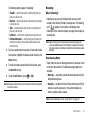
Roaming lets you use your TwoStep phone when you travel
outside of your Wireless Provider’s coverage area. The Roaming
icon (
) appears in the top line of the display when
Roaming is active, and extra charges may apply when making or
receiving calls.
Note: Some features may be unavailable while roaming. Roaming also
consumes additional power from the battery requiring more frequent
recharging. Contact your Wireless Provider for more information about
Roaming.
How Roaming Works
Roam Option lets you set roaming preferences if you move in and
out of your home network. The following roaming options are
available:
• Home only — Your phone is available for normal operation only in the
designated coverage area.
• Automatic — Your Wireless Provider’s Preferred Roaming List (PRL) of
networks is used to acquire service. If no preferred networks are
found, any digital system is acquired.
Note: For more information, refer to “System Select” on page 124.
Call Functions
32
Section 4: Menu Navigation
This section explains the menu navigation for your phone. It also
includes an outline of all the available menus associated with
your phone.
Menu Navigation
Access the menus and sub menus in your phone using the
navigation key (
) and soft keys (
), or use a
shortcut.
1.
In standby mode, press Menu (
). The first of several
menus appears in the display.
4.
Press the Back soft key to return to the previous menu.
Return to the Previous Menu
• Press the Right soft key Back to return to a previous menu.
• When Back does not appear in the display, press
to return to the
previous menu.
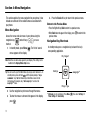
Navigation Key Shortcuts
In standby mode, press a navigation key to launch the key’s
corresponding application.
My Images*
Note: More than one menu may appear in your display. This setting can be
modified in the Display/Menu Style menu.
Tip: You can launch any of the Main Menus by using a voice command — In
standby mode, press and hold
until the phone prompts, “Say a
command.” Say “Go to” followed by a Main Menu name into the
microphone. For example, Say “Go to easyedge” to access the
easyedgeSM menu.
easyedgeSM
Settings
Ringer Type
2.
Use the navigation key to browse through the menus.
3.
To enter the menu or sub menu that appears in the display,
press
33
.
* My Images can be customized. Press Menu (
Phone Settings ➔ Shortcut Key.
), then select Settings ➔
Navigate Using a Shortcut
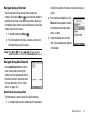
to the first few letters of the menu or menu item name, as
You can also access menus and sub menus using menu
numbers. After pressing Menu ( ), press the menu number to
go directly to the menu or sub menu of your choice. Before you
can navigate using a shortcut, you’ll need the menu or sub-menu
number that you wish to access.
1.
2.
In standby mode, press Menu (
shown.
2.
Menu List screen appears showing
the matching menus and/or menu
items, as shown.
).
Press the number of the menu, sub menu, and so on for
the feature that you wish to access.
Press the Down navigation key. The
3.
Select the desired menu or menu
item. The associated screen appears
in the display.
Example: Press Menu ( ), then press
,
. This takes you to the
Tools menu (Menu 8), and then to the Alarm Clock (sub menu 3).
Navigate Using Quick Search
Use the Quick Search feature to find a
menu or menu item by pressing the
number keys that correspond to the first
few letters of menu or menu item name.
(For more information, refer to “Quick
Search” on page 125..)
Quick Search Accessing a Menu
To find and access a menu or menu item, do the following:
1.
In standby mode, press the number keys that correspond
Menu Navigation
34
Section 5: Entering Text
This section outlines how use your phone’s keypad and text entry
modes to enter letters, numbers, and symbols and punctuation.
This section also describes how to use the T9 predictive text
entry system to reduce the number of key strokes needed to
enter text.
Available Text Entry Modes
Text messages can be made up of letters, numbers, and
symbols. You can use the following text entry modes to simplify
text entry:
• T9 Word — Press each phone key only once to enter each letter of a
word that you’re spelling. T9 WORD mode letter options are:
– T9 Word — Enter initial capital letters
– T9 WORD — Enter all upper case letters
– T9 word — Enter all lower case letters
• Abc — Enter letters by repeatedly pressing each phone key until the
desired character (as shown on the key) appears in the display. ABC
mode letter options are:
– Abc — Enter initial capital letters
– ABC — Enter all upper case letters
– abc — Enter all lower case letters
• 123 — Enter numbers by pressing the corresponding keys on the
phone keypad.
35
• Symbols — Using the phone keypad, enter a symbol into your
message by pressing the number above the symbol in the Symbols
pop-up window.
Changing the Text Entry Mode
The current text entry mode (T9 Word, Abc, ABC, 123, or Symbols)
is usually indicated as the label for the Left soft key. To change
the text entry mode while composing a text message:
䊳
Repeatedly press and hold
to toggle between Abc,
123, and T9Word modes.
Or, do the following:
1.
Press the Left soft key.
2.
Highlight one of the following text entry modes:
• T9Word
• Abc
• ABC
• 123
• Symbols
3. Press
.
Changing Capitalization
As you press each key, the
You can toggle the T9 Word and Abc mode capitalization between
entering all capital letters (T9WORD/ABC), entering all lower-case
letters (T9word/abc), and entering initial capital letters (T9WORD/
ABC).
䊳
To toggle text entry capitalization, repeatedly press
label.
appears in the lower half of the
When you complete the key
that the most commonly used
T9 Word recognizes commonly used words for a particular
sequence of key presses and inserts the word into your message.
T9 Word is much faster than the traditional method of text entry
(Abc) and requires only one key press per letter of the word that
you’re spelling.
While composing a text message, press the Left soft key,
then select T9Word.
For practice, enter the word “Samsung” by pressing each
of the following keys only once:
S
words or letter sequences
sequence, T9 Word recognizes
Using T9® Mode
2.
a list of available alternative
screen.
until the preferred capitalization shows as the Left soft key
1.
displayed letters change, and
A
M
S
U
N
word for the key sequence you just pressed is “Samsung.”
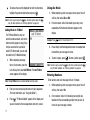
Selecting Alternative Words
If more than one word shares the
same key sequence, T9 Word
displays the most commonly used
word in the text you are entering.
T9 Word lists any available,
alternative words or letter sequences
in the lower half of the text entry
screen.
G
Entering Text
36
䊳
To replace the currently displayed text with an alternative,
highlight the preferred alternative and press
.
Note: To enter a space, press the
key. To enter a period, press the
key. (For other symbols, see “Entering Symbols” on page 38.)
Using Abc Mode
1.
soft key, then select Abc or ABC.
2.
1.
While composing message
text or a text memo, press the
Left soft key, then select Add T9 Word. The Add T9 Word
screen appears in the display.
Note: The Add T9 Word screen is locked into Abc text entry mode.
display.
Example: Press
3.
3.
Press
. “T9 Word is Added” appears in the display and
you are returned to the message/memo text entry screen.
37
Pause briefly and the displayed character is accepted and
To enter a space, press
. To enter a period, press
.
Note: To enter a space, press the
key. To enter a period, press the
key. (For other symbols, see “Entering Symbols” on page 38.)
Entering Numbers
Enter numbers into a text message while in 123 mode.
Enter your new word using Abc text entry key sequences.
(For more information, see “Using Abc Mode”.)
once for “G” and twice for “H”.
inserted into your message or memo.
4.
1.
2.
Enter characters while in Abc mode by pressing a key
repeatedly until the desired character appears in the
Adding Words to T9 Word
The T9 Word dictionary may not
contain an obscure word, such as the
latest technical jargon or slang. If you
find you cannot enter a particular
word in T9 Word mode, you can add
the word to the T9 Word dictionary.
While composing a text message or memo, press the Left
While composing a text message or memo, press the Left
soft key, then select 123.
2.
Enter numbers while in 123 mode by pressing the key
labeled with the corresponding number that you wish to
insert into your message or memo.
Entering Symbols
In Symbols mode, you can use your phone’s keypad to enter
symbols (such as “@” or “%”) or punctuation (such as “?” or “!”)
into a text message.
1.
While composing a text message memo, press the Left
soft key, then select Symbols. The first of three symbol
screens appears in the display.
2.
Use the Prev and Next soft keys to page through the other
3.
Press the key that corresponds with the symbol that you
symbols, if desired.
wish to enter.
Example: Press
4.
for an exclamation point (!).
Repeat these steps to insert additional symbols into your
message or memo.
Entering Text
38
Section 6: Understanding Your Contacts
This section details how you can manage your daily contacts by
storing their names and numbers in your Contacts list. You can
have your Contacts entries sorted by name.
Contacts
Up to 500 entries can be stored in Contacts. Each entry can have
up to five associated phone numbers and one Email address.
Each phone number can be up to 32 digits in length, including 2Sec or Wait pauses (see “Manual Pause Calling” on page 21 for
more information), and associated names can be up to 32
characters in length. You can assign the Speed Dial numbers of
your choice for each entry. You can also mark your Contacts list
as Restricted to prevent unauthorized viewing. (For more
information, refer to “Restriction” on page 123.)
Tip: Speed Dial One-Touch Dialing, Two-Touch Dialing, and Three-Touch
Dialing allow you to call numbers stored in Contacts faster.
Open Contacts
1.
In standby mode, press Menu (
• Add New Contact — Add a number or Email address to your
Contacts.
• Speed Dial — Assign a Contacts entry to a Speed Dial number.
(For more information, refer to “Speed Dial” on page 46.)
• Group — Review, send messages to, add Contacts to, or rename
four out of your five groups. (For more information, refer to
“Contacts Groups” on page 48..)
• Memory Info — Display used and available memory for Contacts
entries.
2. Select the option of your choice.
Note: You can also press the keypad number key that corresponds to the
menu option number.
Finding a Contacts Entry
Shortcut Key Method
), then select Contacts.
The following options appear in the display:
• Find — Find a Contacts entry by name.
39
Tip: You can also access the Find option from standby mode, by pressing the
Contacts soft key.
If you’ve stored a name entry in Contacts, Find allows you to find
it quickly by entering the first few letters of a Contact’s name.
1.
In standby mode, press the Contacts soft key.
– Send Pic Msg — Create and send a Picture message to the selected
Contact.
– Call — Dial the number associated with the name.
– Send Name Card Via Bluetooth — Send selected Contacts to
another Bluetooth device.
The Find screen appears in the display with the Go To field
highlighted, followed by the first few names in your
Contacts list.
Tip: You can also access the Find screen from standby mode by pressing
Menu ( ), then selecting Contacts ➔ Find.
2.
Enter the first few characters of a name as entered in
Contacts. For example, if you saved the name as “Amy
Smith”, begin the search by pressing (for “A”).
As you enter letters, the names of the closest matches
appear in the display.
3.
When the desired entry is listed in the display, use the Up/
Down navigation keys to highlight the entry.
•
•
•
•
Press to dial the number associated with the name.
Press the Edit soft key to add or change information for this entry.
Press VIEW ( ) to show information about the entry.
Press the Options soft key. The following options appear in the
display:
– New Contact — Add a new entry to Contacts.
– Erase — Erase the name and associated information.
– Send Txt Msg — Create and send a text message to the selected
Contact.
Select the desired option to access its sub-menu appears in the display.
Voice Method
Use the VoiceSignal Lookup command to view contact
information for any named contact stored in your Contacts list by
saying the name.
Note: The Lookup command shows the requested Contact information in the
display but does not dial a phone number for the contact.
To look up information for a specific contact:
1.
In standby mode, press and hold
to launch
VoiceSignal.
“Say a Command” appears in the display and is
pronounced through the speaker.
2.
Say “Lookup”.
VoiceSignal prompts you to “Say the name.”
3.
Speak clearly and say the full name of the person you want
to call, exactly as it is entered in your Contacts list.
Understanding Your Contacts
40
• If VoiceSignal recognizes the name you said, the Contact entry
information for that name appears in the display.
• If VoiceSignal does not recognize the name you said, a choice list of
up to three names appears in the display, and VoiceSignal prompts
you with “Did you say?” followed by the first name on the list.
4. Say “Yes” to confirm the name or “No” to hear the next
name, or use the keypad to select the correct name from
the list. (For more information, refer to “Choice Lists” on
– Send Name Card Via Bluetooth — Send the select Contact’s
information to another Bluetooth device.
Select the desired option.
Quick Search Method
For information on enabling Quick Search, see “Quick Search” on
page 125.
1.
first few numeric keys that correspond to the letters of the
page 66.)
• To say the name again, press Repeat.
• To exit VoiceSignal without dialing, press Settings and press Exit.
5. The contact information for the name you selected appears
Contact’s name.
Example: To search for “Sally” you would enter 725.
2.
in the display.
• To dial the default number associated with the name, press .
• To remove this entry from your Contacts list, press the Erase soft
key.
• To add or change information for this entry, press EDIT ( ).
• To access the following options, press the Options soft key.
– Send Txt Msg — Create and send a text message to the selected
Contact.
– Send Pic Msg — Create and send a picture message to the selected
Contact.
– Call — Dial the number associated with the Contact name.
41
In standby mode and with Quick Search enabled, press the
Press the Up navigation key. A list of Contact names that
begin with letters corresponding to the number keys you
pressed appears in the display.
3.
Highlight the searched for Contact.
• To call the Contact, press .
• To view the Contact, press .
Adding a New Contacts Entry
You can use either of two methods to add an entirely new entry to
Contacts.
Dial Method
1.
Menu Method
Using the keypad, enter the number you wish to add to
1.
2.
), then select Contacts
Press the Save soft key. The following options appear in
The Add New Entry screen appears in the display with the
the display:
Name field highlighted.
• Create New — Lets you create a new Contacts entry.
• Update Existing — Lets you add the number you entered to an
existing Contacts entry.
3. Select Create New.
The Create New screen appears in the display showing the
following icons:
Mobile
Home
Pager
Fax
Work
4.
Select the number type that matches your new entry.
5.
Use the keypad to enter a name to associate with the
2.
Press SAVE (
) to save the entry.
Enter the name of the new entry using the keypad. (For
more information, refer to “Entering Text” on page 35.)
3.
Highlight one of the following fields:
• Mobile
• Home
• Work
• Pager
• Email
• Group
• Ringtone
• Fax
4. Enter a phone number or Email address in the highlighted
field.
Contacts entry.
6.
In standby mode, press Menu (
➔ Add New Contact.
your Contacts.
5.
Repeat steps 3 and 4 as needed.
6.
Press
to save the new entry.
Understanding Your Contacts
42
Editing a Contacts Entry
– Wait — A hard pause (waits for input from you).
– 2-Sec Pause — A 2-second pause after which dialing resumes. (For
more information, refer to “Add Pauses to Contacts Numbers”
on page 43.)
Editing Contacts Name and Numbers
1.
Find the Contacts entry you wish to change. (For more
information, refer to “Finding a Contacts Entry” on
5.
page 39.)
2.
Use the Navigation key to highlight the entry and press
VIEW (
). The View Contact screen appears in the display
showing the highlighted entry’s information.
3.
Use the Navigation key to review the information for the
entry that you wish to change, then press EDIT (
). The
Edit Contact screen appears in the display.
4.
Use the Navigation key to highlight the particular
information you want to add or change.
• Press
to backspace and delete numbers or letters.
• Press and hold
to clear all numbers or letters in the
highlighted field.
• Press the Options soft key.
The following options pop-up in the display:
– Set Speed Dial / Remove Speed Dial — Assign/remove a speed dial
number. (For more information, refer to “Speed Dial” on page 46..)
– Set as default — Set the number the phone will dial when Contacts
dialing or speed dialing.
43
Select the desired option.
When you’re finished changing the Contacts entry:
• To save your changes, press .
• To discard your changes, press . You are prompted to confirm
exiting without saving your changes. Press the Yes soft key to
discard your changes.
Add Pauses to Contacts Numbers
Calls to automated systems such as banking services often
require a password or account number. Instead of manually
entering these numbers, you can store them in a Contacts entry
with the phone number and with special characters called
pauses, up to a maximum of 32 digits.
• Wait — Stops the calling sequence until the phone receives further
input.
• 2-Sec Pause — Stops the calling sequence for two seconds, then
sends the remaining digits.
Note: You can enter multiple 2-Sec Pauses to extend the length of a pause.
For example, two consecutive 2-Sec Pauses cause a total pause time
of four seconds. Keep in mind that pauses count as digits towards the
32-digit maximum.
To add pauses to a Contacts entry number, do the following:
1.
2.
Find the Contacts entry associated with the number you
number from Contacts and wait for the appropriate prompt
want to include one or more pauses. (For more
from the dialed number.
information, refer to “Finding a Contacts Entry” on
3.
page 39.)
2.
3.
to resume dialing the number.
1.
Find the Contacts entry you want to edit. (For more
refer to “Editing a Contacts Entry” on page 43.)
information, refer to “Finding a Contacts Entry” on
Press Options. The following pause options appear in the
page 39.)
display:
2.
number sequence.
When you’re finished entering information, press
to
Pause Dial from Contacts
If you stored the number using 2-second pause(s), simply
find the Contacts entry, highlight the number, and press
. (For more information, refer to “Finding a Contacts
Entry” on page 39.)
Highlight the desired Contacts entry, then press the Edit
soft key.
The Edit Contact screen appears in the display.
3.
Highlight the Email field.
4.
Use the keypad to edit the Email address. (For more
information, refer to “Entering Text” on page 35.)
store the number to Contacts.
1.
Press
Edit an Existing Email Address
Select and edit the desired number. (For more information,
• 2-Sec Pause — A 2-second pause after which dialing resumes.
• Wait — A hard pause (waits for input from you).
4. Select the pause option of your choice to add it to the
5.
If you stored the number using Wait(s), find and dial the
5.
Press
to save your changes.
Assigning a Ringtone to a Contacts Entry
When you assign a ringtone to a Contacts entry, the phone plays
the ringtone that you assigned to the entry when you receive a
call from that Contact instead of the ringtone currently assigned
to Voice Calls.
Understanding Your Contacts
44
1.
Find the Contacts entry you want to edit. (For more
information, refer to “Finding a Contacts Entry” on
page 39.)
2.
Highlight the desired Contact, then press the Edit soft key.
The Edit Contact screen appears in the display.
3.
Highlight the Ringtone field, then press the Set soft key.
Saving a Number After a Call
Once you finish a call, you can store the caller’s number to your
Contacts list.
Note: If the call was incoming and Caller ID information was unavailable,
then the Save option is also unavailable.
1.
Sounds file list appears in the display.
5.
Select the ringtone or sound that you wish to assign to the
Contacts entry.
2.
6.
Press
to save the ringer assignment to the selected
Contacts entry.
45
Press the Save soft key. The Save menu appears in the
display showing the following options:
• Create New — Lets you create a new Contacts entry.
• Update Existing — Lets you add the number you entered to an
existing Contacts entry.
3. Follow the instructions in the upcoming sections
depending on whether the number is a new entry or you
The Edit Contact screen re-appears in the display with the
name of the selected file in the Ringtone field.
to end your call. The call time, length of call,
in the display.
following options:
• My Ringtones
• My Sounds
4. Select the desired option. The My Ringtones or the My
Press
phone number, and name of the party (if available) appear
The Contact Tone menu appears in the display showing the
wish to add it to an existing entry.
Create a New Entry
1.
At the Save menu, select Create New.
The Create New screen appears in the display showing the
3.
following number type options:
Mobile
Home
Pager
Fax
type options appear in the display:
Work
2.
Select the number type that matches your new entry.
3.
Enter a name for the new entry. (For more information,
refer to “Entering Text” on page 35.)
4.
Press
Existing screen appears in the display showing your
Contacts list with the Go To field and the first Contacts
entry highlighted.
2.
Find the Contacts entry to which you want to add the new
number. (For more information, refer to “Finding a
Contacts Entry” on page 39.)
Home
Pager
Fax
Work
the number instead of the number type label.
4.
Select the desired unassigned number type. The Contacts
entry information appears in the display with the new
. The new entry is saved to your Contacts list.
At the Save menu, select Update Existing. The Update
Mobile
Number types that are already assigned a number show
number posted in the appropriate number type field.
Add to an Existing Entry
1.
Select the desired Contacts entry. The following number
5.
Press
again to save your changes to the existing entry.
Speed Dial
A Contacts entry’s Speed Dial number corresponds to the number
keys you press to speed dial one of that entry’s numbers.
Example: To speed dial the Contacts entry assigned to Speed Dial 5, press
and hold
, (1-touch dialing).
To speed dial the Contacts entry assigned to Speed Dial 35, press
then press and hold
, (2-touch dialing).
To speed dial the Contacts entry assigned to Speed Dial 235, press
, press
, then press and hold
, (3-touch dialing).
Understanding Your Contacts
46
You can assign one or more Speed Dial numbers to a Contacts
entry during new entry creation or by editing an existing entry.
4.
Unassigned Speed Dial number in the Go To field using the
Assignment During Entry Creation
keypad.
To assign a Speed Call number to a new Contacts entry number,
do the following:
1.
Follow either of the New Contacts entry procedures (see
“Adding a New Contacts Entry” on page 41.) until you
Important!: Do not enter Speed Call numbers 1, 411, 611, or 911. These
numbers are already assigned to Voicemail (001), to Information
(411), to Customer Care (611), and to emergency use (911).
5.
enter a name for the entry.
2.
After entering the Contacts entry name, do not press
.
). You are prompted to confirm your Speed
6.
Press the Yes soft key to save your Speed Dial assignment
and return to the Add New Entry screen.
Press the Options soft key. The following options appear in
the display:
• Set Speed Dial — Assign a speed dial number.
• Set as default — Set the number the phone will dial when
Contacts dialing, speed dialing, or voice dialing.
• Wait — A hard pause (waits for input from you).
• 2-Sec Pause — A 2-second pause after which dialing resumes.
(For more information, refer to “Add Pauses to Contacts
Numbers” on page 43.)
Select Set Speed Dial. The Speed Dial screen appears in the
display.
47
Press SET (
Dial number assignment.
Instead, highlight a number field.
3.
Select an Unassigned Speed Dial number or enter an
Note: Press the No soft key to discard the assignment and return to the
Speed Dial screen.
7.
Press
to save your changes.
Assignment to an Existing Entry
1.
Find the Contacts entry you want to edit. (For more
information, refer to “Finding a Contacts Entry” on
page 39.)
2.
Highlight the desired entry.
3.
Press Edit. The Edit Contact screen appears in the display.
4.
Highlight the number field you wish to assign a Speed Dial
6.
number.
5.
Do steps 3 through 7 of “Assignment During Entry
7.
Creation” on page 47.
Find the Contacts entry you want to edit. (For more
assignment. “Speed Dial Removed” pops up in the display,
8.
page 39..)
Highlight the desired entry.
3.
Press Edit. The Edit Contact screen appears in the display.
4.
Highlight the number field marked by the Speed Dial icon
(
5.
).
Press the Options soft key. The following options appear in
the display:
• Remove speed dial — Unassign the current speed dial number.
• Set as default — Set the number the phone will dial when
Contacts dialing, speed dialing, or voice dialing.
• Wait — A hard pause (waits for input from you).
• 2-Sec Pause — A 2-second pause after which dialing resumes.
(For more information, refer to “Add Pauses to Contacts
Numbers” on page 43..)
Do steps 4 through 7 of “Assignment During Entry
Creation” on page 47.
information, refer to “Finding a Contacts Entry” on
2.
Press the Yes soft key to remove the Speed Dial
and you are returned to the Edit Contact screen.
Changing a Speed Dial Location
1.
Select Remove Speed Dial. “Remove speed dial?” pops up
in the display to confirm your desire to remove the entry.
Contacts Groups
Contact Groups let you easily send messages to multiple,
selected Contacts. You can also use Groups to find Contact
entries and to add/remove Contacts names in a Group or to
create or rename a Group.
Add Contacts Entry to a Group
Using Add New/Edit Contact Option
To add a Contact to a Group using either the Add New Contact
option or the Edit Contact option, do the following:
1.
Create a Contacts entry (see “Adding a New Contacts
Entry” on page 41) or find a Contacts entry (see “Finding a
Contacts Entry” on page 39) that you want to add to a
Group.
2.
Highlight the Group field, then press the Set soft key.
Understanding Your Contacts
48
The Select Group screen appears in the display showing
Groups similar to the following:
• No Group
• Business
• Colleague
• Family
• Friends
3. Select the Group to which you want to assign the selected
Contact.
You are returned to the Add New Entry/Edit Contact screen
and the selected Group name populates the Group field.
4.
Press
Send Txt Msg — Send a text message to the selected Group.
Send Pic Msg — Send a picture message to the selected Group.
Rename — Change the name of the selected Group.
Erase — Delete the selected Group, and send the member
Contacts back to No Group.
• Add — Add one or more Contacts to the selected Group.
3. Select Add. The Add Contacts screen appears in the display
showing a list of Contacts entries.
In standby mode, press Menu (
), then select Contacts
➔ Group.
The Group List screen appears in the display showing
Groups similar to the following:
49
•
•
•
•
4.
The Add option lets you add one or more existing Contacts to a
Group.
• No Group
• Business
following options popup in the display:
to save your changes.
Using Group Add Option
1.
• Colleague
• Family
• Friends
2. Highlight a Group, then press the Options soft key. The
Do one of the following:
• Use the Navigation key to highlight an entry you want to add to the
group, then press MARK ( ). A check mark appears in the entry’s
check box.
Repeat as needed to check all the desired Contacts.
• Press the Mark All soft key.
Note: To unmark a marked Contact, highlight the Contact and press MARK to
clear the check mark.
5.
When you have marked the Contacts you want to add to
the group, press Done. “Contact added to group” appears in
the display, followed by the selected Group list including
Rename a Group
The Rename option lets you change the name any of the Groups,
except No Group.
1.
the added Contacts.
1.
2.
In standby mode, press Menu (
), then select Contacts
2.
Highlight the Group (other than No Group) from which you
The Rename Group screen appears in the display.
).
appears in the display.
5.
Highlight the Group name other than No Group that you
wish to change, then press Options ➔ Rename.
3.
Enter changes to the group name using the keypad. (For
more information, refer to “Entering Text” on page 35.)
A list of the Contacts assigned to the selected Group
4.
), then select Contacts
➔ Group. The Group List screen appears in the display.
want to remove a Contact, then press VIEW (
3.
In standby mode, press Menu (
➔ Group. The Group List screen appears in the display.
Remove Contacts Entry from a Group
4.
When you have completed your changes to the Group
Highlight the Contact you wish to remove.
name, press SAVE (
Press the Remove soft key. You are prompted to confirm
“Group Renamed” appears in the display followed by the
the removal of the selected Contact.
Group List screen showing your renamed Group.
To remove the selected Contact from this Group and return
it to No Group, press the Yes soft key.
To keep the selected Contact in this Group, press the No
).
Add a New Group
The New option lets you add Groups.
1.
In standby mode, press Menu (
), then select Contacts
➔ Group. The Group List screen appears in the display.
soft key.
2.
Press the New soft key. The New Group screen appears in
the display.
Understanding Your Contacts
50
3.
Enter a new group name using the keypad. (For more
2.
4.
erasure.
When you have completed entering the new Group name,
press SAVE (
). “Group Saved” appears in the display
3.
followed by the Group List screen showing your new
Erase a Group
The Erase option lets you delete a Group, thus freeing you to
reassign the Contacts formerly in the Group.
2.
In standby mode, press Menu (
), then select Contacts
䊳
In standby mode, press Menu (
), then select Contacts
Highlight the Group that you wish to delete, press the
The Memory Info Contacts screen appears in the display
Options soft key, then select Erase.
showing the Total amount of memory in your phone, the
To confirm erasure of the Group, press the Yes soft key. To
retain the Group, press the No soft key.
Find the Contacts entry you want to delete. (For more
information, refer to “Finding a Contacts Entry” on
page 39.)
51
The Memory Info menu option lets you view the amount of
memory you have used to store Contacts entries, as well as the
memory remaining to store more Contacts entries.
➔ Group. The Group List screen appears in the display.
Deleting a Contacts Entry
1.
soft key. To retain the Contact, press the No soft key.
➔ Memory Info.
You are prompted to confirm the Group erasure.
3.
To confirm erasure of the selected Contact, press the Yes
Memory Info
Group.
1.
Highlight the desired entry, press the Options soft key, then
select Erase. The phone prompts you to confirm the
information, refer to “Entering Text” on page 35.)
amount of memory Used to store Contacts entries, and the
remaining (Free) for Contacts entries.
Section 7: Messaging
This section explains how to send or receive different types of
messages. This section also describes the features and
functionality associated with messaging.
Types of Messages
Your phone is able to send and receive Text and Picture
messages to compatible phones and devices. Text messages can
be up to 160 characters in length.
Tip: To launch the Create Txt Msg screen using a voice command — In
standby mode, press and hold
until the phone prompts, “Say a
command.” Say “Send Text” into the microphone. You are then prompted
to say a Contact name or a number for the first recipient of the
message.
2.
Enter the phone number or
Email address of the recipient,
then press
Note: Available memory is shared between all messages. You can store up to
100 messages. However, the exact number is dependent upon
message length.
3.
Create and Send Text
Messages
1.
Enter the text content of your
message using the keypad.
(For more information, refer to
“Entering Text” on page 35.)
In standby mode, press the
Msgs soft key, then select
. The Text: field
appears in the display.
4.
Press the Options soft key to complete the message text
Send Message ➔ Text
and set message send options. The following options
Message. The Create Txt Msg
appear in the display:
screen appears in the display
• Edit Send To — Edit the recipient’s number or email address.
• Add Quick Text — Insert pre-composed text in your message.
• Save As Draft — Save the message to your Draft folder.
showing the To: list.
Messaging
52
• Priority Level — Choose Urgent or Normal.
• Validity Period — Enter the Date when this message will cease to
be valid, then use the Left and Right navigation keys to choose the
Time.
• Deferred Delivery — Select the Date and Time you want this
message to be delivered.
• Enh. Delivery Ack — Choose On or Off — Requests confirmation
when your message is received.
• Add To Contacts — Save the recipient’s number or Email address
as a Contacts list entry.
5. Once you’re finished entering your message, press SEND
(
).
Receive Text Messages
When you receive a message in
standby mode, the ringer sounds
(unless turned off) and New Message
appears in the display along with the
closed envelope icon (
). The
date and time of the message also
appear in the display along with the
following options:
• View Now — Opens the message,
where you have the option to Forward,
Reply With Copy, Save Quick Text, Lock, Add To Contacts, Message
Info, or Extract.
• View Later — Saves the message to your Inbox, where you can view
it later, then returns your phone to standby mode.
Select your choice.
Receive Messages While in a Call
When you receive a message while in a call, New Message
appears in the display along with the closed envelope icon
(
). The date and time of the message also appear in the
display along with the following options:
• View Now — Opens the message, where you have the option to
Forward, Reply With Copy, Save Quick Text, Lock, Add To Contacts,
Message Info, or Extract.
• View Later — Saves the message to your Inbox, where you can view
it later, and returns your phone to call mode.
Select the preferred option.
View a Text Message Now
1.
After you select the View Now option, the new text
message appears in the display.
2.
While viewing your message press the Options soft key.
The following options appear in the display:
• Forward — Send a copy of this message to another recipient.
53
• Reply With Copy — Compose and send a reply message to the
originator of the received message and include a copy of the
original message.
• Save Quick Text — Save the text in this message as a new Quick
Text.
• Lock / Unlock — Block/permit erasure of the highlighted
message.
• Add To Contacts — Save the sender’s number to your Contacts.
• Message Info — Shows message delivery status, addressee, size,
and so on.
• Extract — Lets you call the originator of the highlighted message.
3. Select an option to perform its function.
Note: For more information on received message options, see “Inbox” on
page 59.
View a Text Message Later
1.
Send Picture Messages in Camera Mode
Picture messages can be sent to recipients with compatible
phones or devices. You can even accompany a Picture message
with a voice memo or preloaded sound.
Tip: You can send a Picture message to up to ten recipients. Enter each
recipient’s address or phone number in a separate Send to field of the
Picture message composer.
1.
In standby mode, press and hold the Camera key (
).
The camera viewfinder screen appears in the display.
2.
Using the display as a viewfinder, when the image that you
wish to send appears in the display, press TAKE (
) to
take a picture.
Note: For more information about using the camera feature in your phone,
see “Camera” on page 74.
In standby mode, press the Msgs soft key, then select
Inbox. The Inbox screen appears in the display.
2.
Select the new message. The new text message appears
in the display.
Messaging
54
3.
Press SEND (
) to save the
6.
highlighted, then enter the message text using the keypad.
message delivery process. The
(For more information, refer to “Entering Text” on
Create Pic Msg screen then
appears in the display with the
Send To: list highlighted.
4.
Enter the phone number or
page 35.)
7.
Your new picture appears in the PIC: field.
8.
If you wish to insert a sound into your Picture message,
highlight the Sound: field and do the following; otherwise,
Email address of the recipient
proceed to step 10.
of the Picture message, then
• Press the Sounds soft key. The My Sounds screen appears in the
display showing the following options:
– Record New — Record a new memo to insert into the message.
press
.
Tip: Press the Add soft key to display a pop-up menu containing: Contacts,
Groups, and Recent Calls, and Online Album. These options allow you to
find and add recipients to the Send To: list.
5.
Press the Down navigation key until the Text: field is
picture and begin the picture
The Subject: field appears in
the display. Enter a subject for
the Picture message using the
keypad. (For more information,
refer to “Entering Text” on
page 35.)
Note: You can record and insert a voice memo of up to 60 seconds in length,
if you record first before attaching a picture. If a picture is attached
before recording, the size of the voice memo is limited to the amount
of remaining memory.
– Audio files list — Select from the list of previously recorded voice
memos and preloaded audio files on your phone.
Select an option, a sound file, and insert the sound into your message.
To exit the pop-up menu without inserting a sound, press .
9. Press the Options soft key to complete the message text
and set message send options.
55
The following options appear in the display:
•
•
•
•
•
Preview — View the picture as the recipient will see it.
Add Quick Text — Add pre-composed text to your message.
Save As Draft — Save the message to your Draft folder.
Priority Level — Choose Urgent, Normal, or Low.
Validity Period — Enter the Date when this message will cease to
be valid, then use the Left and Right navigation keys to choose the
Time.
• Deferred Deliv. — Lets you specify a Date and Time when the
message will be delivered.
• Delivery Ack — Choose On or Off — Requests confirmation when
your message is received.
• Remove Pic — Remove the picture from your message.
• Remove Sound — Remove the sound file from your message.
• Add To Contacts — Save the recipient’s number or Email address
as a Contacts list entry.
Select the desired option.
10. Press SEND (
) to send the message. “Pic Msg Sending”
appears in the display and a progress bar indicates the
send status.
Send Picture Messages in Standby Mode
Send Picture messages to recipients with a compatible phone or
other device, and accompany the Picture message with a voice
memo, ring tone, or downloaded melody.
Tip: You can send a Picture message to up to ten recipients. Enter each
recipient’s address or phone number in a separate Send To field of the
Picture message composer.
1.
In standby mode, press the
Msgs soft key, then select
Send Message ➔ Picture
Message.
The Create Pic Msg screen
then appears in the display
showing the To: list.
Tip: To launch the Create Pic Msg screen using a voice command — In
standby mode, press and hold
until the phone prompts, “Say a
command.” Say “Send Picture” into the microphone. You are then
prompted to say a Contact name or a number for the first recipient of the
message.
2.
Enter the phone number or Email address of the recipient
using the keypad, then press
.
Messaging
56
Tip: Press the Add soft key to display a pop-up menu containing: Contacts,
Groups, Recent Calls, and Online Album. These options allow you to find
and add recipients to the Send To: list.
3.
• If you want to include a new picture, press the Camera soft key.
Note: For more information about using the camera feature in your phone,
see “Camera” on page 74.
The Subject: field appears in
• Press
to add the highlighted picture to your message.
You are returned to the Create Pic Msg screen with the
the display. Enter a subject for
the Picture message using the
selected picture in the Pic: field.
keypad. (For more information,
refer to “Entering Text” on
page 35.)
4.
Press the Down navigation key
until the Text: field is
highlighted, then enter the
7.
If you wish to insert a sound into your Picture message,
use the Down navigation key to highlight the Sound: field
and do the following; otherwise, proceed to step 8.
• Press the Sounds soft key. The My Sounds screen appears in the
display showing the following options:
– Record New — Record a new memo to insert into the message.
message text using the keypad. (For more information,
refer to “Entering Text” on page 35.)
5.
Press the Down navigation key until the Pic: field is
Note: You can record and insert a voice memo of up to 60 seconds in length,
if you record first before attaching a picture. If a picture is attached
before recording, the size of the voice memo is limited to the amount
of remaining memory.
highlighted, then press the Picture soft key. A photo gallery
of thumbnail images appears in the display.
6.
Highlight a picture to be added to your message, then do
the following:
• If you want, press the View soft key to expand the highlighted
picture to full-screen size.
57
– Audio files list — Select from the list of previously recorded voice
memos and preloaded audio files on your phone.
Select an option, a sound file, and insert the sound into your message.
To exit the pop-up menu without inserting a sound, press .
8.
Press the Options soft key to complete the message text
and set message send options. The following options
appear in the display:
•
•
•
•
•
Preview — View the picture as the recipient will see it.
Add Quick Text — Add pre-composed text to your message.
Save As Draft — Save the message to your Draft folder.
Priority Level — Choose Urgent, Normal, or Low.
Validity Period — Enter the Date when this message will cease to
be valid, then use the Left and Right navigation keys to choose the
Time.
• Deferred Deliv. — Lets you specify a Date and Time when the
message will be delivered.
• Delivery Ack — Choose On or Off — Requests confirmation
when your message is received.
• Remove Pic — Remove the picture from your message.
• Remove Sound — Remove the sound file from your message.
• Add To Contacts — Save the recipient’s number or Email address
as a Contacts list entry.
Select an option to invoke its function.
9.
Press
to send the message. “Pic Msg Sending”
Receive Picture Messages
When you receive a Picture Message
in standby mode, the ringer sounds
(unless turned off) and New Message
appears in the display along with the
closed envelope icon ( ).
The date and time of the message
also appear in the display along with
the following options:
• View Now — Retrieves and opens the
message, where you have the option to
Reply, Forward, Delete, Save Text, Save Pic, or Save Msg.
• View Later — Saves the message to your inbox, where you can view
it later, then returns your phone to standby mode.
Select the desired option.
View a Picture Message Later
1.
In standby mode, Msgs soft key, then select Inbox. The
Inbox appears in the display.
2.
If the new picture message is not highlighted, select the
new message. “Connecting” appears in the display
appears in the display and a progress bar indicates the
followed by “Retrieving” and a progress bar indicating that
send status.
the message is downloading to your phone.
Messaging
58
3.
Once a Picture message has been downloaded to your
phone, the new Picture message appears in the display. If
the message includes a sound file, the phone begins
playing it.
Note: For more information on viewing and managing received picture
messages, see “Inbox” on page 59.
View a Picture Message Now
1.
After you select the View Now option, “Connecting”
appears in the display followed by “Retrieving” and a
progress bar indicating that the message is downloading
to your phone.
2.
After the Picture message has downloaded, an alert
sounds, and the new Picture message appears in the
display. If the message includes a sound file, the phone
begins playing it.
3.
While viewing your message press the Options soft key.
The following options appear in the display:
• Play Again — Play the sound file included in the picture message
again.
• Reply — Compose and send a reply message to the originator of
the received message.
59
• Forward — Send a copy of this message to another recipient.
• Save Sound — Save the sound file included in this message to the
My Sounds folder.
• Save Pic — Save the picture included in this message to the My
Images folder.
• Save Quick Text — Save the text in this message as a new Quick
Text.
• Lock / Unlock — Block/permit erasure of the highlighted
message.
• Add To Contacts — Save the sender’s number to your Contacts.
• Message Info — Shows message delivery status, addressee, size,
and so on.
• Extract — Calls the sender of the received message.
4. Select an option to invoke its function.
Note: For more information on received picture message options, see
“Inbox” on page 59.
Message Boxes
Your phone stores messages in any one of five message boxes.
The subsections that follow describe each message box in detail.
Inbox
Received messages of all types (except Voicemail) are stored in
the Inbox.
1.
In standby mode, press the Msgs soft key, then select
Inbox. A list of incoming messages appears in the display.
Tip: While in a call, press Options, then select Message to open the Messages
menu.
2.
Select the message that you wish to view. The contents of
• Message Info — Shows message delivery status, addressee, size,
and so on.
• Extract — Calls the sender of the received message.
4. Select an option to invoke its function.
Managing Inbox Messages
1.
the highlighted message appear in the display.
3.
While viewing your message press the Options soft key.
The following options appear in the display:
• Play Again — Pic Msg — Play the sound file included in the
picture message again.
• Forward — Send a copy of this message to another recipient.
• Reply With Copy — Compose and send a reply message to the
originator of the received message and include a copy of the
original message.
• Erase — Pic Msg — Delete the picture from this message.
• Save Quick Text — Save the text in this message as a new Quick
Text.
• Save Pic — Pic Msg — Save the picture in this message into the
My Images folder.
• Lock / Unlock — Block/permit erasure of the highlighted
message.
• Add To Contacts — Save the sender’s number to your Contacts.
In standby mode, press the Msgs soft key, then select
Inbox. A list of incoming messages appears in the display.
2.
Highlight a message in the list.
3.
Press Erase to remove the highlighted message from the
Inbox.
4.
To access other options, press the Options soft key. The
following options appear in the display:
• Reply — Compose and send a reply message to the originator of
the received message.
• Reply With Copy — Compose and send a reply message to the
originator of the received message and include a copy of the
original message.
• Forward — Send a copy of this message to another recipient.
• Lock / Unlock — Block/permit erasure of the highlighted
message.
• Add To Contacts — Save the sender’s number to your Contacts.
• Erase Inbox — Delete all unlocked messages from the Inbox.
Messaging
60
• Message Info — Shows message delivery status, addressee, size,
and so on.
5. Select an option to perform its function.
Outbox
Your phone stores messages in the Outbox, regardless of
whether the message was successfully transmitted. Verify if and
when a message or Email was successfully received by enabling
the Delivery Ack feature.
Review Messages in the Outbox
1.
In standby mode, press the Msgs soft key, then select
Outbox. Your list of sent messages appear in the display.
2.
Highlight a message that you wish to review, then press
OPEN (
3.
).
Messages and Lock Mode
Your phone can still receive messages while in Lock Mode. The
time and date of the message appear in the display, but you
cannot access the message until you enter the lock code.
Managing Outbox Messages
1.
• Play Again — Pic Msg — Play the sound file included in the
picture message again.
• Forward — Send the highlighted message to another recipient.
• Erase — Pic Msg — Delete the picture from this message.
• Save Quick Text — Save the message text as Quick Text for
insertion into other messages.
In standby mode, press the Msgs soft key, then select
Outbox. Your list of sent messages appear in the display.
While viewing your message, press the Options soft key.
The following options appear in the display:
61
• Lock / Unlock — Block/permit erasure of the highlighted
message.
• Add To Contacts — Save the recipient’s number to your Contacts.
• Message Info — Shows message delivery status, addressee, size,
and so on.
• Extract — Calls recipient of this message.
4. Select an option to perform its function.
2.
Highlight a message, then press Erase to remove the
highlighted message from the Outbox.
3.
Press the Options soft key. The following options appear in
the display:
• Forward — Send the highlighted message to another recipient.
• Resend — Re-send the highlighted message to the original
recipient.
• Lock / Unlock — Block/permit erasure of the highlighted
message.
• Add To Contacts — Save the recipient’s number to your Contacts.
• Erase Outbox — Delete all unlocked messages from the Outbox.
• Message Info — Shows message delivery status, addressee, size,
and so on.
4. Select an option to perform its function.
3.
Options soft key and select Save As Draft. A confirmation
message appears in the display and your message is
saved to the Drafts box.
View and Edit Draft Messages
1.
Messages in the Draft Box are those that have been composed
but never sent. You can return to the Draft Box at any time to
view, edit, or send a draft message.
appears in the display.
2.
In standby mode, press the Msgs soft key, then select Send
Highlight a message that you wish to view or edit, then
press EDIT (
Create a Draft Message
2.
In standby mode, press the Msgs soft key, then select
Drafts. A list of any draft messages that you’ve saved
Draft Box
1.
Compose your message using the keypad, then press the
). The Create Text Msg / Create Pic Msg
screen appears in the display showing the To: list.
3.
Enter or change the recipient’s number and/or Email
Message ➔ Text Message / Picture Message. The Create
address and the message Text (Txt Msg) or Subject and
Text Msg / Create Pic Msg screen appears in the display
Text (Pic Msg) using the keypad. (For more information,
showing the To: list.
refer to “Entering Text” on page 35.)
Enter the phone Number or Email address of a recipient,
then press
.
4.
Press the Options soft key to complete the message and
set message send options. The following options appear in
the display:
• Edit Send To — Txt Msg — Change, add, or remove recipients
from this message.
Messaging
62
• Preview — Pic Msg — View your message as the recipient(s) will
see it.
• Add Quick Text — Insert pre-composed text into your message
text.
• Save As Draft — Save the message to your Drafts box.
• Priority Level — Choose Urgent or Normal.
• Validity Period — Enter the Date when this message will cease to
be valid, then use the Left and Right navigation keys to choose the
Time.
• Deferred Delivery — Lets you specify a Date and Time when the
message will be delivered.
• Enh. Delivery Ack — Choose On or Off — Requests confirmation
when your message is received.
• Remove Pic — Pic Msg — Remove the picture file currently
included in your message.
• Remove Sound — Pic Msg — Remove the sound file currently
included in your message.
• Add To Contacts — Save the recipient’s number or Email address
to your Contacts.
5. Select an option to perform its function.
6.
When you have completed composing your message,
press SEND (
63
).
Managing Draft Messages
1.
In standby mode, press the Msgs soft key, then select
Drafts. A list of any draft messages that you’ve composed
appears in the display.
2.
Highlight a message.
3.
To remove the highlighted message from the Drafts box,
press the Erase soft key. You are prompted to confirm
erasure of the highlighted draft message.
• To erase this draft message, press the Yes soft key.
• To keep this draft message in your Drafts box, press the No soft
key.
4. For other options, press the Options soft key. The following
options appear in the display:
• Send — Send the highlighted message to the original recipient, if
the recipient’s number and/or Email address is included with the
draft message.
• Lock / Unlock — Block/permit erasure of the highlighted
message.
• Add To Contacts — Save the recipient’s number and/or Email
address to your Contacts.
• Save Quick Text — Save the message text as Quick Text for
insertion into other messages.
5.
• Erase Drafts — Delete all unlocked draft messages.
Select an option to perform its function.
2.
Highlight a voice message.
3.
Press
Voicemail
Messages in your voice mailbox are logged in the Voicemail box
of the Messages menu. Open the Voicemail box to view the
Callback # (if available), Urgency, and other details of the
Voicemail message.
Listen to Voicemail Now
Once you’ve received a new voicemail message, you have the
option to either:
• Listen Now — Calls your voice mailbox and allows you to listen to
your messages.
• Listen Later — Returns you to standby mode where you can later
choose to call your mailbox and review your messages.
Select an option to perform its function.
Listen to Voicemail Later
If you choose to review your voicemail messages at a later time:
1.
In standby mode, press the Msgs soft key, then select
Voicemail. The Voicemail screen appears in the display,
showing the number of new voicemail messages received
or
to call your voice mailbox and listen to
the message.
Note: You can also press and hold
to dial your voice mailbox.
Erase Messages
Using Erase Messages, you can erase all of the messages in
each of your boxes from one convenient location.
Note: This function erases all messages in a selected box. To delete a single
message, open the box from the Messages menu, highlight a message,
open the message if you want, then press Erase to delete it.
1.
In standby mode, press the Msgs soft key, then select
Erase Messages.
The following options appear in the display:
•
•
•
•
Inbox — Deletes all unlocked messages stored in the Inbox.
Outbox — Deletes all unlocked messages stored in the Outbox.
Drafts — Deletes all unlocked messages stored in the Drafts box.
All Messages — Deletes all unlocked messages stored in all of the
message boxes, except Voicemail.
and the date and time the latest message was received.
Messaging
64
2.
Select the messages that you wish to delete. You’re
prompted to confirm the erasure of all messages in the
selected box or in all boxes.
3.
To delete the messages, press the Yes soft key. To cancel
deleting the messages, press the No soft key.
Message Settings
Use the Msg Settings sub-menus to define general settings and
text message settings.
General Message Settings
1.
In standby mode, press the Msgs soft key, then press Msg
sub-menu.
Editing and Entering Quick Text
1.
In standby mode, press the Msgs soft key, then select Msg
Settings ➔ General.
Settings ➔ General ➔ Quick Text. The Quick Text sub-menu
The following options appear in the display:
appears in the display.
• Auto Save — Choose whether your messages are saved
automatically when you exit them (On, Off, Prompt).
• Auto Erase — Choose to receive (On) or not receive (Off) a
warning message when you delete a message.
• Quick Text — Edit your pre-composed messages, which can then
be inserted into new messages.
• Voicemail # — Edit or view your Voicemail number.
• Entry Mode — Choose the default method for entering text into
messages (T9 Word, Abc, ABC, 123).
65
• Callback # — Choose whether to include a callback phone
number with your outgoing messages, and enter the number to be
included.
• Signature — Choose whether to include a text signature in
outgoing message text, and enter the text to be included.
• Reminder — Select whether and how often you will hear and/or
feel a reminder that you have received a message (Once, Every 2
Minutes, Every 15 Minutes, Off).
2. Select the desired option to enter the highlighted option’s
2.
To create a new Quick Text:
• Press New.
Tip: You can also create new Quick Text by viewing/editing an Outbox or
Drafts message and using the Save Quick Text option in the Options
menu. (For more information, refer to “Review Messages in the Outbox”
on page 61.)
• Enter/change the text content of your Quick Text using the keypad.
(For more information, refer to “Entering Text” on page 35.)
• Once you’re finished entering your Quick Text, press OK. The Quick
Text menu appears in the display with your new Quick Text
highlighted.
3. To change a Quick Text:
• Highlight a Quick Text you want to change, then press EDIT. (You
cannot change the pre-defined Quick Text included with your
phone.)
• Auto Scroll — On/Off — With Auto Scroll On, the full content of a
text message automatically rolls upward on the display, one screenfull at a time.
2. Select the desired option to enter the highlighted option’s
sub-menu.
Picture Message Settings
1.
Note: You cannot change or erase pre-loaded Quick Texts.
• Enter/change the text content of your Quick Text using the keypad.
(For more information, refer to “Entering Text” on page 35.)
4. To erase a Quick Text:
• Highlight a Quick Text you want to erase, then press Erase. You are
prompted to confirm erasure of the highlighted Quick Text.
• To erase the highlighted Quick Text, press Yes. To keep it, press No.
Text Message Settings
1.
In standby mode, press the Msgs soft key, then select Msg
In standby mode, press the Msgs soft key, then select Msg
Settings ➔ Picture Message. The following options appear
in the display.
• Auto Receive — On/Off — With Auto Receive On, Picture
messages automatically download and display as they are
received. With Auto Receive Off, you are prompted to download
Picture messages.
• Signature — Create a signature, which can be included at the
bottom of outgoing Picture message text.
2. Select the desired setting to enter the highlighted option’s
sub-menu.
Settings ➔ Text Message. The following options appear in
the display:
• Auto View — On/Off — With Auto View On, the full content of a
text message appears in the display as the messages is received.
• Signature — Create a signature, which can be included at the
bottom of outgoing message text.
Messaging
66
Section 8: Music Player
This section explains how to use your Music Player to:
• Play individual music files.
• Create, play, and manage Playlists of music files.
This section also explains how to customize your Music Player to
suit your music playback preferences.
Finally, this section details how to load music files onto a
microSD™ Memory Card.
Using Your Music Player
You can use your Music Player to play music files that you have
transferred onto an optional microSD™ Memory Card using a
personal computer. (For information on loading music files on a
Memory Card, see “Loading Music Files” on page 70.)
You can launch the Music Player and play music files with the flip
open or closed.
Your TwoStep’s Music Player can play music in the following
Digital Audio Formats:
• Unprotected AAC and AAC+
• MP3
• WMA and WMA Pro
Your Music Player can play music through the phone’s stereo
speakers, through stereo headphones, through a stereo headset
(such as the optional Samsung AAEP404), or through a stereo
67
Bluetooth headset (such as the optional Samsung SBH700 or
SBH500.) (For information on available accessories, contact your
Wireless Carrier.)
Launching the Music Player
Note: Before launching the Music Player, you must install a microSD™
Memory Card containing music files in your phone. (For more
information, refer to “Install a Memory Card” on page 8 and “Loading
Music Files” on page 70.)
With the Flip Closed
1.
In standby mode, press and hold the
Play / Pause key (
), located below
the front display. The Music Player Now
Playing list appears in the front display.
2.
To play a music file, turn the Jog Wheel
on the outside of the flip to highlight
the file in the Now Playing list, then
press
. The Music Player screen
appears in the front display and the
selected file begins playing.
Note: You can also press the Volume key on the left side of the phone Up or
Down to highlight a music file.
With the Flip Open
1.
In standby mode, press the
Music Player key (
). The
Music Player screen appears
in the main display.
2.
For information on selecting
• All — Lists all music files on the Memory Card and lets you play
individual music files or play multiple music files by creating a
temporary music playlist.
• Artists — Lists artist names for music files on the Memory Card
and lets you play one or more music files by a selected artist.
• Albums — Lists album titles for music files on the Memory Card
and lets you play one or more music files from a selected album.
• Playlists — Lists any playlists you have saved and lets you create,
save, and manage playlists.
3. Select the preferred Library option. A list of music files,
and playing music files, refer
artists, albums, or playlists appears in the display.
to “Using the Music Library” .
If a list of artists, albums, or playlists is showing, select the
preferred artist, album, or playlist. A list of music files
Tip: After launching the Music Player with the flip open, you can close the flip
without interrupting music playback.
Using the Music Library
1.
Launch the Music Player. (For more information, refer to
“With the Flip Open” on page 68.)
2.
Press the Library soft key. The Library menu appears in the
display showing the following options:
• Now Playing — Music Player mode only — Indicates number of
music files currently playing. Select this option (or press the Back
soft key) to return to the Music Player screen.
appears in the display.
4.
Highlight a music file, then:
• To play the file, press the Play soft key.
• To select the file for playing or other options, press MARK ( ).
• To select and apply any of the following options to the highlighted or
marked music file(s), depending the displayed music file list, press
the Options soft key:
– Mark All — Marks all listed music files for playing, removal, or
assignment of player settings.
Music Player
68
– Add Songs — Lets you select music files in the All songs screen to
add to the Now Playing list.
– Add to Playlist — Adds this file to a selected Playlist.
– Move to Another List — Moves the selected song from the current
Playlist to another Playlist.
– Remove From List — Removes this file from the current list, but not
from the Memory Card.
– Erase — Removes this file from the Memory Card and from all lists.
– Song Info — Lists the title, artist, album, genres, copyright
information, time length, file size, and bit rate of the highlighted music
file.
Select the desired Option.
Music Player Controls
Flip Closed
• Launch / Play / Pause key:
– In standby mode, press and hold to launch
the Music Player.
– With the Now Playing list showing, starts
playback of the highlighted music file.
– During music playback, press to pause/
resume playback.
• Navigation / Volume wheel:
– With the Now Playing list showing, rotate
to browse through the list of music files.
69
– During music playback, press Left to begin playing a previous file in the
list, press Left and hold to return to an earlier passage in the current
file; press Right to begin playing a succeeding file in the list, and press
Up to return to the Now Playing list.
– Also during music playback, rotate to the left to reduce playback
volume, or rotate to the right to increase playback volume.
• Volume key:
– With the Now Playing list showing, press Up and Down to browse
through the list of music files.
– During music playback, press Down to reduce playback volume, or
press UP to increase playback volume.
Flip Open
• Music Player key (
): In standby
mode, press to launch the Music
Player.
• Volume key:
– To play a music file louder, press the
Volume key Up.
– To play a music file softer, press the
Volume key Down.
• Navigation key:
– To pause/resume playing a music file, press .
– To stop playing a music file, press the Down navigation key.
– To skip play to an earlier music file in the selected list, press the Left
navigation key.
– To skip play to a later music file in the selected list, press the Right
navigation key.
– To return to the selected list and choose another music file to play,
press the Up navigation key.
• Library soft key — Returns you to the Library screen.
• Options soft key — Shows the following sub-menus and options:
– Play Mode — Lets you change the play mode from Normal, Shuffle,
Repeat One, Repeat All, or Shuffle Repeat All.
– Add to Playlist — Moves you to the Playlists menu to let you add a
selected music file to a playlist.
– Remove From List — Deletes a selected music file from the Now
Playing list or the current Playlist.
– Visual Supplement — Lets you change the Music Player visualization
to Simple View, Equalizer, Lyrics, or Album Art.
– Memory Info — Displays the Memory Usage screen which lists
Memory Card usage and availability amounts.
– Song Info — Lists the title, artist, album, genre, copyright information,
time length, file size, and bit rate of the selected music file.
• With your phone powered off, insert the Memory Card into your
phone. (For more information, see “Install a Memory Card” on
page 8.)
• Power your phone on.
• When the Memory Card icon (
) appears in the display, remove
the Memory Card from your phone. (For more information, see
“Remove a Memory Card” on page 9.)
2. Insert the Memory Card into a compatible card reader.
Note: Card readers vary. Follow the installation instructions included with
your card reader and personal computer.
3.
folder.
4.
Using an Optional Card Reader
1.
Drag or download music (MP3) files into the “My_Music”
folder.
5.
Remove the Memory Card by following the removal
instructions for the Memory Card reader and for your
Select the desired option to launch the option or to access the submenu.
Loading Music Files
Open the Memory Card reader drive and the “My_Music”
personal computer.
6.
Insert the Memory Card into your phone. (For more
information, see “Listen to Voicemail” on page 8.)
Before loading music files on a microSD™ Memory Card,
do the following:
Music Player
70
Using an Optional Data Cable
To obtain a USB-to-micro USB Data Cable compatible with your
TwoStep phone, contact your Wireless Carrier.
1.
“Connected To PC” appears in the TwoStep display. Your
phone appears as a removable disk on your PC.
3.
In standby mode, connect the smaller (micro USB) end of
the Data Cable to your TwoStep phone.
Copy or transfer your music files to the My_Music folder on
your phone.
4.
Press the Done soft key on your phone. You are prompted
5.
Press the Yes soft key. Your phone returns to standby
6.
Disconnect the Data Cable.
to confirm that you want to “Exit USM mode?”
mode.
Playlists
Correct
Playing a Playlist
1.
2.
Launch the Music Player. (For
more information, refer to
Incorrect
Connect the larger (USB) end of the Data Cable to your PC.
“With the Flip Open” on
page 68.)
2.
Press the Library soft key, then
select Playlists.
3.
Highlight the desired playlist
and press the Play soft key. The Music Player screen
appears in the display and a music file begins playing.
71
Adding a Playlist
5.
1.
press the MARK key (
Launch the Music Player. (For
2.
selected file’s check box.
6.
files you wish to add to your
Press the Library soft key, then
playlist, press the Done soft
select Playlists. The Playlists
key. The Playlists screen
If there are no playlists, press
appears in the display, showing your new playlist.
7.
the Add soft key. Otherwise,
press the Options soft key and
To see a list of the files in your
playlist, press the VIEW
Enter new name field appears.
Enter a name for your new
To play your new playlist,
press the Play soft key.
8.
select Add New Playlist. The
4.
When you have marked all the
page 68.)
screen appears in the display.
3.
). A
check mark appears in each
more information, refer to
“With the Flip Open” on
Highlight each file you want to
add to your new playlist and
To create a new playlist, do the
following:
key(
9.
).
For the following additional
playlist. (For more information,
options, press the Options soft
refer to “Entering Text” on
key:
page 35.) A list of your music
• Add New Playlist — Lets you create a new playlist.
• Rename Playlist — Lets you change the name of this playlist.
files appears in the display.
Music Player
72
• Erase Playlist — Lets you remove this playlist from your phone.
• Add Songs — Lets you select songs and add them to this playlist.
• Move to Another List — Lets you select move the marked files in
this list to another playlist.
• Remove From List — Lets you erase marked files from this
playlist.
• Song Info — Shows the Title, Artist name, Album name, Genre,
File Name, Encoding Format, Bit rate, File Size, and time and Date
for a marked or highlighted file in this playlist.
Note: Erasing a playlist does not erase the files listed in the playlist.
Managing Files in a Playlist
1.
Launch the Music Player. (For
more information, refer to
“With the Flip Open” on
page 68.)
2.
Press the Library soft key, then
select Playlists. The Playlists
screen appears in the display.
3.
Highlight the playlist whose
file list you wish to change, then press the VIEW key (
).
The selected Playlist's file list appears in the display.
4.
To mark files for change, highlight each file and press the
MARK key (
). A check mark appears in each selected
file’s check box.
5.
Press the Options soft key. The following options are
available:
• Mark All — Marks all files in this playlist.
73
Section 9: Camera
Use your TwoStep phone to take full color digital pictures, display
them on your phone’s vivid color display, and instantly share
them with family and friends. It’s fun, and as easy to use as a
traditional point-and-click camera. This section explains how you
can do the following:
• Take pictures with your phone’s built-in digital camera.
• Send your pictures to others in Picture messages.
• Set the several options associated with the camera that help you take
crisp, clear pictures.
Taking Pictures
Taking pictures with the built-in
camera is as simple as
launching the camera, choosing
a subject, pointing the lens
(located on the front of your
phone’s flip, near the hinge), and
pressing a button.
Camera
Lens
Taking Snap Shots (Single Pictures)
To take a single picture using the current camera settings, do the
following:
1.
In standby mode, press and hold the Camera key (
) on
the right side of the phone. The message “Please, Wait...”
appears in the display followed by a camera view finder
screen. (For more information, refer to “Camera Screen
Layout” on page 77.)
Note: You can also activate the camera by pressing Menu (
selecting Multimedia ➔ Camera.
2.
), then
Using the display as a
viewfinder, point the camera
lens (on the front of the flip,
near the hinge) at your
subject.
3.
When the image that you wish
to capture appears in the
display, press TAKE (
).
Camera
74
4.
To save the picture to memory, press the Save soft key.
2.
Press the Options soft key.
The options menu bar appears
To erase the photo, press the Erase soft key.
at the top of the camera
Tip: You can change a number of the camera’s settings to suit particular
uses for your pictures. See “Camera Options” on page 78 for more
information.
Taking Multi Shot Pictures
In standby mode, press and hold the Camera key (
) on
the right side of the phone. The message “Please, Wait...”
appears in the display followed by a camera view finder
screen. Your phone is now in camera mode. (For more
information, refer to “Camera Screen Layout” on
page 77.)
Note: You can also activate the camera by pressing Menu (
selecting Multimedia ➔ Camera.
75
Highlight the Shot Type icon
(
When taking pictures of moving subjects or subjects you cannot
pose, such as children and pets, the camera’s Multi Shot mode
simplifies the process of taking multiple pictures in quick
succession. After taking Multi Shot pictures, the camera
automatically displays thumbnail views of the pictures you have
just taken so you can select the best picture(s) and discard the
rest.
1.
screen.
3.
), then
). The following Shot
Type options appear in the
display:
•
•
•
•
Single Shot — Lets you take 1 photo at a time.
Series Shot — Lets you take a series of 3 or 5 photos.
Divided Shot — Lets you take a mosaic of 4 or 9 photos.
Frame Shot — Lets you select a colorful frame to include around
your photos.
4. Select Series Shot or Divided Shot.
• When you select Series Shot, the following options appear in the
display:
– Off
– 3 Auto — Lets you take 3 photos automatically with one press of TAKE
( ).
– 3 Manual — Lets you take 3 photos in quick succession by pressing
TAKE ( ) for each photo.
– 5 Auto — Lets you take 5 photos automatically with one press of TAKE
( ).
– 5 Manual — Lets you take 5 photos in quick succession by pressing
TAKE ( ) for each photo.
• When you select Divided Shot, the following options appear in the
display:
– Off
– 4 Auto — Lets you take 4 shots automatically that are combined into a
single, mosaic photo, all with one press of TAKE ( ).
– 4 Manual — Lets you take 4 shots in quick succession by pressing
TAKE ( ) for each shot, with all 4 shots being combined into a single,
mosaic photo.
– 9 Auto — Lets you take 9 shots automatically that are combined into a
single, mosaic photo, all with one press of TAKE ( ).
– 9 Manual — Lets you take 9 shots in quick succession by pressing
TAKE ( ) for each shot, with all 9 shots being combined into a single,
mosaic photo.
5. Select the desired setting.
A Series Shot progress bar (
Divided Shot icon (
) or a
) (which acts as a progress bar
while pictures are being taken) appears in the display.
6.
Using the display as a viewfinder, point the camera lens at
your subject.
7.
When the image that you wish to capture appears in the
display, press TAKE (
). The camera takes one picture
(Manual) or multiple pictures in quick succession (Auto),
then the Series Shot Select to Save screen or the Divided
Shot multiple-photo screen appears in the display.
• Series Shot:
– To save the pictures to memory,
press the Done soft key.
– To discard the pictures, press .
• Divided Shot:
– To save the pictures to memory,
press the Save soft key.
– To send the picture in a picture
message, press Send ( ).
– To discard the pictures, press the
Erase soft key.
Camera
76
Camera Screen Layout
When you activate your phone’s
camera, the top two lines of the
display are reserved for camera
icons (when active). The center of the
display shows a viewfinder image of
the subject at which the camera is
pointed.
Camera Screen Soft Keys
The soft key labels on the bottom line of the display change to
the following:
• My Images — Pressing the Left soft key opens the My Images
multimedia folder so you can view or manage your stored pictures.
(See “My Images” on page 83 for more information.)
• TAKE — Pressing
takes a picture of the subject currently
appearing in the camera view finder screen.
• Options — Pressing the Right soft key opens a menu bar of camera
options and settings.
Camera Screen Icons
Camera — Indicates the camera is active.
Single Shot in use — Takes one photo each time you
press TAKE ( ).
77
Series Shot in use — Takes a series
(
) of photos automatically or
manually when you press the
key. The number of
photos taken depends upon the Series Shot setting.
Divided Shot in use — Takes multiple shots
automatically (
) or manually (
) when you press the
key. The number of shots taken depends upon the
Divided Shot setting. All shots are combined into a single,
mosaic photo.
Frame Shot in use — Takes one photo each time you
press TAKE ( ). Each photo is surrounded by a selected,
colorful frame.
Camera Resolution — Indicates camera’s current
resolution setting. (You can change the camera resolution
setting. See “Camera Options” on page 78 for more
information.)
Night Shot — Lets you take photos in low light.
Self Timer in use — Delays the camera shutter from 2 to
10 seconds after you press .
Quality — Indicates camera’s picture quality setting. (You
can change the picture quality setting. For more
information, refer to “Quality” on page 80.)
White Balance — Indicates camera’s white balance
setting. (You can change the camera white balance
setting. For more information, refer to “White Balance”
on page 80.)
Photo Limit — Indicates the available number of
photos you can take. (Depending on the camera
resolution setting.)
Phone Memory — Indicates photos will be stored in the
phone’s memory.
Card Memory — Indicates photos will be stored on a
microSD Memory Card.
Zoom — Enlarges the image from X0 to X7 before you
take a picture. (Depending on the camera resolution
setting. For more information, refer to “Zoom” on
page 83.)
Brightness — Brightens or darkens the image from -4
to +4 before you take a picture. (For more information,
refer to “Brightness” on page 83.)
Picture Options
After you take a picture, the following options are available (if
Auto Save is set to Off):
• Save the picture by pressing the Save soft key.
Pictures are stored in the My Images folder, which is part of the
phone’s memory and/or card memory devoted to storing, browsing,
and viewing saved pictures. (See “My Images” on page 83 for more
information.)
• Send the picture to someone else by pressing Send ( ).
For a detailed procedure, see “Send Picture Messages in Camera
Mode” on page 54.
• Discard the picture by pressing the Erase soft key.
If Auto Save is set to On, these options are not available. After
pressing TAKE ( ), the picture(s) is (are) automatically saved,
and you are returned to the camera screen.
Camera Options
The Camera Options let you temporarily adjust default camera
settings to suit available lighting, the subject of the photo, or the
purpose of the photo, for the current camera session. When you
exit the camera, your Camera Options values revert to their
default values.
To access Camera Options, do the following:
1.
In camera mode, press the Options soft key. The Camera
Options menu appears in the display, containing the
following sub-menus:
Shot Type
Camera
78
• Series Shot — Lets you take a series of 3 or 5 photos (3 Auto /
3 Manual / 5 Auto / 5 Manual).
• Divided Shot — Lets you take a mosaic photo of 4 or 9 shots
(4 Auto / 4 Manual / 9 Auto / 9 Manual).
• Frame Shot — Lets you select a colorful frame to include around
your photos (use the Left and Right navigation keys to preview
available frames).
Resolution
Night Shot
Self Timer
Quality
White Balance
Note: The None frame is a blank frame.
Color Effect
2.
Settings
2.
Select a sub-menu, then select a preferred value.
The following sub-sections describe camera options and
available values.
In camera mode, press the Options soft key, then highlight
/
/
/
following values appear in the camera screen:
• Single Shot — Lets you take 1 photo at a time.
79
1.
In camera mode, press the Options soft key, then highlight
camera screen:
Shot Type lets you take multiple photos or shots in succession at
the touch of a key and/or add colorful frames to your photos.
the Shot Type icon (
Resolution lets you change the clarity (in pixels) and size (in
bytes) of your pictures.
the Resolution setting. The following values appear in the
Shot Type
1.
Select the desired Shot Type.
Resolution
). The
• 1280 X 960 (pixels)
• 640 X 480 (pixels)
• 320 X 240 (pixels)
• 176 X 144 (pixels)
2. Select the desired Resolution value.
Note: The Resolution setting affects zoom capabilities. When Resolution is
set to 1280 X 960, zoom is not available. When Resolution is set to any
value lower than 1280 X 960, zoom settings X0 – X7 are available.
Note: If you select 2 Sec., 5 sec., or 10 sec., a Self Timer icon (
appears in the camera screen in the display.
The next time you press
Night Shot
picture. The phone reads the countdown timer value to you
In camera mode, press the Options soft key, then highlight
beginning with two or three and continuing to zero, when
. The following options appear in the display:
• Off
• On
2. Select the Night Shot setting of your choice.
Self Timer
Self Timer lets you delay taking a picture long enough to let you
join others in a picture.
1.
, the countdown Self Timer
indicates the time remaining before the camera takes the
Night Shot lets you take pictures in low light conditions.
1.
)
the picture is taken.
Tip: To stop the countdown timer without resetting it, press
Quality
You can affect how much your photo is compressed, thereby
reducing it’s overall size (not to be confused with resolution).
3.
In camera mode, press the Options soft key, then highlight
• Off
• 2 Sec.
• 5 Sec.
• 10 Sec.
2. Select a Self Timer value.
In camera mode, press the Options soft key, then highlight
the current Quality indicator (F, N, E). The following values
.
The following values appear in the camera screen:
.
appear in the camera screen: Fine, Normal, or Economy.
4.
Select the desired Quality value.
White Balance
White Balance allows you to adjust picture quality according to
available light.
Camera
80
5.
In camera mode, press the Options soft key, then highlight
the White Balance icon (such as,
). The following
values appear in the camera screen:
• Auto — The camera automatically adjusts picture quality to
available light.
• Sunny — Use this setting when taking pictures in full sun.
• Cloudy — Use this setting when taking pictures in cloudy
conditions.
• Tungsten — Use this setting when taking pictures under
incandescent lights.
• Fluorescent — Use this setting when taking pictures under
fluorescent lights.
Each option, as you highlight it, shows the effects it has on
Select the desired White Balance value. The camera
In camera mode, press the Options soft key, then highlight
. The following values appear in the display:
•
•
•
•
•
Normal — Subjects and pictures appear with a normal hue.
Black&White — Subjects and pictures appear in black and white.
Sepia — Subjects and pictures appear in a brownish-gray hue.
Negative — Subjects and pictures appear in inverted colors.
Green — Subjects and pictures appear in a greenish hue.
Note: Choose Normal to disable Color Effects.
8.
Select the Color Effects value of your choice. The camera
selected Color Effects value applied.
viewfinder screen appears in the display with your
When you take your next picture, the camera applies your
selected White Balance value applied.
selected Color Effects value to your picture.
The next time you press
, the camera applies your
selected White Balance value to your picture.
Color Effect
Change the look of your pictures with Color Effect. Choose from
eight available settings such as Gray, Negative, and Sepia. The
81
7.
viewfinder screen appears in the display with your
a picture.
6.
selected color effect previews in the display before you take the
picture.
Settings
When you change Camera Settings values, your changes are
saved for future camera sessions, unlike changes to Camera
Options. To restore Camera Settings to their default values, select
Reset Settings. (For more information, refer to “Reset Settings”
on page 83.)
Memory
1.
In camera mode, press the Options soft key, highlight
, then select Memory. The following storage options
appear in the display:
• Phone — Stores your photos in phone memory.
• Card — Stores your photos on an optional microSD Memory Card.
2. Select the memory location setting of your choice. An icon
(
or
) appears in the lower left corner of the
camera screen to indicate where photos will be stored.
In camera mode, press the Options soft key, highlight
, then select Auto Save. The following values appear
in the display:
• Off
• On
4. Select the automatic save value of your choice. You’re
returned to the camera viewfinder screen.
Icon Display
5.
returned to the camera viewfinder screen.
View Mode
7.
In camera mode, press the Options soft key, highlight
, then select View Mode. The following values appear
Auto Save
3.
• Display All — Shows camera icons as seen in “Camera
Screen Icons” on page 77.
• Guideline — Shows a cross hatch pattern in the view finder
screen.
• No Icons — Shows a nearly full-display subject image and without
icons.
6. Select the viewfinder screen setting of your choice. You’re
In camera mode, press the Options soft key, highlight
, then select Icon Display. The following values
appear in the display:
in the display:
• Landscape — Shows a wider, more panoramic view of the
subject.
• Portrait — Shows a narrower, more vertically oriented view of the
subject.
8. Select the View Mode setting of your choice. You’re
returned to the camera viewfinder screen, which now
shows the selected view.
Shutter Sound
Choose from four different sounds whenever you take a picture.
Aside from being a cool sound effect, Shutter Sounds acts as an
audible reminder that your camera has taken a picture.
Camera
82
9.
In camera mode, press the Options soft key, highlight
affects of your changes).
, then select Shutter Sound. The following shutter
The next time you press
sounds appear in the display:
• Off
• Shutter
• OK
• DingDong
10. Select the shutter sound value of your choice. You’re
returned to the camera viewfinder screen. The next time
you press
Brightness
Brightness lets you temporarily lighten the pictures you take.
Increasing the Brightness (-4 – +4) lightens your pictures (0 is
normal).
䊳
darkens to show the affects of your changes).
Reset Settings
The next time you press
11. In camera mode, press the Options soft key, highlight
, then select Reset Settings. You are prompted to
Zoom lets you temporarily enlarge the pictures you take.
Increasing the Zoom (X0 – X7) enlarges your pictures (0 is
normal).
䊳
In camera mode, press the Navigation key Up or Down to
adjust the Zoom (the screen image enlarges to show the
83
, the camera takes a lighter or
darker picture according to your selected Brightness
setting.
confirm reset of all camera settings.
Zoom
In camera mode, press the Navigation key Left or Right to
adjust the Brightness (the screen image lightens or
, you’ll hear your selected shutter sound.
• Select the Yes option to reset the camera settings to default values.
• Select the No option to keep the current camera settings.
, the camera takes an
enlarged picture according to your selected Zoom setting.
My Images
Saved pictures are stored in the My Images folder. You can
browse the pictures one at a time (expanded mode), or view
several pictures at once in thumbnail format.
1.
In camera mode, press the My Images soft key. Any
pictures that you’ve saved appear in the display.
Tip: You can also access the My Images folder by pressing Menu ( ) and
selecting Multimedia ➔ My Images. (For more information, refer to “My
Images” on page 88.)
2.
3.
4.
Select the desired option to perform the function for the
option or enter its sub-menu.
Use the Navigation key to browse pictures in the gallery.
Press the Options soft key while viewing pictures in the
Gallery. The following options appear in the display:
• Send — Send the currently displayed or highlighted picture as a
Picture message or via a Bluetooth connection.
• Set As — Assign the currently displayed or highlighted picture to
be Main display Wallpaper, Front display Wallpaper, or as a Picture
ID for someone in your Contacts list.
• Rename — Rename the currently displayed or highlighted picture.
• Move — Move the currently displayed or highlighted picture
between phone memory and an optional Memory Card.
• Copy — Save a copy of the currently displayed or highlighted
picture to phone memory or an optional Memory Card.
• Lock / Unlock — Lock the currently displayed or highlighted
picture so that it cannot be deleted, or unlock the picture so that it
can be deleted.
• Erase Files — Erase selected unlocked pictures in the Picture
Gallery. Locked pictures must be unlocked before you can erase
them.
• Picture Info — View the Title, time and date created, size, and
resolution of the currently highlighted or displayed picture.
Camera
84
Switch From Expanded to Thumbnail Mode
1.
Highlight a picture that you wish to view full size, then
press VIEW (
2.
).
To return to the thumbnail view of your photos, press VIEW
(
).
Point, Click, and Send Pictures
Take a picture and send it to anyone with a compatible device in
a few easy steps.
1.
In camera mode, take a desired picture by pressing
2.
Press Send (
.
). The Create Pic Msg screen appears in
the display.
3.
Enter or Add the recipient’s phone number or Email
address using the keypad.
4.
Press OK (
). The address(es) are saved and the Subject
field appears in the Create Pic Msg screen. Use the
Navigation key to move to the other message fields. (For
more information, refer to “Messaging” on page 52.)
5.
When you are finished composing your message, press
SEND (
recipients.
85
) to send the Picture message to the intended
Section 10: easyedgeSM
With easyedgeSM, you can download multimedia, applications,
games, and check news and sports.
The easyedgeSM shop tab lets you locate, purchase (when
required), and download an application, ringtone, or other
multimedia files.
easyedgeSM
Tip: You can access
Games home page directly from standby
mode by tapping the Menu soft key, then selecting Games.
Note:
Launching an Application
1.
easyedgeSM
from U.S. Cellular is only available on approved phones
and requires an easyedgeSM data plan. Visit www.uscellular.com/
easyedge or call U.S. Cellular customer service (by dialing 611 on your
phone) and ask about easyedgeSM.
soft key, then select easyedge.
The easyedgeSM screen
appears in the display with the
Accessing easyedgeSM
With easyedgeSM, you can download
full featured applications over the air
including games, personalized ring
tones, pictures, and more.
䊳
myapps tab showing.
2.
The easyedgeSM screen
appears in the display with the
easyedgeSM shop tab
showing.
Press the Right Navigation
key.
The my stuff tab shows, listing any applications (apps) you
have downloaded.
In standby mode, tap the Menu
soft key, then select easyedge.
In standby mode, tap the Menu
3.
Highlight the application you wish to run, then press
.
Finding and Downloading Applications
1.
In standby mode, tap the Menu soft key, then select
easyedge. The easyedgeSM screen appears in the display
with the easyedgeSM shop tab showing.
easyedgeSM
86
2.
Follow the prompts to locate, purchase (when required),
and download an application, ringtone, or other
multimedia files.
87
Section 11: Multimedia
This section outlines your phone’s multimedia functions and key
features associated with multimedia.
Accessing Multimedia
1.
In standby mode, press Menu (
), then select
Multimedia. The following sub-menus appear in the
display:
• Camera — Lets you launch and set up your phone’s camera. (For
more information, refer to “Camera” on page 74.)
• My Images — Lets you choose the pictures that appear in your
phone’s display or in picture messages.
• Music Player — Lets you play music files stored on an optional
microSD Memory Card. (For more information, refer to “Music
Player” on page 67.)
• My Ringtones — Lets you assign ringtones for Ringtone (calls),
Contact ID, and Alert Tone.
• My Sounds — Lets you assign sound files as ringers for Ringtone
(calls), Contact ID, and Alert Tone.
Tip: To launch the Multimedia menu using a voice command — In standby
mode, press and hold
until the phone prompts, “Say a command.”
Say “Go to Multimedia” into the microphone.
2.
Select the desired sub-menu. The following sections
describe the above listed sub-menus in greater detail.
My Images
My Images lets you choose the pictures that appear in your
phone’s display while in standby mode (Wallpaper) and as picture
IDs for your contacts.
1.
At the Multimedia menu, select My Images. A 2-by-2
matrix of thumbnail images of your pictures appears in the
display.
Tip: You can also access My Images from:
– The Camera screen by pressing the Gallery soft key
– The Edit Contact screen by selecting the picture ID field and pressing
the Set soft key.
2.
Highlight a picture, then press
to expand the
highlighted picture to fill the screen.
3.
Press the Options soft key.
Multimedia
88
4.
A pop-up menu containing the following options appears in
1.
the display:
ringtones appears in the display.
• Send — Send the currently displayed or highlighted picture as a
Picture message or via a Bluetooth connection.
• Set As — Assign the currently displayed or highlighted picture to
be Main display Wallpaper, Front display Wallpaper, or as a Picture
ID for someone in your Contacts list.
• Rename — Lets you rename the picture.
• Move — Move the currently displayed or highlighted picture
between phone memory and an optional Memory Card.
• Copy — Save a copy of the currently displayed or highlighted
picture to phone memory or an optional Memory Card.
• Lock / Unlock — Lets you prevent/permit picture deletion.
• Erase Files — Erases one or more selected pictures.
• Picture Info — Displays information about the picture, such as
the picture Name, creation Date and Time, Resolution, and the
data Size.
5. Select the desired option.
6.
To return to the previous menu, press
standby mode, press
. To return to
.
My Ringtones
My Ringtones lets you assign ringtones (preloaded and
downloaded) for Ringtone, Contact Id, and as Alert Tone.
89
At the Multimedia menu, select My Ringtones. A list of
Tip: You can also access My Ringtones from:
–A Set Alarm screen by selecting the Ringer option, highlighting the
second (file name) field, pressing the Left or Right navigation key, and
selecting My Ringtones.
(For more information, refer to “Alarm Clock” on page 102.)
–The Edit Contact screen by selecting the Ringtone field, pressing the
Set soft key, and selecting My Ringtones.
(For more information, refer to “Editing a Contacts Entry” on page 43.)
2.
Use the Navigation key to highlight a particular ringtone.
• Press
to PLAY the ringtone.
• Press the Info soft key to show the Title and File Type.
3. Press the Set As soft key to assign the highlighted
ringtone. The following options appear in the display:
• Ringtone — Lets you assign the selected ringtone to incoming
voice calls.
• Contact ID — Lets you assign the selected ringtone as the
distinctive ringer for a Contact.
• Alert Tone — Lets you assign the selected ringtone to All Msg,
Text Msg, Picture Msg, or Voicemail Msg.
4. Select the desired option.
5.
When using a downloaded ringtone, press the Options soft
•
•
•
•
“Record New Voice Memo” on page 91 for more
To return to the previous menu, press
standby mode, press
. To return to
.
My Sounds
My Sounds lets you record voice memos and lets you assign
preloaded and downloaded sound files as Ringtones, Contact IDs,
or Alert Tones.
1.
Use the navigation keys to highlight the Record New
option, then press
Lock / Unlock — Lets you prevent/permit file deletion
Erase — Erases the selected file
Rename — Lets you rename the selected file
Ringtone Info — Displays information about the selected file,
such as the file name, the file type, and the data size
6. Select the desired option.
7.
2.
key and the following options appear in the display:
At the Multimedia menu, select My Sounds. Record New
and a list of sound files appears in the display.
Tip: You can also access My Sounds from:
–A Set Alarm screen by selecting the Ringer option, highlighting the
second (file name) field, pressing the Left or Right navigation key, and
selecting My Sounds
–The Edit Contact screen by selecting the Ringtone field, pressing the
Set soft key, and selecting My Sounds.
to record a voice memo. (See
information.)
3.
Press the Options soft key.
• For a preloaded sound file, a pop-up menu containing the following
options appears in the display:
– Send — Lets you send the selected sound file to a specified recipient in
a Picture message.
– Set As — Lets you assign the selected sound file as the Ringtone or
as the Contact ID for a Contact or an Alert Tone for Text, Picture, or
Voicemail messages.
– Erase All — Erases all sound files.
– Sound Info — Displays information about the sound file, such as the
Title, File Size, and File Type.
• For a recorded sound file, a pop-up menu containing the following
options appears in the display:
– Send — Lets you send the selected sound file to a specified recipient in
a Picture Message or to another device Via Bluetooth connection.
– Set As — Lets you assign the selected sound file as the Ringtone or
as the Contact ID for a Contact or an Alert Tone for Text, Picture, or
Voicemail messages.
– Rename — Lets you rename the sound file.
– Lock / Unlock — Lets you protect the sound file from being deleted.
– Erase All — Erases all sound files.
Multimedia
90
– Sound Info — Displays information about the sound file, such as the
Title, File Size, and File Type.
• For a downloaded sound file, the following options appear in the
display:
– Send — Lets you send the selected sound file to a specified recipient in
a Picture message.
– Set As — Lets you assign the selected sound file as the Ringtone or
as the Contact ID for a Contact or an Alert Tone for Text, Picture, or
Voicemail messages.
– Rename — Lets you rename the sound file.
– Lock / Unlock — Lets you protect the sound file from being deleted.
– Erase All — Erases all sound files.
– Sound Info — Displays information about the sound file, such as the
file name, file type, and the data size.
4. Select the desired option.
5.
To return to the previous menu, press
standby mode, press
Record New Voice Memo
You can use your phone to record voice memos for later
playback. You can also record the caller on the other end of the
line during a phone conversation.
91
1.
At the Multimedia menu, select My Sounds ➔ Record
New. The Record New screen appears in the display.
Tip: You can also set your phone to record a Voice Memo while in a call. This
lets you record the phone call. (For more information, refer to “The InUse Options Menu” on page 26..)
2.
Press
, then start speaking. As it is recording the phone
displays a countdown timer that shows the seconds
remaining for the recording.
• To pause the memo, press the Pause soft key. When a memo is
paused, select Resume to continue recording.
3. Press
once you’re finished recording. The new
. To return to
.
Note: There is limited space for the length of recordings.
• The maximum length for a single voice memo is 60 seconds.
Record a Voice Memo
recording is automatically saved.
Review Voice Memos
If you’ve saved any voice memos, you can review them anytime.
1.
At the Multimedia menu, select My Sounds. A list of
2.
Use the navigation keys to highlight the voice memo you
sound files appears in the display.
wish to review.
3.
Press
to play the voice memo.
• To stop the memo, press . Press again to restart playing the
memo.
When the voice memo finishes playing, the selected voice
memo remains highlighted in the list of sound files.
Erase a Voice Memo
1.
At the Multimedia menu, select My Sounds. A list of
sound files appears in the display.
2.
Use the navigation keys to highlight the voice memo you
wish to erase.
3.
Press the Erase soft key. “Erase Sound?” appears in the
display.
4.
Press the Yes soft key to erase the selected voice memo or
press the No soft key to return to the list of sound files.
Multimedia
92
Section 12: Bluetooth
Bluetooth is a short-range wireless communications technology
capable of exchanging information over a distance of about 30
feet without requiring a physical connection.
Unlike infrared, you don't need to line up the devices to beam
information with Bluetooth. If the devices are within a range of
one another, you can exchange information between them, even
if they are located in different rooms.
The Bluetooth wireless technology settings menu provides the
ability to view and change the device name, show the visibility,
and set the security for the device.
display:
• Add New Device
• Registered List
• Bluetooth Settings
2. Select the desired Bluetooth sub-menu.
Add New Device
To search for available Bluetooth devices:
1.
If Bluetooth is off, you are prompted to “Turn Bluetooth
Turn Bluetooth On/Off
on?”.
When the Bluetooth is turned on, you can use the Bluetooth
features available. When the Bluetooth is turned off, you cannot
send or receive information via Bluetooth. To save battery life or
in situations where Bluetooth use is prohibited, such as airline
traveling, you can turn off the Bluetooth wireless technology
headset. (For more information, refer to “Bluetooth Settings” on
page 94.)
Accessing Bluetooth
1.
In standby mode, press Menu (
), then select
Bluetooth. The following sub-menus appear in the
93
At the Bluetooth menu, select Add New Device.
• To turn Bluetooth on, press the Yes soft key.
• To leave Bluetooth off, press the No soft key.
“Place device you are connecting to in discoverable mode”
appears in the display.
2.
Place the Bluetooth device in discoverable mode. (For
more information, refer to the device user manual.)
3.
Press
display.
. Names of the available devices appears in the
4.
Highlight the device you want to pair with your phone.
5.
Press PAIR (
) to pair the selected device with the
phone. You are prompted to enter the passkey or PIN for
the selected device. (For more information, refer to the
device user manual.)
6.
Enter the device passkey or PIN and press
.
Registered List
• Enable / Disable — Turns Bluetooth on or off.
• Discovery Mode — Lets other devices “see” (access) your device.
Select On for other devices to see your device, or Off for no visibility.
• Device Name — Shows the handset name. You may change this
name. Enter text changes and press
to save them.
• Supported Profiles — Lists and explains the Bluetooth profiles
supported by your phone.
• Device Info — Shows the Bluetooth Type, Status, and Address of
your phone.
2. Select the desired option to perform the related process.
Registered List provides a list of Bluetooth wireless technology
devices previously connected to your handset.
䊳
At the Bluetooth menu, select Registered List. The
Bluetooth screen appears in the display showing a list of
devices previously connected to your device.
Connecting to a Bluetooth Device
From the Registered List,
䊳
Select the desired device.
Note: If you are unable to pair with the device a pop-up appears in the
display. To retry, press the Yes soft key.
Bluetooth Settings
1.
At the Bluetooth menu, select Bluetooth Settings. The
following options appear in the display:
Bluetooth
94
Section 13: Calendar
Calendar lets you view the current, past, or future month in a
monthly calendar layout. While viewing the calendar, the current
date is highlighted and days with scheduled events are
surrounded by a box.
View an event
1.
In standby mode, press Menu (
– Go to Today — Lets you jump to today’s date.
– Erase Old — Lets you erase past events.
– Erase all — Lets you erase all events.
3.
),
then select Calendar.
scheduled events appears in the display.
4.
A calendar appears in the display
with the current date highlighted.
The month and year also appear.
2.
95
Select the desired option to perform the related process.
Open the highlighted date by pressing
. A list of
Select the desired event. Information for the selected event
appears in the display.
Add a New Event
1.
In standby mode, press Menu (
Use the following keys to navigate your calendar and
then select Calendar.
highlight a desired date.
A calendar appears in the display
• To move from one day to another, use the Left/Right navigation
keys.
• To move from one week to another, use the Up/Down navigation
keys.
• To view previous months, press the Volume key Up.
• To view future months, press the Volume key Down.
• To access other options, press the Options soft key while viewing
the calendar. The following options appear in the display:
– Go to Date — Lets you jump to any date you specify.
with the current date highlighted.
),
The month and year also appear.
2.
Highlight the date of the new event.
3.
Press the Add soft key. The New Event screen appears in
the display.
4.
To select and enter details of the event, use the Navigation
key and the keypad. (For more information, refer to
10. To store the event in your calendar, press
. An alert will
notify you prior to the event, if you set a notification alert.
“Entering Text” on page 35.)
5.
Enter the start and End dates and times for the event using
the keypad. Enter the dates and times for the event using 2
digits for day, month, hour, and minute entries. Use 4 digits
for year entries.
6.
To change between AM and PM, use the Left and Right
navigation keys.
7.
When you’re finished entering the dates and times, to
highlight the Alert field, use the Up and Down navigation
keys. To select a type of alert, use the Left and Right
navigation keys.
8.
Highlight the Reminder field, and set the Reminder to Off
or to select a reminder interval using the Left and Right
navigation keys.
9.
Highlight the Alert time field, use the Up and Down
navigation keys, then select the amount of time before the
event occurs that you wish to be notified by an alert using
the Left and Right navigation keys.
Calendar
96
Section 14: Tools
This section explains how to use your phone’s digital assistant
tools to schedule events, set reminders, perform calculations,
and more.
• Converter — Lets you convert currencies (according to the latest
rates) and weights, measures, and temperatures from one system
or increment to another.
• Tip Calculator — Lets you quickly calculate service gratuities with
a minimum of key presses.
Tools Menu
Tools is a suite of Personal Information Manager (PIM)
applications such as a Calendar, and Memo Pad that run on your
phone. You can use your phone to schedule events, set
reminders, perform calculations, and more with the functions
provided by this useful feature.
Tip: To launch the Tools menu using a voice command — In standby mode,
press and hold
until the phone prompts, “Say a command.” Say
“Go to Tools” into the microphone.
2.
Opening Tools Menu
1.
In standby mode, press Menu (
The following sections provide detailed descriptions of the
Tools and how to use their functions.
), then select Tools. The
following sub-menus appear in the display:
• Voice SVC — Lets you access voice recognition functions.
• Memo Pad — Lets you store and review useful information.
• Alarm Clock — Lets you set an alarm to go off once, or daily, at a
specified time.
• World Time — Lets you view the current time of day or night in
another part of the world.
• Calculator — Lets you perform calculations, including addition,
subtraction, multiplication, and division.
• Stop Watch — Lets you view the amount of time.
97
Select the desired Tool sub-menu.
Voice Service
VoiceSignal is state-of-the-art voice recognition software for your
mobile phone that lets you dial numbers, lookup contact
information, and open applications using your voice. To access
your phone’s voice settings, do the following:
1.
At the Tools menu, select Voice SVC.
The following options appear in the display:
• Voice Commands — Lets you place calls, access your Contacts
List, review your appointments, and more by speaking commands
into your phone. (Also see “Making a Call — Voice Dialing”
on page 24 and “Voice Method” on page 40 for more
information.)
• Voice Settings — Lets you adjust VoiceSignal to better suit your
needs.
2. Select the desired sub-menu.
Voice Commands
To start VoiceSignal, do one of the following:
• In standby mode, press and hold
.
“Say a Command” appears in the display and is pronounced through
the earpiece, followed by a list of available commands.
• At the Tools menu, select Voice SVC ➔ Voice Command.
the digits in the number. (For more information, refer to “Making a
Call — Voice Dialing” on page 24..)
– Send Text — Lets you launch the Create Txt Msg screen. (For more
information, refer to “Create and Send Text Messages” on
page 52..)
– Send Picture — Lets you launch the Create Pic Msg screen. (For
more information, refer to “Send Picture Messages in Standby
Mode” on page 56.)
– Lookup — Lets you look up and display contact information for any
name stored in your Contacts list by saying the name. (For more
information, refer to “Finding a Contacts Entry” on page 39..)
– Go to — Lets you access all of the Main Menus on your phone.
– Check — Lets you check your phone's status (that is, network
coverage, signal strength, and battery in the same report), network
coverage, signal strength, battery, and phone number.
Note: Speaking clearly, say the command that you want to use.
Note: You can set your phone to start VoiceSignal when you open the phone.
(For more information, refer to “Voice Launch” on page 101.)
VoiceSignal includes the following commands:
– Call — Lets you dial the phone by saying any name stored in your
contact list, without ever having to record, or “train” that name.
VoiceSignal automatically voice-activates all your contacts, even if you
have hundreds of them stored on your phone. You can also dial any
telephone number, even if it is not stored in your contact list, by saying
If, after a few seconds, the device has not recognized a command, it
prompts you to repeat the command.
If, after a few more seconds, it still has not recognized a command, it
tells you “Sorry, no match found,” and cancels voice recognition.
Voice Command Tips:
• Make sure you wait for the beep before speaking.
• Speak clearly at a normal volume, as if you were talking on the phone.
Tools
98
Voice-Activating Your Contacts List
When you first start VoiceSignal, it reads your Contacts list and
voice-activates all the names stored there. When you have add or
change contacts, VoiceSignal automatically reloads and voiceactivates the entire list.
To change the way VoiceSignal uses choice lists:
䊳
Choice Lists the following options appear in the display:
• Automatic—VoiceSignal displays a choice list only when it is not
sure if it has correctly recognized the name or number.
• Always On—VoiceSignal always displays a choice list, even when
there is only one choice.
• Always Off—VoiceSignal never displays a choice list.
Select the preferred Choice List behavior.
Ending Calls Before Restarting the VoiceSignal Software
When you use VoiceSignal to make a call, you must end that call
before you can use VoiceSignal again.
Voice Settings
Choice Lists
VoiceSignal uses choice lists when it is not confident it has
correctly recognized a name or number. In this case, it can
display a list of up to three possible choices, and prompt you to
confirm the correct one.
You can change the way that VoiceSignal uses choice lists with
name dialing, digit dialing, and contacts. For each feature, you
can choose to always see a choice list (even if there is only one
choice), or never see a choice list (even if there are multiple
choices). If you leave the setting at “Automatic,” VoiceSignal
displays a choice list only when it is not confident it has correctly
recognized the name or number.
99
At the Voice SVC sub-menu, select Voice Settings ➔
Sensitivity
1.
At the Voice SVC sub-menu, select Voice Settings ➔
Sensitivity. The Sensitivity screen appears in the display.
2.
Use the Navigation key to adjust the selected Sensitivity
setting toward Reject More spoken commands or names
or toward Reject Less spoken commands or names.
3.
To accept the new setting, press
.
Digit Dialing
If you regularly have trouble with VoiceSignal not recognize the
numbers you say, try adapting digit dialing to your voice.
Adapting can improve the accuracy of digit recognition,
especially for people with strong regional accents.
Your phone displays the first digit sequence and “Please
Note: After you adapt Digit Dial, your phone is customized to your voice, and
your voice only. Others will not be able to use it unless they reset the
Digit Dialing to factory defaults. (For more information, refer to “Reset
Digits” on page 101..)
Adaptation involves recording several sequences of four digits
each. The recording process takes about a minute.
Tips for Adapting Digit Dialing
• Use Adapt Digits in a quiet place.
• Make sure you wait for the beep before starting to speak.
• Speak clearly, and say each digit distinctly.
• If you make a mistake while recording a sequence of digits, or if there
is an unexpected noise that spoils the recording, re-record that
sequence.
• Only adapt digits if you are regularly having problems with digit dialing.
Once you adapt, digit dialing will not work as well for other people
using your phone. (You can always reset digit adaptation to its original
state, as described below.)
Adapt Digits
To adapt digit dialing, do the following:
1.
say” plays through the speaker followed by the four digits
appearing in the display.
2.
Wait for the beep and say the digits using your normal tone
of voice. After a moment, the phone plays back the
recording and prompts “Did the recording sound ok?”
• If the recording was good, say “Yes.”
• If you need to re-record, say “No.”
If you say “No,” the phone prompts you to pronounce the
digits again. Wait for the beep and then say the digits.
Repeat this step until you’re satisfied with the recording.
3.
After confirming that the recording sounds “ok”, continue
the recording process with the next set of digits.
4.
After six sets of digits, the phone asks whether you want to
do more adaptation. Answer “Yes.”
5.
Repeat steps 4 and 5 for another six sets of digits. After
the second group of six sets of digits, “Adaptation
At the Voice SVC sub-menu, select Voice Settings ➔
complete” plays through the speaker and you are returned
Digit Dialing ➔ Adapt Digits.
to the Adapt Digits menu.
Tools
100
Reset Digits
1.
1.
At the Voice SVC sub-menu, select Voice Settings ➔
Digit Dialing ➔ Reset Digits.
The phone prompts you to confirm digit reset.
2.
To reset your digit adaptation, press the OK soft key. To
cancel, press the Back soft key.
Sound
Sound lets you specify what (if any) text prompts you want your
phone to read to you through the earpiece.
1.
At the Voice SVC sub-menu, select Voice Settings ➔
Sound. The following options appear in the display:
•
•
•
•
Prompts — Enables (On) or disables (Off) playing of prompts.
Digits — Enables (On) or disables (Off) playing of digits.
Names — Enables (On) or disables (Off) playing of names.
Name Settings — Lets you adjust the speed and volume of your
phone’s audio name playback.
2. Select the desired option and setting.
Voice Launch
To set the key or action that launches VoiceSignal, do the
following:
101
At the Voice SVC sub-menu, select Voice Settings ➔
Voice Launch. The following options appear in the display:
To reset digit dialing to factory default settings, do the following:
• Key Only — Press and hold
to activate VoiceSignal for one
call.
• Key/Ear Mic — Attach a headset to your phone. Press and hold
to activate VoiceSignal. Now, you can make and end calls
using VoiceSignal by pushing the button on the headset.
• Key/Flip — Press the
key to activate VoiceSignal for repeated
calls. Open and close the flip to make and end calls using
VoiceSignal. Press to release VoiceSignal.
2. Select the Voice Launch option you want.
About VoiceSignal
This option causes the About VoiceSignal screen to appear in
the display, showing version and build information about the
VoiceSignal software included on your phone.
1.
At the Voice SVC sub-menu, select Voice Settings ➔
About.
The About VoiceSignal screen appears in the display
showing the version level of the VoiceSignal software
currently installed on your phone.
Memo Pad
Enter text changes using the keypad. (For more
You can create a notes and store them in Memo Pad. You can’t
prioritize or set an alert for stored notes. Return to Memo Pad
anytime you wish to review and edit your notes.
information, refer to “Entering Text” on page 35.)
5.
Add a Memo
1.
erasure.
At the Tools menu, select Memo Pad. If you have any
• To erase the memo, press the Yes soft key.
• To keep the memo, press the No soft key.
stored memos, they appear as a list in the display. If this is
your first time in Memo Pad, “No memos” appears in the
display.
2.
To add a new memo, press the Add soft key.
3.
Enter memo text using the keypad. (For more information,
refer to “Entering Text” on page 35.)
4.
When you’re finished entering memo text, press
to
save the memo.
Alarm Clock
Your phone has an alarm clock that can be set to go off once, or
daily at a specified time. Once set, the alarm clock is easy to
change or turn off completely.
Note: The alarm doesn’t function when the phone is turned off. If the time for
an alarm that was set for Once has elapsed and the phone is off, the
alarm occurs at the same time on the following day.
1.
View, Edit, and Erase Memos
1.
To erase the memo you are viewing, press the Options soft
key, then select Erase. You are prompted to verify the
At the Tools menu, select Alarm Clock. The following
options appear in the display:
At the Tools menu, select Memo Pad. A list of your stored
memos appears in the display.
2.
Highlight the desired memo.
3.
To view the memo, press VIEW (
4.
To edit the memo you are viewing, press the Edit soft key.
• Alarm 1
• Alarm 2
• Alarm 3
).
Tools
102
2.
Select an Alarm. A Set Alarm screen appears in the display
containing the following options:
• Alarm
• Time
• Frequency
• Ringer
3. Highlight the options you wish to change, then select
values for the options using the Left and Right navigation
4.
1.
At the Tools menu, select Alarm Clock.
To enter the Time for the alarm, use the keypad.
2.
Highlight Alarm 1 / Alarm 2 / Alarm 3.
When you’re finished entering and selecting values for the
3.
Press the Options soft key and select Off. The highlighted
(
. The alarm is set and the alarm icon
Alarm is turned off, but the alarm settings are retained for
) appears in the top of the display.
When an Alarm Sounds
An animated alarm clock appears in the display with the options
Snooze or Dismiss, and an alert sounds when the specified time
for the alarm arrives.
To silence the alarm, use the Navigation key to select
Dismiss.
• If the alarm was set as a Daily alarm, the alarm icon remains in the
top of the display.
103
Turning off an Alarm stops it from sounding when the set time is
reached while retaining the Alarm settings for your reuse.
keys.
alarm, press
䊳
• If the alarm was set as a Mon.-Fri., the alarm icon remains in the
top of the display.
• If the alarm was set as a Weekends only alarm, the alarm icon
remains in the top of the display.
• If the alarm was set as a Once only alarm, the alarm icon
disappears from the top of the display.
Turn Off the Alarm
later reuse.
Reset the Alarm
Resetting one or all Alarms erases all of your Alarm settings and
restores the default settings.
1.
At the Tools menu, select Alarm Clock.
2.
If desired, highlight Alarm 1 / Alarm 2 / Alarm 3.
3.
Press the Options soft key. Select from the following
options:
• On / Off — Enables or disables the highlighted Alarm, using
current settings.
• Reset Alarm — Resets the highlighted Alarm to default settings.
• Reset All — Resets all Alarms to default settings.
World Time
World Time lets you view the time of day or
night in another part of the world. World
Time displays time in the 24 different time
zones around the world.
1.
At the Tools menu, select World
The following time zones/cities are supported:
EST/EDT:
New York
Miami
Caracas
La Paz
Newfoundland
Buenos Aires
Brasilia
Mid Atlantic
Cape Verde
London
Lisbon
Rome
Paris
Berlin
Athens
Helsinki
Istanbul
Moscow
Jidda
Nairobi
Tehran
Abu Dhabi
Kabul
Tashkent
Mumbai
New Delhi
Colombo
Kathmandu
Alma-ata
Bangkok
Jakarta
Hong Kong
Beijing
Seoul
Tokyo
Adelaide
Guam
Sydney
Okhotsk
Wellington
Auckland
Samoa
Midway
HAST/HADT:
Honolulu
Hawaii
AKST/AKDT:
Alaska
PST/PDT:
Los Angeles
San
Francisco
MST/MDT:
Denver
Phoenix
CST/CDT:
Chicago
Dallas
Time. A world map appears in the
display.
2.
To display the time zone and city that you wish to view, use
the Left and Right navigation keys, or press the Options
soft key, then select Go to City and the preferred city in the
alphabetical city list.
Tools
104
3.
The following options are available:
• To show Daylight Saving Time (DST) for the displayed time zone,
press the DST On soft key. To display standard time, press the DST
Off soft key.
• To set the displayed time zone as the home time zone for your
phone, press the Options soft key and select Set as home clock.
• To set the displayed time zone as the second time zone for your
phone, press .
• To keep the current home time zone and/or second time zone and
return to the Tools menu, press
.
Calculator
You can perform calculations, including
addition, subtraction, multiplication, and
division using your phone.
1.
2.
calculate powers (such as 32), press the Operator soft key.
The following options appear in the display:
• ( — Beginning of nested operation
• ) — Ending of nested operation
• Power — Raise the current number to the power of your next
entry
4. Use the keypad to enter the next number in your
calculation.
At the Tools menu, select Calculator.
The Calculator appears in the
5.
Repeat steps 3 and 4 as needed.
display.
6.
To perform the calculation and view the result, press
Enter the first number in your calculation using the keypad
To clear your last operation or number entry, press
(numbers can be up to nine digits long).
To clear all of your entries, press the Clear soft key.
• To enter a decimal point, press
. (Calculator only accepts 3
digits after a decimal point.)
• To change the sign for a number to a negative, press
.
3. Use the Navigation key to set the type of calculation that
you wish to perform. Your choices are as follows:
105
• Up navigation key — [x] Multiplication
• Left navigation key — [-] Subtraction
• OK key — [=] Equals/Total
• Right navigation key — [+] Addition
• Down navigation key — [÷] Division
For nested operations [such as (1.81 + 9.34) / 5.22] and to
.
.
Stop Watch
• Area
You can use this menu to set a stop watch.
1.
At the Tools menu, select Stop
Watch.
2.
Press
to start, stop, and resume
the stopwatch count.
3.
• Temperature
To convert a currency, length, weight,
volume, area, or temperature, do the
following:
1.
At the Tools menu, select Converter.
2.
Select the conversion feature you
Press the Record soft key at the
wish to use. The selected conversion feature screen
start of each succeeding event/lap to
record the completion time for the
previous event/lap.
4.
appears in the display with the From unit field highlighted.
3.
keys to select the unit to be
Press the Reset soft key to erase all
stop watch (lap) times recorded.
Converter
The conversion menu provides the following conversion features:
• Currency
• Length
• Weight
• Volume
Use the Left and Right navigation
converted From.
4.
Highlight the From quantity field.
5.
Use the keypad to enter the quantity
you want converted in the From
quantity field.
Tools
106
6.
Highlight the To unit field.
7.
Use the Left and Right navigation
4.
keys to select the units to be
).
Use the keypad to change the
current exchange rate. (For more
converted quantity appears in the To
information, refer to “Entering Text”
quantity field.
on page 35.)
.
Currency — Reviewing/Editing Exchange Rates
The Currency Converter includes long-term average exchange
rates as default values. To review and/or change a default
exchange rate to the current exchange rate, do the following:
1.
At the Tools menu, select Converter ➔ Currency.
2.
Press the Rate soft key. The
• To save the changed exchange rate,
press .
• To discard your changes and return to the Currency Converter
screen, press the Cancel soft key.
Currency — Adding Exchange Rates
You can use the Currency Converter to convert from and to
obscure currencies by adding exchange rates for these
currencies. To add a currency and its exchange rate to the
Currency Converter, do the following:
Exchange Rate list for the USD (U.S.
1.
At the Tools menu, select Converter ➔ Currency.
Dollars) currency appears in the
2.
Press the Rate soft key. The Exchange Rate list for the
display.
Select the currency exchange rate
you want to change.
107
rate, press EDIT (
5.
converted From and To. The
Note: To include a decimal point, press
3.
To edit the highlighted exchange
USD (U.S. Dollars) currency appears in the display.
3.
4.
Press the Add soft key. The Add
9.
To save the new exchange rate,
Exchange Rate screen appears in
press
the display with the Base field
for the USD (U.S. Dollars) currency
highlighted.
appears in the display with your new
Use the Left and Right navigation
exchange rate at the bottom of the
list.
keys to select the Base currency to
be converted from.
5.
Highlight the Currency field.
6.
Enter an identifier of up to 5
characters for the new currency
using the keypad. (For more
information, refer to “Entering Text”
Currency — Erasing Exchange Rates
You cannot erase the preloaded currencies from the Exchange
Rate list. You can erase a currency that you have added to the list
by doing the following:
1.
At the Tools menu, select Converter ➔ Currency.
2.
Press the Rate soft key. The Exchange Rate list for the
USD (U.S. Dollars) currency appears in the display.
on page 35.)
7.
Highlight the Exchange Rate field.
8.
Enter a decimal exchange rate for the new currency using
the keypad. (For more information, refer to “Entering
Numbers” on page 37.)
Note: Press the
key to enter the decimal point.
The Exchange Rate field only accepts up to 5 digits after the decimal
point.
. The Exchange Rate list
3.
Highlight the currency exchange rate
to be erased.
4.
Press the Erase soft key. You are
prompted to confirm the erasure.
• To erase the highlighted exchange rate,
press the Yes soft key.
• To keep the highlighted exchange rate,
press the No soft key.
Tools
108
Tip Calculator
Tip Calculator automatically calculates the
following amounts:
• Gratuity (tip)
• Individual payment (for groups)
Calculations are based on the total amount
of the check, a selected percentage, and
the number of people paying.
1.
At the Tools menu, select Tip Calculator. The Tip
Calculator screen appears in the display with the Bill field
highlighted.
2.
Use the keypad to enter the total amount of the bill.
Note: To include a decimal point, press the
3.
key.
If needed, highlight the Tip field and use the keypad to
change the tip percentage.
4.
If needed, highlight the # Paying field and use the keypad
to change the number of persons paying.
5.
The amount of the Tip, the bill Total, and the amount each
person should pay appear in the lower half of the screen.
109
Section 15: Changing Your Display Settings
Menu styles:
This section shows you how to change your phone’s menu
appearance, display brightness and contrast, and display content
to better meet your needs.
Accessing the Display Menu
To access the Display menu, do the following:
1.
In standby mode, press Menu (
), then select Display.
The Display menu appears in the display.
2.
Tip: To launch the Display menu using a voice command — In standby
mode, press and hold
until the phone prompts, “Say a command.”
Say “Go to Display” into the microphone.
2.
Select the desired sub-menu. The following sections
describe the Display sub-menus in greater detail.
Menu Style
1.
At the Display menu, select Menu Style. The Menu Style
screen appears in the display showing the following Main
Use the Navigation key to show the available Main Menu
styles (which appear in the preview screen), then press
to save the displayed Main Menu style setting.
Wallpaper
Wallpaper lets you choose the images that appear in the
background of your phone’s front and main displays while your
phone is closed or in standby mode.
1.
At the Display menu, select Wallpaper.
The following options appear in the display:
• Main Display
• Front Display
Changing Your Display Settings
110
Note: With the Front Clock and Main Clock set to their respective default
settings (Samsung and Digital), selecting a Wallpaper for either display
automatically changes that display’s Clock setting to Digital or Off
respectively. (For more information, refer to “Clock Format”.)
Changing either Clock (Main Clock or Front Clock) to Digital/Analog
(Main Clock only) or Off (both Clocks) automatically changes the Clock
background to the respective default or current Wallpaper setting.
2.
Select the Display whose Wallpaper you wish to change.
The following options appear in the display:
• My Images — Lets you select a photo you’ve taken or an image
that you’ve downloaded from the Internet as a wallpaper image.
• Preset Images — Lets you select an image that came preloaded
with your phone as a wallpaper image.
3. Select the image type that you wish to use. An array of
images appears in the display.
4.
Select the image that you wish to use to save your
selection.
Clock Format
Clock Format lets you choose the format your phone will use to
present the current time in your phone’s front and main displays
while your phone is closed or in standby mode.
1.
111
At the Display menu, select Clock Format.
The following options appear in the display:
• Main Clock
• Front Clock
2. Select the Clock you wish to reformat. The following
options appear in the display:
• Samsung — Main Clock only — The current time appears as
large numbers in a small window in the center of the display, all
against a blank background (no wallpaper).
• Digital — The current time appears as large numbers on the
second line from the top of the display (Main Clock) or in the center
of the display (Front Clock).
• Analog — The current time appears as sweep hand positions on a
clock image. Individual hours appear as Roman numerals (I – XII).
• Off — The current time appears as small numbers on the second
line from the bottom of the display (Main Clock) or in the center of
the display with the Front Display Wallpaper in the background.
Note: With the Front Clock and Main Clock set to their respective default
settings (Samsung and Digital), selecting a Wallpaper for either display
automatically changes that display’s Clock setting to Digital or Off
respectively.
Changing either Clock (Main Clock or Front Clock) to Digital/Analog
(Main Clock only) or Off (both Clocks) automatically changes the Clock
background to the respective default or current Wallpaper setting. (For
more information, refer to “Wallpaper” on page 110.)
3.
Use the Navigation key to show the available Clock
The following options appear in the display:
Formats (which appear in the preview screen), then press
to save the displayed Clock Format setting.
Theme
Lets you select the color theme used to display menu screens
and popup menus and messages. You can choose from a variety
of color themes.
1.
At the Display menu, select Theme. The following options
are available:
• Normal
• Large
2. Select the desired setting.
Banner
Create your own personalized greeting that appears in the
display while your phone is in standby mode.
1.
At the Display menu, select Banner.
Tip: Press and hold
2.
to erase an existing banner, if necessary.
Enter a word or short phrase to appear in your phone’s
display while in standby mode (Up to 13 characters). (For
more information, refer to “Entering Text” on page 35.)
3.
2.
Use the Navigation key to show the available Color Themes
(which appear in the preview screen), then press
save the displayed Color Theme setting.
Dialing Font Size
Lets you select the size of your dialing font.
1.
to
Press
to save the new banner.
Backlight
You can set the backlight for your display or keypad to remain on
for a specified period of time or remain on as long as the folder is
open.
Note: Prolonged backlight use drains your battery faster.
At the Display menu, select Dialing Font Size.
Changing Your Display Settings
112
1.
At the Display menu, select Backlight. The following sub
menus appear in the display:
• Main Display — Sets the time the internal display backlight
remains on after a period of inactivity. Optional settings are: 10
seconds, 15 seconds, 30 seconds, Always On, and Always Off.
• Keypad — Sets the amount of time the keypad backlight remains
on after a period of inactivity. Optional settings are: 10 seconds, 15
seconds, 30 seconds, Always On, and Always Off.
• Brightness — Sets the brightness of the backlight to one of five
possible settings.
2. Select the desired sub menu, then select the desired
setting.
Front Contrast
Front Contrast lets you choose the display contrast to suit
yourself.
1.
At the Display menu, select Front Contrast.
2.
Use the Left/Right navigation keys to sample any of the 51
display contrast settings from -50 to +50. The screen
shows the effects of each new setting.
• To save the new setting and return to the Display menu, press
.
• To return to the Display menu and discard the new setting, press
.
113
Section 16: Changing Your Sound Settings
This section shows you how to customize your phone’s audio
properties, such as ringers, keypad tones, alerts, shut down
sounds, and more.
Accessing the Sounds Menu
To access the Sounds menu, do the following:
1.
In standby mode, press Menu (
), then select Sounds.
• Messages — Lets you set your phone to be silent, play a sound,
and/or vibrate in response to incoming messages.
• Alarms — Lets you set your phone to be silent, play a sound, and/
or vibrate in response to a preset alarm time being reached.
2. Select the desired option.
3.
of your phone) to change the volume level (Ringer Off,
The Sounds menu appears in the display.
Low, Low/Medium, Medium, Medium/High, High) or
vibrate mode (Vibrate, Vibrate/High) for the selected
Tip: To launch the Sounds menu using a voice command — In standby
mode, press and hold
until the phone prompts, “Say a
command.” Say “Go to Sounds” into the microphone.
2.
Select the desired sub-menu. The following sections
Use the Navigation key or the Volume key (on the left side
option.
Tip: To preview the selected ringtone or alert tone while adjusting the volume
setting, press the Play soft key.
describe the Sounds sub-menus in greater detail.
Volume
Use the Volume sub-menu to set the default volume for incoming
calls and alarms.
1.
From the Sounds menu, select Volume. The following
options appear in the display:
• Voice Calls — Lets you set your phone to be silent, play a sound,
and/or vibrate in response to incoming calls.
4.
Press
to save the volume level/vibrate mode.
Ringer Type
You can assign ring tones for calls, alarms, and other alerts in the
Ringer Type sub menu.
1.
From the Sounds menu, select Ringer Type. The following
Ringer Types appear in the display:
• Voice Calls
Changing Your Sound Settings
114
• Messages
– Text Message
– Picture Message
– Voicemail
2. Select the desired Ringer Type. The following options
appear in the display:
• My Ringtones
• My Sounds
Note: Your phone includes preloaded ringtones and sounds. You can
download additional ringtones and sounds using easyedgeSM. (For
more information, refer to “easyedgeSM” on page 86.)
3.
Select the desired option. A list of ringtones or sounds
appears in the display.
4.
• To play each ringtone or sound, press the Play soft key.
• To save the desired ringtone or sound selection, press .
Alerts
You can set your phone to sound an alert whenever you enter or
leave your service area, connect or disconnect a call, and other
options.
From the Sounds menu, select Alerts. The following
options appear in the display:
• Minute Beep — Sound an alert ten seconds before each elapsed
minute of a call.
• Roaming — Sound an alert when you leave your home service
area while on a call.
• Call Connect — Sound an alert when you connect a call.
• Power On/Off — Sound an alert when you turn your phone one or
off.
2. Select the desired option. The following settings appear in
the display:
• On
• Off
3. Highlight the desired setting.
• To save the new setting, press .
• To retain the current setting, press
Use the Navigation key to scroll through the ringtones and
sounds for the preferred ringer.
115
1.
.
Key Tone
Key Tone allows you to adjust the volume level and length of the
tone that the keypad generates each time you press a key.
1.
From the Sounds menu, select Key Tone. The following
options appear in the display:
• Tone Level
• Tone Length
2.
Select the desired option.
• If you select Tone Level:
– To set the keypad Tone Level, use the Volume key or Navigation key.
– To save your Tone Level setting, press . You are returned to the Key
Tone sub-menu.
• If you select Tone Length:
– Highlight Short or Long.
– To save your Tone Length setting, press . You are returned to the
Key Tone sub menu.
Changing Your Sound Settings
116
Section 17: Changing Your Call and Phone Settings
This section explains how to customize your call and phone
settings to suit your needs and preferences.
Accessing Your Call and Phone Settings
1.
In standby mode, press Menu (
), then select Settings.
Tip: To launch the Settings menu using a voice command — In standby
mode, press and hold
until the phone prompts, “Say a command.”
Say “Go to Settings” into the microphone.
The Settings menu appears in the display showing the
following options and sub-menus:
• Location — Set your phone to send location data continually or
only when you dial 911.
• Call Settings — Set how your phone handles voice and data
calls.
• Phone Settings — Set your phone’s safety, network, and security
options.
• Memory Info — Select where photos are stored, manage your
phone’s memory, and format and manage Memory Card storage.
• Phone Info — Access information about your phone, such as your
phone number, meanings of phone status icons, hardware and
software versions, and more. (Some of this information is valuable
to you if you need to call for customer support.)
2. Select the desired option or sub-menu.
117
Location
This function identifies your location to the network via the Global
Positioning System (GPS). You can set this function for
continuous operation or to operate only in the event that you dial
911.
Note: Contact U.S. Cellular to determine whether, when, or where locationbased services are available.
1.
At the Settings menu, select Location.
The following options appear in the display:
• Location On — GPS location is on whenever you make or receive
a call, wherever the feature is available.
• 911 Only — GPS location is on only when you dial 911.
2. Select the desired Location setting. You’re returned to the
Settings menu.
Call Settings
The Call Settings options let you select how your phone handles
voice and data calls.
To access the Call Settings sub-menu, do the following:
䊳
At the Settings menu, select Call Settings. The Call
Settings sub-menu appears in the display.
The following sub-sections detail the available Call Settings.
Call Answer
You can select a specific answer mode when you receive an
incoming call. Your phone can be preset to answer when you do
any of the following:
• Press any key.
• Press the Send key.
• Open the flip.
1.
At the Call Settings sub-menu, select Call Answer. The
Call Answer sub-menu with the following options appears
in the display:
• Any Key — Press any key except the ,
, or Left soft
key to answer an incoming call.
• Send Key — Press to answer an incoming call.
• Flip Open — Open the flip to answer an incoming call.
Tip: You can set your phone to answer calls automatically, without any input
from you. (For more information, refer to “Auto Answer” on page 118.)
2.
Select the method you wish to use for answering calls.
Auto Answer
Auto Answer enables your phone to automatically answer calls
after a period of time that you specify.
Note: To use your TwoStep in Auto Answer mode, you must connect a
handsfree headset (wired or Bluetooth) or a Bluetooth Handsfree Kit to
your phone.
1.
At the Call Settings sub-menu, select Auto Answer. The
following options appear in the display:
• Off — Disables automatic answering of calls.
• After 1 Second — Phone automatically answers calls after 1
second.
• After 3 Seconds — Phone automatically answers calls after 3
seconds.
• After 5 Seconds — Phone automatically answers calls after 5
seconds.
2. Select the desired setting.
Note: Any setting other than Off causes the Auto Answer icon (
) to display.
Auto Retry
Auto Retry automatically re-dials a number if the connection fails.
Depending upon your location, the number of times your phone
automatically dials the number may vary.
1.
At the Call Settings sub-menu, select Auto Retry.
Changing Your Call and Phone Settings
118
The Auto Retry sub-menu with the following options
appears in the display:
• Off — Disables automatic redialing of numbers.
• Every 10 Seconds — Phone automatically redials a number
every 10 seconds.
• Every 30 Seconds — Phone automatically redials a number
every 30 seconds.
• Every 60 Seconds — Phone automatically redials a number
every 60 seconds.
2. Select the desired setting.
TTY Mode
Your phone is fully TTY compatible. TTY
equipment is connected to your phone
through the headset connector on the right
side of the phone. TTY Mode must be
enabled before you can use your phone with
a TTY device.
Note: Your TwoStep has a 3.5 mm headset connector. Contact your Wireless
Provider to determine whether you need an adapter for your TTY
device.
Note: The “Enabling TTY may impair headset use and non-TTY
accessory performance” message pops up when you select TTY
Mode.
• To access the TTY Mode options, press the Yes soft key.
• To return to the Call Settings sub-menu, press the No soft key.
2. When you press the Yes soft key, the following options
appear in the display:
• TTY Full — Enables TTY mode and disables microphone and
earpiece
• TTY + Talk — Enables TTY mode and microphone
• TTY + Hear — Enables TTY mode and earpiece
• TTY Off — Disables TTY mode
3. Select the desired TTY Mode setting.
Note: The TTY icon (
) appears in the top of the display when the phone is
in standby mode.
Voice Privacy
When Voice Privacy is enabled (that is, set to Enhanced), it turns
on advanced voice encryption.
1.
1.
following options appear in the display:
prompted to confirm you want to change the current TTY
• Standard — Voice privacy is disabled.
• Enhanced — Voice privacy is enabled.
Mode setting.
119
At the Call Settings sub-menu, select Voice Privacy. The
At the Call Settings sub-menu, select TTY Mode. You are
2.
Select the Voice Privacy setting of your choice.
Data Settings
Use the Data Settings sub-menu to configure data connection
settings.
1.
At the Call Settings sub-menu, select Data Settings. The
Phone Settings
The Phone Settings options let you tailor your phones basic
operations. To access the Phone Settings sub-menu, do the
following:
䊳
Settings sub-menu appears in the display.
following options appear in the display:
• Data Off — No incoming data calls accepted.
• Data For Next Call — Wait for data call for the next 10 minutes.
• Data Until Powered Off — Data calls only, no voice calls
accepted, until you power the phone off and on again.
2. Select the data setting of your choice.
International Dialing
Use this option to select a frequently-dialed country code for
dialing by the International Dialing shortcut. (For more
information on using the International Dialing shortcut, see “Call
Another Country — Shortcut Method” on page 21.)
1.
At the Call Settings sub-menu, select International
Dialing. A list of country codes appears in the display.
2.
Select the country code of your choice.
At the Settings menu, select Phone Settings. The Phone
The following sub-sections detail the available Phone Settings.
Airplane Mode
When set to On, Airplane Mode disables all radio functions of
your phone. This prevents you from receiving or making calls
(except emergency calls), but allows you to use other features
(such as the camera and the Tools) safely in sensitive
environments, such as on board an aircraft.
1.
At the Phone Settings sub-menu, select Airplane Mode.
The following options appear in the display:
• On — Disables the radio transmitter and receiver in your phone
• Off — Enables the radio transmitter and receiver in your phone
2. Select the desired Airplane Mode setting.
Shortcut Key
Shortcut Key lets you set which feature, function, or application
launches when you press the Up navigation key while in standby
mode.
Changing Your Call and Phone Settings
120
1.
At the Phone Settings sub-menu, select Shortcut Key.
The following options appear in the display:
• My Images
• My Ringtones
• My Sounds
• Inbox
• Tools
• Calculator
• Tip Calculator
• Converter
• Calendar
• Alarm Clock
• Stop Watch
2. Select the desired setting.
Language
The language option on your phone can change the language of
voice prompts, menus, and key-input.
1.
At the Phone Settings sub-menu, select Language. The
following options appear in the display:
• English
• Español
2. Select your language preference.
Security
Use the Security sub-menu to lock your phone, set up emergency
numbers, enable or disable voice privacy, set restrictions, and
other security options.
To access the Security menu, do the following:
1.
The “Enter Code” prompt appears in the display.
2.
Enter the four-digit lock code using the keypad.
Note: The default lock code is the last four digits of your mobile phone
number.
The “Enter Code” prompt disappears and the Security
menu appears in the display.
Lock Phone
Locking the phone limits all outgoing calls except calls to 911
emergency and the three user-programmable emergency
numbers. You can lock the phone manually during use, or set the
phone to lock automatically when it is turned on. With the phone
in lock mode, you can answer incoming calls, but you must
unlock the phone to place outgoing calls (except to emergency
and secret numbers).
1.
121
From the Settings menu, select Phone Settings ➔ Security.
At the Security sub-menu, select Lock Phone.
The following Device Lock Mode options appear in the
display:
• Lock — Locks the phone immediately. (The phone stays locked
until you enter the lock code.)
• Unlock — Unlocks the phone.
• On Power Up — The phone locks automatically the next time your
phone is powered on. (The phone stays locked until you enter the
lock code.)
2. Select the Device Lock Mode option of your choice.
Change Lock
The default lock code for your phone is generally the last four
digits of your phone number. It is advisable to change the default
lock code to a secret code for security purposes.
1.
At the Security sub-menu, select Change Lock. You’re
Emergency #
Your phone provides the option of storing three emergency
numbers. Each number can be up to 32 digits in length. All
emergency numbers can be manually called at any time, even
when your phone is locked or restricted. This can be a useful
feature for controlling outgoing calls from your phone.
Note: Emergency number 911 is hard-coded into your phone. You can dial
this number any time, even when the phone is locked or restricted. If
you call 911 an audible tone is heard and an Emergency prompt
appears in the display for the duration of the call.
Important!: Because of various transmission methods, network parameters,
and user settings necessary to complete a call from your
wireless phone, a connection cannot always be guaranteed.
Therefore, emergency calling may not be available on all
wireless networks at all times.
prompted to enter the new lock code.
2.
Enter the new lock code. You’re prompted to re-enter the
new lock code for verification.
3.
Enter the new lock code again. Your changes are stored.
Note: Your phone does not allow you to view the lock code for obvious
security reasons. If you change the lock code, be sure to write down or
memorize the new code.
Important!: DO NOT depend on this phone as a primary method of calling
911 or for any other essential or emergency communications.
Remember to always turn your phone on and check for adequate
signal strength before placing a call.
Store Emergency Numbers
1.
At the Security sub-menu, select Emergency #.
2.
Select from the three emergency number entries.
Changing Your Call and Phone Settings
122
3.
Enter an emergency number (up to 32 digits in length).
4.
Press
to save the number that you entered.
Note: The default lock code is the last four digits of your mobile phone
number.
Call Emergency Numbers in Lock Mode
1.
In standby mode, enter the emergency number.
2.
Press
to place the call.
Resetting Your Phone
Reset Phone returns all setup options to their factory default.
1.
At the Security sub-menu, select Reset Phone. You are
prompted to confirm that you want to restore your phone’s
The “Erase All Entries?” prompt appears in the display.
• To erase all Contacts list entries, press the Yes soft key.
• To keep the current Contacts list entries, press the No soft key.
Restriction
Restriction lets you limit the use of your phone to make outgoing
calls and/or to receive incoming calls to any numbers, to no
numbers, or to calls from/to your Contacts.
1.
default settings (except for the Contacts and Voice Dial).
• To restore default settings, select Yes.
• To retain your current settings and return to the Security submenu, select No.
Erase All Entries
Erase All Entries erases all information from your Contacts list.
At the Security sub-menu, select Restriction. The
following options appear in the display:
• Outgoing — Restrict/allow outgoing calls.
• Incoming — Restrict/allow incoming calls.
• Contacts — Restrict/allow all access to your Contacts list.
2. Highlight the desired Restriction and press
. The
following options appear in the display:
Note: To completely remove any personal information stored on your device,
see “Precautions for Transfer and Disposal” on page 152.
1.
At the Security sub-menu, select Erase All Entries. You’re
prompted to enter the lock code again.
• On — Restrict (block) selected calls.
• Off — No restriction on selected calls.
Note: Default setting for all Restrictions is Off.
3.
123
Select the desired setting.
NAM Selection
The Network menu allows you to select NAM (Number
Assignment Module) settings for your phone. You can store two
NAM settings, which are essentially telephone numbers, for your
phone.
1.
At the Phone Settings sub-menu, select NAM Selection.
The following options appear in the display:
• NAM1 — Your service contract has one phone line.
• NAM2 — Your service contract has two phone lines.
2. Select the desired NAM option. The phone powers itself off
and back on.
System Select
The System Select menu allows you to select the roaming
setting for your phone.
1.
At the Phone Settings sub-menu, select System Select.
The following roaming options appear in the display:
• Home Only — Your phone is available for normal operation only
within your designated coverage area.
• Automatic — The Preferred Roaming List (PRL) is used to acquire
service. If no preferred systems are found, any digital system is
acquired.
2. Select the desired roaming option.
Set Time
Use the Set Time option to set the current date and time.
Note: In digital service mode, the Set Time feature is disabled. The network
adjusts time and date automatically.
1.
At the Phone Settings sub-menu, select Set Time. The
following options appear in the display:
• Set Time
• Set Date
2. Select the desired option.
For Set Time, the Set Time screen appears in the display.
• Enter the current time using your keypad.
The hour and minute must be entered using two digits each and in 12hour format.
• Use the Left and Right navigation keys to select AM or PM.
• Press
to save the your time setting.
For Set Date, the Set Date screen appears in the display.
• Enter the current date using your keypad.
The month and day must be entered using two digits each. The
year must be entered using all four digits.
• Press
to save your date setting.
Changing Your Call and Phone Settings
124
Quick Search
correspond to the letters of the Contacts name.
Quick Search is an easy way to locate Menu items and Contacts.
1.
For example, to search for “Sally” you could enter:
At the Phone Settings sub-menu, select Quick Search.
The following options appear in the display:
• On — Quick Search is enabled
• Off — Quick Search is disabled
2. Select the desired Quick Search setting.
S
2.
correspond to the letters of the desired Menu item name.
For example, to search for “Inbox” you could enter:
2.
N
B
Press the Down navigation key. The Menu List screen
appears in the display showing all menu items with names
that correspond to your key entries.
3.
Select the desired menu item.
Searching for a Contact
1.
125
Press the Up navigation key. The Find screen appears in
correspond to your key entries.
In standby mode, press the first few numeric keys that
I
L
the display showing the Contacts entries with names that
Searching for a Menu Item
1.
A
In standby mode, press the first few numeric keys that
3.
Highlight the desired Contacts entry.
4.
Press
to call the highlighted Contact.
PC Connection
Lets you select the default type of PC connection for exchanging
files with your TwoStep.
Tip: For more information on using PC Connection, contact U.S. Cellular.
1.
At the Phone Settings sub-menu, select PC Connection.
The following options appear in the display:
• USB Mass Storage — This connection is activated automatically
when you connect an optional USB Data Cable, provided you have
installed an optional microSD Memory Card in your phone. (For
more information, refer to “Install a Memory Card” on page 8.)
• Bluetooth — This connection requires that you pair your PC and
your TwoStep. (For more information, refer to “Add New Device”
on page 93.)
• No Connection — This option blocks your TwoStep from
connecting with a PC.
2. Select the preferred PC Connection type.
Memory Info
Memory Info lets you quickly and easily review and manage your
phone memory usage. To access Memory Info, do the following:
1.
At the Settings sub-menu, select Memory Info. The
Memory Info screen appears in the display showing the
following options:
• Save Options — Lets you specify whether your images and videos
will be stored in your phone or on an optional Memory Card.
• Phone Memory — Lets you review your phone’s available memory
and manage your files stored there.
• Card Memory — Lets you review a removable Memory Card’s
available memory, manage your files stored there, and format new
Memory Cards.
Save Options
Lets you specify where you want your images stored.
1.
At the Settings sub-menu, select Memory Info ➔ Save
Options ➔ Images.
The following storage options appear in the display:
• Phone Memory — Saves the selected type of files in your
phone’s memory.
• Card Memory — Saves the selected type of files in a removable
microSD memory card.
2. Select the desired storage location. “Save Options set”
appears in the display, and you are returned to the Save
Options sub-menu.
Phone Memory
Lets you review your phone’s available memory and manage your
files stored there.
Memory Usage
Memory Usage lets you review your usage of your phone’s
memory.
1.
At the Settings sub-menu, select Memory Info ➔ Phone
Memory ➔ Memory Usage. The Memory Usage screen
appears in the display showing the following information:
•
•
•
•
•
Total Used memory usage
Available unused memory
My Images memory usage
My Ringtones memory usage
My Sounds memory usage
Changing Your Call and Phone Settings
126
• Applications memory usage
• PIC Msg memory usage
2. Press
to return to the Phone Memory menu.
Freeing Memory
Phone Memory sub-menus let you list files in your multimedia
folders and let you erase or move files as needed to free up
memory on your phone for reuse.
1.
At the Settings sub-menu, select Memory Info ➔ Phone
Memory ➔ My Images / Ringtones / Sounds sub-menu.
A list of all files in the related folder appears in the display.
Files are listed by name, and each file entry shows the
name and size of each file.
2.
To erase files, do the following:
• Press the Erase soft key or press the Options soft key, then select
Erase.
• Highlight a file you want to erase, then press to mark the file for
erasure. (To mark all files for erasure, press the Mark All soft key.)
• Press the Done soft key. You are prompted to confirm erasure of
the selected file(s).
• To erase all marked files, press the Yes soft key. To keep the
marked files and return to the Erase screen, press the No soft key.
127
3.
To move or copy image files to the Memory Card, do the
following:
• Press the Options soft key, then select Move / Copy.
• Highlight a file you want to move or copy, then press to mark
the file for moving or copying. (To mark all files for moving or
copying, press the Mark All soft key.)
• Press the Done soft key. You are prompted to confirm moving or
copying the selected file(s) to the Memory Card.
• To move or copying all marked files, press the Yes soft key. To keep
the marked files and return to the Move screen, press the No soft
key.
4. To return to the My Images / Ringtones / Sounds submenu, press
.
Card Memory
Card Memory lets you review a removable, microSD Memory
Card’s available memory, manage your files stored there, and
format new microSD Memory Cards.
Memory Usage
Memory Usage lets you review your usage of your Memory
Card.
1. At the Settings sub-menu, select Memory Info ➔ Card
Memory ➔ Memory Usage.
The Memory Usage screen appears in the display
showing the following information:
•
•
•
•
2. Press
Total Used memory usage
Available unused memory
My Images memory usage
My Music memory usage
to return to the Card Memory menu.
Freeing Memory
Card Memory sub-menus let you list files in your multimedia
folders and let you erase or move files as needed to free up
space on your Memory Card for reuse.
1.
At the Settings sub-menu, select Memory Info ➔ Card
Memory ➔ My Images / Music sub-menu. A list of all
files in the related folder appears in the display.
Files are listed by name, and each file entry shows the
name and size of the file.
2.
To erase files, do the following:
• Press the Erase soft key or press the Options soft key, then select
Erase.
• Highlight a file you want to erase, then press to mark the file for
erasure. (To mark all files for erasure, press the Mark All soft key.)
• Press the Done soft key. You are prompted to confirm erasure of
the selected file(s).
• To erase all marked files, press the Yes soft key. To keep the
marked files and return to the Erase screen, press the No soft key.
3. To move or copy image files to Phone Memory, do the
following:
• Press the Options soft key, then select Move / Copy.
• Highlight a file you want to move or copy, then press to mark
the file for moving or copying. (To mark all files for moving or
copying, press the Mark All soft key.)
• Press the Done soft key. You are prompted to confirm moving or
copying the selected file(s) to Phone Memory.
• To move or copying all marked files, press the Yes soft key. To keep
the marked files and return to the Move screen, press the No soft
key.
4. Press
to return to the My Images / Music submenu.
Formatting a Memory Card
Formatting a microSD Memory Card erases all data currently on
the card and creates multimedia directories compatible with your
phone.
Caution!: Repeated formatting of a Memory Card shortens its service life.
Changing Your Call and Phone Settings
128
Icon Glossary
To format a Memory Card, do the following:
1.
At the Settings sub-menu, select Memory Info ➔ Card
Memory ➔ Format Card. You are prompted to confirm
formatting of the Memory Card.
2.
To format the Memory Card, press the Yes soft key.
This option causes the Icon Glossary list to appear in the display
and show the icons that can appear in the display and the names
of the icons.
1.
Glossary. A list of the icons that can appear on the top line
To cancel formatting the Memory Card and return to the
of the display shows in the display.
Card Memory screen, press the No soft key.
2.
Phone Info
Phone Number
This option causes the Phone Number screen to appear in the
display and show the ten-digit number assigned to your phone by
U.S. Cellular.
3.
129
To return to the Phone Info menu, press
1.
At the Settings menu, select Phone Info ➔ Version.
Your phone’s software (S/W), preferred roaming list (PRL),
easyedgeSM (Easyedge), and hardware (H/W) information
appears in the display.
2.
.
.
You can view both the software and hardware version of your
phone using this feature. This feature is helpful if you need to
contact Customer Service.
At the Settings menu, select Phone Info ➔ Phone
appears in the display.
To return to the Phone Info menu, press
Version
Number. The phone number assigned by U.S. Cellular
2.
Use the Up and Down navigation keys or the Volume key to
scroll through the icons list.
The Phone Info options show you the hardware and software
versions of your phone, definitions of the icons that appear at the
tops of the phone displays, and the phone number assigned to
your phone.
1.
At the Settings menu, select Phone Info ➔ Icon
To return to the Phone Info menu, press
.
Section 18: Health and Safety Information
This section outlines the safety precautions associated with using
your phone. These safety precautions should be followed to safely
use your phone.
Health and Safety Information
Exposure to Radio Frequency (RF) Signals
Certification Information (SAR)
Your wireless phone is a radio transmitter and receiver. It is
designed and manufactured not to exceed the exposure limits for
radio frequency (RF) energy set by the Federal Communications
Commission (FCC) of the U.S. government.
These FCC exposure limits are derived from the
recommendations of two expert organizations, the National
Counsel on Radiation Protection and Measurement (NCRP) and
the Institute of Electrical and Electronics Engineers (IEEE).
In both cases, the recommendations were developed by scientific
and engineering experts drawn from industry, government, and
academia after extensive reviews of the scientific literature
related to the biological effects of RF energy.
The exposure limit set by the FCC for wireless mobile phones
employs a unit of measurement known as the Specific
Absorption Rate (SAR). The SAR is a measure of the rate of
absorption of RF energy by the human body expressed in units of
watts per kilogram (W/kg). The FCC requires wireless phones to
comply with a safety limit of 1.6 watts per kilogram (1.6 W/kg).
The FCC exposure limit incorporates a substantial margin of
safety to give additional protection to the public and to account
for any variations in measurements.
SAR tests are conducted using standard operating positions
accepted by the FCC with the phone transmitting at its highest
certified power level in all tested frequency bands. Although the
SAR is determined at the highest certified power level, the actual
SAR level of the phone while operating can be well below the
maximum value. This is because the phone is designed to
operate at multiple power levels so as to use only the power
required to reach the network. In general, the closer you are to a
wireless base station antenna, the lower the power output.
Before a new model phone is available for sale to the public, it
must be tested and certified to the FCC that it does not exceed
the exposure limit established by the FCC. Tests for each model
phone are performed in positions and locations (e.g. at the ear
and worn on the body) as required by the FCC.
For body worn operation, this phone has been tested and meets
FCC RF exposure guidelines when used with an accessory that
Health and Safety Information
130
contains no metal and that positions the handset a minimum of
1.5 cm from the body.
Use of other accessories may not ensure compliance with FCC RF
exposure guidelines.
The FCC has granted an Equipment Authorization for this mobile
phone with all reported SAR levels evaluated as in compliance
with the FCC RF exposure guidelines. The maximum SAR values
for this model phone as reported to the FCC are:
• CDMA mode:
– Head: 1.0 W/kg
– Body-worn: 0.782 W/kg
• PCS mode:
– Head: 1.11 W/kg
– Body-worn: 1.35 W/kg
SAR information on this and other model phones can be viewed
online at http://www.fcc.gov/oet/ea. To find information that
pertains to a particular model phone, this site uses the phone
FCC ID number which is usually printed somewhere on the case
of the phone.
Sometimes it may be necessary to remove the battery pack to
find the number. Once you have the FCC ID number for a
particular phone, follow the instructions on the website and it
should provide values for typical or maximum SAR for a particular
131
phone. Additional product specific SAR information can also be
obtained at www.fcc.gov/cgb/sar.
Samsung Mobile Products and Recycling
Samsung cares for the environment and encourages its
customers to recycle Samsung mobile phones and genuine
Samsung accessories.
Go to: https://fun.samsungmobileusa.com/recycling/index.jsp for more
information.
UL Certified Travel Adapter
The Travel Adapter for this phone has met applicable UL safety
requirements. Please adhere to the following safety instructions
per UL guidelines.
FAILURE TO FOLLOW THE INSTRUCTIONS OUTLINED MAY LEAD
TO SERIOUS PERSONAL INJURY AND POSSIBLE PROPERTY
DAMAGE.
IMPORTANT SAFETY INSTRUCTIONS - SAVE THESE
INSTRUCTIONS.
DANGER - TO REDUCE THE RISK OF FIRE OR ELECTRIC SHOCK,
CAREFULLY FOLLOW THESE INSTRUCTIONS.
FOR CONNECTION TO A SUPPLY NOT IN NORTH AMERICA, USE
AN ATTACHMENT PLUG ADAPTOR OF THE PROPER
CONFIGURATION FOR THE POWER OUTLET. THIS POWER UNIT IS
INTENDED TO BE CORRECTLY ORIENTATED IN A VERTICAL OR
HORIZONTAL OR FLOOR MOUNT POSITION.
Consumer Information on Wireless Phones
The U.S. Food and Drug Administration (FDA) has published a
series of Questions and Answers for consumers relating to radio
frequency (RF) exposure from wireless phones. The FDA
publication includes the following information:
What kinds of phones are the subject of this update?
The term wireless phone refers here to hand-held wireless
phones with built-in antennas, often called "cell," "mobile," or
"PCS" phones. These types of wireless phones can expose the
user to measurable radio frequency energy (RF) because of the
short distance between the phone and the user's head. These RF
exposures are limited by Federal Communications Commission
safety guidelines that were developed with the advice of FDA and
other federal health and safety agencies.
When the phone is located at greater distances from the user, the
exposure to RF is drastically lower because a person's RF
exposure decreases rapidly with increasing distance from the
source. The so-called "cordless phones," which have a base unit
connected to the telephone wiring in a house, typically operate at
far lower power levels, and thus produce RF exposures well
within the FCC's compliance limits.
Do wireless phones pose a health hazard?
The available scientific evidence does not show that any health
problems are associated with using wireless phones. There is no
proof, however, that wireless phones are absolutely safe.
Wireless phones emit low levels of radio frequency energy (RF) in
the microwave range while being used. They also emit very low
levels of RF when in the stand-by mode. Whereas high levels of
RF can produce health effects (by heating tissue), exposure to
low level RF that does not produce heating effects causes no
known adverse health effects. Many studies of low level RF
exposures have not found any biological effects. Some studies
have suggested that some biological effects may occur, but such
findings have not been confirmed by additional research. In some
cases, other researchers have had difficulty in reproducing those
studies, or in determining the reasons for inconsistent results.
What is FDA's role concerning the safety of wireless
phones?
Under the law, FDA does not review the safety of radiationemitting consumer products such as wireless phones before they
can be sold, as it does with new drugs or medical devices.
However, the agency has authority to take action if wireless
phones are shown to emit radio frequency energy (RF) at a level
that is hazardous to the user. In such a case, FDA could require
the manufacturers of wireless phones to notify users of the
Health and Safety Information
132
health hazard and to repair, replace or recall the phones so that
the hazard no longer exists.
Although the existing scientific data do not justify FDA regulatory
actions, FDA has urged the wireless phone industry to take a
number of steps, including the following:
• Support needed research into possible biological effects of RF of the
type emitted by wireless phones;
• Design wireless phones in a way that minimizes any RF exposure to
the user that is not necessary for device function; and
• Cooperate in providing users of wireless phones with the best possible
information on possible effects of wireless phone use on human
health.
FDA belongs to an interagency working group of the federal
agencies that have responsibility for different aspects of RF
safety to ensure coordinated efforts at the federal level. The
following agencies belong to this working group:
• National Institute for Occupational Safety and Health
• Environmental Protection Agency
• Federal Communications Commission
• Occupational Safety and Health Administration
• National Telecommunications and Information Administration
The National Institutes of Health participates in some interagency
working group activities, as well.
133
FDA shares regulatory responsibilities for wireless phones with
the Federal Communications Commission (FCC). All phones that
are sold in the United States must comply with FCC safety
guidelines that limit RF exposure. FCC relies on FDA and other
health agencies for safety questions about wireless phones.
FCC also regulates the base stations that the wireless phone
networks rely upon. While these base stations operate at higher
power than do the wireless phones themselves, the RF
exposures that people get from these base stations are typically
thousands of times lower than those they can get from wireless
phones.
Base stations are thus not the primary subject of the safety
questions discussed in this document.
What are the results of the research done already?
The research done thus far has produced conflicting results, and
many studies have suffered from flaws in their research
methods. Animal experiments investigating the effects of radio
frequency energy (RF) exposures characteristic of wireless
phones have yielded conflicting results that often cannot be
repeated in other laboratories. A few animal studies, however,
have suggested that low levels of RF could accelerate the
development of cancer in laboratory animals. However, many of
the studies that showed increased tumor development used
animals that had been genetically engineered or treated with
cancer-causing chemicals so as to be pre-disposed to develop
cancer in absence of RF exposure. Other studies exposed the
animals to RF for up to 22 hours per day. These conditions are
not similar to the conditions under which people use wireless
phones, so we don't know with certainty what the results of such
studies mean for human health.
Three large epidemiology studies have been published since
December 2000. Between them, the studies investigated any
possible association between the use of wireless phones and
primary brain cancer, glioma, meningioma, or acoustic neuroma,
tumors of the brain or salivary gland, leukemia, or other cancers.
None of the studies demonstrated the existence of any harmful
health effects from wireless phones RF exposures.
However, none of the studies can answer questions about longterm exposures, since the average period of phone use in these
studies was around three years.
What research is needed to decide whether RF exposure
from wireless phones poses a health risk?
A combination of laboratory studies and epidemiological studies
of people actually using wireless phones would provide some of
the data that are needed. Lifetime animal exposure studies could
be completed in a few years. However, very large numbers of
animals would be needed to provide reliable proof of a cancer
promoting effect if one exists. Epidemiological studies can
provide data that is directly applicable to human populations, but
ten or more years' follow-up may be needed to provide answers
about some health effects, such as cancer.
This is because the interval between the time of exposure to a
cancer-causing agent and the time tumors develop - if they do may be many, many years. The interpretation of epidemiological
studies is hampered by difficulties in measuring actual RF
exposure during day-to-day use of wireless phones. Many
factors affect this measurement, such as the angle at which the
phone is held, or which model of phone is used.
What is FDA doing to find out more about the possible
health effects of wireless phone RF?
FDA is working with the U.S. National Toxicology Program and
with groups of investigators around the world to ensure that high
priority animal studies are conducted to address important
questions about the effects of exposure to radio frequency
energy (RF).
FDA has been a leading participant in the World Health
Organization international Electromagnetic Fields (EMF) Project
since its inception in 1996. An influential result of this work has
been the development of a detailed agenda of research needs
that has driven the establishment of new research programs
around the world. The Project has also helped develop a series of
public information documents on EMF issues.
Health and Safety Information
134
FDA and Cellular Telecommunications & Internet Association
(CTIA) have a formal Cooperative Research and Development
Agreement (CRADA) to do research on wireless phone safety.
FDA provides the scientific oversight, obtaining input from
experts in government, industry, and academic organizations.
CTIA-funded research is conducted through contracts to
independent investigators. The initial research will include both
laboratory studies and studies of wireless phone users. The
CRADA will also include a broad assessment of additional
research needs in the context of the latest research
developments around the world.
What steps can I take to reduce my exposure to radio
frequency energy from my wireless phone?
If there is a risk from these products - and at this point we do not
know that there is - it is probably very small. But if you are
concerned about avoiding even potential risks, you can take a
few simple steps to minimize your exposure to radio frequency
energy (RF). Since time is a key factor in how much exposure a
person receives, reducing the amount of time spent using a
wireless phone will reduce RF exposure.
• If you must conduct extended conversations by wireless phone every
day, you could place more distance between your body and the source
of the RF, since the exposure level drops off dramatically with distance.
For example, you could use a headset and carry the wireless phone
135
away from your body or use a wireless phone connected to a remote
antenna.
Again, the scientific data do not demonstrate that wireless
phones are harmful. But if you are concerned about the RF
exposure from these products, you can use measures like those
described above to reduce your RF exposure from wireless phone
use.
What about children using wireless phones?
The scientific evidence does not show a danger to users of
wireless phones, including children and teenagers. If you want to
take steps to lower exposure to radio frequency energy (RF), the
measures described above would apply to children and
teenagers using wireless phones. Reducing the time of wireless
phone use and increasing the distance between the user and the
RF source will reduce RF exposure.
Some groups sponsored by other national governments have
advised that children be discouraged from using wireless phones
at all. For example, the government in the United Kingdom
distributed leaflets containing such a recommendation in
December 2000.
They noted that no evidence exists that using a wireless phone
causes brain tumors or other ill effects. Their recommendation to
limit wireless phone use by children was strictly precautionary; it
was not based on scientific evidence that any health hazard
exists.
Do hands-free kits for wireless phones reduce
risks from exposure to RF emissions?
Since there are no known risks from exposure to RF emissions
from wireless phones, there is no reason to believe that handsfree kits reduce risks. Hands-free kits can be used with wireless
phones for convenience and comfort. These systems reduce the
absorption of RF energy in the head because the phone, which is
the source of the RF emissions, will not be placed against the
head. On the other hand, if the phone is mounted against the
waist or other part of the body during use, then that part of the
body will absorb more RF energy. Wireless phones marketed in
the U.S. are required to meet safety requirements regardless of
whether they are used against the head or against the body.
Either configuration should result in compliance with the safety
limit.
Do wireless phone accessories that claim to shield
the head from RF radiation work?
Since there are no known risks from exposure to RF emissions
from wireless phones, there is no reason to believe that
accessories that claim to shield the head from those emissions
reduce risks. Some products that claim to shield the user from RF
absorption use special phone cases, while others involve nothing
more than a metallic accessory attached to the phone. Studies
have shown that these products generally do not work as
advertised. Unlike "hand-free" kits, these so-called "shields"
may interfere with proper operation of the phone. The phone may
be forced to boost its power to compensate, leading to an
increase in RF absorption. In February 2002, the Federal trade
Commission (FTC) charged two companies that sold devices that
claimed to protect wireless phone users from radiation with
making false and unsubstantiated claims.
According to FTC, these defendants lacked a reasonable basis to
substantiate their claim.
What about wireless phone interference with
medical equipment?
Radio frequency energy (RF) from wireless phones can interact
with some electronic devices. For this reason, FDA helped
develop a detailed test method to measure electromagnetic
interference (EMI) of implanted cardiac pacemakers and
defibrillators from wireless telephones. This test method is now
part of a standard sponsored by the Association for the
Advancement of Medical instrumentation (AAMI). The final draft,
a joint effort by FDA, medical device manufacturers, and many
other groups, was completed in late 2000. This standard will
allow manufacturers to ensure that cardiac pacemakers and
defibrillators are safe from wireless phone EMI. FDA has tested
Health and Safety Information
136
wireless phones and helped develop a voluntary standard
sponsored by the Institute of Electrical and Electronic Engineers
(IEEE). This standard specifies test methods and performance
requirements for hearing aids and wireless phones so that no
interference occurs when a person uses a compatible phone and
a compatible hearing aid at the same time. This standard was
approved by the IEEE in 2000.
FDA continues to monitor the use of wireless phones for possible
interactions with other medical devices. Should harmful
interference be found to occur, FDA will conduct testing to assess
the interference and work to resolve the problem.
Additional information on the safety of RF exposures from various
sources can be obtained from the following organizations
(Updated 12/1/2006):
• FCC RF Safety Program:
http://www.fcc.gov/oet/rfsafety/
• Environmental Protection Agency (EPA):
http://www.epa.gov/radiation/
• Occupational Safety and Health Administration's (OSHA):
http://www.osha.gov/SLTC/radiofrequencyradiation/index.html
• National Institute for Occupational Safety and Health (NIOSH):
http://www.cdc.gov/niosh/homepage.html
• World Health Organization (WHO):
http://www.who.int/peh-emf/
137
• International Commission on Non-Ionizing Radiation Protection:
http://www.icnirp.de
• National Radiation Protection Board (UK):
http://www.hpa.org.uk/radiation
• US Food and Drug Administration:
http://www.fda.gov/cellphones
Road Safety
Your wireless phone gives you the powerful ability to
communicate by voice, almost anywhere, anytime. But an
important responsibility accompanies the benefits of wireless
phones, one that every user must uphold.
When driving a car, driving is your first responsibility. When using
your wireless phone behind the wheel of a car, practice good
common sense and remember the following tips:
1.
Get to know your wireless phone and its features, such as
speed dial and redial. If available, these features help you
to place your call without taking your attention off the road.
2.
When available, use a hands-free device. If possible, add
an additional layer of convenience and safety to your
wireless phone with one of the many hands free
accessories available today.
3.
Position your wireless phone within easy reach. Be able to
7.
may be distracting. Make people you are talking with
from the road. If you get an incoming call at an
aware you are driving and suspend conversations that
inconvenient time, let your voice mail answer it for you.
4.
Let the person you are speaking with know you are driving;
have the potential to divert your attention from the road.
8.
if necessary, suspend the call in heavy traffic or hazardous
traffic can be hazardous.
or medical emergencies.
9.
Use your wireless phone to help others in emergencies. If
Do not take notes or look up phone numbers while driving.
you see an auto accident, crime in progress or other
Jotting down a "to do" list or flipping through your address
serious emergency where lives are in danger, call 9-1-1 or
book takes attention away from your primary
other local emergency number, as you would want others
responsibility, driving safely.
6.
Use your wireless phone to call for help. Dial 9-1-1 or other
local emergency number in the case of fire, traffic accident
weather conditions. Rain, sleet, snow, ice and even heavy
5.
Do not engage in stressful or emotional conversations that
access your wireless phone without removing your eyes
Dial sensibly and assess the traffic; if possible, place calls
to do for you.
10. Call roadside assistance or a special non-emergency
when you are not moving or before pulling into traffic. Try
wireless assistance number when necessary. If you see a
to plan calls when your car will be stationary. If you need to
broken-down vehicle posing no serious hazard, a broken
make a call while moving, dial only a few numbers, check
traffic signal, a minor traffic accident where no one
the road and your mirrors, then continue.
appears injured, or a vehicle you know to be stolen, call
roadside assistance or other special non-emergency
number.
Health and Safety Information
138
"The wireless industry reminds you to use your phone safely when
driving."
For more information, please call 1-888-901-SAFE, or visit our
web-site www.ctia.org.
Important!: If you are using a handset other than a standard numeric keypad,
please call 1-888-901-7233.
Provided by the Cellular Telecommunications & Internet
Association.
Responsible Listening
Caution!: Avoid potential hearing loss.
Damage to hearing occurs when a person is exposed to loud
sounds over time. The risk of hearing loss increases as sound is
played louder and for longer durations. Prolonged exposure to
loud sounds (including music) is the most common cause of
preventable hearing loss. Some scientific research suggests that
using portable audio devices, such as portable music players and
cellular telephones, at high volume settings for long durations
may lead to permanent noise-induced hearing loss. This includes
the use of headphones (including headsets, earbuds, and
Bluetooth or other wireless devices). Exposure to very loud sound
has also been associated in some studies with tinnitus (a ringing
in the ear), hypersensitivity to sound and distorted hearing.
139
Individual susceptibility to noise-induced hearing loss and
potential hearing problem varies. Additionally, the amount of
sound produced by a portable audio device varies depending on
the nature of the sound, the device settings, and the headphones
that are used. As a result, there is no single volume setting that is
appropriate for everyone or for every combination of sound,
settings and equipment.
You should follow some commonsense recommendations when
using any portable audio device:
• Set the volume in a quiet environment and select the lowest volume at
which you can hear adequately.
• When using headphones, turn the volume down if you cannot hear the
people speaking near you or if the person sitting next to you can hear
what you are listening to.
• Do not turn the volume up to block out noisy surroundings. If you
choose to listen to your portable device in a noisy environment, you
noise-cancelling headphones to block out background environmental
noise. By blocking background environment noise, noise cancelling
headphones should allow you to hear the music at lower volumes than
when using earbuds.
• Limit the amount of time you listen. As the volume increases, less time
is required before you hearing could be affected.
• Avoid using headphones after exposure to extremely loud noises, such
as rock concerts, that might cause temporary hearing loss. Temporary
hearing loss might cause unsafe volumes to sound normal.
• Do not listen at any volume that causes you discomfort. If you
experience ringing in your ears, hear muffled speech or experience
any temporary hearing difficulty after listening to your portable audio
device, discontinue use and consult your doctor.
You can obtain additional information on this subject from the
following sources:
National Institute on Deafness and Other Communication Disorders
National Institutes of Health
31 Center Drive, MSC 2320
Bethesda, MD 20892-2320
Voice: (301) 496-7243
Email: [email protected]
Internet: http://www.cdc.gov/niosh/topics/noise/default.html
National Institute for Occupational Safety and Health
American Academy of Audiology
11730 Plaza American Drive, Suite 300
Reston, VA 20190
Voice: (800) 222-2336
Email: [email protected]
Internet: http://www.audiology.org
Hubert H. Humphrey Bldg.
200 Independence Ave., SW
Washington, DC 20201
Voice: 1-800-35-NIOSH (1-800-356-4647)
Internet: http://www.cdc.gov/niosh/topics/noise/default.html
Operating Environment
Remember to follow any special regulations in force in any area
and always switch your phone off whenever it is forbidden to use
it, or when it may cause interference or danger.
When connecting the phone or any accessory to another device,
read its user's guide for detailed safety instructions. Do not
connect incompatible products.
Health and Safety Information
140
As with other mobile radio transmitting equipment, users are
advised that for the satisfactory operation of the equipment and
for the safety of personnel, it is recommended that the
equipment should only be used in the normal operating position
(held to your ear with the antenna pointing over your shoulder if
you are using an external antenna).
Using Your Phone Near Other Electronic Devices
Most modern electronic equipment is shielded from radio
frequency (RF) signals. However, certain electronic equipment
may not be shielded against the RF signals from your wireless
phone. Consult the manufacturer to discuss alternatives.
Implantable Medical Devices
A minimum separation of six (6) inches should be maintained
between a handheld wireless phone and an implantable medical
device, such as a pacemaker or implantable cardioverter
defibrillator, to avoid potential interference with the device.
Persons who have such devices:
• Should ALWAYS keep the phone more than six (6) inches from their
implantable medical device when the phone is turned ON;
• Should not carry the phone in a breast pocket;
• Should use the ear opposite the implantable medical device to
minimize the potential for interference;
141
• Should turn the phone OFF immediately if there is any reason to
suspect that interference is taking place;
• Should read and follow the directions from the manufacturer of your
implantable medical device. If you have any questions about using
your wireless phone with such a device, consult your health care
provider.
For more information see:
http://www.fcc.gov/oet/rfsafety/rf-faqs.html
FCC Hearing-Aid Compatibility (HAC)
Regulations for Wireless Devices
On July 10, 2003, the U.S. Federal Communications Commission
(FCC) Report and Order in WT Docket 01-309 modified the
exception of wireless phones under the Hearing Aid Compatibility
Act of 1988 (HAC Act) to require digital wireless phones be
compatible with hearing-aids.
The intent of the HAC Act is to ensure reasonable access to
telecommunications services for persons with hearing
disabilities.
While some wireless phones are used near some hearing devices
(hearing aids and cochlear implants), users may detect a
buzzing, humming, or whining noise. Some hearing devices are
more immune than others to this interference noise, and phones
also vary in the amount of interference they generate.
The wireless telephone industry has developed a rating system
for wireless phones, to assist hearing device users find phones
that may be compatible with their hearing devices. Not all phones
have been rated. Phones that are rated have the rating on their
box or a label located on the box.
The ratings are not guarantees. Results will vary depending on
the user's hearing device and hearing loss. If your hearing device
happens to be vulnerable to interference, you may not be able to
use a rated phone successfully. Trying out the phone with your
hearing device is the best way to evaluate it for your personal
needs.
M-Ratings: Phones rated M3 or M4 meet FCC requirements and
are likely to generate less interference to hearing devices than
phones that are not labeled. M4 is the better/higher of the two
ratings.
T-Ratings: Phones rated T3 or T4 meet FCC requirements and are
likely to generate less interference to hearing devices than
phones that are not labeled. T4 is the better/higher of the two
ratings.
Hearing devices may also be rated. Your hearing device
manufacturer or hearing health professional may help you find
this rating. Higher ratings mean that the hearing device is
relatively immune to interference noise. The hearing aid and
wireless phone rating values are then added together. A sum of 5
is considered acceptable for normal use. A sum of 6 is
considered for best use.
M3
+
M2
=
5
T3
+
T2
=
5
In the above example, if a hearing aid meets the M2 level rating
and the wireless phone meets the M3 level rating, the sum of the
two values equal M5. This is synonymous for T ratings. This
should provide the hearing aid user with "normal usage" while
using their hearing aid with the particular wireless phone.
"Normal usage" in this context is defined as a signal quality that
is acceptable for normal operation.
The M mark is intended to be synonymous with the U mark. The
T mark is intended to be synonymous with the UT mark. The M
and T marks are recommended by the Alliance for
Telecommunications Industries Solutions (ATIS). The U and UT
marks are referenced in Section 20.19 of the FCC Rules.
Health and Safety Information
142
The HAC rating and measurement procedure are described in the
American National Standards Institute (ANSI) C63.19 standard.
Other Medical Devices
If you use any other personal medical devices, consult the
manufacturer of your device to determine if it is adequately
shielded from external RF energy. Your physician may be able to
assist you in obtaining this information. Switch your phone off in
health care facilities when any regulations posted in these areas
instruct you to do so. Hospitals or health care facilities may be
using equipment that could be sensitive to external RF energy.
Vehicles
RF signals may affect improperly installed or inadequately
shielded electronic systems in motor vehicles. Check with the
manufacturer or its representative regarding your vehicle. You
should also consult the manufacturer of any equipment that has
been added to your vehicle.
Posted Facilities
Switch your phone off in any facility where posted notices require
you to do so.
143
Potentially Explosive Environments
Switch your phone off when in any area with a potentially
explosive atmosphere and obey all signs and instructions. Sparks
in such areas could cause an explosion or fire resulting in bodily
injury or even death.
Users are advised to switch the phone off while at a refueling
point (service station). Users are reminded of the need to observe
restrictions on the use of radio equipment in fuel depots (fuel
storage and distribution areas), chemical plants or where blasting
operations are in progress.
Areas with a potentially explosive atmosphere are often but not
always clearly marked. They include below deck on boats,
chemical transfer or storage facilities, vehicles using liquefied
petroleum gas (such as propane or butane), areas where the air
contains chemicals or particles, such as grain, dust or metal
powders, and any other area where you would normally be
advised to turn off your vehicle engine.
Emergency Calls
This phone, like any wireless phone, operates using radio
signals, wireless and landline networks as well as userprogrammed functions, which cannot guarantee connection in all
conditions. Therefore, you should never rely solely on any
wireless phone for essential communications (medical
emergencies, for example).
Remember, to make or receive any calls the phone must be
switched on and in a service area with adequate signal strength.
Emergency calls may not be possible on all wireless phone
networks or when certain network services and/or phone
features are in use. Check with local service providers.
Restricting Children's access to your Phone
To make an emergency call:
FCC Notice
1.
If the phone is not on, switch it on.
2.
Key in the emergency number for your present location (for
example, 911 or other official emergency number).
Emergency numbers vary by location.
3.
Press the
key.
If certain features are in use (call barring, for example), you may
first need to deactivate those features before you can make an
emergency call. Consult this document and your local cellular
service provider.
When making an emergency call, remember to give all the
necessary information as accurately as possible. Remember that
your phone may be the only means of communication at the
scene of an accident; do not cut off the call until given
permission to do so.
Your phone is not a toy. Children should not be allowed to play
with it because they could hurt themselves and others, damage
the phone or make calls that increase your phone bill.
FCC Notice and Cautions
The phone may cause TV or radio interference if used in close
proximity to receiving equipment. The FCC can require you to
stop using the phone if such interference cannot be eliminated.
Vehicles using liquefied petroleum gas (such as propane or
butane) must comply with the National Fire Protection Standard
(NFPA-58). For a copy of this standard, contact the National Fire
Protection Association, One Batterymarch Park, Quincy, MA
02269, Attn: Publication Sales Division.
Cautions
Any changes or modifications to your phone not expressly
approved in this document could void your warranty for this
equipment, and void your authority to operate this equipment.
Only use approved batteries, antennas and chargers. The use of
any unauthorized accessories may be dangerous and void the
phone warranty if said accessories cause damage or a defect to
the phone.
Health and Safety Information
144
Although your phone is quite sturdy, it is a complex piece of
equipment and can be broken. Avoid dropping, hitting, bending
or sitting on it.
Other Important Safety Information
• Only qualified personnel should service the phone or install the phone
in a vehicle. Faulty installation or service may be dangerous and may
invalidate any warranty applicable to the device.
• Check regularly that all wireless phone equipment in your vehicle is
mounted and operating properly.
• Do not store or carry flammable liquids, gases or explosive materials in
the same compartment as the phone, its parts or accessories.
• For vehicles equipped with an air bag, remember that an air bag
inflates with great force. Do not place objects, including both installed
or portable wireless equipment in the area over the air bag or in the air
bag deployment area. If wireless equipment is improperly installed and
the air bag inflates, serious injury could result.
• Switch your phone off before boarding an aircraft. The use of wireless
phone in aircraft is illegal and may be dangerous to the aircraft's
operation.
• Failure to observe these instructions may lead to the suspension or
denial of telephone services to the offender, or legal action, or both.
145
Product Performance
Getting the Most Out of Your Signal Reception
The quality of each call you make or receive depends on the
signal strength in your area. Your phone informs you of the
current signal strength by displaying a number of bars next to the
signal strength icon. The more bars displayed, the stronger the
signal.
If you're inside a building, being near a window may give you
better reception.
Understanding the Power Save Feature
If your phone is unable to find a signal after searching, a Power
Save feature is automatically activated. If your phone is active, it
periodically rechecks service availability or you can check it
yourself by pressing any key.
Anytime the Power Save feature is activated, a message displays
on the screen. When a signal is found, your phone returns to
standby mode.
Understanding How Your Phone Operates
Your phone is basically a radio transmitter and receiver. When it's
turned on, it receives and transmits radio frequency (RF) signals.
When you use your phone, the system handling your call controls
the power level. This power can range from 0.006 watts to 0.2
watts in digital mode.
Maintaining Your Phone's Peak Performance
For the best care of your phone, only authorized personnel should
service your phone and accessories. Faulty service may void the
warranty.
There are several simple guidelines to operating your phone
properly and maintaining safe, satisfactory service.
• To ensure that the Hearing Aid Compatibility rating for your phone is
maintained, secondary transmitters such as Bluetooth and WLAN
components must be disabled during a call. For more information,
refer to “Bluetooth” on page 93.
• If your phone is equipped with an external antenna, hold the phone
with the antenna raised, fully-extended and over your shoulder.
• Do not hold, bend or twist the phone's antenna, if applicable.
• Do not use the phone if the antenna is damaged.
• If your phone is equipped with an internal antenna, obstructing the
internal antenna could inhibit call performance.
• Speak directly into the phone's receiver.
• Avoid exposing your phone and accessories to rain or liquid spills. If
your phone does get wet, immediately turn the power off and remove
the battery. If it is inoperable, call Customer Care for service.
Availability of Various Features/Ring Tones
Many services and features are network dependent and may
require additional subscription and/or usage charges. Not all
features are available for purchase or use in all areas.
Downloadable Ring Tones may be available at an additional cost.
Other conditions and restrictions may apply. See your service
provider for additional information.
Battery Standby and Talk Time
Standby and talk times will vary depending on phone usage
patterns and conditions. Battery power consumption depends on
factors such as network configuration, signal strength, operating
temperature, features selected, frequency of calls, and voice,
data, and other application usage patterns.
Battery Precautions
• Avoid dropping the cell phone. Dropping it, especially on a hard
surface, can potentially cause damage to the phone and battery. If you
suspect damage to the phone or battery, take it to a service center for
inspection.
• Never use any charger or battery that is damaged in any way.
• Do not modify or remanufacture the battery as this could result in
serious safety hazards.
• If you use the phone near the network's base station, it uses less
power; talk and standby time are greatly affected by the signal
strength on the cellular network and the parameters set by the
network operator.
• Follow battery usage, storage and charging guidelines found in the
user’s guide.
Health and Safety Information
146
• Battery charging time depends on the remaining battery charge and
the type of battery and charger used. The battery can be charged and
discharged hundreds of times, but it will gradually wear out. When the
operation time (talk time and standby time) is noticeably shorter than
normal, it is time to buy a new battery.
• If left unused, a fully charged battery will discharge itself over time.
• Use only Samsung-approved batteries and recharge your battery only
with Samsung-approved chargers. When a charger is not in use,
disconnect it from the power source. Do not leave the battery
connected to a charger for more than a week, since overcharging may
shorten its life.
• Do not use incompatible cell phone batteries and chargers. Some Web
sites and second-hand dealers, not associated with reputable
manufacturers and carriers, might be selling incompatible or even
counterfeit batteries and chargers. Consumers should purchase
manufacturer or carrier recommended products and accessories. If
unsure about whether a replacement battery or charger is compatible,
contact the manufacturer of the battery or charger.
• Misuse or use of incompatible phones, batteries, and charging devices
could result in damage to the equipment and a possible risk of fire,
explosion, leakage, or other serious hazard.
• Extreme temperatures will affect the charging capacity of your battery:
it may require cooling or warming first.
• Do not leave the battery in hot or cold places, such as in a car in
summer or winter conditions, as you will reduce the capacity and
147
lifetime of the battery. Always try to keep the battery at room
temperature. A phone with a hot or cold battery may temporarily not
work, even when the battery is fully charged. Li-ion batteries are
particularly affected by temperatures below
0 °C (32 °F).
• Do not place the phone in areas that may get very hot, such as on or
near a cooking surface, cooking appliance, iron, or radiator.
• Do not get your phone or battery wet. Even though they will dry and
appear to operate normally, the circuitry could slowly corrode and
pose a safety hazard.
• Do not short-circuit the battery. Accidental short-circuiting can occur
when a metallic object (coin, clip or pen) causes a direct connection
between the + and - terminals of the battery (metal strips on the
battery), for example when you carry a spare battery in a pocket or
bag. Short-circuiting the terminals may damage the battery or the
object causing the short-circuiting.
• Do not permit a battery out of the phone to come in contact with metal
objects, such as coins, keys or jewelry.
• Do not crush, puncture or put a high degree of pressure on the battery
as this can cause an internal short-circuit, resulting in overheating.
• Dispose of used batteries in accordance with local regulations. In some
areas, the disposal of batteries in household or business trash may be
prohibited. For safe disposal options for Li-Ion batteries, contact your
nearest Samsung authorized service center. Always recycle. Do not
dispose of batteries in a fire.
Care and Maintenance
Your phone is a product of superior design and craftsmanship
and should be treated with care. The suggestions below will help
you fulfill any warranty obligations and allow you to enjoy this
product for many years.
• Keep the phone and all its parts and accessories out of the reach of
small children.
• Keep the phone dry. Precipitation, humidity and liquids contain
minerals that will corrode electronic circuits.
• Do not use the phone with a wet hand. Doing so may cause an electric
shock to you or damage to the phone.
• Do not use or store the phone in dusty, dirty areas, as its moving parts
may be damaged.
• Do not store the phone in hot areas. High temperatures can shorten the
life of electronic devices, damage batteries, and warp or melt certain
plastics.
• Do not store the phone in cold areas. When the phone warms up to its
normal operating temperature, moisture can form inside the phone,
which may damage the phone's electronic circuit boards.
• Do not drop, knock or shake the phone. Rough handling can break
internal circuit boards.
• Do not use harsh chemicals, cleaning solvents or strong detergents to
clean the phone. Wipe it with a soft cloth slightly dampened in a mild
soap-and-water solution.
• Do not paint the phone. Paint can clog the device's moving parts and
prevent proper operation.
• Do not put the phone in or on heating devices, such as a microwave
oven, a stove or a radiator. The phone may explode when overheated.
• If your phone is equipped with an external antenna, use only the
supplied or an approved replacement antenna. Unauthorized antennas
or modified accessories may damage the phone and violate
regulations governing radio devices.
• If the phone, battery, charger or any accessory is not working properly,
take it to your nearest qualified service facility. The personnel there
will assist you, and if necessary, arrange for service.
Health and Safety Information
148
Section 19: Warranty Information
Standard Limited Warranty
What is Covered and For How Long?
SAMSUNG TELECOMMUNICATIONS AMERICA, LLC ("SAMSUNG")
warrants to the original purchaser ("Purchaser") that SAMSUNG's
Phones and accessories ("Products") are free from defects in
material and workmanship under normal use and service for the
period commencing upon the date of purchase and continuing for
the following specified period of time after that date:
Phone
1 Year
Batteries
1 Year
Leather Case
90 Days
Holster
90 Days
Other Phone Accessories
1 Year
What is Not Covered? This Limited Warranty is conditioned upon
proper use of Product by Purchaser. This Limited Warranty does
not cover: (a) defects or damage resulting from accident, misuse,
abuse, neglect, unusual physical, electrical or electromechanical
stress, or modification of any part of Product, including antenna,
or cosmetic damage; (b) equipment that has the serial number
149
removed or made illegible; (c) any plastic surfaces or other
externally exposed parts that are scratched or damaged due to
normal use; (d) malfunctions resulting from the use of Product in
conjunction with accessories, products, or ancillary/peripheral
equipment not furnished or approved by SAMSUNG; (e) defects or
damage from improper testing, operation, maintenance,
installation, or adjustment; (f) installation, maintenance, and
service of Product, or (g) Product used or purchased outside the
United States or Canada.
This Limited Warranty covers batteries only if battery capacity
falls below 80% of rated capacity or the battery leaks, and this
Limited Warranty does not cover any battery if (i) the battery has
been charged by a battery charger not specified or approved by
SAMSUNG for charging the battery, (ii) any of the seals on the
battery are broken or show evidence of tampering, or (iii) the
battery has been used in equipment other than the SAMSUNG
phone for which it is specified.
What are SAMSUNG's Obligations? During the applicable warranty
period, SAMSUNG will repair or replace, at SAMSUNG's sole
option, without charge to Purchaser, any defective component
part of Product. To obtain service under this Limited Warranty,
Purchaser must return Product to an authorized phone service
facility in an adequate container for shipping, accompanied by
Purchaser's sales receipt or comparable substitute proof of sale
showing the date of purchase, the serial number of Product and
the sellers' name and address. To obtain assistance on where to
deliver the Product, call Samsung Customer Care at 1-888-9874357. Upon receipt, SAMSUNG will promptly repair or replace the
defective Product. SAMSUNG may, at SAMSUNG's sole option,
use rebuilt, reconditioned, or new parts or components when
repairing any Product or replace Product with a rebuilt,
reconditioned or new Product. Repaired/replaced leather cases,
pouches and holsters will be warranted for a period of ninety (90)
days. All other repaired/replaced Product will be warranted for a
period equal to the remainder of the original Limited Warranty on
the original Product or for 90 days, whichever is longer. All
replaced parts, components, boards and equipment shall
become the property of SAMSUNG.
If SAMSUNG determines that any Product is not covered by this
Limited Warranty, Purchaser must pay all parts, shipping, and
labor charges for the repair or return of such Product.
WHAT ARE THE LIMITS ON SAMSUNG'S WARRANTY/LIABILITY?
EXCEPT AS SET FORTH IN THE EXPRESS WARRANTY CONTAINED
HEREIN, PURCHASER TAKES THE PRODUCT "AS IS," AND
SAMSUNG MAKES NO WARRANTY OR REPRESENTATION AND
THERE ARE NO CONDITIONS, EXPRESS OR IMPLIED, STATUTORY
OR OTHERWISE, OF ANY KIND WHATSOEVER WITH RESPECT TO
THE PRODUCT, INCLUDING BUT NOT LIMITED TO:
• THE MERCHANTABILITY OF THE PRODUCT OR ITS FITNESS FOR ANY
PARTICULAR PURPOSE OR USE;
• WARRANTIES OF TITLE OR NON-INFRINGEMENT;
• DESIGN, CONDITION, QUALITY, OR PERFORMANCE OF THE PRODUCT;
• THE WORKMANSHIP OF THE PRODUCT OR THE COMPONENTS
CONTAINED THEREIN; OR
• COMPLIANCE OF THE PRODUCT WITH THE REQUIREMENTS OF ANY
LAW, RULE, SPECIFICATION OR CONTRACT PERTAINING THERETO.
NOTHING CONTAINED IN THE INSTRUCTION MANUAL SHALL BE
CONSTRUED TO CREATE AN EXPRESS WARRANTY OF ANY KIND
WHATSOEVER WITH RESPECT TO THE PRODUCT. ALL IMPLIED
WARRANTIES AND CONDITIONS THAT MAY ARISE BY OPERATION
OF LAW, INCLUDING IF APPLICABLE THE IMPLIED WARRANTIES
OF MERCHANTABILITY AND FITNESS FOR A PARTICULAR
PURPOSE, ARE HEREBY LIMITED TO THE SAME DURATION OF
TIME AS THE EXPRESS WRITTEN WARRANTY STATED HEREIN.
SOME STATES/PROVINCES DO NOT ALLOW LIMITATIONS ON HOW
LONG AN IMPLIED WARRANTY LASTS, SO THE ABOVE LIMITATION
MAY NOT APPLY TO YOU. IN ADDITION, SAMSUNG SHALL NOT BE
LIABLE FOR ANY DAMAGES OF ANY KIND RESULTING FROM THE
PURCHASE, USE, OR MISUSE OF, OR INABILITY TO USE THE
PRODUCT OR ARISING DIRECTLY OR INDIRECTLY FROM THE USE
Warranty Information
150
OR LOSS OF USE OF THE PRODUCT OR FROM THE BREACH OF
THE EXPRESS WARRANTY, INCLUDING INCIDENTAL, SPECIAL,
CONSEQUENTIAL OR SIMILAR DAMAGES, OR LOSS OF
ANTICIPATED PROFITS OR BENEFITS, OR FOR DAMAGES ARISING
FROM ANY TORT (INCLUDING NEGLIGENCE OR GROSS
NEGLIGENCE) OR FAULT COMMITTED BY SAMSUNG, ITS AGENTS
OR EMPLOYEES, OR FOR ANY BREACH OF CONTRACT OR FOR
ANY CLAIM BROUGHT AGAINST PURCHASER BY ANY OTHER
PARTY. SOME STATES/PROVINCES DO NOT ALLOW THE
EXCLUSION OR LIMITATION OF INCIDENTAL OR CONSEQUENTIAL
DAMAGES, SO THE ABOVE LIMITATION OR EXCLUSION MAY NOT
APPLY TO YOU. THIS WARRANTY GIVES YOU SPECIFIC LEGAL
RIGHTS, AND YOU MAY ALSO HAVE OTHER RIGHTS, WHICH VARY
FROM STATE TO STATE/PROVINCE TO PROVINCE. THIS LIMITED
WARRANTY SHALL NOT EXTEND TO ANYONE OTHER THAN THE
ORIGINAL PURCHASER OF THIS PRODUCT AND STATES
PURCHASER'S EXCLUSIVE REMEDY. IF ANY PORTION OF THIS
LIMITED WARRANTY IS HELD ILLEGAL OR UNENFORCEABLE BY
REASON OF ANY LAW, SUCH PARTIAL ILLEGALITY OR
UNENFORCEABILITY SHALL NOT AFFECT THE ENFORCEABILITY
FOR THE REMAINDER OF THIS LIMITED WARRANTY WHICH
PURCHASER ACKNOWLEDGES IS AND WILL ALWAYS BE
CONSTRUED TO BE LIMITED BY ITS TERMS OR AS LIMITED AS
THE LAW PERMITS. THE PARTIES UNDERSTAND THAT THE
PURCHASER MAY USE THIRD-PARTY SOFTWARE OR EQUIPMENT
151
IN CONJUNCTION WITH THE PRODUCT. SAMSUNG MAKES NO
WARRANTIES OR REPRESENTATIONS AND THERE ARE NO
CONDITIONS, EXPRESS OR IMPLIED, STATUTORY OR
OTHERWISE, AS TO THE QUALITY, CAPABILITIES, OPERATIONS,
PERFORMANCE OR SUITABILITY OF ANY THIRDPARTY SOFTWARE
OR EQUIPMENT, WHETHER SUCH THIRD-PARTY SOFTWARE OR
EQUIPMENT IS INCLUDED WITH THE PRODUCT DISTRIBUTED BY
SAMSUNG OR OTHERWISE, INCLUDING THE ABILITY TO
INTEGRATE ANY SUCH SOFTWARE OR EQUIPMENT WITH THE
PRODUCT. THE QUALITY, CAPABILITIES, OPERATIONS,
PERFORMANCE AND SUITABILITY OF ANY SUCH THIRD-PARTY
SOFTWARE OR EQUIPMENT LIE SOLELY WITH THE PURCHASER
AND THE DIRECT VENDOR, OWNER OR SUPPLIER OF SUCH
THIRD-PARTY SOFTWARE OR EQUIPMENT, AS THE CASE MAY BE.
This Limited Warranty allocates risk of Product failure between
Purchaser and SAMSUNG, and SAMSUNG's Product pricing
reflects this allocation of risk and the limitations of liability
contained in this Limited Warranty. The agents, employees,
distributors, and dealers of SAMSUNG are not authorized to make
modifications to this Limited Warranty, or make additional
warranties binding on SAMSUNG. Accordingly, additional
statements such as dealer advertising or presentation, whether
oral or written, do not constitute warranties by SAMSUNG and
should not be relied upon.
Precautions for Transfer and Disposal
If data stored on this device is deleted or reformatted using the
standard methods, the data only appears to be removed on a
superficial level, and it may be possible for someone to retrieve
and reuse the data by means of special software.
To avoid unintended information leaks and other problems of this
sort, it is recommended that the device be returned to Samsung’s
Customer Care Center for an Extended File System (EFS) Clear
which will eliminate all user memory and return all settings to
default settings. Please contact the Samsung Customer Care
Center for details.
Important!: Please provide warranty information (proof of purchase) to
Samsung’s Customer Care Center in order to provide this service
at no charge. If the warranty has expired on the device, charges
may apply.
Samsung Telecommunications America, LLC:
1301 East Lookout Drive
Richardson, Texas 75082
Phone: 1-800-SAMSUNG (726-7864)
Important!: If you are using a handset other than a standard numeric keypad,
dial the numbers listed in brackets.
Phone: 1-888-987-HELP (4357)
©2008 Samsung Telecommunications
America. All rights
reserved.
No reproduction in whole or in part allowed without prior written
approval. Specifications and availability subject to change
without notice.
Customer Care Center:
1000 Klein Rd.
Plano, TX 75074
Toll Free Tel: 1.888.987.HELP (4357)
Warranty Information
152
Index
Numerics
2-Sec Pause 43
A
Activating Your Phone 7
Adding Contacts
Dial Method 42
Menu Method 42
Adjust
key beep 115
Ringer Setting 17
Alerts 115
B
Battery
Charging 6
Installing 4
Low Battery Indicator 7
Removing 5
C
Call Functions
Adjusting the Call Volume 26
Answering a Call 26
Call Log 27
153
Making a Call — Number Entry
Dialing 20
Making a Call — Speed Dialing 22
Making a Call — Voice Dialing 24
Call Settings 117
Auto Answer 118
Auto Retry 118
Call Answer 118
Data Settings 120
International Dialing 120
TTY Mode 119
Voice Privacy 119
Camera
My Images 83
Picture Options 78
Screen Icons 77
Camera Mode 19
Camera Options
Brightness 83
Quality 80
Resolution 79
Self Timer 80
Shot Type 79
White Balance 80
Zoom 83
Camera Settings
Auto Save 82
Icon Display 82
Reset Settings 83
Shutter Sound 82
View Mode 82
Camera Shot Type 79
Card Memory
Formatting 128
Management 127
Charging the Battery 6
Travel Adapter 6
Clock Format 111
Contacts
Adding 41
Adding Speed Dial Numbers 46
Contacts Groups 48
Deleting 51
Editing 43
Finding 39
Memory Info 51
Open Menu 39
Saving a Number After a Call 45
Contacts Groups
Add 50
Add Contacts 48
Erase 51
Rename 50
Create a Draft Message 62
Create and Send Text Messages 52
D
Dialing Font Size 112
Display Setting
Dialing Font 112
Display Settings
Backlight 112
Banner 112
Clock Format 111
Dialing Font Size 112
Front Contrast 113
Menu Style 110
Theme 112
Wallpaper 110
E
easyedgeSM 86
Editing Contacts
Add Pauses 43
Assigning a Ringtone 44
Changing Speed Dial Numbers 48
Email Address 44
Name and Numbers 43
Names and Numbers 43
Emergency Calls 20
F
File Save Options 126
Finding Contacts
Shortcut Key Method 39
Voice Method 40
Formatting a Memory Card 128
Formatting a microSD Card 128
Fun Tools
Color Tones 81
G
Games 86
Getting Started
Understanding this User Manual 4
Go back one menu 33
H
HAC 141
Health and Safety Information 130
I
Icon Glossary 129
Installing the Battery 4
International Calls 20
International Dialing 120
In-Use Menu 26
L
Language Setting 121
M
Memo Pad
Add a Memo 102
Review, Edit, and Erase Memos 102
Memory Card
Formatting 128
Remove 9
Memory Card (Optional)
Install 8
Menu Style 110
Menu, In-Use Options 26
Message Settings
Text 66
Messages
Create a Draft Message 62
Create and Send 52
Message Boxes 59
154
Receive 53
Settings 65
Types 52
microSD™
Formatting 128
Install 8
Remove 9
Mode
Call Answer 18
Camera 19
Handsfree 18
Lock 19
Silent 18
Speakerphone 18
Standby 17
Text Input 19
Vibrate 18
M-Ratings 142
My Images 83
N
Navigation Key Shortcuts 33
Notes and tips 4
Notes, description 4
Number Entry Dialing 20
155
P
Personal Organizer
Alarm Clock 102
Calculator 105
Memo Pad 102
World Time 104
Phone
Command Keys 13
Display Screen 15
Display Screen Icons 16
Features 10
Modes 17
View, Open, Front 12
View,Closed 10
Phone Info 129
Icon Glossary 129
Phone Number 129
Version 129
Phone Memory
Freeing 127 128
Usage Info 126 127
Phone Number 129
Phone Safety 140
Phone Settings
Airplane Mode 120
,
,
Language 121
Security 121
Shortcut Key 120
Photos
Sending 85
Picture Messages
Online Viewing 58
Receiving 58
Send in Camera Mode 54
Settings 66
R
Receive Pic. Messages 58
Receive Text Messages 53
Record Memos 91
Removing the Battery 5
Return to Last Menu 33
Ringer Types, Assigning 114
Roaming 32
S
SAR values 130
Security Settings 121
Change Lock 122
Emergency # 122
Lock Phone 121
Resetting Your Phone 123
Restriction 123
Send Pic Messages 85
Send Text Messages 52
Set Time 124
Settings
Call Settings 117
Camera Options 78
Camera Settings 81
Phone Settings 120
Security Settings 121
Settings, Picture Messages 66
Setup
Location 117
Shortcut to menus 34
Sound Settings
Alerts 115
Key Tone 115
Ringer Type 114
Volume 114
Speed Dialing 22
One-Touch Dialing 22
Three Touch Dialing 23
Two-Touch Dialing 23
Standard Limited Warranty 149
T
Taking Pictures 74
Text
Entering Numbers 37
Entering Symbols 38
Using Abc Mode 37
Using T9® Mode 36
Text Conventions 4
Time, Set 124
Tip, description 4
Tools
Tools Menu 97
T-Ratings 142
Travel Adapter 6
TTY Mode 119
Turning Your Phone
Off 8
On 7
Voice Memo
Record Memos 91
Review Memos 91
Voice Service 97
Voicemail
Listen 8 64
Setup 8
VoiceSignal
About VoiceSignal 101
,
W
Wallpaper 110
Warranty Information 149
Y
Your Phone
Turning Off 8
Turning On 7
U
UL Certification 131
Use the Travel Adapter 6
V
Version 129
Voice Dialing 24
Voice Launch 101
156
157