1
4.1
Before You Begin
To facilitate the installation of the enhanced display device drivers
and utility software, you should read the instructions in this chapter
carefully before you attempt installation. The device drivers for the
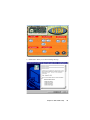
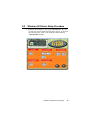
PCA-6180 board are located on the software installation CD. The autorun function of the driver CD will guide and link you to the utilities and
device drivers under a Windows system.
Note:
The files on the software installation CD are compressed. Do not attempt to install the drivers by
copying the files manually. You must use the supplied SETUP program to install the drivers.
Before you begin, it is important to note that many of the installation
procedures assume that you are familiar with the operating system
commands. Review the relevant operating system commands and the
pertinent sections of your application software's user's manual before
performing the installation.
4.2
Introduction
The Intel® Chipset Software Installation (CSI) utility installs to the
target system the Windows INF files that outline to the operating
system how the chipset components will be configured. This is
needed for the proper functioning of the following features:
• Core PCI and ISA PnP services.
• AGP support.
• IDE Ultra ATA 100/66/33 interface support.
• USB support.
• Identification of Intel® chipset components in the Device Manager.
54
PCA-6180 User's Manual