1
Chapter 20
Special Programming Considerations for SCXI
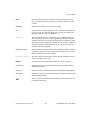
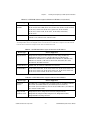
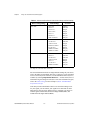
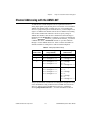
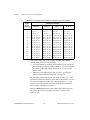
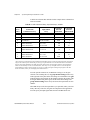
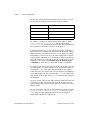
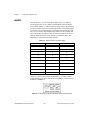
in Table 20-1 illustrate this method. The last example shows a channel list
with two modules.
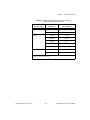
Table 20-1. SCXI-1100 Channel Arrays, Input Limits Arrays, and Gains
Array
Index
SCXI-1100
Channel List Array
Input Limits
Array
LabVIEW
Selected
SCXI Gain
LabVIEW
Selected
MIO/AI Gain
0
ob0!sc1!md1!0:7
–0.01 to 0.01
1000
1
0
ob0!sc1!md1!0:7
–0.001 to 0.001
2000
51
0
sc1!md1!0:7
–0.001 to 0.001
2000
1
0
1
ob0!sc1!md1!0:3
ob0!sc1!md1!4:15
–0.1 to 0.1
–0.01 to 0.01
100
100
1
10
0
1
ob0!sc1!md1!0:15
ob0!sc1!md1!16:31
–0.01 to 0.01
–1.0 to 1.0
10
10
1002
1
0
1
2
ob0!sc1!md1!0:3
ob0!sc1!md1!4:15
ob0!sc1!md2!0:7
–1.0 to 1.0
–0.1 to 0.1
–0.01 to 0.01
10
10
1000
1Applies
1
10
1
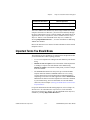
if the MIO/AI device supports a gain of 5 (some MIO/AI devices do not).
2 This case
forces a smaller gain at the SCXI module than at the MIO/AI device, because the input limits for the next channel
range on the module require a small SCXI gain. This type of gain distribution is not recommended because it defeats the
purpose of providing amplification for small signals at the SCXI module. The small input signals are only amplified by
a factor of 10 before they are sent over the ribbon cable, where they are very susceptible to noise. To use the optimum
gain distribution for each set of input signals, do not mix very small input signals with larger input signals on the same
SCXI-1100 module, unless you are sampling them at different times.
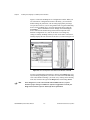
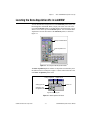
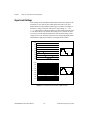
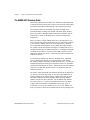
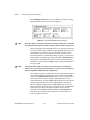
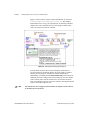
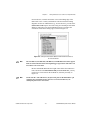
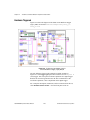
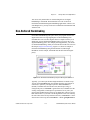
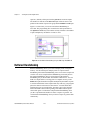
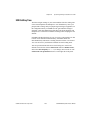
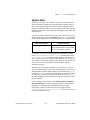
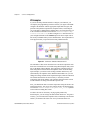
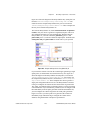
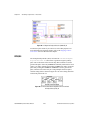
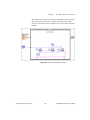
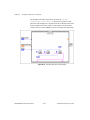
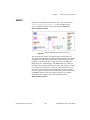
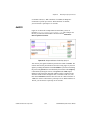
You can open the advanced VI, AI Hardware Config, to see the gain
selection. After running this VI, the group channel settings cluster array
at the right side of the panel shows the settings for each channel. The gain
indicator displays the total gain for the channel, which is the product of the
SCXI gain and the DAQ device gain, and the actual limit settings. The
group channel settings cluster array also shows the input limits for each
channel.
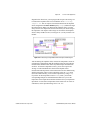
LabVIEW always scales the input data as you specified, unless you select
binary data only. Therefore, the gains are transparent to the application.
You can specify the input signal limits and let LabVIEW do the rest.
LabVIEW Data Acquisition Basics Manual
20-4
© National Instruments Corporation