1
M3T-PD32RM V.3.01 Release 00 Release Notes
3.3.
Installing of Acrobat Reader
The manual of PD32RM is provided as an electronic file. Acrobat Reader is necessary to browse the
electronic file. The latest version of Acrobat Reader can be downloaded from the home page of the
Adobe Systems.
URL for Adobe Systems: http://www.adobe.com/
3.4.
Installing of HTML Help Update Component
The Help for PD32RM is provided as HTML Help file. Internet Explorer 4.0 or later is necessary to browse
HTML Help files.
If you can’t browse HTML Help files, you need to install Internet Explorer 4.0 or later, HTML Help
Update Component, or both of them.
HTML Help Update Component (HHUPD.exe) is stored in the “Utility” folder, which is created within the
folder that PD32RM is installed (eg:c:¥renesas¥pd32rm¥Utility¥Hhupd.exe). Install it, if necessary (you
need to restart your system after installing). The latest version of this component can be downloaded from
the home page of Microsoft Co. Ltd.
URL for MSDN: http://msdn.microsoft.com/
3.5.
Installing of USB device driver
Install the USB device driver when you first use USB interfaces of Renesas emulators. The following
shows the procedure for installing it.
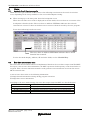
1. Connect the host computer and the emulator with USB cable.
2. Turn on the emulator.
3. Windows’ Plug & Play function detects the USB devices connected. The wizard for the USB device
installation starts.
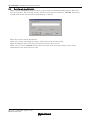
Go on following the wizard, and a dialog box for specifying the setup information file (inf file) is displayed.
Specify the musbdrv.inf file stored in a location below the directory where the PD32RM is installed (e.g.,
c:¥renesas¥pd32rm¥drivers).
[NOTES]
" Before USB device drivers can be installed, the PD32RM you use must already be installed. Install
the PD32RM first.
" When using Windows XP/2000, make sure a user who installs the USB device driver needs
administrator rights.
" During installation, a message may be output indicating that the device driver proper musbdrv.sys
cannot be found. In this case, specify the musbdrv.sys which is stored in the same directory as is the
musbdrv.inf file.
Rev.1.00 10.01.2006 page 5 of 28
REJ10J1494-0100