1
FOXTEL_PVR_opmaak
15-02-2006
09:50
Pagina 7
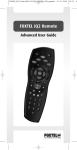
AV Mode of the
FOXTEL iQ
Remote
Pressing the av button on the FOXTEL iQ remote allows:
➮ The FOXTEL iQ to route the input from the VCR SCART connector on the
back of the FOXTEL iQ to the output of the primary or TV SCART.
In practice this means your VCR (or DVD Recorder) should be connected
to the VCR SCART connector on the FOXTEL iQ. Pressing the av button
displays the VCR’s output on the television. If nothing is connected to the
VCR SCART on the FOXTEL iQ then pressing the av button on the
FOXTEL iQ Remote blanks the television screen
➮ In AV mode the FOXTEL iQ Remote buttons are disabled unless it has
been programmed as shown in this guide (in which case it will control
your television’s or other device’s functions)
To identify which of the two SCART connectors is the VCR SCART look at
the back of the FOXTEL iQ, the VCR SCART will be the upper SCART
connector and marked VCR SCART.
7