1
S630 QS.book Page 15 Tuesday, June 19, 2001 7:04 AM
Advanced Print Features
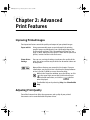
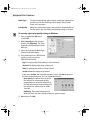
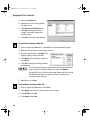
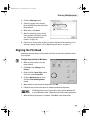
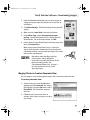
Orientation lets you select either portrait or landscape orientation.
Printer Paper Size is the page size
used by the printer. This defaults
to match the page size. However, a
different printer paper size can be
selected if a Printing Type other
than normal is selected (see
below).
Printing Type defaults to Normalsize Printing. Click the drop-down
arrow to select a different Printing
Type:
Scaled Printing With this option
you can set the scale of the printed image down to 20% or up to 400% of
the original.
Page Layout Printing Lets you set the number of pages to print on a single
sheet. Click Specify to set the number of pages to a sheet of paper (2 to 16),
the print order for those pages (left to right or right to left) and whether you
want to print a border around each page.
Poster Printing Lets you print an oversized image on multiple pages that
can then be manually joined together. Click Specify to set the image
divisions (how many tiles the image will break up into).
Banner Printing Used for printing banners on special banner paper.
5. When done, click OK.
For more feature descriptions, see the S630 User’s Guide on the Setup Software &
User’s Guide CD-ROM or access the online help.
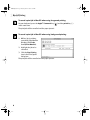
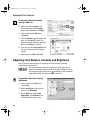
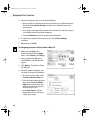
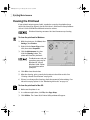
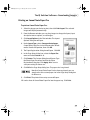
To change page setup in Mac OS:
1. Make sure that S630 is the
selected printer (from the Apple
menu, select Chooser, then S630).
2. From an application File menu,
click Page Setup. The Page Setup
dialog box will open.
15