1
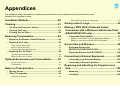
Appendices
This chapter provides information on maintenance procedures to ensure the best level of performance from the
projector for a long time to come.
Installation Methods ........................................... 80
Notes when packing and transporting............................................ 92
Cleaning............................................................... 81
Saving a User's Logo..........................................93
• Cleaning the Projector's Surface .....................................81
• Cleaning the Lens..............................................................81
• Cleaning the Air Filter......................................................81
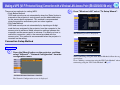
Making a WPS (Wi-Fi Protected Setup)
Connection with a Wireless LAN Access Point
(EB-G5350/G5150 only) .....................................95
Replacing Consumables .................................... 84
• Connection Setup Method ............................................... 95
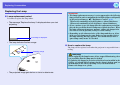
• Replacing the Remote Control Batteries ........................84
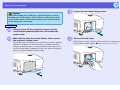
• Replacing the Lamp ..........................................................85
Making a Connection Using the Push Button Method .................. 96
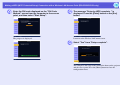
Making a connection using the PIN Code Method........................ 97
Lamp replacement period ...............................................................85
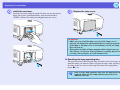
How to replace the lamp.................................................................85
Resetting the lamp operating time..................................................87
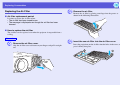
• Replacing the Air Filter....................................................88
Air filter replacement period ..........................................................88
How to replace the air filter............................................................88
Optional Accessories and Consumables ......... 90
Optional accessories .......................................................................90
Consumables ..................................................................................91
Screen Size and Distance...................................99
• Projection Distance for
EB-G5350/G5300/G5150/G5100...................................... 99
• Projection Distance for EB-G5200W............................ 100
Connecting to External Equipment .................101
• Connecting to an External Monitor.............................. 101
• Connecting to External Speakers.................................. 101
Notes on Transportation .................................... 92
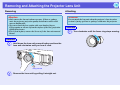
Removing and Attaching the Projector Lens
Unit ....................................................................102
• Moving Nearby..................................................................92
• When Transporting...........................................................92
• Removing......................................................................... 102
• Attaching ......................................................................... 102
Preparing packaging .......................................................................92