Download Cabletron Systems IRM Specifications
Transcript
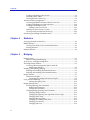
Contents Chapter 1 Introduction Using the 9H42x-xx User’s Guide .............................................................................. 1-3 Related Manuals............................................................................................................ 1-4 Software Conventions .................................................................................................. 1-4 Common 9H42x-xx Window Fields .................................................................... 1-4 Using Buttons ......................................................................................................... 1-6 Getting Help .................................................................................................................. 1-6 Using On-line Help................................................................................................ 1-6 Getting Help from Cabletron Systems’ Global Call Center............................. 1-7 9H42x-xx Firmware ...................................................................................................... 1-7 Chapter 2 The 9H42x-xx Module View Viewing Module Information...................................................................................... 2-2 Front Panel Information........................................................................................ 2-3 Menu Structure....................................................................................................... 2-4 Port Status Displays............................................................................................... 2-8 Selecting a Port Status View.......................................................................... 2-9 Port Status Color Codes............................................................................... 2-11 The Chassis Manager Window .......................................................................... 2-11 Viewing the Device Type .................................................................................... 2-12 Viewing I/F Summary Information.................................................................. 2-13 Interface Performance Statistics/Bar Graphs ........................................... 2-14 Viewing Interface Detail .............................................................................. 2-16 Making Sense of Detail Statistics......................................................... 2-18 Using the Find Source Address Feature ........................................................... 2-18 Managing the Module ................................................................................................ 2-19 Configuring Ports ................................................................................................ 2-19 Configuring Standard Ethernet Ports ........................................................ 2-20 Configuring Fast Ethernet Ports................................................................. 2-21 Setting the Desired Operational Mode............................................... 2-24 Setting the Device Date and Time ..................................................................... 2-25 Enabling and Disabling Ports ............................................................................ 2-26 Chapter 3 Alarm Configuration About RMON Alarms and Events.............................................................................. 3-1 Basic Alarm Configuration .......................................................................................... 3-2 Accessing the Basic Alarm Configuration Window.......................................... 3-3 Viewing Alarm Status .................................................................................... 3-4 v