1
chapter 6
Editing
This chapter describes audio and MIDI editing with ProControl.
Navigating, Zooming and
Selecting with ZOOM/SEL
Navigation Mode (Mode 1)
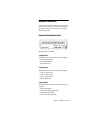
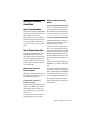
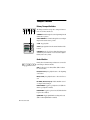
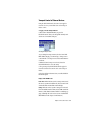
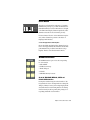
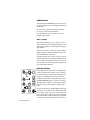
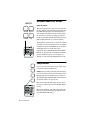
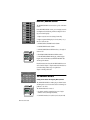
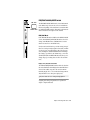
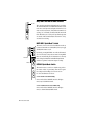
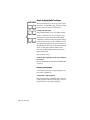
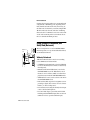
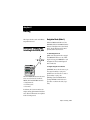
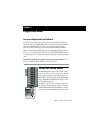
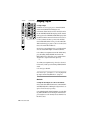
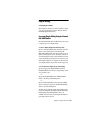
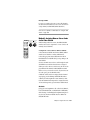
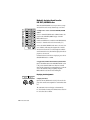
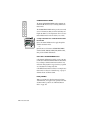
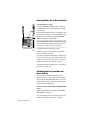
When the ZOOM switch LED is off, the
PREVIOUS, NEXT, UP and DOWN switches
function in Navigation mode (the default
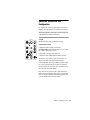
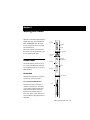
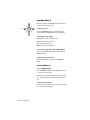
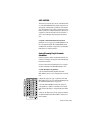
mode). The Zoom/Sel arrows become region/edit/track location selector:
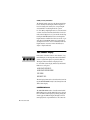
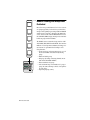
To enable Navigation mode:
UP
PREVIOUS
NEXT
ZOOM / SEL
DOWN
■ Make sure Navigation mode is engaged
(the ZOOM/SEL switch is not lit or flashing). If necessary, press ZOOM/SEL to cycle
through mode choices until Navigation
mode is indicated.
0
-2
-4
-6
-8
-10
-14
-18
-22
-26
-30
-35
-40
-45
-50
1
2
3
4
5
6
1
2
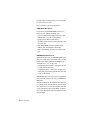
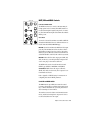
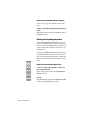
To navigate using the arrow switches:
3
4
SELECT / ASSIGN
GROUPS
5
6
7
8
DSP EDIT / ASSIGN
CHANNEL / GROUP
CHANNEL MATRIX
WINDOWS
AUTOMATION
STATUS
EDIT MODE
EDIT TOOL
EDIT FUNCTION
NUDGE
BANK SELECT
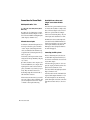
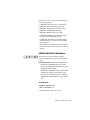
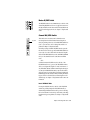
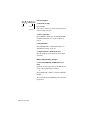
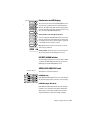
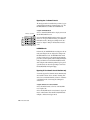
■ PREVIOUS: moves the edit cursor to previous region boundary or sync point.
SHORTCUTS
TALK
BACK
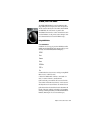
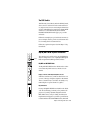
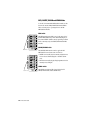
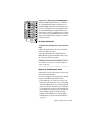
The main ZOOM/SEL button in the center
selects one of three modes for the UP,
DOWN, NEXT and PREVIOUS switches:
• Navigation mode
• Zoom mode, and
• Select mode.
■ NEXT: moves the edit cursor to next region boundary or sync point.
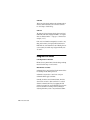
■ Holding down CTL/CLUTCH while
pressing PREVIOUS or NEXT: selects regions later or earlier in the track, respectively.
In addition, the four arrow switches can
navigate among alpha numeric fields/characters. All these different uses are explained
in the following sections.
Chapter 6: Editing 121