1
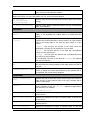
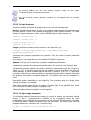
By pressing Ctrl+C you can force backup
TrueImageTerminal to background operation.
progress
output
off and
switch
You can terminate backup operation executed by TrueImageTerminal by pressing
Ctrl+B.
15.2.2 Script structure
Scripts are written in the XML language and you can use the following tags:
Source. Specifies the partitions or disks to be imaged. Letters assigned to partitions must
be used without a colon. Disk numbers correspond to their system numbers. To create
images of several partitions or disks, use the SOURCE tag for each of them, e.g.:
<source letter =”C” />
<source letter =”D” />
<source disk =”1” />
<source disk =”2” />
Target. Specifies the name and the location of an image file, e.g.:
<target file=“E:\Mybackup2.tib” username=”username”
password=”password” />
username and password parameters are optional. They are used to access networked
resources.
As a target for the image files you can indicate CD-R/RW or tape drive.
Options. This tag can be used with a number of additional parameters:
Compression: specifies the backup compression level. Can be None, Low, Normal, High.
Incremental: specifies whether you need to create an incremental image file. If equal to
”false” (or “0”), a complete image file will be created. If there is already a file with the
name specified, it will be replaced without warnings. If equal to “true” (or “1”) and there
is already a file with the name specified, an incremental image will be created. Otherwise
the program will create a complete image file. The default value for this parameter is
“true”.
Description: adds a description to an image file. The comment must be a single string
(though its length is not limited.)
Split: splits a large image file into a number of smaller files of the specified size, which
can be provided in bytes, kilobytes, megabytes, etc.
Password: adds password protection to an image file.
15.2.3 Script usage examples
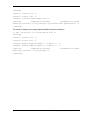
The following example illustrates the usage of a script to backup two partitions (logical
drives), C and F. mybackup2.tib is specified as an incremental image file. High
compression level is selected and the image is to be split into 650MB parts for recording
to CD-R/RW media. Password protection will also be added. The entire script must be
located between the <backup> and </backup> tags.
<? xml version="1.0" encoding="utf-8" ?>
118
Copyright © Acronis, Inc., 2000-2009