1
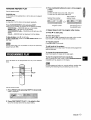
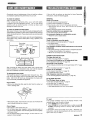
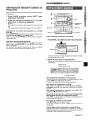
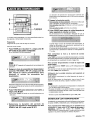
3 Press numbered buttons O-9 and +10 to program
a track.
Use the remote control.
Example:
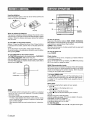
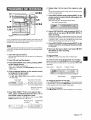
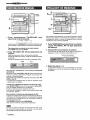
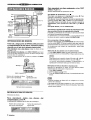
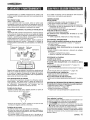
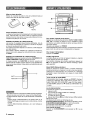
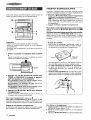
RANDOM play
To select the 25th track, press +10, +10 and 5.
To select the 10th track, press +1 O and O.
All the tracks on the selected
disc or all the discs can be played
randomly.
Total number
Selected
track number
selected
,,, ,
,& ,!,
,1
t ~,,;;
‘Lb
“,>
R’,?
# /,,m
?$,%‘~~~
..,2
,.,1
~,:, 4$
1 .’$$
!,.!
of
tracks
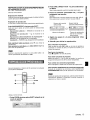
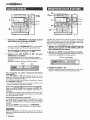
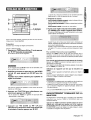
REPEAT play
A single disc or all the discs can be played repeatedly,
Press RANDOM/REPEAT
Each time it is pressed,
while pressing SHIFT.
the function
can be selected
Program
number
Total playing time of
the selected tracks
cyclically.
RANDOM
play — RANDOM lights up on the display.
REPEAT play — ~ lights up on the display.
play — RANDOM and% light up on the
RANDOM/REPEAT
display.
Cancel — RANDOM
4 Repeat steps 2 and 3 to program other tracks.
5 Press -to
and G
disappear
start play.
from the display.
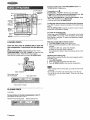
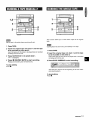
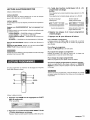
To check the program
To ~lav all discs, press - to start play.
To Dlay a sinale disc, press one of DISC DIRECT PLAY 1-3 to
start play.
Each time track number,
or is pressed in stop mode, a disc number,
and program number will be displayed.
To clear the program
m
Press
During random play it is not possible
played track with <.
to skip to the previously
■
CLEAR
in stop mode.
To add tracks to the program
Repeat steps 2 and 3 in stop mode. The track will be programmed
after the last track.
To change
the programmed
Clear the program
Up to 30 tracks
discs.
can be programmed
from any of the inserted
tracks
and repeat all the steps again.
❑
To play the programmed
tracks
repeatedly
After programming
the tracks,
press RANDOM/REPEAT
repeatedly until % appears on the display.
m
During
checking
programmed
the remaining
play, you cannot
perform
time, and selecting
random
play,
a disc or track,
u
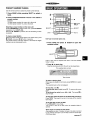
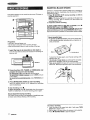
Use the remote control.
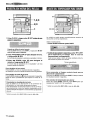
1 Press PRGM while pressing SHIFT in stop mode.
“PRG” is displayed
2 Press DISC DIRECT PLAY 1-3 to select a disc.
Go to the next step when the tray stops rotating.
ENGLISH
1()