1
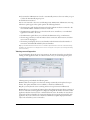
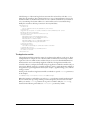
• Within the flashcom_help directory is the admin directory. This directory contains the
Administration Console (admin.swf ) and the Communication App Inspector
(app_inspector.swf ), both of which can be used remotely to connect to the server. You use the
Administration Console to monitor and control server activity. You use the Communication
App Inspector to monitor and control running applications.
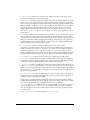
• The scriptlib directory contains the ASC files for the communication components and
NetServices (used with Macromedia Flash Remoting).
At installation time, the location of the scriptlib directory is written to the <ScriptLibPath>
tag in the Application.xml file.
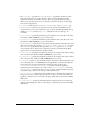
• (Windows only) If you have Macromedia Flash MX installed on the same computer, the Flash
Communication Server installer adds the new Communication App inspector and the
NetConnection Debugger windows to Flash MX. These features provide support for creating
and debugging communication applications within Flash MX. For more information on using
these features, see Developing Communication Applications.
If you installed the server on a UNIX system, install the authoring components installer on your
Flash MX computer to get the Communication App inspector and the NetConnection Debugger
menu options in Flash MX, along with the communication components and the Flash
Communication Server help.
Files in the web root directory (optional)
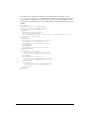
If you have a web server installed and you chose to install the Flash Communication Server
sample applications there, you can find SWF and HTML files for the sample applications in a
subdirectory of the web root directory. (If you didn’t specify a web root directory, the SWF and
HTML files are installed in a subdirectory of the installation directory.)
About your installation
9